If you’re considering a Subaru Solterra, or already own one, you’ve probably heard about its quirks: slow DC fast charging, modest range, and a recent HVAC recall. This guide breaks down the **most common Subaru Solterra problems and fixes**, what Subaru has already addressed, and what’s simply part of living with this first-generation EV.
Shared DNA with Toyota bZ4X
Overview: How the Subaru Solterra Is Holding Up
The Solterra launched for the 2023 model year as Subaru’s first mass-market EV. Early impressions were mixed: owners like the roomy cabin, standard AWD, and Subaru-style road manners, but there’s plenty of frustration around **charging speeds, real-world range, and some early software oversights**. The good news is that some of the most serious concerns, like an HVAC/defroster defect, are being addressed through recalls and software updates, and later model years get incremental improvements.
Solterra trouble spots at a glance
Subaru Solterra reliability at a glance
Where the Solterra is solid
- Core drivetrain: Dual-motor AWD system has not generated large-scale failure patterns so far.
- Battery longevity (early data): Most complaints are about range estimates and cold-weather loss, not clear-cut early battery failures.
- Build quality: Interior fit and finish, squeaks, and rattles are not major themes in owner forums compared with some rivals.
Where owners see the most pain
- Charging experience: Slow and inconsistent DC fast charging is the number-one frustration, especially on road trips.
- Range realism: Highway and winter driving can make the Solterra feel under-ranged versus paper specs.
- Software & HVAC: Defroster/HVAC recall, range-guessing quirks, and occasional infotainment bugs require updates and dealer visits.
Tip for shoppers
Problem 1: Slow DC fast charging and road-trip frustration
Ask a current owner about their biggest Subaru Solterra complaint and you’ll hear a familiar refrain: **DC fast charging is slow**. On paper, early Solterras advertise up to roughly 100 kW DC charging; in practice, U.S. owners often report sessions topping out around 30–60 kW and tapering hard by 50–60% state of charge. In cold weather, speeds in the 20–30 kW range are common even on high-powered 150–350 kW chargers.
- Charging curve is conservative, dropping quickly after about 50–60% state of charge.
- Battery cannot actively precondition for fast charging, especially in cold weather.
- Older public chargers and misconfigured stations sometimes mis-report their own capabilities.
- Some early cars appear to charge even slower than Subaru’s already-modest expectations, suggesting individual cars or software versions may perform worse.
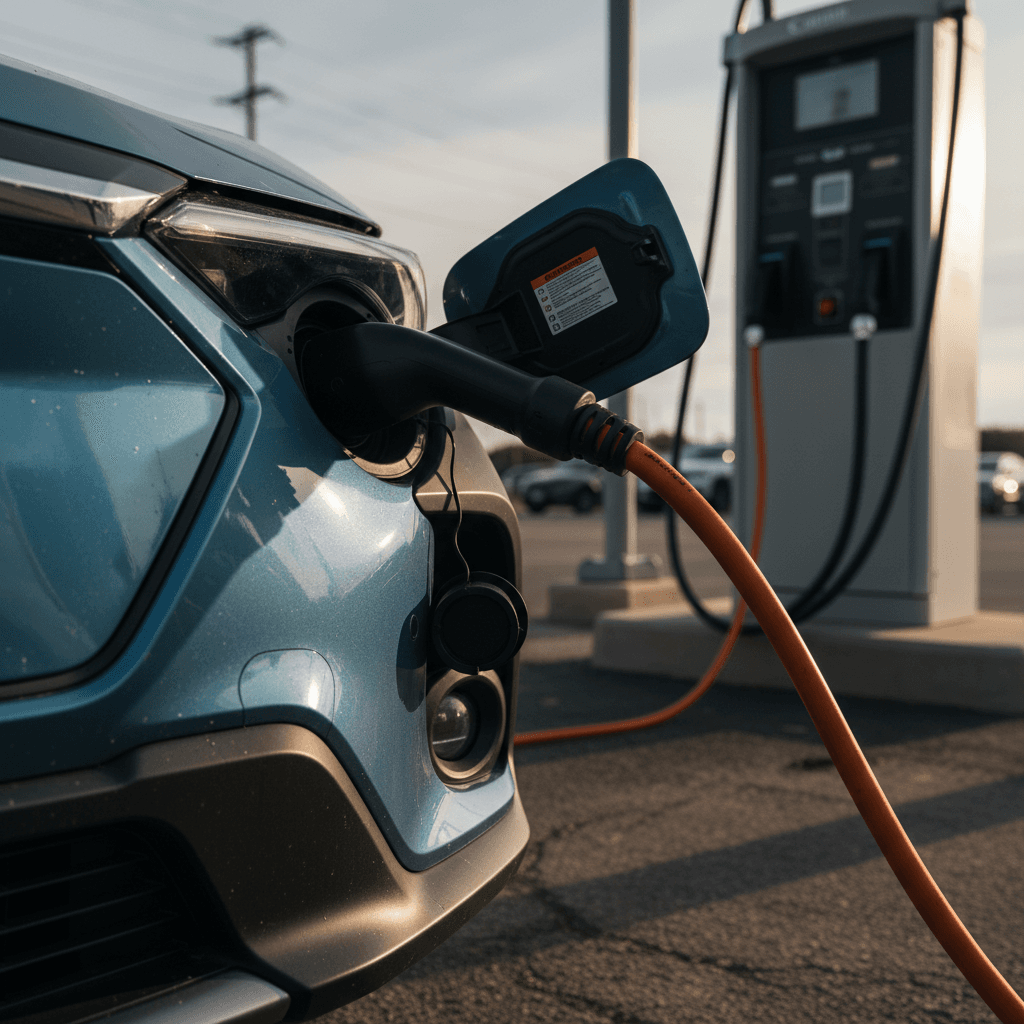
Practical fixes and workarounds for slow DC charging
Steps to improve Solterra DC charging performance
1. Update vehicle software
Ask your Subaru dealer to confirm your Solterra has the latest **ECU and battery/charging software**. Several updates have quietly refined range estimates and charging logic. Firmware updates are usually covered under warranty.
2. Start DC charging with a warm, low battery
You’ll see the best speeds when you arrive at the charger with **15–40% state of charge** after driving at highway speeds. Short city trips or sitting in cold weather makes the pack cold and slows everything down.
3. Limit sessions to 60–80% on road trips
Because charging speeds taper early, the sweet spot is often **20–60% (or 70–80%)**. Multiple shorter stops can be faster overall than trying to go from 10–100% in one sitting.
4. Prefer modern, well-maintained stations
Use newer DC networks and chargers that show they’re capable of 150 kW or better and have recent maintenance. If a charger is stuck at very low speeds while others nearby are faster, try switching stalls or networks.
5. Use Level 2 for everyday needs
At home or around town, rely on a **Level 2 (240V) charger**. It’s usually cheaper and more predictable. Save DC fast charging for trips where you truly need it.
When to call the dealer about charging
Problem 2: Range complaints, cold weather, and battery health
Even by paper specs, the early Solterra isn’t a range champion: roughly **222–228 miles EPA-rated** depending on trim and wheels. That’s fine for commuters but can feel tight on winter road trips. Owners frequently report the dash estimate dropping from the mid-200s at delivery to lower numbers over time. In most cases, this is **software re-learning your driving patterns and weather**, not rapid battery degradation.
- Cold weather can knock 20–30% or more off usable range, especially with highway speeds and cabin heat on.
- Short trips in freezing conditions keep the battery cold and inefficient.
- Early software versions often **overestimated range** when new, then adjusted downward with real-world data.
- Some owners confuse the guess-o-meter reading with irreversible battery degradation.
How to tell range estimation from real battery degradation
Range behavior that’s usually normal
- Display range drops in winter then rebounds in spring.
- Lower range estimate after weeks of high-speed or uphill driving.
- Software update changes the displayed miles at 100% overnight.
Range behavior worth investigating
- Sudden, large loss of usable range (15–20%+) that doesn’t track temperature or driving style.
- Big difference between energy used (kWh) and miles traveled versus what you’d expect from a ~65 kWh pack.
- Range drops rapidly even at gentle speeds and mild temperatures.
Software updates matter here too
Easy ways to maximize Solterra range
Use Eco mode and moderate acceleration
The Solterra responds well to smoother inputs. Eco mode softens throttle, which can help stretch miles, especially in town.
Precondition while plugged in (when available)
When you can, warm or cool the cabin while the car is charging. That keeps more battery energy for driving instead of climate control.
Check tire pressures regularly
Underinflated tires hurt efficiency. Verify pressures match the placard on the driver’s door, especially as temperatures swing between seasons.
Dial back highway speeds
Above about 65–70 mph, **aerodynamic drag spikes**, and so does energy use. Even a small speed reduction can reclaim noticeable range.
Problem 3: HVAC / defroster recall and visibility concerns
One of the most serious shared issues for the Subaru Solterra, Toyota bZ4X, and Lexus RZ is an **HVAC software defect** that can cause the heater and defroster to shut down under certain compressor-failure scenarios. That can compromise windshield defogging and defrosting, especially dangerous in cold climates, so the issue triggered a formal recall on **2023–2025 Solterra models** built within specific date ranges.
- HVAC control software may push the system into a failsafe mode, suspending heater operation.
- In low temperatures, that can mean poor defrost/defog performance and reduced visibility.
- The recall fix includes a **software update** and, in some cases, HVAC compressor replacement, all at no cost to the owner.
If your defroster stops working, don’t wait
What to do about the Solterra HVAC/defroster recall
Confirm recall status by VIN
Use Subaru’s recall lookup tool or NHTSA’s website to see if your VIN is covered. Many 2023–2025 Solterra builds are included, but not all.
Schedule a dealer appointment
Repairs involve software changes and possibly a compressor swap. Plan to leave the car for at least a few hours; some shops may need it all day.
Keep documentation for resale
If you’re thinking about selling or trading in later, having **proof of recall completion** reassures the next owner or dealer and can support value.
Test the system afterward
Once the fix is complete, test heat and defrost in a variety of conditions. If anything still feels off, return to the dealer promptly.
Problem 4: Infotainment, software, and charging-network quirks
Like most modern EVs, the Solterra layers its hardware on top of a growing software stack. That’s led to reports of **frozen infotainment screens, Bluetooth dropouts, occasional CarPlay/Android Auto glitches, and random warning lights** that clear after a restart. None of this is unique to Subaru, but it adds friction to daily use.
- Touchscreen lag or temporary black screens.
- Phone projection (CarPlay/Android Auto) dropping intermittently.
- Random error messages that disappear after power-cycling the car.
- Finicky communication with some public chargers, especially older units, leading to failed sessions or the need to re-plug.
Simple first-line fixes
How to stay ahead of Solterra software issues
Ask for full software updates at each service
Make “are there any software or ECU updates for my VIN?” a standing question at every visit. Dealers don’t always push minor updates unless you ask.
Document repeatable issues
If a glitch happens more than once, note the **date, mileage, conditions, and photos** of any error messages. That helps the dealer escalate with Subaru if needed.
Carry multiple charging apps and RFID cards
Because public charging networks can be inconsistent, keep accounts/cards with at least two major providers plus your backup plan (like PlugShare) for station intel.
Avoid running too many accessories at once
Heavy loads through USB, wireless charging, and Bluetooth streaming occasionally aggravate laggy infotainment in many vehicles, not just the Solterra.
Problem 5: Ride quality, tires, and other wear items
So far, the Solterra isn’t notorious for catastrophic mechanical failures. Instead, most day-to-day complaints land in the **comfort and wear-item** category: ride firmness, tire wear, and road noise, especially on Touring models with larger wheels.
Common comfort & wear complaints, and easy fixes
Most of these are fixable with relatively low-cost adjustments.
Ride feels firm or busy
The Solterra’s suspension and low-profile tires on higher trims can feel stiff over broken pavement.
Fix: Consider downsizing to tires with a slightly taller sidewall when you replace them, or verify tire pressures aren’t overinflated.
Road noise on highways
Wide EV tires and the absence of engine noise can make **tire roar** more obvious.
Fix: Choose quieter, touring-oriented EV tires when it’s time to replace the factory set and check for any missing door or hatch seals.
Brake and suspension wear
No widespread pattern yet, but as mileage accumulates, expect normal wear on pads, rotors, and bushings.
Fix: Have brakes and suspension inspected on the same schedule you’d follow for a gasoline Subaru, especially in rust-prone regions.
Regenerative braking is gentle on pads
Problem 6: EyeSight quirks and ADAS expectations
Subaru’s EyeSight driver-assistance suite, adaptive cruise control, lane-keeping assistance, and pre-collision braking, has been a selling point for years, but it’s not flawless. Across the Subaru lineup, some owners report **overly sensitive warnings, phantom braking, or inconsistent lane-centering performance**. The Solterra version inherits the same basic behavior.
- Occasional abrupt braking in response to shadows, overpasses, or vehicles in adjacent lanes.
- Lane-centering that “ping-pongs” between lane markers on poorly painted roads.
- Cameras and sensors being more easily confused in rain, fog, or direct sun glare.
Driver-assist is not self-driving
DIY fixes vs. dealer visit: What you can actually do
Some Solterra issues are well within an owner’s control; others are squarely in **dealer or warranty** territory. Knowing the difference saves time and reduces frustration.
Reasonable DIY fixes & maintenance
- Monitoring tire pressures and rotating tires on schedule.
- Keeping software-affected systems (infotainment, phone pairing) clean and updated.
- Planning charging and routes around the Solterra’s slower DC curve.
- Using quality Level 2 charging at home to reduce reliance on public DC stations.
When to go straight to a Subaru dealer
- Defroster/heat issues or any HVAC behavior tied to the recall.
- Chronic slow DC charging that’s far below peer vehicles and Subaru’s own guidance.
- Warning lights related to battery, motor, or high-voltage systems.
- Serious EyeSight misbehavior such as frequent phantom braking or loss of lane-keeping.
How Recharged can help
Ready to find your next EV?
Browse VehiclesBuying a used Subaru Solterra: Problem-spotting checklist
The used Solterra market is still young, which creates opportunity and risk. You may find attractive pricing because shoppers fixate on its charging reputation, but you’ll want to separate **normal Solterra behavior** from signs of neglect or unresolved recalls.
Used Subaru Solterra inspection checklist
1. Verify recall and software-update history
Ask for a printout of **recall, TSB, and software updates** tied to the VIN. Confirm the HVAC/defroster campaign is closed and ask if any battery/charging updates have been applied.
2. Test real-world DC fast charging
If possible, do a brief DC fast-charge session from ~20–60% on a reputable station. Look for speeds at least in the **30–60 kW** range in mild weather; if it’s much lower, note it and ask questions.
3. Check displayed range at 100%
With a full charge, compare the dash estimate to EPA ratings and seller claims. A lower number isn’t automatically bad, but combine it with **trip data** if you can to see whether it matches real energy use.
4. Inspect tires and brakes
Uneven tire wear, mismatched tires, or noisy brakes can hint at alignment issues or a hard life. On any EV, tires are a major cost item, factor replacements into your budget.
5. Evaluate tech and driver-assist behavior
On the test drive, try adaptive cruise, lane-keeping, and infotainment. Occasional quirks are normal; constant warnings, false braking, or frozen screens may point to underlying problems.
6. Get third-party or marketplace battery diagnostics
Whenever possible, use a marketplace like <strong>Recharged</strong> that includes a **battery health report and verified charging performance** in a standardized score. That’s hard to replicate in a single test drive.
Frequently asked questions about Subaru Solterra problems
Subaru Solterra common problems: FAQ
Bottom line: Is the Subaru Solterra a bad buy?
The Subaru Solterra isn’t a disaster, but it is a **first-generation EV with clear compromises**. Slow DC fast charging, modest range, and an HVAC recall mean it’s not the ideal choice for every driver, especially frequent road-trippers in cold climates. On the other hand, if you mostly commute locally, can charge at home, and value Subaru’s AWD character more than headline charging speeds, a well-sorted Solterra can still make sense, especially at the right used price.
The key is transparency. When you shop, insist on **documented recall completion, fresh software, and some form of battery health or charging-performance report**. Buying through a marketplace like Recharged, where every EV includes a Recharged Score and verified battery diagnostics, can take a lot of uncertainty out of the equation and make sure the Solterra you choose fits the way you actually drive.