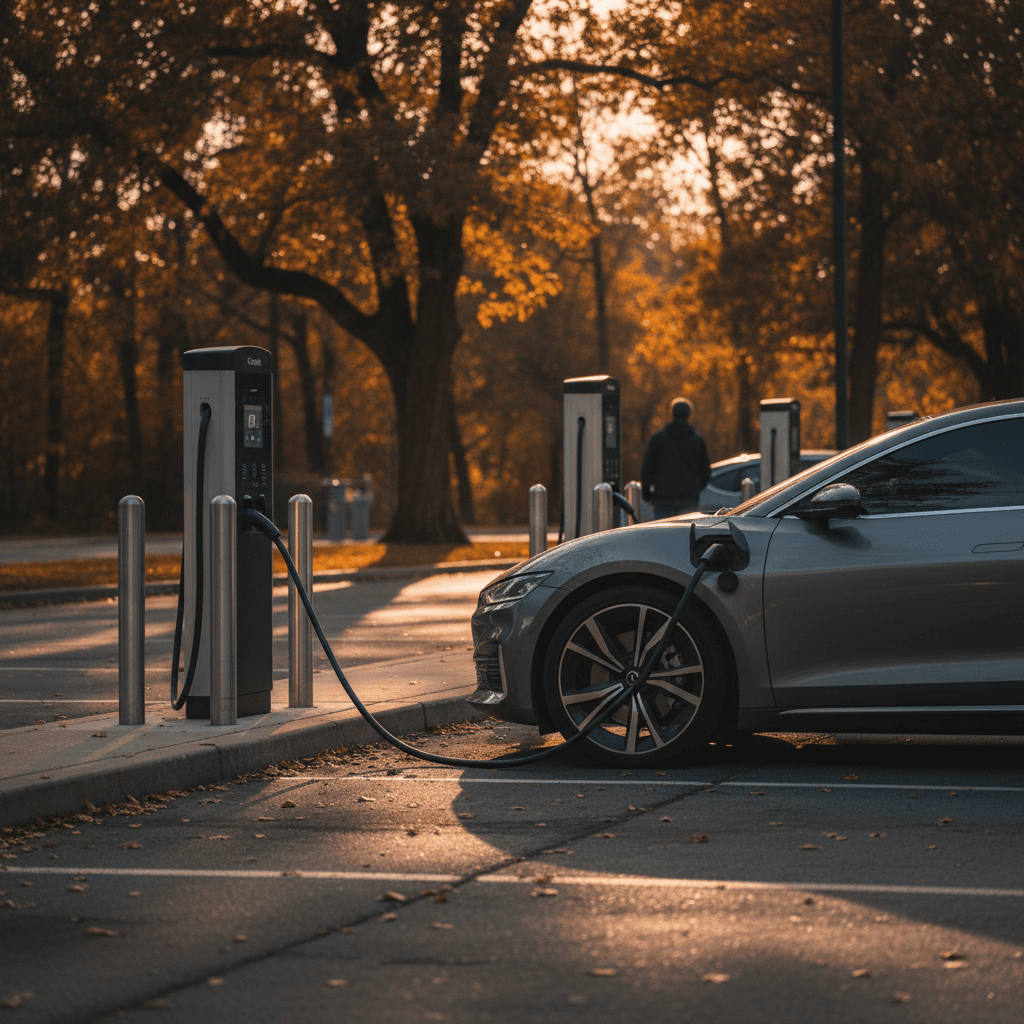
If you use public chargers, you’ve probably noticed that figuring out the **ChargePoint charging cost per session** isn’t as simple as reading a price on a gas pump. There’s the price per kWh, a possible session fee, and maybe even an idle fee if you leave your car sitting too long. Let’s unpack how it all fits together so you know what you’ll really pay every time you tap your card or start a session in the app.
Quick takeaway
How ChargePoint charging cost per session really works
Unlike a traditional gas station, **ChargePoint doesn’t own most of the chargers on its network**. Stations are typically owned by workplaces, universities, apartment communities, retailers, or fleets. ChargePoint simply provides the hardware, payment processing, and software platform. That means **each site host sets their own pricing**, and ChargePoint passes those costs (plus any network fees) on to you.
As of early 2026, a typical **ChargePoint Level 2 session** in the U.S. might cost anywhere from **$0.20–$0.40 per kWh**, sometimes with an additional flat **session fee of $0–$2**. DC fast sessions are more expensive, often **$0.35–$0.55 per kWh**, plus similar or slightly higher session and idle fees. Actual numbers vary by host, location, and time of day, so you always need to check the app before you plug in.
Hosts can change pricing at any time
The three big pieces of ChargePoint pricing: energy, session and idle fees
This is the price of the electricity you actually use while the car is taking power.
- Per kWh pricing: Very common in states that allow it (e.g., $0.25 per kWh).
- Time‑based pricing: In some places, especially where per‑kWh billing is restricted, hosts may charge per minute or per hour (for example, $1.50 per hour).
- Tiered pricing: Some hosts charge one rate for the first hour or two and a higher rate afterward to encourage turnover.
A **flat fee charged once per charging session**, set by the site host.
- Often shown as “Session Fee $1.00” or similar in the ChargePoint app.
- Applied when you start charging, regardless of how little or how much energy you take.
- Can make short, top‑off charges disproportionately expensive.
Some hosts use a “Station Time Rate” or “Overstay/idle fee” when your car is plugged in but not actively charging.
- Might be charged per minute or per hour after charging is complete, or after a grace period.
- Designed to prevent people from treating chargers as parking spots.
- Can add several dollars to your **total cost per session** if you walk away and forget your car.
Key ChargePoint terminology to watch for
Typical ChargePoint cost per session by charger type
Typical 2026 U.S. ChargePoint pricing ranges*
These numbers are ballpark ranges pulled from current public network comparisons and posted ChargePoint pricing in early 2026. Your actual **ChargePoint charging cost per session** could be lower, or higher, depending on your local electricity rates and how aggressively a given site manages turnover.
Watch for minimum and maximum fees
Real‑world examples: What a ChargePoint session actually costs
Let’s run through a few realistic 2026 scenarios so you can see how all the moving pieces add up to a **total ChargePoint cost per session**.
Sample ChargePoint session cost scenarios
Illustrative examples only, always check the live pricing for a specific charger in the app before you plug in.
| Scenario | Pricing setup | Energy used | Session length | Estimated total cost |
|---|---|---|---|---|
| 1) Quick mall top‑off (Level 2) | $0.30/kWh + $1.00 session fee | 12 kWh (~35–45 miles) | 1.5 hours | $0.30×12 = $3.60 + $1.00 = $4.60 |
| 2) Workplace all‑day charge (Level 2) | $1.00/hour, no session fee | 7 hours connected, charging most of the time | 7 hours | 7 × $1.00 = $7.00 |
| 3) Highway fast charge (DCFC) | $0.45/kWh + $0.49 service fee (member) | 30 kWh (~80–120 miles) | 35 minutes | $0.45×30 = $13.50 + $0.49 ≈ $14.00 |
| 4) Grocery stop with idle fees (Level 2) | $0.25/kWh + $0.25 session fee + $0.10/min idle after 15‑min grace | 10 kWh + 20 minutes idle | 1 hour charging + 20 minutes idle | Energy: $2.50 + Session: $0.25 + Idle: $2.00 = $4.75 |
These examples assume mild weather and mid‑sized EVs; your consumption and cost may vary.
How to estimate cost on the fly
How the new 2026 ChargePoint service fees affect you
Beginning in March 2026, ChargePoint is rolling out an additional **network service fee** on many paid sessions. This is separate from any host‑set session fee and is charged by ChargePoint itself when you start a charge.
ChargePoint 2026 service fee examples
These are representative figures from ChargePoint’s 2026 announcements; exact amounts and where they apply may change over time.
| User type | Charger type | Example service fee per session | What it means |
|---|---|---|---|
| ChargePoint account holder | Level 2 (AC) | ≈ $0.25 | Small flat fee added to each paid AC session on participating stations. |
| Guest / anonymous tap‑to‑pay user | Level 2 (AC) | ≈ $0.49 | Higher fee if you start a session without a ChargePoint account. |
| ChargePoint account holder | DC fast (DCFC) | ≈ $0.49 | Flat fee added to many DC fast sessions. |
| Guest / anonymous tap‑to‑pay user | DC fast (DCFC) | ≈ $0.99 | Highest service fee tier; can noticeably increase cost of short DC charges. |
Service fees are on top of whatever the station owner charges for energy, time, or their own session fee.
Not every ChargePoint station will use these specific service fees, and some institutional programs (like university or corporate connection programs) may waive them entirely. But if you’re relying on public charging regularly, it’s smart to assume an extra **$0.25–$1.00 per session** may now be part of your total cost and to favor starting sessions from your ChargePoint account instead of tapping a credit card as a guest.
How to check ChargePoint cost per session before you plug in
Fortunately, ChargePoint makes it reasonably easy to see your **expected cost per session** ahead of time, if you know what to look for in the app.
Step‑by‑step: See full ChargePoint pricing before you start
1. Open the ChargePoint app and find the station
Search by map, address, or station name, then tap the specific connector you plan to use. Make sure you’re looking at the exact port you’ll plug into, not just any connector at the site.
2. Read the detailed pricing line by line
Look for the <strong>Energy Rate</strong> (per kWh or per minute/hour), any <strong>Session Fee</strong>, and notes about <strong>Overstay/Idle fees</strong>, <strong>Minimum Fee</strong>, or <strong>Maximum Fee</strong> for that connector.
3. Check for service, guest, or convenience fees
If you’re planning to tap a credit card instead of using your ChargePoint account, look for mention of a <strong>Service Fee</strong>, <strong>Guest Fee</strong>, or <strong>Convenience Fee</strong> that ChargePoint may add to the host’s price.
4. Estimate how long you’ll be plugged in
If there’s a time‑based or idle fee, be honest about how long you’ll leave the car connected, not just how long it will be charging. That’s what determines your <strong>total cost per session</strong>.
5. Compare nearby stations
Use the map filters to look for lower‑cost stations or ones that are free to use. Prices on different ChargePoint stations in the same parking lot or campus can be very different.

7 ways to lower your ChargePoint cost per session
Practical ways to cut your ChargePoint bill
Small behavior changes can trim several dollars off each public charging session.
Start sessions from the app
Whenever possible, use your ChargePoint account instead of tapping a credit card as a guest. Account holders often pay lower service or guest fees, and some workplace or campus programs waive those fees entirely.
Avoid deep discharges
It’s usually cheaper and easier to use public chargers for top‑offs, for example, from 30–60%, especially on DC fast. The last 20% of charge can be slower and more expensive in both time and idle‑fee risk.
Move promptly when charging stops
Idle fees can turn an affordable session into an expensive one. Enable notifications in the ChargePoint app and head back as soon as you’re done charging, especially at busy locations.
Favor lower‑cost hosts
Two ChargePoint stations across the street from each other can have very different pricing. Check the map for lower per‑kWh rates or free Level 2 at workplaces, hotels, and municipal sites.
Time your sessions smartly
Some hosts use time‑of‑day pricing. If you can, plan your charging for off‑peak or overnight periods when rates are lower and demand is lighter.
Do most charging at home
Public networks are convenient, but they’re rarely the cheapest option. If you have a place to plug in at home, that’s usually the best way to minimize your average cost per kWh.
Public charging + smart planning
Home vs. public ChargePoint costs: Where charging is cheapest
Many drivers first encounter ChargePoint at a public charger, but the company also sells **home smart chargers** that work with the ChargePoint app. From a “cost per session” standpoint, home charging almost always wins.
Home ChargePoint sessions
- You pay your local residential electricity rate, often $0.10–$0.25 per kWh.
- No network session fees or idle fees, just the cost of electricity.
- The ChargePoint app can estimate your cost per session if you enter your actual utility rate.
- Great for overnight charging from 20–80% without time pressure.
Public ChargePoint sessions
- Energy is typically marked up compared to residential rates, often $0.20–$0.40 per kWh for Level 2 and more for DC fast.
- You may see a session fee, service fee, and idle fees, especially at busy urban or highway locations.
- Best used strategically: quick top‑ups, road‑trip stops, or when home charging isn’t available.
Use the app at home, too
What ChargePoint costs mean when you’re shopping for a used EV
If you’re considering a used EV, understanding **ChargePoint charging cost per session** is part of evaluating your overall cost of ownership. Two buyers can pay very different prices to drive the same car, depending on whether they charge mostly at home or lean heavily on public networks like ChargePoint.
At Recharged, every used EV listing includes a Recharged Score Report with verified battery health and efficiency, so you can estimate how many kWh you’ll use for your typical commute or road trip. From there, you can plug in your local home electricity rate and your typical ChargePoint pricing to get a realistic picture of **monthly charging costs** before you buy.
How Recharged can help
ChargePoint cost per session: FAQ
Frequently asked questions about ChargePoint charging cost per session
Bottom line on ChargePoint charging cost per session
When you boil it down, your **ChargePoint charging cost per session** is the sum of three things: what you pay for energy, any flat session or service fees, and any idle charges for overstaying. Those pieces vary from station to station, which is why two identical sessions can cost different amounts just a few blocks apart.
If you build the habit of checking the detailed pricing in the app, starting sessions from your ChargePoint account, and moving your car promptly when charging stops, you’ll stay on the right side of those fees. Combine that with smart home charging and a used EV with a healthy, efficient battery, and you can keep your total cost per mile comfortably low. And if you’re comparing used EVs, Recharged can help you understand not just the sticker price, but what you’ll really spend to keep your next electric car charged, at home and on ChargePoint.