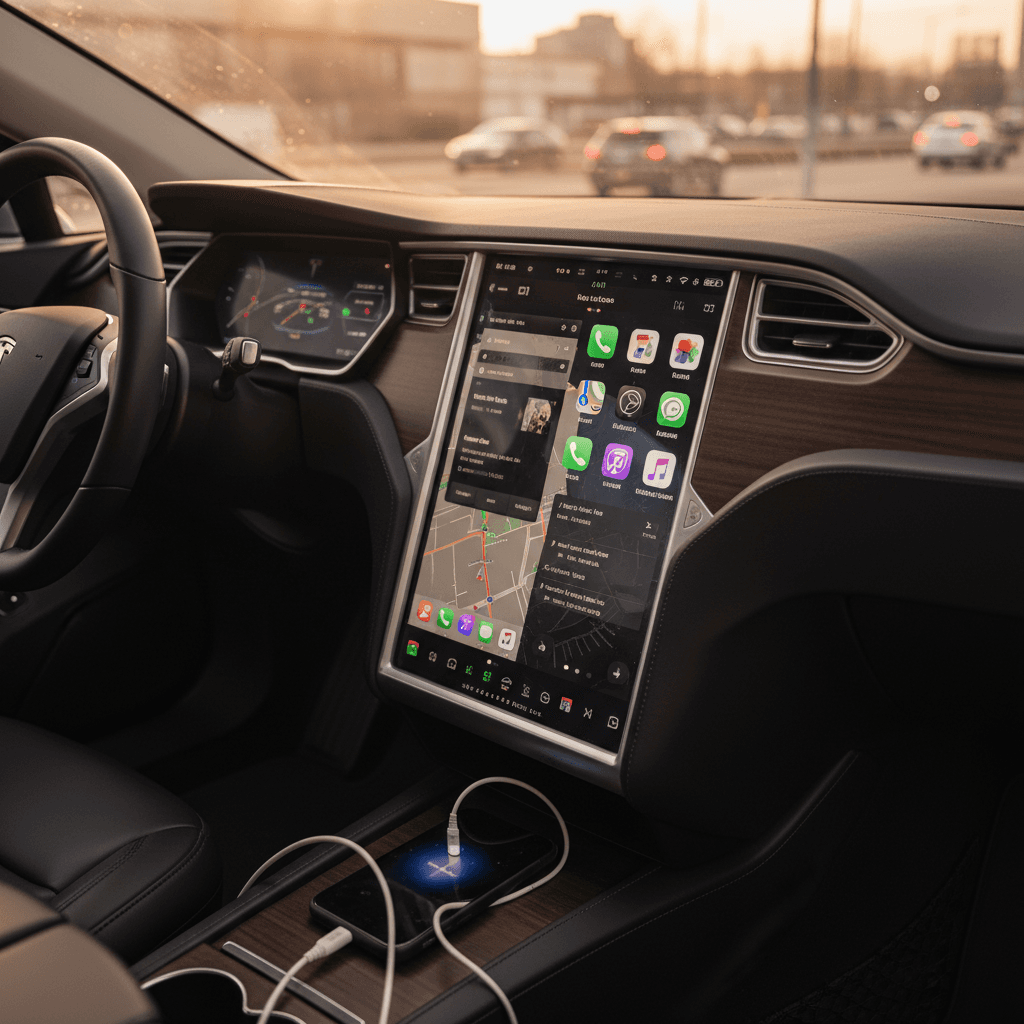
If you spend more time staring at your EV’s center screen than the speedometer, you’re not alone. In 2025, the real test drive isn’t just 0–60; it’s how painless the tech feels. That’s why so many shoppers are asking some version of the same question: “Tesla vs Android Auto vs CarPlay, which infotainment setup will actually make my daily drive better?”
Connected cars are now the norm
Why “Tesla vs Android Auto vs CarPlay” matters now
For years, Tesla’s minimalist interior and big touchscreens set the benchmark for EV tech. But Apple CarPlay and Android Auto have quietly taken over the rest of the industry, to the point where many buyers now say they won’t consider a car without them. At the same time, you’re seeing some big automakers, GM, for one, experiment with dropping phone mirroring in favor of their own software. The result is a messy, transitional moment where the infotainment choice you make today could either feel brilliant or dated in a couple of years.
If you’re eyeing a used Tesla, a CarPlay‑equipped Hyundai or Kia, or a Google‑built‑in EV like a Polestar or Volvo, understanding how Tesla’s in‑house system stacks up against Android Auto and Apple CarPlay will help you decide what you can live with, what you can’t, and what’s worth paying for.
Tesla vs Android Auto vs CarPlay: how each system actually works
Three different philosophies in your dashboard
Tesla is a self‑contained system. Android Auto and CarPlay are extensions of your phone.
Tesla’s native system
What it is: A proprietary operating system running entirely on the car. No CarPlay or Android Auto in most current Teslas.
- Large, landscape touchscreen with over‑the‑air updates
- Built‑in maps, streaming, phone, games, and vehicle controls
- Tight integration with Tesla charging and driver‑assist features
Android Auto
What it is: A projection system. Your Android phone runs the apps; the car’s screen acts as a remote display and controller.
- Short‑cuts to Google Maps, Waze, Spotify, podcasts
- Uses your phone’s data connection and user profile
- Disconnect the phone, and Android Auto disappears
Apple CarPlay
What it is: Apple’s version of phone projection for iPhone.
- Familiar iOS‑style icons and apps
- Deep integration with Apple Music, Messages, Calendar
- Newer versions (like CarPlay Ultra) can control more of the car’s displays in supported models
Don’t confuse Android Auto with Android Automotive
Head‑to‑head: Tesla vs Android Auto vs CarPlay
Feature comparison at a glance
How Tesla’s native system compares to Android Auto and Apple CarPlay on the stuff you actually use every day.
| Category | Tesla native system | Android Auto | Apple CarPlay |
|---|---|---|---|
| Screen ownership | Car’s system controls full screen | Takes over part or all of display while active | Takes over part or all of display while active |
| Phone required | No, but phone adds calling/text | Yes, Android phone required | Yes, iPhone required |
| Navigation apps | Tesla maps only (with traffic & chargers) | Mainly Google Maps + Waze | Apple Maps + third‑party apps |
| App selection | Limited, curated by Tesla | Any Android Auto‑compatible app | Any CarPlay‑compatible app |
| Voice assistant | Tesla voice, plus some models support Siri/Assistant via phone | Google Assistant | Siri |
| Integration with EV systems | Deep (range prediction, charging, climate, Autopilot/FSDS view) | Depends on vehicle; limited charging integration in most cars | Depends on vehicle; best in EV‑focused models |
| Works across brands | No, Tesla only | Yes, multiple brands/models | Yes, multiple brands/models |
| Offline usability | Most functions; maps need pre‑loaded areas | Limited without phone signal | Limited without phone signal |
Exact features vary by model and year, always confirm on the specific car you’re considering.
Think of it this way
Navigation & charging: who gets you there with the least drama?
With an EV, navigation isn’t just about which turn to take. It’s about whether you’ll get there without limping into a charger on 1% battery. Here, Tesla’s integrated system is still the benchmark, but Android Auto and CarPlay are catching up fast, especially in EV‑savvy models.
Watch for EV‑specific limitations
Apps, media, and streaming: living with each ecosystem
This is where daily annoyance either melts away or piles up. You want your playlists, podcasts, audiobooks, and messaging to behave exactly the way they do on your phone, without digging six menus deep while you’re in traffic.
How drivers actually use CarPlay and Android Auto
App experience: Tesla vs Android Auto vs CarPlay
Ask yourself whether you’d rather learn a new system or extend the one that’s already in your pocket.
Tesla
- Built‑in apps for Spotify, Apple Music, Tidal, TuneIn, and more in many markets
- Video streaming (Netflix, YouTube, Disney+) while parked
- Arcade‑style games, web browser, and climate controls all in the same interface
- Downside: You’re limited to the apps Tesla chooses to support, and some features require a paid connectivity subscription.
Android Auto
- Vast app ecosystem: YouTube Music, Spotify, Pocket Casts, Audible, and other Android Auto‑compatible apps
- Notifications and messages flow through your phone, not the car
- Downside: If the automaker skimps on screen quality or touch responsiveness, even good apps can feel clumsy.
Apple CarPlay
- Clean, familiar layout for iPhone users
- Excellent support for Apple Music, Podcasts, and third‑party audio apps
- Newer, multi‑screen versions (like CarPlay Ultra in select 2025+ models) can show gauges and climate controls too
- Downside: Ultimate experience depends on the carmaker’s hardware and how much of the car they let CarPlay control.
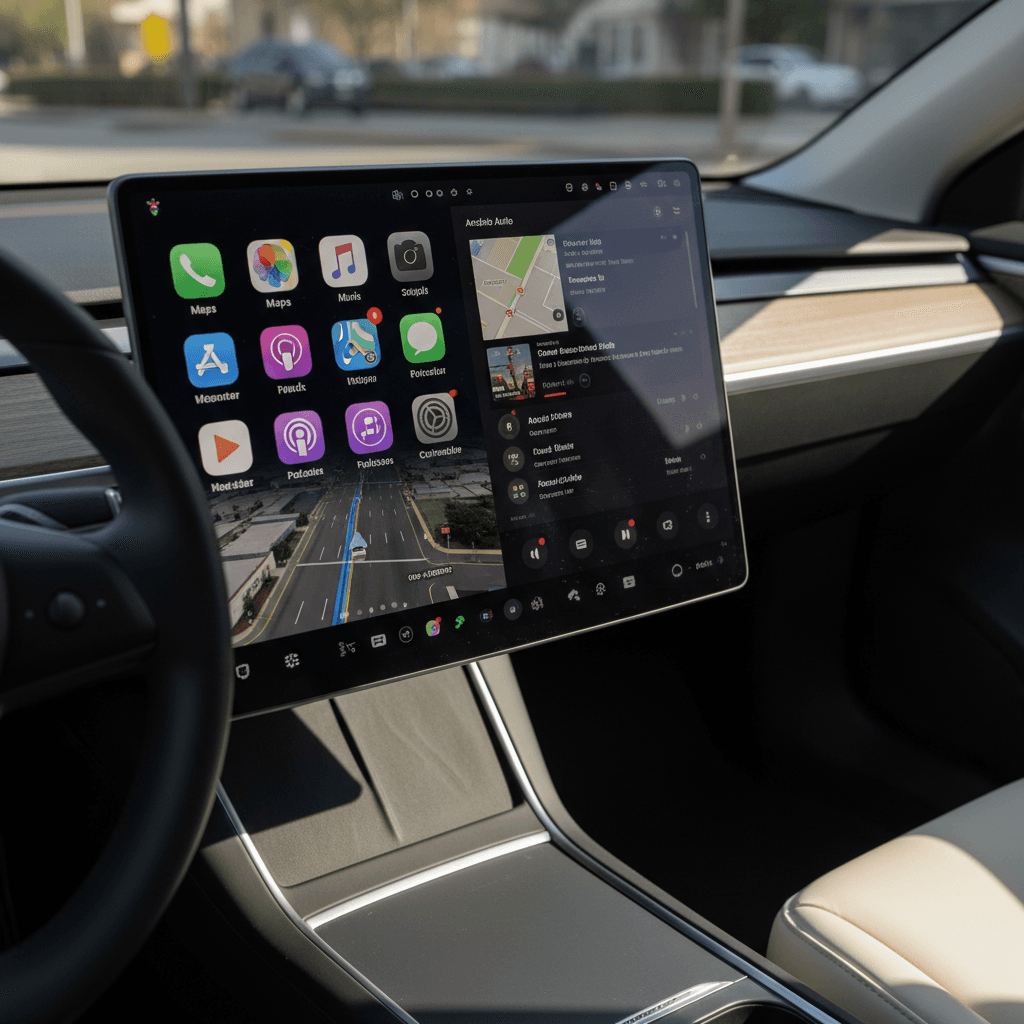
The GM curveball
Voice assistants & safety: talking instead of tapping
The best infotainment system is the one you don’t have to look at. This is where voice assistants and thoughtful interface design matter more than screen size.
Tesla voice controls
- Use the steering‑wheel button to change climate, seat heaters, navigation, or media by voice.
- Commands are tuned to Tesla’s own features (“set temperature to 70” or “navigate to nearest Supercharger”).
- Reliability has improved over the years, but it still feels more like talking to a car than a full smart assistant.
Android Auto with Google Assistant
- “Hey Google” gives you search‑grade answers, natural‑language navigation, smart‑home control, and messaging.
- Because it’s tied to your Google account, it knows your calendar, reminders, and preferences.
- Strong dictation for texts and messaging apps keeps your hands on the wheel.
Apple CarPlay with Siri
- Deep integration with Messages, Apple Music, Calendar, and HomeKit.
- Great for quick texts, calling, and simple navigation commands.
- Not as conversational or flexible as Google Assistant, but very good if you already live in Apple’s ecosystem.
Safety first, no matter which system you pick
Ownership, updates, and subscriptions: what it’s like long term
Infotainment doesn’t age like sheet metal. It ages more like a smartphone, and that’s where Tesla, Android Auto, and CarPlay diverge again.
Long‑term ownership questions to ask
1. Who controls the updates?
Tesla pushes over‑the‑air updates on its own schedule. With Android Auto or CarPlay, your phone’s OS updates drive most of the experience, while the automaker controls screen layout and hardware.
2. What happens if my phone changes?
Switch from Android to iPhone (or vice versa), and you might have to learn an entirely new in‑car interface unless your car supports both CarPlay and Android Auto.
3. Are key features locked behind subscriptions?
Some automakers now bundle connected services, navigation data, and even advanced driver‑assist features into monthly packages. Tesla’s premium connectivity, and some Google‑based systems, add recurring costs you’ll want to factor into ownership.
4. How long will the hardware feel modern?
A giant Tesla screen from 2018 can still feel contemporary because the software keeps evolving. By contrast, a small, low‑res screen in a non‑Tesla can feel old fast, even if it technically supports Android Auto or CarPlay.
Used EVs: double‑check what still works
Shopping used EVs: what to look for in infotainment
When you’re buying used, you’re not just choosing between Tesla vs Android Auto vs CarPlay in the abstract. You’re choosing a specific car, with a specific hardware generation and software history. That reality can turn a great system on paper into a so‑so experience in real life.
Infotainment priorities for used‑EV buyers
The right checklist depends on whether you’re leaning Tesla or a CarPlay/Android Auto‑equipped EV.
If you’re eyeing a used Tesla
- Screen generation: Early Model S/X cars have very different hardware from later 3/Y models. Responsiveness and features vary a lot by year.
- Connectivity status: Ask whether premium connectivity is active, how much it costs, and what you lose without it (like certain streaming or traffic features).
- Software version: Confirm the car is on a current or recently updated build, especially if you care about newer UI revisions or voice‑control improvements.
- Battery and charging: Use tools like the Recharged Score Report’s battery‑health insights to evaluate how the car’s range and charging performance stack up against its original specs.
If you want Android Auto or CarPlay
- Physical controls: Rotary knobs and shortcut buttons can make Android Auto/CarPlay much easier to use than a bare‑bones touchscreen.
- Screen size & layout: A larger, higher‑resolution screen makes map‑heavy Android Auto or CarPlay far more pleasant.
- Both platforms or just one? If you ever switch phones, you’ll be glad the car supports both CarPlay and Android Auto.
- Charging integration: In some newer EVs, CarPlay and Android Auto are tightly woven into the vehicle’s own EV tools. In others, they sit on top like an afterthought. Test it yourself.
How Recharged can help
Ready to find your next EV?
Browse VehiclesWhich system fits you best? Scenarios and recommendations
Match the system to your driving life
The road‑trip EV driver
You regularly drive long distances and rely on DC fast charging.
You want your route planner to think like an EV engineer, not just a smartphone map.
Recommendation: A Tesla still offers the most seamless long‑distance experience, thanks to its built‑in charging planner and Supercharger integration. A well‑integrated Google‑built‑in EV (Polestar, Volvo, some GM) with strong native planning plus Android Auto/CarPlay can be a close second.
The smartphone power user
Your life runs through your phone, calendars, reminders, playlists, smart‑home controls.
You already live fully in either the Apple or Google ecosystem.
Recommendation: Prioritize cars with both Android Auto and Apple CarPlay, ideally with a large, high‑resolution screen and good voice‑assistant microphones. This gives you flexibility if you ever change phones.
The "set it and forget it" commuter
Your daily drive is predictable and you don’t tinker with tech much.
You value reliability and minimal fuss over having every app under the sun.
Recommendation: A Tesla or an EV with a polished built‑in system can be ideal. Once you set up your favorites and common destinations, you may rarely need to touch settings again.
The value‑focused used‑EV shopper
You’re hunting for a used EV deal that will age gracefully.
Infotainment matters, but not more than range and battery health.
Recommendation: Start with the car’s fundamentals, battery condition, range, charging speed, using something like the Recharged Score. Then treat infotainment as the tie‑breaker: Tesla for integrated road‑trip smarts, CarPlay/Android Auto cars if you want familiarity at a lower price.
Test drive the tech, not just the car
FAQ: Tesla vs Android Auto vs CarPlay
Frequently asked questions
The bottom line for EV shoppers
In the Tesla vs Android Auto vs CarPlay debate, there’s no single winner, just different strengths. Tesla’s native system still sets the pace for deeply integrated EV features and long‑distance planning. Android Auto and Apple CarPlay, meanwhile, win on familiarity, flexibility, and the comfort of bringing your digital life along no matter which badge is on the steering wheel.
If you’re shopping for a used EV, treat infotainment as part of the test drive, not an afterthought. Pair your phone. Try your favorite nav app. Send a text by voice. And then look beyond the screen: make sure the battery, range, and charging performance are as solid as the software. With the right mix of hardware, software, and honest insight, the kind you get from a Recharged Score Report and EV‑specialist support, you can pick an electric car whose tech won’t feel outdated before the tires do.