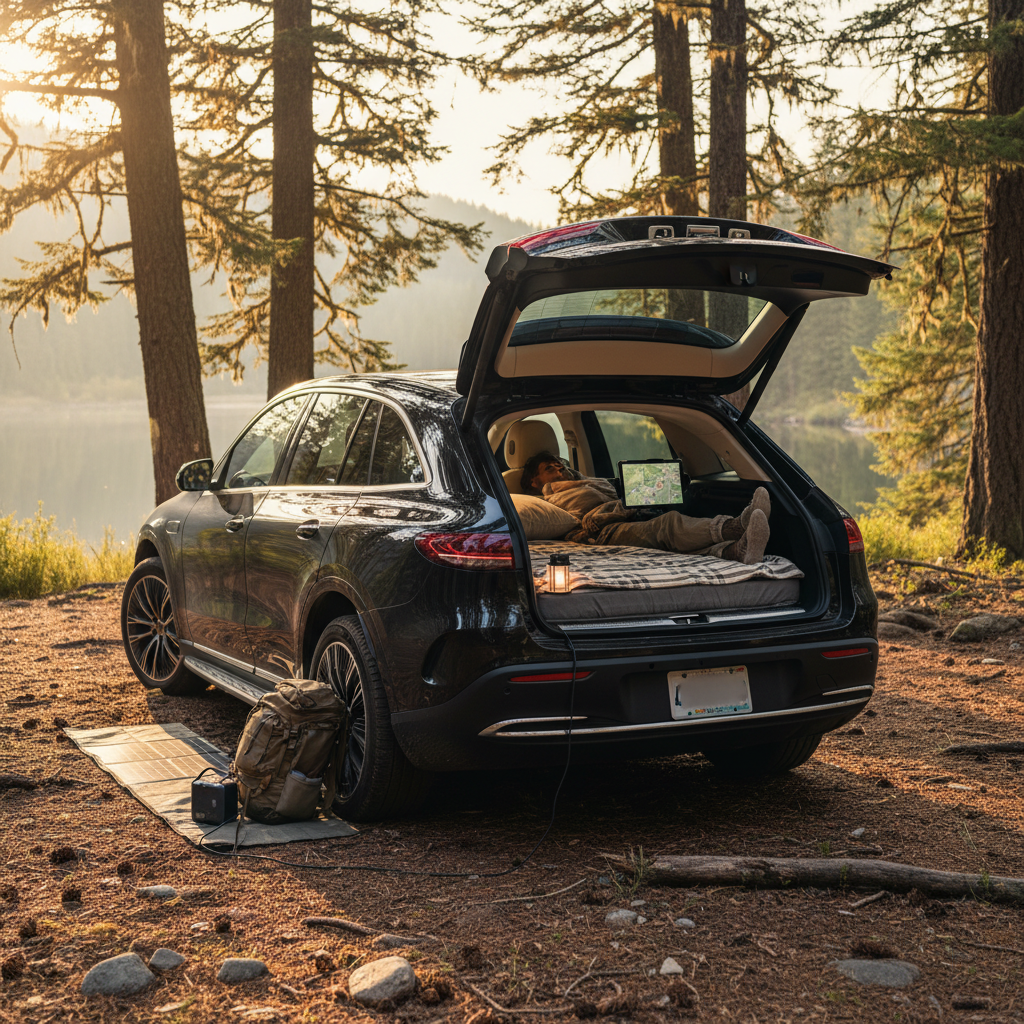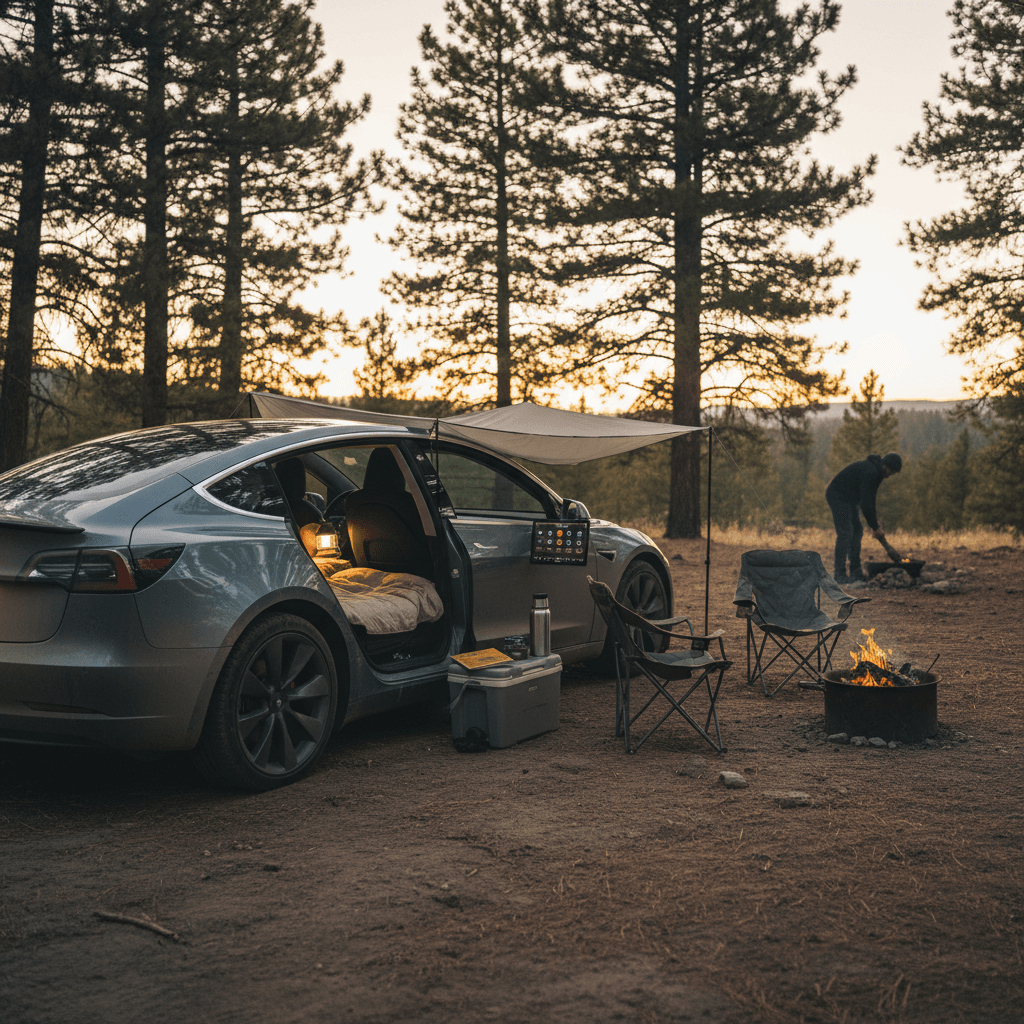
If you’ve ever looked at the back of your Tesla and thought, “I could sleep back there,” you’re not wrong. Tesla Camp Mode turns your EV into a tiny, climate‑controlled cabin so you can nap on road trips, crash at a trailhead, or spend a weekend camping without firing up a noisy generator. This Tesla Camp Mode guide walks you through how it works, exactly how much battery it uses, and how to set your car up so you actually wake up rested, not frozen, baked, or out of range.
Who this guide is for
What Is Tesla Camp Mode?
Camp Mode is a climate and power setting that keeps your Tesla “awake” while parked so you can stay inside comfortably for hours at a time. Instead of the car shutting down to save energy, Camp Mode maintains your chosen temperature, powers interior lights, runs the USB ports and 12V outlet, and keeps the touchscreen and entertainment features available.
- Maintains your set cabin temperature (heating or cooling).
- Keeps USB ports and 12V outlet powered for phones, laptops, or small accessories.
- Leaves the touchscreen and Tesla Theater active for music, movies, or games.
- Prevents the car from going into deep sleep while you rest inside.
- Draws power from the main high‑voltage battery, automatically topping up the 12V system.
Typical use cases
How to Turn On Tesla Camp Mode (Step by Step)
Enabling Camp Mode is simple, but the exact path can vary slightly between software versions. Here’s the basic sequence that works across modern Teslas:
Turn on Tesla Camp Mode in seconds
1. Park safely and shift to Park
Find a legal, level spot. Put the car in <strong>Park</strong> and make sure you won’t block traffic or emergency access while you’re sleeping.
2. Adjust your seat backs and windows
Before you dive into menus, crack a window slightly if you like fresh air, move seats as needed, and make sure nothing blocks vents.
3. Open the Climate menu
On the touchscreen, tap the <strong>fan</strong> icon at the bottom to bring up climate controls.
4. Set your temperature and airflow
Choose your target temperature (many campers like 64–69°F) and adjust fan speed and direction. Remember that extreme cooling or heating will use more battery.
5. Tap the Camp icon
In the climate panel, tap <strong>Camp</strong>. You’ll see a confirmation on the screen that Camp Mode is active. The display will stay on with a “Tap to exit Camp Mode” message.
6. Verify it’s running from the app
From your phone, open the Tesla app. You should see <strong>Camp</strong> indicated under climate. You can tweak temperature from the app without waking the car fully.
Camp Mode battery threshold
How Much Battery Does Camp Mode Use? Real-World Numbers
Tesla’s own guidance and thousands of owner reports all point to the same ballpark: around 1% of battery per hour in mild conditions, with higher use in extreme heat or cold. Think of Camp Mode as a very efficient, quiet electric RV furnace and air‑conditioner combined.
Typical Tesla Camp Mode Battery Use
Rule of thumb for trip planning
Real‑world reports from Model 3 and Model Y owners commonly show 8–12% loss over about 8 hours in pleasant weather when they use window shades and keep the temperature moderate. In very cold or very hot conditions, especially if your car doesn’t have a heat pump, that number can climb, but it’s still far more efficient (and quieter) than idling an ICE vehicle overnight.
How to Set Up Your Tesla for Sleeping
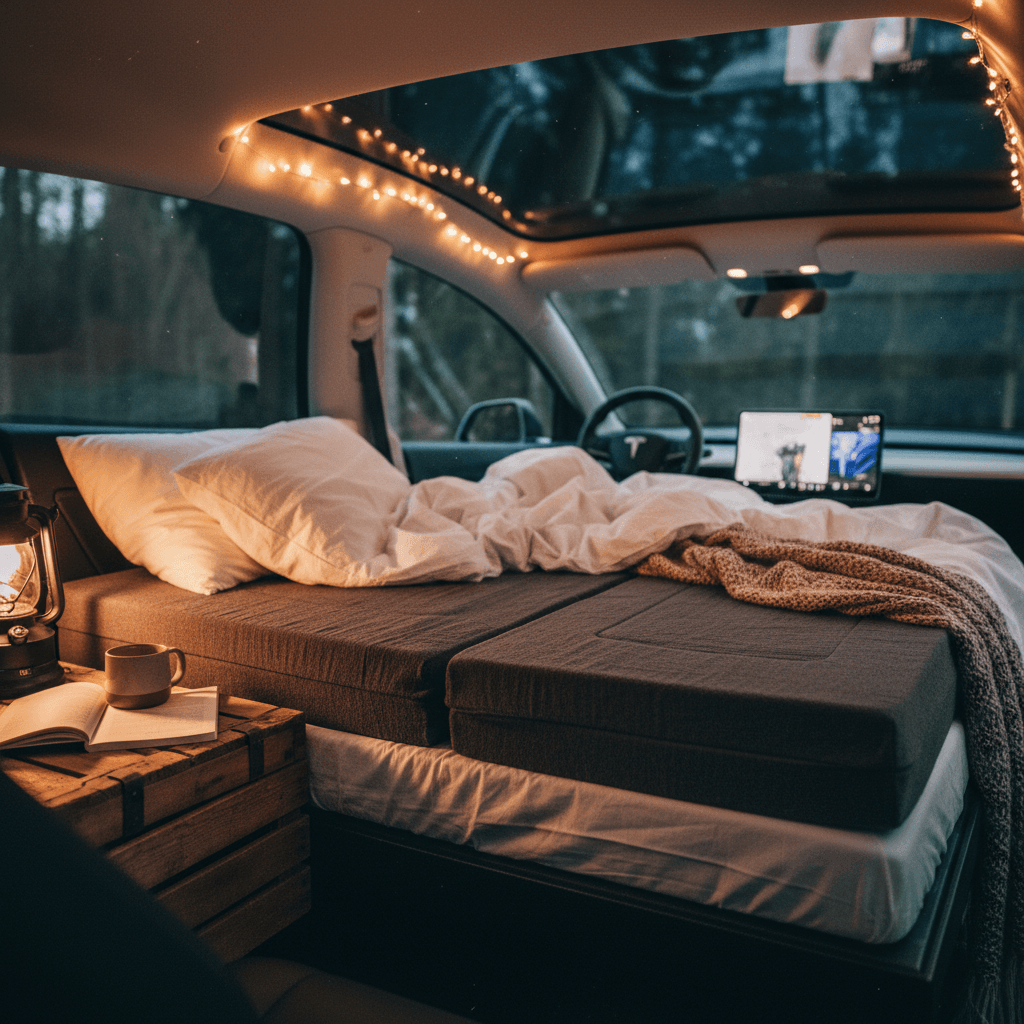
Camp Mode keeps you comfortable, but it doesn’t magically turn a bare cargo floor into a mattress. A little setup turns your Tesla into a surprisingly livable micro‑camper, especially in the Model 3 and Model Y.
Tesla Sleeping Setup Essentials
Comfort, organization, and just enough gear to keep things simple
Mattress & Bedding
Fit the floor, not just the body. A tri‑fold foam mattress or inflatable pad designed for your Tesla model will lie flat over the folded rear seats. Add a fitted sheet, warm blanket or sleeping bag, and a small pillow. Test thickness at home so you’re not discovering pressure points at midnight.
Window & Roof Shades
Cut light and heat. Reflective or insulated shades for windows and the panoramic roof reduce both battery drain and early morning wake‑up calls. Many campers report saving a couple of extra battery percentage points per night once they covered the glass.
Storage & Organization
Use the frunk and under‑floor bins. Keep bulky gear and shoes in the frunk or lower trunk well so the sleeping area stays clean and uncluttered. Soft duffel bags are easier to wedge around the mattress than hard suitcases.
Folding seats and flattening the space
On most modern Teslas, the rear seats fold nearly flat. Before your first trip, experiment in the driveway: fold both sides down, move the front seats slightly forward, and check for any gaps you need to bridge with a foam pad or folded blanket.
In a Model Y, most adults can comfortably sleep head toward the rear hatch, feet between the front seats. In a Model 3, taller campers may prefer head toward the front for a bit more clearance.
Vent placement and airflow
Make sure bedding doesn’t block floor vents or the rear center vents. If you like white noise, a small USB fan can keep gentle air moving without needing high HVAC fan speeds.
You can tweak temperature and fan settings from the Tesla app if you wake up hot or cold, so you don’t have to sit up and poke at the screen.
Pack light, think modular
Safety, Privacy, and Legal Considerations
Sleeping in a car raises a few smart questions: Is it safe? Is it legal? Will someone pound on the window at 2 a.m.? With a little prep, Camp Mode camping can be both safe and discreet.
Pre‑sleep safety and privacy checklist
1. Choose a legal, appropriate spot
Campgrounds, RV parks, some truck stops, and trailhead lots that allow overnight parking are best. Many cities restrict overnight sleeping in vehicles on streets or in public lots. When in doubt, ask or look for posted signs.
2. Mind ventilation and carbon monoxide
Because your Tesla is fully electric, you don’t have tailpipe exhaust, but <strong>you still need airflow</strong>. Crack a window slightly or rely on HVAC in Camp Mode. Avoid blocking vents with gear or blankets.
3. Balance privacy and visibility
Window shades keep you from feeling like you’re in a fishbowl and help with temperature. At the same time, park where you feel you’re visible enough not to be isolated if something goes wrong.
4. Understand locking behavior
In Camp Mode, your car won’t automatically lock itself to avoid locking you out. Use the app or the key card/fob to <strong>lock the doors manually</strong> once you’re inside, and test that you can still open them from inside before going to sleep.
5. Secure valuables
Keep laptops, cameras, and wallets out of sight, ideally in the frunk or lower trunk well. A tidy interior draws less attention in parking lots and rest areas.
6. Have an exit plan
Know how you’ll leave in an emergency: key/card within reach, shoes and a flashlight by the door, driver’s seat clear so you can hop up, exit Camp Mode, and drive away quickly if needed.
When you shouldn’t use Camp Mode
Best Practices to Reduce Battery Drain in Camp Mode
Once you’ve spent a night or two in Camp Mode, you’ll start to notice what really burns energy and what barely moves the needle. A few habits can stretch your battery, and your options, on longer trips.
Energy‑Saving Tricks for Camp Mode
Stay comfortable without waking up to a low‑battery warning
Dial back temperature extremes
Setting the cabin to 64–69°F instead of “meat‑locker cold” or “sauna hot” saves a surprising amount of energy. Let your bedding do some of the work so your HVAC doesn’t have to.
Pre‑condition before sleep
While you’re still driving, or while plugged into a charger, set your target temperature so the cabin is already comfortable before you settle in. Then Camp Mode just maintains, instead of fighting a big temperature delta.
Use insulation everywhere
Roof and window shades, plus a simple mat or foam under your mattress, reduce heat loss in winter and solar gain in summer. Several owners report shaving 2–3% battery per night with better insulation alone.
Camp plugged in when you can
At RV parks or campsites with power, use your mobile connector and treat Camp Mode like a tiny RV hookup. Even a 120V outlet can slow or nearly offset overnight usage, especially in mild temperatures.
Turn off other background drains
Camp Mode vs Dog Mode vs Keep Climate On
Tesla gives you a few different ways to keep the climate system running while the car is parked, and it’s easy to mix them up. Here’s how they compare when you’re thinking about sleeping in the car.
Which Tesla Climate Mode Should You Use?
A quick comparison of Camp, Dog, and Keep Climate On for different parked scenarios.
| Mode | Best For | Locks & Alarm | Screen Behavior | Typical Use Time |
|---|---|---|---|---|
| Camp Mode | Humans sleeping or hanging out in the car | Doors usually stay locked if you lock them manually; alarm is relaxed so interior movement doesn’t trigger it. | Screen stays on with Camp display; full access to media and apps. | Hours to overnight. |
| Dog Mode | Leaving pets inside briefly with a comforting message on screen. | Doors lock; alarm ignores interior motion but protects the car. | Big on‑screen message shows temperature and reassures passersby. | Typically under a few hours. |
| Keep Climate On | Short stops when someone stays in the car or you want it comfortable when you return. | Standard locking/alarm behavior; car may go deeper‑sleep after a while. | Screen can dim; meant more as a temporary state than an all‑night mode. | Usually 30–60 minutes. |
For overnight human passengers, <strong>Camp Mode</strong> is the right choice. Dog Mode is for pets; Keep Climate On is for short errands.
Don’t sleep in Dog Mode
Planning a Road Trip Around Camp Mode
Camp Mode really shines on road trips: you can skip hotel costs, park right at trailheads, and wake up already at the day’s starting line. But it does change how you plan your charging and route.
Planning Strategies for Tesla Campers
Quick Overnight at a Supercharger
Arrive in the evening with <strong>20–40%</strong> battery, plug in, and charge to your target (often 80–90%).
Once you’re near your target state of charge, move to a quieter spot in the lot if allowed.
Set up your bedding, enable Camp Mode, and sleep with the comfort of being plugged in.
In the morning, unplug, exit Camp Mode, and you’re ready to roll with a full or nearly full battery.
Off‑Grid Campsite or Trailhead
Aim to arrive with <strong>40–70%</strong> battery to leave room for heating/cooling and the drive out.
Check the nearest public charger distance before you go; download offline maps in case of spotty signal.
Use window shades and moderate temps to keep overnight drain closer to 10–15%.
Plan a mid‑morning stop at a Supercharger or reliable Level 2 station on your way to the next destination.
Multi‑Night Basecamp
Choose a campground or RV park with <strong>electric hookups</strong> so you can charge slowly each night.
Use a Level 1 or Level 2 connection and monitor that your cable and outlet stay cool and secure.
Treat Camp Mode like an RV furnace, comfortable but not cranked to extremes.
Build in a rest day where you stay plugged in longer if you’ve had several cold or hot nights.
Use apps to scout ahead
Is a Tesla Right for Camping and Overnights?
If you love the idea of a one‑vehicle solution for commuting, road tripping, and the occasional overnighter, a Tesla with Camp Mode can be a fantastic fit. You get quiet, fume‑free climate control, strong security, and a huge charging network for topping off between nights.
What Tesla Camp Mode does really well
- Quiet comfort: No idling engine or generator drone, just a subtle HVAC hum.
- Precise climate control: Dial in a temperature and the car does the rest.
- Always‑on power: Charge phones, tablets, and even small laptops overnight.
- Stealth factor: With window shades, your Tesla looks like any other parked car.
Where it has limits
- Space: This is still a car, not a Sprinter van. Great for one or two people who pack light.
- Battery dependence: Truly remote camping requires careful range planning.
- Security trade‑offs: You need to think through locking behavior and where you park.
If you’re shopping the used market, this is where a platform like Recharged becomes handy. Every car comes with a Recharged Score battery health report, so you know roughly how much usable capacity you still have for long nights in Camp Mode. You can browse cars online, line up financing, or even get a trade‑in offer without leaving home, and if you’re near Richmond, VA, you can visit the Recharged Experience Center to see how different models feel for camping in person.
Tesla Camp Mode FAQ
Frequently Asked Questions About Tesla Camp Mode
With the right expectations and a bit of setup, Tesla Camp Mode can turn a used Model 3, Y, S, or X into your favorite budget hotel room, quiet, climate‑controlled, and parked exactly where you want to wake up. Plan your charging with a healthy buffer, keep your temperatures reasonable, and choose safe, legal places to park, and you’ll quickly understand why so many owners say they “bought an EV and accidentally got a camper.” And if you’re still hunting for the right car, exploring used Teslas with verified battery health and expert guidance from Recharged is a smart way to make sure your future camping spot always comes with enough range to get you home.