By now the Fisker Ocean software update history reads less like a changelog and more like a thriller: over‑the‑air fixes, surprise features, hard crashes, and at least one life‑supporting recall. If you own an Ocean, or you’re thinking about buying one used, you need to know exactly which software your SUV is running and what that means for safety, features, and value.
Context: Fisker the company vs. Fisker the car
Overview: Why Fisker Ocean software matters
Ocean owners quickly learned that the hardware, the handsome body, the big battery, the airy cabin, was only half the story. The other half lives on the car’s computers. Early builds shipped with unfinished and buggy software, and Fisker tried to clean things up with a rapid series of OTA (over‑the‑air) updates branded as Ocean OS 1.x, 2.0, 2.1, and later 2.2.x.
Those updates did more than add convenience tricks. They changed how the SUV accelerated, braked, charged, displayed warnings, and even whether it would stay powered on at all. Some versions were tied directly to formal safety recalls for loss of power and non‑compliant displays. Others introduced new problems while fixing old ones.
In this guide we’ll walk through the Fisker Ocean software update history from launch‑era 1.x builds through Ocean OS 2.2.3, highlight known issues by version, and give you a practical checklist if you’re considering a used Ocean, especially one bought through a marketplace like Recharged, where verified software status and battery health can make or break the deal.
Fisker Ocean software, at a glance
Timeline of major Fisker Ocean software updates
High‑level Fisker Ocean software timeline
Approximate rollout timing and focus for each major Ocean OS branch. Dates are based on Fisker announcements and owner reports; exact install dates vary by vehicle.
| Version | Rough timing | Key focus | Owner experience (summary) |
|---|---|---|---|
| 1.05–1.09 | Mid–late 2023 | Launch builds, basic bug fixes | Glitchy, incomplete features, inconsistent driver‑assist |
| 1.10 | Nov 2023 | First major OTA update | Noticeable stability bump, but still rough around the edges |
| 1.11 | Dec 2023–Jan 2024 | Second major OTA of 2023 | Improved Trips, UX tweaks, some new bugs |
| 2.0 | Early 2024 | Powertrain, performance, energy management | Better drivability for many; some charging quirks |
| 2.1 | Spring–summer 2024 | Safety recall / compliance fixes | Tied to loss‑of‑power + display recalls; meant to be baseline |
| 2.2 / 2.2.1 | Late 2024–early 2025 | Expanded features, under‑the‑hood changes | Mixed reports, some see improvements, some regressions |
| 2.2.2 / 2.2.3 | Early 2025 | Incremental feature tweaks, bug patches | Adds V2L options, DRL and sound tweaks; new bugs for some owners |
Treat these dates as a roadmap, not a precise diary, Fisker often rolled updates in stages.
Important caveat on dates
Version 1.x: Launch software, bugs, and early fixes
Early 2023 Oceans shipped with Ocean OS 1.0–1.09, a family of builds that felt more like a public beta than finished car software. Owners reported flaky key‑fob behavior, unresponsive screens, random driver‑assist warnings, and basic UX problems such as incorrect software version displays on the central screen versus the mobile app.
Fisker’s first big swing at fixing this was Ocean OS 1.10 in November 2023, followed by 1.11 in December. These were the company’s headline “first real OTA updates,” pushed to owners in the US, Canada, and Europe. Version 1.11 introduced quality‑of‑life additions like Trips (a trip‑logging view) along with a grab‑bag of bug fixes aimed at stability, key‑fob reliability, sound cues, and general drivability.
Tip for used buyers
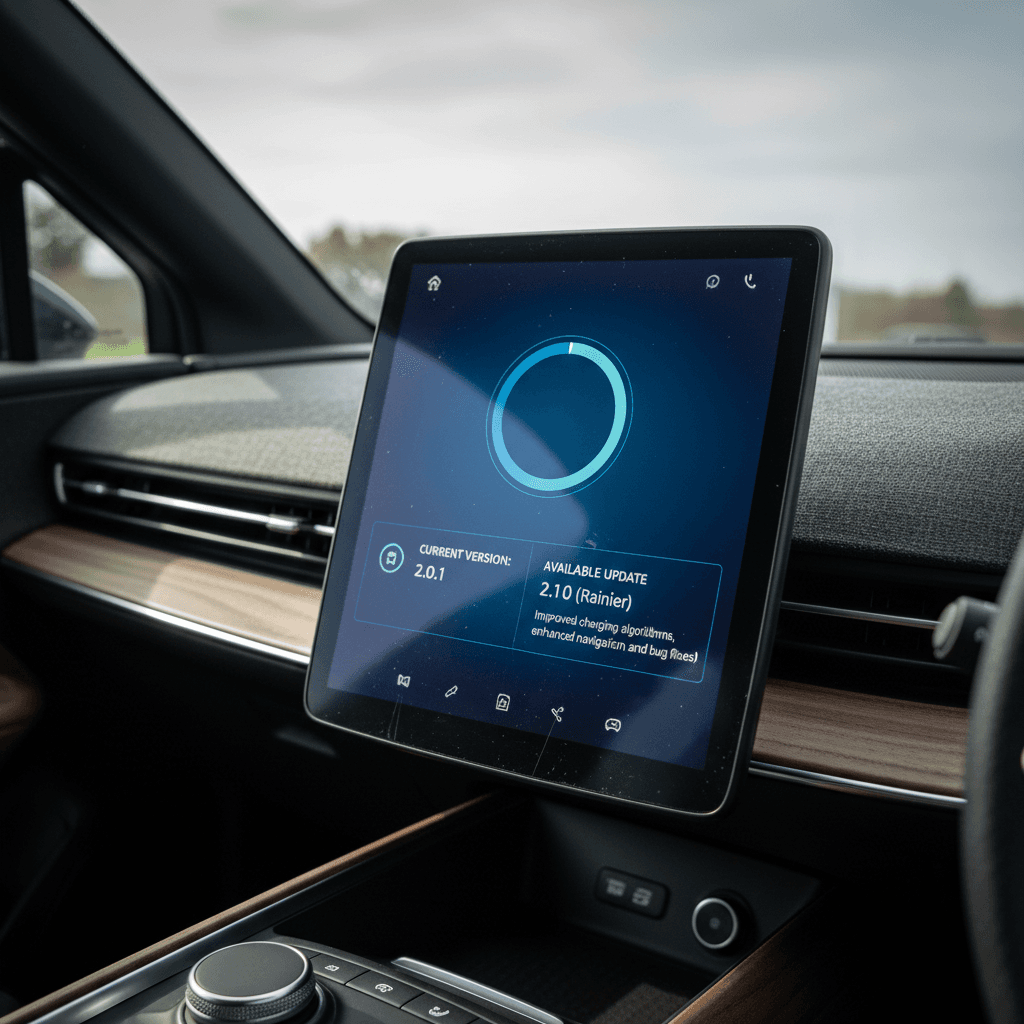
Ocean OS 2.0: Powertrain, performance, and energy updates
In early 2024 Fisker announced Ocean OS 2.0, framed as a major step up rather than just another patch. The release focused on drivetrain and performance tuning, tweaks to the car’s power electronics, and improved energy management, including better use of the SolarSky roof and smarter battery management at high and low states of charge.
This wasn’t just about efficiency bragging rights. Owners had complained about jerky acceleration, odd torque split behavior between front and rear motors, and unpredictable regen feel. OS 2.0 targeted many of those complaints. Some drivers reported their Oceans finally feeling like the smooth, premium EV they thought they’d bought all along; others saw minor improvements but kept running into oddities like phantom alarms or flaky door handles.
What Ocean OS 2.0 aimed to improve
What owners generally liked
- More predictable acceleration, especially from a stop.
- Fewer drivetrain fault warnings for many cars.
- Slightly better real‑world efficiency in some climates.
Where 2.0 still fell short
- Update process could be slow or fail mid‑stream.
- Some users saw new charging quirks or DC‑fast issues.
- Other bugs, like inconsistent driver‑assist behavior, lingered.
Ocean OS 2.1: Safety recalls and critical fixes
By spring 2024, Ocean software issues had drawn the attention of regulators. A key milestone in the Fisker Ocean software update history is Ocean OS 2.1, which Fisker explicitly tied to a safety recall and a separate non‑compliance recall covering thousands of 2023 model‑year vehicles.
One recall involved incorrect fault‑monitor calibrations in the Vehicle Control Unit (VCU) and Motor Control Unit (MCU) that could push the car into a “dynamic safe state”, in plain English, a loss of motive power while driving. Another addressed cluster displays and telltale icons that didn’t meet federal requirements. Fisker positioned OS 2.1 as the software line that would bring those cars into compliance and reduce the risk of sudden power loss.
If you own, or are eyeing, a 2023 Ocean
From an owner’s perspective, 2.1 was less about new toys and more about survival. Many drivers reported stable, uneventful behavior once fully updated, while others continued to see door‑handle gremlins, emergency‑braking weirdness, or inexplicable alerts. The variability often came down to how cleanly each car had absorbed its update chain from 1.x through 2.1.
Ocean OS 2.2, 2.2.2, and 2.2.3: What owners report
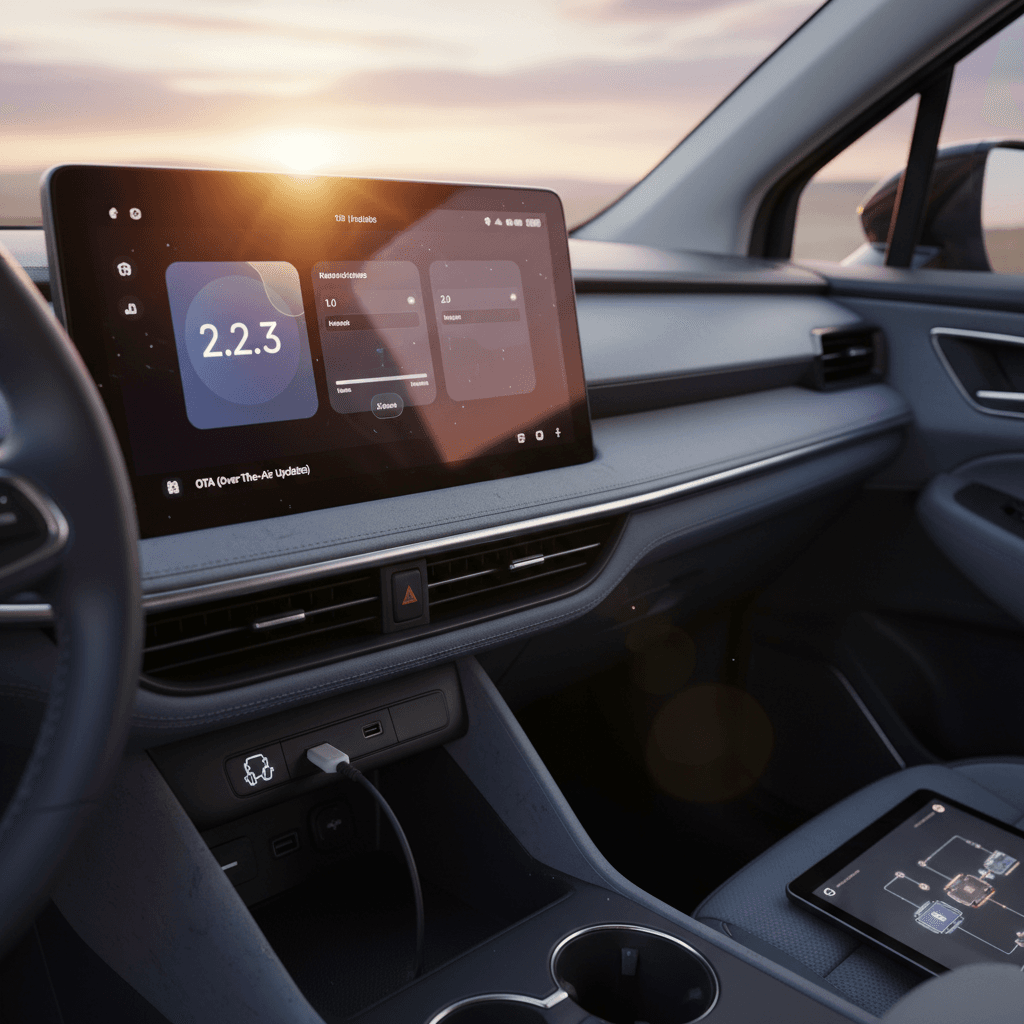
After Fisker’s collapse, the Ocean’s software story didn’t simply freeze. Owners began reporting Ocean OS 2.2.x builds, often in multi‑part installs labeled things like “2.2 (1/3)” in the software tab. These updates appear to be late‑cycle attempts to flesh out promised features and further stabilize the platform.
Notably, some owners on 2.2.2 and 2.2.3 mention the addition of V2L (vehicle‑to‑load) options in the UI, daytime running light (DRL) controls, and changes to the lock/unlock chirp sounds. Others, however, report serious regressions on 2.2.2, loss of reliable DC fast charging, new key‑fob issues, and regen settings that refuse to stick. In other words: 2.2.x can be an improvement or a step backward depending on the specific car.
Owner‑reported pros and cons of Ocean OS 2.2.x
Heavily based on community experience, since Fisker’s own release notes are fragmented.
Common positives
- V2L menu entries and DRL options appearing for the first time on some cars.
- Lock/unlock sound tuning that’s less harsh.
- Incremental UX polish in certain menus.
Common negatives
- Reports of DC fast charging failing or becoming unreliable on 2.2.2.
- Bluetooth and key‑fob behavior degrading vs. 2.0 or 2.1.
- Regen level preferences not being remembered between drives.
Should you chase 2.2.3?
How to check your Fisker Ocean software version
You can’t evaluate a used Fisker Ocean, or even your own, without knowing its exact software state. Fisker muddied the waters by sometimes showing one version in the car and another in the mobile app, especially around the 1.10–1.11 period. Here’s how to approach it like a forensic accountant rather than a hopeful optimist.
Step‑by‑step: Confirming your Ocean’s software version
1. Check the in‑car software menu
From the central touchscreen, open Settings → Software (or a similarly labeled menu) and note the exact Ocean OS version string, including any “1/3” or “2/3” suffixes that indicate partial installations.
2. Cross‑check with the mobile app
If you still have access to the official Fisker app, compare the version shown there with what the car reports. Historically, the app was sometimes more accurate than the in‑car display during the 1.x era.
3. Look for update history or release notes
Some cars retain a basic update history or allow you to view the last update date. Screenshots of this page can be helpful when you’re buying or selling a used Ocean.
4. Verify recall completion
Ask for documentation, emails, service bulletins, or screenshots, showing that the <strong>VCU/MCU recall</strong> and the <strong>display non‑compliance recall</strong> were addressed. The safest bet is an Ocean that’s been confirmed on 2.1 or later with those campaigns closed.
5. Watch for version mismatch bugs
If the vehicle and app disagree on the version, assume the more conservative stance and treat the car as if it might still be on an older build until proven otherwise. Mismatched displays were a known bug in early software.
6. On a marketplace, request proof
If you’re shopping through a platform like <strong>Recharged</strong>, ask to see the software version in the listing photos or the inspection report, right alongside battery health and charging tests.
Common issues by software version
Because Fisker’s documentation is spotty, much of the real story lives in owner communities and recall paperwork. Here’s a synthesized view of the most common issues by software era, with the usual caveat that individual cars can vary wildly.
Typical issues by major Ocean OS version
Not exhaustive, but a useful cheat sheet when you’re test‑driving or inspecting a used Fisker Ocean.
| Version family | What to watch for | Why it matters |
|---|---|---|
| 1.0–1.09 | Unresponsive infotainment, laggy UI, incorrect software display, frequent resets | Annoying day‑to‑day, but also masks whether safety‑critical updates were ever installed |
| 1.10–1.11 | Version mismatch between car and app, improved but still quirky key‑fob and locks, some ADAS false alarms | Represents a big step up from launch, but not the end of the story |
| 2.0 | Smoother driveline but occasional charging quirks, intermittent alerts after update installs | Good balance for many owners; worth confirming successful, complete installation |
| 2.1 | Intended to fix loss‑of‑power and display non‑compliance issues; lingering door‑handle and brake‑assist oddities | Best baseline for 2023 cars from a safety standpoint, assuming the recall‑linked modules were updated correctly |
| 2.2.x | V2L/DRL features on some cars; new reports of DC fast‑charging failures, regen settings not sticking, Bluetooth/key‑fob regressions | Potentially more features, but can introduce serious usability headaches if your particular car doesn’t “like” the build |
If a seller claims “no issues,” test for these anyway, they’re often intermittent.
How to spot problems on a short test drive
• How the car comes off the line, smooth or jerky?
• Whether regen levels and drive modes stick between key cycles.
• Any single “thunk” or power drop under steady throttle.
• Whether DC fast charging initiates cleanly at a public charger (if the seller allows it).
Buying a used Fisker Ocean? Software checklist
Shopping for a used Fisker Ocean in 2026 is not like shopping for a used Model Y. You’re effectively buying into a discontinued, orphaned platform overseen as much by a passionate owner community as by any corporate support. That doesn’t make the Ocean untouchable, but it raises the bar for due diligence, especially around software and recalls.
Used Fisker Ocean software checklist
1. Demand the exact OS version string
In the listing, during a video call, or in person, have the seller show you the Software screen. Capture screenshots with the version and date visible. “Up to date” is not good enough.
2. Confirm recall completion in writing
Ask for recall letters, service invoices, or digital confirmations showing that the VCU/MCU update and gauge/display non‑compliance recall have been closed. If the seller can’t produce anything, assume they haven’t been done.
3. Ask how updates were applied
Was the car always updated over Wi‑Fi at home? Did any updates fail or require multiple attempts? A pattern of failed installs can hint at deeper electrical or connectivity issues.
4. Test core functions twice
During your inspection, cycle the car off and on and test locks, door handles, brake assist, and basic driver‑assist twice. Some Oceans behave fine once and then misbehave on the second try.
5. Evaluate your risk tolerance
If you’re not comfortable living with potential OTA ghosts and relying on an owner community for support, the Ocean may not be the right EV for you, no matter how good the deal looks.
6. Use a third‑party inspection or marketplace
Platforms like <strong>Recharged</strong> can help by pairing a detailed software and feature check with a <strong>Recharged Score battery health report</strong>. You’re not just buying an SUV; you’re buying the state of its code.
How recalls and updates affect a used Ocean’s value
The market has already priced in the reality that the Fisker Ocean is an orphaned EV. Values dropped sharply after the bankruptcy. But within that depressed market, two Oceans with identical mileage and trim can have very different risk profiles depending on their software and recall status.
Well‑documented software & recalls
- Running Ocean OS 2.0 or 2.1 with proof of recall closure.
- Stable day‑to‑day behavior reported by the current owner.
- Clean charging history, including DC fast‑charging tests.
- Full paper trail: screenshots, emails, service bulletins.
Result: Still a risky car by mainstream standards, but with risks that are knowable and somewhat bounded.
Unknown or messy software history
- Stuck on early 1.x builds, or showing mismatched versions.
- No documentation of VCU/MCU or display‑related campaigns.
- Owner reports intermittent loss of power or charging failures.
- Failed updates, or partial “2.2 (1/3)” installs that never completed.
Result: Deep discount or hard pass territory, especially once you price in potential transport and specialist‑repair costs.
Where Recharged fits in
Ready to find your next EV?
Browse VehiclesFAQ: Fisker Ocean software updates
Frequently asked questions about Fisker Ocean software
Bottom line for current and future owners
The Fisker Ocean is one of the starkest examples of how modern EVs live and die by their software. The Fisker Ocean software update history tracks a company racing to finish its car after it was already in driveways, clawing from rough 1.x builds through more mature 2.0 and recall‑driven 2.1, then into the experimental twilight of 2.2.x after Fisker itself had effectively exited the stage.
If you already own an Ocean, your job is to stabilize: document your current version, confirm recall‑linked updates, and lean on the owner community for best‑practice settings and troubleshooting. If you’re shopping for one used, your job is to underwrite risk: prioritize cars with clean software lineages and proof of completed campaigns, and price in the possibility that certain bugs may never be fully exorcised.
Either way, don’t treat software as an afterthought. With the Ocean, it’s the heart of the car every bit as much as the battery pack or the dual motors. And if you’d rather not decode that history on your own, working with a specialist marketplace like Recharged, where battery health, software status, and real‑world behavior are all part of the picture, can turn an opaque gamble into an informed decision.