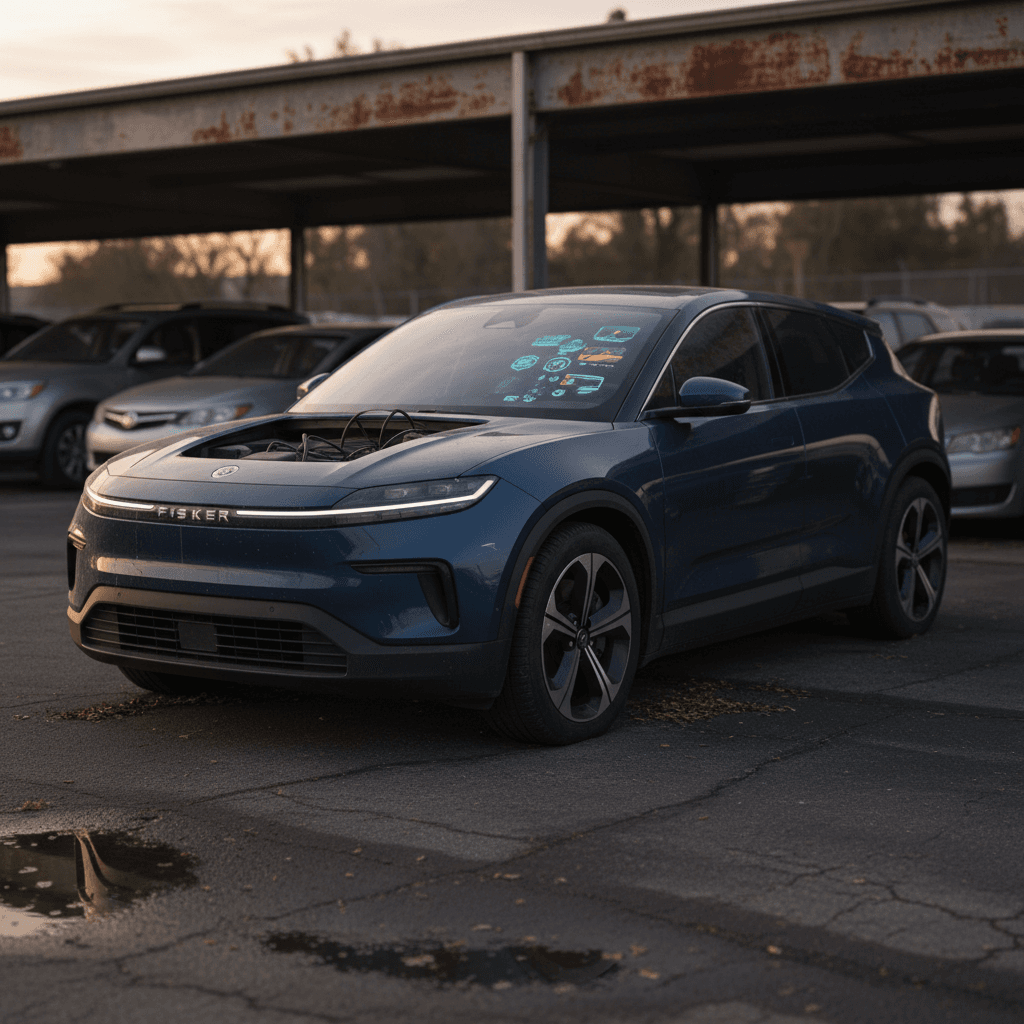
If you’re looking at a bargain‑priced used Fisker Ocean, you’re probably seeing two very different stories. On one hand: striking design, long range and big discounts. On the other: headlines about bankruptcies, recalls, and owners stuck with “orphaned” EVs. This guide walks through the most common Fisker Ocean problems and fixes so you can decide, with open eyes, whether this is a risk you actually want to take.
Context first
Should you worry about Fisker Ocean problems?
Fisker Ocean at a glance
You should treat a used Ocean less like a normal mainstream EV and more like a high‑risk, high‑reward project car. Many owners report months of relatively trouble‑free driving; others describe cars that randomly lose power, throw scary error messages, or become completely bricked after software or 12V issues. The core hardware (battery pack, motors, crash structure) appears reasonably solid, but the software, electronics and service model are where most of the pain lives.
Who this guide is for
Big picture: what went wrong with the Fisker Ocean
A solid platform with immature software
Magna Steyr, a respected contract manufacturer in Austria, built the Ocean on a proven production line. Early crash tests in Europe returned strong results, and the basic driving dynamics are generally praised. Where things went off the rails was the software stack: driver‑assistance systems, basic UI, keyless access, OTA updates, exactly the pieces that differentiate modern EVs.
Company collapse and orphaned owners
When Fisker ran out of cash and entered bankruptcy in 2024, the rug was pulled out from under owners. Factory service capacity was thin even before the collapse; afterward, many were left with no official path to resolve recalls, get software updates, or even obtain replacement parts. A passionate owner community and independent outfits are trying to fill that gap, but the reality is support is ad‑hoc and uneven.
Owner groups matter
Fisker Ocean software and electronics problems
Software is by far the Ocean’s weakest link. Many early cars shipped with version 1.0 software that couldn’t reliably update over the air, forcing Fisker to send technicians to cars physically. Later versions fixed some bugs but introduced others, and the company collapsed before it could fully stabilize the platform.
Common software and electronics issues
What owners most often report, and how they’re coping
Key fob & locking glitches
Owners report fobs that randomly stop working, short range, or cars that won’t unlock or start without multiple attempts.
- Sometimes tied to low fob battery or software lag.
- Can leave you effectively locked out.
Frozen or wrong GPS & infotainment bugs
The navigation can freeze, show the wrong location, or fail to load maps. Center screen reboots, laggy UI and random error pop‑ups are also common.
Warning lights & phantom errors
“System malfunction” messages, sensor faults and ADAS warnings may appear even when the car seems to drive fine. Sorting out what’s serious vs. cosmetic is challenging without factory support.
Practical fixes and workarounds for software issues
1. Learn the hard reset procedures
Ocean owners rely heavily on soft and hard reboots, holding power buttons, cycling the car off and on, or, in more extreme cases, briefly disconnecting the 12V battery. Document the exact reset procedures from an up‑to‑date owner community resource and keep them on your phone.
2. Use the most stable software version you can get
With Fisker gone, OTA updates are no longer a given, and not every car can be updated. Some owners choose to stay on a known‑good version rather than chase new features that might introduce new bugs. Before any update, confirm with other owners whether it’s stable.
3. Replace fob batteries proactively
Key fob weirdness is often made worse by weak coin‑cell batteries. Keep spares on hand and replace them sooner than the manual suggests. It’s a cheap way to reduce lock/unlock headaches.
4. Carry a physical backup plan
If your Ocean has any mechanical emergency unlocks or can be placed into a service mode by roadside assistance, learn those steps now. In a worst‑case software failure, you may need them just to move the car.
5. Log every recurring bug
Keep a simple log: date, mileage, conditions, error messages and what fixed it. This helps independent shops diagnose patterns and proves a history of issues if you later decide to sell.
When software issues become a no‑go
Drivability, braking and safety concerns
Beyond glitchy UX, some of the most serious Ocean complaints involve how the car actually drives and stops. Regulators and owner groups have highlighted problems around braking behavior, stability control, and inconsistent regenerative braking that can change how the car slows down in ways drivers don’t expect.
- Abrupt or inconsistent regenerative braking, especially over bumps or rough pavement.
- Lack of a traditional “brake hold” function at stops in earlier software versions, allowing the car to creep or roll unexpectedly.
- Overly aggressive or unpredictable automatic emergency braking (AEB) in some conditions, such as strong shadows or conflicting sensor inputs.
- Warning messages for critical systems (brakes, powertrain, stability control) that may or may not correlate with real faults.
Know the recall status
Owner-level checks for drivability and braking
1. Controlled braking tests
In an empty lot, practice gentle, medium and firm stops from different speeds. Pay attention to any sudden changes in brake feel, ABS engagement that seems premature, or regen that suddenly drops out when you hit a bump.
2. Hill‑hold and creep behavior
On a mild incline, verify whether the car holds itself at a stop and how it transitions when you release the brake. If you’re not confident in how it behaves, treat it like a manual‑transmission car and keep your foot on the brake until you’re ready to move.
3. ADAS shakedown in low‑risk settings
Try lane‑keeping and AEB features only in wide‑open, low‑traffic conditions first. If they behave erratically, turn them off and consult an expert, do not use them as a crutch in daily driving.
4. Don’t ignore persistent warnings
If brake, powertrain, or stability‑control lights stay on after a restart, that’s a red flag. Get the car read with a capable scan tool; you may need an independent EV specialist who’s comfortable working without factory support.
Charging, battery and 12V issues
The Ocean’s high‑voltage battery pack itself hasn’t seen widespread reports of catastrophic failures, but owners do see higher than normal parasitic drain and occasional DC‑fast‑charging quirks. The more disruptive problems usually involve the humble 12V battery and the car’s power management logic.
Typical charging and battery complaints
12V failures and no‑start conditions
Multiple owners describe being stranded by a dead 12V battery, even when the main pack is well charged. Because the Ocean is so software‑dependent, a weak 12V can trigger a cascade of scary error messages or leave the car unresponsive.
Parasitic drain & charging quirks
Some software versions draw more power at rest than others, leading to several percent of range loss per day if the car sits unplugged. Occasional reports mention DC fast‑charging sessions that stop early or fail to initiate cleanly.
Simple 12V insurance
Best practices to reduce battery headaches
1. Keep it plugged in when parked at home
Because software drains can be unpredictable, it’s safest to leave the car on a Level 2 charger when parked for more than a day or two. That keeps both the main pack and 12V supported.
2. Track overnight state‑of‑charge changes
Note your state of charge (SoC) in the evening and again in the morning. If you’re losing more than a couple of percent overnight while parked, you may be seeing abnormal drain that deserves attention.
3. Be conservative with DC fast charging
Use DC fast charging when you need it, but don’t live on it. That’s good advice for any EV, but especially for one whose thermal‑management and charging logic may never see further refinements.
4. Document any charging errors
If a public charger handshake fails or a session cuts off unexpectedly, note which network, charger model and temperature conditions you saw. Patterns can help separate “Ocean problems” from “infrastructure problems.”

Build quality and hardware failures
Compared with its software drama, the Ocean’s physical hardware problems look more familiar: misaligned panels, rattles, interior components that break early and the occasional leaky seal. Owners generally describe the underlying chassis as solid, but some key touch‑points haven’t held up as well.
- Interior air vents breaking or jamming, sometimes within months of delivery.
- Door handles or latches that feel inconsistent or fail to present properly.
- Water leaks around doors or the panoramic roof on a minority of cars.
- Rattles from the tailgate area and trim buzzes over rough roads.
- Early tire wear if alignment isn’t checked after delivery or repair.
The good news on hardware
Hardware inspection tips before you buy
1. Operate every moving part
Cycle every window, door, seat adjustment, mirror, air vent, tailgate, charge port door and the "California Mode" window sequence if equipped. Any binding, clicking or failure is leverage in price negotiations or a reason to walk.
2. Look hard for water intrusion
After a wash or rain, check door sills, rear hatch area and headliner for dampness, water trails or musty smells. Water leaks in a software‑dependent EV are a long‑term reliability red flag.
3. Scan for panel gaps and repainting
Uneven gaps, overspray or panels that don’t quite match may indicate prior bodywork. That’s not a dealbreaker by itself, but on a hard‑to‑support brand, you want the cleanest history possible.
4. Listen during a varied test drive
On smooth and rough pavement, listen for rattles, creaks and suspension noises. Some trim buzz is tolerable; clunks or grinding from steering or brakes are not.
Service, warranty and parts after Fisker’s collapse
The most unique “problem” with the Fisker Ocean is that its manufacturer no longer exists in any meaningful, customer‑facing way. That raises three practical questions: Who fixes these cars? Who supplies parts? And what happens to warranty promises?
Life with an orphaned EV
Service is independent by default
Without a dealer network, your options are independent EV‑savvy shops, mobile technicians who’ve decided to specialize in Oceans, and general repair shops willing to learn on the job.
Patchwork parts supply
Some components can be cross‑referenced to other Magna‑built vehicles, but many trim and electronic modules are Ocean‑specific. Owner‑driven organizations are building up used and remanufactured parts pipelines.
Warranty is murky at best
Factory warranties are only as good as the company behind them. In practice, most Ocean owners now treat the car as effectively out of warranty, even if it’s young on paper.
Budget like there is no warranty
Pre‑purchase checklist for a used Fisker Ocean
If you’re still tempted by an Ocean’s combination of design, range and pricing, you need to approach the purchase like an engineer, not an optimist. Here’s a structured way to do that.
Step‑by‑step: how to vet a used Fisker Ocean
1. Research the exact VIN and build history
Ask the seller for the VIN and run a history report. Search owner forums to see whether that VIN range had known issues or campaigns. Verify mileage, title status, and any past buyback or lemon‑law actions.
2. Confirm software version and behavior
During the test drive, note the software version, then test key access, infotainment, navigation and all driver‑assistance features. Any instability here is a major risk factor because future updates are uncertain.
3. Get a full OBD scan from an EV‑savvy shop
Generic code readers may miss manufacturer‑specific faults. Find a shop or mobile tech with experience reading multiple ECUs on EVs. Pay for a documented scan; hidden drivetrain or brake codes should heavily influence your decision.
4. Perform a charging and range sanity check
If possible, start around 30–40% SoC, charge on a Level 2 station for a set time and compare the added kWh and predicted range with what’s expected for the trim. Huge discrepancies may point to battery or software issues.
5. Inspect tires, brakes and suspension carefully
Uneven tire wear, warped rotors, or leaking dampers indicate both future cost and possible alignment or stability‑control issues. On an orphaned EV, you want these fundamentals to be as close to perfect as possible.
6. Decide in advance what failure would be a dealbreaker
Before you see the car, be honest: Are you willing to own an Ocean that occasionally bricks itself? That might never get a software fix for a safety recall? If the honest answer is “no,” don’t let a low price talk you into it.
How Recharged can help with a risky used EV
For most shoppers, the Ocean is not going to be the rational choice. But if you’re evaluating any used EV with an uncertain support story, whether it’s an Ocean, an early‑build startup car, or just a high‑mileage mainstream model, you don’t have to go it alone.
De‑risking used EV ownership with Recharged
Recharged Score battery health diagnostics
Every vehicle on Recharged comes with a Recharged Score Report that includes verified battery health, charging performance data, and range projections. That’s especially critical on an EV where the future software story is murky.
Transparent pricing & financing
Recharged benchmarks pricing against the wider market so you can see whether a discounted Ocean, or any used EV, is actually a good deal once risk is priced in. Financing options are designed around EV‑specific realities like incentives and resale.
Specialist support and nationwide delivery
From EV‑savvy advisors who speak startup‑brand reality to logistics that get a vetted used EV to your driveway, Recharged is built for buyers who want the benefits of electrification without rolling the dice blindly.
Ready to find your next EV?
Browse VehiclesConsidering alternatives
Fisker Ocean common problems: FAQ
Frequently asked questions about Fisker Ocean problems
Is a used Fisker Ocean worth it?
The Fisker Ocean is one of the starkest examples of the gap between what’s on the spec sheet and what it takes to support a modern EV in the real world. On paper, it’s compelling: bold design, strong range numbers, fun features. In practice, the combination of shaky software, patchy early quality, and the company’s collapse make it a high‑risk ownership bet.
If you already own an Ocean, your focus should be on staying ahead of known issues, building relationships with independent experts, and documenting everything. If you’re shopping for one, go in with a structured inspection plan, a clear walk‑away line, and a firm understanding that you’re trading day‑to‑day convenience for a speculative bargain. And if what you really want is simply a good‑value, low‑drama used EV, you may be far better served by exploring the broader used‑EV market with tools like the Recharged Score to keep the surprises where they belong, on paper, not in your driveway.