If you’re researching Chevy Blazer EV common problems and fixes, you’ve probably heard the horror stories: stop-sales, software bugs, random warning lights, and cars that decide, on principle, not to charge today. The truth is more nuanced. The Blazer EV is quick, stylish, and genuinely fun to drive, but its first few model years (2024–2025) have earned a reputation for being… let’s say “high-strung.” This guide walks you through the most common issues owners report, what usually fixes them, and how to protect yourself, especially if you’re considering a used Blazer EV.
What this guide covers
Overview: Is the Chevy Blazer EV unreliable?
In its debut years, the Chevy Blazer EV has been one of the more trouble-prone electric SUVs on the market. Consumer-focused reliability data shows the 2024 Blazer EV rated well below average, with most pain points in in-car electronics and electrical accessories. Owners describe everything from frozen touchscreens and glitchy cameras to warning lights that outnumber the Christmas tree in Rockefeller Center.
Blazer EV reliability snapshot (early years)
Not all Blazer EVs are bad
Big picture: recalls, stop-sale, and software fixes
Within months of launch, GM issued a **stop-sale** on the Blazer EV in December 2023 after early vehicles suffered widespread software and charging problems. Sales resumed around March 2024 after a sweeping software campaign, followed by additional updates and technical service bulletins (TSBs) in 2024–2025 to tame lingering bugs.
- Multiple recalls and service campaigns have targeted software bugs rather than hardware failures.
- Dealers were instructed to perform full-vehicle module updates on affected SUVs, a process that can take most of a workday.
- Owners built after the stop-sale window, or with all updates completed, typically report far fewer issues.
- Some glitches are still being ironed out via over‑the‑air (OTA) and dealer-installed updates.
Quick check before you panic
1. Infotainment and in-car electronics glitches
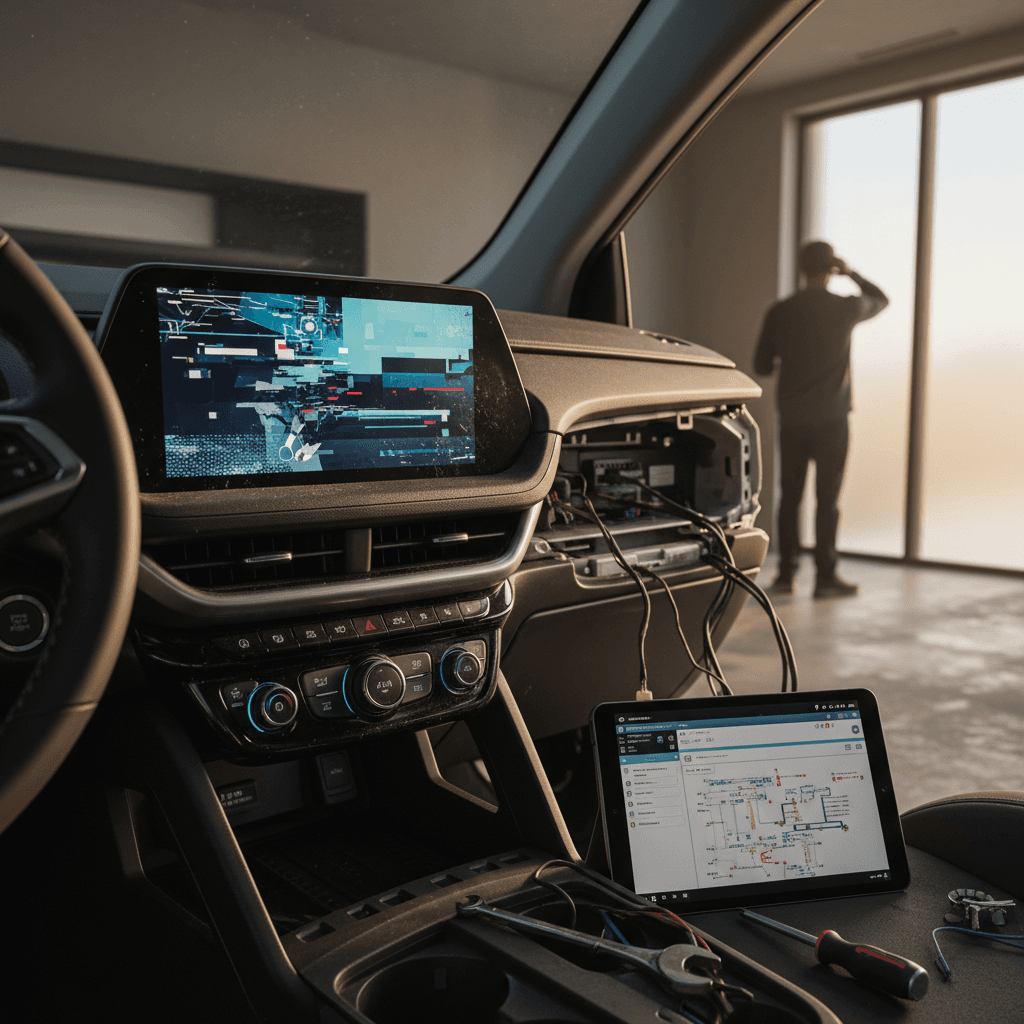
Ask Blazer EV owners what they fight with most, and you’ll hear a chorus: the software. The Google Built‑In infotainment stack is powerful, but the early implementation can be fragile. Owners have reported vehicles turning back on after shutdown, rear camera blue screens, apps rearranging themselves, and touchscreens that run hot enough to bake sourdough.
Common infotainment & electronics issues
Symptoms you’re most likely to see in a Blazer EV
Frozen or flickering screen
The central display lags, freezes, or flickers, especially with navigation apps like Waze running.
Rear camera blue screen
Putting the car in Reverse occasionally shows a blue screen or error icon instead of the camera feed.
Vehicle “wakes up” again
You exit, close the door, walk away… and the Blazer decides to power back on or keep accessories running.
At-home fixes to try first
- Soft reboot the system: Sit in the driver’s seat, power the vehicle on, then press and hold the phone “end call” button on the steering wheel until the screen goes black and restarts.
- Fully power-cycle: Turn the vehicle off, open the driver door, wait 3–5 minutes, then restart.
- Disable third-party apps temporarily: If glitches coincide with particular apps (Waze, Spotify), uninstall or sign out, then test stability.
When it’s a dealer problem
- Recurring blue-screen camera or camera-unavailable warnings.
- Vehicle intermittently won’t shut down or keeps restarting on its own.
- Any behavior covered by a TSB or recall, ask the service advisor to check bulletins like full-vehicle programming or specific radio/infotainment updates.
In many cases, dealers perform a comprehensive software refresh across dozens of modules. Owners often report that their Blazers feel like “different cars” afterwards.
How Recharged helps on used Blazer EVs
Ready to find your next EV?
Browse Vehicles2. Charging problems: DC fast and Level 2
The Blazer EV’s Ultium battery pack itself has not been the main villain so far. Instead, many owners have battled **charging handshake issues**, the car and the charger simply refuse to get along. Early on, a bug could even cause the charge-port door to randomly open or close. Later software reduced the drama, but some owners still find the Blazer pickier than other EVs when it comes to public stations.
Typical Blazer EV charging symptoms
What owners report at Level 2 and DC fast chargers
“Unable to charge” at public stations
Charging starts, then stops after a few seconds, or the station flatly reports the car is unable to charge, while other EVs use the same unit just fine.
Slower-than-expected DC fast speeds
Charge curves that feel conservative, or speed drops that don’t match the state of charge or battery temperature you’d expect.
Simple charging fixes to try
Step-by-step: troubleshooting Blazer EV charging issues
1. Rule out scheduled charging
On the central screen, open the charging menu and confirm you haven’t set a departure time or off‑peak schedule that prevents immediate charging. Disable all schedules and test again.
2. Try a different stall and provider
If one DC fast charger fails, move to another stall, or better yet, a different network if possible. If the car charges fine elsewhere, suspect the station, not the SUV.
3. Inspect the connector and port
Check for debris or damage in the charge port and on the connector pins. Lightly reseat the handle until you feel a solid click, then start a new session.
4. Reboot infotainment before plugging in
Because charging control is intertwined with multiple modules, an infotainment reboot before plugging in can clear software cobwebs that are blocking the session.
5. Check home electrical health
If your home Level 2 station keeps dropping, have an electrician verify the breaker, wiring size, and voltage stability under load. A sagging line can trigger the car to shut down the session.
6. Document everything for the dealer
Take photos of error messages and keep notes on which networks and stations fail. This evidence helps the dealer and Chevy EV support escalate the issue faster.
When to stop charging immediately
3. Battery and thermal system warnings
A smaller but serious set of owners have seen repeated “service high voltage system” warnings, lithium-ion battery alerts, or faults in the battery cooling system. In several cases, dealers traced the issue to a defective **battery conditioning valve** or related hardware in the thermal management loop. That’s not a driveway fix.
Battery & thermal issues on the Blazer EV
What the warnings look like and what usually fixes them
| Symptom | Likely Area | Owner Experience | Typical Fix |
|---|---|---|---|
| “Service high voltage system” repeated | High-voltage system / control modules | Multiple warnings in first months of ownership | Dealer diagnosis, module firmware update or component replacement |
| Battery fault detected, do not charge | Battery pack / BMS | Vehicle won’t start or charge, towed to dealer | Comprehensive diagnostics; may involve harness, valve, or BMS repair/replacement |
| Cooling valve fault codes | Thermal management system | Intermittent warnings that return after resets | Replacement of faulty conditioning valve and system bleed |
| HV warnings after software update | Software integration | Codes clear, then return days later | Full reflash of updated calibrations, sometimes multiple visits |
Most pack- or cooling-related problems are warranty issues, do not attempt DIY repairs.
What you can do as an owner
4. Phone microphone and Bluetooth complaints
Chevy’s human-interface misadventures don’t stop at the touchscreen. On some 2024 and 2025 Blazer EVs, owners reported that callers heard them as if they were speaking from **inside the HVAC ductwork**. The culprit turned out to be almost comic: an interior microphone installed 180 degrees the wrong way around, partially blocked by the overhead console.
Symptoms
- People on the other end complain you sound muffled or far away.
- Hands-free phone calls are unusable at highway speeds, even though in-cabin audio sounds fine to you.
- Bluetooth connects reliably; only microphone quality is bad.
Fix
- Dealers received a service bulletin instructing techs to inspect the overhead console mic and, if misaligned, simply rotate it 180° and reinstall.
- This is a quick in‑shop procedure and should be covered under warranty when tied to poor call quality complaints.
If your dealer hasn’t heard of it, describe the issue clearly and ask them to check for the latest bulletins involving the interior microphone.
Bluetooth hygiene still matters
5. Anti-theft and no-start quirks
A handful of Blazer EV owners have reported that the SUV simply refuses to start even though diagnostics show no obvious problem. In some cases, deeper investigation revealed the car had slipped into an overprotective theft or security mode. In others, loose 12‑volt battery terminals or low auxiliary voltage caused the computers to lose their minds.
If your Blazer EV won’t start
Rule out the simple culprits before calling the tow truck
Check key fob & locks
Verify the key fob battery is healthy and that lock/unlock works normally. Try holding the fob against the column if the car doesn’t recognize it.
Look for theft-mode clues
If the cluster or app mentions anti-theft or security mode, don’t keep forcing start attempts, call the dealer or OnStar support.
Inspect the 12‑V battery
Pop the hood and visually confirm that 12‑V terminals are fully tightened. A loose clamp can trigger mysterious no-start behavior.
What to do when the Blazer EV won’t power up
1. Try a full power-down
Exit the vehicle, lock it, wait 5–10 minutes, then unlock and attempt to start again. Sometimes modules simply need to sleep and reset.
2. Check for software updates
If you can get the vehicle into accessory mode, see whether pending OTA updates are waiting. Don’t interrupt an in‑progress update by cycling power repeatedly.
3. Call OnStar or Chevy EV concierge
Document any messages they see remotely. Ask specifically if there are open field actions, recalls, or software campaigns on your VIN.
4. Don’t ignore repeated events
If this happens more than once, insist the dealer keep the vehicle overnight and attempt multiple cold starts. Intermittent faults often need time to surface.
When to involve a flatbed
6. Noises, rattles, and interior trim issues
Pull the engine out of an SUV and you remove three things: tailpipe emissions, gasoline bills, and your best acoustic camouflage. Like many EVs, the Blazer’s near‑silent drivetrain makes **rattles, panel buzzes, and aero noises** more obvious. Owners have flagged loose underbody panels, door rattles, and trim flex, especially around the driver’s window.
- Small underbody access covers near the rear motor area working loose or falling off over rough roads.
- Driver’s door rattles when the window is fully up, often caused by overly flexible inner trim panels.
- General squeaks and buzzes from the dash or cargo area on rough pavement.
Quick wins for noises and rattles
Preventive care: how to keep Blazer EV issues at bay
You can’t software‑update your way out of every quirk, but smart habits will make Blazer EV ownership calmer. Think of it as living with a talented but temperamental musician: keep it on a consistent routine, don’t starve it of electrons, and don’t ignore the weird noises.
Practical ways to reduce Blazer EV drama
Keep software absolutely current
At least twice a year, confirm with a Chevy dealer that your Blazer EV has the latest full-vehicle programming and all applicable TSBs and recalls applied, not just OTA updates.
Log issues, even if they vanish
If you see phantom warnings or weird behavior that disappears, take photos and log the mileage and conditions. A paper trail is your friend if problems escalate.
Protect the 12‑V battery
Short trips only, long accessory use while parked, or rarely driving the vehicle can stress the auxiliary battery. Give the car proper drives so systems can maintain it.
Treat charging as a system, not a cable
Use quality Level 2 equipment on a properly wired 240‑V circuit, and avoid repeatedly hammering the pack from 5–100% at DC fast chargers unless you’re road‑tripping.
Address noises early
Bring up rattles or panel movement during regular service visits. Small adjustments now can prevent broken clips or water leaks later.
Buying a used Chevy Blazer EV: what to watch for
A used Blazer EV can be a compelling buy: strong performance, distinctive styling, and the usual EV running‑cost advantage. But with this model, **build date and software history matter as much as color and wheel size**. You’re trying to buy a car that’s already had its tantrums, and been corrected for them, not a time bomb still on its original calibration from launch week.
Used Blazer EV pre-purchase checklist
Questions to answer before you commit
| Item | What to Ask/Check | Why It Matters |
|---|---|---|
| Build date & model year | Confirm it’s a 2024+ Blazer EV and note the production month on the door jamb label. | Early builds before the 2023–2024 stop‑sale period are more likely to have had significant software rework. |
| Software & recall history | Ask for a printout of completed recalls, TSBs, and software campaigns for the VIN. | A car that’s fully updated will usually be far more stable day‑to‑day. |
| Charging behavior | Test both Level 2 and, if possible, DC fast charging before purchase. | You want to see consistent starts and no “unable to charge” errors or HV warnings. |
| Warning lights & codes | Scan for stored or pending DTCs and verify that no warning lights are being ignored. | Repeated HV or battery warnings are a red flag, even if they’re currently cleared. |
| Noise and build quality | Drive on rough pavement and listen for rattles, buzzes, or loose panels. | Persistent noises can signal build-quality issues or prior damage. |
| Battery health | Use a professional battery health report rather than guessing from range alone. | Two Blazers with similar miles can have very different usable capacity. |
If you can’t get confident answers to these questions, keep shopping.
Why shop a Blazer EV through Recharged?
FAQ: Chevy Blazer EV problems and ownership
Frequently asked questions about Blazer EV issues
Bottom line: should you avoid the Blazer EV?
The Chevy Blazer EV is a bit like a brilliant new band’s debut tour: big talent, big energy, and some nights where the soundboard catches fire. Early build years suffered from a cluster of software and electrical issues, and the model’s reliability record reflects that. But a Blazer EV that’s had its software campaigns completed, hardware gremlins exorcised, and charging behavior vetted can be a sharp, enjoyable electric SUV.
If you already own one, your best defense is simple: stay current on software, document problems, and push for thorough diagnosis while you’re under warranty. If you’re shopping used, favor vehicles with clean histories, healthy batteries, and verified updates. That’s exactly where Recharged’s battery diagnostics, fair pricing, and EV‑savvy support shine, helping you separate the genuinely sorted Blazer EVs from the ones still learning the set list.