If you own, or are considering buying, a BMW i5, the car’s software is almost as important as its battery pack. The i5 is a software‑defined EV built on BMW’s latest iDrive platform, and its behavior, charging performance, and even recalls are increasingly delivered via over‑the‑air updates. Understanding the BMW i5 software update history helps you know what features you have today, which updates you should prioritize, and what to look for on a used i5.
Quick takeaway
BMW i5 software update overview
The BMW i5 (G60 generation 5 Series, all‑electric variants) launched for the 2024 model year on BMW’s latest digital platform and Remote Software Upgrade system. That means most core control units, infotainment, driver assistance, charging, and even some drivetrain logic, can be updated without a service visit.
- Software versions are labeled by MM/YYYY.xx (for example, 11/2024.74 or 07/2025.30).
- Most i5s run iDrive 8.5 (with a few markets and trims on transitional builds); over time, they converge with BMW’s broader Remote Software Upgrade cadence.
- Updates are rolled out in waves by region, trim, and VIN, so two i5s built the same month may see updates at different times.
- Major updates often bundle new features (like improved navigation or charging logic) plus bug fixes; minor patches may only tweak stability or compatibility.
Where to see your current version
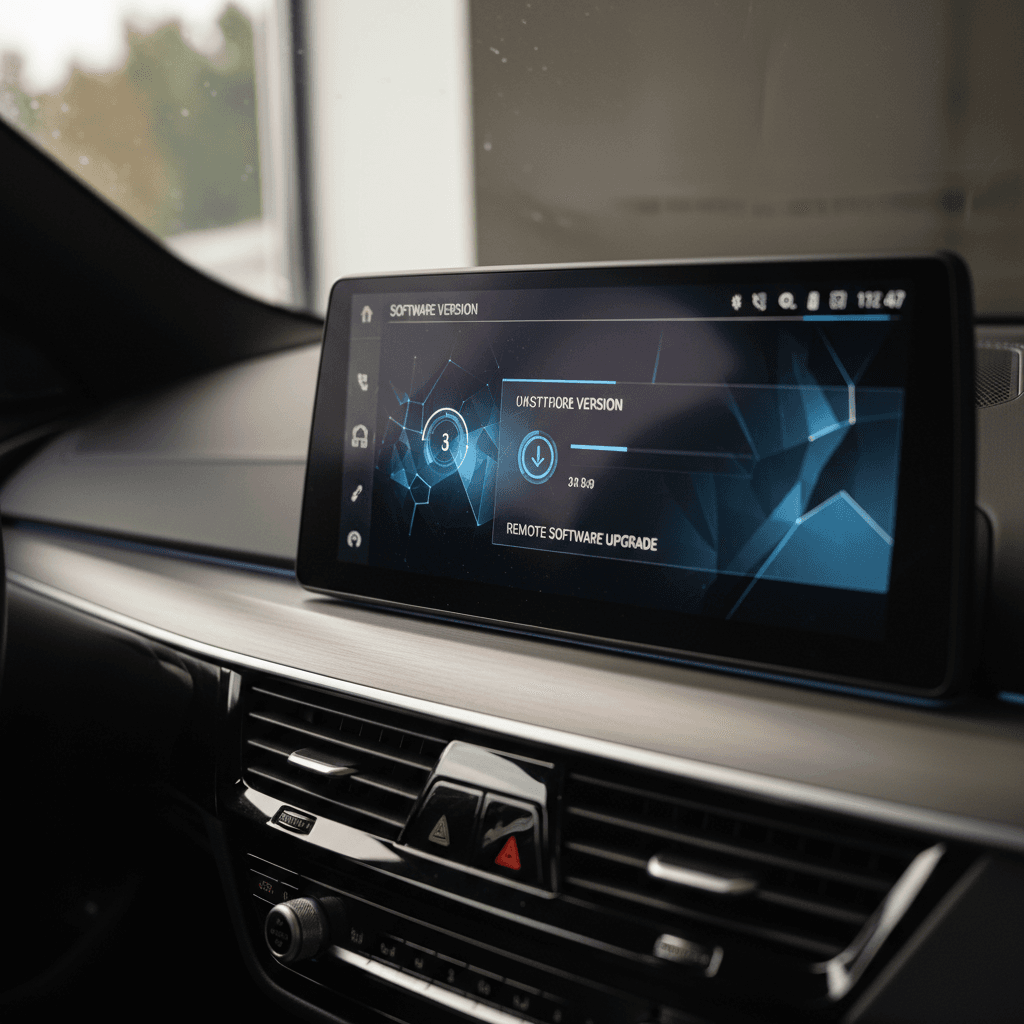
iDrive versions and BMW i5 software timeline
For the i5, thinking in terms of update waves is more useful than memorizing every sub‑version. Below is a high‑level view of how software has evolved on early i5s and 2025 models, using the version labels most owners see in their cars and apps.
BMW i5 software waves and what they generally changed
Actual features vary by market, options, and exact sub‑version, but this gives you a realistic owner‑oriented map of how i5 software has progressed.
| Package version | Typical model years affected | High‑level changes | Notes for buyers |
|---|---|---|---|
| 11/2023.xx | Early 2024 builds | Launch software for i5 eDrive40 / M60; baseline iDrive 8.5 experience | Some cars on 11/2023.73 have trouble receiving later OTA updates and need a dealer "jump". |
| 03/2024.xx | 2024 builds, global rollout | Stability and bug fixes; refinements to driver‑assist and infotainment; background prep for later features | Few headline features, but worth having for stability alone. |
| 07/2024.xx | 2024–2025 builds | Updates to navigation layout, charging station info, and smartphone compatibility; early groundwork for plug‑and‑charge and NACS in some regions | One of the first visibly different UI updates; feedback is mixed on new nav behavior. |
| 11/2024.xx | Late 2024–early 2025 | Further iDrive 8.5 refinements, infotainment tweaks, charge‑station search improvements, and integration with newer phones/OS versions | Many 2025 i5s ship or are updated to an 11/2024 build at delivery. |
| 03/2025 / 07/2025.xx | 2025+ i5 | Dealer‑installable builds that start to fold in newer charging options and broader stability fixes; some owners see 07/2025.30 from new | Rolling out in stages; you may see these first at the dealer before they appear OTA. |
Use this as a reference when you’re comparing two i5s or talking to a dealer about updates.
How this compares to other BMW EVs
Notable BMW i5 software updates and what changed
BMW doesn’t always publish granular, public change logs for each model, but owner reports, dealer bulletins, and BMW’s own Remote Software Upgrade notes paint a clear picture of which i5 software waves mattered most. Here are the ones to know, especially if you’re comparing two cars or trying to decide whether it’s worth updating before a long trip.
Key BMW i5 software packages, in plain English
What i5 owners actually noticed, and what matters when you’re buying used.
Launch: 11/2023.xx
What it was: Initial software on early i5s, solid, but clearly a 1.0 build.
- Mature enough to support everyday driving, ADAS, and BMW Maps.
- Some quirks with lane‑keeping, traffic‑jam assist behavior, and occasional infotainment hiccups.
- Certain 11/2023.73 builds are notorious for not taking OTA updates cleanly, often needing a dealer update before later packages will install.
03/2024.xx: Refinement
Primary focus: Under‑the‑skin fixes and polish.
- Smoother interactions in the curved display and better responsiveness from iDrive 8.5.
- Incremental improvements to parking and assistance systems.
- Few big new toys, think of this as a stability and bug‑fix release that lays groundwork for later UI changes.
07/2024.xx: Navigation & UX
Why owners noticed it: A more visible overhaul.
- Navigation UI tweaks: different menu layouts, relocated quick actions, and different handling of recent destinations.
- Improved charging‑station filtering and data, especially in regions with dense DC fast‑charging networks.
- Some owners love the cleaner look; others miss older menu placements, expect a short relearning curve.
11/2024.xx: Charging & compatibility
Focus areas: charging logic and connectivity.
- Refinements in charging‑station search and route planning, particularly around maximum charge power and stop planning.
- Better compatibility with newer phones and operating systems; some owners report smoother Digital Key and CarPlay behavior, others had to re‑pair devices after updating.
- Many 2025 i5s arrive from the factory on this package or receive it at pre‑delivery inspection.
03/2025.xx: Dealer‑first builds
Where you’ll see it: Often installed at the dealer before showing up OTA.
- Continued refinement of iDrive stability and driver‑assist functions.
- Additional charging‑network and station‑data improvements as more non‑OEM DC fast‑chargers appear.
- Some early 2025 owners report 03/2025 builds disappearing from the options list OTA and reappearing later as a more complete package at the dealership.
07/2025.xx: NACS & charging flexibility
Emerging theme: Preparing the platform for new charging standards and functionality.
- On some i5s, 07/2025.30 is the first software build that references support for the North American Charging Standard (NACS) ecosystem and related backend changes.
- Not every car or region exposes visible menu changes on day one, much of the work is behind the scenes in charging protocols and compatibility layers.
- As of late 2025, some owners are still waiting for this update OTA and receiving it first at dealer visits.
Don’t chase updates just for novelty
Recall and safety-related BMW i5 updates
By mid‑2025, BMW issued a global recall affecting several EVs, including the i5, for a software issue in the electric drive motor control that could cause a temporary loss of drive power. BMW’s fix is a software update that can be applied either at the dealer or, for eligible cars, via Remote Software Upgrade.
- The recall covers certain 2022–2025 model‑year EVs, including i4, iX, i7, and i5; the affected i5 production window is specified in BMW and NHTSA documentation.
- The root cause is a software bug in the drive motor’s control logic that can, in rare cases, trigger a power reduction or shutdown; steering and braking remain available, but it’s still a safety issue.
- BMW dealers have been instructed to update the electric drive motor software at no cost; in many markets, the same fix is eventually pushed as an OTA package for cars with Remote Software Upgrade enabled.
- Owners in the U.S. and other regions began receiving recall notices with a target completion date around August 2025 and later, depending on VIN and market.
If you’re buying a used i5, ask about recall completion
How Remote Software Upgrade works on the BMW i5
BMW’s Remote Software Upgrade is conceptually simple, download, transfer, install, but the details matter if you don’t want to chase ghosts when a package refuses to appear. Here’s how it typically works on an i5.
Step‑by‑step: updating your BMW i5 software
1. Watch for notifications
New updates usually appear as a notification in the My BMW app and on the i5’s main screen. Not every build is offered to every VIN, and availability can lag several weeks after BMW’s headline release date.
2. Download via app or car
You can download the update straight to the car over Wi‑Fi or mobile data, or use the My BMW app to grab the file on your phone and then transfer it to the vehicle, often faster if your home Wi‑Fi doesn’t reach the driveway well.
3. Prepare the car
To install, the i5 must be parked, switched off, and have sufficient battery and 12‑volt system voltage. Doors and windows should be closed, and in some cases BMW recommends switching headlights from AUTO to OFF to avoid small power draws.
4. Schedule or start immediately
You can usually choose to install now or schedule the update later (for example, overnight). Once it begins, the car will be unavailable for 15–30 minutes, depending on the package size.
5. Post‑update checks
After the reboot, some features continue re‑initializing quietly for several minutes. It’s normal for window auto‑up/down, ambient lighting, or certain modes to act strangely briefly and then return to normal.
6. Review release notes
In the car’s Remote Software Upgrade menu, tap into the About this update link to see which functions changed. The My BMW app often stores a more detailed list, which is useful if you’re tracking issues over time.
Use the app as your update dashboard
Common BMW i5 update issues and owner workarounds
In practice, i5 owners see a handful of recurring patterns when it comes to software. They’re not deal‑breakers, but if you understand them, you’re less likely to waste time or accept “it’s fine” from a service advisor when it isn’t.
Typical BMW i5 software hiccups
What tends to go wrong, and what you can do about it.
Stuck on an early build (11/2023.xx)
Some i5s on early 11/2023.73‑type builds rarely see OTA updates, even when newer packages exist for the same model.
- Owners report the app and car claiming software is "up to date" for months or years.
- In many cases, a dealer‑forced update is required to move to a newer base level; after that, OTA updates resume normally.
- If your used i5 is still on 11/2023 in late 2025 or 2026, that’s a red flag that it hasn’t been maintained on the software side.
Update never appears OTA
BMW staggers rollouts by region and VIN, and some packages are prioritized for specific markets or option sets.
- Checking for updates manually, both in the car and in the app, can sometimes "unstick" a rollout.
- Make sure automatic download/installation is enabled and the car regularly has access to reliable data and/or Wi‑Fi.
- If you have a specific need (recall, charging bug, phone compatibility), ask your dealer if a newer version has been released for your VIN even if it’s not yet offered OTA.
Update stuck in "preparing" state
It’s not unusual for the i5 to sit in a "preparing upgrade" limbo if the 12‑volt battery or high‑voltage pack aren’t in the right state.
- A long drive, 60–100 miles, can help ensure both batteries are fully topped and conditioned.
- Some owners have cleared this state by rebooting the iDrive system (press and hold the volume knob for ~30 seconds) and trying again.
- If it persists for weeks, have the dealer inspect the 12‑volt system; an aging auxiliary battery can block updates.
Post‑update phone & app quirks
Big updates that coincide with new phone OS releases (e.g., iOS changes) can temporarily break or destabilize Digital Key Plus, CarPlay, or BMW app journey tracking.
- Re‑pairing the phone, deleting and re‑adding the digital key, or logging out/in of the app often fixes minor issues.
- If key functions remain flaky, check with BMW for known compatibility notes tied to your software version and phone OS.
- In most cases, the next patch level quietly improves things without fanfare.
When to insist on a dealer update
What to check on a used BMW i5 (software & battery)
Because the i5 is so software‑defined, its update history is part of its service history. If you’re shopping used, whether from a BMW store, independent dealer, or online marketplace, you should treat software the same way you treat brake fluid or tire age.
Used BMW i5 checklist: software and health
1. Confirm current software version
Sit in the car and open Remote Software Upgrade → Current version. Anything pre‑2024 on a car being sold in 2026 warrants questions. Ask when the last update was installed and whether any were dealer‑performed to clear issues.
2. Ask about recall completion
Request paperwork or a service printout showing that all software‑related recalls, particularly drive‑motor power‑loss fixes, are complete. In the U.S., a BMW dealer can pull this by VIN in seconds.
3. Test driver‑assist and charging behavior
On a test drive, confirm that lane‑keeping, adaptive cruise, parking aids, and navigation all behave predictably. On the charging side, verify that AC charging hits the expected power level and that the car correctly identifies DC fast‑chargers and their power ratings.
4. Review BMW app history (if possible)
If the seller has been using the My BMW app, ask whether you can see the software update history screen. A car that has seen every major release suggests an engaged owner; one that’s been untouched may need a catch‑up visit.
5. Inspect battery health and fast‑charge history
Software and battery are intertwined. At Recharged, every i5 listing includes a Recharged Score Report with verified battery health and fast‑charge exposure, so you can see if the pack has been heavily used or kept in a healthier state.
6. Plan a baseline update after purchase
If you buy from a private party or non‑BMW dealer, budget time soon after delivery to visit a BMW service center and baseline the software. It’s the cleanest way to start your ownership clock, especially if you intend to rely on OTA updates going forward.
Why software history is tricky to verify on your own
BMW’s public change logs are high‑level, and a generic Carfax‑style report won’t tell you which iDrive version a given i5 is running today. Unless you have the car in front of you and know your way around the menus, it’s easy to miss an outdated build or an incomplete recall.
How Recharged simplifies buying a used BMW i5
When you shop a used BMW i5 on Recharged, every vehicle comes with a Recharged Score Report that combines battery diagnostics, fair‑market pricing, and a snapshot of the car’s software and recall status. Our EV specialists can walk you through which updates matter for your specific use case, daily commuting, long highway trips, or frequent DC fast‑charging, so you’re not decoding version numbers alone.
FAQ: BMW i5 software update history
Frequently asked questions about BMW i5 software updates
Bottom line for BMW i5 software and used buyers
The BMW i5 is a thoroughly modern, software‑defined EV. That means its character can, and does, evolve over time as BMW refines iDrive 8.5, expands charging options, and issues safety fixes over the air. Understanding the BMW i5 software update history isn’t about memorizing version numbers; it’s about recognizing whether a particular car has kept up with the most important waves: post‑launch stability releases, charging‑focused updates, and recall‑related patches.
If you already own an i5, treat major software releases the way you’d treat a maintenance interval: read the notes, prioritize safety and charging improvements, and don’t hesitate to push your dealer when an update or recall is clearly applicable to your VIN. If you’re shopping for a used BMW i5, don’t settle for “it says up to date” on a showroom screen. Ask for proof of recent updates and recall completion, or work with a marketplace like Recharged that bakes software, battery health, and fair pricing into a single transparent report. That way, you get the i5’s best traits, refined driving dynamics, strong range, and a sophisticated digital cockpit, without inheriting someone else’s software neglect.