If you’ve spent more than five minutes in an online VW ID.4 owner group, you’ve seen the same questions: *What software version should my ID.4 be on? Did I get 3.0, 3.2, or something else?* Understanding the VW ID.4 software update history isn’t just trivia, it directly affects how your ID.4 drives, charges, and behaves day to day, and it’s critical context when you’re considering a used ID.4.
Quick takeaway
Why VW ID.4 software updates matter, especially on a used EV
On an electric vehicle, software is not just a nicer radio skin. On the ID.4, it touches charging behavior, range prediction, driver‑assist confidence, cabin controls, and even whether OTA updates work at all. Early builds shipped with bugs and missing features that Volkswagen has slowly chased down through updates, some over the air and some at the dealer.
- Charging: later software improves DC fast‑charging curves, preconditioning logic, and charging reliability.
- Battery care: thermal‑management tweaks in 2.4 and beyond can reduce energy use and protect pack health in hot or cold weather.
- Infotainment: every major revision has tried to make the system faster, less glitchy, and more intuitive.
- Driver assistance: camera and radar tuning, lane‑keeping, and Travel Assist behavior have all been revised with software.
- Resale value: a used ID.4 that’s up to date usually commands more confidence than one marooned on an early build.
If you’re browsing used listings, or evaluating a trade‑in offer from a platform like Recharged, knowing the software story behind a particular VIN helps you separate a well‑sorted car from one that may still be living with first‑generation quirks.
How VW numbers ID.4 software: 0792 vs 2.x vs 3.x vs 5.x
One reason ID.4 software feels mysterious is that Volkswagen talks about versions one way in marketing, “ID. Software 2.3”, “3.0”, “5.4.0”, but your infotainment screen may show something completely different, like 0792. Here’s the gist:
Two numbering schemes for the same thing
How owners talk vs. what your screen shows
Marketing / release name
This is what VW uses in press releases and owner communications: ID. Software 2.1, 2.3, 2.4, 3.0, 3.1, 3.2, 3.5, 3.7, 5.4.0, and so on. Owners, forums, and dealers usually use these names.
In‑car build number
On some early ID.4s, the infotainment screen only showed an internal build like 0792, which corresponds to ID. Software 2.1. Later versions started showing the plain “2.3”, “3.1”, etc. under the ID. Software tile or System Information.
Tip for decoding your ID.4
Timeline overview: VW ID.4 software update history
High‑level VW ID.4 software timeline
Key ID. Software milestones and what they changed, in plain language. Dates are approximate and can vary by region and model year.
| ID. Software | Rough timing | How you got it | Headline themes |
|---|---|---|---|
| 2.0 / early builds | 2020–early 2021 | Factory only | Launch software, no regular OTA path yet. |
| 2.1 | Early–mid 2021 | Dealer campaign | Prerequisite update to enable future OTA; bug fixes, stability. |
| 2.3 | Mid–late 2021 | OTA (where supported) | First major OTA; UI tweaks, driver‑assist refinements. |
| 2.4 | Mid 2022 onward | Dealer visit | New 12V battery in many cars + improved thermal management, sets stage for 3.0 OTA. |
| 3.0 / 3.1 | Late 2022–2023 | Mix of dealer + OTA | Faster interface, better charging behavior, navigation and Travel Assist updates. |
| 3.2 | 2024 into 2025 | Dealer in many regions, some OTA | More refinement, bug fixes, data‑connection and charging tweaks. |
| 3.5 / 3.7 | Late 2024–2025 | Dealer + later OTA on some cars | Ongoing bug fixes, stability, connectivity, and instrument/infotainment behavior. |
| 4.x / 5.x | 2024 onward on newer builds | Factory, OTA in some markets | Newer hardware/software stack, incremental fixes; e.g., 5.4.0 for doors and charging behavior on recent ID models. |
US timing often lagged Europe, and some cars skipped intermediate releases.
Now let’s walk through the big releases and what they actually changed from an owner’s perspective, especially what you should look for on a used ID.4.
ID. Software 2.1 – the foundation for everything after
If your ID.4 is a 2021 or early‑2022 build, its modern software life began with ID. Software 2.1. This was typically installed at the dealer as a workshop update and was required before Volkswagen would send your car any meaningful OTA updates.
- Enabled the infrastructure for future OTA updates on ID.4 and other ID‑family models.
- Improved system stability and reduced some infotainment freezes and reboots.
- Tweaked camera and sensor behavior for driver‑assistance features.
- Laid the groundwork for later features that owners cared about more, like better charging and nav.
If a used ID.4 is still on pre‑2.1 software
ID. Software 2.3 – first big OTA and usability fixes
Once 2.1 was in place, Volkswagen began rolling out ID. Software 2.3 as one of the first widely publicized OTA updates for the ID family. Owners had to explicitly opt‑in via email or the app in many markets.
- Improved surroundings recognition for driver‑assist systems, smoothing some of the “nervous” steering and alerts.
- Made the infotainment system slightly faster and more responsive to touch.
- Refined graphics and menu layout to make key settings easier to find.
- Resolved early bugs where the instrument panel or main screen would occasionally go blank or reboot during a drive.
In practice, 2.3 didn’t magically transform the ID.4, but it demonstrated that VW could push meaningful changes without a dealer visit, and it set expectations that the car’s software story would continue to evolve.
ID. Software 2.4 – 12V battery swap and thermal tweaks
ID. Software 2.4 was less glamorous but more consequential than it sounds on paper. Instead of being an OTA update, most owners had to book a dealer appointment. Alongside the software, many ID.4s received a new 12‑volt battery with a more robust design.
- Dealer replaced the original 12‑volt battery with a more durable unit in many early ID.4s.
- Software update optimized battery thermal management, especially in cold conditions.
- Energy consumption in certain scenarios improved slightly thanks to smarter climate and battery heating/cooling control.
- Prepared additional control units for the much larger feature set that came with ID. Software 3.0.
Why the 12‑volt battery matters so much
ID. Software 3.0 & 3.1 – bigger features and UI changes
After the groundwork of 2.4, ID. Software 3.0 and its follow‑up 3.1 were the first updates that made many ID.4 owners feel like they’d gotten a slightly newer car without changing keys. Timing varied a lot by region and model year, and some US owners saw 3.1 factory‑installed on 2023 cars rather than as an update.
- Improved DC fast‑charging behavior and charging‑curve consistency in many conditions.
- More accurate range estimates and better integration between navigation and remaining range.
- Updated Travel Assist behavior, lane‑keeping, and adaptive‑cruise smoothness.
- Dozens of bugs fixed around Bluetooth, voice control, and random infotainment glitches.
- Subtle UI changes, including icon tweaks and menu re‑grouping to make common settings easier to reach.
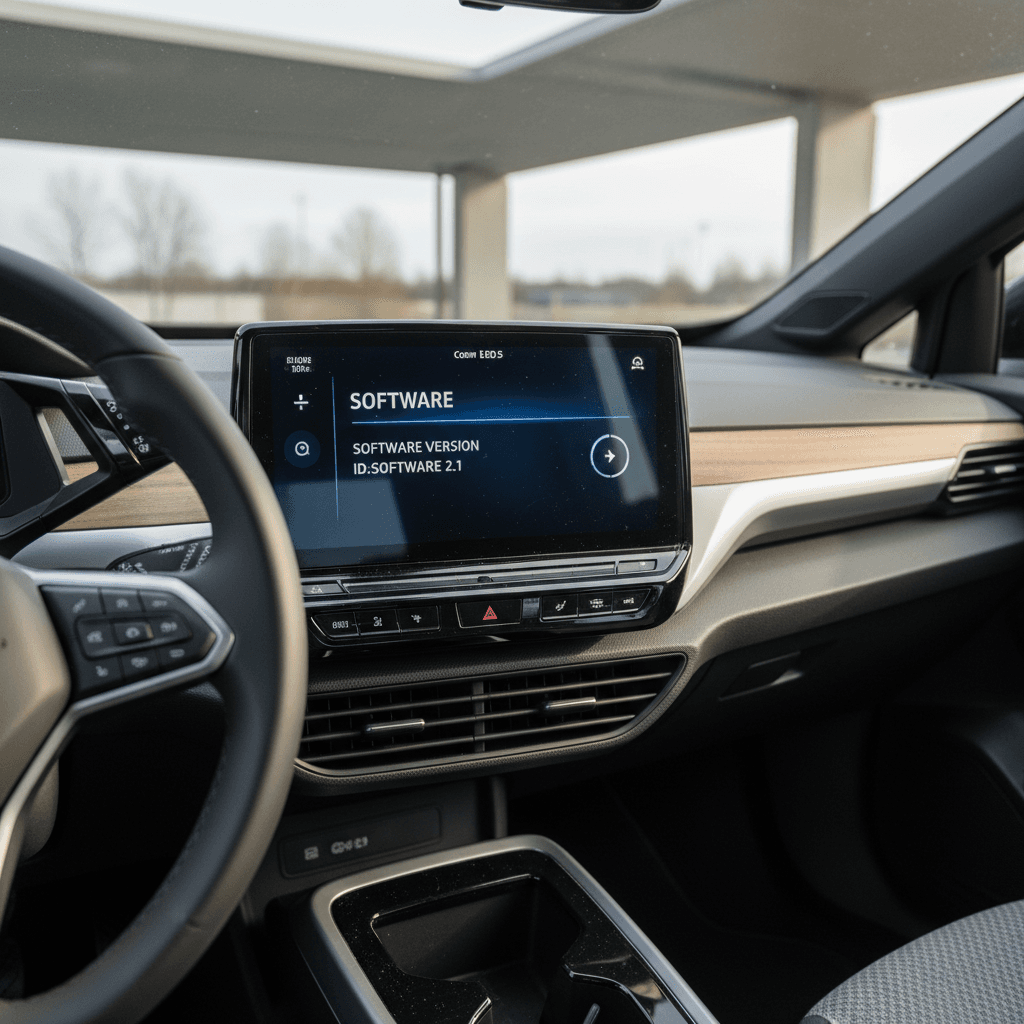
The version‑number display bug
ID. Software 3.2, 3.5 & 3.7 – refinement and regional rollouts
By late 2024 and into 2025, many 2021–2023 ID.4s in North America and Europe were being brought to 3.2 or later, sometimes at service visits and sometimes via long‑download OTAs. Later builds saw 3.5 and 3.7 arrive as iterative improvement packages.
What the later 3.x updates generally aimed to improve
Exact change logs differ by region and build, but the themes are consistent.
Responsiveness
Further tuning of infotainment responsiveness, reduced random reboots, and fewer “spinning” screens when checking software info or user profiles.
Charging & connectivity
Incremental tweaks to DC fast‑charging reliability, plus fixes for 4G connectivity dropouts and in‑car Wi‑Fi hiccups on some vehicles.
Bug fixes & polish
More stability in the digital gauge cluster, fewer error messages tied to online manuals, SOS systems, or user‑profile sync.
Owners report that the car doesn’t suddenly feel new at 3.2 or 3.5, but it does feel more settled. The biggest win for buyers is simply this: a car with documented 3.x updates has likely been kept inside Volkswagen’s software and recall campaigns, instead of being forgotten.
ID. Software 4.x and 5.x – newer hardware, newer builds
Newer ID.4s and other ID‑family models now ship with ID. Software 4.x and 5.x. You’ll see versions like 4.0 from the factory on late‑2023 or 2024 ID.4s, and Volkswagen lists updates such as 5.4.0 for vehicles already on 4.x or 5.x.
- These builds often ride on slightly updated hardware, particularly in the infotainment system and control modules.
- Updates like 5.4.0 focus on details such as door behavior, charging reliability, and minor bug fixes.
- Some markets continue to get true OTA updates, while others see software rolled in at scheduled dealer visits.
Why this matters for used buyers
How to check the software version on a VW ID.4
Step‑by‑step: checking your ID.4’s software version
1. Turn the car on fully
Press the brake and power button (or just press the brake in many ID.4s) so the vehicle is in “ready” mode, not just accessory.
2. Open the main Settings menu
On the central touchscreen, tap the <strong>gear icon</strong> or “Settings” tile to open system settings.
3. Find the ‘ID. Software’ or ‘System information’ tile
Look for a tile labeled <strong>ID. Software</strong> on the home screen, or go into ‘System information’ where software details are listed.
4. Note the version number
You may see “3.1”, “3.5”, “5.4.0”, or an internal build like 0792. Snap a photo so you can compare with service records later.
5. Cross‑check with paperwork
Ask the seller or service advisor for RO (repair order) printouts that show software campaigns applied, especially 2.4 plus any 3.x updates.
6. Verify app connectivity
If possible, pair the car with the official VW app. A car that refuses to connect or shows as “at dealer” long after service may still need account cleanup after an update.
Common ID.4 update quirks and owner frustrations
The ID.4’s software journey hasn’t been tidy, and owners have been honest about it. If you’re coming from a smartphone world where updates are seamless and quick, Volkswagen’s approach can feel very 1.0.
- Long download windows: Some OTA updates take days or even weeks between the “update available” message and the car actually downloading and queuing it for installation.
- Installation rules: Updates may require the car to be parked, locked, at a certain state of charge, and even not plugged in for some versions.
- Stuck version displays: It’s common for the infotainment to report the old version for a while, even after a successful dealer update.
- Spinning software info screens: After a big update, the software‑information section may just spin until you perform a factory reset or the car finishes background tasks.
- 12‑volt sensitivity: Weak 12‑volt batteries are a leading cause of failed or flaky updates, which is why 2.4’s battery swap was so important.
Don’t ignore update‑related error messages
Used ID.4 shopping: which software version should you want?
When you’re evaluating a used VW ID.4, software is part of the condition report, just like tire tread or brake life. It tells you not only how the car will behave, but also how carefully its previous owner and dealer network have stayed on top of campaigns.
A simple way to think about ID.4 software when buying used
Earlier model year (2021–2022)
On these cars, the big questions are:
- Did it receive ID. Software 2.4 and the upgraded 12‑volt battery?
- Has it been brought to at least one of the 3.x updates?
- Are there open recalls tied to software or instrument/infotainment behavior?
If the answer to the first two is “no” or “not sure,” you’ll want a detailed inspection and a realistic estimate of what it will take to catch the car up.
Later model year (2023–2025)
These cars often shipped with 3.1 or 4.x software and newer hardware. For them, focus on:
- Is the current version consistent with its build year (for example, 3.5 or 3.7 on a 2023–2024 car)?
- Did any dealer visits include software‑related recalls or campaigns?
- Do all connected‑services functions work, user profiles, app connectivity, online manual?
A car that’s kept up with these small but steady updates tends to be less fussy in daily use, and easier to live with long term.
How Recharged fits into this
Ready to find your next EV?
Browse VehiclesFAQ: VW ID.4 software update history
Frequently asked questions about VW ID.4 software updates
The VW ID.4’s software history is messy, but it’s also a map of how quickly modern EVs evolve after they leave the showroom. If you know which versions matter, and how to confirm them, you can tell whether an individual ID.4 has grown into its potential or is still living with its first‑year ghosts. When you’re ready to shop, a transparent used‑EV platform like Recharged can turn that alphabet soup of versions into a simple, battery‑health‑plus‑software snapshot, so you can focus on the drive, not the download bar.