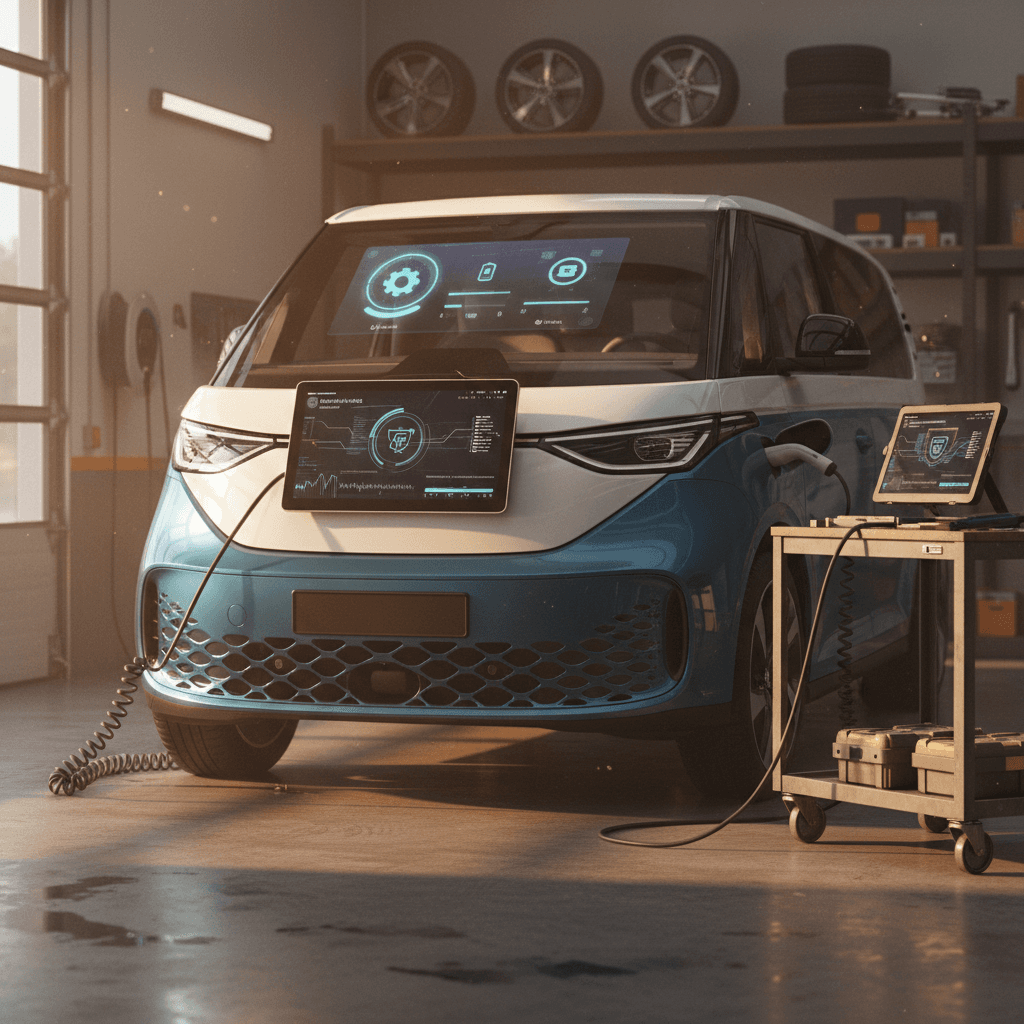
If you own, or are thinking about buying, a VW ID. Buzz, the story of the vehicle is as much about software as it is about batteries and motors. The ID. Buzz launched with Volkswagen’s ID.Software 3.x platform and has already seen multiple over‑the‑air (OTA) updates. Understanding the VW ID Buzz software update history helps you predict how the van will behave, what features you’ll have, and what to watch for in the used market.
A quick note on model years
Why VW ID. Buzz software updates matter
Software is the nervous system of the ID. Buzz. It governs everything from range prediction and charging behavior to driver‑assistance, infotainment, and even how quickly the van wakes up when you open the door. Early ID‑family vehicles (ID.3, ID.4, and the first ID. Buzz) were criticized for laggy touchscreens, buggy driver‑assist features, and inconsistent smartphone integration. Each major software release is Volkswagen’s attempt to clean that up, add features, and sometimes enable entirely new capabilities like Plug & Charge or improved route planning.
- Day‑to‑day usability: Faster boot times, fewer system crashes, and smoother Bluetooth/CarPlay connections.
- Efficiency and range: Smarter route planning and climate‑control tweaks can help you squeeze more miles from each kWh.
- Charging experience: Later versions improve DC fast‑charging behavior and add Plug & Charge compatibility at supported stations.
- Longevity and security: Updates patch cybersecurity issues and keep online‑services working as networks (like 2G/3G) are shut down.
Skipping updates can cost you
ID. Buzz software basics: ID.Software and OTA
Volkswagen groups software for its ID‑family EVs under the umbrella name ID.Software (often shown as “ID.Software 3.2”, “3.7.1”, etc.). The ID. Buzz sits on the same basic architecture as other MEB‑platform EVs, so many version numbers and features are shared across models, even if timing differs.
The two key concepts: ID.Software + OTA
Once you know these, the update history makes a lot more sense.
ID.Software versions
These are the core software packages that run the digital side of your ID. Buzz:
- 3.x family is the first generation for the Buzz.
- Sub‑versions (3.2.1, 3.5.4, 3.7.1, 3.8.1) roll out over time.
- They can arrive from the factory or via later updates.
Over‑the‑air (OTA) updates
Starting with the ID line, VW built in the ability to push many updates wirelessly:
- Updates download via the van’s cellular connection while you drive.
- You approve installation, usually while parked.
- Some larger updates still require a dealer visit, but routine ones are OTA.
Software ≠ model year
VW ID. Buzz software update history at a glance
Volkswagen doesn’t publish a glossy, consumer‑friendly changelog for every ID. Buzz software version, but from European commercial‑vehicle documentation and owner reports, a clear pattern has emerged. Here’s a high‑level look at the VW ID Buzz software update history so far for ID.Software 3.x on the Buzz:
Simplified VW ID. Buzz software version timeline
Major ID.Software 3.x versions seen on the ID. Buzz and what they roughly focused on.
| Version | Approx. introduction on ID. Buzz | Main focus | Typical delivery |
|---|---|---|---|
| 3.2 / 3.2.1 | Factory software for many 2022–2023 European ID. Buzz vans | Launch baseline: core functionality, Plug & Charge support, improved routing vs. early ID models | Factory; some OTA updates on early builds |
| 3.4.1 / 3.5.x | Rolled out after launch on European vans | Stability, minor infotainment refinements, bug fixes | Mainly OTA; some vehicles updated at service visits |
| 3.7 / 3.7.1 | Seen by owners starting in 2024–early 2025 | More bug fixes, connectivity tweaks, improvements to online‑services handling | OTA for eligible vehicles; sometimes triggered by recent dealer service |
| 3.8.1 | Latest publicly documented OTA as of early 2026 (Europe) | Connectivity updates for post‑3G networks, security patches, infotainment and web‑radio stability | OTA update via VW Connect / We Connect to the ID. Buzz family |
Exact timing varies by market and VIN; always confirm what’s on the individual vehicle.
Why you see sub‑versions
Key ID. Buzz software versions and what they changed
Let’s walk through the main ID.Software 3.x versions you’re likely to encounter on an ID. Buzz and what they generally mean for real‑world ownership. Remember that exact behavior can vary slightly by region and model (Pro vs. Cargo) and by optional equipment.
ID.Software 3.2 / 3.2.1: Launch baseline
Most early European ID. Buzz Pro and Cargo vans left Hannover with ID.Software 3.2. This was Volkswagen’s “new‑gen” EV software at the time, building on lessons from early ID.3 and ID.4 releases. Key characteristics include:
- Support for Plug & Charge at compatible DC fast‑charging stations, allowing the van to authenticate and start charging automatically once you plug in.
- An improved e‑route planner that can automatically factor charging stops into long‑distance trips, with the ability to refine parameters like minimum state of charge.
- Better voice control (“Hello ID.”) performance versus the earliest ID models, though many owners still consider it average at best.
- Infotainment that’s usable but can be sluggish, with occasional pauses or blank screens when booting.
3.2 is livable, but not perfect
ID.Software 3.5.x: Under‑the‑skin refinement
Software labeled 3.5.x (3.5.1, 3.5.4, 3.5.5) is more evolution than revolution. The goal is largely to tighten screws behind the scenes rather than introduce flashy headline features. Common themes include:
- Stability improvements in the infotainment stack, fewer random reboots, fewer frozen screens.
- Refinements to online services and login behavior with VW Connect / We Connect.
- Smoothing of small driver‑assistance annoyances, such as intrusive lane‑keeping alerts in certain conditions.
- Incremental improvements to phone pairing, media playback, and web‑radio behavior.
Good news for used shoppers
ID.Software 3.7 / 3.7.1: Catch‑up and cleanup
By 2024 and early 2025, many ID. Buzz owners started reporting OTA prompts for ID.Software 3.7 or 3.7.1. While VW’s consumer‑facing release notes are light on detail, the pattern across owner reports looks like this:
- More comprehensive bug‑fix roll‑ups, especially for vehicles that had lingered on 3.2 for a long time.
- Tweaks to connectivity and online‑services handling, intended to make streaming and web‑radio more consistent.
- Edge‑case improvements in driver‑assistance alerts and instrument‑cluster messaging.
- In some regions, updated support packages ahead of network changes (for example, shifting away from older cellular standards).
Owner expectations vs. reality
ID.Software 3.8.1: Connectivity and security update
European commercial‑vehicle documentation lists a 3.8.1 OTA update specifically for the ID. Buzz family. Rather than adding new toys, 3.8.1 is about keeping the van’s digital backbone viable as infrastructure changes:
- Updated built‑in internet connections so VW Connect services continue to function even as 2G/3G networks are phased out in various countries toward the end of 2025 and beyond.
- Implementation of important security updates to safeguard in‑vehicle IT systems from emerging threats.
- Further optimizations to webradio and infotainment stability, addressing dropouts and occasional app crashes.
- Potential side‑effects on unauthorized third‑party tweaks that hook into on‑board diagnostics (OBD) ports or non‑official coding changes.
Why 3.8.1 (and newer) matter long‑term
How to check your VW ID. Buzz software version
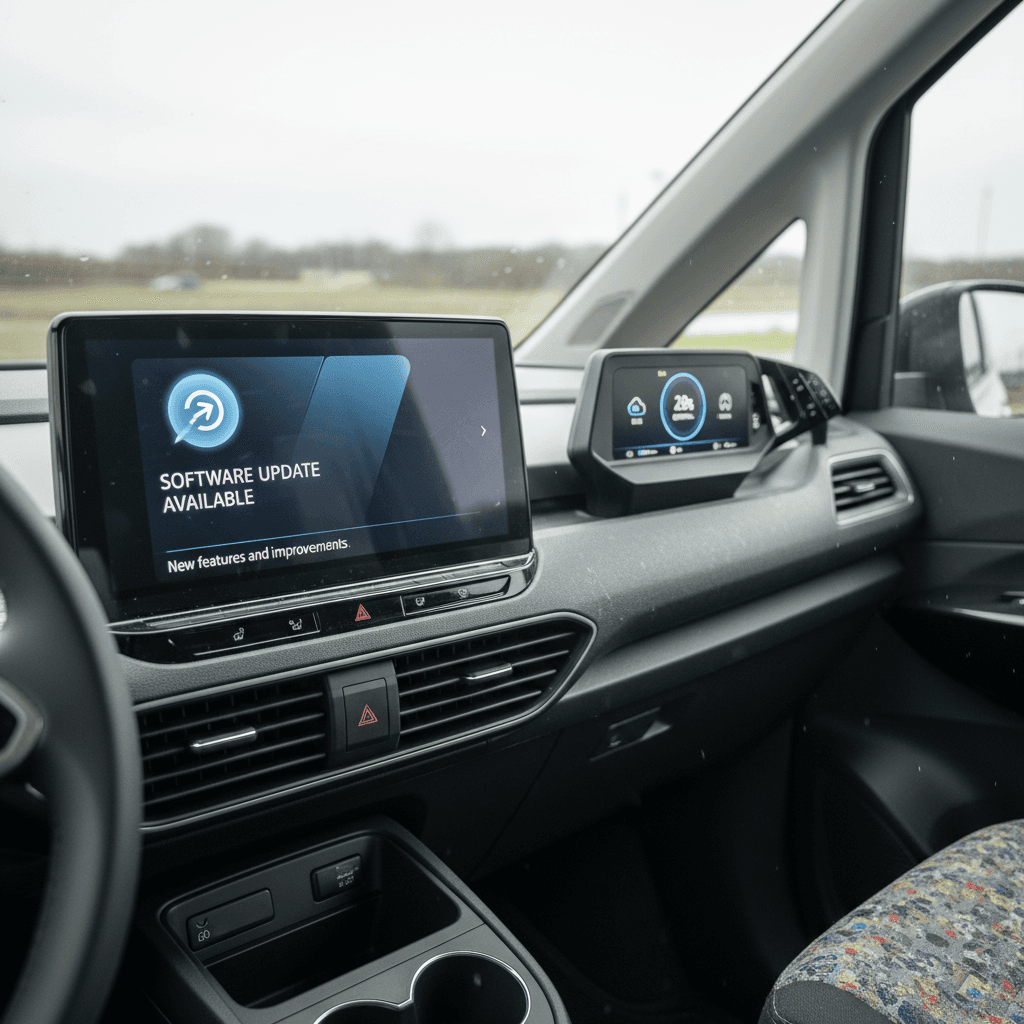
Before you worry about which updates you have, or don’t have, take a minute to confirm your current version. The exact menu names can differ slightly by region and update level, but the process follows this pattern:
Find your ID. Buzz software version in a few taps
1. Park safely and power on
Put the van in Park on a flat surface. You’ll want good cellular or Wi‑Fi signal if you plan to initiate an update afterward.
2. Open the main Settings menu
From the central touchscreen, tap the Settings or Setup icon, usually a gear symbol on the home screen or app bar.
3. Go to System or Software information
Look for a submenu called System information, About, or Software update. This is where VW groups version data.
4. Note the ID.Software version
You should see an entry labeled something like ID.Software followed by a number (for example, 3.2.1, 3.5.4, 3.7.1, or 3.8.1). That’s the headline version to write down.
5. Capture screenshots or photos
If you’re shopping used or planning a service visit, take photos of the version page. It’s helpful documentation and can avoid misunderstandings later.
Shopping used? Ask for proof
How over-the-air (OTA) updates work on the ID. Buzz
Volkswagen’s OTA system is designed to feel familiar if you’ve ever updated a smartphone. The exact prompts can vary by software version, but the overall flow is consistent across the ID line.
Typical ID. Buzz OTA update flow
Two big stages: download while you drive, install while you’re parked.
1. Eligibility & connection
- Your ID. Buzz has to be registered with VW Connect / We Connect.
- Data‑sharing and OTA consent must be enabled.
- The van needs a working cellular connection and, for EVs, a minimum battery state of charge (often 50%+).
2. Background download
- Once VW flags your VIN as eligible, the update starts downloading in the background while you drive.
- You may see a small notification but can generally use the car as normal during this phase.
3. Park and install
- When download is complete, the van prompts you to schedule installation.
- Installation usually happens while parked, often taking 20–90 minutes.
- During installation, the vehicle can’t be driven; plan to do it overnight or during downtime.
Don’t interrupt installation
Common owner complaints, and which updates help
Even fans of the ID. Buzz will tell you Volkswagen’s software hasn’t been its strongest suit. The good news: many annoyances have been softened, if not fully solved, by the 3.5.x, 3.7.x, and 3.8.1 updates. Here’s how the history of updates intersects with real‑world complaints.
Slow or glitchy infotainment
Early 3.2 builds are most likely to show lag when switching screens, stutters when loading the navigation map, or occasional black screens at startup.
- 3.5.x: Generally reduces random reboots and freezes.
- 3.7.x: Further polish; still not sports‑car fast, but more consistent.
- 3.8.1: Mainly connectivity and stability tweaks, which help streaming and web‑radio.
Quirky driver‑assist behavior
Some owners report over‑eager lane‑keeping, inconsistent distance control, or confusing instrument‑cluster warnings.
- Successive 3.5.x and 3.7.x updates incorporate small tuning changes and improved messaging.
- Don’t expect new hardware‑level capabilities, but do expect fewer false alarms and smoother operation as software matures.
Connectivity and app issues
Dropouts with streaming audio, trouble with web‑radio, or the myVW app not always reflecting the van’s status are recurring themes.
- 3.5.x & 3.7.x: Incremental fixes for online services.
- 3.8.1: Specifically targeted at keeping VW Connect alive as mobile networks evolve and hardens the communication stack.
Inconsistent update delivery
Some owners saw a quick path from 3.2 to 3.7; others waited months with no prompts at all. That’s normal for big OTA campaigns.
- Updates roll out in waves by region and VIN.
- Service visits can sometimes trigger or accelerate pending updates.
- If you’re far behind, a dealer may need to update the vehicle in the workshop first.
When in doubt, involve a dealer
What software history means if you’re buying a used ID. Buzz
In the used EV world, software history is part of the story, just like accident reports and service stamps. With the ID. Buzz, it’s not the only thing that matters, but it absolutely belongs on your checklist.
How software impacts a used ID. Buzz
Used ID. Buzz checklist: software edition
1. Confirm the ID.Software version
Check the infotainment menu and record the exact version. If it’s still on an early 3.2.x build, plan for some quirks until you can update.
2. Ask for OTA consent and VW Connect status
Make sure the previous owner enabled VW Connect / We Connect and OTA permissions. If not, have the seller or dealer help you set that up during the hand‑off.
3. Review service records for software notes
Look for mentions of software campaigns, technical updates, or versions like 3.5.x, 3.7.x, or 3.8.1. This shows the van hasn’t been ignored digitally.
4. Test infotainment and driver‑assist on a long drive
On your test drive, spend time with navigation, Bluetooth, CarPlay/Android Auto, and driver‑assist features. Laggy behavior isn’t necessarily a deal‑breaker, but it’s something to factor into your expectations.
5. Plan for your first post‑purchase update
Once you own the van, connect it to your account, ensure good connectivity at home or work, and budget time for any pending OTA updates in the first month.
Where Recharged fits in
Ready to find your next EV?
Browse VehiclesTips to get and keep your ID. Buzz up to date
Once you’ve got an ID. Buzz in the driveway, keeping software current doesn’t have to be a chore. A few habits make updates much more likely to arrive smoothly and on time.
- Enable VW Connect / We Connect and data consent. Register the van in the myVW app, accept the terms, and confirm that online‑services and OTA updates are allowed.
- Keep the van “online.” VW recommends verifying that the overhead console shows a green light when the vehicle is on, indicating it’s connected and ready to communicate with VW’s servers.
- Maintain decent state of charge. For EVs, many updates require at least 50% battery. If you finish commutes at a very low state of charge, schedule updates after a charging session.
- Don’t ignore prompts. If you repeatedly dismiss update notifications, some campaigns may time out. Schedule them overnight or during a known downtime.
- Use service visits strategically. When you’re in for tires, brakes, or warranty work, ask the advisor to check for pending software campaigns. Some major jumps still require a workshop update before OTA can resume.
- Avoid unsupported third‑party coding. Deep, unofficial tweaks via OBD or coding tools can clash with later updates. If you’ve modified the software stack, be prepared that future OTAs may overwrite or disable those changes.
Schedule updates like you would maintenance
VW ID. Buzz software update FAQ
Frequently asked questions about VW ID. Buzz software updates
Bottom line on VW ID. Buzz software history
Volkswagen’s ID. Buzz software update history is a story of gradual refinement. Early 3.2 builds delivered the core experience, while 3.5.x and 3.7.x layered on much‑needed stability and polish. The latest 3.8.1 and similar releases focus on keeping connectivity and security current as networks and services evolve. None of these updates magically transforms the Buzz into a different vehicle, but together, they make it a more pleasant, confident companion.
If you already own an ID. Buzz, your best move is simple: stay current, even when updates seem minor. If you’re shopping used, treat software as one more data point alongside battery health, pricing, and service history. And if you’d like help decoding all of that, Recharged is built to make used EV ownership, from the first search to nationwide delivery, as transparent and low‑stress as possible.