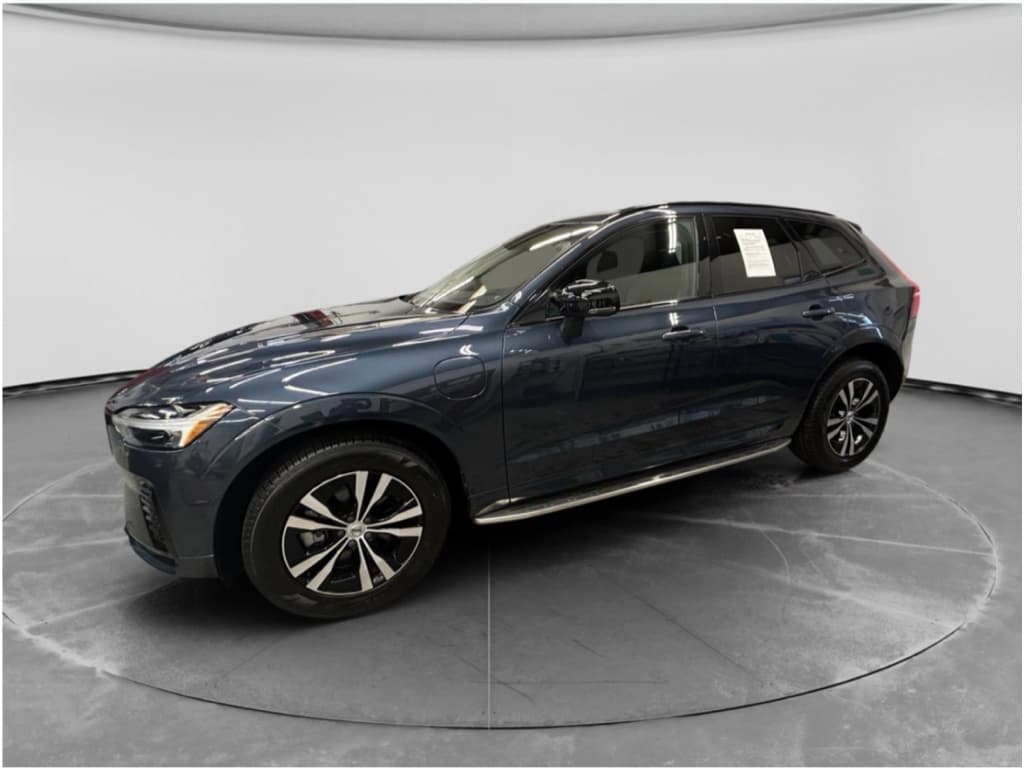
The Volvo EX90 is Volvo’s flagship electric family SUV, safe, serene, and stuffed with sensors. It’s also an early-build, software-heavy EV, which means owners have been discovering a predictable second act: quirks, bugs, and teething issues. If you’re driving one today, or thinking about buying a new or used EX90, understanding the most common problems and fixes will save you time, anxiety, and possibly a few dealer visits.
A quick word on early EVs
Overview: Volvo EX90 reliability and context
On paper, the EX90 is impressive: a large battery, dual‑motor all‑wheel drive, rich safety tech, and for 2026 models an updated 800‑volt electrical architecture and beefier Nvidia hardware to run it all. In the real world, reliability so far is a mix of excellent fundamentals (chassis, crash safety, cabin refinement) and immature software and charging behavior that can frustrate daily life more than any squeak or rattle ever could.
Volvo EX90 ownership: big picture
Good news for used EX90 buyers
1. Volvo EX90 software bugs and glitches
Software is where most of the EX90’s drama lives. Owners have reported odd behavior from the central infotainment screen, climate control, driver‑display warnings, and even lidar‑related functions. Volvo has publicly acknowledged early software quality problems and is shipping ongoing over‑the‑air (OTA) updates plus deeper dealer‑installed patches for specific subsystems.
- Frozen or black infotainment screen that won’t respond to touch or steering‑wheel buttons
- Random reboots of the central display while driving
- Inconsistent climate control behavior (fan speed or temperature not matching settings)
- False or overly cautious driver‑assist warnings (lane‑keeping, collision alerts)
- Occasional error messages related to sensors, including lidar, that clear after a restart
How to fix or prevent EX90 software issues
Quick steps to tame EX90 software gremlins
1. Keep OTA updates turned on
In the settings menu, confirm that automatic software updates are enabled and that the car has a reliable Wi‑Fi or cellular connection when parked. Many owners report smoother behavior after major version jumps.
2. Perform a soft reboot
If your screen freezes, try a soft reboot, typically by holding the home or play/pause button on the steering wheel or center console (check your manual for the exact sequence). This often clears temporary glitches without losing settings.
3. Power cycle the car fully
Lock the EX90, walk away with the key for at least 10–15 minutes, and let the car go to sleep. A full power‑down can clear persistent warnings that a quick restart won’t touch.
4. Document repeatable bugs
Take photos or short videos and note dates, software version, speed, and conditions. This documentation helps your Volvo dealer file a technical case instead of just saying “no fault found.”
5. Schedule a directed software update
If issues persist, ask the dealer about any directed or subsystem updates (for charging, driver assistance, or lidar). These can target specific modules beyond public OTA releases.
When software becomes a safety issue
2. Charging problems on the Volvo EX90
If EVs have a single point of failure that makes owners crazy, it’s charging. The EX90 is no exception. Most complaints cluster around AC Level 2 home charging and wallboxes, with occasional hiccups at public stations. DC fast‑charging tends to be more reliable, especially on newer 800‑volt hardware, but it’s not immune to software hand‑shake issues either.
Common Volvo EX90 charging issues
Most are fixable with software or simple configuration changes.
Home Level 2 stops or won’t ramp
Some EX90s stop charging or refuse to go above 12–16A on home Level 2 chargers, even though the wallbox and wiring support higher current.
Public AC shows 0 kW
Owners report sessions that appear connected but sit at 0 kW, often due to handshake glitches or an onboard AC module issue.
Inaccurate charge estimates
The car or app sometimes displays wildly incorrect time‑to‑full estimates, even though charging power is normal.
Home Level 2 charging cuts off or stays at low amps
A recurring EX90 story goes like this: the car plugs into a 40–48 amp home charger, ramps up for a moment, then cuts off or drops back to 12–16 amps. The same wallbox happily charges other EVs at full speed. Owners and dealers have traced this to a mix of software bugs in the charging control module and, in a smaller number of cases, faulty onboard AC charger hardware.
Troubleshooting EX90 home‑charging problems
1. Test multiple cables and outlets
Verify the EX90 can charge on the portable charger that came with the car (even at 120V) and, if possible, a different Level 2 station. If it fails everywhere, suspect the car. If it only fails at one location, suspect wiring or that station.
2. Lower the current in the wallbox app
Many owners have temporarily solved cut‑offs by lowering the wallbox to 12–24A and then gradually increasing after a software update. Not ideal, but it can keep you charging while you wait for service.
3. Look for recent software updates
Ask your dealer whether your EX90 has received the latest charging‑related software. Some versions specifically address AC charging misbehavior and have restored full 32–40A charging at home for affected owners.
4. Ask about AC charger inspection
If software fixes don’t stick, request a physical inspection of the onboard AC charger module and related wiring. Faulty units have been replaced under warranty on low‑mileage EX90s.
5. Monitor charge curves
Use your wallbox app to watch actual kW delivered over time. If the EX90 starts strong and then flat‑lines or oscillates, screenshot the behavior for your service adviser.
Don’t DIY high‑voltage work
Public charging and 0 kW sessions
A smaller but annoying problem: plugging into a public AC station, getting the green port light, but seeing 0 kW on the charger screen. Often this is a handshake or activation issue, especially at stations that require starting the session in an app or with a card. Occasionally it’s the EX90’s AC module getting picky about voltage or temperature.
- Confirm you’ve actually started the session in the network’s app or by tapping your RFID card.
- Try a different stall on the same station bank, many have individual bad ports.
- If AC charging fails but DC fast charging works, report the AC station to the network and your dealer; they may want logs from both sides.
- If AC charging is inconsistent everywhere, push for a warranty inspection of the onboard charger.
3. Range, battery and thermal-management quirks
Every large, heavy luxury EV wrestles with reality: weight and aero drag are more persuasive than marketing range numbers. The EX90 is no exception. Owners report that real‑world range can fall short of optimistic estimates, especially in cold weather, at highway speeds, or with roof boxes and bikes hung out in the breeze.
Typical EX90 range complaints
Most are normal EV behavior, amplified by size and weight.
Highway range drops fast
Sustained 75–80 mph cruising, winter tires, or headwinds can drag usable range well below the official rating. The EX90 is a big brick through the air.
Cold‑weather range hits
In winter, heater use and a cold battery can temporarily shave 25–40% off displayed range until the pack warms up.
What’s actually a problem vs. normal EV physics
Some “problems” are simply the laws of physics cashing their checks. Still, there are a few cases worth investigating: sudden, large drops in state‑of‑charge while parked, or erratic range estimates that don’t match mileage driven.
- If the EX90 loses large chunks of battery percentage while parked in mild temperatures, log it and ask your dealer to check for parasitic draw or software that’s keeping modules awake.
- If range estimates swing wildly on steady drives, a BMS (battery management system) recalibration via software update can help the car learn your patterns and report more accurately.
- If DC fast‑charging is abnormally slow on a warm battery at a known‑good station, have the dealer check for thermal‑management or contactor issues.
Easy wins for better EX90 range
4. Driver-assist and safety system issues
The EX90’s calling card is safety. Lidar on the roof, radar and cameras all around, and a small army of processors trying to keep you out of trouble. That also means more ways things can feel “off” without actually being broken.
- Overly cautious lane‑keeping that bounces between lines or fights gentle curves
- Phantom forward‑collision warnings in dense traffic or construction zones
- Driver‑monitoring warnings even when you’re paying attention
- Temporary deactivation of pilot‑assist or lane‑keeping in heavy rain, snow, or glare
Dealing with overprotective driver assists
Tune the settings, don’t just switch them off
In the driver‑assist menu, you can usually adjust warning sensitivity, steering assist strength, and how aggressively the EX90 intervenes. Dialing sensitivity down one notch can turn a nervous car into a partner you actually want.
If a particular feature feels untrustworthy, say, aggressive automatic lane changes, disable just that function rather than nuking the entire safety suite.
When warnings point to a real fault
If you see persistent ABS, ESC, or brake warnings, or the car reports limited braking/steering assist, this is no longer about comfort. Park safely and call your dealer or roadside assistance. Safety‑critical systems are covered by warranty and may be part of an active recall or service campaign.
If Volvo or your dealer advises a “do not drive” condition, follow it. They’re protecting you and everyone around you.
5. Infotainment, connectivity and Volvo app issues
Volvo leans heavily on its Google‑based infotainment and the Volvo Cars app. When it works, the experience feels modern: route planning, pre‑conditioning, charge scheduling. When it doesn’t, you get maddening moments where the car and app disagree about what’s happening.
Frequent EX90 infotainment & app complaints
Most are annoyances, not failures, still worth fixing.
App misreports charging state
Owners see the app say “plugged in, not charging” or “1 minute remaining” even while the car is clearly charging normally.
Connectivity drops
Intermittent loss of mobile data or Wi‑Fi, causing delays in maps, updates, or streaming services.
Screen lag & glitches
Slow response when changing settings, switching apps, or manipulating climate controls on screen.
Simple fixes for EX90 app and infotainment issues
1. Update both car and app
Make sure your Volvo Cars app is on the latest version from the App Store/Play Store, and that the EX90 has downloaded and installed the newest OTA release.
2. Log out and reinstall the app
If the app constantly misreports status, log out, delete it, reboot your phone, then reinstall and sign back in. This clears cached data that can get out of sync with the car.
3. Reset connectivity in the car
Toggle the EX90’s mobile data and Wi‑Fi off and on. In some cases, a full infotainment system reboot (via the steering‑wheel button combo) stabilizes connections.
4. Test on cellular vs. Wi‑Fi
If issues appear only on home Wi‑Fi, the culprit may be your router or network configuration, not the EX90. Try on mobile data alone to isolate the problem.
5. Capture logs when problems occur
Take screenshots in the app and photos of the in‑car display when it contradicts reality. Dealers can attach these to a symptom report for Volvo engineering.
Why app bugs matter anyway
6. Recalls and technical service bulletins (TSBs)
Like most new‑platform EVs, the EX90 is accumulating a paper trail of recalls and service bulletins addressing software, safety, and hardware concerns. Some campaigns are silent, handled at your next dealer visit, while true recalls may trigger letters or in‑app notifications.
Typical campaign types that may affect EX90 owners
Exact recall IDs and coverage vary by year and region. Always check your VIN with Volvo or NHTSA for current information.
| Campaign Type | What It Targets | Your Next Step |
|---|---|---|
| Safety recall | Brakes, airbags, high‑voltage safety, crash‑relevant software | Schedule service ASAP; many are free OTA or dealer fixes. |
| Service campaign | Non‑critical but important updates (charging behavior, sensor calibration) | Ask your dealer to apply during your next visit. |
| TSB (Technical Service Bulletin) | Known issues with defined fixes (e.g., charging bugs, infotainment problems) | If you have matching symptoms, mention the TSB number so they don’t reinvent the wheel. |
| Customer satisfaction program | Goodwill fixes or upgrades outside normal warranty timelines | Often time‑limited, respond quickly if you’re contacted. |
Use this table as a guide to the types of campaigns you might see, not as a complete list.
Always run a VIN recall check
DIY fixes vs. dealer visits: what you can safely do
Modern EVs like the EX90 are rolling software projects with a high‑voltage secret life. There’s a firm line between what you can sensibly do at home and what belongs in the hands of a dealer technician with insulated gloves and a laptop shaped like an invoice.
Reasonable DIY territory
- Checking and changing settings for charging, driver assists, and connectivity.
- Resetting the infotainment system or app, logging out and back in.
- Testing different chargers (home vs. public) to isolate a charging issue.
- Visually inspecting charge ports, cables, and household outlets for damage.
- Tracking patterns in range, warning lights, and charging behavior.
Dealer‑only territory
- Any work involving high‑voltage components, coolant loops, or the battery pack.
- Brake system repairs or unusual pedal feel, especially in an EV with blended regen.
- Persistent safety warnings (ABS, ESC, airbag, steering, powertrain).
- Replacing the onboard AC charger or DC fast‑charge hardware.
- Applying directed software updates or TSB fixes not available over‑the‑air.
Where Recharged fits in
Ready to find your next EV?
Browse VehiclesBuying used: what to check on a used Volvo EX90
A used EX90 can be a smart buy: you let the first owner absorb the steepest depreciation and the ugliest software launches, then you step into a calmer, better‑sorted SUV. But you have to verify that the particular car in front of you has had its homework done.
Used Volvo EX90 pre‑purchase checklist
1. Confirm software version and update history
In the car’s settings, check that it’s on a recent major software version. Ask the seller or dealer for records of OTA updates, directed updates, and any charging‑related fixes.
2. Run a full VIN recall search
Use the Volvo site or government database to look up open recalls and campaigns. Any outstanding safety work should be completed before you take delivery.
3. Inspect and test charging thoroughly
Test Level 2 charging at or near the car’s maximum AC rate, and if possible make a short DC fast‑charge stop. Watch for early cut‑offs, very low AC currents, or errors at multiple stations.
4. Take a long, mixed test drive
Drive at city and highway speeds, use pilot‑assist and lane‑keeping, and listen for noises, shudders, or warning chimes. Test all screens, cameras, and parking aids.
5. Verify battery health, not just range
Displayed range can be misleading. Request a battery health report or diagnostic print‑out. With Recharged, this is built into our Recharged Score so you see actual pack health before signing.
6. Review service records for repeat issues
Look for repeated visits for the same problem, especially charging modules, driver‑assist faults, or brake‑system complaints. A problem that comes back three times may come back for you, too.
FAQs: Volvo EX90 common problems and ownership
Frequently asked questions about Volvo EX90 problems
Bottom line: Is the Volvo EX90 worth it?
The Volvo EX90 is an ambitious machine: part family bus, part Scandinavian design object, part rolling supercomputer. Its most common problems, charging quirks, software bugs, occasionally neurotic driver assists, are irritating but, crucially, mostly solvable. For many owners, each major software update has turned the car into the thing Volvo originally promised.
If you want a quiet, safety‑obsessed electric SUV and you’re willing to live with the occasional digital mood swing, the EX90 can be deeply satisfying. Just go in with open eyes: verify updates, test charging thoroughly, and insist on clear documentation if you’re buying used. And if you’d rather not play project manager for your next EV, consider shopping through Recharged, where every used EV comes with verified battery health, a transparent Recharged Score Report, and expert guidance so you spend more time driving and less time refreshing the app.