If you drive a non‑Tesla EV, the arrival of the Tesla NACS adapter feels a bit like getting keys to a locked room you’ve been staring at for years. Suddenly, thousands of Tesla Superchargers are at least potentially on the menu. But there’s a catch: not every EV, adapter, or station plays nicely together, and the rules are changing quickly between 2025 and 2026.
Quick definition
Why Tesla NACS adapters matter for non‑Tesla drivers
For years, the biggest advantage of owning a Tesla wasn’t the car itself. It was the Supercharger network: dense coverage, generally reliable hardware, and simple plug‑and‑go operation. Non‑Tesla drivers were stuck with a patchwork of CCS fast chargers that could be brilliant one day and frustrating the next.
The NACS shift in 2025–2026 at a glance
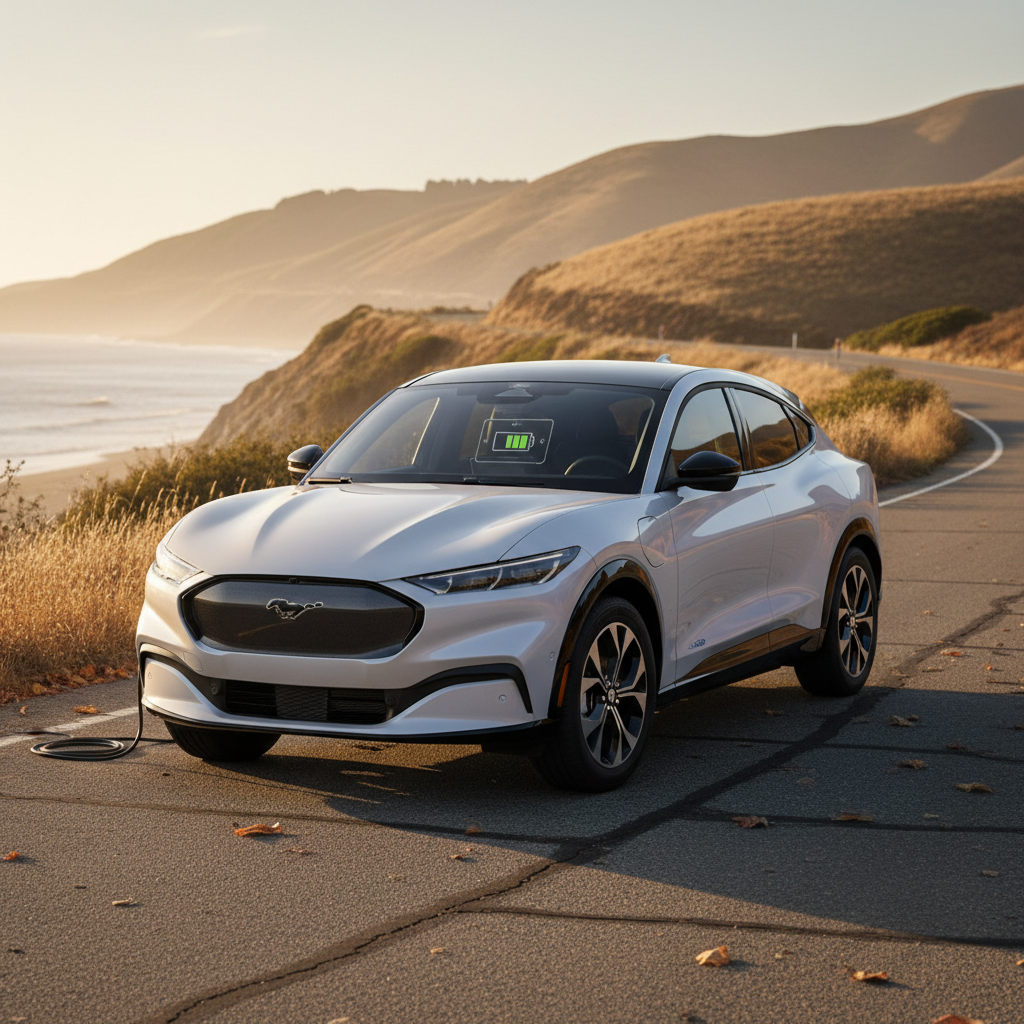
A Tesla NACS adapter for non‑Tesla EVs is your bridge into that world. Whether you’re piloting a Ford Mustang Mach‑E, Hyundai Ioniq 5, Kia EV6, Chevy Blazer EV, Mercedes EQE, or a Volvo/Polestar, the right adapter plus the right software updates can turn Superchargers into just another stop on your road‑trip plan instead of the off‑limits club down the street.
If you only remember one thing
What is NACS and how do adapters work?
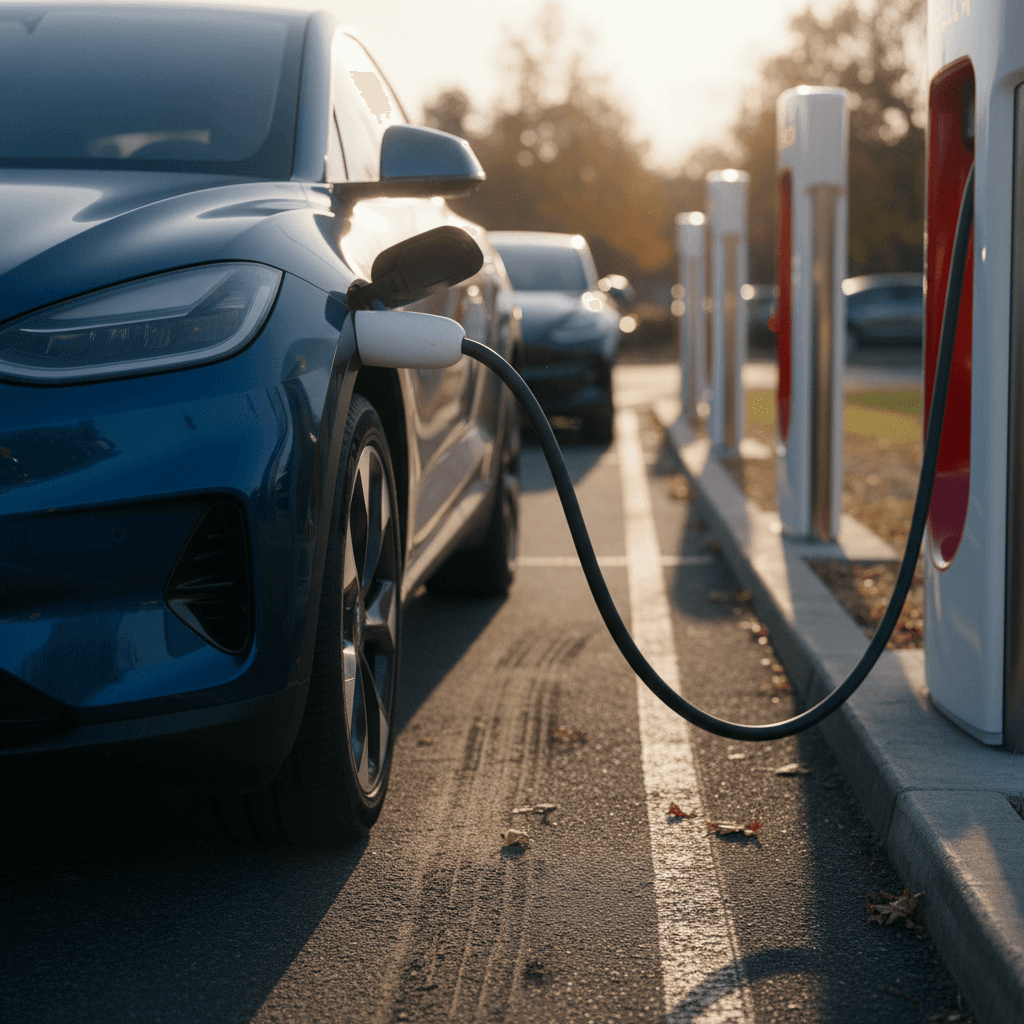
Think of NACS vs. CCS like different charging nozzles at a fuel station. Your EV has a CCS inlet; Tesla’s cable has a NACS plug. A NACS adapter is the middle piece that lets those two meet safely at 400–800 volts and hundreds of amps without cooking anything expensive.
NACS in a nutshell
- Compact connector: Smaller and lighter than CCS, originally exclusive to Tesla.
- DC fast charging + AC: Same plug handles both high‑power DC and lower‑power AC charging.
- Now an open standard: Tesla opened NACS, and most brands have signed on for North America.
What the adapter actually does
- Re‑routes pins and signals: Internally maps the NACS pins to your CCS port and handles communication.
- High‑power rated: Automaker adapters are designed for Supercharger‑level currents, unlike many third‑party gadgets.
- Software handshake: Your car, the adapter, and the charger agree on voltage, current, and safety checks before power flows.
Don’t confuse AC and DC adapters
Which non‑Tesla EVs can use Tesla Superchargers?
By early 2026, most mainstream EV brands in North America either already support Tesla Superchargers with a NACS adapter or have firm timelines to do so. The details vary by automaker, model year, and sometimes even trim, so always double‑check with your brand’s app or website.
Automaker NACS adapter snapshots (2025–2026)
High‑level view of how major non‑Tesla brands are handling NACS access for CCS‑equipped EVs. Always confirm details with your automaker before buying an adapter or planning a trip.
| Brand | Example EVs | How you get a NACS adapter | Notes |
|---|---|---|---|
| Ford | Mustang Mach‑E, F‑150 Lightning | Order through Ford app or dealer | Early owners saw free adapters; later buyers typically pay around a couple hundred dollars. |
| GM (Chevy, GMC, Cadillac) | Blazer EV, Equinox EV, Silverado EV, Lyriq | Order a GM‑approved adapter via brand apps | Adapters unlock Tesla Superchargers while GM transitions to factory NACS ports. |
| Hyundai / Kia / Genesis | Ioniq 5/6, EV6, EV9, GV60 | Order brand adapter; some later buyers get one included | Newer models begin shipping with native NACS ports; older CCS cars use adapters. |
| Volvo / Polestar | XC40/C40 Recharge, Polestar 2/3/4 | Purchase an official adapter through the brand | Adapters allow access to Tesla and other NACS‑equipped networks. |
| Mercedes‑Benz EQ | EQE/EQS sedan & SUV | Buy a Mercedes‑approved adapter via dealers or app | Software updates add Superchargers into the car’s navigation and Plug & Charge. |
| Honda / Acura | Honda Prologue, Acura ZDX | Purchase via Honda/Acura channels | Adapters bridge CCS to NACS while future models move to native NACS ports. |
| Porsche / Audi | Taycan, Macan Electric, Q4 e‑tron | Reserve or purchase automaker adapter | Some owners receive complimentary adapters; others pay a modest fee. |
| Others (BMW Group, Nissan, Jaguar, Lucid, etc.) | i4/i5/i7, Ariya, I‑PACE, Air/Gravity | Automaker‑specific adapters rolling out 2025–2026 | Most have announced NACS adoption; timelines differ by model. |
Factory‑approved DC fast‑charging adapters are the safest path to Tesla Superchargers.
Magic Dock is the wild card
Bottom line: if you drive a relatively recent CCS‑equipped EV from Ford, GM, Hyundai/Kia/Genesis, Volvo, Polestar, Mercedes‑Benz, Honda/Acura, BMW Group, Porsche, Audi, Nissan, or several others, you’re either already able to use Tesla Superchargers with a NACS adapter or will be able to soon. Older or low‑volume models may never get official support, so check before you assume anything.
Choosing the right Tesla NACS adapter
Here’s where things get tricky. Search for “Tesla NACS adapter” and you’ll see a sea of third‑party gadgets that all promise easy access to Superchargers. For DC fast charging, that’s not where you want to experiment. Your car, your warranty, and even the charger owner all have a say.
Three adapter paths for non‑Tesla EVs
Which one fits your situation?
1. Automaker‑approved NACS adapter
Best choice for DC fast charging.
- Designed and tested for your specific EV platform.
- Supported by your automaker’s software and warranty.
- Explicitly allowed at Tesla Superchargers and most major networks.
Expect to order it through your brand’s app, website, or dealer.
2. Third‑party DC fast‑charging adapters
High risk, low reward.
- Often lack UL certification or automaker approval.
- May violate charging network terms of service.
- Could cause overheating or communication faults.
For high‑power DC, these are best avoided.
3. Level 2 (AC) Tesla adapters
Separate use case.
- Let you use older Tesla "destination" or wall connectors.
- Typically fine for 240‑volt Level 2 charging.
- Do not make your car compatible with Superchargers.
Useful at hotels and parking garages, not highway fast charging.
Why third‑party DC adapters are risky
Checklist: before you buy any NACS adapter
Confirm your EV is officially supported
Check your automaker’s site or app for explicit language about Tesla Supercharger or NACS access for your exact model and year.
Match the adapter to DC use
If your goal is Superchargers, you need a <strong>DC fast‑charging NACS adapter</strong>, not an inexpensive Level 2 "Tesla plug" converter.
Look for certification and branding
Factory adapters will reference your automaker by name, include a part number, and typically carry UL or equivalent safety markings.
Check price expectations
Most official DC NACS adapters land in the low‑hundreds of dollars. Prices far below that for DC hardware are a red flag.
Read the fine print on returns
If your EV doesn’t yet have the necessary software update, you might not be able to use the adapter immediately. Make sure you understand return windows.
Update your EV software
Many brands require a software update before your car can correctly communicate with Tesla chargers via NACS. Do that before your first big trip.
How to charge a non‑Tesla at a Tesla Supercharger
Once you have the right adapter, the actual charging dance isn’t complicated, but it is different from the simple plug‑and‑walk‑away experience Tesla owners enjoy. Think of it as a three‑way conversation between your EV, the adapter, and Tesla’s app.
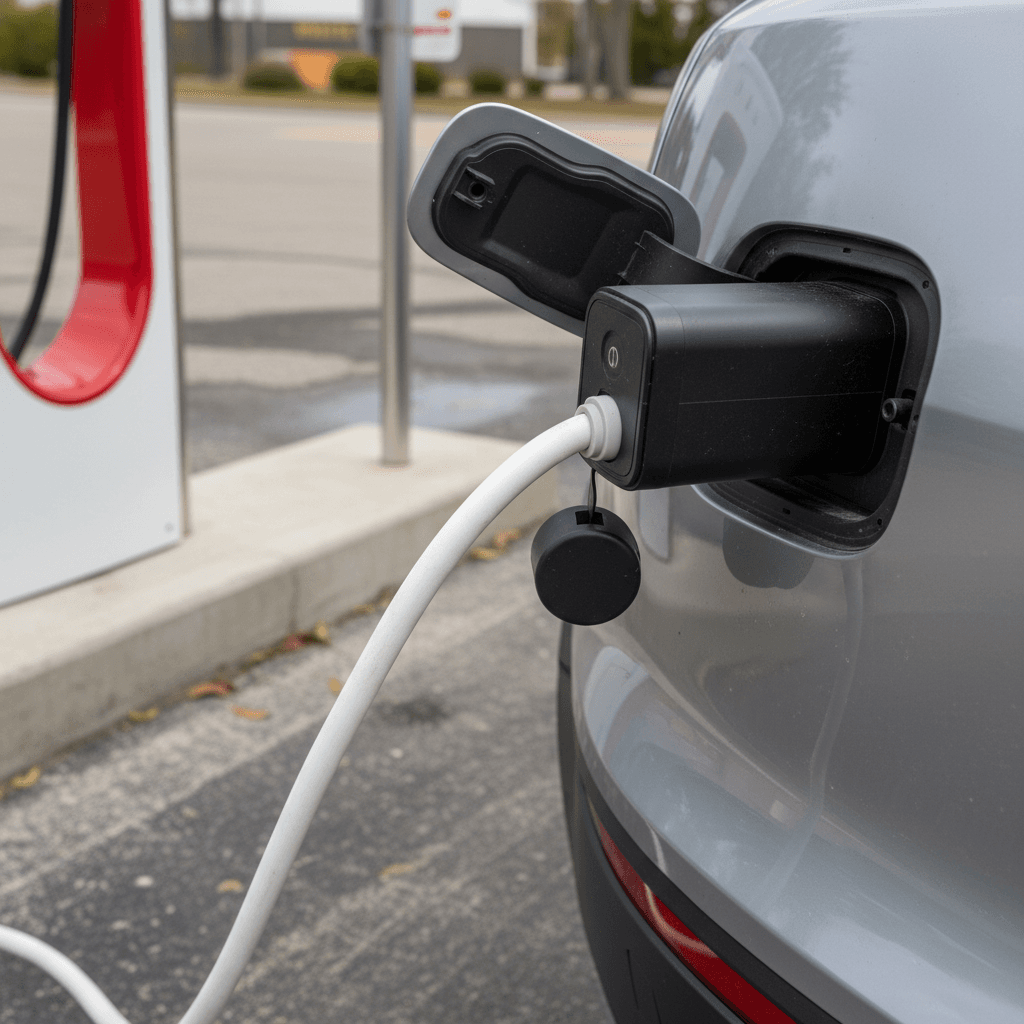
Step‑by‑step: using a NACS adapter at a Supercharger
1. Confirm the site supports your car
In the Tesla app, filter for <strong>non‑Tesla Superchargers</strong> or look for stations labeled as open to other brands. Some sites remain Tesla‑only.
2. Check stall details
Tap a specific site in the app. Look for notes about compatible connectors (NACS, Magic Dock) and any restrictions on non‑Tesla vehicles or trailer parking.
3. Arrive with the right mindset
Supercharger bays were designed around Teslas. Park as close as practical to keep the short cable and adapter straight, without blocking neighboring stalls.
4. Attach adapter to the Supercharger handle
Before you plug into your car, click the <strong>NACS adapter</strong> firmly onto the Supercharger handle. It should feel solid with no wobble or exposed pins.
5. Plug into your EV, then start the session in the app
Insert the adapter into your car’s CCS inlet, then use the Tesla app to select the stall and start charging. Watch for the "charging" confirmation on both screens.
6. Monitor the first few minutes
Stay nearby to make sure charging ramps up normally and the connector doesn’t feel unusually hot. If anything seems off, stop the session and unplug.
7. End session and unplug in reverse order
Stop charging in the Tesla app, unplug from your car, remove the adapter from the handle, and hang the cable back neatly for the next driver.
Arrive with a buffer
Costs, speeds, and real‑world expectations
When it all works, charging a non‑Tesla on a Tesla Supercharger through a NACS adapter can feel remarkably normal. You plug in, power ramps up, and you’re back on the highway soon after a bathroom break. But the fine print, pricing, peak rates, and network behavior, matters.
What you’ll typically pay
- Per‑kWh pricing: Many states bill by kWh, with Tesla pricing often competitive with other DC fast‑charging networks.
- Idle fees: Stay plugged in after you’re done and idle fees can stack up quickly. Move your car once you’ve reached your target charge.
- Peak vs. off‑peak: Some locations cost more during busy hours; check the rate in the Tesla app before you start the session.
What speeds to expect
- Station max vs. car max: A 250 kW Supercharger doesn’t matter if your EV tops out at 150 kW, or throttles when the battery is warm or cold.
- Sharing power: Some stalls share a power cabinet, so your speed may dip if a neighbor plugs in.
- Adapter limits: Automaker adapters are designed to match or exceed your car’s rating. Off‑brand adapters may quietly cap your peak rates.
A realistic charging target
Safety, warranties, and what not to do
High‑power DC charging is where EV hardware earns its keep. You’re moving a huge amount of energy very quickly, and all of it has to pass through your adapter, your charge port, and the station’s cable. Everyone involved, Tesla, the charging network, and your automaker, cares about how you connect the dots.
Safety do’s and don’ts with NACS adapters
Protect your EV, your warranty, and the station hardware
Do: use automaker‑approved DC adapters
Don’t: run damaged or modified adapters
Do: feel for excessive heat
Don’t: use extension cables or breakaway gadgets
Warranty fine print matters
NACS adapters vs. Magic Dock vs. native NACS ports
Over the next few years you’ll see three different ways non‑Tesla cars plug into Tesla‑born infrastructure. Understanding the difference will keep you from buying gear you don’t need, or chasing chargers you can’t use.
1. NACS adapter (you own it)
- Bridges your CCS port to a NACS cable.
- Lives in your trunk or frunk.
- Works anywhere a compatible NACS fast charger allows your brand.
- Best if you road‑trip often or live near strong Supercharger coverage.
2. Magic Dock (built into the stall)
- Some Tesla stalls have an integrated CCS adapter.
- You select Charge non‑Tesla in the Tesla app and the dock unlocks.
- No hardware to buy, but availability is limited and regional.
- Great as a backup option, less reliable as your only plan.
3. Native NACS port (built into your EV)
- Newer non‑Tesla EVs are shipping with NACS inlets from the factory.
- No DC adapter needed for Tesla Superchargers.
- Many automakers include a NACS‑to‑CCS adapter so you can still use older CCS hardware.
- Most seamless long‑term solution if you’re buying new.
The long game: fewer adapters, more options
Planning a used EV purchase around NACS
If you’re shopping the used market, the NACS transition is both an opportunity and a potential trap. The right used EV plus an automaker‑approved NACS adapter can give you access to more fast‑charging options than the original owner ever had. The wrong combination can leave you with a car that never fully joins the NACS party.
Questions to ask about any used EV
- Has the automaker announced NACS support? If not, you may be limited to CCS and occasional Magic Dock sites.
- Is a factory NACS adapter available or coming soon? That’s your ticket to Superchargers.
- Does this specific VIN already have the adapter? Some first owners received them free.
- Is the software up to date? NACS compatibility may require recent firmware.
How Recharged can help
Every EV we sell includes a Recharged Score Report with verified battery health, transparent pricing, and expert notes on charging compatibility.
- We’ll walk you through NACS vs. CCS tradeoffs for any model on your shortlist.
- Our EV specialists can help you understand which cars already support Tesla Superchargers and what adapter you’ll need.
- Shopping remotely? We offer nationwide delivery and can factor adapter costs into your financing.
Bring NACS questions to your test drive
FAQ: Tesla NACS adapters for non‑Tesla EVs
Frequently asked questions
The Tesla NACS adapter for non‑Tesla EVs is more than just another cable in your trunk; it’s a bridge between the first decade of mass‑market EVs and the next. Used wisely, with the right hardware, good planning, and a clear understanding of your car’s capabilities, it can turn Superchargers from something you drive past into something you rely on. And if you’re shopping for a used EV, it’s one more reason to choose a partner who understands both the numbers and the nuances of charging. That’s exactly the kind of guidance Recharged was built to provide.