When you talk about the Tesla Model Y software update history, you’re really talking about how the car itself has evolved. Tesla treats software as a moving target: new features arrive over‑the‑air, safety recalls get fixed without a service visit, and driver‑assistance can change character from one version to the next. If you own, or are shopping for, a Model Y, understanding that update history is the key to knowing what the car can actually do today.
Software defines the Model Y
Why Model Y software history matters
Four reasons to care about Model Y updates
From safety to resale value, your software version is doing more work than most owners realize.
Safety & recalls
Many recent Tesla recalls are fixed purely by software, from hood‑latch detection to steering assist and rear‑camera issues. If a Model Y never received those updates, it may still have open safety defects even if it “drives fine.”
Range & drivability
Updates can tweak efficiency, HVAC behavior, traction control, and regen. Over time, that changes how far you can go on a charge and how the car feels in bad weather.
Battery & charging behavior
Tesla has repeatedly adjusted fast‑charging curves, heat‑pump logic, and preconditioning. Those changes matter for road‑trippers and for long‑term battery health.
Used value & transparency
A complete, healthy update history supports higher resale value and gives buyers confidence. Gaps or failed updates are red flags Recharged calls out in our Recharged Score reports.
The takeaway is simple: when you look at a Model Y, you’re not just buying hardware. You’re buying into a specific snapshot of Tesla’s software, and the discipline (or neglect) of the previous owner in keeping that software current.
How Tesla numbers Model Y software updates
Before diving into the Tesla Model Y software update history, it helps to decode the version numbers you see on the touchscreen or in the app, things like 2024.44.25.3 or 2025.32.6. They look cryptic, but there’s a pattern:
- First four digits – approximate software year (for example, 2024 or 2025).
- First two‑digit group – roughly the “week” or major branch, like .8, .14, .20, .32, .44.
- Next group(s) – smaller sub‑releases or hotfixes, like .3 or .6, usually bug fixes, regional tweaks, or recall remedies.
Quick rule of thumb
Tesla also labels big Autopilot and Full Self‑Driving releases separately (for example, FSD v12.x), but those ride on top of the main vehicle software version. When you read about FSD v12.3.3 or 12.5.3, that’s a capability layer; your vehicle still has an underlying 2024.xx or 2025.xx base firmware.
Timeline of major Model Y software updates
Tesla pushes dozens of builds every year, many with small bug fixes you’ll never notice. Rather than list every one, this timeline focuses on the themes and landmark changes Model Y owners have actually felt in the car, especially from late 2022 through early 2026.
Model Y software by the numbers (recent years)
2020–2021: Early OTA evolution
Early Model Y builds already shipped with over‑the‑air updates, but the first couple of years were about maturing basics more than flashy features:
- Stability and bug‑fix updates for the new heat‑pump system.
- Improvements to regen braking feel and traction control.
- Early Autopilot refinements and visualizations.
- Interface and media‑player tweaks on the center screen.
If you drive a 2020 or 2021 Model Y today, its driving manners are meaningfully different from what left the factory, purely thanks to software.
2022–2023: Vision shift & feature churn
Through 2022 and 2023, Tesla leaned harder into its camera‑only "Tesla Vision" strategy on Model Y, dropping radar and (on newer builds) ultrasonic sensors in favor of computer vision.
- Repeating tweaks to Autopilot follow distance, lane keeping, and visualizations.
- Parking assist and Summon behavior re‑implemented with vision‑based systems.
- UI changes that brought the Model Y layout closer to Model 3 and refreshed S/X.
- Incremental range and charging improvements via thermal‑management tweaks.
These were the years when owners most often complained that one update "improved" something that the next update seemed to undo, sometimes for safety or regulatory reasons.
2024: FSD v12 arrives, safety focus tightens
In 2024, Tesla began rolling out FSD v12 ("Full Self‑Driving (Supervised)") to Model Y owners, emphasizing a new end‑to‑end neural‑network approach. At the same time, regulators pushed Tesla to tighten up safety‑critical behavior.
- FSD v12.3.x and 12.4.x rolled out in the U.S., replacing "FSD Beta" branding with "Supervised" and adding vision‑based driver monitoring instead of steering‑wheel torque checks.
- New and updated driver‑monitoring rules made the system more strict about attention.
- Ongoing changes to lane‑change behavior, cut‑in response, and unprotected turns.
- Multiple software‑driven recalls aimed at visibility of warnings and alerts.
For many Model Y drivers, 2024 was the year software updates stopped being purely exciting and started feeling more like compliance work, especially if they’d paid for FSD years earlier based on different promises.
Late 2024–2025: Stability, new features & targeted fixes
Late 2024 and 2025 saw a mix of new features and some less glamorous but important fixes:
- 2024.44.x branch brought a major base version many Model Y owners sat on for months, including changes to the vehicle computer power‑up sequence tied to a rear‑camera safety recall.
- 2025.26.x and 2025.32.x branches widened support for cabin child‑presence detection, added incremental UI and connectivity tweaks, and addressed region‑specific safety campaigns.
- Updates also refined steering assist and power‑steering fault handling after regulators scrutinized loss‑of‑assist incidents.
By 2025, the Model Y’s software cadence had settled into a rhythm: a few big feature drops and a steady stream of smaller, targeted safety and reliability fixes.
Safety recalls delivered by software
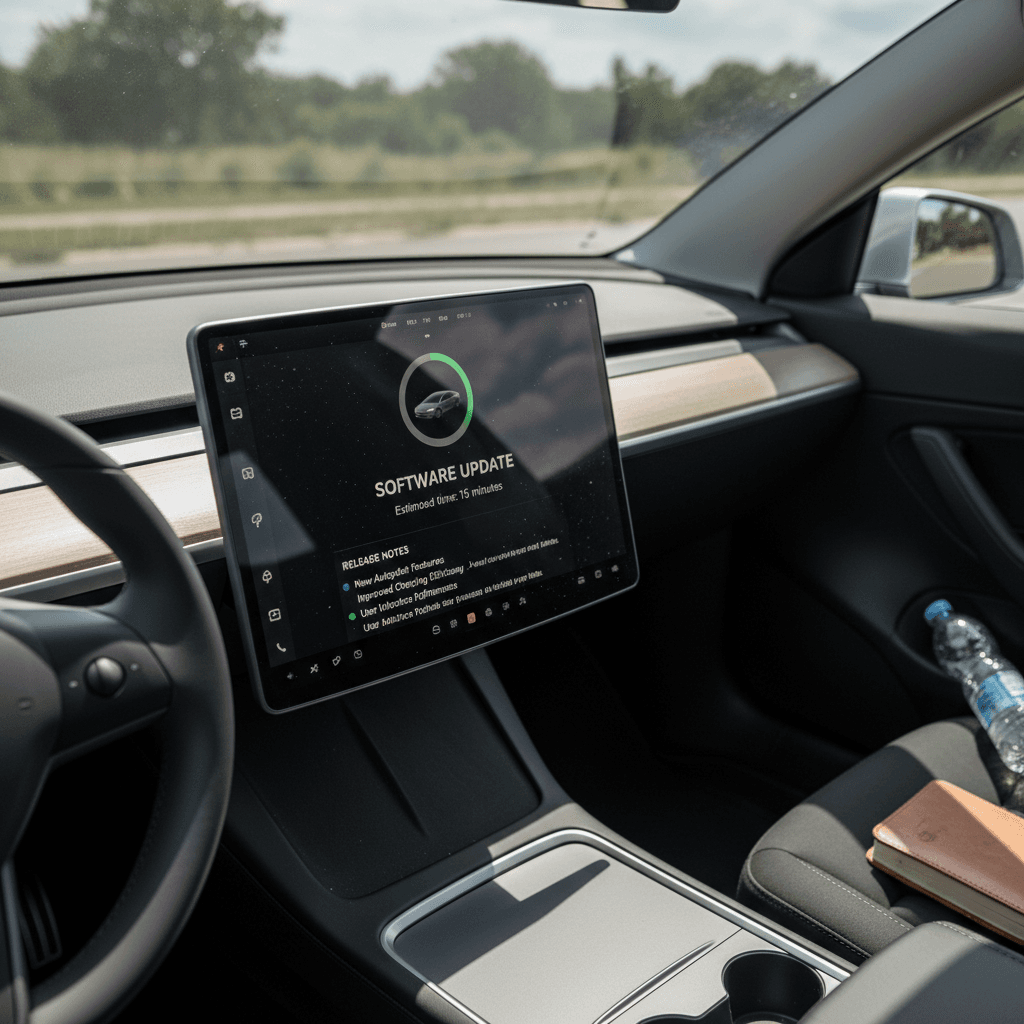
One of the more counter‑intuitive parts of Tesla ownership is that a "recall" doesn’t always mean a wrench touches your car. For Model Y, several high‑profile safety campaigns in 2024 and 2025 were remedied entirely, or mostly, through over‑the‑air updates.
Recent Model Y recalls with key software components
This isn’t an exhaustive list, but these campaigns illustrate how core safety and usability now ride on software updates.
| Issue | Model years affected (approx.) | What the software changed |
|---|---|---|
| Rear camera / vehicle computer power‑up | 2023–2025 | Adjusted computer startup sequence so the rear camera image reliably appears when shifting to Reverse; damaged units required hardware replacement. |
| Tire‑pressure warning behavior | All years (global) | Ensured low tire pressure warnings trigger reliably and visibly under all regulatory conditions. |
| Power steering assist drop‑outs | 2018–2025 Model 3 & Y | Adjusted power‑assist fault handling and diagnostics to reduce sudden loss of assist and improve driver warning behavior. |
| Hood latch detection warning | 2013–2024 S/X, 2017–2024 3, 2020–2024 Y | Improved open‑hood detection logic while driving and warning strategies to reduce risk of driving with an unlatched hood. |
| Window auto‑reversal force (region‑specific) | 2025 Model Y | Tweaked pinch‑protection thresholds on driver’s window so it reverses reliably before applying injurious force. |
Exact applicability depends on build date, region, and hardware; always check Tesla’s recall notices and your vehicle’s Service tab.
A "completed" recall can still leave scars
From a buyer’s perspective, this is where Tesla’s OTA strength becomes a double‑edged sword. It’s great that your car can get safer overnight. But if a previous owner ignored updates or lived somewhere with poor connectivity, a seemingly fine‑driving Model Y can quietly be missing important safety fixes.
FSD v12 and driver-assistance evolution on Model Y
The Model Y is also Tesla’s workhorse for Full Self‑Driving (Supervised), better known as FSD v12. That system’s history matters if you’re evaluating any Model Y with Enhanced Autopilot or FSD purchased or subscribed.
Key milestones for FSD and Autopilot on Model Y
Specific version numbers vary, but these are the inflection points that changed how the car behaves.
Pre‑v12: FSD Beta era
Early Model Y vehicles with FSD ran "FSD Beta" builds that stacked complex city‑street logic on top of traditional Autopilot code. Performance varied widely update to update, and behavior was often brittle at edge cases.
FSD v12.3–12.4
Tesla began shipping an end‑to‑end neural‑network stack that treats driving more like pattern recognition than rule trees. Driver monitoring moved from steering‑wheel torque toward camera‑based attention checks, and the "Beta" branding gave way to "Supervised".
v12.5 and beyond
Later v12 builds improved Smart Summon, low‑speed maneuvers, and better handling of stop signs and turns. They also made the system more conservative in a bid to keep regulators at bay and reduce crash‑investigation heat.
Don’t over‑index on FSD hype
If you’re looking at a used Model Y with FSD, think of it as a driver‑assistance experiment that happens to include basic ADAS features, not a guaranteed self‑driving upgrade. The value lives in features you can verify on a test drive today, on the software the car is actually running.
How to check your Model Y software version and history
Tesla doesn’t give owners a tidy, page‑long log of every past software update, but you can still see what you’re running now, how aggressively the car is set to receive updates, and whether there are obvious red flags.
Check your Tesla Model Y software version in 60 seconds
1. Open the Software screen
From the main touchscreen, tap <strong>Controls > Software</strong>. This pulls up your current version and the software update preferences.
2. Note the software version string
You’ll see something like <strong>2024.44.25.3</strong> or <strong>2025.32.6</strong>. Take a photo or write it down, especially if you’re inspecting a used Model Y.
3. Check update preference
On the same screen, look for <strong>Standard</strong> vs <strong>Advanced</strong> update preference. Advanced typically gets new builds earlier; Standard lags behind. Per Tesla’s manual, Advanced doesn’t enroll you in any special beta program, it just prioritizes earlier roll‑out.
4. Manually check for updates
If the car says "Software up to date," tap the "Check for updates" button. Make sure you’re on Wi‑Fi; Tesla recommends a solid Wi‑Fi connection for timely updates.
5. Review release notes
Tap <strong>Release Notes</strong> on the Software screen to see a summary of what’s in your current version. This won’t show every past build, but it tells you the major changes that define how the car currently behaves.
6. Look for service or recall messages
Open the <strong>Service</strong> or <strong>Notifications</strong> area in the car and app. Active recalls or alerts about failed updates are warnings that you may need a service appointment, not just another waiting game on Wi‑Fi.
Use the Tesla app as a second data point
What software history means for used Model Y buyers
When you’re evaluating a used Tesla Model Y, software history should sit right next to battery health and accident history on your checklist. It affects safety, driving experience, and long‑term support.
How Recharged uses software history in our Model Y evaluations
Why it matters when you’re not buying directly from Tesla.
Recharged Score report
Every Model Y sold through Recharged includes a Recharged Score battery and vehicle health report. Alongside battery diagnostics, we look at software status, open campaigns, and any error logs that suggest update or connectivity issues.
Spotting red flags
Stuck on a much older branch than similar vehicles? Repeated failed update attempts? These can point to hardware issues in the infotainment or connectivity stack that will cost real money to sort out.
Confirming recall remedies
Because so many Model Y recalls are OTA, we check that recall‑related builds have been applied or that Tesla confirms completion. An untouched recall is both a safety problem and a risk for future registration or resale.
More confident financing & resale
Lenders and future buyers are getting savvier about software‑defined vehicles. A clean update record and no outstanding software issues help support stronger valuations and smoother financing down the road.
Ready to find your next EV?
Browse VehiclesIf you’re buying a Model Y from a private seller or non‑EV‑specialist dealer, build your own mini‑audit: capture the current version, ask for any service records mentioning software or computer replacements, and confirm that recent recall campaigns were completed.
Troubleshooting “stuck” or failed updates
Plenty of Model Y owners eventually hit some kind of update weirdness: a download that never finishes, a car "stuck" on one version while friends move on, or a failed install that leaves warning messages on the screen. Here’s how to think about those issues pragmatically.
Common symptoms of software trouble
Model Y software update troubleshooting game plan
1. Eliminate basic connectivity issues
Confirm the car is on a stable Wi‑Fi network with good signal, or strong LTE coverage where supported. Updates are large; flaky Wi‑Fi is a common culprit.
2. Reboot infotainment cleanly
Do a soft reboot by holding both steering‑wheel scroll wheels until the screen goes black and the Tesla "T" reappears. This won’t erase settings but can clear a hung download.
3. Wait a full rollout cycle
Tesla staggers releases across regions and configurations. If you just saw update news online, it can take days or weeks before your specific VIN is targeted, especially on Standard update preference.
4. Check for underlying hardware issues
If you’ve been stuck on an old build for many months, or lost cameras, GPS, or connectivity right after an update, that’s a hint the vehicle’s computer or connectivity hardware may be failing, not just the software.
5. Open a service request in the Tesla app
Describe the behavior and reference your current software version. Tesla can often investigate remotely and either push a fresh build or schedule a visit if they see repeated failures or hardware faults in the logs.
6. Treat repeated failures as a pre‑purchase red flag
If a used Model Y keeps throwing update errors, assume you may inherit the cost and downtime of <strong>hardware replacement</strong>. Price the car accordingly, or walk away if the seller can’t show a clean bill of health.
You can’t roll back
FAQ: Tesla Model Y software updates
Frequently asked questions about Model Y software history
Bottom line: Model Y software evolves constantly
The Tesla Model Y’s software update history isn’t just trivia, it’s a living record of how the car has changed under your feet. Over‑the‑air updates have delivered new features, fixed safety issues, and reshaped FSD more than once, but they’ve also introduced quirks, controversies, and the occasional service‑center visit when hardware couldn’t keep up.
If you already own a Model Y, your job is to stay current, stay connected, and pay attention to release notes and recall notices. If you’re shopping for a used one, especially outside Tesla’s own channels, you want more than a Carfax and a quick test drive, you want transparency into software status, open campaigns, and any history of failed updates.
That’s precisely where a specialist marketplace like Recharged comes in. Every used EV we sell, including the Model Y, comes with a Recharged Score report that blends verified battery health, software and recall status, and fair‑market pricing, plus EV‑savvy guidance from first click to delivery. Whether you’re hunting for a bargain 2020 Long Range or a late‑model Performance with the latest software, understanding the update history is how you make the technology work for you rather than the other way around.