The Tesla Model S center screen sits where a shifter once lived, glowing like the brain of the car. When owners ask whether a Tesla Model S screen protector is worth it, they’re really asking: “Am I protecting something fragile and expensive, or just buying another accessory I’ll forget about?” The answer depends less on marketing and more on how you drive, where you live, and whether you’re buying new or used.
Quick take
Do you actually need a Tesla Model S screen protector?
Start with a comparison: you probably don’t install a screen protector on your home TV, but you might on a phone that lives in your pocket with keys and coins. The Model S center display lives somewhere in the middle. It’s large, exposed, and capacitive like a tablet, but it’s bolted to the dash, away from pockets and backpacks.
Most owners who go years without a protector never crack a screen. The glass is tough, and normal fingertip use doesn’t hurt it. But edge cases, literally, are where things go wrong: a ring, a watch, a metal zipper on a jacket, a phone dropped while plugged into USB, or a bag that gets shoved against the display during hard braking.
So the real question isn’t “Will the screen shatter?” so much as, “What’s my tolerance for fine scratches, glare, and fingerprints in the middle of my primary control surface, and how much do I care about resale?” For many Model S owners, that’s where a protector quietly earns its keep.
What are you really protecting on a Model S?
The Model S has two primary displays: the big portrait‑style 17‑inch (or later, 15‑inch landscape) center display, and the 12.3‑inch instrument cluster behind the wheel. When people talk about a screen protector, they almost always mean the center screen, the nerve center for navigation, HVAC, media, and most vehicle settings.
1. Cosmetic surface
This is about micro‑scratches, swirls, and fingerprints. The bare glass is glossy and a bit tacky to the touch, so oily fingerprints show easily, especially in bright sun.
If you’re the type who keeps a microfiber cloth in the door pocket, you already know how often this screen needs a wipe‑down.
2. Functional hardware
A protector can’t fix deeper issues like yellow borders, bubbling, or MCU failures that some Model S screens have had over the years. Those come from adhesive or board issues inside the unit itself, not from the glass surface.
Think of a protector as protection from day‑to‑day abuse, not a cure for Tesla’s occasional engineering sins.
Important distinction
Pros of a Tesla Model S screen protector
Why many Model S owners like matte protectors
It’s not just about avoiding cracks; a good protector can change how the cabin feels day to day.
Reduced glare
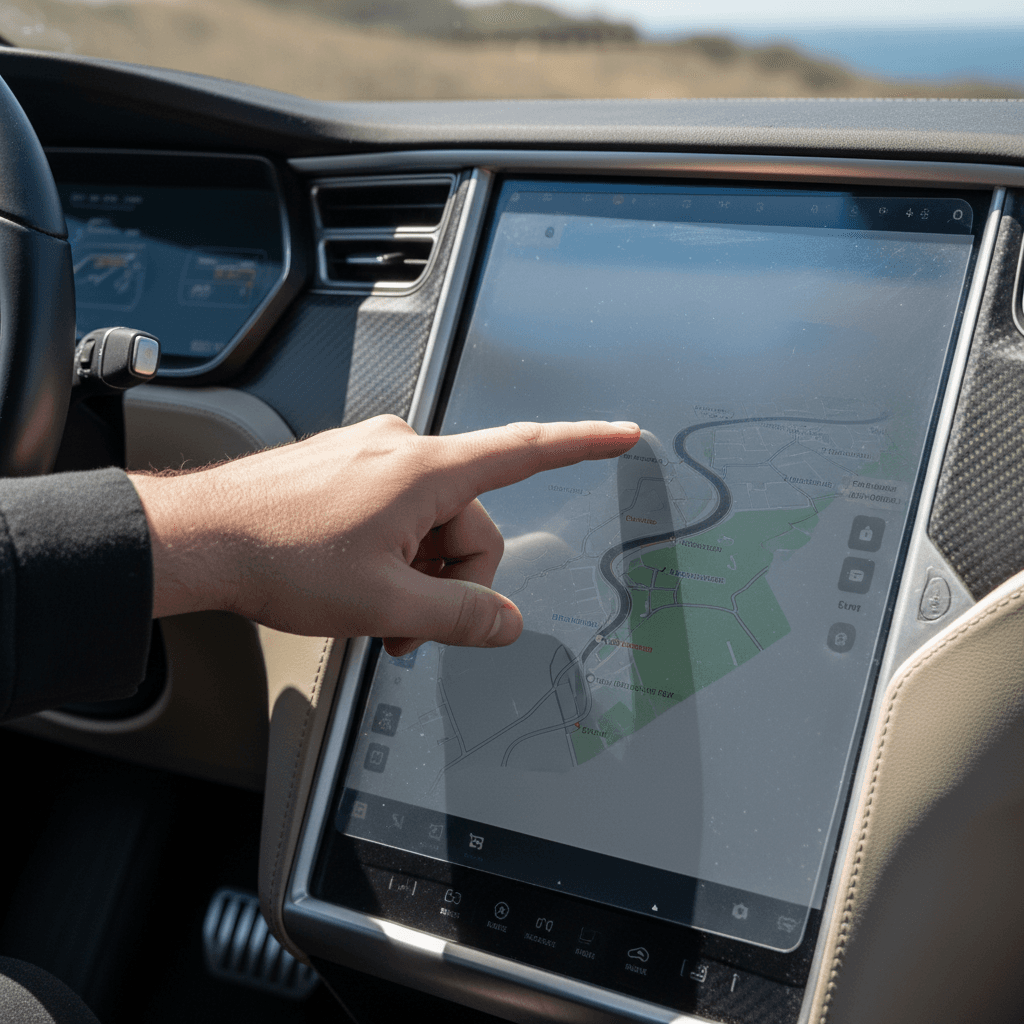
That giant slab of glossy glass loves to mirror your side window. A matte or anti‑glare protector diffuses sunlight so you can read maps and climate settings more easily, especially helpful in bright climates and on long highway drives.
Fewer fingerprints
Without a protector, fingerprints pile up until the map looks like a Rorschach test. A quality protector hides smudges better and makes them easier to wipe away.
Better touch feel
Some owners dislike the sticky, draggy feel of the bare Tesla glass. High‑quality protectors give a more consistent, tablet‑like glide, helpful for quick taps and swipes while driving.
Scratch and chip insurance
A protector is the sacrificial layer if a ring, watch, or dropped phone catches the surface. You’d rather replace a $30 film than schedule a service visit, even if the odds of catastrophic damage are low.
Helps preserve resale
On a used Model S, a clean, unscarred center screen is part of that first‑impression check. Reducing visible wear helps keep the interior feeling modern, important when you go to sell or trade, whether through a marketplace like Recharged or elsewhere.
Family‑car proofing
If you have kids, friends, or rideshare passengers tapping the screen, a protector is cheap peace of mind. Sticky fingers and curious nails are merciless critics of bare glass.
When a protector is clearly worth it
Downsides and myths about screen protectors
Of course, not every Model S needs a plastic or glass band‑aid. There are legitimate downsides, and a few myths, to sort through before you click “buy now.”
- Added reflections if you choose poorly. Cheap glossy films can actually increase glare or create rainbow patterns under polarized sunglasses.
- Soft or hazy look. Matte protectors slightly diffuse the image. Most premium versions remain very sharp, but if you love the in‑store Apple‑Store‑glass gloss, you’ll notice the change.
- Bubbles and dust during install. If you rush the installation, you can end up staring at a single speck of dust in the middle of the map for years. Patience and a clean cabin are mandatory.
- False sense of security. A protector helps with scratches and light impacts, but it’s not a forcefield. A hard strike, say, a heavy object slamming into the screen, can still crack the underlying glass.
- Not everyone is bothered by fingerprints. Some owners simply don’t care. If you rarely adjust controls on the move, or keep brightness down, the bare screen may be just fine.
Skip the ultra‑cheap stuff
Glossy vs. matte: which type works best in a Model S?
Most Model S owners debating whether a screen protector is worth it are really deciding between staying glossy or going matte. Both approaches have trade‑offs, but the car’s cabin architecture nudges the answer.
Glossy vs. matte screen protectors for Tesla Model S
How the two main types of protectors behave in daily driving.
| Feature | Bare Glass / Glossy | Matte Protector |
|---|---|---|
| Glare in sunlight | High | Low to medium |
| Fingerprint visibility | High | Low |
| Image clarity / contrast | Excellent | Very good (slight softening) |
| Touch feel | Sticky when hands are clammy | Smooth, consistent glide |
| Looks like factory glass | Yes | Slightly different texture |
| Comfort with polarized sunglasses | Can rainbow at some angles | Usually better behaved |
If you care more about readability and fingerprints than showroom gloss, matte usually wins in a Model S.
A good compromise
Costs, risks, and what a damaged screen really means
A lot of the anxiety around protectors comes from the idea that one bad scratch equals a four‑figure repair. In reality, it’s helpful to separate annoying cosmetic damage from functional, safety‑relevant failures.
Why it’s cheaper to protect than to replace
Hairline scratches and small scuffs are usually just cosmetic. If you can live with them, they won’t strand you on the side of the road. But more serious screen damage, deep chips, cracks, or failed touch zones, can affect backup camera visibility, defroster controls, and other safety‑critical functions. That’s what recent recalls have been about, and it’s where replacement moves from vanity to necessity.
When to skip DIY and call in help
Used Model S buyers: when a screen protector matters more
If you’re shopping the used market, where the Model S has become increasingly attainable, a screen protector takes on a slightly different role. You’re not just protecting your screen from future damage; you’re also reading the story the current screen tells about the car’s past life.
Screen checklist for used Model S shoppers
1. Inspect for yellow borders or bubbles
With the screen on a white background, look for yellowish bands or bubbles around the edges. These are adhesive or panel issues, not scratches, and they may have been addressed under warranty or with a UV treatment.
2. Check for deep scratches or chips
Light swirls are normal. Deep, nail‑catching scratches or edge chips suggest hard impacts. Ask how they happened and whether any repairs were done.
3. Confirm touch responsiveness
Swipe around the map, adjust climate controls, and use the keyboard. Lag or dead zones may point to deeper issues than cosmetics.
4. Look for mismatched brightness or discoloration
Uneven backlighting, persistent ghost images, or strange tints can indicate aging hardware that may need replacement down the road.
5. Ask about prior replacements or recalls
A documented screen or MCU replacement isn’t necessarily bad, in some cases, it means the car already has newer, more reliable hardware.
6. Plan your ‘day‑one’ protection
If the screen passes inspection, adding a matte protector right after delivery is cheap insurance, especially if you’re buying from a marketplace like <strong>Recharged</strong> and planning to keep the car for years.
How Recharged looks at screens
How to choose and install a Model S screen protector
If you’ve decided a protector is worth trying, treat it like you would tires or wiper blades: choose the right spec for your use, then install it carefully so it disappears into the driving experience.
Choosing the right protector for your Model S
Don’t overthink it, but don’t buy the cheapest thing on page nine of the search results either.
Material & finish
- Tempered glass: Easy to install, feels like glass, good clarity. Slightly thicker edge but satisfies if you hate plastic.
- Matte PET/TPU film: Thinner, excellent anti‑glare and anti‑fingerprint, can look a touch softer. Great for bright climates.
Fit and cutouts
Make sure the protector is cut specifically for your Model S generation and screen size. Early portrait screens and later refresh cars have different dimensions and corner radii.
Generic “17‑inch” films rarely line up as cleanly as Tesla‑specific kits.
Install kit quality
Look for kits that include a dust‑removal sticker, cleaning wipe, squeegee, and clear instructions.
Some brands even include two protectors in case your first attempt goes sideways.
Reputation and reviews
Owner reviews from Model S forums and communities are more honest than marketing copy. Look for comments on glare, clarity, and bubble resistance over time, not just day‑one impressions.
Pro‑level install in your driveway
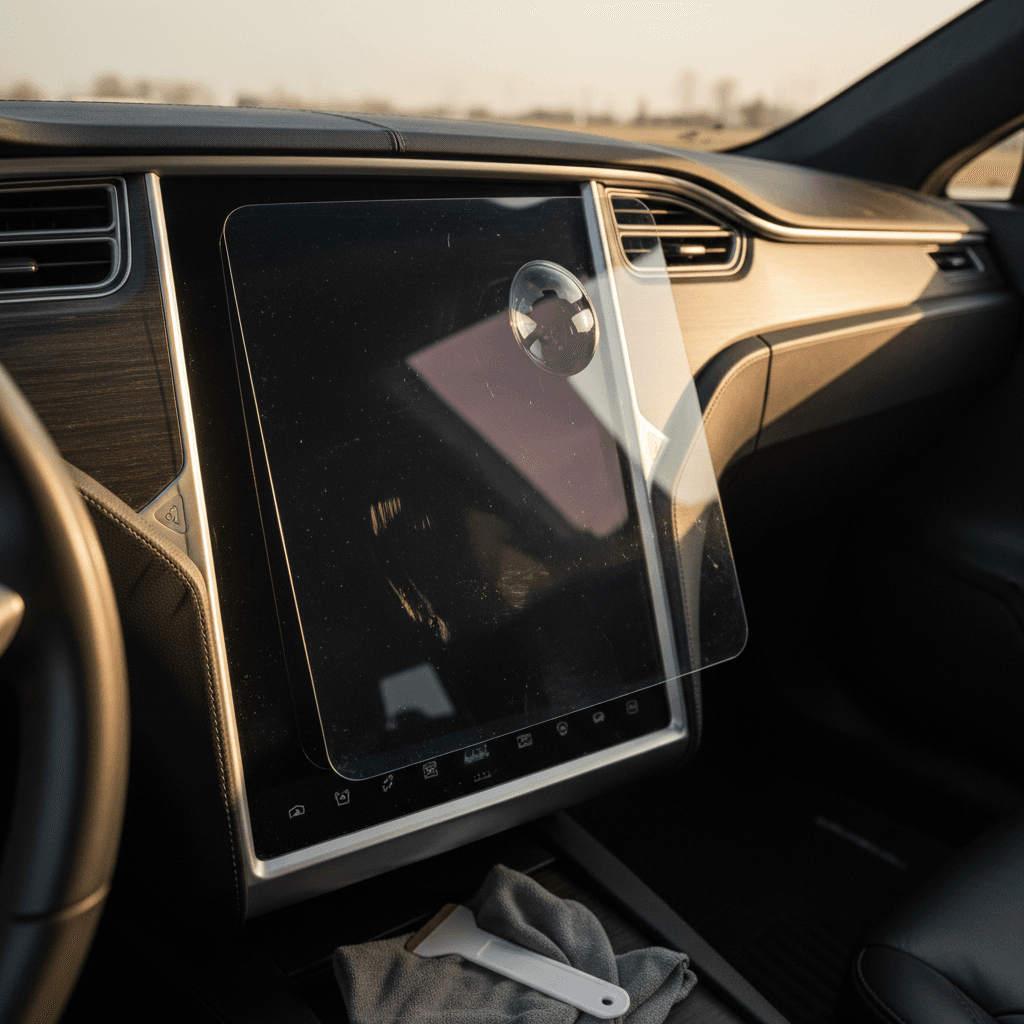
- Park in a clean, shaded area and power the car into screen‑cleaning or dark mode so the display is black.
- Use the included wipe to clean the glass thoroughly, then a microfiber cloth to dry. Go over the surface with a dust sticker or tape.
- Peel back a portion of the backing film, align the protector at the top edge and corners, then slowly lower it while smoothing with a squeegee.
- If small bubbles appear, work them outward with the squeegee. Tiny ones often vanish after a day or two as the adhesive cures.
- Avoid pressing hard on the edges for the first few hours. Let the protector settle before you go back to jabbing at map zoom buttons.
FAQ: Tesla Model S screen protectors
Frequently asked questions about Model S screen protectors
Bottom line: is a Tesla Model S screen protector worth it?
For the average Model S owner, a screen protector is not a life‑or‑death accessory. The glass is reasonably tough, and catastrophic failures usually come from electronics, not fingernails. But if you care about how the cabin looks and feels over the long haul, and especially if you’re buying a used Model S and want to preserve that spaceship vibe, a good matte protector is a disproportionately smart spend.
It buys you a clearer screen on sunny days, fewer fingerprints, and a sacrificial layer between your expensive hardware and the chaos of real life. That matters whether you keep the car forever or plan to trade into your next EV through a service like Recharged, where battery health, interior condition, and transparency all show up in the final number.
So: if you’re fussy about glare and cleanliness, drive with kids or lots of passengers, or simply like low‑effort insurance on high‑value parts, a Model S screen protector is worth it. If you’re a minimalist who’s never scratched a screen in your life and doesn’t mind an occasional smudge, feel free to skip it, and spend the savings on electrons and road trips instead.