If you drive or are shopping for a Tesla Model S, the single most important question is simple: how healthy is the battery? A clear Tesla Model S battery health check can tell you whether you’re looking at years of reliable range or a pack that’s drifting toward costly repairs. This guide walks you through, step by step, how to check battery health using the car itself, the Tesla app, third‑party tools, and professional reports.
Battery health vs. range estimate
Why Tesla Model S battery health matters
The Model S pack is engineered to last hundreds of thousands of miles, but it isn’t immortal. Capacity loss shows up as reduced range and, in severe cases, charging limits or fault warnings. Battery health matters because it directly affects:
- Daily usability – Whether your real‑world range comfortably covers your commute or road trips.
- Long‑term costs – Out‑of‑warranty pack repairs or replacements can run into the tens of thousands of dollars.
- Resale value – Two similar Model S cars can differ thousands of dollars in value based on battery health.
- Peace of mind – Knowing the battery’s condition lets you plan, not guess.
Tesla Model S battery health at a glance
Quick ways to spot potential battery issues
Before you dig into menus and apps, you can learn a lot just by observing how the car behaves. These quick checks work whether you already own the car or you’re test‑driving a used Model S.
Simple signs your Model S battery deserves a closer look
Use these quick observations to decide if you need deeper diagnostics.
Unusually low displayed range
Slow or inconsistent fast charging
Warnings or power limits
Don’t judge health from one short drive
Step-by-step: Check battery health using the car
The first layer of a Tesla Model S battery health check uses only the car’s own screens. You won’t get a lab‑grade report, but you will see whether anything looks obviously off compared with what the pack should deliver.
Basic in-car Tesla Model S battery health check
1. Set the display to rated range
On the main display, go to Controls → Display and set energy to <strong>Distance</strong> (miles or km). This shows the rated range at your current state of charge. It’s the simplest proxy for usable capacity.
2. Note estimated range at high state of charge
Charge the car to at least 90% once in mild temperatures. Note the rated miles shown. Compare that to the original EPA rating for your pack (for example, ~265 miles for early 85 kWh cars, up to ~405 miles for newer Long Range). A loss of ~5–15% over several years is common; extreme losses deserve a closer look.
3. Use the Energy graph on a real drive
Open the <strong>Energy</strong> app, choose the <strong>Consumption</strong> or <strong>Trip</strong> tab, and watch how many Wh/mi the car is using. If you see significantly higher energy use than typical for your conditions, it can either be driving style, weather, or, in rare cases, battery or drivetrain inefficiency.
4. Check for battery-related alerts
Look for any <strong>service alerts</strong> on the instrument cluster or in the Service section of the screen. Messages about the high‑voltage battery, charging limitations, or repeated contactor replacements should all be taken seriously.
5. Perform a gentle “range sanity check”
On a longer test drive, reset trip meters and observe how estimated remaining miles drop relative to actual miles driven. If you drive 40 highway miles and rated range drops by 80 miles on a mild day, something warrants further investigation.
Recalibrate before you panic
Using Tesla’s Battery Health Test and mobile app
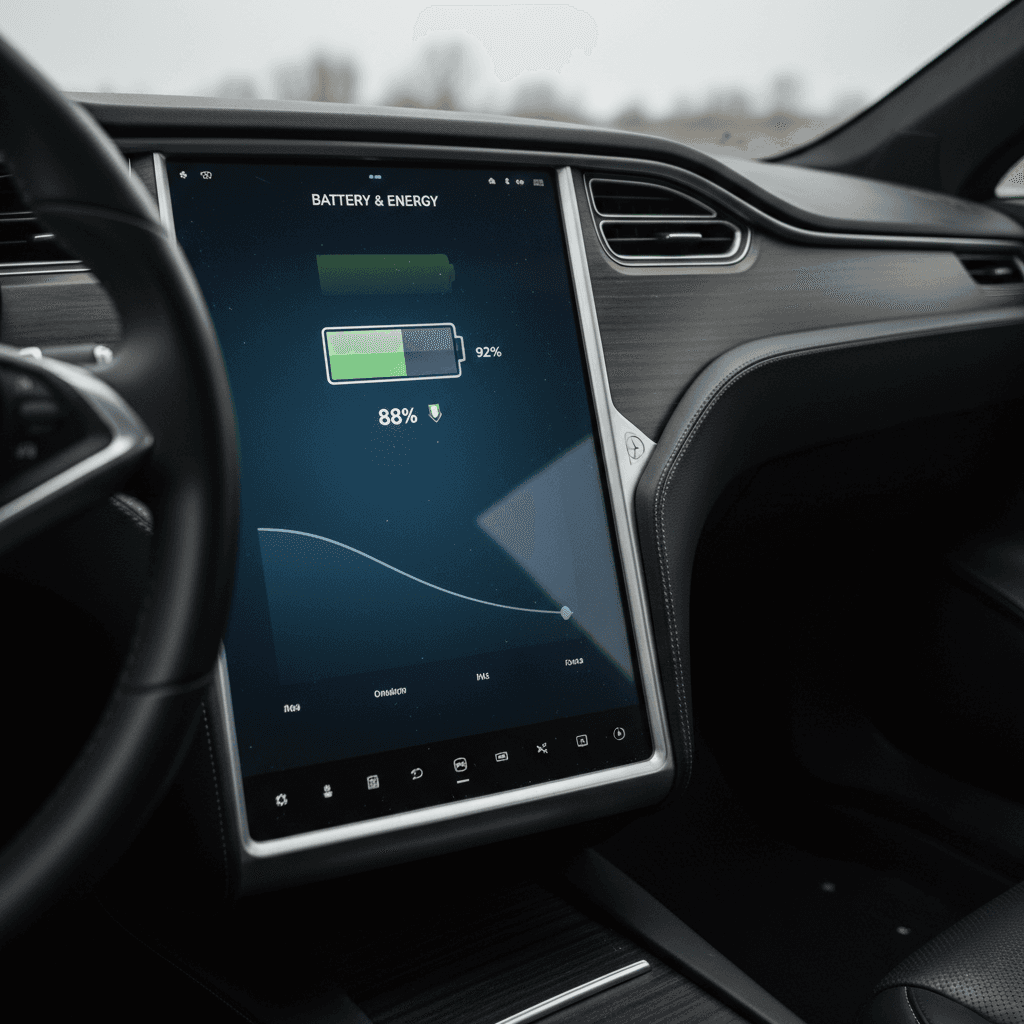
On many newer Model S vehicles, Tesla now offers a dedicated Battery Health Test in the car’s Service menu and a Battery Health view in the Tesla mobile app. The specifics vary by software version and model year, but the general process is similar.
- Make sure your Model S is on a recent software version and your Tesla app is updated to the latest release.
- Park somewhere you can stay plugged into an AC charger (home Level 2 is ideal). DC fast charging won’t work for this test.
- In the car, go to Controls → Service → Battery Health Test (if available). Follow the on‑screen instructions. Tesla typically requires the car to be at a certain state of charge and continuously plugged in.
- Expect the test to take several hours, up to a full day on some versions. The car may sleep or reboot its screens during the process; that’s normal.
- When finished, you’ll see a result on the touchscreen and, on some setups, in the Tesla app under Service → Battery Health or a similar label.
What the official test does (and doesn’t) tell you
Older Model S may not have a health test
Advanced diagnostics: Service Mode and OBD tools
If you want a deeper Tesla Model S battery health check, or you’re evaluating a higher‑dollar used car, it’s worth going beyond the standard screens. Two popular paths are Service Mode (built into the car) and third‑party tools that read battery data through the diagnostic port.
Service Mode (built into the car)
Tesla’s internal Service Mode exposes more detailed information than the normal menus. Access methods change over time, but generally involve a long press on the model badge on the touchscreen and entering a code used by technicians.
- Can show pack voltage, cell group data, and fault histories.
- Visibility varies by software version; some information has been added or hidden over the years.
- It’s read‑only for owners, but still powerful enough that you should proceed carefully and never change settings.
If you’re not comfortable in these menus, this is a great time to involve a professional or an EV‑savvy inspection service.
OBD/diagnostic tools (third‑party)
Specialized tools plug into the Tesla diagnostic/OBD connector in the driver’s footwell and read high‑resolution data straight from the Battery Management System (BMS).
- Apps and platforms like Scan My Tesla, SoHWHAT, or independent pack monitors can estimate usable capacity, show cell‑group balance, and flag weak areas.
- Good tools are read‑only; they don’t reprogram the car, they just observe.
- For serious used‑car evaluations, this type of report is becoming the gold standard.
Expect to pay for the hardware and, in some cases, for a certified report, still far cheaper than misjudging a weak battery pack.
Let someone else own the hardware
When you buy a used EV, you’re not just buying a VIN, you’re buying a specific battery’s life story.
How to check Model S battery health when buying used
Shopping used is where a structured Tesla Model S battery health check really pays off. Here’s a practical order of operations you can use on a private‑party sale, at a dealer, or online.
Used Tesla Model S battery health checklist
1. Research the pack and warranty
Different Model S years and trims use different pack sizes and chemistries. Look up the <strong>original EPA range and battery warranty</strong> for the specific VIN or year you’re considering. Confirm whether the car is still under its 8‑year battery warranty and what mileage cap applies.
2. Ask for recent range photos
Request photos of the instrument cluster or main screen at a known state of charge (for example, 80% and 100% if the seller is comfortable). You’re looking for whether the displayed rated range is broadly in line with expectations for that age and mileage.
3. Do a real‑world test drive
On a thorough test drive, reset a trip meter and compare <strong>actual miles driven</strong> to <strong>rated miles consumed</strong> in similar conditions. Try to include highway speeds, a few stops, and mild weather if possible.
4. Look for alerts and history
Check for any <strong>battery‑related warnings</strong> and ask for service records. Repeated high‑voltage faults, contactor replacements, or unexplained range loss events should all trigger deeper investigation.
5. Request a professional battery report
For higher‑value cars, or any Model S you plan to keep for years, pay for a third‑party diagnostic report. At Recharged, every car comes with a <strong>Recharged Score</strong> that includes independent battery‑health diagnostics and a clear capacity score, so you don’t have to guess.
6. Factor health into price negotiations
If diagnostics show above‑average degradation, you might still buy the car, but the price should reflect the reduced usable life of the pack and any future warranty risk.
One advantage of buying with Recharged
Ready to find your next EV?
Browse VehiclesWhat’s “normal” battery degradation on a Model S?
Every battery ages, but not every battery ages the same way. For Tesla Model S packs, real‑world data has shown a pattern you’ll see echoed in owner forums and long‑term studies:
- Early drop, then plateau – Many Tesla packs lose a few percent of capacity in the first 20–40,000 miles, then degrade more slowly.
- Mid‑life stability – With reasonable charging habits, a Model S that’s 5–8 years old often retains roughly 85–90% of its original capacity.
- High‑mileage variability – Beyond 150–200,000 miles, usage history matters more than age; some cars hold up remarkably well, others show accelerated loss.
Very rough Model S battery health benchmarks
These are directional examples, not strict rules. A proper diagnostic is always better than guessing from mileage alone.
| Vehicle age / mileage | Rated range vs. original | What it might suggest |
|---|---|---|
| 2–4 years / under 50k miles | ~90–95% of original | Typical early‑life loss if charging and climate have been reasonable. |
| 5–8 years / 60–120k miles | ~85–92% of original | Still healthy for most owners; focus on how it fits your daily needs. |
| 8–10+ years / 120k–200k+ miles | ~75–88% of original | Usable, but long road‑trip legs may require more frequent charging. |
| Under warranty but below ~70% | Under ~70% of original | Unusual; worth a formal Tesla evaluation and a detailed report. |
Use these benchmarks only as a starting point, climate, fast‑charging habits, and pack revision all matter.
Range numbers are approximations, not lab results
Charging and driving habits that protect battery health
Once you’ve checked your Tesla Model S battery health, the next logical question is how to keep it that way. The fundamentals have been consistent for lithium‑ion packs for years, and they apply just as much in 2026 as they did when the first Model S rolled off the line.
Habits that help, or hurt, your Model S battery
You don’t need to obsess. Get these big things mostly right and your pack will likely age gracefully.
Helpful habits
- Daily charge limits – Set your daily limit around 70–90% unless you need more for a trip.
- Moderate state of charge – Let the car live between roughly 20–80% for everyday use.
- Plug in when parked – Tesla designs the car to be left plugged in so it can manage pack temperature and state of charge.
- Gentle on hot or cold packs – Avoid full‑power launches or maximum regen until the battery icon shows it’s warmed up.
Habits that speed up aging
- Always charging to 100% and leaving the car full for long periods when you don’t need it.
- Letting the car sit near 0% for days, especially in very hot or cold weather.
- Excessive fast charging from low state of charge on every trip when slower AC charging would do.
- Ignoring warnings about reduced power, charging problems, or overheating.
Road‑trip exception rule
When to get a professional battery health report
Not every situation calls for a deep dive with diagnostic cables and expert reports. But there are clear moments when a professional Tesla Model S battery health check is money well spent.
- You’re considering a high‑value used Model S, especially Performance or Plaid trims.
- The car is near the end of its battery warranty and you want to know where it stands.
- DIY checks show unusual range loss, inconsistent charging behavior, or battery‑related alerts.
- You plan to keep the car for many years and want a baseline to monitor future changes.
- You’re trading in or selling and want documentation to support your asking price.
How Recharged approaches battery reports
Tesla Model S battery health FAQ
Frequently asked questions about Tesla Model S battery health
Key takeaways
A Tesla Model S battery health check doesn’t require a PhD, or blind trust. By combining simple in‑car checks, Tesla’s own Battery Health Test (when available), and, when it really matters, an independent diagnostic or Recharged Score, you can understand exactly what you’re buying or driving.
- Use your car’s range display and Energy screen as a first‑pass health check.
- Remember that normal degradation includes an early dip, then a long plateau for most packs.
- Adopt smart charging habits, moderate daily charge limits, avoiding long stints at 0% or 100%, to protect the pack you have.
- When shopping used or approaching the end of warranty, invest in a professional report. It’s far cheaper than misjudging a weak battery.
- If you’d rather not juggle apps and adapters, consider buying through Recharged, where every used EV comes with a verified battery‑health report and EV‑specialist support.