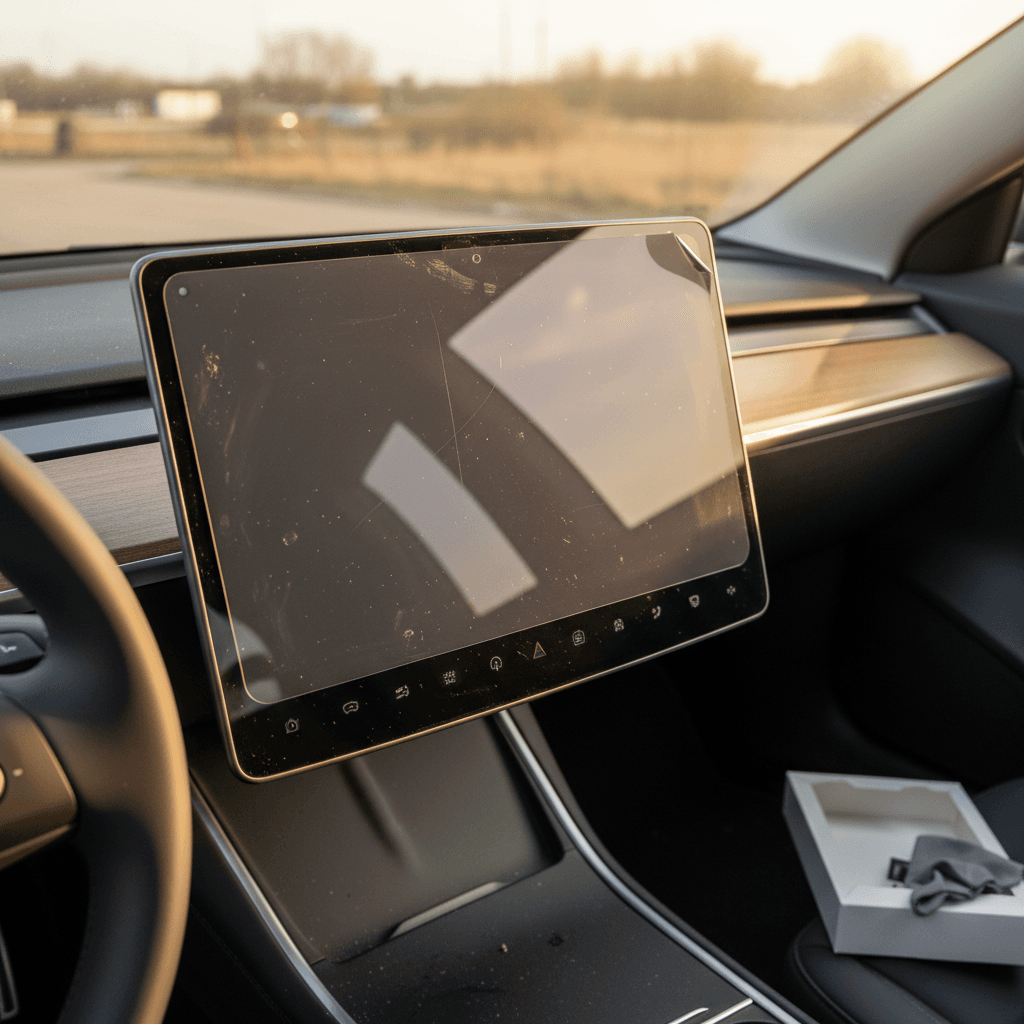
If you’ve just bought a Tesla Model 3, or you’re eyeing a used one, you’ve probably asked yourself: is a Tesla Model 3 screen protector worth it, or just another accessory you’ll forget about in a week? With virtually every control routed through that 15‑inch touchscreen, damaging it is more than a cosmetic issue; it’s a usability and cost problem.
Bottom line up front
Do You Actually Need a Tesla Model 3 Screen Protector?
From the factory, the Model 3’s center display uses durable glass with its own coating to resist fingerprints and glare. Tesla designed it to survive daily taps, swipes, and cleaning, and many owners drive for years with no protector and no serious damage. Unlike a phone, the screen isn’t leaving your hand and hitting the pavement.
Still, there are three realities that nudge a lot of owners toward a protector:
- The screen is the car’s command center, if it’s damaged, you’ll notice it every minute you drive.
- Replacing a Model 3 screen out of warranty can run into the four‑figure range including parts and labor, depending on damage and where you service it.
- Real‑world owners do crack or scratch screens with phones, rings, keys, kids’ toys, and bags brushing against the glass.
So no, a screen protector isn’t mandatory, but it’s a classic low‑cost, high‑upside accessory. Whether it’s worth it for you comes down to risk, environment, and how picky you are about fingerprints and reflections.
Pros and Cons: When a Screen Protector Is Worth It
Key benefits and tradeoffs
Weigh these before you buy a Tesla Model 3 screen protector.
Advantages
- Scratch protection: 9H tempered glass protectors take the abuse from rings, watches, phones, and bags, cheap to replace if they crack.
- Lower replacement risk: A damaged OEM screen can cost well over $1,000 to replace when you’re out of warranty; a protector typically costs $20–$60.
- Less glare and fingerprints: Matte options cut harsh reflections and hide smudges, especially in bright sun or untinted cars.
- Easy to clean: Oleophobic coatings make fingerprints wipe off more like a smartphone with a good protector.
- Kid‑ and pet‑friendly: Extra peace of mind if curious fingers or flying toys are part of your life.
Drawbacks
- Possible loss of clarity: Matte protectors soften the image slightly compared with bare glass or glossy versions.
- Added reflections with cheap films: Low‑quality glossy PET films can actually make reflections and smudges worse.
- Touch issues if poorly made or misaligned: Some owners report reduced responsiveness near the edges, usually with thicker, low‑quality glass or imperfect installation.
- Extra step to install: You’ll need 15–30 minutes and a dust‑free space to do it properly.
So who should definitely use one?
How Much Risk Is Your Model 3 Screen Really In?
Risk vs. cost snapshot
Tesla’s own glass is tough, but it’s not invincible. A hard impact from the corner of a smartphone or a metal object can chip or crack it. Owners also see fine scratches over time from grit trapped in microfiber towels or repeated wipes with dry dust.
The right way to think about this decision is like choosing whether to buy a case for an expensive tablet. You might never drop it, but if you do, you’ll wish you spent the small amount upfront. With a Model 3, that calculation is amplified because the screen controls climate, navigation, and vehicle settings.
Warranty reality check
Matte vs. Clear Tesla Model 3 Screen Protectors
Most Tesla‑specific kits come in two flavors: matte (anti‑glare) and clear (glossy). Each solves a slightly different problem, and which one is “worth it” depends heavily on your eyes, your driving conditions, and even whether you wear polarized sunglasses.
Matte / Anti‑glare
- Pros: Cuts harsh reflections, especially in bright sun or if you don’t have window tint.
- Hides fingerprints and smudges far better than bare glass.
- Often feels smoother and more "paper‑like" to the touch.
- Popular with drivers who are sensitive to glare and with tablet power‑users.
Cons: Slight reduction in contrast and crispness, small text can look softer compared with a bare screen or glossy glass.
Best for: Bright climates, non‑tinted cars, drivers who hate fingerprints more than they care about maximum sharpness.
Clear / Glossy
- Pros: Preserves almost factory‑level sharpness and color, best choice if you love the crisp Tesla UI.
- Still adds scratch and impact protection when you choose tempered glass.
- Often the safer choice if you’re picky about display quality or frequently use detailed maps.
Cons: Won’t reduce glare much; smudges are more visible than on matte, though a good oleophobic coating helps.
Best for: Night drivers, owners with good tint, or anyone who wants protection without changing the look of the screen.
Polarized sunglasses tip
Highland vs. 2017–2023 Model 3: Protector Differences
With the refreshed “Highland” Model 3 arriving globally starting in 2024, it’s important to know that not all protectors fit every generation. When you shop, you’ll usually see separate options labeled for 2017–2023 Model 3 and 2024+ Highland Model 3.
- The overall screen size is similar, but bezel shapes and mounting differ slightly, so a one‑size‑fits‑all protector can leave gaps or overhangs.
- Better brands now sell Highland‑specific protectors that account for the revised interior and screen placement.
- If a product page doesn’t clearly list your Model 3’s model year range, skip it, fit is everything with glass protectors.
How to avoid fitment headaches
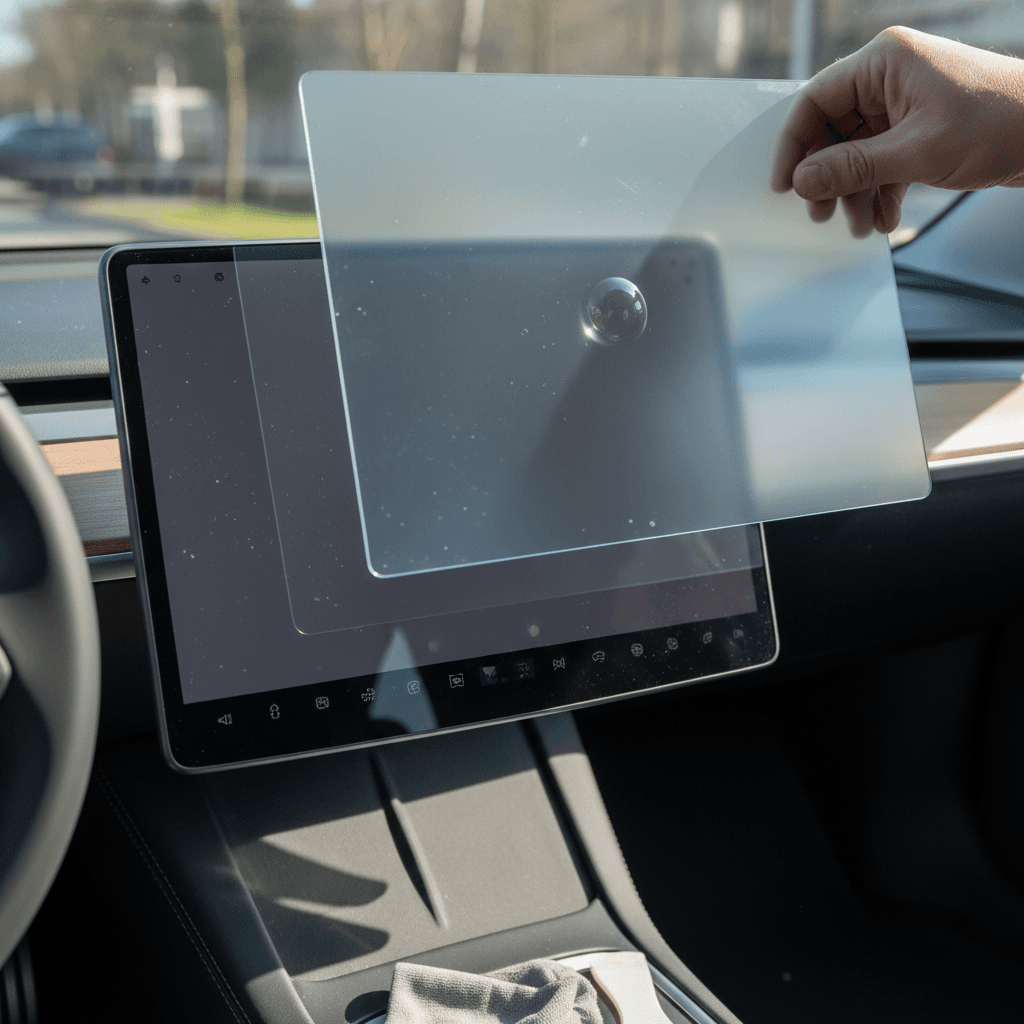
Common Concerns: Touch Sensitivity, Bubbles, and Glare
Spend a few minutes in Tesla forums and you’ll see heated debate over screen protectors. Most complaints fall into a few buckets, almost all of which can be avoided with a good product and careful install.
What owners worry about (and how to avoid it)
Touch responsiveness
Thick or poorly cut glass, especially on newer Highland cars, can make taps near the edges feel laggy, which is frustrating when shifting gears or hitting small on‑screen buttons.
Fix: Choose a Tesla‑specific tempered glass from a reputable brand and follow the alignment jig or frame carefully. If touch is still off, remove and reinstall or try a thinner protector.
Bubbles & dust
Dust specks trapped under the protector create permanent bubbles or “blisters” in the display.
Fix: Install in a bathroom after a hot shower (to knock dust out of the air), use the included dust stickers, and don’t rush the alignment. Many kits now include snap‑on frames that largely solve this.
Glare & reflections
Matte protectors reduce glare but can slightly dull the image. Clear glass keeps it sharp but does little for reflections.
Fix: Match the protector to your conditions. In bright, sunny climates without tint, matte is usually the smarter tradeoff; in cloudy climates or well‑tinted cars, clear glass often feels more natural.
Skip the ultra‑cheap film
How to Choose the Right Screen Protector for Your Model 3
6 things to look for before you click “Buy”
1. Confirm your model year and generation
Make sure the listing explicitly mentions your Model 3 year range (2017–2023 vs. 2024+ Highland). A “universal” 15‑inch tablet protector is a red flag for poor fit.
2. Prefer 9H tempered glass over basic film
Look for 9H hardness tempered glass with polished edges. It’s far more resistant to scratches and feels closer to the factory screen than flimsy plastic films.
3. Decide between matte and clear based on your driving
If you often drive in direct sun or without tint, lean matte. If you mostly drive at night or care most about maximum clarity, lean clear with an oleophobic coating.
4. Check reviews for touch and fit issues
Scan recent owner feedback for mentions of unresponsive edges, poor alignment, or rainbow artifacts with polarized glasses, especially on Highland models.
5. Look for an alignment frame or guide
Many of the better kits now include a plastic frame that snaps over the display so the glass drops into place. This dramatically cuts down on crooked installs and bubbles.
6. Confirm return policy
Despite your best efforts, you might trap dust or chip the edge during install. Buy from a seller that allows replacements or returns if the first attempt doesn’t go to plan.
Quick Installation Checklist
Installing a Tesla Model 3 screen protector isn’t difficult, but you only get one clean shot before dust and fingerprints start finding their way onto the glass. Plan on 15–30 unrushed minutes.
- Park in a clean, dust‑free area out of direct sun. A bathroom after a warm shower is ideal because humidity pushes dust out of the air.
- Power the car into Screen Clean Mode, or at least turn the display brightness down so smudges are easier to see.
- Thoroughly clean the screen with the supplied wet wipe, then dry with the microfiber cloth, moving in straight lines rather than circles.
- Use the included dust stickers to dab away any final specks; even one piece of lint can create a bubble.
- If your kit includes an alignment frame, snap it into place around the screen. Peel the backing from the protector and align its edges with the frame or bezel.
- Let the glass fall into place from one edge to the other, then gently press the center and push any remaining air toward the edges with a soft card or cloth.
- Inspect from different angles; if you see a bubble with visible dust under it, you may need to lift the protector slightly and remove the dust with a sticker before reseating.
Take your time
Ownership & Resale: Does a Screen Protector Pay You Back?
If you’re planning to trade in or sell your Model 3 down the road, interior condition matters more than most buyers realize. A scratched or hazy screen can subtly signal hard use or sloppy care, even if everything else checks out mechanically.
At Recharged, every used EV we list includes a Recharged Score Report that looks at overall condition and verified battery health, not just mileage. A clean, damage‑free center display contributes to a better impression, easier sale, and stronger pricing, especially on popular models like the Model 3.
How a protector helps long‑term
- Keeps micro‑scratches off the factory glass, so the screen still looks “new” years later.
- Reduces the chances of a major crack that might force a costly repair on an older, out‑of‑warranty car.
- Makes cleaning easier, which encourages regular wipe‑downs instead of letting grime build.
Where it fits in the bigger picture
A screen protector is just one part of smart EV ownership, alongside battery care, proper charging habits, and staying on top of software and maintenance. If you’re shopping used, or planning to sell, pairing interior protection with a transparent condition report like the Recharged Score can help you buy and sell with confidence.
Viewed strictly as protection, a Tesla Model 3 screen protector is cheap insurance against an expensive, annoying problem. It won’t make or break your ownership experience, but for the cost of a dinner out, you can reduce glare, tame fingerprints, and shield a centerpiece component of the car. If you drive in bright sun, share the car with kids, wear jewelry, or care about resale, a quality tempered glass protector, matched to your model year and driving conditions, is very likely worth it.