If you drive a non-Tesla EV in 2025, you’ve probably heard about Tesla Magic Dock locations, those rare Superchargers where a built‑in adapter lets CCS cars plug into Tesla’s network without carrying your own hardware. The promise is seductive: Supercharger speeds, without the $200–$400 adapter. The reality is more nuanced.
Quick Take
What Is Tesla Magic Dock, Exactly?
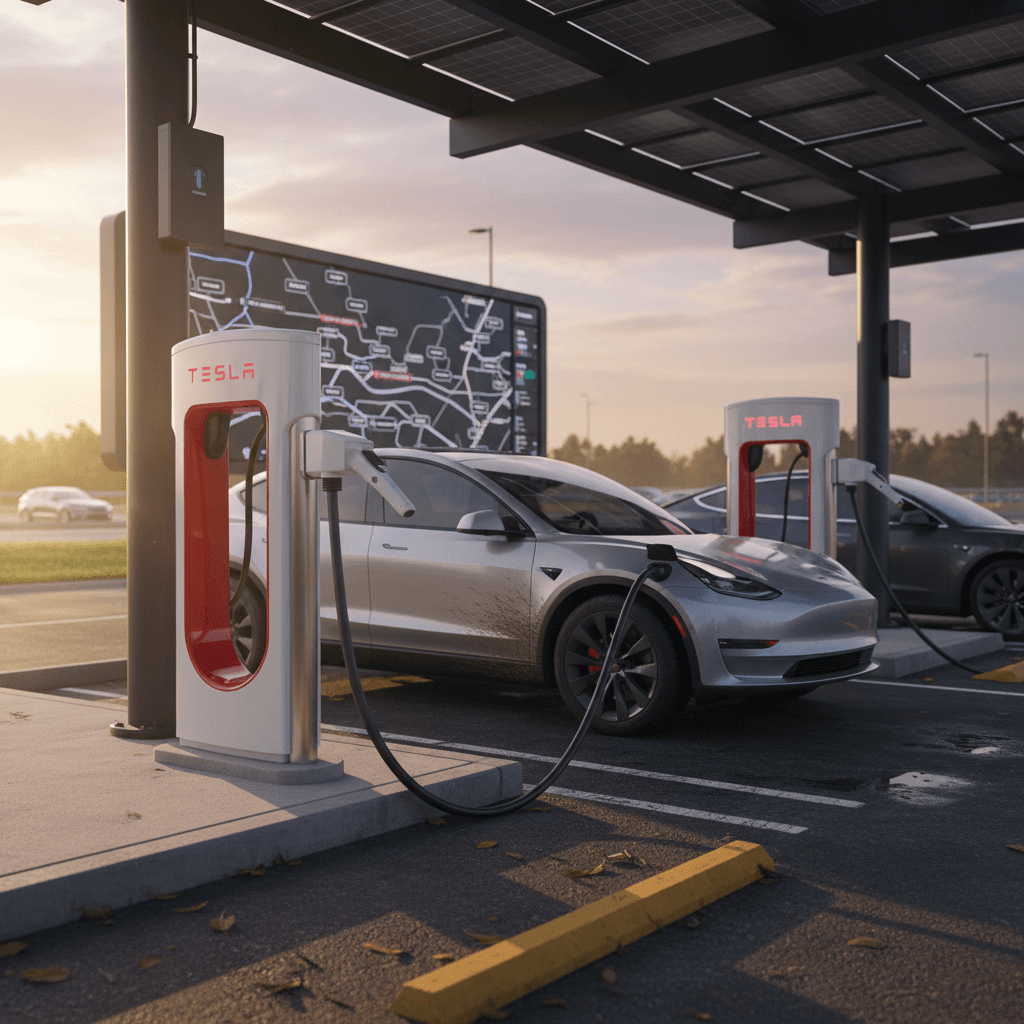
In North America, Tesla uses the NACS plug, while most other EVs still ship with CCS1. Magic Dock is Tesla’s clever workaround: a dock on the Supercharger pedestal that permanently houses a NACS‑to‑CCS1 adapter.
For a Tesla driver, the experience is unchanged. You walk up, pull the regular Tesla connector out of the dock, plug in, and charging starts. For a non‑Tesla driver, the Tesla app instructs the stall to release the adapter locked into the dock, so when you pull the handle out, the CCS1 plug is already clipped over the Tesla connector like a nesting doll.
Why It Matters
How Magic Dock Works for Non-Tesla EVs
From App to Plug: The Magic Dock Flow
What actually happens when you charge a CCS car at a Magic Dock stall
1. Reserve via Tesla app
Download the Tesla app, create an account, add a payment method, and choose Charge Your Non‑Tesla. Pick a nearby Supercharger labeled as open to other EVs.
2. Stall unlocks adapter
At the site, select the stall number in the app. The dock mechanically unlocks the CCS1 adapter, clipping it to the NACS handle so both come out as one unit.
3. Plug in & charge
You plug the CCS1 end into your car. The app handles authentication and billing in the background. When you’re done, you press the release button on the handle, return the connector, and the dock re‑locks the adapter.
You Still Need the App
Where Are Tesla Magic Dock Locations Today?
Tesla does not publish a clean, downloadable list of Magic Dock locations, and the footprint is smaller than many people expect. Magic Dock started rolling out in 2023 at a handful of V3 sites in New York and California and has slowly expanded from there.
Magic Dock and Non-Tesla Supercharging in 2025
Don’t Chase Old Blog Lists
How to Find Magic Dock Locations: Step-by-Step
Instead of hunting for a static list, you’ll get the most reliable results by using the Tesla app and website the way Tesla intends. Here’s how to surface Magic Dock sites specifically, not just any Supercharger.
Find Magic Dock Locations in the Tesla App
1. Set up a Tesla account
Download the Tesla app, sign up, and add a payment method. You do <strong>not</strong> need to own a Tesla, select the option to charge a non‑Tesla vehicle.
2. Configure your vehicle correctly
Add your EV in the app and make sure you <strong>do not enable</strong> any setting that says you have a NACS/DC adapter if you don’t. This keeps adapter‑required sites from cluttering your map.
3. Use “Charge Your Non-Tesla”
Open the <strong>Charge Your Non‑Tesla</strong> tab. This view filters to Superchargers that are eligible for non‑Tesla charging based on Tesla’s current rules.
4. Apply filters for fast charging
Use the filter icon and select <strong>fast charging</strong> (three lightning bolts) so you’re only seeing DC fast Superchargers, not slower Level 2 options.
5. Look for Magic-Dock-only sites
When filters are set for a non‑Tesla EV with no adapter, only locations with built‑in Magic Dock (or functionally identical “Adapter Included” hardware) will remain visible.
6. Cross-check with PlugShare or your OEM app
Before committing to a detour, cross‑check the site on PlugShare or your carmaker’s app for recent check‑ins, photos, and comments confirming that Magic Dock is installed and working.
Web Map Shortcut
Decoding Tesla Map Labels: Magic Dock vs Adapter Required
Tesla has quietly turned its map legend into a Rosetta Stone for non‑Tesla owners. Learning the language saves you from driving 30 miles out of the way to discover you’re not actually welcome, or not without your own adapter.
What Tesla’s Labels Mean for Your Non-Tesla EV
Use these labels in the Tesla app and web map to understand whether a site has Magic Dock or expects you to bring your own hardware.
| Tesla label / category | What it usually means | Magic Dock involved? | Can a CCS EV charge with NO adapter? |
|---|---|---|---|
| Tesla Only | Legacy sites reserved for Teslas; no third‑party access. | No | No |
| Open to NACS Partners | Sites open to brands with official Tesla agreements (Ford, GM, Rivian, Hyundai, Kia, etc.) using NACS adapters. | Sometimes (rare) | Only if your car + adapter are supported |
| Adapter Required for Other EVs | Non‑Teslas can charge, but you must bring a CCS→NACS adapter. | No | No, adapter is mandatory |
| Adapter Included for Other EVs | Tesla provides an adapter at the stall, this is the functional description of Magic Dock. | Yes | Yes, this is the one you want |
| Open to CCS / Other EV | Generic label covering Magic Dock‑equipped stalls or similar; still confirm details in the site info. | Often | Usually, but verify in the details |
Labels and behavior can shift as Tesla updates the app, so always double‑check before a long detour.
Mixed Sites Are Common
Regional Magic Dock Coverage in the US
By late 2025, non‑Tesla access to Superchargers is widespread, but Magic Dock itself is still spotty. Think of it as an overlay of special stalls on top of Tesla’s broader NACS‑centric expansion.
Where Magic Dock-Style Access Is Easiest to Find
These regions tend to have better representation of Magic Dock or “adapter included” stalls, though exact sites change over time.
| Region | States commonly mentioned | Typical pattern for Magic Dock | Trip-planning takeaway |
|---|---|---|---|
| West Coast | CA, WA, OR | Early test sites in California, with scattered locations in metro areas and along I‑5. | Plan routes on busy corridors (Bay Area, LA, Seattle) and always have a backup CCS fast charger. |
| Northeast | NY, MA, NJ, PA | Several Magic Dock pilots in New York plus dense Supercharger coverage overall. | Dense population means more options nearby, but verify Magic Dock on a site‑by‑site basis. |
| Sun Belt | TX, FL, GA | Many Superchargers open to non‑Teslas, though a growing share expect you to bring an adapter. | Don’t assume “open to other EVs” means Magic Dock, look for “Adapter Included.” |
| Mountain / Interior West | CO, UT, AZ, NV | Fewer sites overall, but some high‑value Magic Dock locations on interstates. | In sparse areas, treat Magic Dock as a bonus and build your plan around CCS networks first. |
| Upper Midwest | IL, MN, WI, MI | Patchwork availability; more urban than rural support so far. | Check both the Tesla app and PlugShare before banking on Magic Dock in small towns. |
Use this as directional guidance only, always confirm in the Tesla app for live availability.
Best Odds Today
Using Magic Dock at the Charger: On-Site Checklist
Arriving at a Magic Dock site in a non‑Tesla EV can feel slightly awkward the first time. Teslas reverse‑into neat lines; you may need to angle your car like you’re parking at a carnival ride to get the stubby cable to reach your charge port. This checklist keeps the experience from devolving into a parking‑lot ballet.
On-Site Magic Dock Use Checklist
1. Confirm you’re at the right stall
Compare the stall number painted on the ground or pedestal (e.g., 3B) to what you selected in the Tesla app. Only stalls enabled for non‑Teslas will work for you.
2. Position your car for the short cable
Because Supercharger cables are designed for Tesla’s rear‑left ports, you might need to pull in nose‑first or straddle the line slightly. Don’t block multiple stalls if others are waiting.
3. Start the session in the app
In the Tesla app, select the site and stall, then tap <strong>Start Charging</strong>. Wait for the app to confirm that the session is active before grabbing the handle.
4. Press and hold the handle button firmly
To release the CCS adapter on many Magic Dock stalls, you must press the button on the handle <strong>firmly for 1–3 seconds</strong>. Light taps often do nothing.
5. Plug in and verify charging
Once connected, your app and your car’s screen should show rising kW and state of charge. If power doesn’t flow within 30–60 seconds, stop the session and try again or switch stalls.
6. Return the adapter carefully
When done, stop charging in the app, press the release button on the handle, and return the connector so the dock can lock the CCS adapter back in place. Don’t force anything, if it resists, check alignment and try again.
Cable Strain Is Real
Real-World Issues: Short Cables and Mixed Sites
On paper, Magic Dock is wonderfully democratic. In practice, it’s still a system built around Tesla packaging. That means some very human complications when you roll up in, say, a Hyundai Ioniq 5 or a Chevy Bolt.
- Cable length: Magic Dock uses the same short cables Tesla designed for its own cars. If your charge port is front‑left, front‑right, or dead center in the nose, you may struggle to connect without creative parking.
- Blocked or ICEd stalls: On busy corridors, you might find the only Magic Dock stall blocked by a Tesla, another EV, or the occasional gas car ignoring signage.
- App visibility quirks: Some non‑Tesla owners report Superchargers showing in their OEM app or on Google Maps as CCS‑compatible, but not appearing as usable sites in the Tesla app until filters are adjusted correctly.
- Converted sites: A few early Magic Dock locations have reportedly been converted back to Tesla‑only or NACS‑partner‑only as more automakers gained adapter‑based access. Again: trust the live app, not old screenshots.
Read the Check-Ins
Magic Dock vs Bring-Your-Own Adapter
Magic Dock Pros & Cons
- Pros
- No need to buy a $200–$400 CCS→NACS adapter.
- Perfect for renters or occasional road‑trippers.
- Less to forget, lose, or damage.
- Cons
- Locations are relatively rare vs the overall Supercharger map.
- If that one Magic Dock stall is down or blocked, you’re out of luck.
- Some new V4 sites skip Magic Dock entirely in favor of adapter‑only access.
Own-Adapter Pros & Cons
- Pros
- Access to far more Superchargers, not just Magic Dock sites.
- Easier future‑proofing as Tesla de‑emphasizes hardware like Magic Dock.
- Can also be useful at non‑Tesla NACS sites as the standard spreads.
- Cons
- Up‑front cost and the possibility of buying the wrong or low‑quality adapter.
- Another piece of gear to store, track, and keep clean.
- Not all EV brands are supported yet, or may require official, pricier adapters.
Which Strategy Makes Sense for You?
The Future of Magic Dock as NACS Takes Over
The EV world is converging on Tesla’s connector. Most major automakers selling in North America have committed to NACS, and new models are starting to ship with Tesla‑style ports from the factory. That’s great news for charging convenience, but it also means Magic Dock occupies a shrinking niche.
How Magic Dock Fits Into the NACS Transition
2025–2026: Bridge Years
Most existing non‑Tesla EVs still use CCS1 ports.
Automakers begin shipping free or discounted CCS→NACS adapters to owners.
Magic Dock remains crucial for drivers who don’t yet have an adapter or drive brands lagging in the NACS rollout.
Supercharger map grows rapidly, but only a fraction of new sites include Magic Dock hardware.
2027 and Beyond: NACS Native Era
Many new EVs in the US launch with native NACS ports.
Adapter use becomes an edge case rather than the default.
Tesla has less incentive to maintain complex Magic Dock hardware at scale.
Magic Dock sites may be repurposed, upgraded, or left as rare compatibility oases for legacy CCS vehicles.
Plan for the Car’s Whole Life, Not Just Next Summer
FAQ: Magic Dock Locations and Usage
Frequently Asked Questions
How Recharged Helps You Navigate Charging
Magic Dock is one of those ideas that makes immediate sense, until you’re nose‑in at a Supercharger trying to stretch a too‑short cable across your hood. It’s a powerful tool, but it’s also a transitional one. As the industry marches toward NACS, the smartest move is to think of Magic Dock as one option in a larger charging toolkit, not the whole strategy.
At Recharged, every used EV we sell comes with a Recharged Score Report that covers battery health, real‑world range and, crucially, charging compatibility. Our EV specialists can help you understand whether a particular model plays nicely with Tesla Superchargers, what adapters you’ll realistically need, and how to plan routes that mix Superchargers, CCS networks, and home charging without stress.
If you’re shopping for a used EV and wondering how easy it will be to live with after the honeymoon period, explore vehicles on Recharged, talk through charging scenarios with our team, and let the car’s charging reality, not just its 0–60 time, guide your choice.