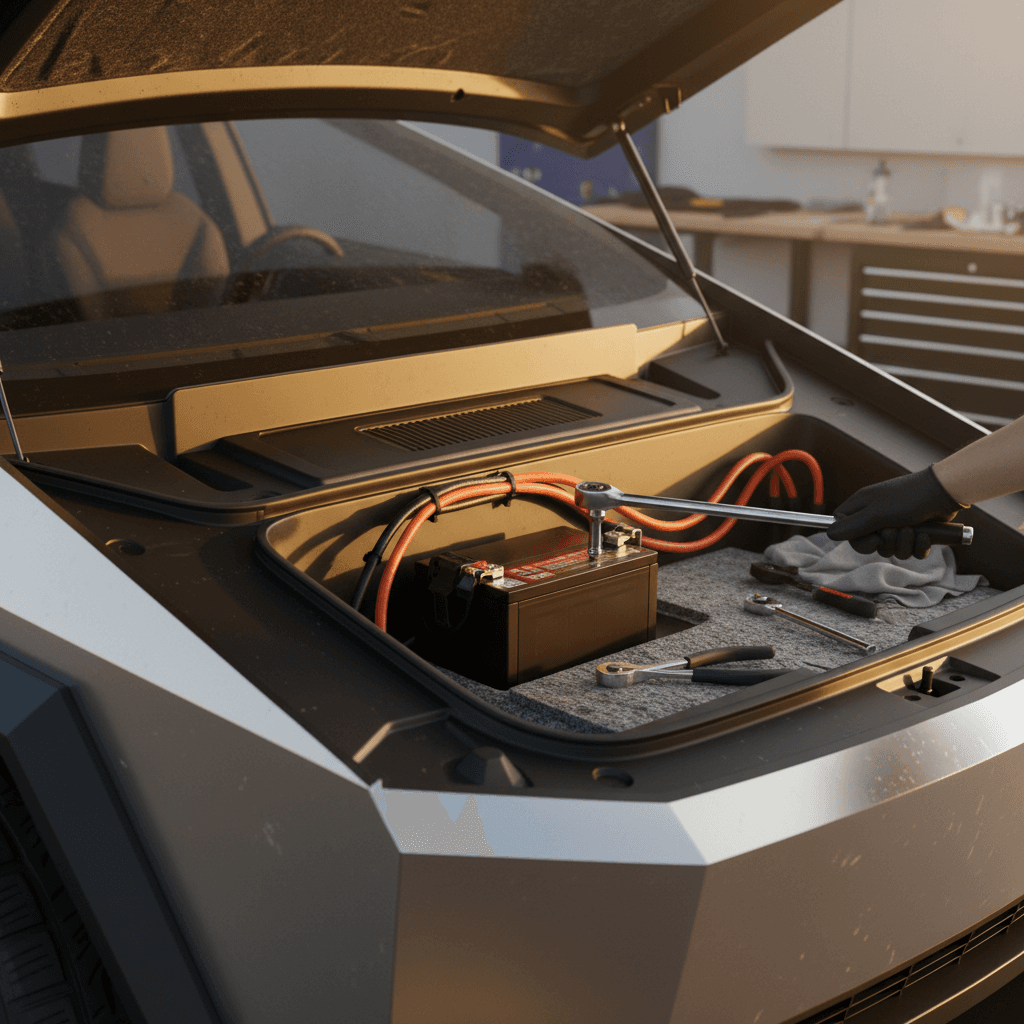
If you own a Tesla Cybertruck or you’re thinking about buying one used, the phrase “Tesla Cybertruck 12V battery replacement” can sound a little old‑school. After all, this is one of the most futuristic trucks on the road. But just like every other modern EV, the Cybertruck still relies on a low‑voltage battery to power essentials, and when that battery starts to fade, you’ll want to know exactly what to do.
Quick take
Why the Cybertruck Still Needs a 12V Battery
Even though the Tesla Cybertruck runs on a massive high‑voltage battery pack, it still uses a separate low‑voltage system, similar in concept to the 12‑volt battery in a gasoline truck. Tesla and a few other automakers are increasingly moving to higher low‑voltage systems (like 16V or 48V) behind the scenes, but from an owner’s standpoint, you’ll still see it referred to as the “12V battery.”
- Powering computers, sensors, and control modules
- Running lights, locks, alarm, and infotainment when the truck is "asleep"
- Bootstrapping the high‑voltage system so the truck can turn on and drive
- Serving as a backup for safety systems if the main pack shuts down
Think of it like a PC’s power supply
How Long the Tesla Cybertruck 12V Battery Lasts
We don’t have a decade of real‑world data on Cybertruck yet, but we do have experience from other Teslas and early owner reports. Tesla has moved away from traditional lead‑acid designs toward more durable low‑voltage batteries (including lithium‑based units in newer models). That generally means fewer failures and longer life than the old‑style 12V in many gas trucks.
Typical Cybertruck 12V Battery Lifespan
Realistic expectations based on how and where you drive
Daily urban driver
Short trips, frequent parking, and a lot of accessory use can keep the low‑voltage system busy.
Expected life: about 4–6 years.
Highway commuter
Longer drives at steady speeds tend to be easier on the system.
Expected life: roughly 5–8 years.
Extreme climates
Very hot or very cold regions are tougher on any battery, even advanced low‑voltage packs.
Expected life: toward the lower end of those ranges.
Don’t chase a few extra months
Warning Signs Your Cybertruck 12V Battery Is Failing
Cybertruck is constantly monitoring its low‑voltage system, so it will usually warn you before the 12V battery becomes a no‑start emergency. Learn the early clues so you can schedule replacement on your terms, not when you’re blocked in your driveway with a dead truck.
Common Cybertruck 12V Battery Warning Signs
Dashboard or app low‑voltage warning
The clearest sign is a message along the lines of <strong>“Low voltage battery – service soon”</strong> in the instrument cluster or Tesla app. Take it seriously, this is your cue to plan a replacement.
Truck slow to wake up
If the Cybertruck takes noticeably longer to go from “asleep” to ready‑to‑drive, the low‑voltage battery might be struggling to power up the computers.
Random alerts or accessory glitches
Flickering interior screens, intermittent error messages, or odd behavior from lights and locks can sometimes trace back to a marginal 12V system.
Recent jump‑start or external power use
If your Cybertruck needed an external boost to wake up or you’ve been running heavy accessories with the truck off, your 12V battery may already be compromised.
Age alone (4+ years)
Even without obvious symptoms, it’s smart to be alert once your low‑voltage battery is more than four years old, especially before a long trip or severe weather season.
If you see “vehicle may not restart”
Tesla Cybertruck 12V Battery Specs and Location
On Cybertruck, the low‑voltage battery is housed up front, integrated into the structure around the frunk. Tesla doesn’t advertise all the fine‑print specs the way an aftermarket parts catalog would, but you can think of it as a compact, high‑performance low‑voltage pack designed specifically for the truck’s electronics.
Cybertruck 12V (Low‑Voltage) Battery At a Glance
What most owners need to know before ordering or replacing the unit.
| Attribute | What Owners Should Know |
|---|---|
| Voltage class | Treated as a “12V” low‑voltage battery, but Tesla may use higher nominal voltages internally. |
| Function | Powers computers, controls, and accessories; enables the main pack to start the truck. |
| Location | Forward area of the vehicle under trim and panels near the frunk. |
| Service access | Panels must be removed; follow Tesla procedures closely to avoid damaging trim or wiring. |
| Replacement type | Tesla‑specific low‑voltage battery module, not a generic parts‑store lead‑acid unit. |
Exact part numbers and chemistry can evolve over time; always confirm against your VIN in the Tesla app or with a service advisor before ordering.

Why generic 12V batteries don’t work here
Tesla Cybertruck 12V Battery Replacement: Step‑by‑Step
Whether you should DIY a Tesla Cybertruck 12V battery replacement depends on your comfort level around high‑tech vehicles. The low‑voltage system is much safer than the high‑voltage pack, but you’re still working in tight quarters around sensitive electronics. If you’ve swapped batteries in gas trucks and you’re compulsive about following instructions, it’s doable. If not, Tesla service, or a qualified EV shop, is money well spent.
Before you start (critical safety steps)
- Park on a level surface, set the parking brake, and keep the area ventilated.
- Power the truck down through the touchscreen, and give it a few minutes so modules go to sleep.
- Avoid wearing metal jewelry and keep tools organized so nothing falls into the frunk area.
- Have your replacement low‑voltage battery on hand before you disconnect the old one.
When to choose a professional
- You’re still within Tesla’s basic warranty period.
- You’re not comfortable removing trim panels or dealing with electrical connectors.
- You lack the correct replacement part verified by VIN.
- You’re already seeing multiple warning lights or suspect other electrical issues.
In those cases, booking a Tesla mobile service visit or working with an EV‑focused shop is the smart move.
Step‑by‑Step Overview: Cybertruck 12V Battery Replacement
1. Confirm the diagnosis and part
Use the Tesla app and vehicle messages to verify you have a low‑voltage battery issue, not a different fault. Then, confirm the correct replacement part number against your VIN, either through the app, Tesla’s online parts catalog, or a service advisor.
2. Power down and secure the truck
In the touchscreen, choose to power off the vehicle. Wait several minutes so control modules fully go to sleep. Keep the doors open or ensure you won’t lock yourself out mid‑job.
3. Remove frunk panels and access covers
Carefully remove the plastic frunk tub (if required) and upper covers to reveal the low‑voltage battery area. Keep track of push‑pins and fasteners so reinstallation is straightforward.
4. Disconnect the low‑voltage system
Loosen and remove the negative (ground) connection first, then the positive connection, following Tesla’s procedures. Avoid letting tools bridge connections or touch surrounding metal.
5. Remove the old battery module
Release any retaining brackets or straps and gently lift the low‑voltage battery out. Some Tesla modules are heavier than they look, use two hands and watch your back.
6. Install the new low‑voltage battery
Place the new battery in the same orientation, reinstall any brackets, and connect positive first, then negative. Tighten connections snugly but don’t over‑torque them.
7. Reassemble trim and panels
Reinstall any access covers, the frunk tub, and trim. Double‑check that wiring isn’t pinched and all fasteners are back where they belong.
8. Wake the truck and verify
Power the Cybertruck back up and check for warning messages. The low‑voltage battery alerts should clear after a brief drive or software sleep‑wake cycle. If they don’t, it’s time to talk with Tesla service.
Respect the high‑voltage system
Cost to Replace a Tesla Cybertruck 12V Battery
Because Cybertruck is still relatively new, we’re just starting to see real‑world invoices. But based on other modern Teslas and early reports, a Tesla Cybertruck 12V battery replacement is a mid‑range maintenance job, not cheap like a basic truck battery, but nowhere near the cost of the high‑voltage pack.
Typical Cybertruck 12V Battery Replacement Costs
Ballpark ranges in the U.S. as of 2026. Actual pricing varies by region, tax, and exact part number.
| Scenario | Parts Estimate | Labor Estimate | Total Ballpark |
|---|---|---|---|
| Tesla service center (out of warranty) | $250–$400 | $150–$300 | ~$400–$700 |
| Tesla mobile service visit | $250–$400 | $200–$350 | ~$450–$750 |
| Independent EV specialist (owner‑supplied part) | $250–$400 | $150–$250 | ~$400–$650 |
| Covered under warranty | $0 | $0 | $0 (subject to Tesla’s terms) |
Always confirm an estimate in your Tesla app or with your service center before scheduling work.
Good news for used‑truck buyers
Cybertruck 12V Battery Warranty and Service Policy
Tesla treats the Cybertruck’s low‑voltage battery as part of the vehicle’s broader warranty structure. The exact coverage for your truck depends on the in‑service date, mileage, and region, so always check your Warranty & Additional Vehicle Information in the Tesla app or the digital owner’s manual.
- Basic vehicle warranty typically covers defects in materials or workmanship for the low‑voltage system for a set number of years/miles from delivery.
- Wear‑and‑tear failures outside that window are usually considered owner maintenance, similar to wiper blades or tires.
- If your truck is still very new and you see a 12V warning, schedule service quickly, early failures are more likely to be covered.
- Tesla may issue updated low‑voltage battery part numbers over time; replacement under warranty could result in a more robust part than the original.
Document everything
How 12V Battery Health Affects Used Cybertruck Shopping
If you’re evaluating a used Tesla Cybertruck, the low‑voltage battery may not be the first thing on your mind. You’re likely thinking about range, towing, and cosmetics. But as with any EV, a weak 12V system can create headaches on day one. The upside is that a recent replacement is usually a sign of proactive maintenance, not neglect.
What Used‑Cybertruck Shoppers Should Ask About the 12V Battery
A few smart questions turn a mystery into a minor detail.
Has the 12V battery been replaced?
If yes, ask for the date, mileage, and invoice. A replacement in the last year or two is typically positive.
Any recent warning messages?
Ask whether the seller has seen low‑voltage or “vehicle may not restart” warnings. If they have and haven’t addressed them, budget for immediate service.
Any non‑OEM modifications?
Aftermarket electronics, lighting, or accessory wiring tied into the low‑voltage system can shorten 12V battery life. Inspect for clean, professional work.
How Recharged helps
If you’re trading in or selling your Cybertruck, having documentation of recent 12V battery service can help you tell a better story about how the truck was cared for. Recharged can provide an independent view of battery health and help you compare trade‑in, instant offer, or consignment options so you capture your truck’s full value.
FAQ: Tesla Cybertruck 12V Battery Replacement
Common Cybertruck 12V Battery Questions
Bottom Line on Cybertruck 12V Battery Replacement
The Cybertruck may look like it was beamed in from the future, but it still depends on a humble low‑voltage battery to wake up, turn on its screens, and get you rolling. Treating Tesla Cybertruck 12V battery replacement as a normal, planned maintenance item, rather than a mysterious failure, takes the stress out of ownership.
If you already own a Cybertruck, pay attention to early warning signs and don’t be shy about scheduling service when the truck tells you the 12V system needs attention. If you’re shopping used, look for documentation of low‑voltage battery service as one more sign that the previous owner cared for the truck. And if you want a clearer picture of overall battery health and fair pricing, a Recharged Score Report and EV‑specialist guidance can help you buy, or sell, with confidence.