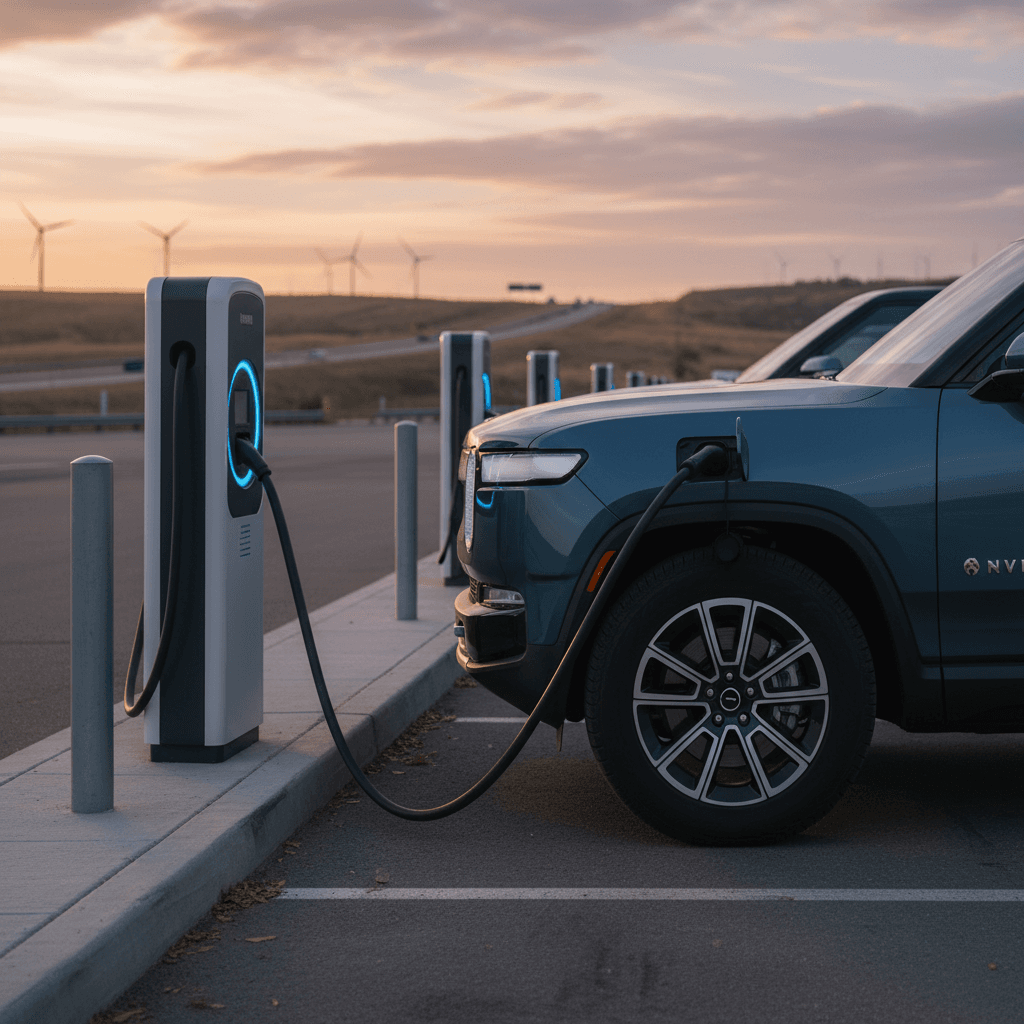
If you’re looking at a Rivian R1S or already own one, understanding **charging speed** is just as important as knowing the EPA range. This Rivian R1S charging speed guide walks through real‑world Level 1, Level 2, and DC fast charging times, how the R1S charging curve behaves from 10–80%, and what you can do to keep road trips quick while protecting your battery over the long haul.
Quick take: how fast does a Rivian R1S charge?
Rivian R1S charging speed overview
Rivian R1S charging at a glance
Two things often surprise new Rivian owners: first, that advertised **peak DC power** (a big kW number like 200) is only held for a slice of the session; and second, that **home Level 2 charging** is where 90% of their miles will actually come from. Once you understand the basic power limits and the R1S charging curve, planning your charging stops becomes much easier, and a lot less stressful.
Battery packs and why they matter for charging speed
Rivian has offered the R1S with several battery packs over the years, Standard / Standard+, Large, and Max, across Gen 1 and Gen 2 hardware. Usable capacities fall roughly in the **90–110+ kWh** range for Standard/Standard+ and Large packs, and even higher for **Max**. Bigger packs don’t just buy you more range; they also change how long a charging session takes because there’s more energy to refill.
Rivian R1S battery packs & typical charging behavior
Approximate behavior for common R1S packs; exact numbers vary by model year, software, wheels, and conditions.
| Pack | Usable capacity (approx.) | Typical DC peak | Typical 10–80% DC time | Level 2 0–100% time |
|---|---|---|---|---|
| Standard / Standard+ | ~90–100 kWh | ~180–200 kW | ~25–30 min | ~9–11 hrs |
| Large | ~109–135 kWh | ~200–215 kW | ~27–35 min | ~11–13 hrs |
| Max | ~140–150+ kWh | ~200–220+ kW | ~30–40 min | ~13–15 hrs |
Think of these as ballpark figures to compare pack behavior, not lab‑grade measurements.
Used R1S? Don’t obsess over small differences
Home charging: Rivian R1S Level 1 vs Level 2
Level 1 (120V household outlet)
- Power: typically 1.2–1.4 kW (12A at 120V).
- Speed: ~3–4 miles of range per hour of charging.
- Best for: Occasional top‑ups, plug‑in at a cabin or friend’s house, or very light daily driving.
- Reality check: A near‑empty R1S battery can take more than 2 days to fully recharge on Level 1.
Level 2 (240V home or public)
- Onboard charger: up to ~11–11.5 kW on most R1S trims.
- Common setups: 40–48 amp wall units on a 50–60 amp circuit.
- Speed: roughly 25–30 miles of range per hour of charging.
- Typical overnight: 8–10 hours easily covers a full work‑week of commuting for most owners.
For home, the sweet spot is a **properly installed Level 2 charger** on a dedicated 240V circuit. That lets your R1S pull close to its onboard AC limit and turns a big pack into a non‑issue, plug in at night, wake up to a “full tank” most mornings. If you’re considering a used R1S, confirming that your home can support a 40–48 amp Level 2 setup is just as important as any feature on the window sticker.
Pro tip: match charger amps to your panel
Rivian R1S DC fast charging speeds (realistic numbers)
Rivian advertises that the R1T and R1S can add **around 140 miles in about 20 minutes** on a strong fast charger, and independent testing often confirms brief peaks just over **200 kW** on 250–350 kW stations when things line up. The key phrase is **“when things line up”**, you need a capable charger, a warm battery, and a low starting state of charge (SoC) to see those hero numbers.
What controls your DC fast charging speed?
Think of DC fast charging as a three‑way negotiation between your R1S, the charger, and the battery.
Charger capability
A 350 kW station can, in theory, support Rivian’s ~200–220 kW peaks. But many 150 kW or older units will cap you well below that, even if your R1S is ready to go.
Battery state & temperature
Arrive warm and low, around 5–20% SoC after a highway drive, for the best chance at top speeds. Cold packs and high SoC sharply reduce kW.
R1S charging curve
Even on a perfect charger, your R1S will only hold peak power for a slice of the session before intentionally tapering to protect the battery as SoC rises.
Owners routinely report short bursts in the **200–220 kW** range on Rivian’s own network and some high‑power third‑party sites, with a noticeable drop after the mid‑40% to mid‑50% SoC range and further tapering past 70%. That’s normal behavior, not a defect. It’s how modern battery management systems trade a little speed for long‑term pack health.
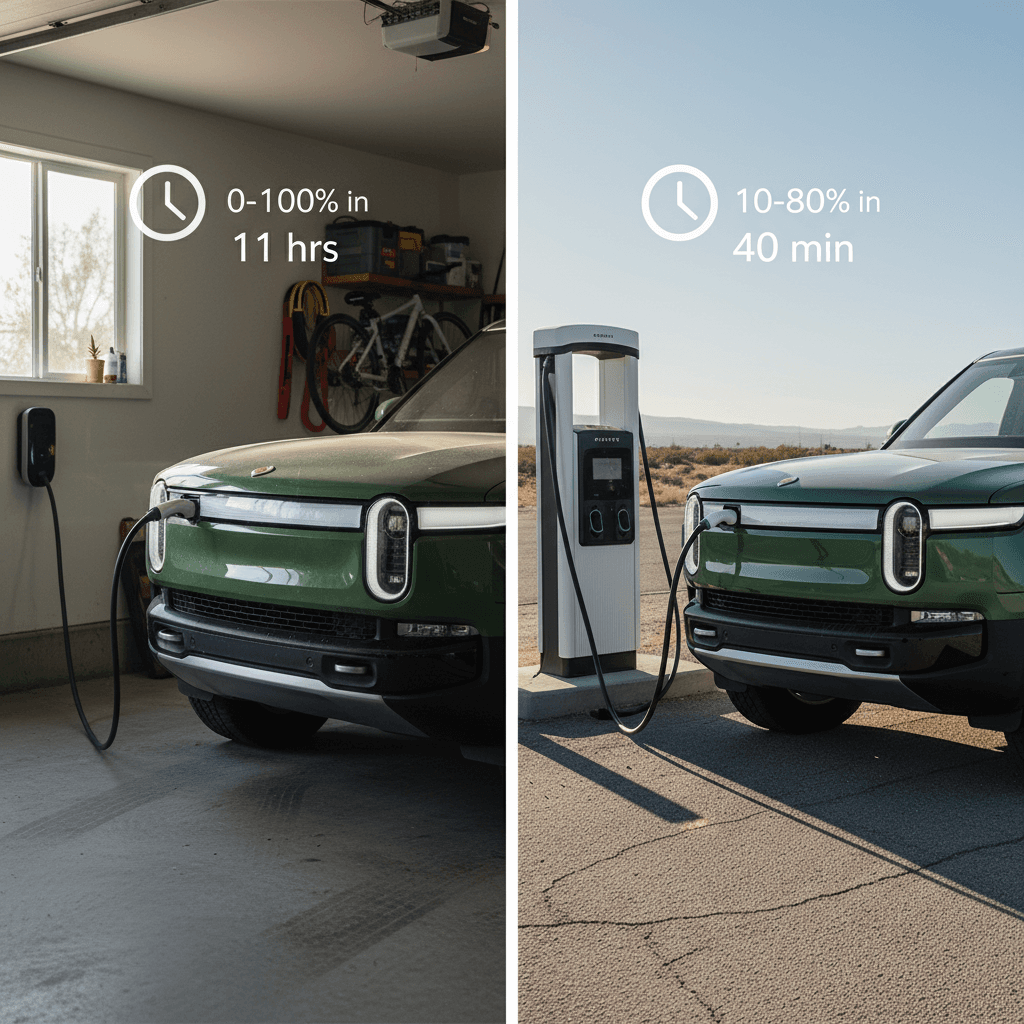
How long does 10–80% really take in an R1S?
When drivers talk about “charging speed,” they’re usually thinking about a **10–80% DC fast‑charge session**, the sweet spot where you arrive low, charge aggressively through the mid‑range, and unplug before the taper gets painful. Exact times depend on pack size, software, charger quality, and weather, but we can outline realistic windows most owners see today.
Typical Rivian R1S 10–80% DC fast‑charge times
Approximate real‑world DC fast‑charging times on healthy chargers with a warm battery, across common R1S packs.
| Pack | Arrival SoC | Best‑case 10–80% time | Real‑world “comfortable” time | Miles added (highway ballpark) |
|---|---|---|---|---|
| Standard / Standard+ | ~10–15% | ~25 minutes | 25–35 minutes | ~170–210 miles |
| Large | ~10–15% | ~27 minutes | 27–35 minutes | ~180–220 miles |
| Max | ~10–15% | ~30 minutes | 30–40 minutes | ~200–240 miles |
Use these as planning numbers on good 150–350 kW chargers; aging or derated hardware can be slower.
Why 80% is the magic number
7 factors that slow down Rivian R1S charging
Common reasons your R1S isn’t charging as fast as you expected
1. High state of charge when you plug in
Arriving at 55–60% and asking for a big top‑up will never hit the eye‑popping kW numbers you see in YouTube tests starting near 5–10%. Try to start fast‑charge sessions below ~20% when it’s safe to do so.
2. Cold battery
In winter or after a long sit, the pack can be too cold to safely accept high power. Use the built‑in **battery preconditioning** when routing to a DC fast charger, and expect the first session of the day to be slower.
3. Hot battery or repeated fast charges
Back‑to‑back fast‑charge sessions on a hot day can push pack temps up and force the BMS to dial back power. Building in a slightly longer leg between stops can let the car cool and charge faster overall.
4. Weak or derated charger hardware
Aging public fast chargers sometimes advertise 150–350 kW but silently limit output after a few minutes, or never reach full power at all. If you see your speed plummet on one stall, it’s worth trying another stand at the same site.
5. Sharing power with another car
At some networks, two cars on the same cabinet share available amps. If a neighboring stall is occupied, you may see lower peak speeds until that session ends.
6. Software‑limited curves & pack protection
Rivian continues to refine its charging curves via over‑the‑air updates. Those curves are conservative by design to protect long‑term battery health, so they may not chase the absolute limit of what physics allows.
7. AC vs DC confusion
At home and on most public Level 2 stations, you’re limited by the R1S’s ~11–11.5 kW onboard AC charger. No wallbox can turn your garage into a 200 kW DC fast charger, that’s a different class of hardware entirely.
Don’t mask a bad charger with blame on your R1S
Road‑trip charging strategy for Rivian R1S owners
The R1S is a superb road‑trip SUV, quiet, quick, and comfortable, but you’ll enjoy it more if you plan your charging around **time**, not just percent. Instead of trying to cram in a 0–100% marathon stop, you’re usually better off with shorter, more frequent sessions in the efficient 10–70% or 10–80% window.
Efficient DC fast‑charging pattern
- Plan legs that drop you to ~10–20% on arrival when practical.
- Use the built‑in trip planner and preconditioning for DC sites.
- Charge up to ~60–80% depending on the next leg distance and weather.
- Unplug and go; avoid chasing the last few slow percent unless you truly need the range.
Comfort‑first family strategy
- Line charging stops up with meals and restroom breaks.
- Even a **20–30 minute** session can add 150–200 miles when conditions are right.
- Don’t be afraid to start a bit higher (25–30%) if it matches your timing, a slightly less “efficient” stop that fits your schedule is still a win.
- Keep a backup charger or network in mind along your route in case a site is full or offline.
Plan once, relax later
Best charging practices to protect your R1S battery
High‑power DC charging is a wonderful tool, but like running an engine at redline, you don’t want to live there. The good news is that with an R1S you don’t have to baby the pack, just follow a few common‑sense habits and the battery should remain healthy for many years of ownership.
- Use **Level 2 at home** as your default. Let DC fast charging handle road trips and genuine convenience needs, not daily commuting if you can avoid it.
- Keep daily charge limits in the **60–80%** range unless you need more the next morning; save 100% charges for road trips or special cases.
- Avoid letting the pack sit at **very high (near 100%) or very low (near 0%)** state of charge for days at a time.
- In hot or cold weather, give the car time to **precondition** the battery before a planned DC session by using built‑in navigation to the charger.
- If a used R1S seems unusually slow on DC even on multiple networks, have the dealer or seller share recent charging logs or service history.
- When parking long‑term (airport, vacation), leave the car around **40–60%** with Sentry‑style features minimized to reduce idle drain.
Battery health & the Recharged Score
Charging a used Rivian R1S: what to watch for
Shopping used adds a few wrinkles. You’re not only evaluating how fast the R1S can theoretically charge, you’re asking how it has been treated so far. Fortunately, you don’t need a lab to get a good sense of that. A simple test drive and a bit of data can tell you a lot.
Used Rivian R1S charging checklist
These simple checks can reveal a lot about real‑world charging health.
Do a quick DC fast‑charge test
If possible, start a DC session around 10–30% SoC on a known‑good charger. You don’t need to go to 80%; just watch whether speeds briefly climb toward 150–200 kW before tapering.
Ask for charging history
Many owners can show past charging sessions or note typical 10–80% times. Wildly inconsistent or chronically slow speeds across networks may warrant a closer look.
Confirm home charging setup
Make sure your home can support a 40–48 amp Level 2 circuit. If you buy through Recharged, our EV specialists can help you sanity‑check quotes and charger options.
Red flags on a used R1S
Rivian R1S charging speed FAQ
Frequently asked questions about Rivian R1S charging speeds
Bottom line: how fast does the R1S really charge?
Taken as a whole, the Rivian R1S is a **strong performer at the plug**. On a good DC fast charger you can realistically expect to add a couple hundred miles of highway range in the time it takes to grab food and stretch, and at home a properly sized Level 2 setup turns even the largest battery pack into a simple overnight refill. The key is understanding that peak numbers are momentary and that smart planning around 10–80% sessions will save you far more time than chasing a perfect 100%.
If you’re considering a used Rivian R1S and want confidence in both **range and charging behavior**, Recharged can help. Every vehicle we sell includes a **Recharged Score Report** with verified battery health, transparent pricing, and EV‑savvy support from the first click to delivery. That way, when you finally pull up to a charger on your first road trip, you’ll already know what to expect, and you can focus on the drive, not the guesswork.