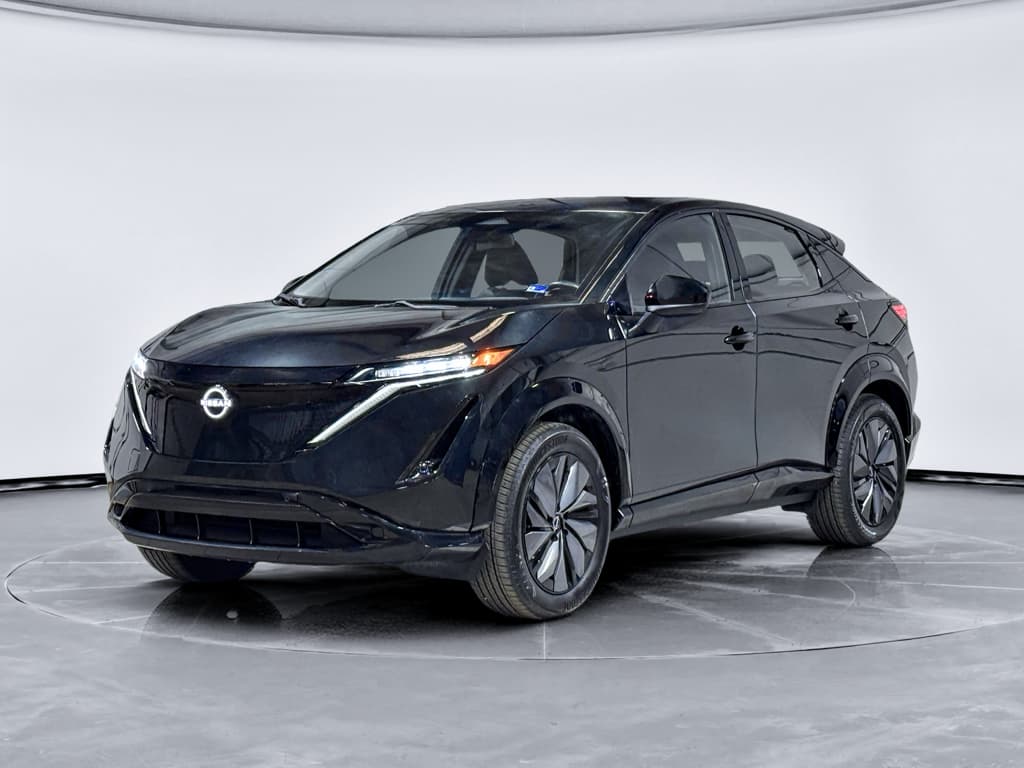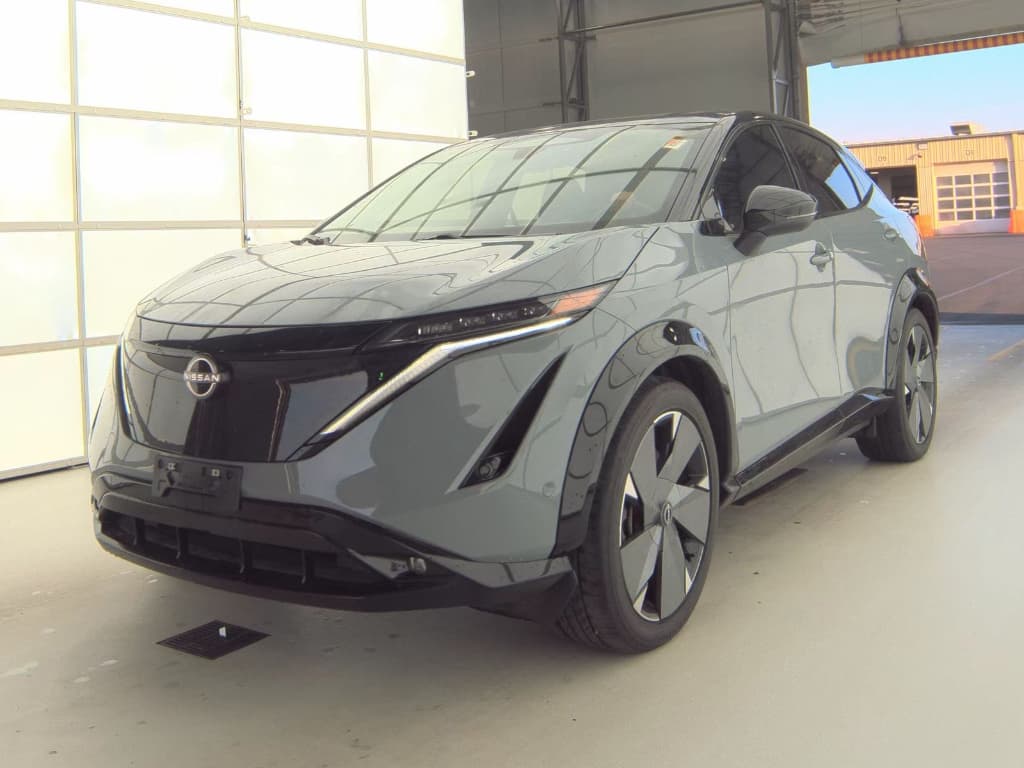
If you own or are shopping for a Nissan Ariya, you’ve probably heard about software campaigns, infotainment fixes, and questions about safety updates. This guide pulls together the latest context on the Nissan Ariya recalls list, explains how recalls work, and shows you step-by-step how to check any Ariya’s VIN for open campaigns, especially important if you’re considering a used one.
Quick context
Overview: What to know about the Nissan Ariya recalls list
The Ariya reached U.S. customers in 2023, so it’s still a relatively young model. Nissan has announced that U.S. sales will wind down after the 2025 model year, but the company has committed to continued parts, warranty, and software support for existing owners. That means recalls and campaigns will continue to appear over time, even after new sales stop.
- There is no single, official "Nissan Ariya recalls list" page that stays perfectly up to date, recalls are tracked by VIN in systems like NHTSA, Nissan’s owner portal, and tools like Carfax.
- The most common Ariya actions so far have involved infotainment (IVI) and CAN gateway software reprogramming, sometimes labeled as campaigns rather than full safety recalls.
- Ariya software and connectivity are evolving, especially around map data, Android Auto / Apple CarPlay behavior, and OTA update capability, so you may see multiple software entries on your service history even if nothing feels “wrong” with the car.
- Because the Ariya relies heavily on driver‑assist systems and high‑voltage battery management, any safety‑related campaigns in those areas should be taken seriously and scheduled promptly.
Don’t rely on word of mouth
How recalls work for the Nissan Ariya
Before we get into Ariya‑specific items, it’s worth clarifying how recalls differ from service campaigns and routine software updates. Understanding the vocabulary will help you read dealer paperwork and online VIN reports correctly.
Recalls, campaigns, and OTAs on the Ariya
Three types of actions you’ll see in your service history
Safety recalls
Legally mandated safety fixes overseen by regulators like NHTSA. These usually involve defects that could raise crash or injury risk. Repairs are performed by dealers at no cost to you, and notices are mailed to registered owners.
Service campaigns / TSBs
Also called technical service bulletins (TSBs) or "quality campaigns." These address known issues or improvements, such as IVI software behavior, that don’t always meet the legal bar for a safety recall but are still important.
OTA & routine software updates
Over‑the‑air (OTA) or dealer‑installed updates that tweak features, fix bugs, or enable new functionality (like wireless Android Auto). These may be tied to campaigns, or they may just be routine maintenance.
With the Ariya, a lot of what owners casually call a “recall” is actually a software campaign. From a safety and ownership standpoint, you should still treat these as must‑do items, but they won’t always show up in the same place as federally registered safety recalls.
Current known Nissan Ariya recalls and campaigns
Because the Ariya is still relatively new and volumes are modest compared with long‑running models like the Rogue, the official recall count remains low. Instead, most Ariya owners in 2024–2025 have seen software‑related campaigns, often implemented during dealer visits or as part of enabling OTA updates.
Examples owners are seeing
Typical Ariya campaigns and updates noted by owners
These are representative examples based on owner reports and service documentation. The exact naming and scope can vary by VIN, market, and build date.
| Area | Type | What it does | Owner impact if ignored |
|---|---|---|---|
| Infotainment (IVI) software | Campaign / recall-level software fix | Reprograms the center display / head unit to address stability problems, connectivity quirks, and to prepare for OTA updates. | May see frozen screens, misbehaving CarPlay/Android Auto, or miss out on future OTA updates. |
| CAN gateway module | Campaign / software update | Updates communication between different ECUs (braking, driver assistance, infotainment, etc.) to improve reliability. | Possible warning lights or inconsistent behavior from driver‑assist systems if not updated. |
| Telematics / connectivity | Software update | Improves connection to Nissan servers, app integration, and sometimes charging data reporting. | Less reliable app connectivity, delayed charge status updates, or difficulty pulling vehicle data for services. |
| Navigation / map data | Owner‑initiated or dealer‑performed update | Refreshes mapping data and guidance logic on the built‑in navigation system. | Outdated routing, missing new roads or charging locations if never updated. |
Always verify against your own VIN for the precise list of open and completed actions.
Important safety note
New recalls and campaigns can appear at any time as Nissan collects real‑world data. That’s why, rather than rely on any static Nissan Ariya recalls list you find online, you should always query your specific VIN before making decisions, especially if you’re about to buy a used Ariya.
How to check Nissan Ariya recalls by VIN
The only way to get a truly accurate Nissan Ariya recalls list for a particular vehicle is to run its Vehicle Identification Number (VIN) through multiple systems. Here’s a practical workflow you can follow in a few minutes.
Step‑by‑step: Check an Ariya for recalls and campaigns
1. Locate the VIN
On the Ariya, you’ll find the 17‑digit VIN at the base of the windshield on the driver’s side, on the door jamb label, and on your registration or insurance card. For online listings, it’s usually published in the ad, if it’s missing, consider that a red flag.
2. Run the VIN on NHTSA.gov
Go to the official NHTSA recall lookup site and enter the VIN. This will show <strong>open safety recalls</strong> recognized by U.S. regulators. It will NOT typically list software campaigns or already‑completed recall work.
3. Check Nissan’s owner portal or app
Create or log into a Nissan owner account, add the Ariya by VIN, and check for <strong>open recalls or service campaigns</strong>. Nissan often lists software campaigns here that don’t appear on NHTSA because they’re not legally classified as safety recalls.
4. Pull a third‑party vehicle history report
Tools like Carfax or AutoCheck can surface both recalls and recorded dealer visits, including when campaigns were closed out. This is especially valuable if you’re buying used and want to confirm that a previous owner actually completed a required update.
5. Call a Nissan service department
With the VIN in hand, a Nissan dealer’s service advisor can read out the list of <strong>open and completed</strong> recalls and campaigns. Ask them to e‑mail or print a copy for your records if you’re evaluating a used Ariya.
6. Save documentation with your purchase records
If you’re buying a used Ariya, keep screenshots, PDFs, or printed reports in your purchase folder. That paper trail makes future resale easier and helps prove that recall work was up to date when you took ownership.
Pro tip for used buyers
Software updates vs. safety recalls on the Ariya
EVs like the Ariya blur the line between classic hardware recalls and modern software maintenance. A high‑voltage battery pack or braking system problem might look like a traditional recall, but many important fixes now arrive as software updates, either over‑the‑air or at the dealer.
When it’s just software
- Bug fixes in the infotainment system (e.g., CarPlay/Android Auto glitches).
- Quality‑of‑life upgrades like adding widgets or improving graphics.
- Mapping and navigation data updates.
- Back‑end changes to enable smoother OTA deliveries in the future.
These are annoying if you miss them, but they rarely raise the kind of safety concerns regulators consider recall‑worthy on their own.
When software becomes safety‑critical
- Updates to braking, steering assist, or stability control logic.
- Battery management changes that affect thermal behavior or state‑of‑charge calculations.
- CAN gateway or ECU updates that restore reliable communication between safety‑critical systems.
- Fixes for warning systems that may fail to alert the driver to hazards.
These are the kinds of issues that can trigger or underpin a formal recall, even if the fix involves "only" reprogramming modules.
Don’t ignore “minor” updates
What current Ariya owners should do
If you already own a Nissan Ariya in the U.S., you’re in a somewhat unusual situation. New sales are scheduled to end after the 2025 model year, but the platform is still evolving via software and Nissan has stated that support will continue. Here’s how to stay ahead of recalls and campaigns as an owner.
Essential recall and update habits for Ariya owners
A simple routine to keep your SUV safe and up to date
Check your VIN twice a year
Make it a habit to run your VIN through NHTSA and Nissan’s owner portal every spring and fall. It takes minutes and will catch new recalls, campaigns, or service extensions affecting your Ariya.
Enable and monitor OTA updates
Confirm that your Ariya is set up for over‑the‑air updates where available, and don’t ignore update prompts on the main display. If the OTA system never shows updates, ask a dealer to verify that previous campaigns were completed correctly.
Keep a clean paper trail
Save invoices or service write‑ups that show recall or campaign IDs were completed. This helps you if questions arise later, and boosts buyer confidence if you eventually sell or trade the vehicle.
Where Recharged can help
Ready to find your next EV?
Browse VehiclesBuying a used Nissan Ariya: recall and safety checklist
A used Ariya can be an appealing value, especially as Nissan exits new sales and dealers discount remaining inventory. But the overlap of early‑generation software, ongoing campaigns, and dealership learning curves means you should be methodical about recalls and safety before you sign.
Used Nissan Ariya pre‑purchase checklist
1. Verify all open recalls and campaigns
Use the VIN workflow above (NHTSA + Nissan portal + vehicle history report + dealer call) to confirm there are no open safety recalls or major software campaigns. Ask the seller for proof of completion for any past actions.
2. Confirm OTA update capability
On the test drive, navigate to the software update menu on the Ariya’s main display and check the version information and update history. If the update button does nothing or the system insists there are no updates despite known campaigns, plan on a dealer visit after purchase, or negotiate the price accordingly.
3. Test driver‑assist and warning systems
On a safe road, gently test features like ProPILOT Assist, lane‑keeping, adaptive cruise, and automatic emergency braking. You’re looking for warning lights, inconsistent behavior, or messages advising system failure or limited functionality.
4. Inspect for charging or high‑voltage warnings
With the seller’s permission, plug the Ariya into a Level 2 charger and watch for errors or warnings on the screen and in the instrument cluster. Anything related to the high‑voltage battery or charging system deserves a pre‑purchase inspection.
5. Review software and map versions
Outdated maps or very old IVI software aren’t deal‑breakers on their own, but they suggest the previous owner didn’t prioritize updates. Combine that with your VIN checks to judge how well the car was maintained.
6. Use a trusted marketplace where possible
Buying through a specialist like <strong>Recharged</strong> means you get a <strong>Recharged Score</strong>, verified battery diagnostics, and transparent history so you’re not guessing about past recall or campaign work on your Ariya.
Walk‑away scenarios
Nissan Ariya recalls list: FAQs
Frequently asked questions about Nissan Ariya recalls
Bottom line: How worried should you be about Ariya recalls?
Compared with some early EVs, the Nissan Ariya has not (so far) developed a sprawling list of high‑profile safety recalls. Most of what owners see today is software housekeeping, important, but manageable if you stay on top of it. The real risk isn’t that the Ariya is uniquely problematic; it’s that a previous owner or dealer may have skipped campaigns or left OTA capability disabled, leaving your car behind the curve.
If you already own an Ariya, build a simple routine around VIN checks and software updates. If you’re shopping used, combine recall lookups with a careful road test and, ideally, a trusted marketplace. At Recharged, every used EV, including the Ariya, is backed by a Recharged Score Report with battery diagnostics, history review, and expert support so you can focus less on chasing down old recalls and more on enjoying quiet, electric miles.