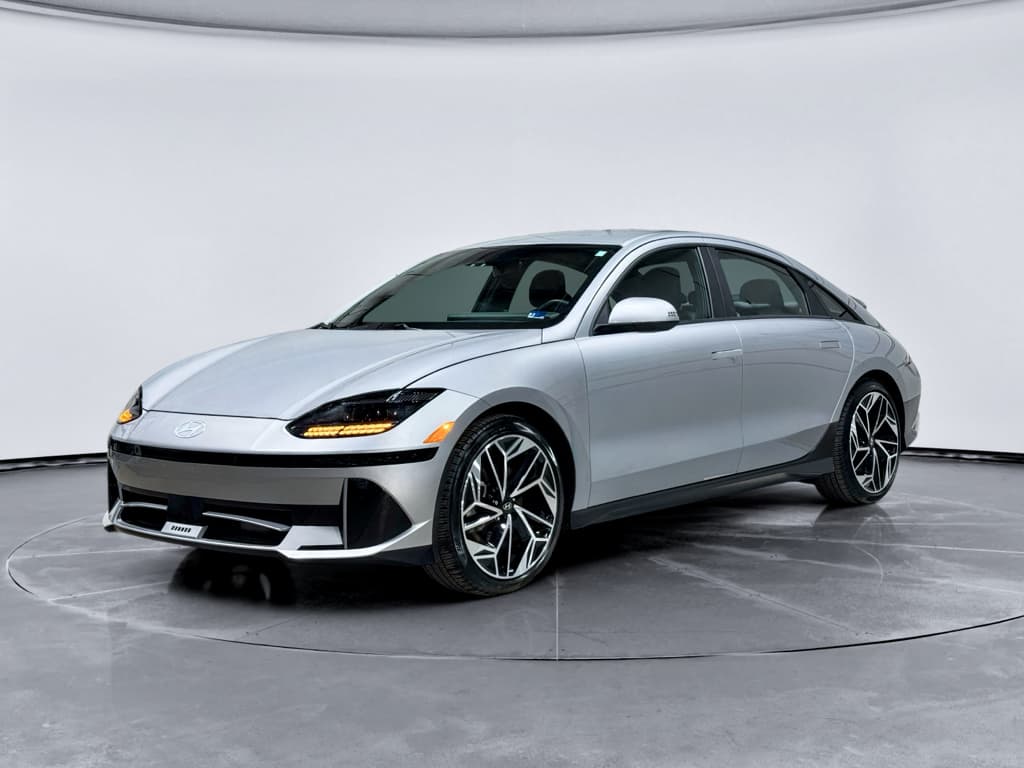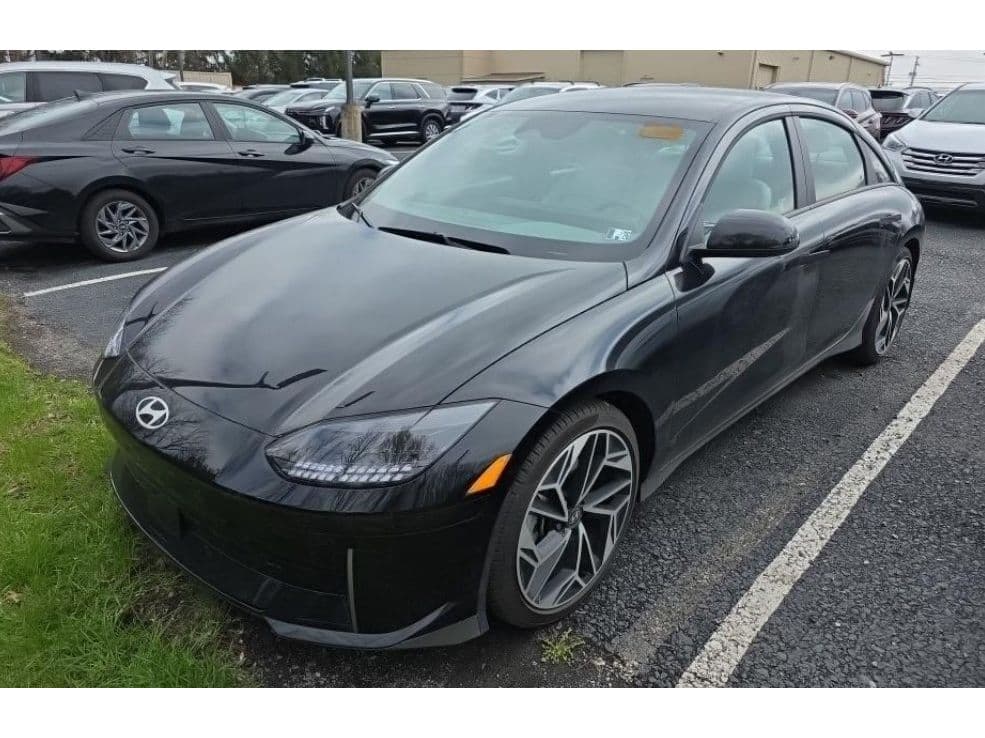
If you’re eyeing a Hyundai IONIQ 6, especially on the used market, it’s smart to understand **common problems and fixes** before you sign anything. The good news: owner reports so far suggest the IONIQ 6 is generally a solid, efficient EV. The bad news: like most modern Hyundais and Kias, there are a few recurring themes you’ll want to watch for, particularly around charging hardware, 12V battery behavior, and some trim and software quirks.
What this guide covers
Hyundai IONIQ 6 reliability: what we’re actually seeing
Early IONIQ 6 reliability looks **better-than-average for a new EV**, with many owners reporting tens of thousands of miles with no major issues beyond recalls and minor glitches. At the same time, the car shares a lot of hardware and software with the IONIQ 5 and Kia EV6, and that family has a track record of: - Intermittent **ICCU (Integrated Charging Control Unit)** failures that can strand the car or disable fast charging. - Odd **12V battery behavior**, especially when parked and plugged in. - Random **software and infotainment bugs** that are annoying more than catastrophic. The key is distinguishing between **nuisance problems** and the rarer, but more serious, issues, and knowing which ones Hyundai will usually fix under warranty.
Hyundai IONIQ 6 reliability snapshot (2023–2025)
Quick reference: common IONIQ 6 problems and how serious they are
Hyundai IONIQ 6 common problems at a glance
Use this table to quickly see how common and serious each issue is and what typical fixes look like.
| Issue | How common?* | Severity | Typical fix | DIY‑friendly? |
|---|---|---|---|---|
| ICCU / DC fast‑charging fault | Uncommon but widely discussed | Can strand car or kill fast charging | Dealer replacement of ICCU under warranty | No |
| 12V battery drain or low‑voltage warnings | Occasional | Annoying, can prevent car from starting | 12V test/replacement, ICCU software update, usage habits | Partly |
| Charge‑port door / cap problems | Common enough for recall | Minor safety & usability concern | Recall inspection and replacement at dealer | No (recall) |
| Software bugs & infotainment glitches | Common but usually mild | Mostly nuisance | Over‑the‑air or dealer software updates, resets | Yes |
| Wind noise or trim rattles | Occasional | Annoying but not dangerous | Seal/trim adjustment, added damping | Yes/Dealer |
| Climate control quirks / heat‑pump hiccups | Occasional | Comfort & efficiency impact | Software update, HVAC valve replacement | Dealer |
Severity and frequency are based on early owner reports and Hyundai’s broader E-GMP EV track record.
About “how common” and “severity”
Charging & ICCU issues
The **Integrated Charging Control Unit (ICCU)** is the brain that manages AC charging, DC fast charging and 12V battery support on the IONIQ 6. When it misbehaves, you can see symptoms ranging from **slow or failed DC fast‑charging sessions** to full “check EV system” warnings that put the car in limp mode or prevent it from starting.
- DC fast charger stops repeatedly or won’t start at all, while other EVs charge fine at the same station.
- Messages like **“Check electric vehicle system”** or **“Charging error”** after plugging in.
- Car refuses to go into gear after a charging session until it’s towed or fully power‑cycled.
- Vehicle‑to‑load (V2L) feature stops working even though everything appears connected.
When an ICCU issue is an emergency
Likely causes
Most owners will never experience a catastrophic ICCU failure, but the IONIQ 6 shares its architecture with the IONIQ 5 and EV6, which have seen: - **Early‑life ICCU failures**, sometimes following repeated DC fast‑charging on hot days. - Faults triggered by **DC/DC converter problems**, which also handle 12V charging. - Software mismatches between the car and certain public fast‑charging networks. Hyundai has issued Technical Service Bulletins (TSBs) and software updates for related problems on its E‑GMP EVs, and in many cases, these updates prevent issues from turning into hardware failures.
How to diagnose and fix charging problems
Step‑by‑step: what to do if your IONIQ 6 won’t charge properly
1. Rule out a bad charging station
Try another stall at the same site, then a different network entirely. If your IONIQ 6 fails at multiple stations that charge other EVs fine, the problem is likely with the car, not the network.
2. Test both AC and DC charging
If Level 2 home or workplace charging works but DC fast charging doesn’t, that narrows the issue to the high‑power side of the ICCU and its software. Share these details with the dealer.
3. Capture error messages and logs
Photograph the instrument cluster, infotainment screen, and the charger display. Note the **time, station brand, and kW requested**, this helps technicians reproduce or pinpoint the fault.
4. Check for software updates
In the car’s settings and Hyundai’s app, look for pending updates. If you’re unsure or behind on campaigns, ask a dealer to bring your car up to the latest software level.
5. Visit a Hyundai EV‑certified dealer
Explicitly ask if your dealer is EV‑certified and familiar with ICCU issues. The fix is typically **ICCU replacement plus software**, all covered under warranty for in‑warranty cars.
6. For used shoppers: stress‑test before buying
Before you buy, do at least one **full DC fast‑charging session** and one Level 2 session from a low state of charge. If the car throws errors or charges inconsistently, walk away or insist the seller resolve it first. On Recharged, this kind of test is baked into our battery and charging checks.
12V battery and electrical glitches
If you spend any time in Hyundai and Kia EV forums, you’ll see plenty of talk about **12V battery drain** and odd electrical behavior, especially when the car is parked while plugged in. The IONIQ 6 uses a small 12V battery to run accessories and wake the high‑voltage system, and when things go wrong you might see warnings like **“12V battery voltage low. Stop safely.”** or encounter a completely dead car after it sat overnight.
- Car is unresponsive to the key fob or app after sitting, even with plenty of main‑pack charge.
- 12V warning messages that clear after a restart, but reappear days or weeks later.
- Remote‑start climate commands seem to “succeed” in the app, but nothing happens in the car until you physically wake it up.
- Random one‑off events where the car won’t unlock or start, then recovers after a few minutes or a power cycle.
Why this happens on modern EVs
Fixes for 12V and electrical quirks
Common 12V fixes for the IONIQ 6
Start with the easy checks, then escalate through warranty if needed.
Baseline battery health check
Have a shop or dealer test the 12V battery with a proper load tester, ideally **after the car has sat** for a while. If it’s weak or marginal, replacement under warranty is often justified on newer cars.
ICCU & software updates
Ask the dealer to confirm that all **relevant ICCU and body‑control software** updates are applied. These can change how aggressively the car maintains the 12V when parked and plugged in.
Change how you leave the car
If you’re seeing repeated 12V drain while plugged in for days, try unplugging when you don’t actually need to charge, or set up a **charging schedule** so the car completes shortly before you depart.
The silver lining for used buyers
Ready to find your next EV?
Browse VehiclesSoftware bugs and infotainment quirks
The IONIQ 6’s software stack is rich but busy: you’ve got driver‑assist systems, ambient lighting, profiles, navigation, EV routing and more all talking to each other. That complexity shows up as **occasional bugs**, glitchy ambient lights, stuck steering‑wheel LEDs after charging, Bluetooth hiccups, or a system that needs a reboot more often than you’d expect.
- Ambient lighting or steering‑wheel LEDs that get “stuck” after remote‑climate or charging events.
- CarPlay/Android Auto disconnects or fails to launch until you restart the vehicle.
- Driver‑assist features briefly unavailable after startup, then return.
- Navigation and charge‑planning behavior that doesn’t always match your settings.
Simple resets and long‑term fixes
How to tame IONIQ 6 software quirks
1. Use the built‑in system reset
In the infotainment settings, use the **system restart** option when features misbehave. This is faster and gentler than fully shutting the car down, and often clears minor bugs.
2. Keep navigation map and head unit up to date
Map and head‑unit updates sometimes include bug fixes for EV routing and UI issues. Check for updates at least a couple of times a year or anytime your dealer suggests one.
3. Limit unnecessary background features
If you rarely use certain connected‑services features or dynamic ambient lighting modes, turn them off. Fewer background tasks means fewer chances for the system to trip over itself.
4. Document repeatable bugs
If a glitch is easy to reproduce, say, remote climate while plugged into Level 2 always causes a blinking light, record a short video and show it to your service advisor. Repeatable bugs are much easier for Hyundai to escalate and fix via software.
Body, trim and charge‑port door problems
On the hardware side, the IONIQ 6 has been largely free of the dramatic structural issues that have dogged some other brands. Instead, the more common complaints are **trim‑level annoyances**: rattles, seals that need adjustment, and, in the IONIQ 6’s case, **charge‑port door issues significant enough to trigger a recall** on some 2023–2025 cars.
Charge‑port door and cap recall
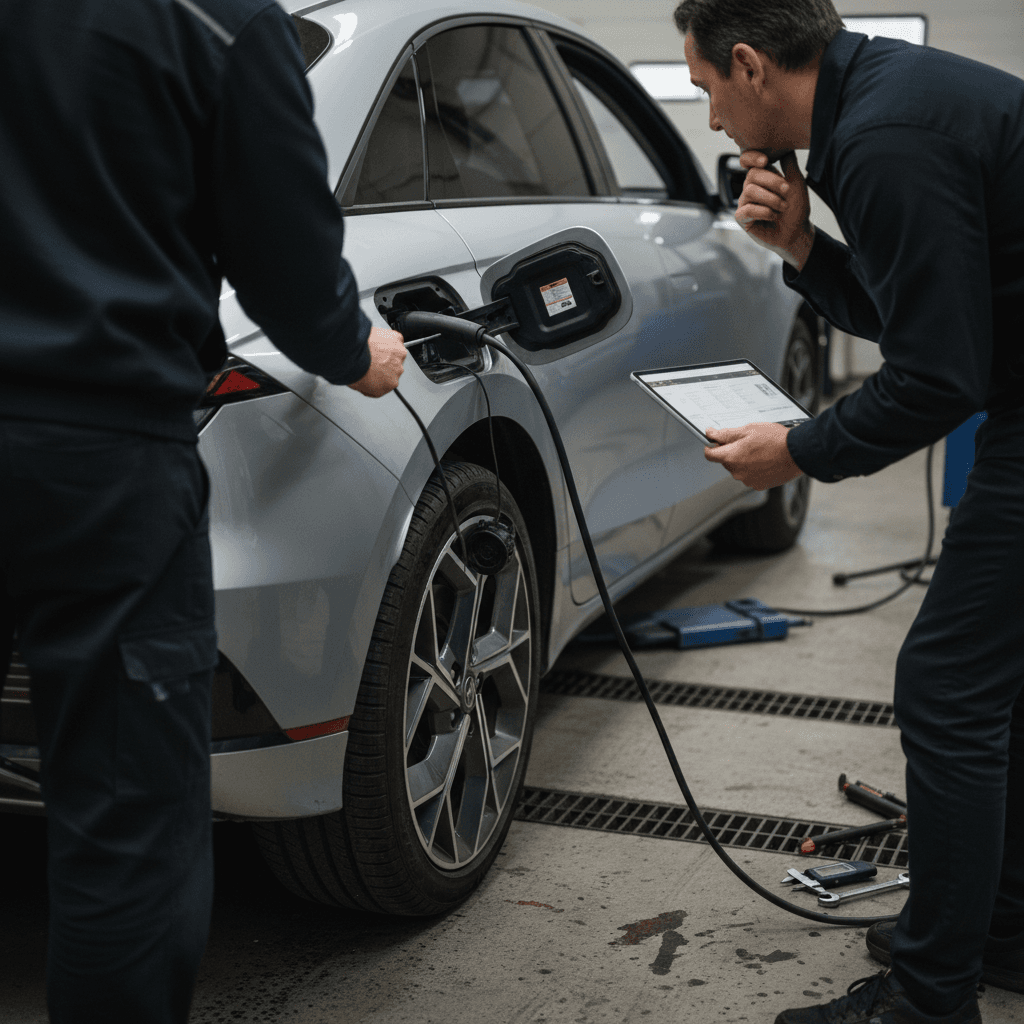
Hyundai has recalled around **30,000 IONIQ 6 EVs built from 2023 to 2025 in the US** over a problem where the **charge‑port door or cap can detach**. Besides being annoying and unprotective, a missing door raises the risk of debris or water intrusion in the port area.
- Port door that doesn’t latch securely or pops open while driving.
- Visible looseness or uneven gaps around the charge‑port area.
- Evidence that a previous temporary fix (like tape) was used to keep the door shut.
How to check if your car is affected
Wind noise, seals and rattles
Aero‑focused styling means the IONIQ 6 is generally quiet at speed, but some owners report **noticeable wind noise** from the A‑pillars or mirrors, and occasional interior rattles on rough pavement. These are rarely safety‑critical, but they can be frustrating in an otherwise refined EV.
DIY vs dealer: dealing with noise and trim issues
Start simple before asking for major tear‑downs.
At‑home checks
- Inspect door, window, and hatch seals for obvious gaps or folds.
- Make sure all seats, cargo‑covers, and seatbelts are properly stowed, they can mimic rattles.
- Use painter’s tape temporarily on suspected wind‑leak areas (mirror base, A‑pillar) during a test drive to pinpoint the source.
When to involve the dealer
- Persistent whistling or wind roar above highway speeds despite good seals.
- Trim panels that visibly move or buzz when tapped.
- Water leaks, fogging inside headlights, or repeated condensation near cameras or sensors.
Wind noise, ride quality and cabin comfort
Ride quality and noise levels tend to be **subjective** complaints, but a few patterns have emerged with the IONIQ 6: - The car’s long wheelbase and low stance make it composed on the highway but **a bit firm on sharp city impacts**, especially on 20‑inch wheels. - Some owners in cold or humid climates note **intermittent fogging or condensation** near the front camera or inside the windshield, typically resolving with strong A/C and defog settings. - HVAC quirks, especially with the available **heat pump**, can cause inconsistent cabin temperatures or delayed heating until the system fully “wakes up.”
Optimizing comfort and efficiency
Recalls, warranty, and what Hyundai will fix for free
By early 2025, IONIQ 6 owners have seen a handful of **recalls and service campaigns**, mostly related to safety equipment, charging hardware, and the charge‑port door. The key takeaway: **Hyundai’s warranty package is strong**, and most early‑life issues should be covered if you stay current on service campaigns.
Typical Hyundai IONIQ 6 warranty coverage (US)
Exact coverage and transferability can vary by market and model year, always confirm with Hyundai or your seller.
| Component | Typical coverage | Applies to | Notes |
|---|---|---|---|
| Basic bumper‑to‑bumper | 5 years / 60,000 miles | Most electrical & mechanical issues | Often covers ICCU, interior electronics, trim defects. |
| EV powertrain | 10 years / 100,000 miles | Motor, gearbox, onboard charger, related components | Usually for original owner; coverage for second owners can vary. |
| High‑voltage battery | 10 years / 100,000 miles | Main traction battery | Typically covers capacity loss below a defined threshold. |
| Corrosion | 7 years / unlimited miles | Body panels | Covers rust‑through, not cosmetic damage. |
For US models, EV components and battery enjoy longer coverage than the general vehicle warranty.
Always check for open recalls
Preventive maintenance tips for a trouble-free IONIQ 6
EVs are simpler than gas cars in many ways, but the IONIQ 6 still benefits from **thoughtful preventive care**. A little attention to charging habits, software, and inspections goes a long way toward avoiding the bigger problems we’ve discussed.
Low‑effort habits that keep your IONIQ 6 happy
1. Keep software and recalls up to date
Schedule a dealer visit at least once a year, even if you don’t “need” service, just to catch **software campaigns and recalls**. Many charging and 12V issues are fixed this way before they cause symptoms.
2. Don’t live at 0% or 100%
For daily use, try to keep the battery between **20–80%** and only fast‑charge to 100% when you really need it. This reduces stress on the battery and ICCU hardware over the long term.
3. Give the 12V some love
Every year or so, have the 12V battery tested, especially if you work from home or leave the car parked for days at a time. Proactively replacing a weak 12V is cheaper and less stressful than a roadside surprise.
4. Inspect charge‑port area monthly
Check the **port door, seals, and contacts** for debris or damage. Make sure the door closes smoothly and sits flush. If it doesn’t, ask the dealer to inspect it, particularly if your VIN is in the recall range.
5. Log any repeatable weirdness
Jot down dates, mileages, and conditions for any recurring issues, charging stops, warning lights, odd noises, and bring that log to the dealer. Solid data makes it much easier to get things fixed under warranty.
Used IONIQ 6 buying checklist: how to avoid problem cars
The IONIQ 6 is shaping up to be one of the more compelling used EV buys: efficient, distinctive, and backed by a long EV warranty. But because it’s still relatively new, you want to be picky. Focus on **charging behavior, software history, and visible signs of recall work or neglect.**
Core mechanical & electrical checks
- DC fast‑charge test: Start a session from a low state of charge and confirm the car ramps to expected power and holds it without errors.
- Level 2 test: Plug into a known‑good home or public Level 2 charger. Watch for any warning lights or aborted sessions.
- 12V behavior: If possible, see the car after it has sat overnight. It should wake up instantly from the key fob or app without warnings.
- Drive all modes: Eco, Normal, Sport, listen for unusual noises under acceleration, regen, and over rough surfaces.
Paperwork, history & Recharged extras
- Service records: Look for documentation of software updates, ICCU or 12V work, and recall completion.
- Warranty status: Confirm in‑service date so you know how much of the 5‑year/60,000‑mile coverage is left.
- Battery health: Ask for a recent battery report; on Recharged, every IONIQ 6 listing includes a Recharged Score showing verified battery health and charging performance.
- Test the tech: Pair your phone, try CarPlay or Android Auto, test cameras and sensors, and run through the climate system in both heat and A/C modes.
How Recharged derisks a used IONIQ 6
FAQ: Hyundai IONIQ 6 common problems
Frequently asked questions about IONIQ 6 problems
The Hyundai IONIQ 6 isn’t problem‑free, but its issues are **understandable, fixable, and usually well‑covered by warranty**, especially if you know what to look for. Charging and ICCU behavior, 12V battery health, and a simple VIN recall check will tell you most of what you need to know about a given car. Whether you’re already driving one or shopping the growing used market, taking a methodical approach, and insisting on clear inspection data like the Recharged Score, lets you enjoy what the IONIQ 6 does best: long‑range efficiency, distinctive design, and a driving experience that feels a lot more premium than its price tag suggests.