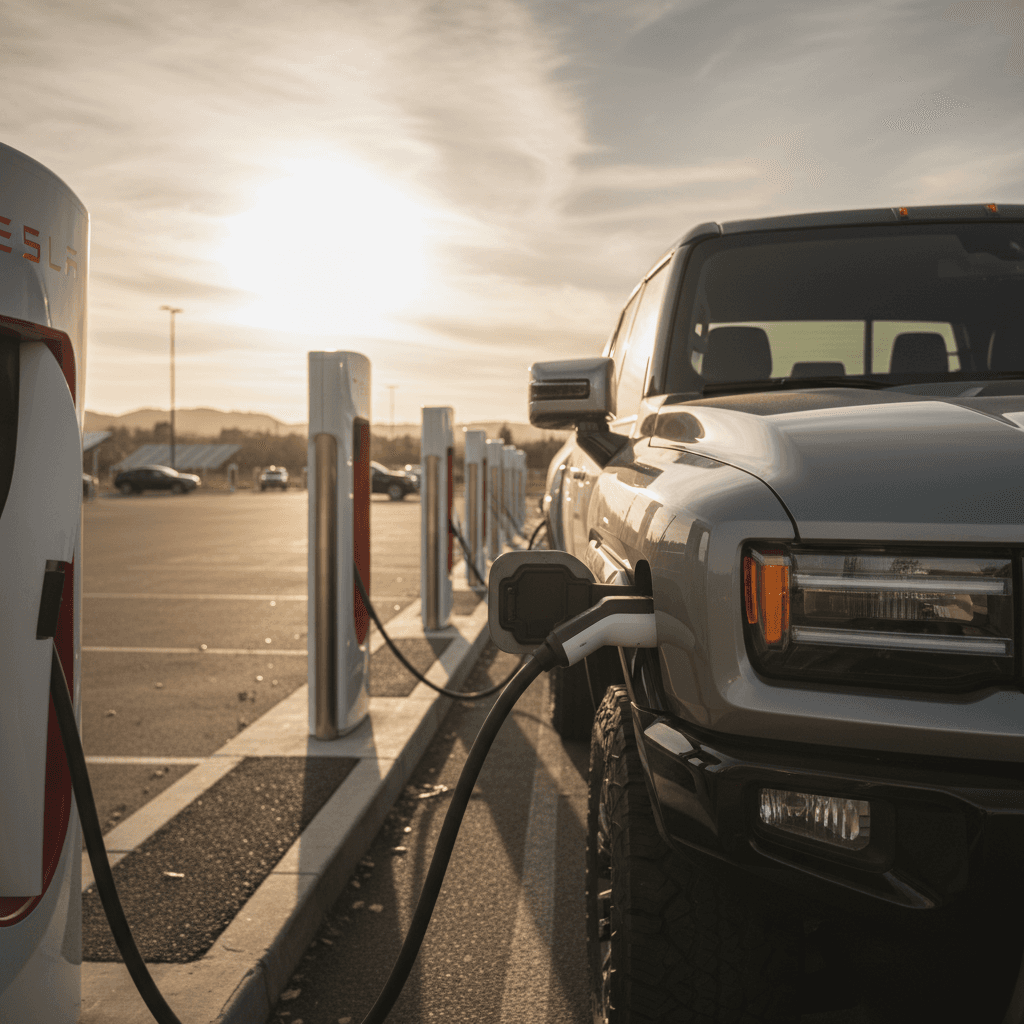
If you drive a non‑Tesla EV, you’ve probably stared at a bank of red‑and‑white Tesla Superchargers and wondered, “Can I plug in there?” The answer in 2025 is often yes, if your car and the specific station are supported. This guide walks you through exactly how to use a Tesla Supercharger with a non‑Tesla, what hardware you need, how the Tesla app works, and when it makes sense to choose a different fast charger instead.
Quick overview
Why non‑Tesla drivers care about Superchargers
Tesla’s network in 2025 at a glance
Superchargers are popular because they’re dense along major routes, they tend to just work, and they’re engineered around road‑trip convenience: chargers close to highways, predictable speeds, and simple app‑based payments. For many non‑Tesla drivers, getting access to that network means easier cross‑country trips and fewer white‑knuckle stretches between fast‑charging stops.
Who can use Tesla Superchargers today?
There are two big pieces to the “Can I charge here?” puzzle: your vehicle and the specific Supercharger site.
Check your EV’s Supercharger eligibility
Most access now comes from NACS agreements between Tesla and automakers.
1. Supported automaker
In North America, Tesla has opened Superchargers to many brands via the North American Charging Standard (NACS) program. Supported automakers now include Ford, GM, Rivian, Volvo, Polestar, Nissan, Lucid, Mercedes‑Benz, Hyundai, Genesis, Kia, Honda, Acura, JLR, Audi, Porsche, Toyota, Volkswagen, Subaru, BMW and others, with Stellantis coming soon.
Check your automaker’s website or app to confirm whether your specific model year is approved for Tesla Superchargers.
2. Connector & adapter
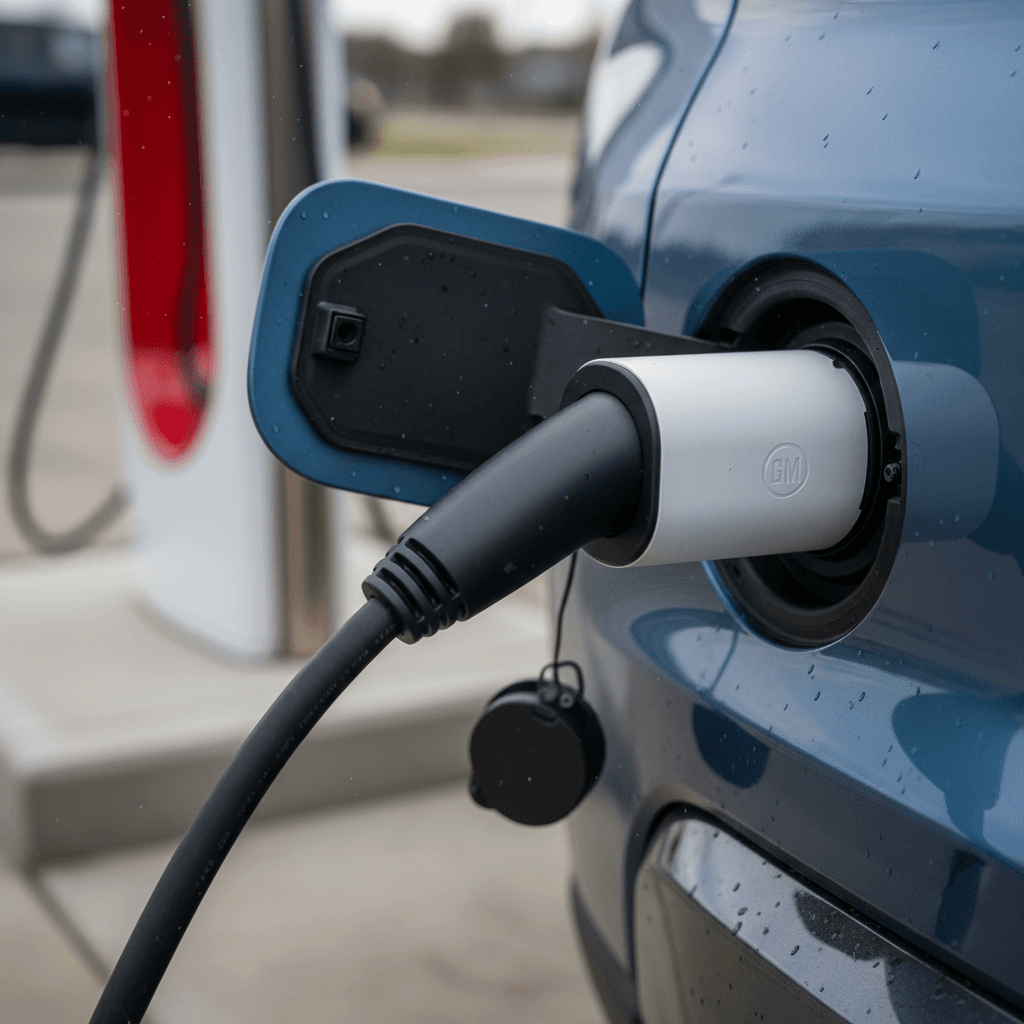
Most older non‑Tesla EVs in North America use a CCS1 DC fast‑charge port. To plug into Tesla’s slimmer NACS connector, you’ll usually need an official CCS1→NACS adapter from your automaker, Ford, GM, Hyundai, Kia, Lucid and others now sell or have offered these.
Newer EVs are starting to ship with a native NACS port, which means no adapter is needed at most Superchargers.
3. Open Supercharger sites
Not every Tesla Supercharger is open to non‑Tesla vehicles. In the Tesla app, only sites labeled as "Available to Non‑Tesla" or showing your brand’s logo will work. Some locations offer Magic Dock (built‑in adapter at the stall), while others expect you to bring your automaker’s NACS adapter.
Always verify in the app before you count on a Supercharger for a road‑trip stop.
Older or uncommon EVs may not qualify
Your three paths to using Tesla Superchargers
1. Magic Dock (built‑in CCS adapter)
Some U.S. Supercharger sites use Magic Dock, where each stall has a CCS adapter physically locked to the Tesla handle. When a non‑Tesla starts a session in the app, the adapter releases with the cable.
- No adapter to bring
- Works with many CCS‑equipped EVs
- Only at select sites so far
2. Automaker‑supplied NACS adapter
Most new access in 2024–2025 comes from automaker‑supplied NACS adapters. Ford, GM, Hyundai, Kia, Lucid, Genesis, Volkswagen and others now provide (or sell) adapters that let their CCS‑equipped EVs plug into a standard NACS Supercharger cable.
- Adapter is tuned and safety‑tested for your car
- Sometimes free for early buyers, otherwise around $200–$250
- Often required at sites that don’t have Magic Dock
3. Native NACS vehicles
Starting with many 2025 models, non‑Tesla EVs are shipping with the NACS inlet built in. These cars plug directly into most Superchargers without an adapter.
- Cleanest, simplest experience
- Automaker apps increasingly support "plug and charge" billing
- Adapters may still be offered to use legacy CCS stations
Don’t rely on gray‑market adapters
Step‑by‑step: how to use a Tesla Supercharger with a non‑Tesla
Once you know your EV and the station are compatible, the actual charging dance is simpler than it looks. Here’s a clear walkthrough using the Tesla app; we’ll note where things differ if your automaker’s app handles the session instead.
8 steps to charge a non‑Tesla at a Supercharger
1. Confirm compatibility before you drive
Open the <strong>Tesla app</strong>, tap <strong>Charge Your Non‑Tesla</strong> (or the Charging tab), and search along your route. Filter for sites marked as available to non‑Tesla vehicles and, if relevant, supporting your connector type (Magic Dock / CCS or NACS).
2. Install and set up the Tesla app
Create a Tesla account, add a payment method, and verify your email. Even if your automaker also supports Superchargers, it’s smart to keep the Tesla app set up as a backup.
3. Arrive with a warm, not full, battery
Fast charging works best when your battery is between roughly <strong>10–60%</strong>. Above 80%, most EVs slow the charge dramatically. Precondition the battery via your car’s navigation if that feature is available.
4. Park so the cable can comfortably reach
Back in or nose in depending on which side your charge port is on. Supercharger cables are relatively short because they were designed around Tesla’s left‑rear charge port. Aim for a gentle curve in the cable, not a tight stretch.
5. Start the session in the app
In the Tesla app, select the site, then the stall number you’ve parked at (for example 3B). Review the <strong>price per kWh</strong> and any idle fees, then tap <strong>Start Charging</strong>. Some Magic Dock sites may prompt you to confirm that you’re charging a non‑Tesla.
6. Plug in with adapter if needed
If you have an <strong>automaker NACS adapter</strong>, connect it to the Supercharger handle first, then plug the combined connector into your car until it clicks. For Magic Dock, the CCS adapter should release with the cable when you start the session; line it up with your CCS port and push firmly.
7. Watch for the “charging” indicator
Your car’s dash and the app should both confirm that charging has started. Within a few seconds you’ll see power ramp up. If you get an error, stop the session, reseat the connector, or try a neighboring stall before giving up on the site entirely.
8. End session, unplug, and move promptly
When you’ve reached your desired state of charge, or your car slows dramatically near 80%, stop the session via the Tesla or automaker app, unplug, and move your car. Superchargers apply <strong>idle fees</strong> if you stay parked while not charging, especially when the site is busy.
Costs, speed, and what to expect
Charging a non‑Tesla at a Supercharger looks a bit different on your wallet and your trip timer than it does for a Tesla owner. Here’s how to set your expectations.
Typical cost and speed factors at Superchargers
These are general patterns, the exact numbers vary by region, time of day, and your specific EV.
| Factor | What to know for non‑Teslas | How to check |
|---|---|---|
| Pricing model | Most sites charge per kWh; some regions use per‑minute pricing. Rates can be higher during peak hours. | See the price listed for the site in the Tesla app before you start. |
| Membership | Tesla occasionally offers Supercharging memberships that lower your per‑kWh cost; some brands negotiate their own discounts. | Look in the Tesla app and your automaker’s charging or energy section. |
| Idle fees | If you stay plugged in after charging stops, Tesla often adds per‑minute idle charges, applies to non‑Teslas, too. | Tap the site details in the app for idle fee rules. |
| Peak power | V3/V4 Superchargers can deliver up to 250 kW, but your car may max out far lower. | Check your owner’s manual or spec sheet for your EV’s DC fast‑charge limit. |
| Real‑world speed | Adapter losses, battery temperature, and shared power between stalls can all reduce actual kW. | Watch the live kW reading in your car or app; plan around miles added per minute, not just peak numbers. |
Always check real‑time pricing and power limits in the Tesla or automaker app before you plug in.
What’s a “good” charging stop?
Fit and reach: will the cable reach my charge port?
Supercharger sites were designed around Tesla’s rear‑left charge port. Many non‑Tesla EVs put the port front‑left, rear‑right, or even nose‑center, which can turn stall selection into a bit of driveway Tetris.
Common fit challenges
- Cable length: Supercharger cables are shorter than what you’ll find at many CCS stations. A front‑left port may require you to park slightly crooked (where allowed) to make the cable reach.
- Shared stalls: On many sites, each pedestal serves two numbered spots (like 3A/3B). Parking in the wrong one may make the reach tougher or share power.
- Back‑in vs. pull‑through: Some shopping‑center lots make pulling forward the only way to get close enough to the pedestal with certain vehicles.
Practical workarounds
- Scout the layout first: Take one slow lap through the site and watch how other non‑Teslas are parked.
- Avoid tight bends: Don’t force the cable to bend sharply against your bodywork; that stresses the hardware and could trigger faults.
- Try another stall: If the cable just won’t reach comfortably, pick a different numbered post. Sometimes shifting one stall over solves the problem.
Skip any third‑party extension cables or “reach” adapters. They’re often prohibited and can be unsafe at high DC power levels.
Planning road trips using Superchargers with a non‑Tesla
If you’re used to planning around CCS networks like Electrify America, adding Tesla Superchargers to the mix can feel like unlocking a bonus map. But you still need to plan with your specific EV, and its adapter situation, in mind.
Smart planning tips for mixed‑network road trips
Blend Tesla Superchargers with other fast‑charge options for the least stressful drive.
Map all fast‑charge options
Use multiple tools: the Tesla app for Superchargers, your automaker’s navigation, and third‑party apps for CCS sites. Mark backup chargers near every critical stop in case one network is busy or down.
Charge where it’s fastest
On some routes, a high‑power CCS station may actually charge your car faster than a nearby Supercharger, especially for ultra‑high‑voltage EVs. Aim for whatever gives you the best miles per minute, not just the highest advertised kW.
Travel off‑peak when possible
Weekend afternoons and holiday travel can clog popular Supercharger sites. If your schedule allows, plan major charging stops early in the morning or later in the evening, when you’re more likely to roll up to open stalls.
How your Supercharger experience changes over time
You own a CCS‑only EV today
Request or purchase your automaker’s official NACS adapter as soon as it’s offered.
Test a nearby Supercharger on a low‑stress day so you understand fit, speed and pricing.
For now, keep CCS networks in your back pocket for routes with few Magic Dock or NACS‑ready sites.
When you upgrade EVs, consider a model with a native NACS inlet for simpler road‑tripping.
You’re shopping for your next EV
Check whether the models on your shortlist have <strong>native NACS ports</strong> or will ship with an adapter in the box.
Look at how each automaker integrates Superchargers into its navigation and trip planner, some are smoother than others.
Think about where you actually drive: if your key routes are Supercharger‑dense, NACS access should be high on your wish list.
If you’re considering a used EV, ask whether a NACS adapter is included or can be added, and factor that into the price.
When Tesla Superchargers are not your best option
Despite the hype, there are times when a Tesla Supercharger isn’t the smartest play for a non‑Tesla driver. Knowing when to choose another option can save you money, time, or both.
- Your EV charges much faster on 800‑V hardware. Some luxury EVs can pull 270–350 kW on high‑voltage CCS stations but see lower power on today’s mostly 400‑V Superchargers.
- The site isn’t officially open to non‑Teslas. If the app doesn’t list your EV as supported, don’t gamble on showing up with a third‑party adapter.
- Cable reach looks marginal. If photos or reviews suggest other owners of your model struggle to plug in cleanly, a nearby CCS station may be less stressful.
- Pricing is significantly higher than alternatives. In some regions, another network may be cheaper for the same energy, especially if your utility or automaker offers discounted partner rates.
Never force it
FAQ: Tesla Superchargers for non‑Tesla owners
Common questions about using Superchargers with a non‑Tesla
Bottom line, and how Recharged can help
Using a Tesla Supercharger with a non‑Tesla is no longer a science experiment, it’s quickly becoming part of everyday EV life. The key is knowing whether your car is approved, which adapter (if any) you need, and how to read the Tesla app so you’re never guessing at the plug. Treat Superchargers as a powerful addition to your toolbox alongside CCS networks, not a magic cure‑all, and your road trips will get a lot easier.
If you’re considering a used EV, choosing one with strong fast‑charging support and clear Supercharger compatibility can dramatically change how the car fits your life. That’s where Recharged comes in. Every vehicle on our marketplace includes a Recharged Score Report with verified battery health and fair market pricing, plus expert EV specialists who can walk you through real‑world charging options, Superchargers included. Whether you’re buying, trading in, or just planning your first electric road trip, you don’t have to figure it out alone.