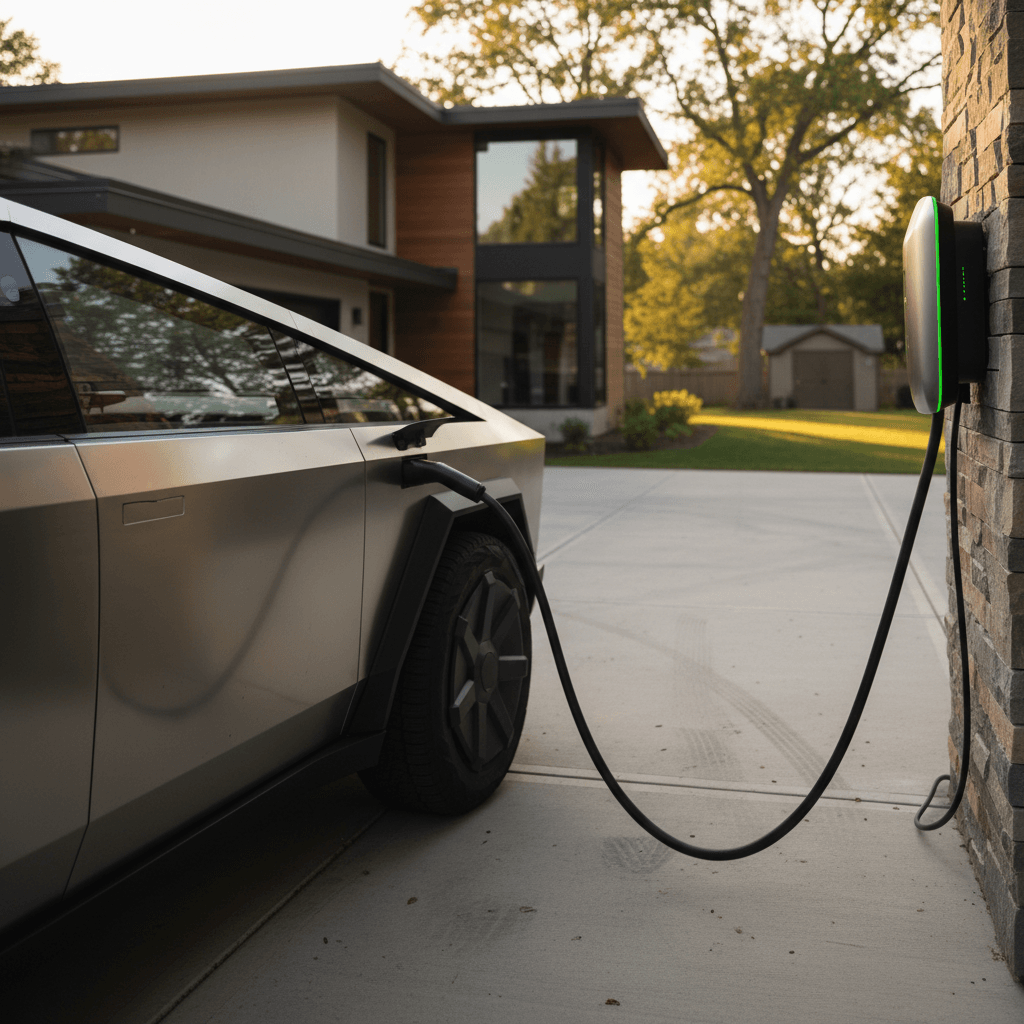
If you’ve just brought home a Tesla Cybertruck, the very next question, right after “Will it fit in my garage?”, is usually “How do I charge this thing at home?” The good news is that charging a Tesla Cybertruck at home can be simple and affordable once you pick the right setup. This guide walks you through outlets, Wall Connectors, wiring, real‑world charge times, and how to keep that big battery happy day after day.
Big truck, big battery
Cybertruck home charging basics
Every Tesla Cybertruck sold in North America uses the NACS (North American Charging Standard) connector for both AC home charging and DC fast charging. At home, you’ll be using AC charging, which relies on the Cybertruck’s onboard charger to convert your house’s alternating current into battery‑friendly DC power. The key levers you control are voltage (120V vs 240V) and amperage (how many amps the circuit can safely deliver).
Key Cybertruck home charging numbers
Tesla does not recommend relying on low‑power 120V charging as your primary solution for Cybertruck, especially in cold weather, because it adds range very slowly and the big pack may consume much of that energy just to stay warm. For daily use, you’ll want a 240V Level 2 solution if at all possible.
Understanding Cybertruck charging hardware
What Cybertruck gives you vs what you add at home
Four pieces of the puzzle work together when you charge at home.
1. Onboard charger in the truck
Cybertruck hides the real hero under the skin: an 11.5 kW onboard charger (AC). This electronic module decides how much power to accept from your home circuit. Even if you install a 60A or 80A breaker, Cybertruck itself tops out around 11.5 kW on AC.
2. Tesla Wall Connector or other EVSE
The wall‑mounted box you plug into is the EVSE (Electric Vehicle Supply Equipment). Tesla’s Wall Connector is the cleanest option for Cybertruck, but you can also use a J1772 Level 2 charger plus a J1772–to–NACS adapter.
3. Outlet or hard‑wired circuit
Behind the scenes, your electrician either hard‑wires the Wall Connector or plugs it into a 240V outlet (NEMA 14‑50, 6‑50, etc.). The breaker size and wiring determine the maximum amps the truck can safely draw.
4. Mobile charging cable
Tesla’s Mobile Connector lets you charge from regular outlets when you travel or while you wait for a permanent solution. For Cybertruck, it’s best treated as a backup, not your primary fuel source.
Check your Cybertruck’s max AC amps
Home charging options for your Tesla Cybertruck
You can charge a Tesla Cybertruck at home in three main ways. They all work, the difference is how fast they refill that big battery and how well they fit your commute, panel capacity, and budget.
Cybertruck home charging options compared
Approximate speeds and use‑cases for common home charging setups in the U.S.
| Option | Electrical setup | Approx. power | Miles of range added per hour* | Best for |
|---|---|---|---|---|
| 1. Standard outlet (Level 1) | 120V, 15A or 20A circuit | 1.2–1.9 kW | ~1–3 mi/hr | Emergency use, occasional top‑ups |
| 2. 240V outlet + Mobile Connector | 240V, 30A–50A outlet | 3.6–7.7 kW | ~10–20 mi/hr | Light daily driving, interim solution |
| 3. Tesla Wall Connector (hard‑wired) | 240V, 60A breaker (48A continuous) | Up to 11.5 kW | ~25–32 mi/hr | Daily Cybertruck use, fast overnight refills |
Exact speeds vary with temperature, battery state‑of‑charge, and driving efficiency, but this table gives you realistic ballpark numbers.

Option 1: 120V household outlet (Level 1)
Yes, you can technically charge a Cybertruck from a regular 120V wall outlet using Tesla’s Mobile Connector and a NEMA 5‑15 or 5‑20 adapter. But we’re talking about adding roughly 1–3 miles of range per hour in a truck that can easily burn through 2–3 kWh per 10 miles in mixed driving. For many owners that means days, not hours, to recover from a long drive.
Tesla’s own guidance on 120V
Option 2: 240V outlet + Mobile Connector (basic Level 2)
Step up to a 240V circuit and the Mobile Connector becomes much more useful. On a typical 30A dryer‑style outlet (NEMA 14‑30) you’ll see around 10–12 miles of range per hour. On a 50A outlet (NEMA 14‑50) you’re closer to 18–20 miles per hour, enough for many commuters if you plug in every night.
Great stopgap while you plan a permanent setup
Option 3: Tesla Wall Connector or Universal Wall Connector (full‑speed Level 2)
For most Cybertruck owners, a hard‑wired Tesla Wall Connector on a 60A breaker is the right answer. It can deliver up to 48A continuous at 240V, which is about 11.5 kW, right at the Cybertruck’s AC limit. Tesla’s latest Universal Wall Connector also supports J1772 vehicles, handy if there’s a non‑Tesla in the household.
Why a Wall Connector is worth it for Cybertruck
Yes, the Mobile Connector works, but this setup is built for a big truck.
Fastest home speeds
On a 60A circuit, you’re looking at roughly 25–32 miles of range per hour, which easily refills a heavy‑use work truck overnight.
Cleaner and safer
No extension cords snaked across the floor, no worn receptacles from daily plugging and unplugging. It’s simply bolted to the wall and ready.
Future‑proofed
If you add another EV later, you can use power‑sharing between multiple Tesla Wall Connectors so they automatically split available amps.
How long does it take to charge a Cybertruck at home?
Let’s translate kilowatts and amps into something useful: hours in your day. Cybertruck’s battery is large, but you rarely charge from 0% to 100%. Most owners live in the 20–80% window for daily use and charge overnight.
Approximate Cybertruck home charging times
Realistic time windows for common home setups, assuming about 120 kWh usable battery and 20–80% daily charge window.
| Home setup | Power delivered | Typical daily charge (20–80%) | Full refill from low (~10–90%) |
|---|---|---|---|
| 120V outlet (Level 1) | 1.2–1.9 kW | 30–40+ hours | Multiple days, impractical as primary method |
| 240V, 30A outlet (Mobile Connector) | ~3.6–5.7 kW | 9–15 hours | 16–24 hours |
| 240V, 50A outlet (Mobile Connector) | Up to ~7.7 kW | 6–8 hours | 10–14 hours |
| Tesla Wall Connector, 60A breaker | Up to 11.5 kW | 4–6 hours | 8–12 hours |
These are ballpark estimates; colder weather, high charge levels, and battery conditioning can lengthen charge times.
Think in “miles per night,” not “0–100%”
Wiring and installation tips for Level 2 home charging
You’re working with 240V and up to 60A continuous current here, this is not the place to cut corners. A competent, licensed electrician and a short, clean run from panel to charger will pay you back every day you own the Cybertruck.
1. Check your panel capacity
Ask your electrician for a load calculation. Many modern U.S. homes have a 200A main panel with enough headroom for a 60A EV circuit. Older 100A services may require an upgrade or a lower‑amp charging solution.
- Ideal: dedicated 60A breaker for a Wall Connector.
- Acceptable: 30A–50A circuit if your driving is light.
2. Choose hard‑wired vs plug‑in
A hard‑wired Wall Connector is typically more robust than a plug‑in unit on a 14‑50 outlet, especially for a heavy truck you’ll charge nightly.
- Hard‑wired: fewer failure points, cleaner install, max output.
- Plug‑in: more flexible if you move, but watch outlet wear and code requirements.
What to confirm with your electrician before installation
Verify breaker size and wire gauge
Make sure the breaker and wire are sized for continuous EV charging (typically 125% of continuous load). For a 48A Wall Connector setting, that’s a 60A breaker with appropriately sized copper wire.
Avoid sharing circuits with big loads
Your Cybertruck should not share its circuit with welders, dryers, or other heavy equipment. Dedicated means dedicated.
Place the charger sensibly
Mount the Wall Connector where the cable comfortably reaches the Cybertruck’s charge port at the rear driver’s‑side corner, even if you park nose‑in or back‑in.
Add outdoor‑rated gear if needed
If your truck lives in the driveway, confirm the Wall Connector, conduit, and junction boxes are all rated for wet locations and your climate.
Don’t DIY high‑amp EV circuits
Smart settings: schedule, battery care, and Powershare
Once the hardware is in, the Cybertruck’s software does the rest. A few minutes in the menus will make your home charging cheaper, easier, and better for the battery long‑term.
Use Cybertruck’s built‑in tools to optimize home charging
You don’t have to baby‑sit the truck, set it once and let it work.
Scheduled charging
From the Cybertruck touchscreen or Tesla app, set a start time, for example, 12:00 a.m., to match your utility’s off‑peak rates. The truck will wait until then to pull serious power.
Daily charge limit
Set your everyday limit around 70–80% to give the battery an easier life, then bump to 90–100% only before long trips. The slider lives on the Charging screen.
Powershare & home backup
Cybertruck supports Powershare, Tesla’s bidirectional system that can feed power back to your home through compatible hardware. When paired with a Tesla Powerwall and Gateway, you can run essential loads or even your whole house from the truck during outages.
Free home charging for some owners
How much does it cost to charge a Cybertruck at home?
You’re essentially buying electricity by the kilowatt‑hour instead of gallons of fuel. With a roughly 120 kWh usable pack, a full “empty to full” home charge at $0.15/kWh is about $18. Most owners don’t run the truck that low, so a typical 40–60 kWh overnight top‑up might cost $6–$9 at that same rate.
Light commuter
Drive 40 miles a day at roughly 2.0–2.5 mi/kWh and you’ll burn 16–20 kWh.
- At $0.15/kWh: about $2.40–$3.00 per day.
- At $0.25/kWh: about $4.00–$5.00 per day.
Work truck or weekend hauler
Use 80–100 miles of range in a day with tools, passengers, or towing, and you might burn 35–45 kWh.
- At $0.15/kWh: about $5.25–$6.75.
- At $0.25/kWh: about $8.75–$11.25.
Use time‑of‑use (TOU) rates to your advantage
Common Cybertruck home‑charging mistakes to avoid
- Relying on a 120V outlet as your only charging solution for a 120 kWh truck.
- Using long, undersized extension cords with the Mobile Connector (heat and fire risk).
- Sharing your EV circuit with welders, compressors, or large shop tools.
- Mounting the Wall Connector where the cable barely reaches the charge port.
- Never adjusting your charge limit, living at 100% all the time.
- Ignoring panel capacity and adding a large EV circuit without a proper load calculation.
Watch for nuisance tripping
Step‑by‑step checklist to get your home ready
From delivery day to fully dialed‑in home charging
1. Start with what you have
Use the included Mobile Connector with a 120V outlet for the first night or two if needed. It’s slow, but it buys you time to plan a proper install.
2. Decide how much range you really need nightly
Look at a typical week of driving. If you burn 40–60 miles per day, aim for at least 15–20 miles of range per hour of charging; if you tow or commute long distances, target 25–30+ mi/hr.
3. Get quotes from licensed electricians
Share that target with a local electrician and ask about options: 30A, 50A, or 60A circuits; panel upgrades; indoor vs outdoor mounting locations.
4. Choose your charging hardware
For most owners a <strong>Tesla Wall Connector</strong> on a dedicated 60A circuit is ideal. If you already own a high‑quality J1772 Level 2 unit, you can use it with a simple adapter.
5. Set your schedule and charge limit
Once the charger is in, open the Tesla app or the Cybertruck touchscreen, set your home location, schedule overnight charging, and pick a daily limit around 70–80%.
6. Revisit after a month
If you’re routinely waking up short on range, talk with your electrician about raising the charger’s current limit (if there’s capacity) or upgrading the circuit. If your setup feels overkill, you did it right.
Tesla Cybertruck home charging FAQ
Frequently asked questions about charging a Cybertruck at home
Living with a Tesla Cybertruck is a lot easier when your home is set up as your personal fueling station. A 120V cord will get you by for a weekend, but a thoughtfully installed 240V Level 2 setup turns that massive battery into something you don’t have to think about, you just plug in, go to bed, and wake up ready to haul, commute, or tow. If you’re exploring a used Cybertruck or another EV, Recharged can help you match the right vehicle and home‑charging plan, backed by our battery‑health checks and expert guidance from first click to first charge.