The Genesis GV60 is one of the most compelling luxury EV crossovers on the market: fast charging, strong range, and a tech-forward cabin. But whether you’re buying new, CPO, or used, you’ll want a clear Genesis GV60 buying checklist so you don’t overlook battery health, charging performance, or key features that impact long‑term ownership.
Who this checklist is for
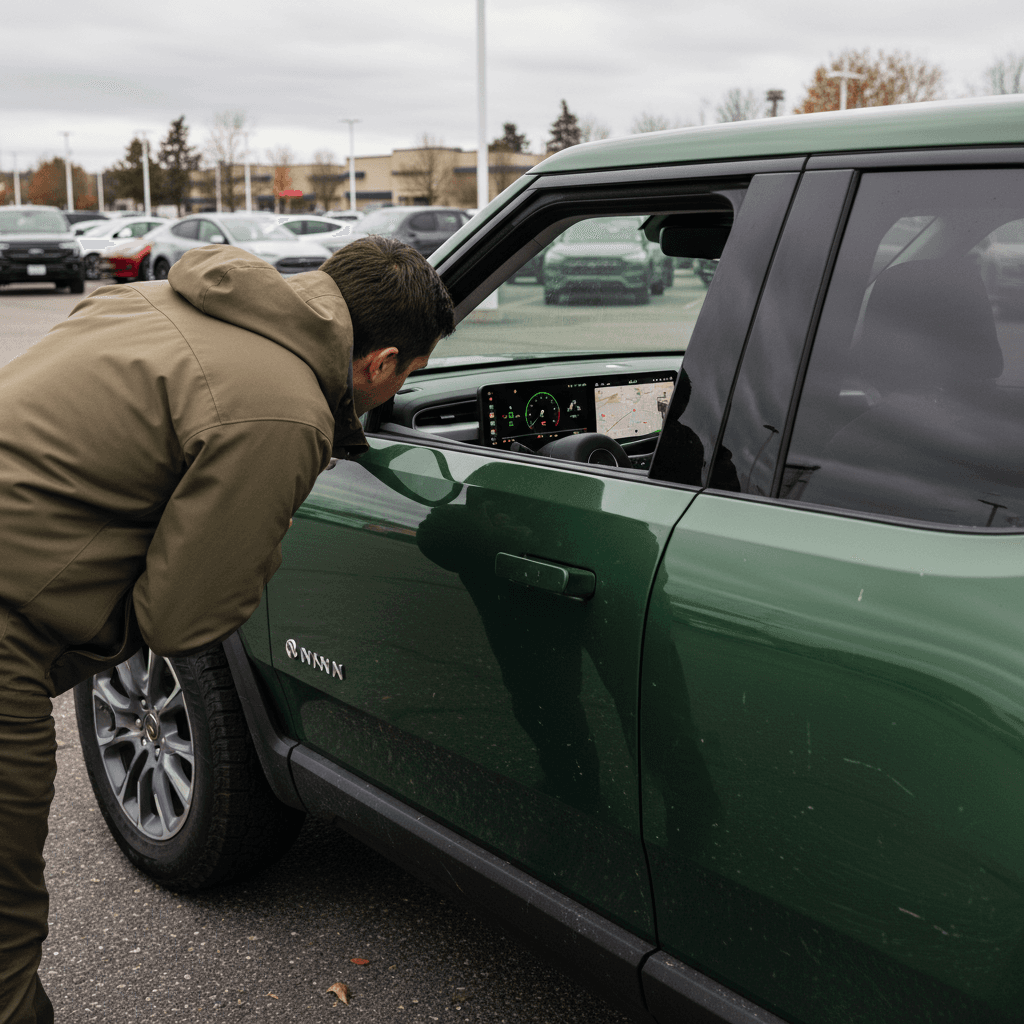
Why a Genesis GV60 buying checklist matters
The GV60 shares Hyundai Motor Group’s E‑GMP platform with the Hyundai IONIQ 5 and Kia EV6, which means excellent charging speed, refined driving dynamics, and an 800‑volt electrical architecture. But it also inherits the same EV caveats: real‑world range depends heavily on driving and climate, software can change the experience overnight, and battery health is the single biggest driver of used value.
Top reasons to use a buying checklist for the GV60
Luxury EVs pack in a lot of tech, this helps you tame the complexity.
Battery = most of the car’s value
Fast but complex charging
Warranty and software matter
Where Recharged fits in
GV60 trims, batteries, and key specs to know
Before you start inspecting individual cars, understand the basic trims, battery sizes, and performance levels. Model years 2023–2025 in the U.S. generally share a 77.4 kWh battery, while 2026+ models move to an 84 kWh pack with slightly more range. Trims differ mostly in motor count, performance, and equipment.
Genesis GV60 core trims and specs (recent US models)
Always confirm exact specs for the model year you’re shopping, but this table gives a solid starting point.
| Trim | Drivetrain | Battery (approx) | EPA range (approx) | Power (hp) | Notable traits |
|---|---|---|---|---|---|
| Advanced / Standard RWD | RWD | 77.4–84 kWh | ~294–306 miles | ~225 | Best range, rear‑drive dynamics, still well equipped |
| Advanced AWD | AWD dual motor | 77.4–84 kWh | ~250–270 miles | ~314 | More traction, strong acceleration, slightly less range |
| Performance / Sport+ | AWD dual motor | 77.4–84 kWh | ~235–255 miles | ~429–483+ | Boost mode, sport suspension, larger wheels, more features |
Range figures are EPA estimates for newer model years; earlier years are slightly lower but follow the same pattern.
Trim and wheel size affect range
Trim & options checklist
Confirm the exact trim and battery size
Ask the seller for the original window sticker or build sheet. Verify whether you’re looking at RWD or AWD, and whether it’s the newer 84 kWh pack or earlier 77.4 kWh version.
Check wheel size and tire type
Note wheel diameter and tire type (all‑season vs performance). Larger 20–21" wheels improve looks and grip but typically reduce efficiency and ride comfort.
Look for heat pump & cold‑weather features
Most GV60s include a heat pump, but verify the presence of heated seats, heated steering wheel, and battery conditioning, critical for range and fast charging in cold climates.
Inventory key tech packages
Make sure the car has the features you want: head‑up display, surround‑view camera, Bang & Olufsen audio, facial recognition, fingerprint start, and digital key functionality where available.
Battery health and range: what to verify
On an EV like the GV60, battery health is as important as mileage. Genesis backs the high‑voltage battery for 10 years or 100,000 miles against excessive degradation, but pack condition can still vary based on fast‑charging habits, climate, and how often the car lived at high states of charge.
Genesis GV60 battery & charging at a glance
Battery & range checklist
Review a recent battery health report
For used cars, ask for any third‑party diagnostics or OEM service reports. Vehicles on <strong>Recharged</strong> include a <strong>Recharged Score Report</strong> with state‑of‑health measurements, so you’re not guessing about long‑term capacity.
Compare indicated range at high state of charge
With the car near 90–100% and set to a normal drive mode, note the estimated range. Compare against the original EPA figure for that trim. Modest deviation is normal; big gaps deserve questions.
Check DC fast‑charge history if available
Frequent high‑power fast charging in very hot or very cold conditions can accelerate degradation. Ask how often the previous owner used DC fast charging vs home or Level 2 charging.
Inspect for battery‑related warnings
Turn the car on and look for any battery, charging system, or high‑voltage warning lights. Scan the infotainment for error messages, especially after a test drive with some spirited acceleration.
Evaluate real‑world efficiency
In the trip computer, review recent mi/kWh or kWh/100 mi numbers. Very poor efficiency may suggest aggressive driving, mismatched tires, or an issue that needs further investigation.
Walk away from these battery red flags
Charging speed, home setup, and connectors
The GV60’s 800‑volt architecture is one of its biggest strengths: on a 350 kW DC fast charger, it can go from about 10–80% in roughly 18 minutes in ideal conditions. At home, it supports up to ~11 kW AC charging on a 240 V Level 2 circuit, and it offers Vehicle‑to‑Load (V2L) capability to power external devices.
What to verify on the car
- Charge port door: Opens and closes smoothly, no binding or error messages.
- Connector type: U.S. GV60s use a CCS1 DC fast‑charge inlet (with J1772 pattern for AC). Confirm pins are clean and undamaged.
- Charging settings: Check for charge limits, schedules, and battery conditioning options in the infotainment menus.
- Included equipment: Verify the portable Level 1 cord, V2L adapter, and any home charging hardware that’s supposed to come with the car.
What to verify at home (or plan for)
- Dedicated 240 V circuit: Most owners will want a 40–60 A circuit for a hardwired Level 2 charger, giving roughly 30–40 miles of range per hour.
- Panel capacity: Have an electrician confirm your panel can support an EVSE plus existing loads.
- Cable length & location: Make sure the charge cable reaches your preferred parking spot without stretching.
- Public charging access: Map nearby DC fast and Level 2 stations you’d actually use. Don’t assume all stations are reliable, check reviews.
Easy way to test DC charging
Inspection checklist: exterior, interior, and tech
Genesis positioned the GV60 as a design‑led luxury EV, so cosmetic condition and interior wear tell you a lot about how the car was treated. Pair a visual inspection with a methodical tech check, because much of the GV60’s value lives in its screens, sensors, and comfort features.
Walk‑around & interior inspection checklist
Body panels, glass, and paint
Inspect for mismatched panel gaps, overspray, or paint texture differences that could indicate prior repairs. Check windshield and roof glass for chips or cracks, especially near the edges.
Wheels, tires, and brakes
Look for curb rash on wheels and uneven tire wear. Confirm tire age and type, and ensure there’s decent tread depth. Check brake rotors for excessive scoring or lip formation, EVs use regen heavily, but hardware should still be in good shape.
Lighting and exterior tech
Test all exterior lights, including LED DRLs, headlights (low and high), turn signals, and brake lights. Verify power mirrors, power liftgate, and any auto‑present or welcome‑light functions work smoothly.
Seats, upholstery, and touch points
Inspect seat bolsters, armrests, and steering wheel for excessive wear, discoloration, or squeaks. Adjust every seat function, including memory positions, lumbar, heating, and ventilation where equipped.
Infotainment & cluster
Power on the car and test the central screen and instrument cluster. Make sure navigation, audio, Bluetooth, Apple CarPlay/Android Auto (if available), and vehicle settings all respond quickly, without freezing or odd glitches.
Keys and digital access
Confirm you receive all physical keys and that any digital keys (phone key, card key) are properly reset for the new owner. Test the fingerprint and facial‑recognition start features if the car has them.
Watch for intermittent tech gremlins
Test-drive checklist: how the GV60 should feel
The GV60 should feel composed, quiet, and confident. Acceleration, even in the base RWD car, is strong and linear. The cabin should be nearly silent at city speeds, with only modest wind and tire noise on the highway despite its short wheelbase.
- Start with a cold start: Listen for any unusual clunks or compressor noises when you first power up and shift into gear.
- Low‑speed maneuvers: In a parking lot, test steering at full lock, slow‑speed creep, and one‑pedal driving modes. There should be no binding, grinding, or harsh jolts.
- Acceleration tests: In a safe place, do a few moderate and one strong launch. The car should pull smoothly with no shuddering, traction warnings (in dry conditions), or sudden power cuts.
- Braking feel: Try both gentle and firm stops. Pedal feel should be consistent, and the transition between regeneration and friction braking should be smooth.
- Ride and noise: At 45–70 mph, listen for wind leaks around doors and panoramic roof, as well as any droning from tires or wheel bearings.
- Driver‑assist behavior: Engage adaptive cruise and lane‑keeping on a clearly marked road. The car should track lanes cleanly without ping‑ponging or abrupt braking.
Pay attention to calibration
Software features and driver-assistance systems
Like most modern EVs, the GV60 is as much software as hardware. Feature sets can differ by model year and trim, and OTA (over‑the‑air) updates can change behavior. You’ll want to confirm the car you’re buying has the driver‑assistance, connectivity, and comfort features you actually care about.
High‑value GV60 software & ADAS features to verify
These influence safety, comfort, and daily usability.
Highway driver assistance
Cameras and parking aids
Connectivity and apps
Digital key & biometrics
Check software version and updates
Warranty, history, and service records
Genesis offers a competitive warranty package, especially on the high‑voltage battery. But you still need to know what coverage remains, and whether previous owners kept up with service and recall visits.
Typical Genesis GV60 warranty coverage (U.S.)
Exact terms can vary by model year and market; always verify against the specific car’s in‑service date and documentation.
| Coverage type | Typical term | What it covers |
|---|---|---|
| Basic / bumper‑to‑bumper | 5 years / 60,000 miles | Most components aside from normal wear items. |
| Powertrain | 10 years / 100,000 miles | Electric motors, reduction gear, related components. |
| High‑voltage battery | 10 years / 100,000 miles | Battery pack defects and excessive degradation within policy limits. |
| Corrosion perforation | 7 years / unlimited miles | Rust‑through on body panels from the inside out. |
| Roadside assistance | 5 years / unlimited miles | Towing, lockout, and basic roadside services. |
Battery and powertrain coverage help protect against early‑life failures, but don’t replace a proper inspection.
Paperwork & history checklist
Confirm in‑service date and remaining warranty
Use the VIN and a Genesis dealer to confirm when the car was first sold and how much basic and battery warranty remains. CPO cars may add coverage on top.
Pull a full vehicle history report
Look for accidents, airbag deployments, title issues, odometer discrepancies, or persistent insurance claims. Moderate accidents aren’t necessarily a deal‑breaker, but they should be reflected in the price.
Review service records
Request maintenance invoices or a dealer service history. Pay attention to repeat visits for the same problem, especially charging, electronics, or 12‑volt battery drain issues.
Check recall and TSB status
Ask the seller or a Genesis service department to confirm all safety recalls and important service bulletins have been completed.
Verify lien release and title status
Make sure there are no outstanding loans on the vehicle and that the title is clean (unless you’re knowingly buying rebuilt/salvage at a steep discount).
Pricing, negotiation, and total cost of ownership
Genesis GV60s tend to depreciate faster than some rival luxury EVs, which actually makes them attractive in the used market. But not all cars are priced fairly given their mileage, battery health, and equipment. You want to anchor negotiations on total value, not just asking price.
Pricing questions to ask
- How does this price compare to similar GV60s? Look at mileage, trim, options, and condition.
- Has the car had major repairs? Prior accident history and bodywork should be reflected in the price.
- What’s included? Verify chargers, V2L adapter, winter wheels, and any dealer add‑ons.
- Is financing available? For used EVs, rates and terms can vary widely. A marketplace like Recharged can help you compare financing options and pre‑qualify without impacting your credit.
Ownership costs to model
- Electricity vs fuel: Estimate your kWh usage and local electricity rates vs your current fuel spend.
- Insurance: Quote insurance with the VIN, luxury EVs can be more expensive to insure.
- Maintenance and tires: EVs skip oil changes, but GV60’s performance trims can eat through tires faster.
- Incentives and HOV access: Check for state or local incentives on used EVs, utility rebates for charging hardware, or carpool lane perks.
Use data, not vibes, to negotiate
Ready to find your next EV?
Browse VehiclesGenesis GV60 buying checklist summary
A GV60 that’s been cared for, charged mostly at home, kept up to date on software, and maintained by a dealer who understands EVs, can be one of the most compelling luxury crossovers you can buy used. The key is to treat the battery and charging as carefully as you would an engine and transmission on a gas car, while also confirming the layers of software, driver assistance, and comfort tech that define the GV60 experience.
- Know your trims, battery size, and wheel options before you shop.
- Verify battery health and DC fast‑charging performance where possible.
- Plan your home charging setup and confirm the car’s charging hardware and accessories.
- Inspect exterior, interior, and tech features methodically, don’t rush the walk‑around.
- Use the test drive to validate ride quality, NVH, and driver‑assist behavior.
- Confirm warranty status, recall completion, and service history in writing.
- Evaluate price against battery health, equipment, and your total cost of ownership.
If you’d rather not assemble all of this on your own, consider shopping for a GV60 on Recharged. Every vehicle comes with a Recharged Score Report that measures battery health, a fair‑pricing analysis, EV‑savvy financing support, and the option for nationwide delivery or an in‑person visit to our Experience Center in Richmond, VA. That way, you get the upside of a sophisticated EV like the GV60, without the guesswork.