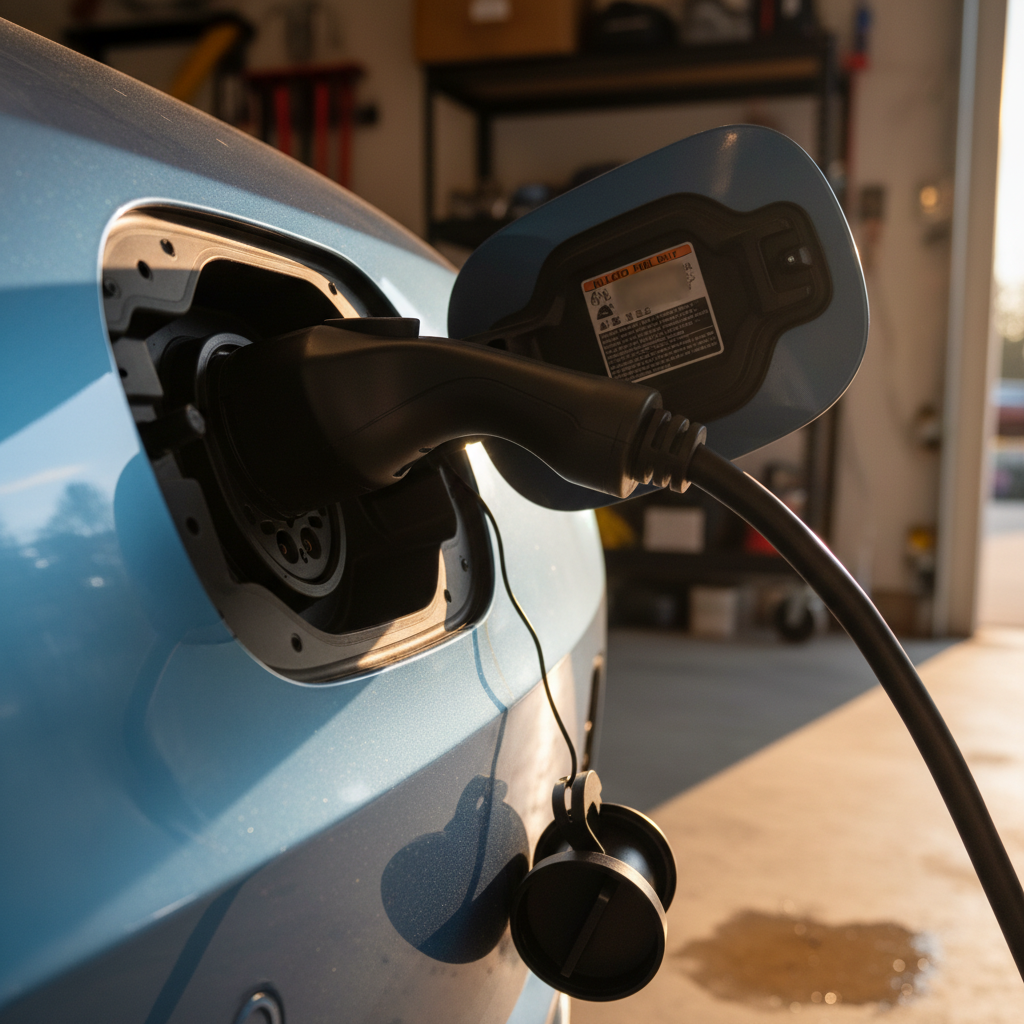
You plug in, the lights start dancing, then, beep, charging stops and a cryptic fault code or red LED shows up. If you own an EV long enough, you *will* see EV charging error codes, and the most common ones don’t always mean something is seriously wrong. This guide breaks down the most common EV charging error codes and warning lights you’ll see at home and at public stations, in plain language, so you know when to try again, when to move on, and when to call for help.
Good news
Why EV charging error codes feel so confusing
Part of the problem is that there isn’t one universal set of EV charging error codes. Your **car** has its own messages, the **charger** has its own lights and numbers, and the **network app** may throw in a third opinion. On top of that, different brands use different symbols: solid red lights, blinking patterns, alphanumeric codes like CP_a139, or generic messages like “Charging equipment fault.”
- Home Level 1 and Level 2 units (EVSE) usually rely on patterns of green/blue/red LEDs to indicate standby, charging, and various faults.
- Public J1772 and CCS stations often combine a small screen with colored lights and network error codes.
- Tesla puts plain‑English messages on the car’s screen and in the app, while the Wall Connector uses its own light codes.
Simplify the diagnosis
How EV chargers talk to your car (and where errors start)
Every modern EV charger, whether it’s a simple J1772 Level 2 unit or a 350 kW DC fast charger, has the same basic job: safely deliver power only when the plug is fully seated, the car is ready, and the circuit can handle the load. To do that, the charger and car constantly “chat” over a small control wire called the **control pilot** (or additional digital communication for DC fast charging). If that conversation gets garbled or out of spec, you’ll see an error.
Most-common causes of charging errors
- Bad communication between car and charger (control pilot issues, software bugs).
- Power problems: low voltage, overloaded circuit, GFCI trips, utility brownouts.
- Overheating in the plug, adapter, or internal electronics.
- Mechanical issues: bent pins, debris or water in the inlet/connector.
Where you’ll see the symptoms
- On the charger: blinking red LEDs, fault icons, or numeric codes.
- In the car: messages like “Charging equipment fault” or “Charging stopped.”
- In the app: errors about authorization, session timeouts, or power loss at the end of a charge.
Figuring out whether it’s the car, the charger, or the wiring is the key to fixing it fast.
Common home EVSE error lights and what they mean
Home Level 1 and Level 2 units tend to use lights more than words. While each brand has its own pattern, common EV charging error codes and LED behaviors fall into a few buckets.
Typical patterns on home EV chargers
Common home EVSE light patterns and likely causes
Exact patterns vary by brand, but these are some of the most common fault types you’ll see on J1772 wall units and portable chargers.
| What you see | What it usually means | What to try first |
|---|---|---|
| Solid green, no charging | Car not requesting charge (schedule, charge limit reached, or unplugged) | Check car’s charge limit and schedule; verify connector is fully seated. |
| Flashing blue or green | Normal charging in progress | No action needed, this is the healthy state on most units. |
| Flashing red (1 blink pattern) | Ground fault or improper wiring detected | Stop using the outlet, check for GFCI trips, and have an electrician inspect the circuit. |
| Flashing red (2–3 blinks) | Over‑temperature in plug, adapter, or internal electronics | Let everything cool, inspect for damage or loose fit, reduce amperage if unit supports it. |
| Alternating green/red | Internal EVSE fault or failed self‑test | Power‑cycle at the breaker; if it returns, contact the charger manufacturer for service or replacement. |
| All lights off | No power to the unit or tripped breaker | Check breaker panel and any inline GFCI; verify outlet actually has voltage. |
Always confirm with your specific charger’s manual, but this table can narrow down where to look first.
Don’t ignore repeated red faults
Tesla charging errors and messages you’ll see
Tesla does a better‑than‑average job of writing charging errors in English, but you’ll still see a few common EV charging error codes and phrases repeated whether you’re using a Wall Connector, Mobile Connector, J1772 adapter, or Supercharger.
Common Tesla charging error messages (plain-English version)
These show up on the car’s display and in the app; severity ranges from minor annoyance to “don’t try again until something’s fixed.”
“Charging equipment fault” (e.g., CP_a139)
The car detected that the external charger reported a problem or failed a self‑check. This is usually about the charger, adapter, or outlet, not your car.
Try: another charging station, different outlet, or different adapter. If Supercharging works fine, the car’s charge hardware is likely healthy.
“Charging equipment not ready”
Often seen with third‑party J1772 stations or networks in transition. The station isn’t fully authorized or finished its checks.
Try: starting the session from the network app, moving to another station, or waiting for the unit to reboot.
High temperature / cable hot
The car or Wall Connector detected abnormal heat in the plug, wiring, or adapter and reduced or stopped charging.
Try: checking for loose or damaged connectors, charging at a lower current, and keeping adapters out of direct sun.
“Power lost while charging” at end of session
Common with mobile connectors on marginal circuits: the car finished charging but saw voltage drop, a breaker trip, or a brief power cut.
Try: using a dedicated circuit, checking for shared heavy loads (dryers, space heaters), and confirming breaker size vs. charge rate.
Solid red on Tesla Wall Connector
Different blink counts map to different internal faults, anything from GFCI trips to board failures.
Try: flipping the breaker off for 30 seconds and back on. If the specific red pattern returns every time, Tesla typically recommends replacement.
New stuck‑cable release feature
On newer software, some Teslas let you stop charging and release a stuck cable by holding the rear left door handle for ~3 seconds, instead of digging for the manual release.
It’s meant as a backup when the station or car has a communication glitch and won’t let go of the connector.
What Tesla errors mean for buyers
Ready to find your next EV?
Browse VehiclesJ1772 and CCS public charger errors
Public Level 2 (J1772) and DC fast (CCS or NACS) stations add two more ingredients to the error stew: **payment/authorization systems** and **network software**. That’s why you can sometimes plug in, see “charging started,” get to 0.01 kWh, and then watch the session die.
Common public charger error patterns
From J1772 workplace posts to 350 kW highway fast chargers, these are the issues real drivers report most often.
| Symptom | Likely cause | What to try |
|---|---|---|
| Session stops at 0.01–0.05 kWh | Network or billing authorization hiccup; car and charger never really agreed to deliver power | Restart using the app instead of tap‑to‑pay; try a second cable at the same site, or move to another brand of station. |
| “Connector error” / red light as soon as you plug in | Poor contact, bent pin, or debris in plug/inlet; sometimes a damaged adapter | Visually inspect pins on both sides; try another cable; avoid forcing any connector that doesn’t seat smoothly. |
| Repeated “charger fault” across many stations, but DC fast works | On‑board AC charger issue in the car (the part that handles Level 1/2) | Try several different Level 2 units; if they all fail, schedule service, especially if DC fast charging still works normally. |
| Timeout errors after 30–60 seconds of “preparing to charge” | Slow network or charger firmware bugs, especially on older hardware or with new adapters (CCS↔NACS) | Be patient for a full minute; if it still fails, try a different stall or network, and report the site in the app. |
| Breaker or internal protection trips a few minutes into charging | Current set too high for wiring, or adapter/plug overheating | Dial down current in the car if possible; if a specific unit always trips, avoid it and report to the site host. |
Exact wording varies by network, but the underlying causes tend to be similar.
Don’t judge your car by one bad charger
When it’s the car vs when it’s the charger
The question every EV driver asks after a charging error: **“Is something wrong with my car, or is this charger junk?”** You can get surprisingly far with a simple A/B test.
Probably the charger or wiring if…
- Other cars at the same site are also having trouble, or that unit is often marked “offline” in the app.
- Your car charges fine at home and at other public chargers.
- Errors go away when you move one stall over or switch networks.
- Your charger’s manual mentions the exact LED pattern as a GFCI/wiring fault.
Probably the car or adapter if…
- The same error follows you to multiple locations and different brands of stations.
- DC fast charging works but Level 1/2 (J1772 or wall unit) fails everywhere, or vice versa.
- You’ve swapped adapters and cables, but the error code or behavior is identical.
- You see other electrical symptoms, like 12‑volt battery warnings or random charging stops at home.
Keep a simple charging log
Quick troubleshooting checklist by symptom
Match what you see to what you should do next
1. Charger light turns red instantly
If the charger or car goes to a fault state the moment you plug in, unplug and inspect both connectors for bent pins, corrosion, or debris. Try a different stall or outlet. If it keeps happening everywhere, your adapter or car’s inlet may need service.
2. Charging starts, then stops after a few minutes
This pattern often points to overheating or a marginal circuit. Feel the plug (carefully) for unusual heat, check that you’re on a dedicated circuit, and if possible reduce the charge current in your car’s settings and try again.
3. Session never really starts (0.00 or 0.01 kWh only)
Networked public chargers may show “charging” before payment fully clears. Restart the session with the network’s app, try a different payment method, or move to another stall. If Level 2 always drops out instantly but DC fast is fine, mention that combination to your service advisor.
4. Home charger faults only in bad weather
Moisture intrusion can trigger GFCI or ground‑fault errors. Check covers, cable entry points, and outdoor receptacles. Avoid using any outdoor EVSE that shows water damage or corrosion; have the installation inspected if faults repeat in rain or snow.
5. Car charges on Level 3 but not on Level 2
Your high‑voltage battery is probably okay if DC fast charging works, but the on‑board AC charger or J1772 charging path could have an issue. Get it checked, especially if you rely heavily on home or workplace Level 2 charging.
6. Error only appears with a specific adapter
Some third‑party adapters are very sensitive to heat, slightly out‑of‑spec pins, or high current. If a problem disappears with a different adapter or direct plug, retire the flaky one and contact the manufacturer about firmware updates or replacement.
Safety first: what NOT to do with charging errors
EVs are remarkably good at protecting themselves. If the car or charger refuses to start a session, there’s a reason, even if the message you see is vague. A few hard rules will keep a minor EV charging error from becoming an expensive repair.
Charging don’ts
If you’re ever unsure, stop and call the charger manufacturer, your automaker’s roadside line, or a qualified electrician. In the used‑EV world, good documentation of how a charging issue was handled is far better than a mystery fault code that shows up with no explanation.
How charging errors affect a used EV purchase
When you’re shopping used, especially from a private seller, it’s absolutely fair to ask, “Have you had any **recurring charging errors**?” The pattern matters more than any one code. A one‑off “charger not ready” at a mall unit is background noise. A history of “charging stopped due to fault” at multiple locations is a story you want to hear in full.
Green flags
- Owner can show successful sessions at home and on at least one public network.
- Any past errors were clearly tied to a specific flaky charger that other drivers complained about too.
- Service records show resolved issues, like a replaced home EVSE or updated adapter.
Yellow and red flags
- Car only charges on DC fast but not on Level 1/2 anywhere, or the reverse.
- Seller mentions needing to “reset breakers all the time” or lower charge current dramatically just to avoid faults.
- There’s visible damage, discoloration, or melting on the charging inlet or cable ends.
Where Recharged fits in
FAQ: EV charging error codes
Common questions about EV charging error codes
The bottom line on EV charging error codes
EV charging error codes can look intimidating, but most of the time they’re your car and charger teaming up to say, “Something isn’t right, let’s stop before we break anything.” Once you know the common patterns, instant red lights, sessions that die at 0.01 kWh, overheating warnings, it gets much easier to decide whether to reset, move to another stall, call an electrician, or schedule service.
If you’re already an EV owner, a little familiarity with these common EV charging error codes will save you time, worry, and useless return trips to the same broken station. And if you’re shopping for a used EV, especially through a digital retailer like Recharged, asking the right charging questions, and leaning on tools like the Recharged Score Report, means you can focus on the range and features you want instead of wondering what that blinking red light is trying to tell you.