The BMW i5 is one of the most polished electric sedans on the road, quiet, quick, and unmistakably BMW. But like every first‑generation EV built on a new platform, it comes with a few quirks. Owners have reported recurring BMW i5 common problems around charging, software, comfort, and driver‑assist tech. The good news: most of them are fixable with simple steps, dealer updates, or smarter settings.
What this guide covers
Overview: How Reliable Is the BMW i5 So Far?
Mechanically, the i5 is off to a strong start. Its electric motors and battery pack are shared with other BMW EVs and have not generated widespread hardware‑failure stories. Most problems owners talk about fall into three buckets: software and infotainment bugs, charging behavior (especially scheduled charging and public fast charging), and comfort/usability annoyances, things that won’t strand you, but can drive you crazy on a Tuesday night in the driveway.
BMW i5 Problem Profile at a Glance
BMW i5 Common Problems & Quick Fix Cheat Sheet
Most Common BMW i5 Problems and Fast Fixes
Use this as your 2‑minute triage guide before diving into details.
1. Scheduled charging doesn’t work
Symptom: You set off‑peak hours, but the i5 charges immediately or not at all.
- Check for known‑bug software versions (24‑07, 11/2024, etc.).
- Disable utility programs like ChargeForward or any "smart" charging profile in the app.
- Set charging schedule in one place only (car or wallbox, not both).
- Perform a soft reboot and let the car sleep for 10–20 minutes.
2. Public DC fast charging is flaky
Symptom: Plug‑and‑Charge fails, sessions stop instantly, or free‑charging promos don’t trigger.
- Start sessions from the My BMW app instead of relying on Plug‑and‑Charge.
- Move to another stall or different station brand; the problem is often network‑side.
- Check for campaign updates related to charging promos if the car was sold with them.
3. Charge flap/port won’t open
Symptom: Tap to open, but the flap stays shut or sticks.
- Toggle "keep charge flap unlocked" in charging settings.
- Lock/unlock the car and wait 30–60 seconds.
- If stuck repeatedly, request a warranty replacement of the flap and latch assembly.
4. iDrive glitches and random resets
Symptom: Blank screens, frozen CarPlay/Android Auto, or settings reverting.
- Perform an iDrive reboot via long‑press on the volume button.
- Delete and re‑pair your phone; clear old profiles.
- Ask the dealer for the latest iDrive update and any campaign bulletins.
Tip for used i5 shoppers
Charging Problems on the BMW i5 (Home & Public)
If there’s a theme in i5 owner stories, it’s this: the car itself charges well, but the logic deciding when and how to charge can be fussy. That’s partly because BMW layered its own rules on top of utility programs and third‑party charger logic. The result can be a tug‑of‑war between the car, the wallbox, and the app.
1. Scheduled charging that ignores your schedule
Several i5 owners discovered that scheduled charging either never starts, starts at random times, or briefly starts then stops. In some software builds, BMW has acknowledged that the feature is simply buggy. On others, it’s a configuration and communication problem between the car, the My BMW app, and certain utility or charger programs.
- Turn off all third‑party or utility programs first. If you’ve enrolled in a grid‑managed plan like ChargeForward or your power company’s smart‑charging program, temporarily disable it. Those tools can override your car’s own schedule.
- Pick one brain to be in charge. Either schedule charging in the BMW i5 itself OR in your home charger app, not both. Dual schedules are a classic reason an EV never starts charging.
- Reset the car’s charging profile. In the Charging menu, delete existing departure times and preferred schedules, then set up one clean schedule that matches your off‑peak window.
- Do an iDrive soft reboot. With the car on, hold the volume button for ~30 seconds until the screen goes black and the system restarts. Then plug in and test again.
- If you’re on a known‑bug software version, ask your dealer about the next campaign update and whether BMW advises avoiding scheduled charging until it’s patched. Document the issue in writing with screenshots.
When to involve the dealer
2. BMW i5 won’t charge, or keeps stopping, on public DC fast chargers
The i5 supports up to about 205 kW on DC fast chargers, which is plenty brisk. Most horror stories about road‑trip charging are not “the car broke,” but “the conversation between car and station went sideways.” That shows up as Plug‑and‑Charge failures, sessions that stop at zero minutes, or free‑charging promotions that don’t kick in.
Checklist: If your i5 misbehaves on a DC fast charger
1. Start session from the My BMW app
Instead of relying on Plug‑and‑Charge or the station’s screen, open the My BMW app, choose the station, and start the session there. It often bypasses flaky station software.
2. Move to a different stall
On many networks, each stall has its own power module and brain. Stall 1 can be broken while Stall 2 works perfectly. Don’t waste 30 minutes rebooting the wrong hardware.
3. Try another network if possible
If you suspect a specific brand’s reliability, note it and try another station down the road. Keep clear photos or screenshots; they help document issues with both BMW and the charging provider.
4. Check for campaign updates on promos
If your i5 came with a free fast‑charging promotion and it suddenly stops working after a software update, ask the dealer to check for campaign notes and re‑activate entitlements if needed.
5. Capture error codes
If the car throws a charging error, snap a photo of the cluster and infotainment messages. That information is gold for the service department if there’s a deeper EVSE or onboard‑charger fault.
Charge Port & Flap Not Opening: Causes and Fixes
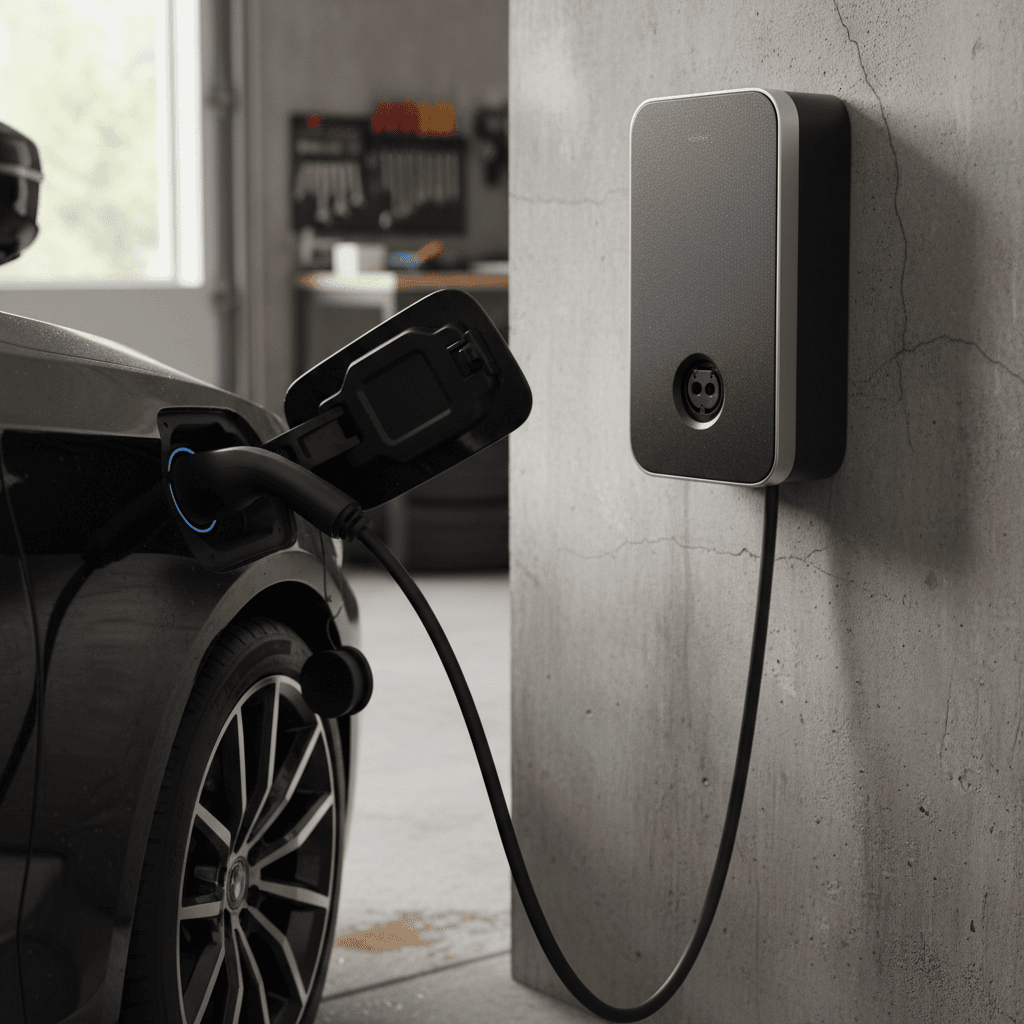
A surprising number of owners mention the i5’s charge flap refusing to open, especially after software updates or when the car has been sitting outside in hot or cold weather. In early cars, the electric latch mechanism itself appears to be a weak point.
Common symptoms
- You tap the flap and hear a faint click, but it doesn’t open.
- The flap opens only after moving the car or cycling drive modes.
- There’s no manual release, so you feel stuck if the electronic release fails.
- Behavior worsens after a specific software update or after locking the car while charging in public.
DIY steps before the dealer visit
- In the charging settings, toggle the option that keeps the charging flap unlocked, then lock and unlock the car and try again after 30–60 seconds.
- Reboot iDrive, then step out, lock the car, let it sit for 5–10 minutes, and try again. This lets the body control modules go to sleep and restart.
- If the car just came out of a wash or storm, gently clear ice or debris around the flap. Don’t pry with tools; you don’t want to scratch the paint or snap the hinge.
- If it opens once and then sticks again later, record a short video of the behavior, this is exactly the kind of evidence that helps the service advisor get a replacement approved under warranty.
Don’t force it (unless the dealer advises)
Software & Infotainment Bugs (iDrive 8.5/9)
Underneath the smooth graphics and ambient light show, your i5 is a rolling computer. And like a smartphone after a big OS update, it sometimes gets weird: random warning messages, ambient light “failures,” CarPlay hiccups, or settings mysteriously changing on their own.
Typical iDrive/i5 software annoyances
- Ambient lighting or interior feature temporarily unavailable after an over‑the‑air update, then self‑heals after a few drive cycles.
- My BMW app insisting on switching to a scheduled charge even when you’ve selected “charge immediately.”
- CarPlay or Android Auto disconnecting, freezing, or overtaking audio sources for no obvious reason.
- Random resets of charging target, charge rate, or infotainment preferences after an update or app sync.
Simple fixes that solve most i5 software quirks
How to tame BMW i5 software glitches
1. Reboot iDrive the right way
With the car on, press and hold the volume/power knob for about 30 seconds until the screen goes dark and restarts. This is your go‑to move for frozen screens or missing functions.
2. Let the car fully “sleep”
Lock the i5, walk away with the key, and give it 15–20 minutes. Background modules often finish updates and self‑repair during this sleep cycle.
3. Clean up Bluetooth and CarPlay
Delete your phone from the car and the car from your phone. Re‑pair from scratch and avoid connecting multiple phones at once, which can confuse audio and phone priority.
4. Align settings between car and app
Open Charging and profile settings in both the car and My BMW app. Make sure they actually match, conflicts can cause the system to “decide” on its own which set to obey.
5. Keep a change log
When an update triggers problems, jot down the software version, date, and symptoms. That paper trail helps when you ask the dealer for a reflash or upcoming patch.
Good news about i5 software
Driver-Assistance & Safety System Glitches
The G60 5 Series, including the i5, debuts BMW’s latest highway assistant, lane‑change with eye activation, and an increasingly complex sensor suite. When it works, it’s confidence‑inspiring. When it doesn’t, you’ll see abrupt disengagements, chimes, or warnings that refuse to clear.
Common driver‑assist complaints
- Highway Assistant refuses to engage even on clear, marked freeways.
- Lane‑keeping feels too “ping‑pongy” between lane lines.
- Speed‑limit recognition posts unrealistic limits after construction zones.
- Random, momentary warnings like “Camera blocked” on clear days.
What usually helps
- Clean cameras and sensors regularly, especially the windshield area and front bumper.
- Verify you have the feature enabled in Driver Assistance settings; some updates reset defaults.
- Use the system exactly as instructed for a few days so it can build a cleaner data profile.
- If a warning persists, have the dealer scan for stored fault codes; early sensor modules may need recalibration or replacement under warranty.
Don’t rely on driver‑assist to mask a problem
Comfort, Noise & Everyday Usability Complaints
Not every i5 complaint is about tech. Some owners simply don’t love how it rides, how easily road noise creeps in on rough pavement, or how many touches it takes to get to simple controls. These aren’t “defects,” but they do matter when you’re choosing between an i5 and something like a Tesla Model S or Mercedes EQE.
Everyday Annoyances i5 Owners Talk About
Most of these are solvable with configuration, or at least good expectations.
Firm ride on big wheels
M Sport suspension and 20‑inch wheels can make expansion joints feel sharp. If you live with bad pavement, consider smaller wheels or a non‑M sport configuration when shopping used.
Road and tire noise
Compared with some luxury EVs, the i5 lets in a bit more road noise, especially on coarse asphalt. Test‑drive on your worst local roads and factor tire choice into your expectations.
Too many screen taps
Climate and drive‑mode settings often live behind touch menus. You can soften this with programmable steering‑wheel buttons and iDrive shortcuts, but there’s no way around the screen‑heavy design.
Test‑drive like you already own it
Battery Health, Range & Long-Term Concerns
Because the i5 is still young, we don’t yet have 10‑year degradation data. What we do have is BMW’s experience with earlier EVs, an 80‑plus‑kWh usable battery pack, and owner reports that, so far, don’t point to systemic pack failures. The bigger range story is about efficiency and driving style, not a brittle battery.
What we’re seeing so far
- Real‑world highway range typically trails official ratings, especially on the more powerful M60 variant, but that’s true of almost every performance EV.
- Normal early‑life degradation, single‑digit‑percent range loss over the first few years, is expected and not unique to BMW.
- Thermal management seems capable; you don’t see widespread reports of rapid DC‑charging throttling as the car ages (though long‑term data is still coming).
How to protect your BMW i5 battery
Simple habits that extend i5 battery life
1. Avoid 0–100% daily swings
Use a charge target of 70–80% for daily driving, bumping to 90–100% only for trips. The i5 lets you pick a target; take advantage of it.
2. Don’t live at DC fast chargers
DC fast charging is great for road trips but harder on the pack than home Level 2 charging. When possible, charge slowly at home or work.
3. Precondition in extreme weather
Use departure timers so the car can warm or cool the battery while plugged in. You’ll get better performance and efficiency in both heat and cold.
4. Watch for sudden big range drops
A gradual 5–10% loss over years is normal. A sudden 20–30% drop is not; that’s dealer‑visit territory and may be warranty‑eligible.
How Recharged checks i5 battery health
Buying a Used BMW i5: What Problems to Check For
If you’re eyeing a used i5, you get to skip the worst of early‑production teething, but only if you know what to look for. The checklist below focuses on problems that show up in the first few years and that a careful inspection can catch before you sign anything.
Used BMW i5 Problem Checklist
Bring this with you when you inspect or test‑drive a used i5, or run through it with a seller or dealer.
| Area | What to Check | Good Sign | Red Flag |
|---|---|---|---|
| Charging (home) | Plug into a Level 2 unit and test “charge immediately” and one scheduled charge. | Car starts charging right away, scheduled charge begins in correct window. | Charging never starts, starts at random times, or the car ignores your settings. |
| Charging (public) | If possible, try a DC fast charger or at least review recent fast‑charge history. | Recent successful DC fast‑charge receipts or app logs. | Owner reports repeated failures on multiple networks with no clear fix. |
| Charge flap & port | Open and close the flap several times; inspect for binding or error messages. | Flap opens smoothly on first try every time; no cracking sounds. | Sticking, multiple taps required, or any previous body‑shop repair near the flap. |
| Software & screens | Cycle through iDrive menus, navigation, and phone integration. Reboot once. | Fast, smooth responses; no lingering warning messages after reboot. | Frozen screen, laggy menus, or persistent warnings about cameras, sensors, or lights. |
| Driver‑assist | Test adaptive cruise and lane‑keeping on a clearly marked road. | Smooth engagement, clear graphics, predictable lane‑keeping. | Frequent unexpected disengagements or “system unavailable” messages in good conditions. |
| Interior wear & noise | Drive on highway and rough pavement; listen for squeaks/rattles. | Quiet cabin with only modest tire noise and no buzzes. | Rattles from doors or dash, or unusually loud road noise that suggests prior damage or poor repairs. |
If you’re buying remotely, ask for a video walk‑through that hits every item in this table.
Leaning on an expert helps
BMW i5 Common Problems: FAQ
Frequently Asked Questions About BMW i5 Problems
Final Thoughts: Living Happily With a BMW i5
The BMW i5 is not a fragile science experiment. It’s a well‑engineered, comfortable electric 5 Series with the usual early‑generation software drama layered on top. Most common BMW i5 problems and fixes boil down to taming charging logic, keeping iDrive honest, and staying ahead of small hardware annoyances like a sticky charge flap.
If you already own an i5, think of this guide as your troubleshooting roadmap: start with the simple resets and configuration clean‑ups, then escalate to the dealer with notes, photos, and dates. If you’re shopping used, be picky. Drive the car the way you’ll really use it, dig into its charging and software history, and don’t be shy about walking away from a car that feels glitchy or poorly cared for.
And if you’d rather skip the detective work, that’s where Recharged comes in. Every used EV we sell, including the BMW i5, includes a Recharged Score Report with verified battery health, transparent pricing, and EV‑savvy support from first click to delivery. That way, you get the elegance and performance of an i5, with far fewer surprises once it’s in your driveway.