If you’re eyeing a **2026 Cadillac Lyriq**, or already have one in your driveway, you’ve probably heard about software glitches, charging quirks, and even a new lawsuit alleging defects. The Lyriq is a sophisticated luxury EV on GM’s Ultium platform, which means its strengths and its problems tend to revolve around software, electronics, and how all those systems talk to each other. In this guide, we’ll walk through the most common 2026 Cadillac Lyriq problems and fixes, so you know what’s normal, what’s a red flag, and how to protect yourself, especially if you’re shopping used.
Early-Production EV Reality
Overview: How Reliable Is the 2026 Cadillac Lyriq?
The 2026 Lyriq rides on the same **Ultium battery and electronics architecture** as earlier model years, which have already built a track record: software-heavy issues, occasional charging misbehavior, and some build-quality complaints, but not widespread catastrophic battery failures. Owner anecdotes range from “problem-free, love it” to “constant dealer trips,” and, as with many new luxury EVs, experiences are polarized.
Cadillac Lyriq Reliability Snapshot (Early Data)
For 2026 specifically, we’re seeing a continuation of the same core themes: **software and electronics** remain the main trouble spots, while the battery and motors have, so far, behaved relatively well. The recent class‑action lawsuit filed in April 2026 over alleged Lyriq defects adds pressure on GM to address repeat issues quickly, which can work in your favor as an owner if you document problems carefully.
What’s New for 2026, and Why It Matters for Problems
The 2026 Lyriq isn’t a clean‑sheet redesign; it’s an evolution of the 2023–2025 models. That’s both good and bad news. The good: many early software bugs have already been identified, and GM has issued multiple **Technical Service Bulletins (TSBs)** and software updates to address them across recent model years. The bad: some of those issues still surface in 2026 cars, and new features, additional driver‑assist tweaks, new infotainment apps, and evolving Google built‑in services, bring new opportunities for bugs.
- Ultium hardware remains essentially the same, so **battery behavior and charging quirks** are similar to 2024–2025 Lyriqs.
- GM has issued **“latest software” bulletins** that apply across 2023–2026 Lyriqs, rolling many fixes into dealer update packs.
- Small hardware and trim revisions (like window operation and lighting behavior) show up in internal bulletins, but not every change is obvious on the spec sheet.
Ask for the Latest Software
Most Common 2026 Cadillac Lyriq Problems
Because the 2026 model just reached driveways, most detailed complaints still come from late‑2024 and 2025 builds that share the same architecture. When you sort through owner forums, legal sites, and service bulletins, four problem categories dominate:
Top 2026 Lyriq Problem Categories
Issues you’re most likely to see, and what they feel like from behind the wheel
1. Software & Infotainment Glitches
Frozen or black screens, buggy CarPlay/Android Auto, phantom error messages, and slow boots or restarts. These are the most frequently mentioned day‑to‑day annoyances.
2. Charging & Battery Behavior
DC fast‑charge sessions ending early, odd charging curves, home charging stopping unexpectedly, and confusing state‑of‑charge readings in the app.
3. Driver-Assist & Safety Systems
Lane‑keeping or adaptive cruise systems dropping out, camera glitches, parking‑assist not engaging, or warnings that don’t match what the car is doing.
4. Build Quality & Hardware
Rattles or squeaks, window behavior issues, charge‑port door concerns, lighting quirks, and the occasional failure of components like turn signals or radio modules.
Problem 1: Software & Infotainment Glitches
If you’ve spent time with modern luxury cars, you know the new “engine” is really the software stack. The Lyriq runs **Google built‑in** alongside GM’s own layers, plus wireless CarPlay/Android Auto and a host of connected‑vehicle services. That complexity is exactly where many 2026‑era problems live.
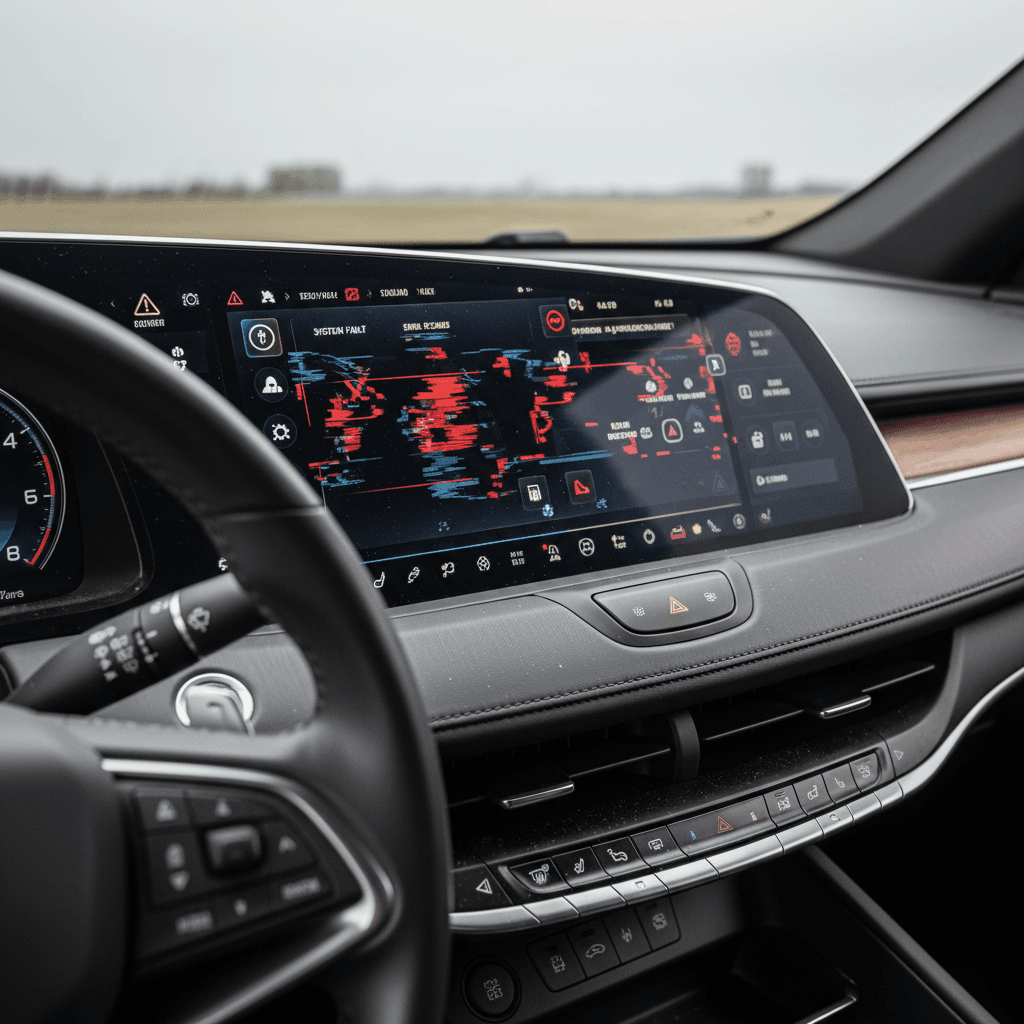
- Center screen goes **black or unresponsive**, sometimes while driving, then reboots on its own.
- CarPlay or Android Auto **disconnects randomly** or refuses to launch, even with a known‑good USB‑C cable.
- Navigation and charging‑location screens show **error codes** or fail to populate nearby chargers.
- MyCadillac app won’t update state of charge or shows stale data for days.
- Radio/audio modules fail, leaving you with no sound and limited controls until hardware is replaced.
When a Black Screen Becomes a Safety Issue
Quick Fixes for Minor Infotainment Bugs
At-Home Steps Before a Dealer Visit
Soft reset the infotainment
Use the in‑car reset procedure in the owner’s information (typically holding the power/volume control or using a menu option) to reboot the system instead of just power‑cycling the car.
Check cable and phone software
For CarPlay/Android Auto issues, confirm you’re using a **data‑capable USB‑C cable** and that your phone OS is up to date. Some Lyriq bugs only appear with older phone software.
Clear and re‑add your phone
Delete the phone from the Lyriq and remove the vehicle from your phone’s Bluetooth/CarPlay lists, then pair from scratch. This often clears ghost connection errors.
Toggle Google and built-in apps
If navigation or Google services misbehave, sign out and back into your Google account in the car, or disable/re‑enable specific apps in the settings.
Test both profiles
Some quirks are profile‑specific. Try creating a fresh driver profile and see if the problem follows you or stays with the original profile.
Document repeat failures
If the same bug returns after resets, take screenshots/photos and note the conditions. This documentation is invaluable when you talk to the dealer or Cadillac support.
When It’s Time for the Dealer
If you experience **frequent black screens, missing audio, or repeated app failures** despite basic troubleshooting, it’s time for a dealer visit. Ask specifically whether your vehicle has the **latest Lyriq software bulletins** installed. In some cases, owners report radio or display modules failing outright, which requires hardware replacement under warranty. If your car sits at the dealer for weeks awaiting parts, escalate through Cadillac’s EV support channels and document every day out of service.
Problem 2: Charging Quirks & Ultium Battery Concerns
The Ultium battery system is the heart of the Lyriq, and so far, **catastrophic pack failures are rare** compared with the volume of software complaints. But charging behavior has drawn plenty of attention. Owners of 2024–2026 Lyriqs describe odd DC fast‑charge curves, sessions that **stop earlier than expected**, and home charging that ends at a lower percentage than they set in the car.
- DC fast‑charging dropping from high power to a much lower rate around 40–50% state of charge, then slowly ramping back up.
- Public or home Level 2 sessions that **end at 60–80%** even when your target is higher.
- The MyCadillac app showing **out‑of‑date state‑of‑charge** or failing to display an active session.
- Error messages blaming the charger when other vehicles charge fine on the same station.
Normal vs. Abnormal Charging Behavior
Simple Charging Fixes You Can Try First
Charging Troubleshooting for 2026 Lyriq Owners
Verify charge targets and locations
The Lyriq lets you set different **charge limits for home vs. away**. If your car stops at an odd percentage (like 68%), double‑check both your home and away targets in the charging menu and in the MyCadillac app.
Test another station and cable
Try a different DC fast charger (and, if possible, a different network) and a second Level 2 station. If issues only happen on one unit, the problem may be with the station, not your Lyriq.
Avoid repeated top-offs to 100%
For daily driving, aim for **70–85%** as your maximum. Save 100% charges for trips. This keeps the Ultium battery happier over time and may reduce thermal‑management slowdowns.
Check for charging-related updates
Ask your dealer or EV concierge whether any **battery control module** or charging‑system calibrations are outstanding for your VIN. These updates can change how the car behaves on DC fast chargers.
Monitor 12V battery behavior
Some Lyriq owners have reported auxiliary 12‑volt battery warnings in parallel with charging issues. If you see both, tell the dealer, they may be connected.
Keep a charging log
Record date, charger brand, power level, weather, starting/ending %, and any error messages. A simple spreadsheet or notes file can make a marginal case look clear to a service manager.
When to Worry About the Ultium Pack Itself
A **sudden, permanent range loss**, strong burning or chemical smells, repeated high‑voltage error messages, or a car that refuses to take a charge at all are not normal and should be treated as urgent. Park the vehicle in an open area away from structures, contact Cadillac roadside assistance, and have it towed, don’t keep trying to force a charge. The Lyriq’s high‑voltage components carry long warranty coverage, and in worst‑case scenarios GM has replaced packs under warranty on Ultium vehicles.
Problem 3: Driver-Assist & Safety System Issues
The Lyriq packs a full suite of **camera, radar, and sensor‑based** driver‑assist tech, plus available hands‑free systems on some trims. With that complexity comes the occasional misfire. Owners report things like lane‑keeping that shuts off with no obvious reason, parking sensors that ping at nothing, and warning chimes with vague on‑screen messages.
- Lane‑keeping assist and adaptive cruise that **suddenly disengage**, even on clear roads.
- Front or rear cameras that show a **black screen or frozen image** when shifting into reverse.
- Park‑assist or cross‑traffic alerts that don’t activate when expected, or that activate constantly in light traffic.
- Inconsistent automatic high‑beam or lighting behavior that doesn’t match conditions.
Treat Assist-System Oddities Seriously
Owner Steps to Improve Driver-Assist Performance
Keep Sensors and Cameras Clean
It sounds basic, but a dirty camera lens or radar cover can cause a cascade of false alerts or system shut‑offs. Wipe camera lenses and the front/rear sensor areas regularly, especially after rain, snow, or road‑salt exposure.
Also check that no accessories (license‑plate frames, bike racks, front‑end protectors) are blocking sensors.
Recalibration and Software Updates
If you’ve had body work, glass replacement, or a significant pothole impact, your Lyriq’s sensors might need **recalibration**. Ask the dealer to verify calibration status, and confirm that any driver‑assist‑related TSBs have been applied.
Bring video of the behavior if you can safely capture it, seeing the glitch helps technicians reproduce it.
Problem 4: Build Quality, Noises & Hardware Gremlins
Luxury buyers expect vault‑like quiet and rock‑solid fit and finish. Most 2026 Lyriqs deliver that, but there are enough reports of **rattles, window behavior issues, and hardware failures** to take them seriously, especially when you’re shopping used.
Common 2026 Lyriq Hardware & Build-Quality Complaints
What owners report and how serious it usually is
| Issue | How It Shows Up | Typical Fix | Owner Impact |
|---|---|---|---|
| Turn-signal / lighting failures | Blinkers or headlamps stop working, car may be inoperable until repaired | Module or harness replacement under warranty | High, car can be undriveable and stuck at the dealer for days |
| Window auto-up/down glitches | One or more windows roll down/up by themselves or refuse to auto‑index properly | Window regulator or software update per bulletin | Medium, annoying, potential water intrusion if not fixed |
| Interior rattles / squeaks | Noises from dash, doors, or rear cargo over rough pavement | Trim adjustments, clips, or insulation added by dealer | Low to Medium, mostly comfort, but check for water leaks |
| Charge-port door concerns | Door not closing cleanly or fluttering at speed | Adjustment or replacement of hinge/door assembly | Low to Medium, cosmetic, but can expose components if severe |
| Radio/audio module failures | No sound, dead radio, or limited controls; may coincide with software updates | Module replacement; sometimes long wait for parts | Medium, reduces enjoyment and value, but car typically drivable |
Not every Lyriq will experience these problems, but they’re worth checking on a test drive.
Use Warranty While You Have It
Recalls, Service Bulletins & the April 2026 Lawsuit
By spring 2026, the Lyriq has accumulated **multiple recalls and TSBs** across the 2023–2025 model years, many of which also apply to 2026 builds. These range from head‑restraint compliance to software updates for electronic modules. On April 10, 2026, a class‑action lawsuit was filed in the U.S. alleging that GM knew about certain Lyriq defects and didn’t address them adequately, citing repeated software and electrical issues.
- Formal **recalls** focus on safety‑related issues (for example, seating/head‑restraint compliance or critical electronic behavior).
- **Technical Service Bulletins (TSBs)** cover known problems and fixes that dealers can apply when owners complain, even when there’s no official recall.
- The lawsuit doesn’t automatically mean your individual 2026 Lyriq is unsafe, but it does underline how important it is to **keep up with updates and document repeat issues**.
How to Check Your Lyriq for Recalls
DIY Fixes vs. Dealer Visits: Where to Start
You can’t reprogram modules from your driveway, but you also don’t need to run to the dealer for every hiccup. A smart owner starts with simple, reversible checks, then escalates when symptoms point to something deeper.
Good DIY Candidates
- Infotainment soft resets and profile cleanup.
- Verifying charge targets and on/off‑peak schedules in the car and app.
- Cleaning sensors and cameras; checking for blocked radar areas.
- Listening for rattles and noting when/where they occur.
- Testing different chargers and cables to rule out station problems.
These steps cost you little more than time and can either resolve the issue or give you a much clearer story for the service advisor.
Dealer or EV Specialist Only
- Frequent black‑screen events or loss of cluster display.
- Persistent driver‑assist malfunctions or warning lights.
- Charging that fails across multiple stations and cables.
- Any high‑voltage, battery, or 12‑volt system warnings.
- Hardware failures (turn signals, lights, radio modules, windows).
For these, you want a dealer with strong EV experience, or a used‑EV specialist like Recharged involved in the inspection or purchase process.
Don’t Ignore ‘Intermittent’ Problems
Buying a Used 2026 Cadillac Lyriq: Checklist
If you’re shopping a used 2026 Lyriq, treat it like any high‑tech luxury car: fantastic when sorted, expensive and frustrating if you inherit someone else’s problems. Here’s how to tilt the odds in your favor.
Used 2026 Lyriq Pre-Purchase Checklist
1. Scan for software and electrical history
Ask for service records showing software updates, module replacements, or repeated visits for infotainment or electrical issues. A car with one or two documented fixes and no recent complaints can actually be a better bet than a car with no history at all.
2. Confirm recall and TSB status
Have a dealer run the VIN for open campaigns, or work with a retailer like <strong>Recharged</strong> that integrates recall/TSB checks into their inspection. Make sure all safety‑related items are completed before you take delivery.
3. Test charging in the real world
If possible, plug into both a Level 2 charger and a DC fast charger during your test period. Confirm the car reaches the charge target you set and doesn’t repeatedly drop sessions without clear explanation.
4. Stress-test infotainment and apps
Spend at least 15–20 minutes using navigation, CarPlay/Android Auto, Bluetooth audio, and the MyCadillac app. Watch for freezes, error codes, or pairing frustrations that could hint at deeper issues.
5. Listen for rattles & check windows
Drive on rough pavement at low and moderate speeds with the stereo off. Operate every window fully several times. Any odd noises or behavior should be noted and addressed under warranty.
6. Get independent battery & health data
A generic OBD scan won’t tell you much about Ultium. Look for a retailer that can provide a **battery‑health report** and charging behavior data; at Recharged, that’s built into the Recharged Score so you’re not guessing about pack condition.
7. Understand your warranty runway
Confirm the in‑service date, mileage, and remaining coverage on both the bumper‑to‑bumper and high‑voltage warranties. A lightly used 2026 Lyriq with several years of coverage left gives you time to surface and fix any latent issues.
FAQ: 2026 Cadillac Lyriq Problems & Ownership
Frequently Asked Questions About 2026 Cadillac Lyriq Problems
Bottom Line: Should 2026 Lyriq Problems Scare You Off?
The **2026 Cadillac Lyriq** is not a trouble‑free appliance, and neither are most first‑wave luxury EVs packed with software and sensors. Where the Lyriq tends to stumble is in the very places that make it feel modern: infotainment, connected services, and complex driver‑assist electronics. The flip side is that many of those issues are **software‑fixable** under warranty, and the Ultium powertrain itself has, so far, shown fewer catastrophic failures than the loudest anecdotes might suggest.
If you’re honest about that trade‑off, do your homework on recalls and updates, and insist on thorough inspection and charging tests, especially when buying used, a 2026 Lyriq can deliver quiet, quick, and genuinely luxurious electric driving. And if you’d rather not navigate that process alone, a used‑EV specialist like Recharged can help you find a Lyriq with the **battery health, software history, and pricing** that make sense for the long haul.