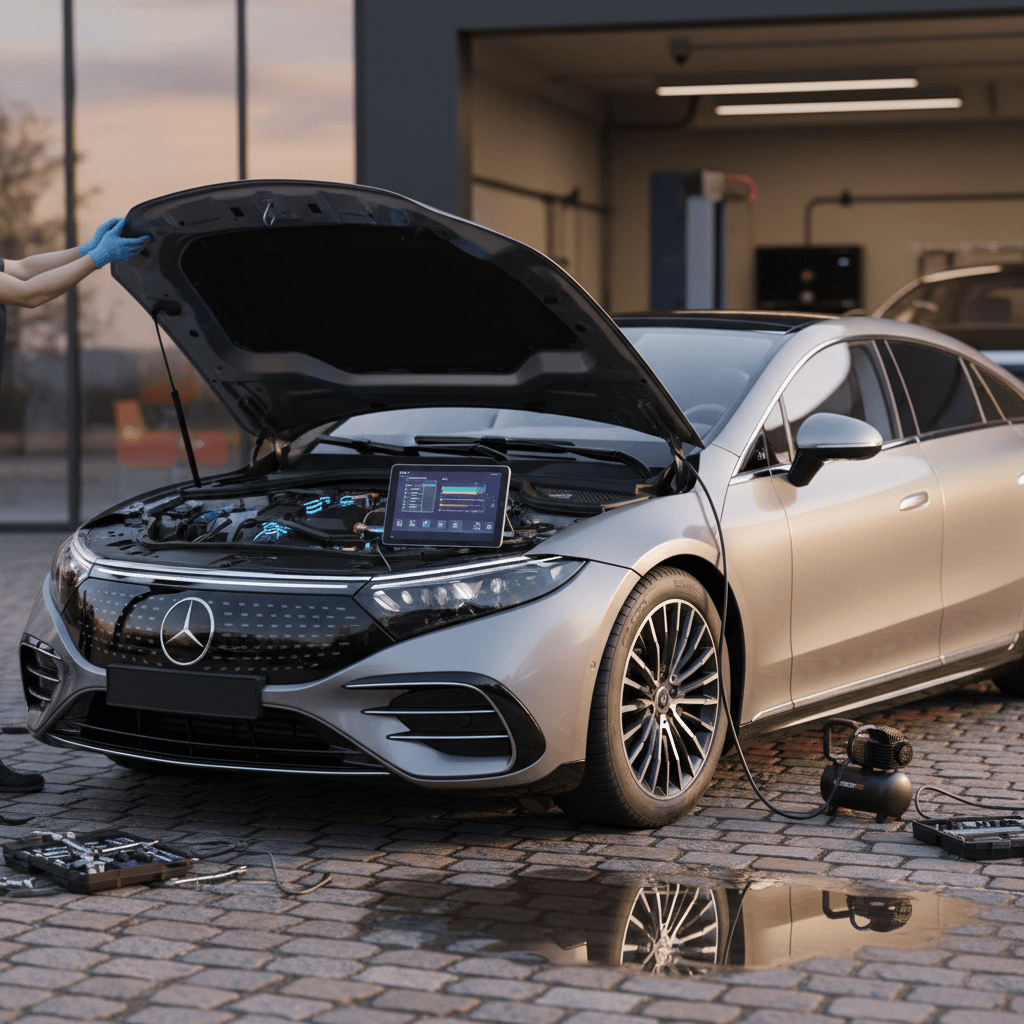
If you’re looking at a 2024 Mercedes EQS, you’re probably wondering whether all that tech and luxury comes with headaches. Earlier EQS model years (2022–2023) saw a mix of software recalls, infotainment bugs, and driver‑assist gremlins, and many shoppers want to know if the 2024 car is any better. Let’s walk through the most common 2024 Mercedes EQS problems and fixes so you can decide with clear eyes, especially if you’re buying used.
Sedan vs. SUV, 450+ vs. 580
Overview: How Reliable is the 2024 Mercedes EQS?
2024 EQS Problems at a Glance
Compared with early build years, the 2024 EQS generally fares better. Recalls have focused more on software than hardware, and many owners report smooth, trouble‑free driving. That said, when problems do show up, they almost always involve electronics: high‑voltage battery software, the MBUX Hyperscreen, driver‑assistance systems, or a cocktail of warning messages that make the car feel less than confidence‑inspiring.
The good news: most of these are diagnosable and fixable with software updates, proper charging habits, or warranty work. The key is knowing what to watch for and what to demand from the dealer. That’s what we’ll cover next.
The Big Picture: Recalls, Warranty, and What’s Changed for 2024
Key 2023–2025 EQS Campaigns That Affect 2024 Models
Not every 2024 EQS is involved, but these campaigns are worth checking by VIN before you buy.
| Issue | Model Years Affected | What Happens | Typical Fix |
|---|---|---|---|
| High‑voltage Battery Management System software | 2023–2025 EQS sedan & SUV | Possible high‑voltage shutdown and loss of drive in rare situations | Dealer updates BMS software (Recall campaign, free) |
| Drivetrain/propulsion software bugs (earlier builds) | Primarily 2022–2023, some 2023 carry‑over | Error messages, potential sudden loss of propulsion | Powertrain software update, control‑unit reprogramming |
| MBUX/infotainment behavior | 2022–present (running changes) | Freezing screens, audio glitches, random reboots | MBUX software update, sometimes “re‑flash” at dealer |
Always verify recall status on the NHTSA website or with a Mercedes dealer using the specific VIN.
How to Check a 2024 EQS for Recalls
By 2024, Mercedes had already seen what went wrong on 2022–2023 EQS builds and pushed several waves of software updates. Many 2024 cars left the factory with these fixes already applied, but some still qualify for later "wave" updates, especially for the Battery Management System (BMS) and driver‑assist calibration. That’s why checking recall and campaign status is so important on any 2024 EQS, new or used.
Battery and High-Voltage Software Issues
The EQS’s high‑voltage pack itself has not shown a pattern of widespread physical failures in 2024, but monitoring software and control units have generated more than their share of anxiety. The big concern isn’t degradation, it’s sudden warnings or a brief loss of power if the software decides something isn’t right.
Typical High‑Voltage Problems on 2024 EQS
Most are software‑driven and repairable if you act quickly.
1. High‑Voltage System Shutdown
Symptoms: Red or yellow high‑voltage warning, "Stop vehicle" or "Visit workshop" messages, sudden loss of propulsion, car may restart after a key cycle.
Most likely cause: Battery Management System software logic tripping contactors open under specific conditions.
2. Multiple Warnings at Once
Symptoms: A cascade of errors, ESP, ABS, battery, drive system, often when first starting or after DC fast charging.
Most likely cause: Control‑unit communication glitches or outdated software versions fighting with each other.
3. Range or Charging Inconsistencies
Symptoms: Range estimate jumps, state‑of‑charge readings that seem to “stick,” or charging session stopping early.
Most likely cause: Conservative BMS calibration or software not fully synced with recent updates.
Fixes and Best Practices for EQS High‑Voltage Issues
Confirm all BMS and drivetrain recalls are complete
Ask the dealer to verify that the latest <strong>Battery Management System (BMS)</strong> and high‑voltage control‑unit software campaigns have been done. These updates are the frontline fix for shutdown or loss‑of‑drive complaints.
Document any warning messages immediately
If you see red or yellow battery or drive warnings, take clear photos or a short video of the cluster. This evidence is gold if you need to escalate with the dealer or, in extreme cases, pursue lemon‑law remedies.
Avoid repeatedly driving with active HV warnings
If the car warns you to stop or visit a workshop, don’t keep driving for days. Park in a safe place, call roadside assistance if needed, and have the car towed to the dealer, especially while under warranty.
Ask for a complete fault‑code report
When the dealer hooks up diagnostics, request a printed or emailed list of stored and historic DTCs. You want to see whether high‑voltage contactor or isolation faults are recurring or one‑time events.
Use balanced charging habits
For day‑to‑day driving, charge between roughly 20–80% when convenient and reserve repeated 0–100% swings for long trips or diagnostic needs. This won’t fix software bugs, but it’s healthy for any EV battery.
When to Walk Away From a Used EQS
MBUX Hyperscreen and Infotainment Glitches
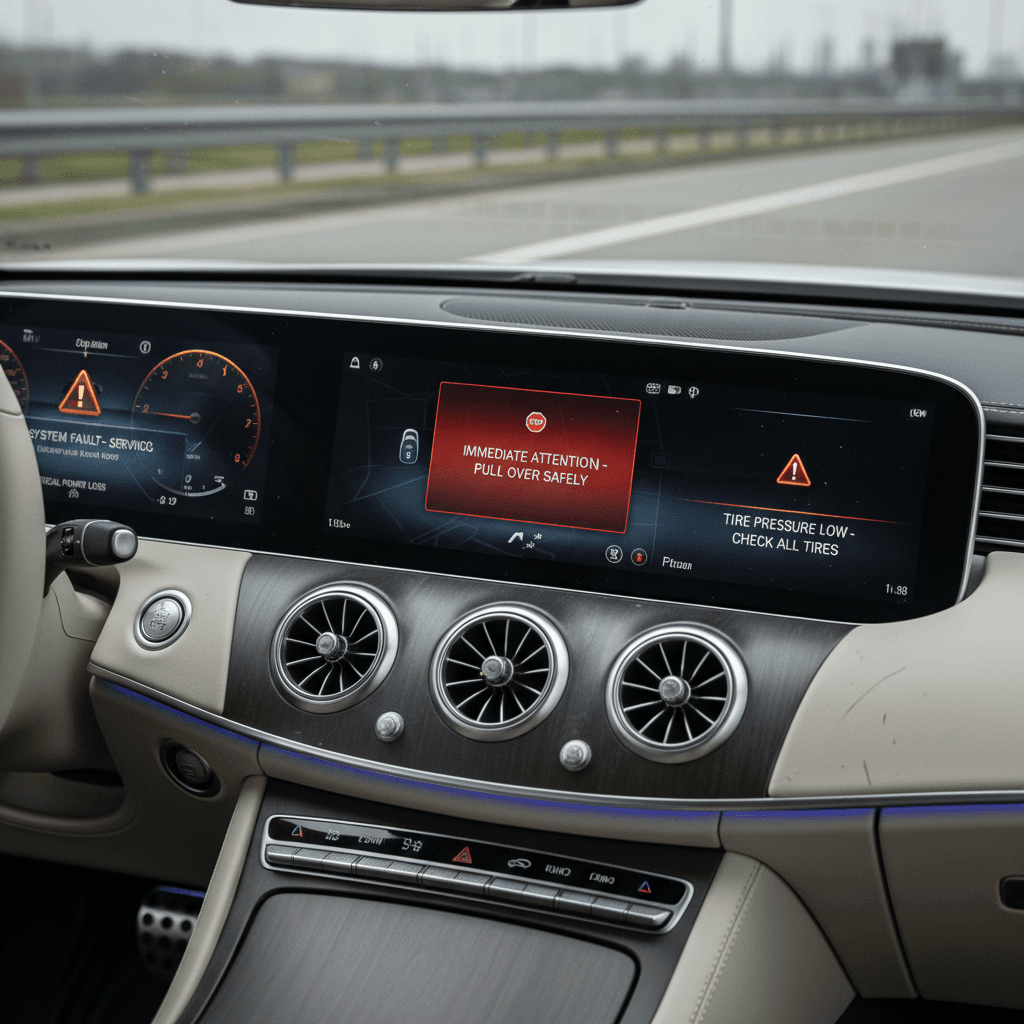
The giant MBUX Hyperscreen is a centerpiece of the EQS, and also a prime source of owner frustration across model years. The 2024 software is more mature than early builds, but you still see reports of frozen screens, lag, random restarts, and odd audio behavior, sometimes after over‑the‑air updates.
Common 2024 EQS MBUX Problems
Annoying more often than dangerous, but worth fixing under warranty.
Frozen or Black Screen
The central display or passenger screen goes black, refuses touch input, or restarts mid‑drive. Climate and drive functions usually keep working, but it’s unsettling.
Audio Glitches & Speaker Pops
Loud crackling from front speakers, audio cutting out, or persistent rattles even at low volume. Many cases trace back to software rather than the speaker hardware itself.
Connectivity & CarPlay Issues
CarPlay/Android Auto dropping out, Bluetooth randomly disconnecting, or in‑car Wi‑Fi hotspots that work intermittently until the system is “re‑flashed.”
How to Fix or Minimize MBUX Hyperscreen Problems
Perform a soft reset first
If the screen freezes, try a soft reset sequence from the owner’s manual (typically holding the power/volume button or using a steering‑wheel combo). This often clears one‑off glitches without a dealer visit.
Get the latest MBUX software at the dealer
For repeated crashes, ask the dealer to <strong>update or “re‑flash” the MBUX system</strong>. Make clear that you have ongoing issues; that’s often what the service department needs to justify a full software load.
Log update timing and new issues
If a problem starts right after an over‑the‑air update, note the date and symptoms. That correlation helps the dealer and Mercedes technical support see you’re not dealing with random user error.
Check for known audio TSBs
On 2022–2024 EQE/EQS vehicles, many audio problems are due to software, not bad speakers. Ask if there are any <strong>technical service bulletins (TSBs)</strong> covering audio pops, rattles, or channel dropouts and insist those be applied before replacing parts.
Don’t ignore intermittent faults
If the system reboots or throws errors only sometimes, still mention it during service visits so it gets documented. A paper trail is your friend if bigger problems show up later.
Dealer Stonewalling on Software?
Charging Problems: Home and DC Fast
Like any premium EV, the EQS depends heavily on consistent charging behavior. When something goes wrong, it’s not always clear whether to blame the car, the charger, or the network. Owners report three broad categories of 2024 EQS charging complaints: home Level 2 quirks, public DC fast‑charging hiccups, and charging‑related warning messages.
- Home Level 2 charging stops before reaching the set limit or never starts at all.
- Public fast‑charging sessions terminate after a few minutes or won’t initiate with certain networks.
- The car displays "Charging malfunction" or "Visit workshop" messages after a failed session.
Quick Checks Before Blaming the Car
- Try a different home EVSE or outlet if possible.
- Test another public charger brand or location on the same network.
- Make sure charge‑port pins are clean and the connector seats fully.
- Confirm charging limits and departure times in the car and app aren’t conflicting.
When It’s Likely the EQS
- Multiple different DC fast chargers fail in the same way.
- You see recurring HV or charging fault codes stored by the dealer.
- Charging malfunctions began right after a software recall or update.
- Other EVs charge normally on the same equipment that gives your EQS trouble.
Steps to Resolve EQS Charging Issues
Update on‑board charger and BMS software
Ask the dealer to confirm that the <strong>AC charger</strong> and BMS software versions are current. EQS platforms have seen multiple calibration changes that affect how they talk to different charging stations.
Capture charger brand, station ID, and error codes
When a public session fails, record the <strong>network name, station number, error message, and time</strong>. This helps both your dealer and the charging provider investigate interoperability problems.
Check your home electrical setup
Have a qualified electrician verify that your 240V circuit, breaker size, and EVSE installation match Mercedes’ recommendations. Undersized wiring or loose connections can cause nuisance shutoffs that look like car problems.
Experiment with different charge limits and schedules
Turn off all departure‑time and off‑peak scheduling once as a test. Then set a simple SOC limit (like 80%) and see if charging behaves more predictably.
Use the Mercedes me app logs
The app often records charge‑session details even when they fail. Bring those logs to your service appointment so they can see patterns over time.
Stop Charging If You Smell Burning or See Excessive Heat
Driver-Assistance and Sensor Faults
The EQS offers a very advanced suite of ADAS (Advanced Driver‑Assistance Systems), adaptive cruise, lane‑keeping, automatic emergency braking, blind‑spot monitoring, and more. When these systems work, they make long drives effortless. When they don’t, owners report false collision warnings, unexpected steering nudges, and ADAS systems shutting off mid‑drive until the car is restarted.
Driver‑Assist Issues to Watch For
Annoying at best, unsafe at worst if ignored.
False Collision Warnings
Sudden red alerts or audible warnings when there’s no obvious obstacle, sometimes followed by automatic braking or evasive maneuvers.
Unwanted Steering Inputs
Lane‑keeping or lane‑centering tugs the wheel aggressively, especially on poorly marked or curved roads, making the car feel nervous instead of confident.
ADAS Disabled Mid‑Drive
Messages like "Driver Assistance Functions Limited" or "Unavailable" pop up, and cruise or lane‑keep won’t re‑engage until the car is parked and restarted.
How to Fix or Reduce EQS ADAS Problems
Verify camera and radar alignment
Even a minor front‑end bump, curb impact, or windshield replacement can push sensors out of alignment. Ask the dealer to perform a <strong>calibration of front camera, radar, and parking sensors</strong> if ADAS faults are recurring.
Keep sensors and cameras clean
Snow, ice, mud, and even heavy rain can temporarily blind sensors. Make a habit of wiping front and rear cameras and checking bumper sensors before long drives or in winter weather.
Update ADAS and steering software
2023–2025 EQS builds have seen multiple software revisions aimed at smoothing driver‑assist behavior. Confirm your car has the latest ADAS and steering‑control software installed.
Dial back lane‑keeping aggressiveness
In the settings menu, you can often change lane‑keeping from "strong" to "normal" or "warning only." If the car feels twitchy, start with less aggressive settings and see if it behaves more naturally.
Document serious or repeat ADAS failures
If driver‑assist disables itself frequently or makes unsafe maneuvers, document dates, conditions, and what happened. In rare cases, owners have successfully pursued <strong>buybacks under state lemon laws</strong> based on repeated ADAS failures.
Remember: ADAS is a Helper, Not Autopilot
Suspension, Tires, and Ride Quality Complaints
Most 2024 EQS owners praise the ride as soft and quiet, but a few consistent themes pop up: premature tire wear, occasional air‑suspension quirks, and a ride that feels floaty or unsettled on certain surfaces. The EQS is a heavy EV on large wheels, and that weight shows up in the suspension and tire bills.
- Uneven or rapid front tire wear, especially on AMG Line or large‑wheel packages.
- A "bouncy" or under‑damped feeling over dips and highway undulations.
- Isolated cases of one corner sitting low after parking, suggesting an air‑suspension leak or valve issue.
Keeping Your 2024 EQS Riding the Way It Should
Get an alignment check every 10–15k miles
Heavy EVs and low‑profile tires are unforgiving of bad alignment. A <strong>four‑wheel alignment</strong> at reasonable intervals can dramatically improve tire life and steering feel.
Inspect tires carefully on any used EQS
On a test drive, look for inner‑edge wear and cupping. If the tires are badly worn at low mileage, ask for an alignment printout or consider it a negotiation point, or a reason to walk away.
Listen for air‑suspension compressor noise
An air compressor that runs constantly or cycles frequently at rest may signal leaks. A corner that sags overnight is another tell‑tale sign. Both should be addressed under warranty.
Try different drive modes
Comfort mode can feel a bit floaty to some drivers, especially on American highways. Try Sport or Individual with slightly firmer damping to see if the car settles down without becoming harsh.
Check for TSBs on suspension updates
Ask your service advisor if Mercedes has issued <strong>software or hardware updates</strong> for EQS air‑suspension tuning or front‑axle components and whether your VIN qualifies.
Interior Noises and Build Quality Annoyances
The EQS cabin feels upscale, but a few owners complain about the small things: rattles behind the dashboard, door seal noises at highway speed, seat creaks, or vibrations around the Hyperscreen on rough pavement. None of this strands you on the side of the road, but it chips away at the S‑Class‑level experience buyers expect.
Where Noises Typically Show Up
- Upper dashboard where Hyperscreen meets trim
- Front doors around window seals and mirror triangle
- Center armrest and console storage lid
- Rear cargo area on SUVs, especially with seats folded
How to Address Them
- Recreate the noise on a test drive with the technician riding along.
- Ask for NVH (noise, vibration, harshness) diagnosis, not just a quick look.
- Have the dealer check for loose clips, missing felt pads, or panel misalignment.
- Use each visit to build a documented history while under warranty.
Use Warranty Time Wisely
What to Check Before You Buy a 2024 EQS (New or Used)
If you’re eyeing a 2024 EQS, especially as a used purchase, the smartest move is to assume nothing and verify everything. This is a complex flagship EV. A careful inspection and the right data can mean the difference between a dream car and a constant service‑lane guest.
Pre‑Purchase Checklist for a 2024 EQS
1. Pull a full recall and campaign history
Use the VIN to check NHTSA’s database and have the dealer print the internal campaign list. Confirm high‑voltage, BMS, and MBUX campaigns are completed, not just "scheduled."
2. Scan for stored and historic fault codes
Ask for a <strong>pre‑purchase diagnostic scan</strong>. You’re looking for a clean slate, or at least evidence that past high‑voltage or ADAS codes have been resolved and not repeated.
3. Test all driver‑assist features on real roads
On the test drive, activate adaptive cruise, lane‑keeping, blind‑spot, and parking assist. Watch for false warnings, unwanted steering corrections, or "Unavailable" messages that pop up and disappear.
4. Live with the MBUX system for 15–20 minutes
Sit in the car parked and then in motion, exploring navigation, audio, CarPlay/Android Auto, and user profiles. You’re trying to provoke any <strong>freezes, restarts, or audio pops</strong> before you buy.
5. Inspect tires, brakes, and suspension behavior
Check tire wear patterns, listen for clunks or rattles over bumps, and pay attention to how the car settles after big dips. Anything that feels off is worth a second look by a technician.
6. Get an independent EV‑savvy inspection if possible
For extra peace of mind, consider a pre‑purchase inspection from an EV‑experienced shop, or use a marketplace like <strong>Recharged</strong>, where every vehicle comes with a <strong>Recharged Score battery health report</strong> and expert‑guided evaluation.
How Recharged Can Help With a 2024 EQS
FAQ: 2024 Mercedes EQS Problems and Fixes
Frequently Asked Questions About 2024 EQS Problems
Should You Avoid or Consider a 2024 EQS?
The 2024 Mercedes EQS is not a problem‑free car, but it is much more sorted than the earliest builds. If you’re comfortable living with a highly digital luxury EV, and you go in with clear eyes about the potential for software quirks and sensor drama, the payoff is a quiet, effortless, long‑range flagship that few rivals can match.
If, on the other hand, the idea of MBUX resets, ADAS calibration, and OTA updates gives you hives, you may be happier in a simpler EV with fewer screens and driver‑assist features. The key is honest self‑assessment and thorough homework on any specific car you’re considering.
Either way, don’t buy blind. Use recall lookups, diagnostic scans, and if possible a battery health report like the Recharged Score to separate solid 2024 EQS examples from the handful of headaches. Do that, and you can make the technology work for you rather than the other way around.