If you’re looking at a 2024 Genesis GV60, especially as a used EV, you’ve probably heard two very different stories. On one hand, it’s quick, luxurious, and loaded with tech. On the other, owner surveys and recalls paint a picture of below‑average reliability, with more headaches than you’d expect in a premium EV. This guide walks you through the most common 2024 Genesis GV60 problems and fixes so you can shop confidently and know what to watch for after you buy.
Quick Take
Overview: How Reliable Is the 2024 Genesis GV60?
2024 GV60 Reliability Snapshot
The good news is that the 2024 GV60’s underlying EV platform, shared with the Hyundai Ioniq 5 and Kia EV6, is generally solid. Major battery pack failures and motor failures are not widespread. Most of the frustration centers on software, electronics, and charging interfaces, which can usually be diagnosed and corrected if you know what to look for.
New Doesn’t Mean Trouble‑Free
The Biggest 2024 Genesis GV60 Problems Owners Report
Most Common 2024 GV60 Problem Areas
What you’re most likely to encounter in day‑to‑day ownership
1. Level 2 & DC Fast‑Charging Glitches
2. Black or Frozen Screens
3. Camera & Parking System Malfunctions
4. OTA Updates & App Problems
5. 12V Battery & No‑Start Events
6. Driver‑Assist Quirks
You’re unlikely to encounter all of these issues on any one GV60, but each is common enough that you should actively test for it on a test drive and ask about prior repairs. The rest of this guide breaks down how these problems show up, what usually causes them, and the most effective fixes.
Charging Problems on the 2024 GV60 (and How to Fix Them)
Symptoms: When the GV60 Doesn’t Play Nice With Chargers
- Plugged into a Level 2 charger, the GV60 starts charging, then stops after a few minutes or hours without an obvious error.
- DC fast‑charging sessions that won’t ramp up to expected power, even on known‑good 150–350 kW stations.
- Charging speed that drops sharply once the car warms up, even at modest states of charge.
- Scheduled charging that never actually starts, or starts immediately instead of waiting for off‑peak hours.
Some of this behavior can be traced back to thermal protection logic in the GV60’s charge port and onboard charger. Earlier E‑GMP models had a known issue where heat at the connector would trigger a protective slowdown or shutdown. Technical service bulletins cover revised software that ramps back power more gracefully instead of just abandoning the session.
Easy First Checks for Charging Issues
Likely Causes and Practical Fixes
Common 2024 GV60 Charging Problems and Fixes
Use this as a checklist when something feels off at the plug.
| Problem | Most Likely Cause | What You Can Try First | Dealer‑Level Fixes |
|---|---|---|---|
| Session stops on Level 2 after 10–30 minutes | Overheating charge connector or conservative software limits | Lower the max current in the vehicle’s charging settings; try a different station; make sure cable is fully seated and not coiled tightly. | Apply latest charging‑system software and thermal‑management TSBs; inspect charge port and onboard charger hardware. |
| DC fast charging won’t exceed modest power (e.g., 40–60 kW) | Battery not pre‑conditioned, cold pack, or conservative software after a fault | Navigate to a DC fast charger in the nav to trigger preconditioning; arrive with 10–40% state of charge; try another station brand. | Update battery‑management software; check for fault codes indicating thermal or contactor issues. |
| Scheduled charging won’t honor off‑peak times | Conflicting schedules between car, charger, and utility; buggy Genesis app settings | Turn off any schedule in the wallbox app and your utility account; set schedule only in the car and test; temporarily avoid the phone app for scheduling. | Infotainment and telematics software updates; replace a defective wallbox if issues appear across multiple EVs. |
| Car reports “charger not connected” even though it’s plugged in | Dirty or misaligned pins; communication error between EVSE and car | Unplug and inspect pins; clean gently if contaminated; firmly re‑insert until you hear a solid latch. | Charge port inspection or replacement; wiring checks on the onboard charger. |
Always start with simple checks, cable, station, and settings, before assuming a hardware failure.
When to Stop Charging Immediately
If you’re buying a 2024 GV60 used, ask the seller for any paperwork on charger‑related service visits or software updates. At Recharged, we capture this history in the Recharged Score and road‑test every vehicle on Level 2 charging so you’re not discovering these issues in your own driveway.
Black Screens, Cameras, and Infotainment Glitches
Instrument Cluster Going Dark
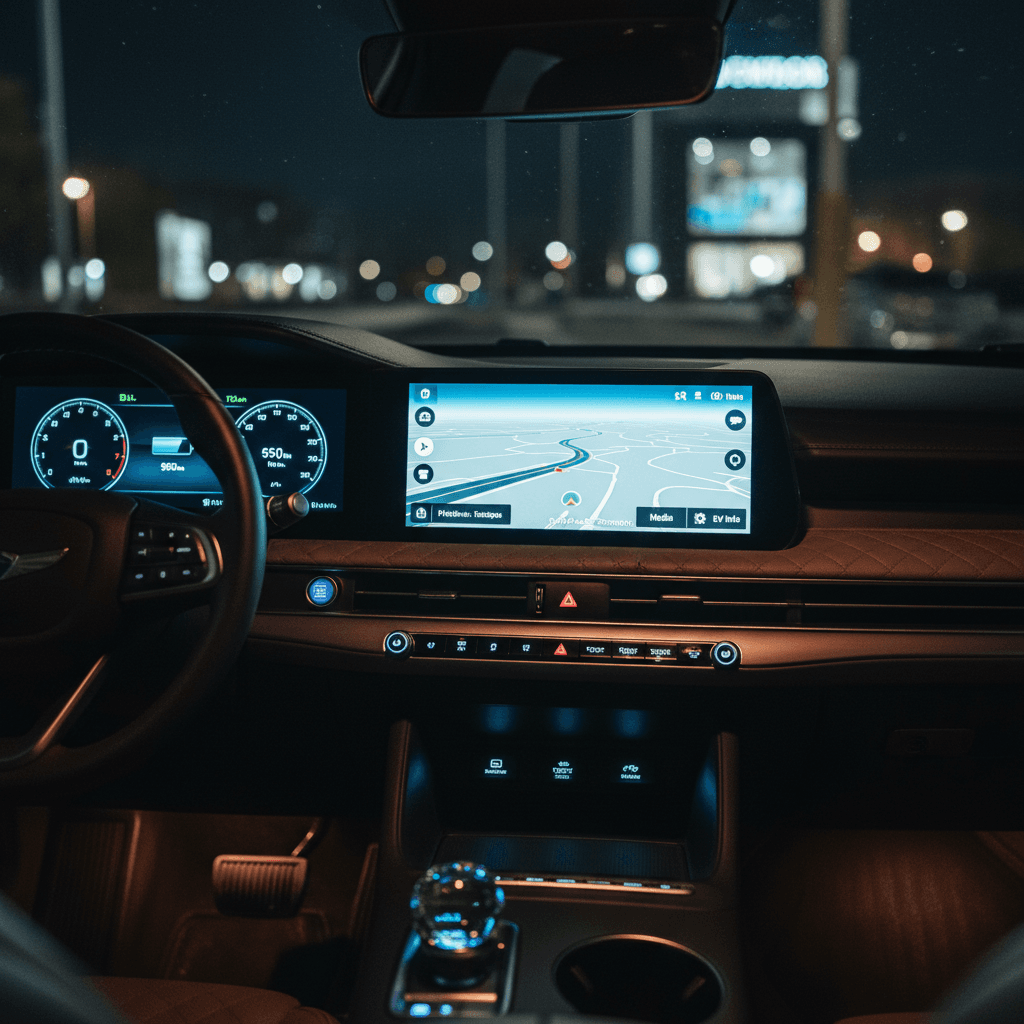
Across the 2023–2025 GV60 production run, a major concern has been the digital instrument cluster intermittently going completely black. When this happens, you may lose speed, warnings, and other key information until the car is restarted. A federal recall covers software in the instrument cluster control module that can cause this behavior, and updated code was phased into production during 2024.
How to Check for the Cluster Recall on a 2024 GV60
1. Start the car several times
On a test drive, cycle the GV60 fully off and on at least 4–5 times. Watch the cluster and central screen for slow wake‑ups, flickering, or staying black.
2. Turn on climate and driver‑assist
Some owners see issues only when multiple systems are active. Verify the cluster remains bright and responsive with Highway Driving Assist and climate running.
3. Ask for recall paperwork
Request a printout (or photo) of the dealer’s <strong>recall repair order</strong>. It should list the cluster software recall as completed for that VIN.
4. Run the VIN through NHTSA
If you’re shopping privately, run the VIN through the NHTSA recall lookup. Any open recalls, including cluster or trim‑related campaigns, will show up.
The Fix Is Usually Software
Infotainment Freezes, Black Center Screen, and Camera Issues
Beyond the main cluster, owners also report the central touchscreen freezing, rebooting, or going black, sometimes when switching into Apple CarPlay or Android Auto. Backup and 360° cameras can be slow to load or fail altogether, which is both annoying and a safety concern.
Quick Owner Fixes to Try
- Perform a soft reset of the infotainment system (consult the owner’s manual for your exact method).
- Disable and re‑enable Apple CarPlay or Android Auto, then re‑pair your phone.
- Remove old Bluetooth devices and unused driver profiles that might create conflicts.
- Check for pending over‑the‑air (OTA) updates in the Settings menu and apply them with the car parked, on a strong Wi‑Fi connection.
Dealer‑Level Fixes
- Update the infotainment firmware and camera modules to the latest versions.
- Reprogram or replace a faulty camera control unit if video feeds regularly fail to appear.
- Inspect wiring and connectors for moisture or damage, especially if the car has been in a collision or heavy weather.
- Document recurring issues under warranty so you have leverage if problems persist.
Don’t Ignore OTA Update Failures
12V Battery & No‑Start Issues
Like a lot of modern EVs, the GV60 still relies on a conventional 12‑volt battery to power computers, relays, and safety systems. When that battery gets weak, you can have a perfectly charged main pack and still find the car completely unresponsive in the morning.
- Car is dead in the garage, doors may not unlock normally.
- Dash lights briefly flicker, then everything shuts off.
- Repeated warnings about the 12V system or accessory power before the issue.
- Owner needs a jump start or tow even though the traction battery is not empty.
Why This Happens on EVs
How to Prevent 12V Surprises on a 2024 GV60
1. Ask about prior 12V replacement
On a used GV60, find out if the 12V battery has already been replaced. A new battery under warranty is a nice plus.
2. Watch for warning lights
Don’t ignore intermittent 12V or charging‑system warnings in the cluster. They’re often the only early clue that a failure is coming.
3. Avoid long sits with high accessory use
If the car will sit for days, avoid leaving it in accessory mode for long stretches with HVAC or audio blasting.
4. Get a health check
Have a dealer or trusted EV shop run a <strong>load test</strong> on the 12V battery during pre‑purchase inspection, especially in cold climates.
Driver‑Assist Quirks and Safety‑System Complaints
The 2024 GV60 comes loaded with Highway Driving Assist, adaptive cruise, lane‑keeping, blind‑spot monitoring, and more. On paper, it’s a strong suite. In the real world, some owners describe the systems as inconsistent or overly cautious, tapping the brakes unexpectedly, hugging lane lines, or disengaging more often than expected.
Common Complaints
- Phantom braking when passing large trucks or driving under certain overpasses.
- Lane‑keeping that waits too long to correct, then nudges the car abruptly.
- Highway Driving Assist dropping out in curves or poor lane markings without much warning.
- Overly aggressive collision‑avoidance alerts in tight urban driving.
What You Can Do
- Confirm that all ADAS‑related recalls and software updates have been performed.
- Fine‑tune individual settings, steering assist strength, alert timing, lane‑change behaviors, rather than accepting the defaults.
- Use these systems as driver aids, not autopilot. Keep hands on the wheel and eyes up, especially until you learn how your specific GV60 behaves.
- If the system feels unsafe, it’s reasonable to turn certain functions off and rely on basic cruise control.
Test Driver‑Assist on Your Actual Roads
Key 2024 Genesis GV60 Recalls You Should Check
By early 2026, the 2024 GV60 has been included in several recalls spanning instrument cluster software, trim pieces, and EV‑specific components. The exact list changes as new campaigns are added, but a few themes keep coming up.
Major Recall Themes Affecting 2024 GV60s
This is a high‑level overview, always run the VIN for specifics.
| Recall Type | What Can Happen | Typical Fix |
|---|---|---|
| Instrument cluster display recall | Cluster goes dark while driving, leaving the driver without speed and warning info. | Reflash or replace the instrument cluster control module with updated software. |
| Exterior trim / spoiler / garnish recall | Loose trim or garnish pieces could detach at speed, potentially striking other vehicles. | Inspect and replace or re‑secure affected trim pieces using revised parts or fasteners. |
| EV power/charging‑related campaigns | Loss of drive power, reduced power mode, or charging issues under certain conditions. | Update high‑voltage control, inverter, or charging‑system software; in some cases replace specific components. |
| Seatbelt / occupant safety recalls (varies by build date) | Improperly functioning restraint systems in a crash situation. | Inspect and replace seatbelt or restraint components according to the campaign bulletin. |
Recalls must be fixed for free at a Genesis dealer, regardless of whether you’re the first or fifth owner.
How to Check Recall Status on a 2024 GV60
How to Diagnose Problems on a Used 2024 GV60
When you’re looking at a used 2024 GV60, your goal is simple: separate the cars that just need a software refresh from the ones with chronic electrical or charging headaches. Here’s a structured way to do that.
Used 2024 GV60 Problem‑Finding Checklist
1. Cold Start and Screen Check
Start the GV60 after it has sat for a few hours. Watch how quickly the cluster and center screen wake up and whether any warning lights stay on. Black screens, flicker, or repeated restart attempts are red flags.
2. Full Electronics Function Test
Test every camera view, parking sensor, audio source, steering‑wheel controls, wireless charging pad, and smartphone integration. Note any laggy or failing features.
3. Level 2 Charging Test
If possible, plug into a Level 2 charger and watch the first 15–20 minutes. Confirm that charging starts promptly and stays active without unexplained drops.
4. High‑Speed Test Drive
On a highway run, use Highway Driving Assist and adaptive cruise. Feel for odd brake taps, wandering within the lane, or sudden disengagements.
5. Scan for Software & Recall History
Ask for a dealer printout showing completed recalls and software updates. A GV60 with <strong>no record of recent updates</strong> may be more trouble than it’s worth.
6. Independent or Recharged Inspection
For a private‑party car, consider a pre‑purchase inspection with an EV‑savvy shop. When you buy through <strong>Recharged</strong>, our Recharged Score already covers battery health, charging behavior, and a detailed road test.
How Recharged Reduces the Guesswork
Ready to find your next EV?
Browse VehiclesWhen a 2024 GV60’s Problems Are Dealbreakers
Most 2024 GV60 issues are annoying, not catastrophic, and can be handled under warranty or with updated software. But there are times when you’re better off walking away and finding another example.
- Multiple visits for the same electrical or charging complaint without a clear fix documented.
- Evidence of water intrusion near wiring harnesses, battery pack, or camera modules.
- Salvage or flood branding, especially if paired with mysterious electronics gremlins.
- An owner or dealer who can’t provide any proof of completed recalls or software updates.
- A car that fails basic tests: won’t DC fast charge at anything close to expected speeds, cluster goes black more than once, or 12V issues keep returning.
Don’t Talk Yourself Into a Bad Example
FAQ: 2024 Genesis GV60 Problems and Ownership
Frequently Asked Questions
Bottom Line: Should You Buy a 2024 Genesis GV60?
If you want a luxury EV that feels special inside, launches hard, and doesn’t look like every other crossover in the school‑pickup line, the 2024 Genesis GV60 has a lot going for it. The trade‑off is that you’re buying into a tech‑heavy platform that’s still maturing, with more software‑ and recall‑related baggage than some rivals.
For many shoppers, that’s an acceptable compromise, as long as you go in with eyes open, verify recall and update history, and thoroughly test charging and electronics before you sign. If you’d rather not manage all that on your own, consider finding a GV60 through Recharged, where every vehicle includes a Recharged Score battery‑health and charging‑performance report, plus EV‑savvy guidance on financing, trade‑ins, and nationwide delivery.
Handled the right way, a 2024 GV60 doesn’t have to be a problem child. Do your homework, lean on the fixes we’ve covered here, and you can enjoy the part Genesis got so right: a fast, comfortable electric SUV that still feels genuinely premium.