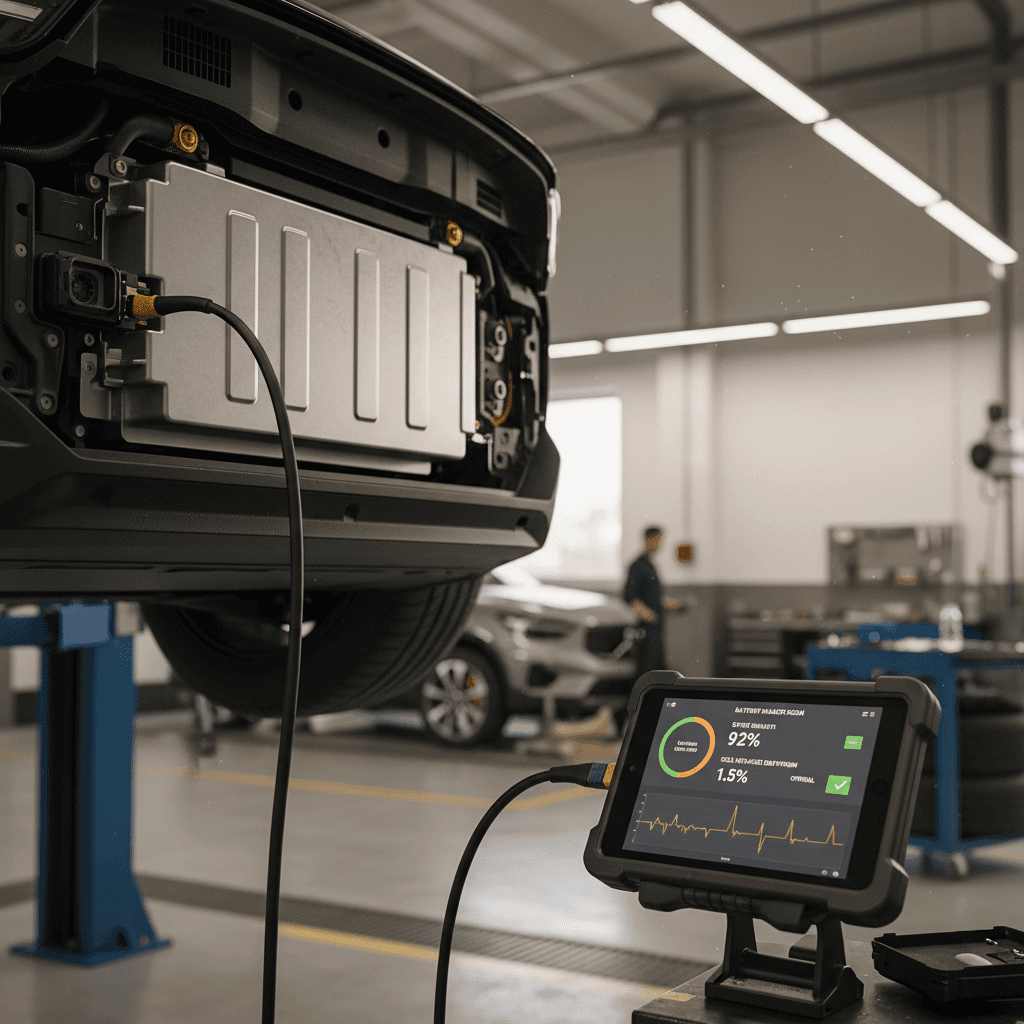
If you own, or are thinking about buying, a Volvo EX30, understanding how to check its battery health is just as important as checking oil on a gas car. The EX30 will show you a battery “state of health” (SOH) in its software, but that number only tells part of the story. This guide walks you through how to check Volvo EX30 battery health step by step, what the readings actually mean, and how to evaluate a used EX30 before you commit.
Quick overview
Why Volvo EX30 battery health matters
The high‑voltage pack is the EX30’s single most valuable component. Its health affects real‑world range, DC fast‑charging speed, and ultimately resale value. Volvo backs the EX30’s traction battery with roughly an 8‑year / 100,000‑mile warranty in North America against defects and excessive capacity loss, but warranty coverage only kicks in when the pack falls below a defined threshold. Understanding where your battery sits today helps you spot issues early, decide whether you’re comfortable buying a specific used EX30, and avoid surprises once the warranty ends.
Volvo EX30 battery fast facts
How the EX30 shows battery health (SOH)
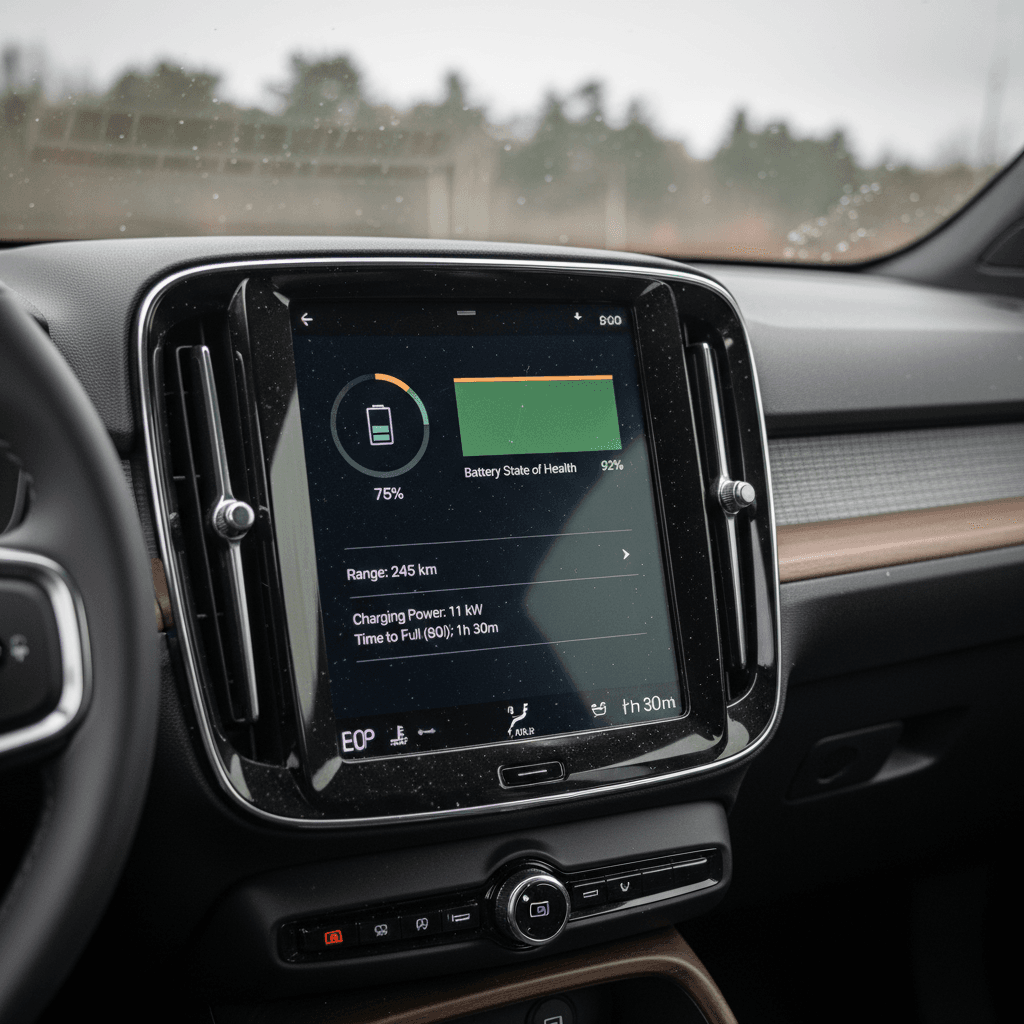
With newer software updates, many Volvo EX30s can show a battery health percentage in the car’s infotainment system. Volvo refers to this as battery state of health (SOH): the usable energy your pack can store compared to when it was new. Owners report seeing this under the vehicle status or battery information submenu once the car is updated to the latest software. In parallel, the Volvo EX30 app / Volvo Cars app focuses on charge level, charge completion time, and trip history, not deep SOH data, so you’ll do most of your battery‑health checking from the driver’s seat and during service visits.
Make sure your software is current
Step-by-step: on-screen Volvo EX30 battery health check
Exact wording can change slightly between software versions, but the general process to check Volvo EX30 battery health on the central display looks like this:
Check Volvo EX30 battery health on the driver display
1. Park safely and power the car
Park the EX30 on level ground, shift into Park, and keep the car powered so the center display is active. For consistent readings, try to check SOH at a moderate state of charge, somewhere around 40–80%, rather than nearly empty or full.
2. Open the main settings menu
From the home screen, tap the settings or car icon to open the main vehicle settings. On many EX30s this is a vertical menu running down the side of the central touchscreen.
3. Navigate to ‘Car’ or ‘Vehicle’
Choose the section labeled <strong>Car</strong>, <strong>Vehicle</strong>, or similar. This is where Volvo groups status information like tires, service, and battery.
4. Find ‘Battery’ or ‘Energy’ information
Within the Car/Vehicle menu, look for a subsection like <strong>Battery</strong>, <strong>Energy</strong>, or <strong>Diagnostics</strong>. Owners report that the EX30’s battery health value lives in this area, sometimes with a description such as ‘Battery health’ or ‘State of health’.
5. Read the battery health percentage
You should now see a percentage labeled something like <strong>Battery health</strong>. A value near 100% suggests little measured degradation. Numbers in the low‑ to mid‑90s are typical for cars with real miles on them. Large drops (80s or below) on a relatively young EX30 deserve investigation.
6. Take a photo or write it down
Document the SOH reading, odometer, and date. Over time, you can compare snapshots to see if battery health is changing at a normal, gradual pace or dropping unusually fast.
Don’t panic over small swings
Deeper diagnostics at a Volvo dealer or EV specialist
The on‑screen SOH value is a helpful first filter, but if you’re worried about a specific EX30, or considering a high‑mileage used one, it’s worth going deeper. Volvo retailers and well‑equipped independent EV shops can access detailed high‑voltage battery data through factory‑grade diagnostic tools.
What a professional EX30 battery health check can include
Useful when buying used, chasing range issues, or checking recall work
Full state-of-health report
Dealer tools can read the pack’s calculated usable capacity in kWh, not just a percentage. That’s how Volvo decides if the battery has dropped below warranty thresholds.
Cell balance & weak modules
Technicians can see how evenly individual cells or modules share load. Large imbalances or a module stuck at a different voltage often point to deeper issues or evolving failures.
Charge-performance checks
By comparing charging curves and logged data, a specialist can tell whether your EX30 is still accepting power at the expected rate on AC and DC fast charging, or being throttled by the BMS.
Where Recharged fits in
Ready to find your next EV?
Browse VehiclesBattery types in the EX30 and what they mean for health
Not all EX30 batteries are created equal. Volvo uses different chemistries depending on trim and range, and that matters for how you interpret battery health and how you should treat the pack.
Volvo EX30 battery variants and behavior
Approximate high‑level overview, always confirm exact spec for the car you’re looking at.
| Variant | Chemistry | Nominal Size | Typical Use Case | Charging Behavior Notes |
|---|---|---|---|---|
| Single Motor Standard Range | LFP (Lithium Iron Phosphate) | ~51 kWh | City driving, shorter commutes | More tolerant of frequent 80–100% charging; prefers regular full charges for accurate range estimates. |
| Single Motor Extended Range | NMC (Nickel Manganese Cobalt) | ~69 kWh | Longer trips, more highway use | Best longevity when kept mostly between ~10–80% for daily use; reserve 100% for trips. |
| Twin Motor Performance / AWD | NMC | ~69 kWh | Performance and high‑speed use | Higher power draw; sensitive to repeated high‑rate fast charging and sustained high‑speed driving when hot. |
Standard‑range EX30s generally use LFP; extended‑range and performance trims use nickel‑rich NMC packs.
Why chemistry matters for SOH
How much battery degradation is normal
There’s no one magic number for “good” or “bad” battery health, but we can outline reasonable expectations for a modern EV like the EX30. What you’re trying to spot are outliers, cars degrading much faster than their peers, or dropping far enough to threaten range and warranty coverage.
- Brand‑new or very low‑mileage EX30s typically show SOH in the high‑90s. Even 98–99% is common once the car has completed a few full charge cycles and the BMS settles in.
- After 1–3 years and tens of thousands of miles, seeing SOH in the low‑ to mid‑90s is generally normal, especially on the NMC extended‑range packs.
- LFP standard‑range packs tend to be more resistant to calendar aging and frequent 100% charging, so their SOH can stay closer to 100% for longer, though range is lower to begin with.
- Single‑digit drops over several years are expected. Rapid declines, say, from 98% to the low‑80s in a short time, are red flags that warrant a dealer check or warranty conversation.
- Remember the warranty floor: if Volvo defines excessive loss at, for example, 70% usable capacity by 8 years / 100,000 miles, anything hovering just above that line deserves extra scrutiny.
Don’t ignore recall and safety guidance
How to check battery health before buying a used EX30
If you’re shopping used, battery health is where good deals and bad ones quietly diverge. Two Volvo EX30s can look identical on a lot but have very different remaining battery life, and very different ownership costs.
Used Volvo EX30 battery health inspection checklist
1. Pull the on-screen SOH number
Follow the in‑car steps above with the seller present. Note the battery health percentage, current state of charge, odometer, and outside temperature. Be wary if the seller refuses or if the value is conspicuously low for the age and mileage.
2. Compare SOH to mileage and usage story
A 90% SOH reading at 60,000 miles with lots of highway use may be perfectly fine. The same 90% at 8,000 miles on a garage‑kept city car deserves more questions. Ask how often they fast‑charge, whether the car sat unused for long stretches, and which charge limits they used daily.
3. Test a full charge range estimate
On a supervised test (or with seller screenshots), charge the EX30 to 100% and see the projected range in the driver display. Compare that to EPA or WLTP figures for that trim. A modest gap is normal; a huge gap combined with low SOH may indicate real capacity loss, or extreme driving conditions.
4. Scan for warnings and charge behavior
Look for any battery‑related warning messages, reduced‑performance modes, or charging errors. Pay attention to how quickly DC fast charging ramps up and whether it holds expected power or tapers very early without an obvious cause, like cold temperatures.
5. Check warranty and recall status
Confirm in writing that the EX30’s high‑voltage battery warranty is still in effect and ask for documentation on any recall repairs, especially related to the pack. In the U.S., you can also search the VIN in federal recall tools before you sign anything.
6. Get a third-party battery health report
For peace of mind, consider a professional battery health test. Buying through <strong>Recharged</strong> simplifies this: each EX30 listing includes a <strong>Recharged Score</strong> with verified pack health, so you can compare cars by real data rather than just photos and seller claims.
Buying privately
- Rely on the seller to grant you access to the car and app.
- You’ll need to run your own checks, or pay a dealer/independent shop for a pre‑purchase inspection.
- Battery health data might be incomplete or missing if software isn’t current.
Buying through Recharged
- Every EX30 comes with a Recharged Score Report covering battery health, software status, and recalls.
- EV‑specialist advisors help interpret SOH numbers and degradation risk.
- Financing, trade‑in, and nationwide delivery let you shop beyond your local market for the best‑health cars.
Battery warranty, recalls, and what they mean for you
Battery health checks don’t exist in a vacuum, they tie directly into Volvo’s warranty and the EX30’s recall history. Understanding the ground rules helps you decide when a low SOH reading is merely something to monitor and when it could qualify as a defect.
EX30 battery health, warranty, and recall: how they interact
Use this to decide when to escalate beyond simple monitoring
Warranty baseline
Most EX30s in North America carry an 8‑year / 100,000‑mile high‑voltage battery warranty. Buried in the fine print is a minimum capacity threshold: if usable capacity falls below that level within the term, Volvo repairs or replaces the pack.
When to push for diagnostics
If your SOH is significantly lower than peers at similar age and mileage, or you see rapid drops over a short period, ask your Volvo retailer for an official battery health test. This documents the pack’s condition in Volvo’s systems if you need to make a claim later.
Recalls and safety updates
Certain model‑year EX30s have been subject to high‑voltage battery recalls with temporary charge limits and repair campaigns. If you’re seeing odd behavior, charge caps, warnings, extreme throttling, check recall status first. Repair campaigns can resolve issues that look like pure degradation.
Always follow Volvo’s charge-limit instructions
Habits that protect Volvo EX30 battery health
You can’t completely stop battery degradation, but your habits can nudge your EX30 toward the better end of the curve. The right practices depend a bit on whether you have the LFP standard‑range pack or the NMC extended‑range/performance pack, but a few rules of thumb apply to all versions.
Everyday habits that help your EX30’s battery age gracefully
Chemistry‑specific recommendations where it matters
Daily charging strategy
- LFP (Standard Range): It’s generally fine to charge to 100% regularly. In fact, periodic full charges help the BMS calibrate and keep range estimates accurate.
- NMC (Extended/Performance): For everyday use, aim for a charge limit around 70–80% and avoid leaving the car sitting at 100% for long periods.
Temperature & storage
- Avoid long‑term parking at very high or very low state of charge, especially in extreme heat.
- If you’re storing the EX30 for weeks, park it around 40–60% and in the coolest shaded or indoor spot you reasonably can.
Fast-charging discipline
- DC fast charging is fine on road trips, but try not to make it your primary daily fueling method.
- On NMC cars, avoid repeatedly fast‑charging from very low (near 0%) to 100%, that’s the most stressful scenario.
Occasional full cycles & recalibration
- Once in a while, let the pack go from a lower state (e.g., 10–20%) to a high one (90–100%) in one session to help the BMS recalibrate its SOH estimate.
- Don’t chase recalibration constantly; a few such cycles per year is enough.
Driving style still matters
FAQ: Volvo EX30 battery health checks
Frequently asked questions about Volvo EX30 battery health
Bottom line: how to stay on top of EX30 battery health
A healthy battery is the core of a good Volvo EX30 experience. Learning how to check battery health on the EX30’s screen, when to escalate to dealer‑level diagnostics, and how to interpret the numbers through the lens of chemistry, usage, and warranty terms gives you real leverage, whether you’re an owner or a buyer. Combine occasional health checks with smart charging habits and attention to recalls, and your EX30 should deliver consistent range and performance for years.
If you’re evaluating a used EX30 and don’t want to gamble on what’s happening inside the pack, shopping through Recharged adds a crucial layer of transparency. Every vehicle includes a Recharged Score Report with verified battery health, fair market pricing, and EV‑specialist support from test‑drive to nationwide delivery. That turns battery health from a mystery into a data point you can confidently act on.