If you’re eyeing Volkswagen’s retro electric van, you’re probably also Googling “Volkswagen ID. Buzz common problems 2026” and wondering whether those early recalls and software horror stories should scare you off. You’re not wrong to ask. The ID. Buzz is charming, practical, and genuinely fun, but it’s also a first‑generation EV minivan built on a software‑heavy platform that’s still maturing.
Where the ID. Buzz stands in 2026
Big-picture reliability: How worried should you be?
ID. Buzz reliability snapshot for 2026 shoppers
So far, the mechanical bits of the ID. Buzz look solid. The MEB platform and battery tech have several years of history in the ID.4 and other VW EVs, and we’re not seeing a wave of blown motors or failing packs. Instead, most common problems fall into three buckets: software glitches, build and trim quality, and early safety recalls that VW has already addressed on in‑service vans.
How to use this guide
Software and infotainment glitches
Ask ID. Buzz owners about problems, and you’ll hear the same headline over and over: the software can drive you nuts. Much of this behavior mirrors what we’ve already seen in the ID.4, VW’s infotainment stack is powerful on paper but finicky in real life. In 2026, software is still the number‑one complaint from both European and U.S. Buzz drivers.
Most common ID. Buzz software problems
Annoying more often than catastrophic, but worth understanding before you buy
Frozen or blank infotainment
The center screen may freeze, go black, or reboot mid‑drive, especially when running Apple CarPlay or Android Auto. Sometimes HVAC controls become temporarily inaccessible because they live inside the touchscreen.
Most owners can recover with a hard reset, but repeat crashes can mean a software or hardware replacement under warranty.
Settings that don’t "stick"
Driver profiles, driver‑assist preferences, or sound and lighting settings can reset after an update or overnight park. Some owners report the van reverting to default Eco drive mode or turning driver‑assist features back on even after they were switched off.
Over‑the‑air updates can help, but you’ll want to verify that your van is on the latest software and that settings stay put over a few days.
App & connectivity drama
The VW app can be slow to connect, fail to show accurate state of charge, or lose its link to the van altogether. A few owners have reported failed software updates that sidelined the van for weeks while a dealer replaced a module.
This doesn’t affect how the van drives, but it can undermine remote pre‑conditioning and scheduled charging, two of the best parts of EV ownership.
When software issues become a big deal
Quick DIY resets
- Learn how to perform a hard reboot of the infotainment screen from the owner’s manual.
- Delete and re‑pair phones if CarPlay/Android Auto keeps crashing.
- Check for pending over‑the‑air updates when the van is parked on Wi‑Fi.
If problems disappear after a clean update, you’re probably dealing with early‑build software rather than a bad component.
When to involve a dealer
- If the screen goes completely blank and will not reboot.
- If a software update fails mid‑install or leaves warning lights on.
- If VW can’t complete a required recall software update on the first attempt.
Always ask the service advisor to note software version numbers and any fault codes on your paperwork, gold when you’re tracking repeat issues on a used ID. Buzz.
Charging and battery quirks
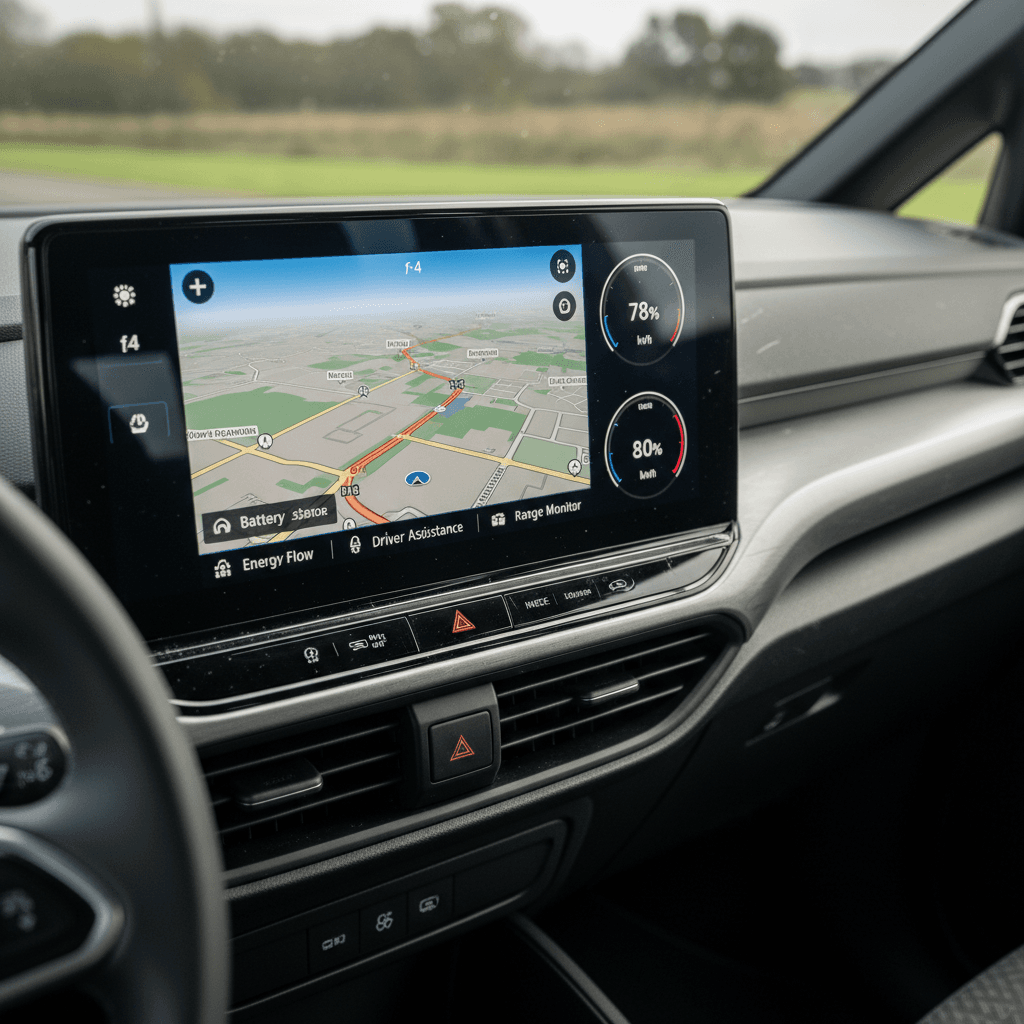
The good news: we’re not seeing a pattern of catastrophic battery failures in the ID. Buzz. The caveat: a lot of owners complain about charging behavior that doesn’t match what they set up in the app or on the screen. Because charging is where your electric life either feels seamless or maddening, it’s worth breaking down.
- Scheduled charging that silently switches from “charge until departure” to “charge immediately,” blowing past off‑peak electricity windows.
- Home or work “locations” disappearing from the charging menu after an update, so schedules have to be rebuilt from scratch.
- Occasional DC fast‑charging sessions that ramp up slowly or stall partway through, often tied to software, station compatibility, or extreme temperatures rather than hardware failure.
- Confusing state‑of‑charge estimates after software updates, especially on vans that rarely see a full 0–100% calibration cycle.
Protect the battery while you troubleshoot
When you’re test‑driving, budget time for a real‑world charging stop. A 10–15 minute DC fast‑charge is enough to see whether the van starts charging reliably, talks to the station without drama, and behaves in line with VW’s published charging curve once the battery is warm.
Safety recalls you should know about
Early‑run vehicles almost always pick up a few recalls, and the ID. Buzz is no exception. By 2026, U.S.‑market vans have seen multiple safety‑related recalls that any buyer should check for and confirm as completed.
Key U.S. ID. Buzz recalls to ask about (through early 2026)
Always run the VIN through the NHTSA website and Volkswagen’s own tools for the full, current list, this table highlights the big ones many shoppers will see.
| Issue | Model year(s) impacted | What’s wrong | Typical fix |
|---|---|---|---|
| Third-row seat width / belt usage | 2025 | The third‑row bench is wide enough for three people but only has two belts/headrests, raising seat‑belt compliance concerns. | Dealer installs trim pieces to reduce usable width so only two passengers fit. |
| Brake warning indicator symbols | 2025 | The brake system warning light doesn’t meet U.S. federal standards for color and labeling, which could confuse drivers in a fault. | Software/display update so the BRAKE warning appears in the proper format. |
| Software update campaigns | 2025 | Various software campaigns to address infotainment bugs, charging logic, and driver‑assistance behavior. | Dealer‑performed or over‑the‑air updates; in rare cases, control modules are replaced. |
Recall campaigns and dates can change; use this as a starting point, not the last word.
Never ignore open recalls on an EV
Interior and body quality issues
The ID. Buzz’s interior is bright and clever, but it’s still a mass‑market Volkswagen, not a luxury van. A few small but common build‑quality gripes have surfaced among early owners.
Everyday ID. Buzz fit-and-finish complaints
Little things that may not break the van, but can break the spell
Seat and trim rattles
Some owners report rattles from the third‑row bench, sliding‑door trim, or the rear hatch over rough pavement. These can develop as miles add up.
On a test drive, find a bumpy road, turn the radio off, and listen carefully from each row.
Sliding door quirks
European owners in particular have mentioned sticky or noisy non‑electric sliding doors and occasional misaligned latches.
In the U.S., cycle both doors multiple times from the key, interior switches, and the handle. Watch for hesitation, beeps, or failure to latch fully.
Lighting & condensation
A small number of owners have noted condensation in exterior LED lamps after rain or washing, and quirky interior ambient‑lighting behavior after software updates.
Moisture inside a light housing should be treated as a defect, not a personality trait.
Remember: early vans vs. later builds
Driver-assistance and safety system bugs
VW’s Travel Assist, lane keeping, and adaptive cruise work well when they’re happy, and infuriate owners when they’re not. On the ID. Buzz, the most common complaints are about inconsistent behavior rather than outright failure.
- Travel Assist dropping out on clearly marked highways with a “sensor blocked” message when nothing obvious is wrong.
- Adaptive cruise refusing to resume after a full stop, even when traffic is moving again.
- Random chimes or driver‑assist icons appearing after software updates, with no clear explanation in the cluster.
Safety systems aren’t optional toys
Europe vs. U.S. ID. Buzz problems
The ID. Buzz has been on European roads longer than it has in the U.S., and that matters for reliability. European owners started discovering infotainment bugs, app headaches, and build‑quality issues before American vans even hit ports. The upside is that Volkswagen has had more time to issue fixes before U.S. production ramped up.
Patterns from Europe
- Lots of early chatter about software 3.x and 5.x connectivity issues.
- Repeated trips to the dealer for software updates and module replacements on the earliest builds.
- Scattered complaints about sliding‑door latches, trim pieces, and interior squeaks.
Think of European feedback as the Buzz’s dress rehearsal, the problems show up there first, then either get fixed or follow the van abroad.
What U.S. buyers see in 2026
- Most U.S. vans are 2025 model‑year with at least some of those early fixes baked in.
- Recalls for seat‑belt/seat layout and brake warnings have already triggered stop‑sale periods, then been cleared once repairs were in place.
- Owners still report software weirdness, but fewer outright “bricked van” horror stories than the first European wave.
If you’re shopping used in 2026, later‑build 2025 U.S. vans can be a sweet spot: bugs discovered, recalls addressed, but still under full warranty.
What to check before you buy an ID. Buzz
Pre‑purchase checklist for a Volkswagen ID. Buzz (2026)
1. Run the VIN for recalls and campaigns
Before anything else, plug the VIN into the NHTSA recall tool and Volkswagen’s own owner portal. Make sure every recall shows as <strong>completed</strong>, and ask the seller for paperwork proving software campaigns and seat/brake fixes.
2. Verify software versions and update history
In the settings menu, note the current software version and build date. Ask the service department whether any updates are outstanding, and whether any previous updates failed or required control‑module replacement.
3. Stress‑test the infotainment
Pair your phone, run CarPlay or Android Auto, stream music, use navigation, and adjust climate and drive‑mode settings. You’re looking for freezes, audio dropouts, random reboots, or screens that go blank and stay that way.
4. Test DC fast charging and home charging
If possible, plug into a public DC fast charger for at least 10 minutes and confirm the van ramps up promptly. At home or at the dealer, set a scheduled charge and confirm the schedule “sticks” after locking the van for a while.
5. Inspect interior trim, doors, and lights
Open and close both sliding doors from every switch and the key fob. Fold, slide, and recline all three rows. Look for rattles, loose trim, and any condensation inside exterior lighting units.
6. Try every driver-assist feature
On a highway test, use adaptive cruise, lane keeping, and Travel Assist. Make sure they engage consistently, don’t throw random faults, and behave in a way you’re comfortable living with every day.
Why a used ID. Buzz with a paper trail is your friend
How Recharged helps you avoid a problem child
If you’re shopping the ID. Buzz on the used market, you don’t have to decode all of this alone. Every van listed on Recharged comes with a Recharged Score Report that digs into battery health, charging behavior, and market‑fair pricing so you can see at a glance whether a particular Buzz is a keeper or a headache in disguise.
What the Recharged Score tells you
- Battery health diagnostics so you’re not guessing about degradation.
- Charging behavior insight from real‑world data, not just spec sheets.
- Fair market pricing that reflects recalls, options, and local demand.
You see the same objective data our EV specialists see, which keeps surprises to a minimum once the van is in your driveway.
End‑to‑end EV‑friendly support
- Nationwide delivery so you’re not limited to the handful of Buzzes near you.
- Financing and trade‑in options built around EV shoppers.
- EV‑specialist guidance to walk you through software, charging, and ownership questions before you sign.
You can shop entirely online or visit our Experience Center in Richmond, VA if you want to climb around a van in person before committing.
FAQ: Volkswagen ID. Buzz common problems 2026
Frequently asked questions about ID. Buzz problems in 2026
Bottom line: Is the ID. Buzz worth it?
If you fell for the Volkswagen ID. Buzz at first sight, you’re not alone. It’s one of the few EVs that makes families smile just sitting at the curb. The flip side is that you’re dealing with a first‑generation, software‑heavy electric van that’s still finding its feet. In 2026, the most common Volkswagen ID. Buzz problems aren’t catastrophic failures; they’re the software quirks, early recalls, and fit‑and‑finish details we’ve walked through here.
Go in with clear eyes, a solid checklist, and a willingness to walk away from a van that doesn’t have its recall and software house in order. Do that, and lean on tools like a Recharged Score Report to separate the good Buzzes from the problem children, and you can end up with exactly what VW promised: a modern, electric bus that makes every errand feel a little more like a road trip.