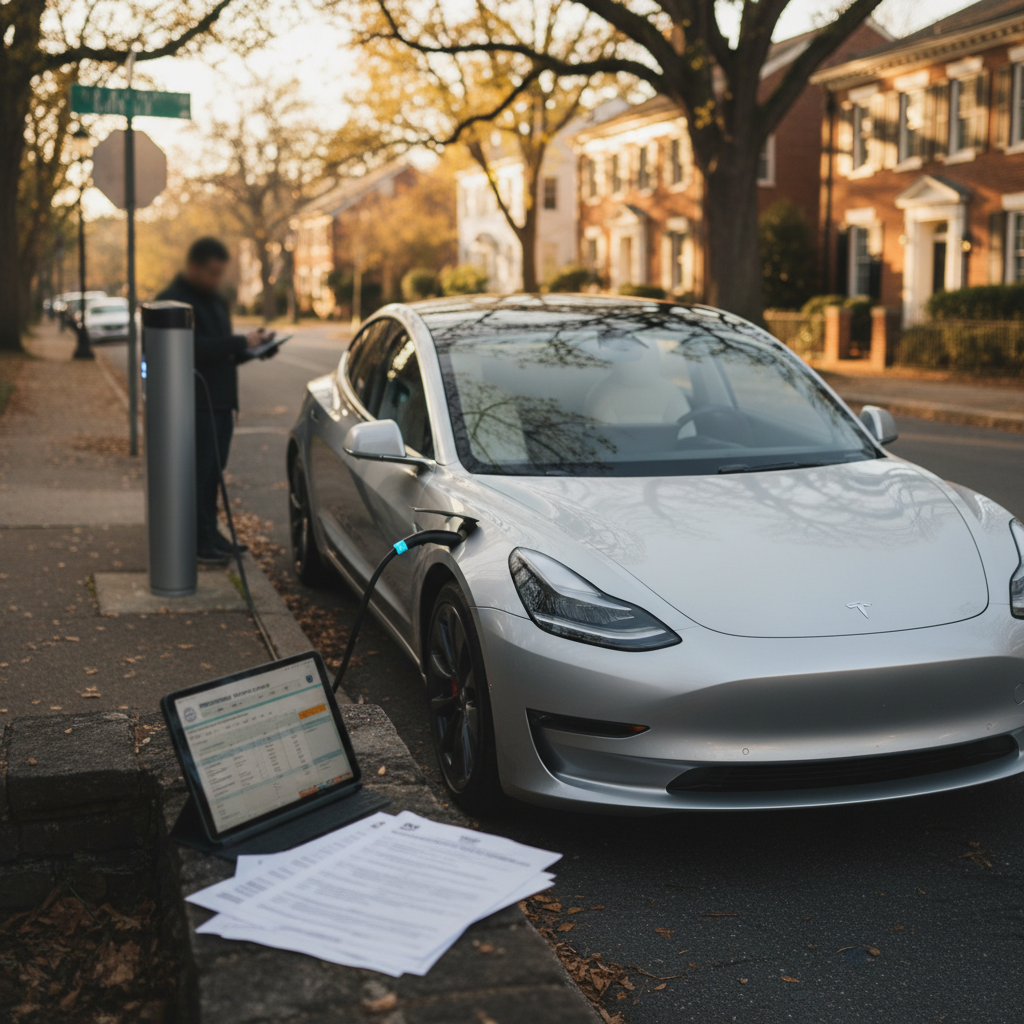
Knowing how to perform a proper Tesla Model Y battery health check can save you thousands of dollars and a lot of quiet anxiety about range and longevity. Whether you already own a Model Y or you’re evaluating a used one, you want a clear, realistic picture of how much usable battery capacity you have left, and what to do if the numbers aren’t what you hoped.
Good news for Model Y owners
Why Tesla Model Y battery health matters, especially for used buyers
The high‑voltage battery is the single most valuable component in a Tesla Model Y. Battery health affects real‑world range, Supercharging speed, resale value, and, if things go badly, whether you’re looking at a warranty claim or a five‑figure repair bill. If you’re buying used, the difference between a strong pack and a tired one can easily be several thousand dollars in fair market value.
How battery health shows up in everyday ownership
The same Model Y can feel very different depending on its pack.
Daily driving range
Lower battery health means less usable capacity, which shows up as:
- Reduced rated range at 100% charge
- More frequent charging on road trips
- Less flexibility in cold weather
Charging speed & convenience
Healthy packs typically:
- Hit peak DC fast‑charge speeds more easily
- Hold higher power later into the session
- Spend less time plugged in overall
Resale & financing
When you sell or trade, a Model Y with documented strong battery health can command a premium. Lenders and data‑driven marketplaces increasingly factor battery condition into offers and interest rates.
Don’t confuse guesswork with a battery test
4 ways to check Tesla Model Y battery health
Realistically, no single number tells the whole story. A good Tesla Model Y battery health check combines what Tesla provides with a simple range test and, if you want to go deeper, third‑party data. Here are the four most useful approaches for owners and used‑EV shoppers:
- Run Tesla’s official Battery Health Test in the car (on vehicles that support it).
- Review the Battery Health section in the Tesla mobile app.
- Do a simple range‑based check by charging to 100% under controlled conditions.
- Use advanced tools (service mode or third‑party diagnostics) or a professional report such as Recharged’s battery‑focused Recharged Score.

Method 1: Using Tesla’s in‑car Battery Health Test
Tesla has gradually rolled out an official Battery Health feature for Model Y through over‑the‑air software updates. On supported cars, you’ll see both a quick health evaluation and the option to run a full Battery Health Test that can take many hours. Not every vehicle or software version exposes this feature, and some recent updates have moved or temporarily removed menu items, so your exact screens may differ.
Where the Battery Health Test lives
Before you start Tesla’s Battery Health Test
1. Confirm your car supports the test
Open <strong>Controls > Service</strong> on the center screen and look for a <strong>Battery Health</strong> item. If it isn’t there, your current software or vehicle configuration may not support the in‑car test. You can still use the app and range‑based methods below.
2. Park, plug in and use AC charging
Tesla’s own instructions call for plugging into an <strong>AC charger that can supply at least 5 kW</strong>, typically a Level 2 home charger or 240V outlet. The car must be in Park, with no active battery or thermal system alerts and no pending software updates.
3. Start from a low state of charge
Tesla specifies beginning with the battery under about <strong>20% state of charge</strong>. The test will deeply discharge and recharge the pack to measure energy retention, so don’t start from a nearly full battery.
4. Ensure stable connectivity
Your Model Y should have a stable Wi‑Fi or cellular connection. Tesla notes that data connectivity is required for the feature to work properly and to compare your car against expected energy retention for its age and mileage.
5. Plan for 12–24 hours of downtime
The official test can take up to <strong>24 hours</strong>, depending on your charger and conditions. Climate control, Sentry Mode and other features are disabled, and the battery may be discharged to very low levels during the process.
6. Avoid using the car or the app
While the test is running, Tesla specifically cautions owners not to interact with the vehicle or constantly wake it up via the mobile app. Doing so can interrupt the procedure or skew the results.
- On the center screen, tap Controls.
- Tap Service.
- If available, tap Battery Health.
- Read Tesla’s explanation, then choose Start Test.
- Leave the vehicle parked, plugged into AC and undisturbed until the test completes or you intentionally cancel it.
Safety warning during the test
When the test finishes, Tesla displays a percentage representing your battery’s energy retention compared to when it was new. The system will also indicate whether your result is in line with expectations for a Model Y of your age and mileage, or if it may qualify for further inspection or warranty support.
Use the official test sparingly
Method 2: Checking battery health in the Tesla app
Recent versions of the Tesla mobile app include a Battery Health section under the Service tab for many Model 3 and Model Y vehicles. Think of this as a high‑level “health summary” based on data the car already has, not a replacement for the in‑car deep test.
- Open the Tesla app on your phone and select your Model Y.
- Tap Service.
- Look for a tile or line labeled Battery Health.
- Tap it to see Tesla’s health statement and whether the car recommends running a more detailed test.
Treat the app view as a snapshot, not gospel
If the app suggests that your battery is healthy and doesn’t prompt a deep test, that’s usually a sign there’s no obvious issue from Tesla’s point of view. If it recommends further testing or flags abnormal behavior, that’s your cue to schedule service or, if you’re evaluating a used car, to get an independent battery report before you commit.
Method 3: Simple range‑based battery health check (no tools needed)
Even if your Model Y doesn’t expose the official Battery Health Test, you can still do a solid health check by comparing your real‑world full‑charge range to the car’s original EPA rating. This doesn’t give you lab‑grade precision, but it’s often good enough to spot an outlier pack when you’re shopping used.
How to run a basic range‑based battery health check
1. Know your trim’s original rated range
Look up the official EPA range for your Model Y trim and year (for example, a 2023 Model Y Long Range is rated around <strong>330 miles</strong> on 19‑inch wheels). Write this number down as your starting point.
2. Minimize variables before the test
Park the car overnight in a moderate temperature if possible (around 60–75°F), turn off Sentry Mode, and avoid waking the car repeatedly with the app. You want the battery management system to be fully “asleep” and calibrated.
3. Charge to 100% once in a while
On a day you’ll be driving soon, set your charge limit to <strong>100%</strong> and charge from roughly 10–30% up to full. As soon as charging completes, note the <strong>displayed rated range</strong> on the screen.
4. Compare to the original rating
Divide the displayed 100% range by the original EPA range to estimate energy retention. For example, if your Long Range Y shows 300 miles where it originally was 330, that’s about <strong>91% of original capacity</strong>.
5. Repeat once or twice for consistency
Because temperature and BMS calibration can move the number a bit, repeat this test a couple of times across different weeks. Look for an average rather than obsessing over a single reading.
6. Watch for outliers
If your calculation consistently lands well into the low‑80s or below while the car is still relatively young and low‑mileage, that’s a flag to involve Tesla or a specialist.
How this back‑of‑napkin math works
Method 4: Advanced tools, service mode and third‑party reports
If you want the most detailed view, especially when you’re about to spend serious money on a used Model Y, there are more advanced options. These go beyond what Tesla shows in the regular UI and can surface pack‑level details like nominal full pack energy, imbalance between modules and fast‑charge history.
Deeper Tesla Model Y battery diagnostics
Best for serious buyers and high‑mileage owners.
Service mode (in‑car)
Model Y has a dedicated Service Mode that technicians use for diagnostics. With the proper access code, owners can view more detailed battery information and, on some software versions, trigger a Battery Health Test from a dedicated HV Battery screen.
Use this carefully, changing settings here is for professionals.
OBD‑based tools & apps
With the right diagnostic harness and Bluetooth dongle, several third‑party apps can read internal battery management system values, such as:
- Nominal full pack energy (kWh)
- Module voltage balance
- Charge/discharge history
These can give a more nuanced picture than the dash alone.
Independent battery reports
Data‑driven services and marketplaces can compare your car to thousands of similar Teslas. At Recharged, for example, every vehicle includes a Recharged Score Report that validates battery health, degradation and pricing fairness so you aren’t buying blind.
Be careful with DIY diagnostics
What is “normal” battery degradation on a Model Y?
Real‑world data from large Model 3 and Model Y fleets suggests that these packs generally lose a small chunk of capacity early on and then degrade more slowly. Driving style, climate and charging habits matter, but a well‑treated battery is aging much more gracefully than most shoppers expect.
Typical Tesla Model Y degradation patterns (approximate)
Warranty vs. “nice to have”
Battery health checklist when buying a used Model Y
If you’re in the market for a used Model Y, you don’t need a lab to protect yourself. You need a systematic process and enough understanding to spot a red flag. Here’s a concise checklist you can run through before you sign anything.
Used Tesla Model Y battery health checklist
1. Identify trim, year and original range
Confirm whether you’re looking at a Standard Range, Long Range or Performance Model Y, its model year, and original EPA range. That gives you the baseline for later comparisons.
2. Ask the seller for a recent 100% charge screenshot
Request a photo of the center screen at <strong>100% charge</strong> showing rated miles. Compare that to original EPA range to get a quick percentage estimate. Be wary of sellers who refuse or provide only partial‑charge shots.
3. Check software and Battery Health menus
On a test drive, open <strong>Controls > Service</strong> to see whether a Battery Health item appears and whether any alerts are present. Lack of the menu isn’t a deal‑breaker, but active battery‑related warnings absolutely are.
4. Review charging habits
Ask how the car was typically charged: home Level 2 vs. Supercharging, usual daily charge limit, and how often it was taken to 100%. Frequent DC fast charging and living at 100% all the time can accelerate wear, though they aren’t automatically fatal.
5. Look for mismatch between odo and health
A low‑mileage car with very poor apparent battery health or unusually low 100% range deserves extra scrutiny. That’s where a professional diagnostic or service inspection pays for itself.
6. Get an independent report if the numbers are large
If you’re about to write a big check for a late‑model Y, consider an independent battery report. Marketplaces like <strong>Recharged</strong> automatically include a Recharged Score and verified battery diagnostics on every car so you aren’t relying on a seller’s screenshots.
When to call Tesla Service, and when to call a used‑EV specialist
When to involve Tesla Service
- Your Model Y shows battery‑related alerts (codes beginning with BMS or thermal system codes).
- The official Battery Health Test flags energy retention as below expectations.
- You notice sudden, large drops in range without a change in temperature or driving pattern.
- DC fast‑charging speeds fall dramatically and stay low even in warm weather.
In these cases, you want Tesla to document the condition in their system and determine whether you qualify for warranty repair or replacement.
When to involve a used‑EV specialist like Recharged
- You’re comparing multiple used Model Y listings and want to know which pack is actually healthier.
- The car is older or out of warranty, and you need a fair market price that reflects true battery condition.
- You want an independent view on degradation, charging history and long‑term ownership costs.
Every vehicle sold through Recharged includes a Recharged Score Report with verified battery diagnostics, pricing transparency and expert guidance from EV specialists. That takes the guesswork out of the largest single variable in a used Tesla purchase.
Leaning toward selling or trading your Model Y?
Ready to find your next EV?
Browse VehiclesTesla Model Y battery health: FAQ
Common questions about checking Model Y battery health
Key takeaways for keeping your Model Y battery healthy
- Use Tesla’s own tools first, Battery Health in the car and app, when available.
- Back that up with an occasional 100% range check done under controlled, mild‑temperature conditions.
- Don’t chase tiny swings in the displayed range; look at trends over months, not days.
- Remember that 85–90% of original capacity is typically excellent for a used Model Y.
- Reserve the deep Battery Health Test and advanced diagnostics for times when you have a clear reason: a suspected problem, a major purchase, or a high‑stakes sale.
- If you’re buying or selling a used Model Y, lean on data‑driven reports and marketplaces like Recharged that verify battery health for you. It turns a guessing game into a transparent, informed decision.
A Tesla Model Y with a healthy battery is one of the easiest modern vehicles to live with: low running costs, simple maintenance and range that still feels generous years down the line. By combining Tesla’s built‑in tools with a sensible range‑based check, and, when the dollars are big, an independent battery report, you’ll know exactly what you’re getting into. That’s how you protect yourself as a buyer, maximize value as a seller, and enjoy the car for the long haul.