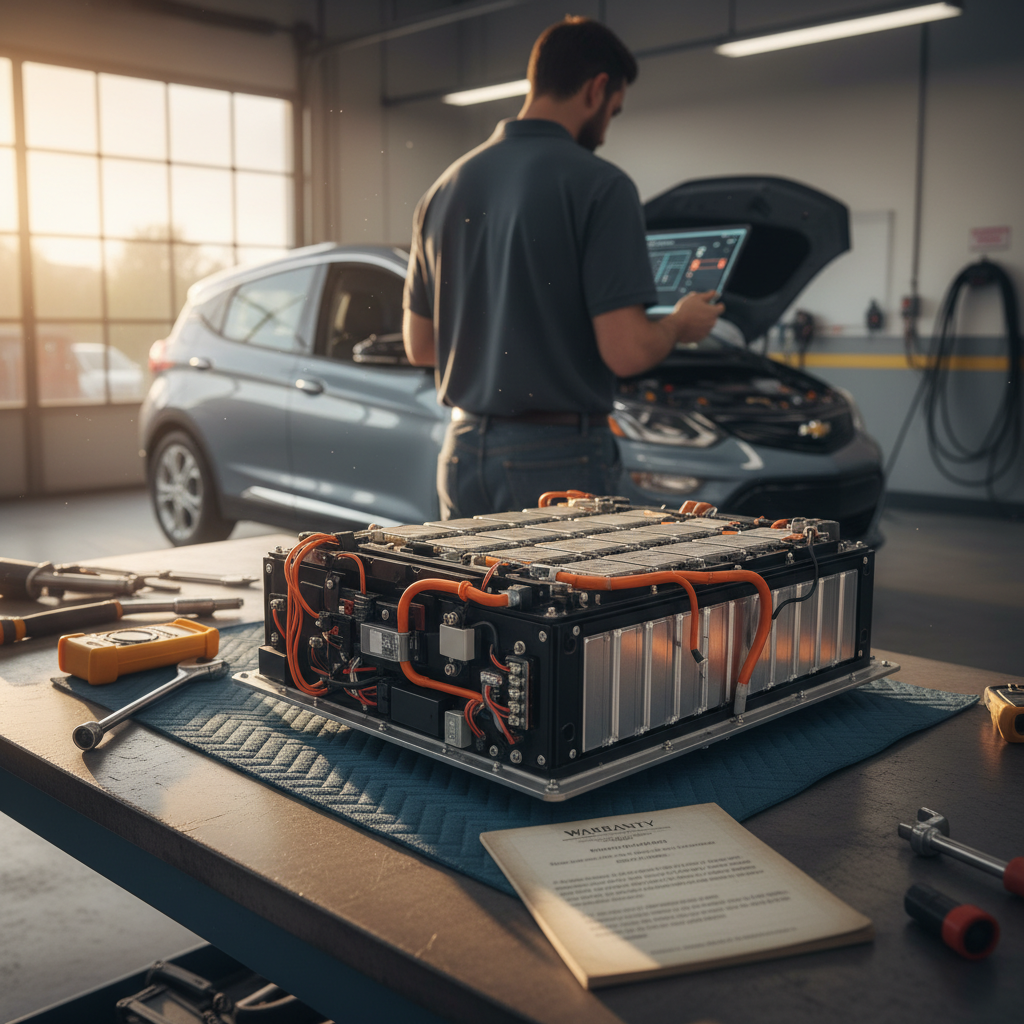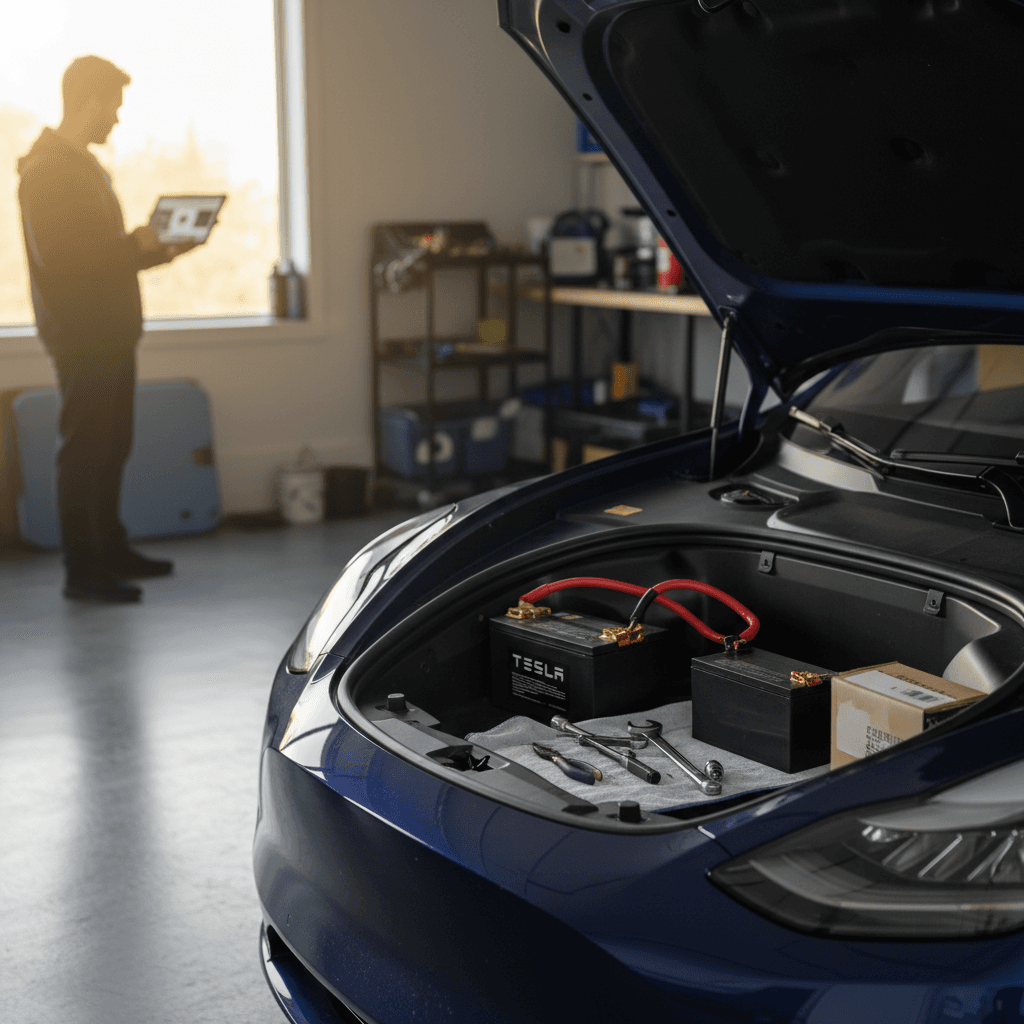
If you own a Tesla Model Y long enough, you *will* deal with a 12V (low‑voltage) battery replacement. The good news: compared with a high‑voltage pack swap, a Tesla Model Y 12V battery replacement is relatively cheap and, on earlier cars, a realistic DIY job. The bad news: if it dies completely, your Model Y can be bricked in your driveway until it’s fixed.
Quick clarification
Why the Tesla Model Y 12V battery matters
Every EV, including the Model Y, uses a separate low‑voltage battery (traditionally 12V) alongside the large high‑voltage pack. In your Tesla, this small battery powers computers, relays, contactors, door locks, alarms, lights, and HVAC controls. The high‑voltage pack can’t even wake up without it.
- Powers the vehicle’s control modules and safety systems
- Closes the main contactors that connect the high‑voltage pack
- Lets you unlock doors, open the frunk, and shift into gear
- Enables remote access so the app can wake and precondition the car
When the 12V battery gets weak, the car may still drive for a while, but you’ll start seeing warnings. If it fails completely, the doors may not unlock electronically and the high‑voltage pack can’t connect, leaving you effectively stranded until the low‑voltage system is restored.
Which low-voltage battery does your Model Y have? 12V vs 16V vs lithium
Tesla has used a few different low‑voltage battery types in the Model Y between 2020 and 2026. Knowing which one you have determines the exact replacement part and whether typical 12V accessories are fully compatible.
Model Y low‑voltage battery types by year (North America, typical)
Always confirm your specific configuration in the car’s menus or with Tesla Service, but this table covers the most common setups.
| Model year | Common LV battery type | Nominal voltage | Notes |
|---|---|---|---|
| 2020–early 2021 | Lead‑acid 12V battery | 12 V | Traditional automotive‑style battery under frunk trim. |
| Late 2021–2023 | Lithium‑ion low‑voltage pack | ~16 V | More compact, longer life; still often referred to as the "12V" battery in alerts. |
| 2024–2025 | Revised lithium LV pack | ~16 V | Further refinements; part numbers vary by build date. |
| Some 2026+ builds | LFP low‑voltage pack | ~12.8 V | Lithium iron phosphate chemistry aimed at even longer life. |
Use this as a starting point, Tesla can change components mid‑year.
How to quickly check your LV battery type
For North American 2020–2024 Model Y with a lead‑acid battery, Tesla’s documentation specifies an AtlasBX / Hankook 85B24LS 12V 45Ah unit or equivalent. Later lithium packs are proprietary Tesla modules; you’ll typically source those directly from Tesla rather than an auto‑parts store alternative.
Signs your Model Y 12V battery needs replacement
Your Model Y will usually give you some warning before the low‑voltage battery fails completely. Pay attention to these symptoms so you can plan a replacement instead of waiting for a tow.
Common warning signs of a failing Model Y low‑voltage battery
You might see one or several of these before the car becomes undriveable.
Dash warnings
Most owners first see a "12V battery needs service" or similar low‑voltage warning on the screen or in the app. Don’t ignore it, Tesla often gives you a grace period, but failure can be sudden.
Slow wake-up behavior
The car may take longer than usual to wake from sleep, screens may flicker, or systems may reboot unexpectedly. These are classic signs the LV battery can’t hold voltage under load.
Car won’t unlock or power on
In severe cases, the doors may not unlock, the trunk/frunk won’t open electronically, and the car won’t shift into drive. At that point, the LV battery is effectively dead.
- Headlights and interior lights pulsing or dimming briefly
- Random error messages that clear after a restart
- Needing to jump the 12V terminals behind the tow hook cover to wake the car
Don’t wait until it’s completely dead
Tesla Model Y 12V battery replacement cost
Compared with the five‑figure price tag of a high‑voltage pack, a Model Y 12V battery replacement is a relatively small line item. Costs vary depending on whether you go through Tesla Service or DIY the swap on a lead‑acid car.
Typical Tesla Model Y 12V replacement cost ranges (U.S., 2025–2026)
Owners with 2020–early‑2021 lead‑acid cars often buy a direct‑fit battery from Tesla (or, less commonly, from an auto‑parts retailer) and install it themselves in under an hour. Later lithium low‑voltage packs are proprietary and significantly more expensive as parts, but they also tend to last longer, so total lifetime cost is still modest for most drivers.
12V vs high‑voltage pack costs
Model Y 12V battery replacement: step-by-step overview
Tesla’s official service manuals are written for trained technicians, but the basic process for a lead‑acid Model Y is straightforward and similar to an ICE car once you’ve peeled back the plastic. Lithium low‑voltage modules are more involved, and Tesla strongly prefers that owners let Service handle them.
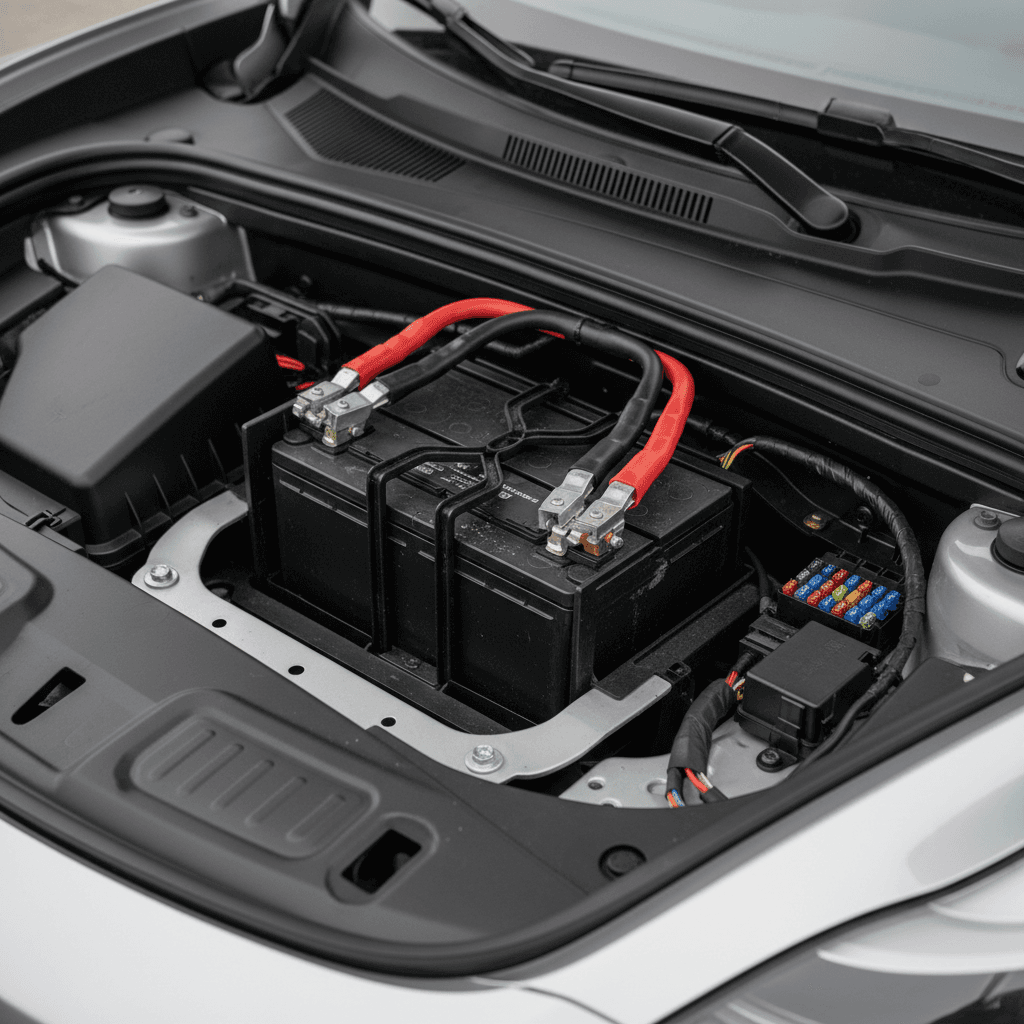
High-level 12V replacement steps on a lead‑acid Model Y
1. Park safely and open the frunk
Park on a flat surface, shift into Park, and open the frunk. If the 12V battery is already dead and the car won’t wake, you’ll need to use the emergency frunk release behind the tow‑hook cover and power the low‑voltage terminals from an external 12V source first.
2. Remove plastic trims to access the battery
Pull out the frunk tub and the plastic cowl/cover panels at the back of the frunk. On 2020–2021 cars you’ll see the rectangular 12V lead‑acid battery near the centerline, secured with a strap or bracket and connected by positive and negative cables.
3. Disconnect low‑voltage and high‑voltage per Tesla procedure
Use the touchscreen’s Service mode or follow Tesla’s published sequence: power the car down, disconnect the negative 12V terminal, and unplug the orange first‑responder loop to isolate the high‑voltage system. This prevents relays from closing while you’re working.
4. Remove the old battery
Unbolt the battery hold‑down, loosen and remove the positive terminal, then carefully lift out the battery. On lead‑acid units, disconnect the vent tube from the negative side so you don’t damage it.
5. Install the new battery
Place the new 12V battery in the tray, reconnect the vent tube (if applicable), reinstall the hold‑down, and torque the terminals to spec. Always connect the <strong>positive cable first</strong>, then the negative, to minimize the risk of shorting.
6. Reconnect the first‑responder loop and reassemble
Plug the first‑responder loop back in, reinstall all frunk trims and the tub, then wake the car. Verify that 12V warnings clear after a short drive or sleep cycle. If errors remain, you may need to perform a battery relearn in Service mode.
DIY vs Tesla Service, what’s realistic?
Safety warnings before you touch the 12V battery
It’s tempting to think of a 12V battery as harmless, but in a Tesla the low‑voltage system is tightly tied to high‑voltage contactors and safety circuits. Treat it with respect.
Critical safety rules
- Never work on the low‑voltage battery with the car “on”. Use the Power Off or Service procedures and wait the recommended time for systems to shut down.
- Always disconnect the negative terminal first when removing the battery, and reconnect it last when installing.
- Unplug the first‑responder loop where Tesla specifies. That step isolates the high‑voltage pack so it can’t energize unexpectedly.
- Wear eye protection and gloves, especially around lead‑acid batteries that can vent gas or leak acid.
Situations where DIY is reasonable
- Early‑build Model Y with a known lead‑acid 12V battery
- You can safely open the frunk and access the battery without forcing panels
- You have a printed or digital copy of Tesla’s official procedure
- You’re experienced with basic 12V work on other vehicles
Situations where you should call Tesla
- The car is still under basic or low‑voltage warranty
- You have a lithium low‑voltage pack and aren’t sure about part numbers
- The car won’t wake even after you supply external 12V power
- You see or smell signs of damage (burnt wiring, melted plastics, swelling)
Resetting and relearning the new 12V battery
Swapping the hardware is only part of the job. Your Model Y’s software tracks the 12V battery’s behavior, and on later cars, especially with lithium low‑voltage packs, it often expects you to confirm that a new unit has been installed.
- After reconnecting the 12V battery and first‑responder loop, let the car boot fully and clear any immediate errors.
- If low‑voltage warnings persist, enter Tesla’s Service Mode from the touchscreen and look for a "12V battery" or "low‑voltage battery" service function (names vary by software version).
- Many owners report a "learn new battery" or similar action that resets the monitoring logic. Follow on‑screen prompts, then let the car sleep for several hours.
- If you don’t see a relearn option, simply allowing the car to sit parked overnight often lets the BMS recalibrate to the new battery’s voltage curve.
- If warnings remain after 24 hours and a short drive, schedule service in the Tesla app, there may be a wiring or module issue rather than a simple weak battery.
Give the car time to re‑index
How long does a Model Y 12V battery last?
Low‑voltage battery life on Teslas has improved significantly in recent years. Early Model S and Model X cars sometimes ate 12V batteries every 2–3 years. The Model Y has benefitted from better power management and, later, more robust lithium packs.
Typical Model Y low‑voltage battery lifespan ranges
Real‑world owner reports and chemistry characteristics give us these rough expectations.
| Battery type | Typical lifespan | Usage notes |
|---|---|---|
| Lead‑acid 12V (2020–early 2021) | 3–5 years | More sensitive to heat and frequent deep cycles; plan on at least one replacement in a 10‑year ownership window. |
| Lithium low‑voltage (~16V, 2021–2025) | 5–8+ years | Better cycle life and more stable voltage. Many owners may never replace one during normal first‑owner use. |
| Emerging LFP low‑voltage (~12.8V, some 2026+) | Too early to say; potentially 8–10+ years | LFP chemistry is very cycle‑resilient; in an EV support role it may outlast the rest of the car. |
Your climate, mileage, and how often the car sits parked for long stretches will all affect actual life.
Climate and parking habits matter
12V battery tips for used Tesla Model Y shoppers
If you’re shopping the used market, especially for a 2020–2021 Model Y, the state of the 12V battery is a small but telling data point. A poorly maintained low‑voltage system can hint at broader neglect, while a documented recent replacement is one less thing to worry about in the first few years of ownership.
What to check on a used Model Y’s 12V system
Simple questions now can save you a surprise service visit later.
Ask for service records
Look for any 12V battery or low‑voltage system line items. A recent Tesla Service invoice for a replacement is a plus; multiple early replacements could suggest heavy accessory loads or unusual use.
Review on-screen warnings
During a test drive, open the Notifications pane and confirm there are no current 12V or low‑voltage warnings. If there are, ask the seller to address them before you sign.
Inspect under the frunk trim
On older lead‑acid cars, a quick look (with the seller’s permission) can reveal corrosion, swelling, or obvious aftermarket wiring. Heavy accessory taps off the 12V system can shorten its life.
Use independent battery health data
On platforms like Recharged, every used EV listing comes with a Recharged Score Report that measures high‑voltage battery health and flags issues. While it doesn’t replace Tesla’s own diagnostics, it gives you a transparent baseline on overall pack condition and charging history.
How Recharged helps
Ready to find your next EV?
Browse VehiclesFAQ: Tesla Model Y 12V battery replacement
Frequently asked questions about Model Y 12V batteries
Bottom line on Model Y 12V battery replacement
For Tesla Model Y owners, the low‑voltage battery is one of the few truly "traditional" wear items you’ll face. A 12V battery replacement costs a fraction of what an engine repair or high‑voltage pack swap would, and on early lead‑acid cars it’s a manageable DIY project if you’re comfortable following Tesla’s procedures.
The key is knowing which low‑voltage system your Model Y has, paying attention to early warning signs, and deciding honestly whether you’re equipped to tackle the work yourself. If not, Tesla’s Mobile Service can usually handle it in your driveway in under an hour.
If you’re in the market for a used Model Y, or any used EV, platforms like Recharged can give you a clearer picture. Every vehicle comes with a Recharged Score Report that verifies high‑voltage battery health, flags issues, and helps you understand what’s likely coming next in the maintenance queue, including eventual low‑voltage battery replacements.
Handled proactively, the 12V battery is just another line on the long‑term ownership spreadsheet, not a crisis. Know the signs, budget for the swap, and your Model Y should stay awake, responsive, and ready whenever you are.