
If you own or are shopping for a Tesla Model X, understanding the software update history is almost as important as knowing the hardware specs. Tesla treats the Model X like a connected device: over‑the‑air updates can radically change the driving experience, safety behavior, battery tools, and even resale value. This guide walks through the Tesla Model X software update history, what major versions actually changed, and how that should influence your decisions as an owner or used‑EV shopper.
Quick take
Why the Model X software update history matters
Because Tesla pushes frequent over‑the‑air (OTA) updates, two Model X SUVs built in the same year can feel very different depending on how they’ve been updated. Software affects everything from falcon‑wing door behavior and cold‑weather range to Autopilot, FSD, and how the car responds to recalls. If you’re buying used, software history isn’t just trivia, it’s a real part of the car’s value proposition.
Three reasons to care about software history
Especially important for used Model X shoppers
Safety & recalls
Many safety recalls on the Model X are fixed with software rather than parts. A car that isn’t updated may be missing critical safety fixes.
Driving behavior
Updates change steering feel, regenerative braking options, suspension tuning, and driver‑assist behavior. That’s why test drives of two similar‑year Xs can feel surprisingly different.
Resale & value
Features like FSD, improved energy tools, and new safety aids can raise perceived value. On the flip side, some owners dislike later changes and value earlier builds.
How Tesla Model X software updates work
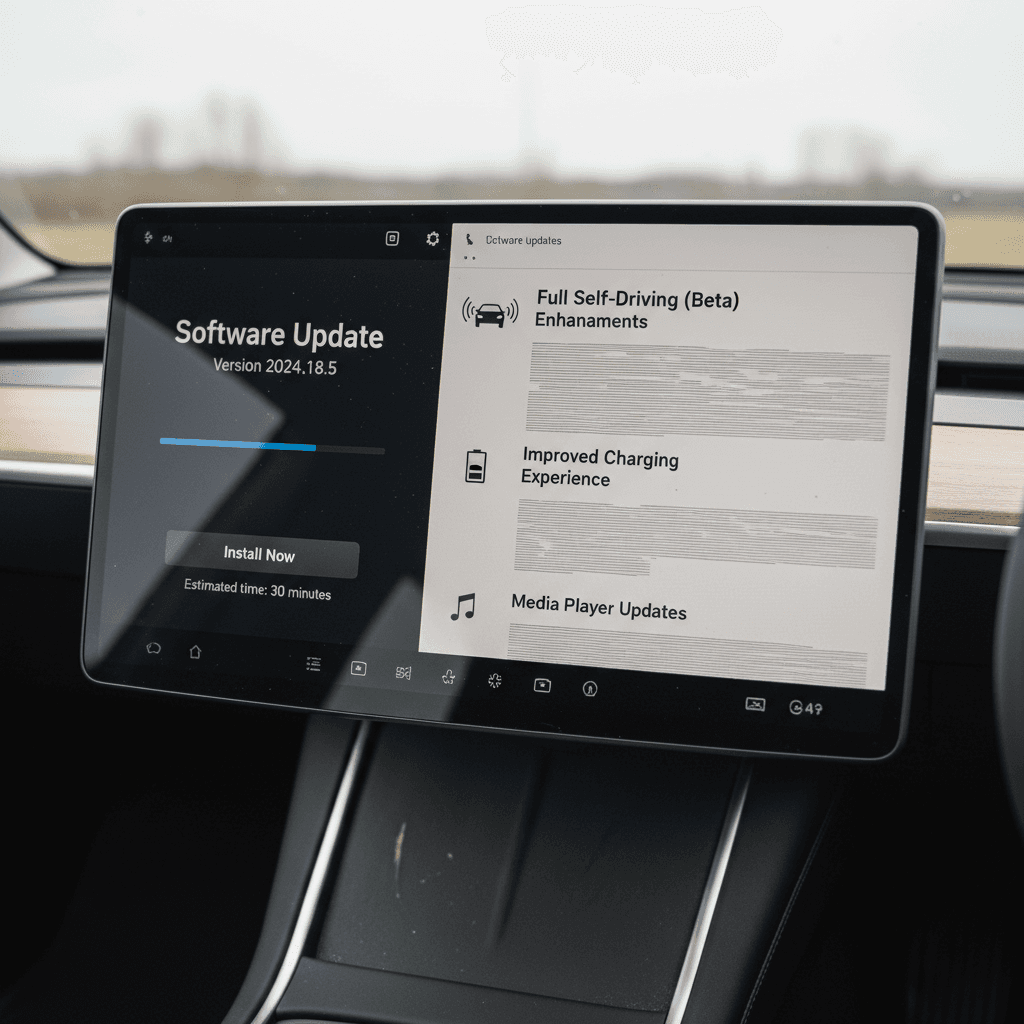
Every Tesla Model X ships with built‑in connectivity and a software stack that can be updated remotely. Updates download over Wi‑Fi (sometimes over cellular) and then install while the car is in Park. You’ll see a notification on the touchscreen and in the Tesla app when new software is ready to install.
- Download vs. install: the car usually needs Wi‑Fi to download an update, but installation happens later while parked and undrivable.
- Scheduling: you can schedule installs for off‑hours so you’re not stuck waiting when you need the car.
- Advanced vs. Standard: in Controls > Software, you can choose to get updates “Advanced” (faster, more frequent) or “Standard” (later, more conservative).
- No downgrade: once a Model X is updated, you can’t roll it back to an older software version yourself.
- Release notes: after installation, tapping Release Notes on the touchscreen shows what changed in that version.
During install, the car is effectively off
Timeline of major Model X software updates
Tesla doesn’t version software by model, but by a single build that spans the S, X, 3, and Y. Below is a high‑level history of the most important eras for the Model X, focusing on owner‑visible changes. Exact dates and features can vary slightly by hardware (Autopilot generation, MCU, cameras, etc.).
Major Tesla Model X software eras
A simplified view of how software updates reshaped the Model X over time.
| Era / Version | Approx. Years | Headline changes for Model X |
|---|---|---|
| Firmware 7.x | 2015–2016 | Initial Model X launch software, early Autopilot 1.0, basic falcon‑wing control and door logic. |
| Firmware 8.0 | Late 2016–2017 | Major UI overhaul, enhanced Autopilot behavior, Cabin Overheat Protection, faster falcon‑wing operation and door tuning. |
| Firmware 9.x | 2018–2019 | Full‑screen map layout, revised media player, further door and suspension refinements, expanded Autopilot safety logic. |
| 2020.x series | 2020–2021 | Range and charging tweaks, new visualization styles, early FSD Beta for eligible owners, more robust Sentry Mode. |
| 2022.x series | 2022–2023 | Holiday/UI refreshes, light shows, some buggy builds on refreshed 2022–2023 X (black screens, reboots) but later patches stabilized them. |
| 2023–2024 builds | 2023–early 2025 | Autosteer and interface changes tied to safety recalls, chime and warning font updates, PWS and seat‑belt reminder fixes, camera and hood‑latch monitoring updates. |
| 2025.x and beyond | Mid‑2025–today | Heavier FSD integration, alternative trip plans and adaptive headlights on newer S/X, battery health tools and more detailed energy analytics for many Model X owners. |
Individual builds are far more granular, but this table captures the big shifts that most owners notice.
Model X software by the numbers (typical owner experience)
How precise is this timeline?
Key features Tesla added to the Model X via software
One of the main reasons the Model X has aged better than many luxury SUVs is that Tesla keeps adding capabilities after sale. Here are some of the most consequential feature areas the Model X has gained or significantly changed via software updates.
Major software-driven improvements on the Model X
Not every feature applies to every year and hardware configuration
Door & falcon‑wing tuning
Early Model X units were notorious for finicky doors. Firmware 8.0 and subsequent updates refined sensor logic, opening arcs, and obstruction detection to make doors faster and more predictable.
Cabin Overheat Protection
Introduced around the 8.0 era, this feature keeps the cabin below a set temperature for hours after you park, using battery power to protect kids, pets, and interiors in hot weather.
Improved camera & visualizations
Updates have upgraded blind‑spot visualizations, backup camera behavior, and on‑screen renders of surrounding traffic, especially as Tesla moved from AP1 to newer camera suites.
Charging & trip planning
Later updates improved routing to Superchargers, preconditioning the battery on the way, and in 2025 added alternative trip plans and richer energy analysis on newer S/X hardware.
Driver-assist behavior
Autosteer, Traffic‑Aware Cruise Control, lane change behavior, and FSD driving style have all evolved through software, sometimes making the car feel very different from one year to the next.
Diagnostics & service tools
Updates have added better error messaging, improved logging, and remote diagnostics that let Tesla Service and third parties like Recharged read more of the car’s state and battery health.
Look beyond the gimmicks
Autopilot, FSD, and safety recalls on the Model X
Model X owners have lived through several generations of Autopilot and FSD marketing, and a growing list of safety‑driven software changes. That history matters if you’re trying to understand how a particular Model X drives today versus how it did when new.
Autopilot & FSD evolution
- Early Model X units used Autopilot 1.0 hardware sourced from Mobileye, later replaced by Tesla’s in‑house AP2+/FSD computers.
- Subsequent updates adjusted steering feel, lane changes, and driver‑monitoring, sometimes making the system feel more conservative after safety reviews.
- FSD (later branded FSD Supervised) rolled out in waves, giving some Model X owners access to city‑street automation that changed significantly with each major v11, v12, and v13 branch.
Safety recalls via software
- Several large recalls in 2023–2025 on the Model X, covering Autosteer behavior, warning fonts, seat‑belt chimes, camera reliability, hood‑latch detection and more, were addressed primarily through software updates and configuration changes.
- That means a car that hasn’t been updated may technically be under a recall, even if it’s driving normally.
- For used buyers, it’s worth confirming both the current software version and whether the car shows any outstanding recall notices in the Service menu.
Remember: driver-assist is not self‑driving
How to check the software version on a Model X
Whether you already own a Model X or you’re evaluating one at a dealer or marketplace like Recharged, checking the exact software version is fast and easy.
Steps to see the current software version
1. Open the Controls menu
Sit in the driver’s seat with the car awake, then tap the <strong>Controls</strong> icon on the bottom of the center touchscreen.
2. Go to the Software tab
On the left side of the Controls screen, tap <strong>Software</strong>. This screen shows your current version identifier (for example, 2025.14.x).
3. Check for available updates
On the same screen, the car will either say it’s up to date or show that a download is available. If an update is pending, you’ll see options to <strong>Install Now</strong> or schedule.
4. Read the release notes
Tap <strong>Release Notes</strong> to see what your current version added. This is the best way to see if a recent update included safety fixes, driver‑assist changes, or new features.
5. Confirm update preferences
Still on the Software screen, choose <strong>Advanced</strong> if you want to be among the first wave of each release, or <strong>Standard</strong> if you prefer slower, more tested rollout.
6. For used buyers, take a photo
If you’re test‑driving a used Model X, snap a quick photo of the Software screen. It’s handy for later research and for sharing with EV specialists, like the team at Recharged, who can interpret what that version implies.
Software considerations when buying a used Model X
In a traditional SUV, software is an afterthought. In a Model X, it’s a core part of the asset you’re buying. Here’s how to fold software history into your used‑EV shopping process.
Questions to ask the seller
- “Is the car on the latest software?” If not, why? Occasional lag is normal; chronic avoidance may hide issues.
- “Has the car ever failed an update?” Owner reports of repeated failed installs can hint at 12V or connectivity issues.
- “Is FSD or Enhanced Autopilot included?” These options are tied to the car, not the driver, and their behavior depends heavily on software version.
How Recharged approaches this
At Recharged, every used EV, including the Model X, goes through a standardized digital inspection. As part of the Recharged Score Report, we verify:
- The vehicle’s current software version and connectivity status.
- Whether critical software‑based recalls have been applied.
- Battery health and charging behavior using our diagnostic tools.
That means you’re not guessing how years of OTA updates have affected performance and safety, you’re seeing it quantified in a report.
Pro move for used shoppers
Troubleshooting common Model X software update issues
Most updates install quietly in the background. But Model X owners also report patterns of glitches: stuck downloads, failed installs, black screens after holiday updates, and so on. Here’s how to approach them without panic.
Typical Model X software issues and what to do
These aren’t universal, but they’re common enough to be worth knowing
Stuck download
Symptom: software shows “downloading” for hours or days, then disappears.
Try: move the car to a stronger Wi‑Fi network, reboot both screens (hold scroll wheels + brake on some models), and leave it parked overnight. Many owners find the update reappears in a later rollout.
App says update needed, car doesn’t
Symptom: the Tesla app nags about an update that the car reports as already installed.
Try: log out and back into the app, reboot the car, and give it a few days. This is usually a backend sync issue, not a real software mismatch.
Black or rebooting screens
Symptom: after an update, one or both screens go intermittently black or reboot in use.
Try: soft‑reboot first. If it persists, book service. Historically, Tesla has resolved many of these either with follow‑on software or, in rare cases, replaced the computer or display module.
Advanced updates aren’t always better
Frequently asked questions about Model X software updates
Model X software update FAQ
Bottom line for current and future Model X owners
Tesla’s Model X has been on the road long enough to prove a simple truth: software can make or break the ownership experience. The same hardware can feel like a different SUV depending on how it’s been updated, which recalls it has absorbed, and which driver‑assist features are enabled. As an owner, your job is to stay connected, read release notes, and treat big updates with the same respect you’d give mechanical work.
If you’re shopping used, software history belongs on the same checklist as battery health and accident records. That’s why Recharged builds verified software and battery diagnostics into every Recharged Score Report on a used Model X. When you combine transparent data with expert guidance, you’re no longer guessing how years of OTA updates have shaped the car, you’re buying with eyes wide open.