The Tesla Model S helped define the modern electric car. It’s quick, quiet, and can rack up hundreds of thousands of miles. But like any complex vehicle, especially an early EV, there are **common Tesla Model S problems and fixes** you should understand before you put one in your driveway, or before you panic about an issue with the car you already own.
Who this guide is for
Why Tesla Model S “common problems” matter for used buyers
The oldest Model S cars on the road are now more than a decade old. That means many are beyond their original 4‑year/50,000‑mile basic warranty, and some are even past the 8‑year battery and drive unit coverage. At the same time, used prices have come down, making a Model S far more attainable than it once was, especially if you buy from a used‑EV specialist like Recharged that verifies battery health before you sign anything.
- Budget realistically for ownership.
- Choose the right model years and configurations.
- Negotiate price with confidence.
- Decide whether added coverage or a professionally inspected car is worth it.
Tesla Model S reliability snapshot
Tesla Model S problems by model year at a glance
Common Tesla Model S issues by generation
Patterns vary by year, hardware changes, and mileage. Use this as a high‑level guide, then dive into the sections below.
| Model years | Key changes | Most reported issues | What to watch when buying used |
|---|---|---|---|
| 2012–2014 (early cars) | Launch years, first‑gen drive units, early MCU1 | Frequent door‑handle failures, MCU screen/eMMC wear, early drive‑unit noise, more build flaws | Service history for door handles & MCU, drive‑unit replacements, any battery or contactor work |
| 2015–2016 | Hardware refinements, Autopilot 1, more volume | Still door handles, MCU wear, some air‑suspension and control‑arm issues | Suspension clunks, uneven tire wear, updated door‑handle revisions |
| 2017–2018 | Improved build quality, updated nose, newer MCU1/MCU2 overlap | Fewer early‑production bugs, still occasional MCU failures and trim/wind‑noise complaints | Check for MCU recall completion and panel/trim condition |
| 2019–2020 | Raven refresh, adaptive suspension updates | Better efficiency, smoother ride; some air‑suspension leaks or body creaks | Listen for suspension noises, confirm software and warranty status |
| 2021–2025 (Plaid & refreshed interior) | New interior, yoke/round wheel options, MCU3, heat pump | Fewer historical issues; owners mainly report squeaks, rattles, paint/trim concerns, some electronic glitches | Careful test drive for noises, panel alignment, and door/seat electronics; check for open recalls |
Always verify issues on the specific VIN you’re considering.
Shopping shortcut
1. Failing retractable door handles (2012–2016 especially)
The Model S’s flush, motorized door handles are an iconic design feature, and one of the most talked‑about trouble spots, especially on 2012–2016 cars. Small motors and micro‑switches inside the handle mechanism can fail, leaving a door that doesn’t present when you approach or a handle that won’t open the door at all.
- Doors won’t present when you walk up to the car.
- Handle presents but pulling it doesn’t unlatch the door.
- Intermittent failures in cold or wet weather.
- Multiple handles fail over a short period on older cars.
Why this matters
Typical fixes for Model S door-handle problems
- Replace the handle assembly: Tesla and independent shops can install updated handle modules that use revised micro‑switches and wiring. This is the most common repair.
- Rebuild the handle: Some specialists replace only the failed micro‑switch, wiring harness, or tiny motor, reusing the main handle shell to save money.
- Software calibration / reset: In rare cases, a body‑controller or software glitch can be resolved with a reflash or reset, but true mechanical failures usually return.
Real‑world cost range
Used‑buy checklist: Door handles
1. Test every handle repeatedly
Walk up with the key, confirm each handle presents smoothly, then open and close every door multiple times from inside and out.
2. Ask about prior handle repairs
Service invoices that show handle replacements are a plus, they mean you already have the latest revision on that door.
3. Check for warning messages
Note any alerts about door latches or body controllers on the touchscreen. On a Recharged vehicle, these will be flagged before sale.
2. MCU / touchscreen failures and eMMC wear
Early Model S cars use an infotainment unit called MCU1. In these cars, the internal memory chip (an eMMC) can wear out over time, causing slow boot‑up, frozen screens, or a black, non‑responsive display. Tesla issued a recall to replace the undersized 8GB chip with a more durable 64GB unit on affected vehicles, but not every used car you’ll see has had this completed yet.
- Center screen reboots randomly or takes minutes to power up.
- Backup camera feed cuts out intermittently.
- Audio, HVAC, or navigation become unresponsive until a reset.
- You see warning messages referencing "center display storage" or similar.
Safety angle
Fixes and upgrade paths for MCU problems
Common solutions for a failing Tesla Model S MCU
From recall repairs to full upgrades, you have options.
Recall eMMC replacement
If the car is eligible and the recall hasn’t been done, Tesla will typically replace the original 8GB eMMC chip with a more durable 64GB unit.
Cost: Often no charge under recall; confirm with Tesla by VIN.
MCU1 to MCU2 upgrade
On many 2012–2018 cars, Tesla offers a paid upgrade to newer MCU2 hardware for a faster, smoother interface and additional features.
Cost: Commonly in the low‑to‑mid four figures including labor.
Third‑party MCU repair
Independent EV shops can sometimes repair MCU1 boards, replace eMMC chips, and address display delamination for less than a full unit swap.
Cost: Varies widely; get quotes and ask about warranty.
Used‑buy checklist: MCU and screen
1. Confirm recall completion
Use the VIN on Tesla’s site or NHTSA’s recall checker to verify that any MCU‑related recalls have been performed.
2. Stress‑test the screen
On a long test drive, switch between apps, use navigation, stream audio, and shift from Drive to Reverse. Watch for lag or reboots.
3. Inspect for yellow borders or bubbles
Older screens sometimes show yellowing or bubbles at the edges. Cosmetic, but you can use it in price negotiations if not already addressed.
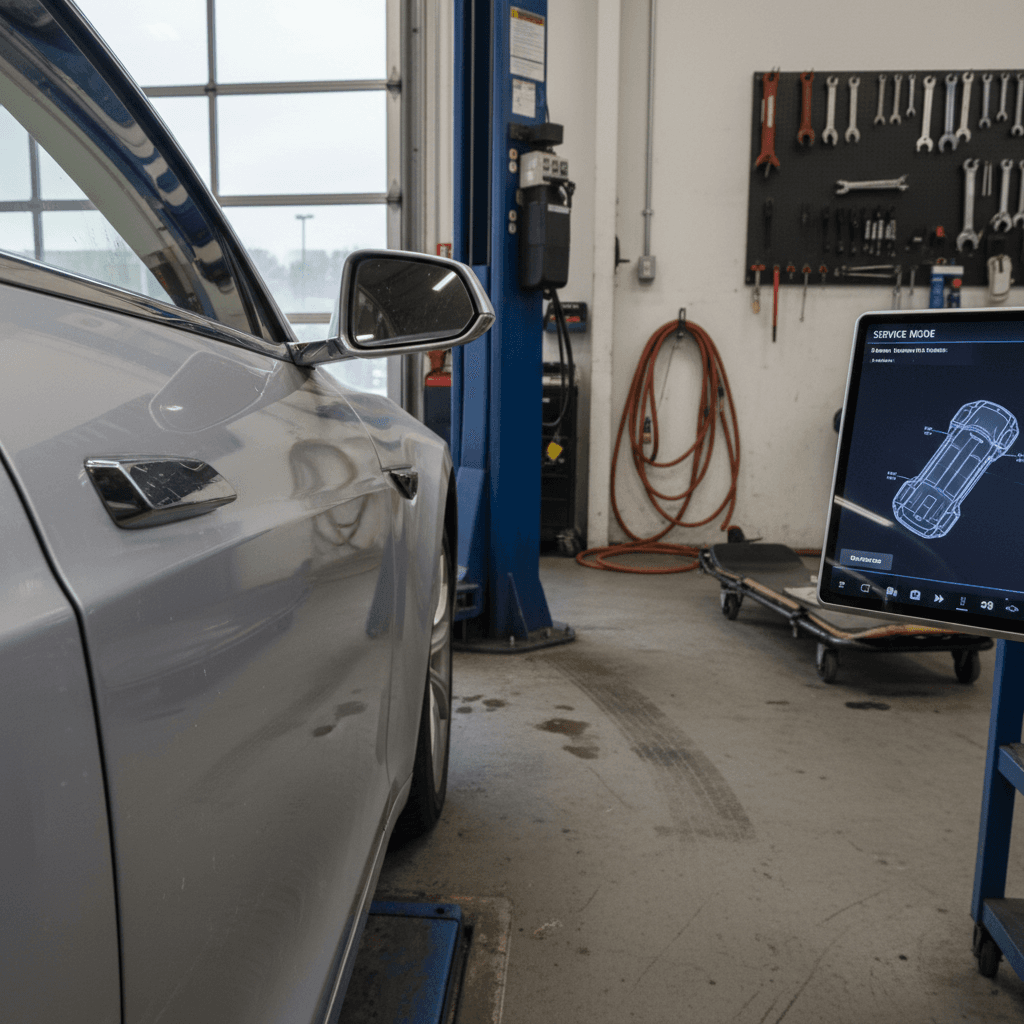
3. Air suspension and control arm wear
Many Model S trims use an air suspension system to deliver a smooth ride and adjustable ride height. Over time, especially in harsh climates or on rough roads, air struts can leak and control‑arm bushings or ball joints can wear out. Later cars, particularly 2019+ “Raven” models, received refined suspension tuning, but any older, higher‑mileage luxury car will eventually need suspension work.
- Clunks or knocks over bumps, especially at low speed.
- Uneven tire wear on the inner edges of the front or rear tires.
- Car sits lower on one corner after parking overnight (possible air leak).
- Steering that feels loose, vague, or pulled by road grooves.
Listen with the radio off
Typical suspension repairs
- Control arms and bushings: Often replaced in pairs to restore alignment and steering precision.
- Air struts or bags: If you see persistent sagging or compressor over‑activity, a leaking air spring may need replacement.
- Ride‑height sensors: Faulty sensors can trigger error messages or uneven ride height without a true leak.
Ballpark cost expectations
- Control arms: Frequently in the mid‑hundreds to low four figures, depending on parts and labor.
- Air struts: OEM replacements can exceed $1,000 per corner installed; remanufactured units may be less.
- Alignments and tires: Budget for a four‑wheel alignment and potentially a set of tires if wear is uneven.
Because costs add up quickly, suspension condition is an area where a pre‑purchase inspection or a Recharged Score report is especially valuable.
4. Battery degradation, contactors, and charging quirks
One reason the Model S holds its value is its high‑voltage battery. Tesla’s battery and drive‑unit warranty for the Model S is typically 8 years or 150,000 miles with a minimum 70% capacity retention guarantee. Most cars stay close to that, but you should still evaluate real‑world range and charging behavior on any used example.
- Displayed range at 100% charge is significantly below what’s typical for that model and mileage.
- DC fast‑charging (Supercharging) is noticeably slower than expected, even on a warm battery.
- The car logs error codes related to the high‑voltage battery, contactors, or charge port.
- Previous owner frequently fast‑charged to 100%, accelerating degradation.
What’s “normal” battery degradation?
Common battery‑related fixes and checks
Battery and charging issues: what can be fixed
Not every odd behavior means a dying pack.
Charging hardware issues
Many “battery” complaints trace to a worn charge port, damaged cable, or flaky wall connector.
Fix: Replace the failing component and check for proper grounding and wiring.
Software & BMS calibration
Sometimes the battery‑management system just needs to relearn.
Fix: Perform a few full charge/discharge cycles under guidance from a Tesla or EV specialist.
True pack faults
Internal contactor failures or bad modules are rare but serious.
Fix: Tesla may replace the pack under warranty; out of warranty, costs are high enough that you should carefully compare repair vs. vehicle replacement.
Used‑buy checklist: Battery and charging
1. Check rated vs. typical range
Compare the displayed full‑charge range to online owner reports for that year and battery size. Big outliers deserve a professional battery‑health test.
2. Review charge history if available
Frequent 100% fast charges and storage at 0% or 100% are harder on the pack. When you buy through <strong>Recharged</strong>, our Recharged Score battery report gives you an objective picture.
3. Test multiple chargers
If possible, charge on Level 2 and DC fast chargers to confirm normal speeds and stable connections.
5. Wind noise, trim, leaks and other build-quality issues
Especially on earlier Model S years, owners commonly report wind noise, panel‑gap inconsistencies, water leaks, and paint defects. Later cars improved, but even new‑generation models can squeak, rattle, or develop minor trim issues over time, pretty typical for any aging luxury car that’s seen rough roads.
- Whistling around mirrors or A‑pillars on the highway.
- Rattles from the dash, B‑pillars, or hatch area over bumps.
- Moisture in tail lights or light water intrusion in the trunk after heavy rain.
- Chipping or thin paint on high‑exposure areas like the nose or rocker panels.
Typical fixes
- Adjust or replace door and window seals.
- Re‑torque or pad interior trim panels.
- Reseal tail lamps or hatch gaskets to address minor leaks.
- Paint correction and clear‑bra/PPF for stone‑chip‑prone areas.
Cost considerations
- Most wind‑noise and rattle fixes are labor‑intensive but parts‑cheap.
- Body‑shop paint repairs vary widely; budget carefully.
- Cosmetic issues are great negotiation leverage on a private‑party car.
At Recharged, visible cosmetic flaws are documented up front so you know exactly what you’re getting.
6. Brakes, tires, and other normal-wear items
Because the Model S uses strong regenerative braking, brake pads can last an impressively long time. But the car is also heavy and powerful, which means tires, suspension bushings, and alignment are under more stress than on a small sedan. Some owners underestimate how much these “ordinary” items can cost on a performance EV.
- Inner shoulder tire wear due to alignment or aggressive driving.
- Corroded or sticking parking‑brake calipers in rust‑belt climates.
- Warped rotors after repeated high‑speed stops or long storage.
- 12‑volt battery replacement needs, common on older cars and critical for door locks, latches, and screens.
Don’t forget the 12‑volt battery
Used‑buy checklist: Tires, brakes, 12‑volt battery
1. Inspect tire tread and date codes
Check for even wear and note the tire’s DOT date. A car with worn or aged tires will need a set soon, this is a four‑figure expense on performance sizes.
2. Look at rotor surfaces
Light surface rust is normal after rain, but deep grooves or lips on the edge of the rotor point to upcoming brake work.
3. Ask about the last 12‑volt replacement
A documented recent 12‑volt battery replacement is a small but nice plus on any used Model S.
How to diagnose Tesla Model S issues before you buy used
The best money you can spend on a used Model S happens before you sign: smart inspection, a thorough test drive, and objective battery‑health data. That’s the philosophy behind the Recharged Score, but even if you’re shopping elsewhere, you can adopt the same mindset.
Four pillars of a smart Model S pre‑purchase inspection
Use these whether you buy from a dealer, private party, or online marketplace.
1. Digital health
Scan for diagnostic trouble codes, confirm MCU recall status, and verify that the latest critical software updates are installed.
2. Road test
Drive at city and highway speeds, over bumps and rough pavement. Test Autopilot features if equipped and legal where you drive.
3. Physical inspection
On a lift, inspect suspension components, underbody corrosion, and signs of collision repair. Look closely at tires and brakes.
4. Battery & charging
Review battery‑health metrics, real‑world range, and charging behavior on Level 2 and DC fast chargers where possible.
How Recharged simplifies this
Ready to find your next EV?
Browse VehiclesWarranty coverage, repair costs, and when an extended warranty helps
Tesla’s factory coverage on the Model S includes a 4‑year/50,000‑mile basic warranty and an 8‑year/150,000‑mile battery and drive‑unit warranty on most configurations. Many earlier cars are now beyond basic coverage, but some still have time left on the battery warranty depending on in‑service date and mileage.
What’s typically still covered
- Battery & drive unit: If the car is within 8 years and under 150,000 miles, major pack or motor defects may still be covered.
- Recent CPO purchases: Some Tesla‑sold used cars carry limited additional coverage, confirm with documentation.
- Recall work: MCU eMMC fixes and other recalls are handled by Tesla regardless of owner, so long as the vehicle qualifies.
Where an extended plan can help
- High‑mileage 2016–2020 cars with expensive electronics (MCU, door handles, sensors).
- Air‑suspension cars in rough‑road or cold‑weather regions.
- Owners who can’t easily absorb an unexpected $2,000–$4,000 repair.
Some third‑party EV‑focused service contracts will cover items like door handles and MCU hardware. Read terms carefully to confirm high‑voltage components and electronics are included.
Budget rule of thumb
Tesla Model S common problems: FAQ
Frequently asked questions about Tesla Model S problems
Is a used Tesla Model S still a smart buy?
Taken as a whole, the Model S has proven that a well‑engineered EV can build serious mileage with relatively few moving parts. The flip side is that when problems do crop up, they’re often concentrated in a handful of systems: door handles, the MCU, suspension components, and, less often, high‑voltage battery hardware. None of these are automatic deal‑breakers, but they do reward buyers who ask the right questions and budget intelligently.
If you want the quickest path to the "right" car, focus on clean‑title, well‑documented 2016+ examples with good battery health, smooth door handles, and quiet suspensions. Whether you buy privately or through a retailer, insist on detailed service records and a proper inspection. If you’d rather have that work done for you, shopping through Recharged adds a Recharged Score battery‑health report, expert EV guidance, financing options, trade‑in support, and even nationwide delivery, all aimed at making Tesla Model S ownership as simple and transparent as it should be.