For 2026 shoppers, the Tesla Model 3 is one of the most appealing used EVs on the road: quick, efficient, and backed by the Supercharger network. But no car is perfect. Understanding Tesla Model 3 common problems in 2026, across early builds and the newer “Highland” refresh, will help you decide which years to target, what to inspect, and how to budget for ownership.
How to use this guide
Big picture: Tesla Model 3 reliability in 2026
Tesla Model 3 reliability picture in 2026
Viewed across all model years, the Model 3 is mechanically simpler than many gas cars and has fewer catastrophic engine‑style failures. Its weak spots tend to be build quality, software gremlins, and wear items like suspension and brakes, especially in regions with poor roads or heavy winter use. The newer 2024–2025 Highland cars add their own set of software and hardware teething issues but don’t show evidence of widespread battery‑pack defects so far.
A note about driver‑assist systems
Most common Tesla Model 3 problems (all years)
Top Model 3 problem categories you’ll hear about
Patterns that show up across owner reports, service data, and inspection results
Build quality & trim
- Panel gaps, misaligned doors or trunk
- Rattles from pillars or dashboard
- Water leaks around glass or tail lights
Software & electronics
- Frozen or rebooting center screen
- Glitchy cameras or parking sensors
- Autopilot/driver‑assist behavior changes after updates
Suspension, brakes & wear
- Clunks over bumps, especially front end
- Premature control‑arm or link wear
- Rusty brake rotors on low‑mileage city cars
Some issues are minor annoyances, a creaky trim panel or a software bug that’s fixed in the next over‑the‑air update. Others, like worn control arms or brake components, can get expensive if you’re the second or third owner. The key when you’re buying used is to distinguish between normal EV aging and signs that a particular car has lived a hard life or missed important fixes.
Highland (2024–2025) Model 3: New‑generation issues
In late 2023 and 2024 Tesla launched the refreshed Model 3, often called the Highland, with revised styling, a new suspension tune, updated interior, and a different control layout. Because these cars are just now trickling into the used market in 2026, the problems we see are mostly early‑life and quality‑control issues, not long‑term wear.
- Steering‑wheel turn‑signal and gear controls that feel unintuitive and can occasionally mis‑register inputs until owners adjust their muscle memory.
- Ride quality complaints: some owners report more road noise or a harsher ride on the new suspension and wheel/tire packages, especially with 19‑inch or 20‑inch wheels.
- Vibration, rattles, and minor water leaks on early Performance builds, typically addressed under warranty but inconvenient if the car lives at the service center.
- Headlight condensation or “fogging” in wet or cold climates, usually treated as a warranty item if it’s more than light misting.
Are Highland cars more reliable?
Software, screens, and driver‑assist quirks
The Model 3 is more computer than car in many ways. That’s a strength, you get frequent feature updates, but it’s also the source of a lot of day‑to‑day owner complaints.
Common Tesla Model 3 software & electronics issues
Most are annoying, not catastrophic, but they matter to daily livability
Center screen & cameras
- Occasional black or frozen center display that needs a reboot.
- Backup camera image delay or failure, especially in cars touched by recent camera‑related recalls.
- Temporary loss of climate controls or audio when the screen locks up.
Autopilot, FSD & alerts
- Unexpected braking or “phantom braking” with driver‑assist turned on.
- Overly sensitive lane‑keep or collision warnings after certain software updates.
- Changing behavior from one update to the next, which can surprise returning owners on a test drive.
Easy test drive checks
Because Tesla can push over‑the‑air fixes, many software problems never show up as a traditional recall, but they can still affect how safe and comfortable the car feels to you. Get in the habit of checking the software version, reading recent release notes, and asking the seller whether any major bugs pushed them to schedule service.
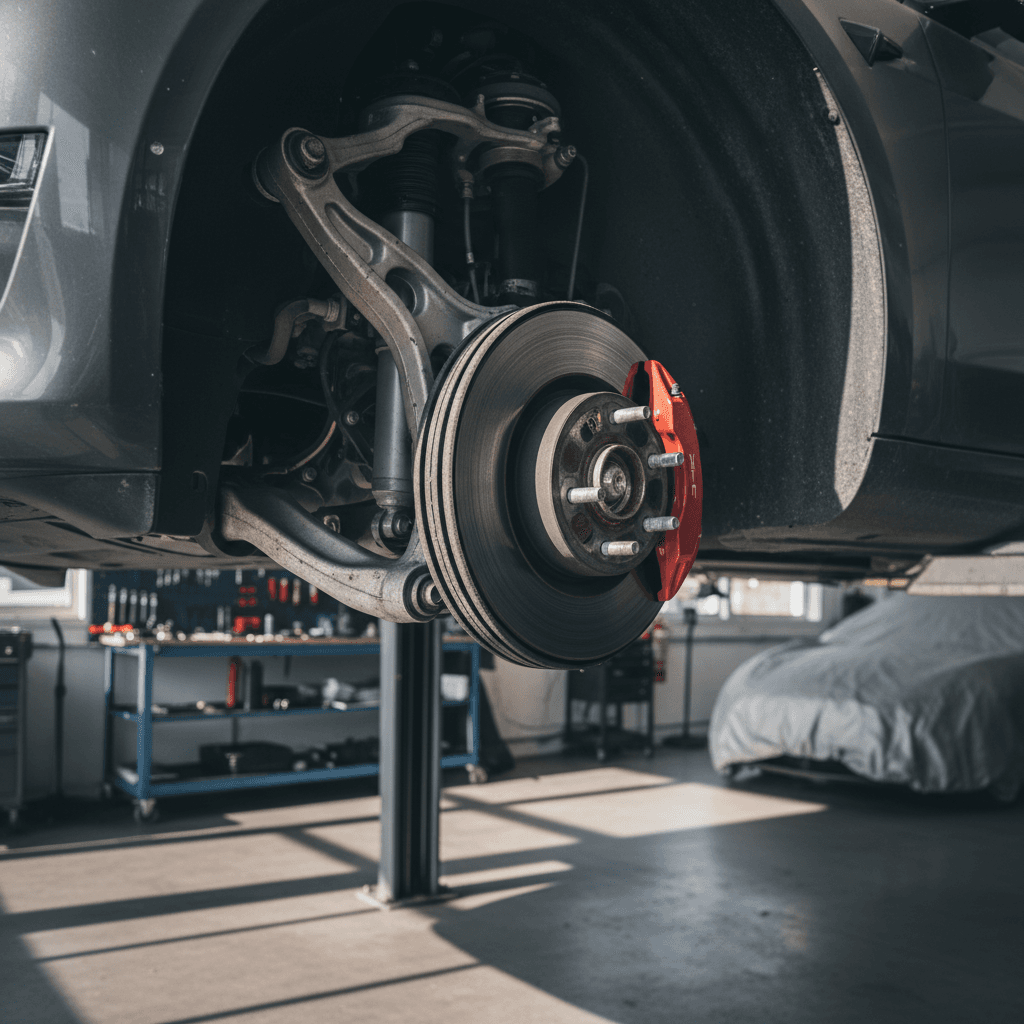
Suspension, brakes, and tire wear
Independent inspection data from Europe and owner reports worldwide tell a consistent story: the Model 3’s chassis and braking hardware age faster than you might expect for a compact sedan, especially where roads are rough or winters are harsh.
Typical suspension & brake problems on Tesla Model 3
Many of these show up around 40,000–70,000 miles, sometimes earlier on rough roads or with heavy wheel/tire packages.
| Component / Area | What owners notice | Why it matters | What to do before buying |
|---|---|---|---|
| Front control arms & links | Clunks or pops over low‑speed bumps; vague steering feel | Can progress to loose steering and uneven tire wear | Drive over speed bumps during test; have a shop check bushings and ball joints. |
| Rear suspension bushings | Thumps from rear, especially on broken pavement | Affects stability and can shorten tire life | Check for uneven rear tire wear and ask for alignment records. |
| Brake rotors & pads | Rusty rotors, pulsing pedal after sitting | EVs use regen, so friction brakes may corrode from lack of use | Look through wheels for heavy rust; budget for pad/rotor service if the car sat a lot. |
| Tires & alignment | Inside‑edge wear, tramlining, noisy ride | Sporty alignment and heavy curb weight are hard on tires | Inspect tread evenly across the width; factor in $800–$1,200 for a full tire set on 18–20" wheels. |
These issues aren’t guaranteed, but they’re common enough that a good pre‑purchase inspection is cheap insurance.
Don’t skip the alignment report
Battery health, charging, and range complaints
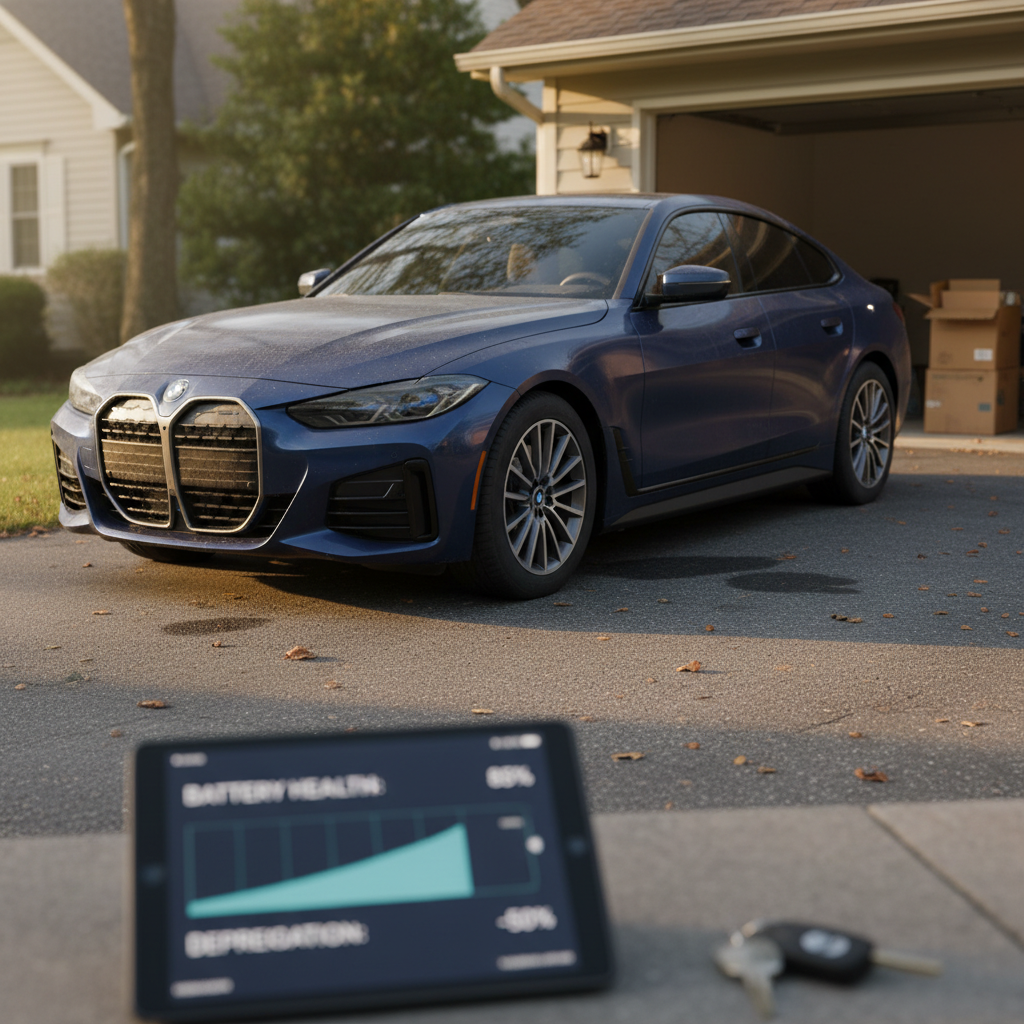
Battery anxiety is the number‑one question I hear from EV shoppers, but the good news is that genuine battery‑pack failures on Model 3s remain rare through early 2026. Most “battery problems” turn out to be software quirks, unrealistic range expectations, or normal degradation over 5–8 years.
- Gradual range loss: It’s common to see 5–10% capacity loss in the first few years, then a slower decline. A 310‑mile car that now shows ~280 miles at 100% isn’t necessarily “bad.”
- Cold‑weather performance: Range can drop sharply in winter and after many short trips as the pack heats and cools. Owners sometimes misinterpret this as permanent degradation.
- Charging port and charge‑door issues: A few owners report sticky charge doors, intermittent port latching, or rare DC‑fast‑charge handshake failures at certain public networks.
- Home charging setup problems: Mis‑wired outlets, undersized breakers, or poor‑quality third‑party chargers can cause nuisance charging faults that look like “car problems” but are really infrastructure issues.
How Recharged checks battery health
When you shop used, focus less on the odometer alone and more on charging history. Cars that lived on DC fast charging 100% of the time are more likely to show accelerated degradation. Look for cars that mostly used home or workplace Level 2 charging and only fast‑charged on road trips.
Fit, finish, and weather‑related issues
From the earliest 2017 cars through today’s Highland refresh, the Model 3’s most consistent complaints have been about build quality and weather sealing. These don’t usually strand you, but they can affect how satisfied you feel living with the car every day.
Common build‑quality & weather issues on Model 3
Less about breaking down, more about annoyance and feel‑good factor
Paint & exterior trim
- Thin paint that chips easily on highway‑driven cars.
- Scuffed rocker panels and lower doors on cars without paint‑protection film.
- Fading black trim if parked outdoors in hot climates.
Leaks & wind noise
- Water intrusion around trunk, tail lights, or rear glass after heavy rain.
- Wind noise at highway speeds from mis‑aligned doors or windows.
- Sunroof or glass‑roof creaks over rough roads.
Interior squeaks & rattles
- Rattles from B‑pillars, rear shelf, or dashboard.
- Buzzing from speaker grilles at certain frequencies.
- Loose seat trim or center console creaks.
The upside: easy to spot on inspection
Recent Tesla Model 3 recalls to know in 2024–2026
Tesla’s recall history is unusual because many fixes arrive via software update instead of a traditional visit to the service center. As of early 2026, several recalls and campaigns have touched the Model 3 specifically, including some 2024–2025 Highland cars.
Selected recent Model 3 recall themes (through early 2026)
Always run the VIN through the NHTSA database and Tesla account to see open campaigns on a particular car.
| Issue | Typical affected years | Symptoms | What buyers should do |
|---|---|---|---|
| Backup camera / rear display behavior | 2024–2025 (including some Highland) | Camera image slow to appear or not displayed when in Reverse | Confirm the car is on current software and ask for recall documentation or service records. |
| Power‑steering assist or power‑loss risk in rare cases | Mostly 2023–2025 | Warnings for power steering, loss of assist, or power shutdown risk under specific conditions | Check that all recall software campaigns are closed; test full steering range at low speeds in a parking lot. |
| Seat‑belt chime / restraint warnings | 2017–2023 (carryover from earlier years) | Seat‑belt warning chime not sounding correctly under some conditions | Verify software is up to date; if warning behaviors seem odd, ask Tesla service to confirm no outstanding safety bulletins. |
| Autopilot / FSD driver‑monitoring behavior | Multiple years | Driver‑assist not consistently requesting attention or responding to misuse | Treat driver‑assist as an aid, not a substitute. Confirm recall campaigns are marked complete in the Tesla app. |
Software‑only recalls still matter, make sure the current owner actually installed the update.
Never ignore an open safety recall
What this means if you’re buying a used Model 3
Earlier cars (2017–2020)
- More years of real‑world data, problems and fixes are well known.
- Higher chances of suspension wear, paint fatigue, and interior creaks.
- Attractive prices, but you’ll want the full service history and a thorough inspection.
Newer cars (2021–2025, incl. Highland)
- Fewer miles and more warranty coverage remaining.
- Better build quality in many cases, but new‑generation quirks and ongoing software changes.
- Great candidates if you prioritize comfort and updated features and can live with some teething issues.
The used market in 2026 finally gives you real choice: early bargain Model 3s for budget buyers, late‑model cars coming off lease, and nearly new Highlands. The right pick comes down to your risk tolerance and your commute. High‑mileage freeway driver? Focus on suspension and tires. Short‑trip city driver? Look closely at brake rotors and cabin wear.
How Recharged helps de‑risk a used Model 3
Ready to find your next EV?
Browse VehiclesQuick inspection checklist before you buy
Tesla Model 3 pre‑purchase checklist (2026)
1. Scan for body, paint, and glass issues
Walk the car in good light. Look for mismatched paint, uneven panel gaps, chipped rocker panels, and cracks or chips in the windshield, roof glass, and camera areas.
2. Test doors, trunk, and charge port
Open and close every door, trunk, and frunk. Spray or pour a bit of water around seals if you can. Open and close the charge door, plug in a Level 2 charger, and confirm solid connection and normal charging behavior.
3. Drive over rough pavement and speed bumps
Listen for clunks, pops, or metallic knocks from the front or rear suspension. A good Model 3 should feel tight, with no steering wander or odd thumps.
4. Evaluate the brakes
From 40–50 mph, brake firmly (when safe) and feel for vibration in the pedal or steering wheel. Excess pulsation often points to warped or badly rusted rotors.
5. Stress‑test software and electronics
Park and cycle through cameras, Bluetooth, climate, and navigation. Then drive and briefly use Autopilot on a clear road, noting any strange behavior or warning messages.
6. Check battery health and charging history
With the battery at or near 100%, compare the displayed rated range to the original spec. Ask for service records or a third‑party battery health report, something Recharged includes up front.
7. Verify recalls and service history
Run the VIN through the NHTSA database and ask the seller for a service printout. Confirm that recent recalls, especially for cameras, driver‑assist, and power steering, are marked completed.
Frequently asked questions about Model 3 problems
Tesla Model 3 common‑problem FAQ (2026)
Bottom line: Should common problems scare you off?
No car with hundreds of thousands of units on the road is going to be problem‑free, and the Tesla Model 3 is no exception. In 2026, the pattern is clear: most issues center on build quality, suspension and brake wear, and software oddities, not on catastrophic battery failures. If you understand these weak spots and inspect carefully, a Model 3 can still deliver low running costs, strong performance, and the convenience of Tesla’s charging ecosystem.
Treat this guide as a checklist, not a scare list. Use it to ask better questions, schedule a proper pre‑purchase inspection, and compare individual cars, not just model years. And if you’d like help finding a used Model 3 with verified battery health, transparent pricing, and EV‑specialist support, Recharged is built for exactly that kind of buyer.