If you own a Rivian R1T long enough, you’re almost guaranteed to see a 12V battery system warning at some point. The truck’s massive high‑voltage pack gets the headlines, but that small low‑voltage battery (or batteries on early trucks) is what actually wakes the vehicle up, powers locks, computers, and lets everything talk to each other. When it goes bad, your R1T can be completely dead in the driveway. This guide walks you through Rivian R1T 12V battery replacement symptoms, costs, warranty coverage, and what to do if your truck won’t wake up.
Quick takeaway
Why the 12V battery matters on your R1T
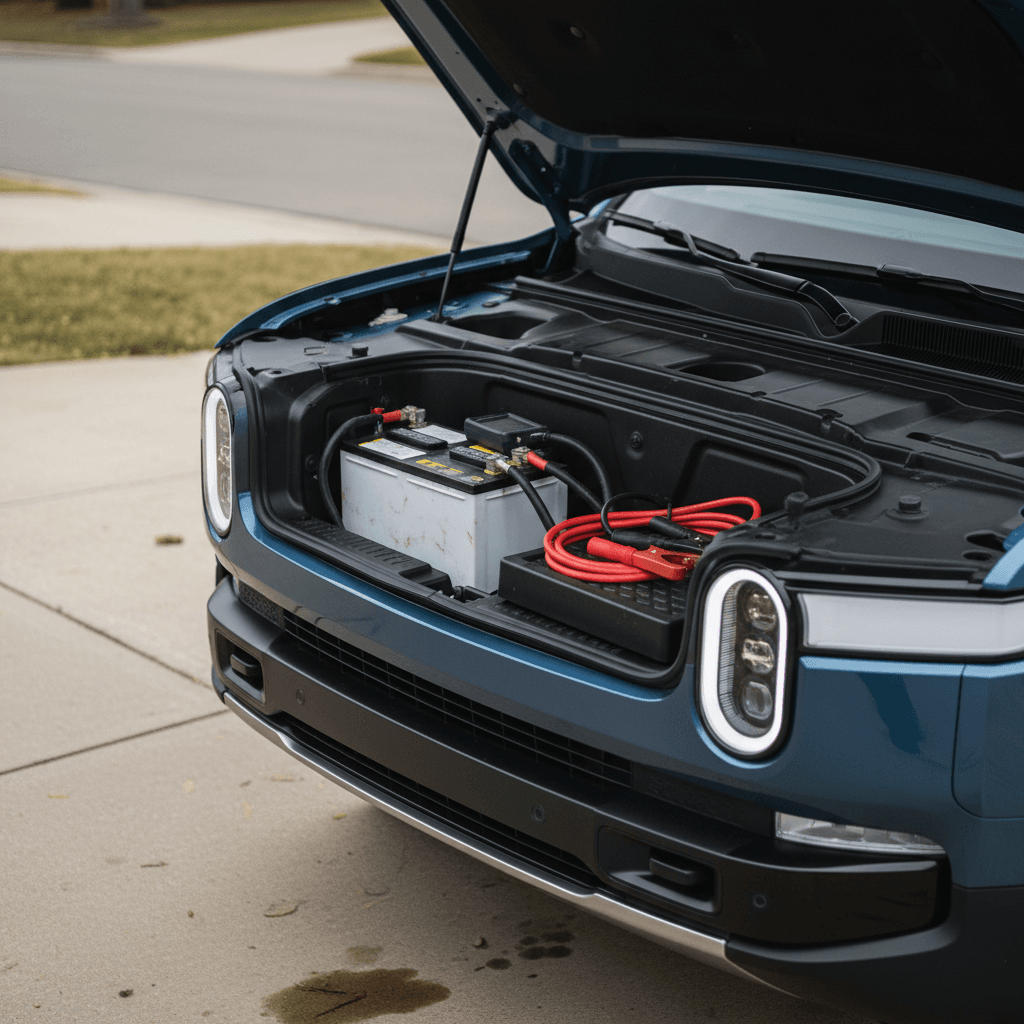
Every modern EV, including the Rivian R1T, still relies on a traditional low‑voltage system. Instead of one big under‑hood battery like an old‑school pickup, Rivian hides compact low‑voltage batteries that feed 12‑volt power to lights, door latches, airbags, control modules, and the computers that wake the high‑voltage pack. If the 12V side is unhappy, the truck may not unlock, shift into gear, or even charge , no matter how full the main battery pack is.
1. High‑voltage pack
The giant battery under the floor (measured in kWh) stores energy for driving. A DC‑DC converter steps that down to 12V when the truck is awake.
2. Low‑voltage batteries
Compact 12V batteries (AGM or similar) act like buffers and backups. They keep critical systems powered when the R1T is asleep and provide stable voltage when computers boot up.
Why 12V failures feel so dramatic
Common Rivian R1T 12V battery symptoms
Real‑world owner reports paint a pretty consistent picture of how Rivian R1T 12V batteries act as they age. You might see issues for days or weeks before it fully gives up, or you might only get a brief warning before the truck refuses to wake.
- Intermittent “12V Battery System” or “Low Voltage” warnings on the dash
- The truck taking longer than usual to wake up from sleep, or failing to start accessory mode
- Weird electrical gremlins: flickering screens, modules that don’t power up, windows or tailgate acting oddly
- Rivian service calling or messaging you proactively to schedule a 12V battery replacement based on remote diagnostics
- Complete no‑start: doors may stay locked, screens dark, and the truck won’t shift into gear or accept a charge cable
Don’t ignore recurring warnings
Is it safe to drive with a 12V warning?
If your R1T throws a 12V warning but still wakes up and drives normally, it’s tempting to shrug and carry on. For short trips close to home, that can be reasonable, but you need to treat it like a check‑engine light that actually means something.
Driving with a 12V warning: how cautious should you be?
Use these rules of thumb until you can get service scheduled.
Probably OK for short local trips
- Truck wakes up normally.
- No limp‑mode or other active faults.
- You’re staying within towing range of a Rivian service center or your home.
Minimize accessories and keep drives short while you wait for your appointment.
Avoid long highway or remote drives
- Warning is persistent or getting more frequent.
- You’ve already had one no‑start incident.
- You’re heading somewhere remote, very hot, or very cold.
A sudden 12V collapse can trigger limp modes or leave the truck unable to wake back up after you park.
When not to drive
Rivian R1T 12V battery replacement costs
Compared with the eye‑watering price of a high‑voltage battery pack, Rivian R1T 12V battery replacement is relatively tame. Actual numbers vary by chemistry, labor rates, and whether Rivian covers it under warranty or a service campaign, but most owners are in the same ballpark as a premium ICE truck’s battery service, just with a bit more software sprinkled on top.
Typical R1T 12V battery replacement cost ranges
Realistic ranges for most U.S. owners once the truck is out of warranty. Under warranty or during campaigns, Rivian often covers 100% of the cost.
| Scenario | What’s Included | Estimated Owner Cost |
|---|---|---|
| Under low‑voltage warranty or Rivian campaign | Battery, brackets or hardware, software procedures | $0 |
| Out of warranty – Rivian service center | OEM‑spec 12V battery, install, tests | About $250–$450 |
| Out of warranty – mobile ranger visit | Same as service center, plus mobile fee if applicable | Roughly $300–$500 |
| Multiple replacements / additional diagnostics | Battery plus deeper electrical diagnosis | Can run higher depending on time and parts |
These numbers are general estimates, not a quote from Rivian. Always confirm pricing with Rivian Service before authorizing work.
Good news on cost
Warranty coverage and Rivian campaigns
Rivian treats the 12V system separately from the big drive battery. Coverage details can vary slightly by build year and updated policy language, but a few patterns have emerged.
- Early‑life 12V failures on R1T trucks are often repaired under the basic vehicle warranty.
- Rivian has run customer satisfaction campaigns for specific VIN ranges, for example, replacing the 12V battery and its brackets on some 2025 R1T and R1S models when a bracket design was found to stress the battery over time.
- Many owners report Rivian proactively calling them after remote diagnostics flag a weak 12V battery, with mobile service swapping it before the truck actually strands them.
- If you’re close to the end of your basic warranty and seeing any 12V messages, it’s worth getting a documented visit on the books, even if the truck is still drivable.
Always check for open campaigns
How Rivian actually replaces the 12V battery
From the driver’s seat, Rivian R1T 12V battery replacement feels simple: a ranger shows up, the truck disappears into the service bay for a bit, and then the warnings are gone. Behind the scenes, there’s more going on than swapping out a single under‑hood battery like your old F‑150.
Typical Rivian R1T 12V replacement procedure
1. Safely power down and access the 12V area
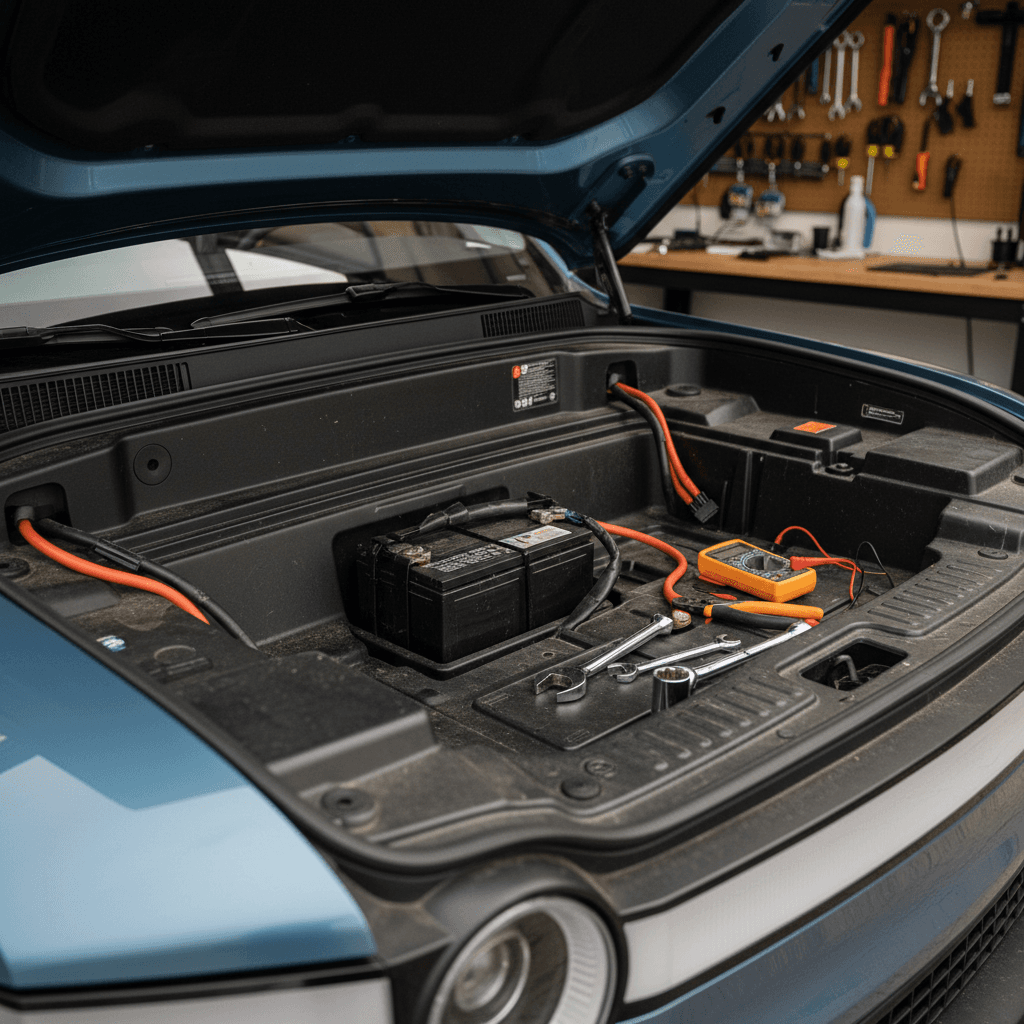
Techs follow factory procedures to shut down the truck, protect the high‑voltage system, and open access panels to the low‑voltage batteries. On some builds there are two 12V units; on newer trucks, the layout is simplified.
2. Remove and replace the 12V battery (or batteries)
The old low‑voltage battery is disconnected and removed, and a new OE‑spec unit is installed. In some campaigns, Rivian also replaces brackets or mounting hardware that could stress the battery over time.
3. Run low‑voltage tests and software routines
Here’s the EV twist: Rivian uses diagnostic tools to register the new battery, run a low‑voltage system health check, and perform any required functional tests so the body control modules know a fresh battery is onboard.
4. Confirm no recurring 12V DTCs
After replacement, the technician clears old fault codes, wakes and sleeps the truck several times, and confirms the 12V system behaves as expected before handing the keys back to you.
Software steps matter
Can you DIY a Rivian R1T 12V battery replacement?
If you’ve been changing car batteries in your driveway for decades, it’s natural to wonder whether you can handle a Rivian R1T 12V battery replacement yourself. Technically, a skilled DIYer could source a compatible low‑voltage battery and physically swap it. The bigger question is: should you?
Why DIY is risky on an R1T
- Access to the low‑voltage components is tighter and more complex than a traditional truck.
- There are high‑voltage safety considerations when you’re poking around in an EV’s front end.
- Without Rivian’s diagnostic tools, you can’t properly reset the low‑voltage health profile or run factory tests.
- A mistake can brick modules, trigger repeat warnings, or void parts of your warranty.
When DIY might make sense someday
- If your truck is well out of warranty and far from a Rivian service center.
- If you’re very comfortable working around EVs and have researched compatible low‑voltage batteries.
- If a qualified independent EV shop develops proper tooling and procedures.
Right now, though, most owners are better off letting Rivian handle it.
High‑voltage safety first
What to do if your R1T is dead from a 12V failure
One cruel trick of 12V failures on EVs: the truck often dies exactly when you need it most. The good news is that Rivian has thought through a lot of the “stuck in the driveway” scenarios, and there are clear steps you can take if the R1T won’t wake up at all.
Step‑by‑step: when your R1T won’t wake up
1. Try a basic reboot and key cycle
Use the in‑cabin reset procedures if the screens still power on, and try locking/unlocking with both the key fob and phone. Sometimes a transient low‑voltage hiccup clears on a second wake‑up attempt.
2. Check your 12V warning history in the app
If you can still reach the vehicle in the Rivian app, review recent alerts. Multiple low‑voltage warnings leading up to a no‑start point strongly to a 12V issue.
3. Call Rivian roadside assistance
Explain that the truck won’t wake and mention any 12V or low‑voltage warnings you’ve seen. They can help determine whether a mobile ranger can jump or replace the 12V on site, or if you need a flatbed tow.
4. Use emergency manual releases if needed
If the 12V is too weak to pop doors or the front hood, Rivian includes mechanical releases and hood‑cable access points. The exact locations are in your Owner’s Guide and Emergency Response documents, worth bookmarking before you ever need them.
5. Avoid repeated jump attempts from other vehicles
Rivian publishes specific jump‑start procedures for the primary 12V battery. Using a random jump‑box or another vehicle without following them can damage sensitive electronics. When in doubt, wait for Rivian’s instructions.
6. Document everything for warranty
Take photos of error messages and note dates, especially if you’re near the end of your warranty. That paper trail can matter if the 12V system has a deeper issue than a simple tired battery.
Bookmark Rivian’s emergency docs
Preventing future 12V battery issues
You can’t baby a 12V battery into immortality, especially in a truck as power‑hungry as an R1T. But you can stretch its lifespan and reduce the odds of a surprise failure with a few simple habits.
Habits that are kind to your R1T’s 12V battery
Most take almost no effort and pay off over years of ownership.
Keep it plugged in when parked
Avoid deep idle drains
Watch climate extremes
Consider a low‑voltage monitor
12V battery considerations when buying a used R1T
Shopping used is where the 12V story really starts to matter. A tired low‑voltage battery isn’t a reason to walk away from an otherwise great Rivian R1T, but it is something you should understand, budget for, and use as a window into how the truck was cared for.
Questions to ask the seller or dealer
- Has the 12V battery (or batteries) ever been replaced? If so, when and by whom?
- Any history of 12V warnings, no‑start incidents, or electrical gremlins?
- Has Rivian completed all applicable 12V‑related service campaigns on this VIN?
- How is the truck usually stored, plugged in at home, or sitting unplugged for long periods?
How Recharged helps de‑mystify battery health
If you’re shopping for a used R1T through Recharged, every truck comes with a Recharged Score Report. That includes verified high‑voltage battery health, service‑history checks, and a clear look at how the vehicle has been used. Our EV‑specialist team can walk you through what normal 12V wear looks like, what’s cosmetic, and what might hint at deeper electrical issues.
And if you’re trading in your current EV, we’ll factor realistic battery health, high‑voltage and low‑voltage, into a fair market offer from the start.
FAQ: Rivian R1T 12V battery replacement
Frequently asked questions about R1T 12V batteries
The 12V battery in your Rivian R1T isn’t glamorous, but it’s the tiny linchpin that lets the rest of your six‑figure electric truck come to life. The upside is that Rivian R1T 12V battery replacement is relatively inexpensive, usually quick, and often handled proactively by Rivian before you’re stranded. Treat recurring low‑voltage warnings as your early‑warning system, not background noise, and you’ll stay comfortably ahead of real trouble. And if you’re stepping into a used R1T, working with an EV‑focused retailer like Recharged, where every truck gets a transparent battery‑health story, can turn a nervous unknown into just another maintenance line item you plan for, instead of fear.