If you own a Rivian R1S or you’re eyeing one on the used market, maximizing battery life is about more than bragging rights. The high‑voltage pack is the most expensive component in the SUV, and how you charge, drive, and store your R1S today will shape its long‑term health, real‑world range, and resale value. The good news: a few simple habits go a long way toward protecting your Rivian R1S battery for the long haul.
Quick reality check
Why Rivian R1S Battery Care Matters
The Rivian R1S is a heavy, powerful, adventure‑focused SUV with a large battery pack. That means you start with generous range, but also that the battery is doing serious work every time you launch hard, tow, or climb long grades. Replacing that pack out of warranty can run into the tens of thousands of dollars, so protecting it is a clear long‑term value play, especially if you plan to keep the SUV past the factory warranty or eventually sell it as a used EV.
Battery health: what’s at stake for your R1S
Think like a future buyer
How the Rivian R1S Battery Works in the Real World
What’s inside your R1S pack
The Rivian R1S uses a large, liquid‑cooled lithium‑ion battery pack made up of many individual cells grouped into modules. The pack is managed by a Battery Management System (BMS) that controls charging, discharging, and thermal management to keep the cells in a safe operating window.
Rivian builds in buffers at the top and bottom of the state‑of‑charge (SoC) range, so 0% and 100% on your dash aren’t absolute cell extremes. Still, living at the limits, especially 100%, puts the most stress on the chemistry.
What actually wears a battery out
- Time at high SoC (parked full): accelerates chemical aging.
- High temperatures: heat is the enemy of long‑term battery health.
- Frequent DC fast charging: convenient but harder on cells than Level 2.
- High power demand: repeated full‑throttle launches, heavy towing, and sustained high‑speed driving increase stress and heat.
In other words, how you use and charge the R1S day‑to‑day matters more than an occasional blast of acceleration or a once‑a‑year road trip.
Everyday Charging Habits to Maximize Battery Life
Rivian R1S daily charging rules of thumb
Simple settings in the app and on‑screen make a big difference
1. Use a 60–80% daily limit
For normal commuting, set your charge limit to around 60–80% instead of 100%. This keeps the pack in a more battery‑friendly window for daily use.
Only bump to 90–100% for road trips, and start driving soon after reaching that higher SoC.
2. Prefer Level 2 at home
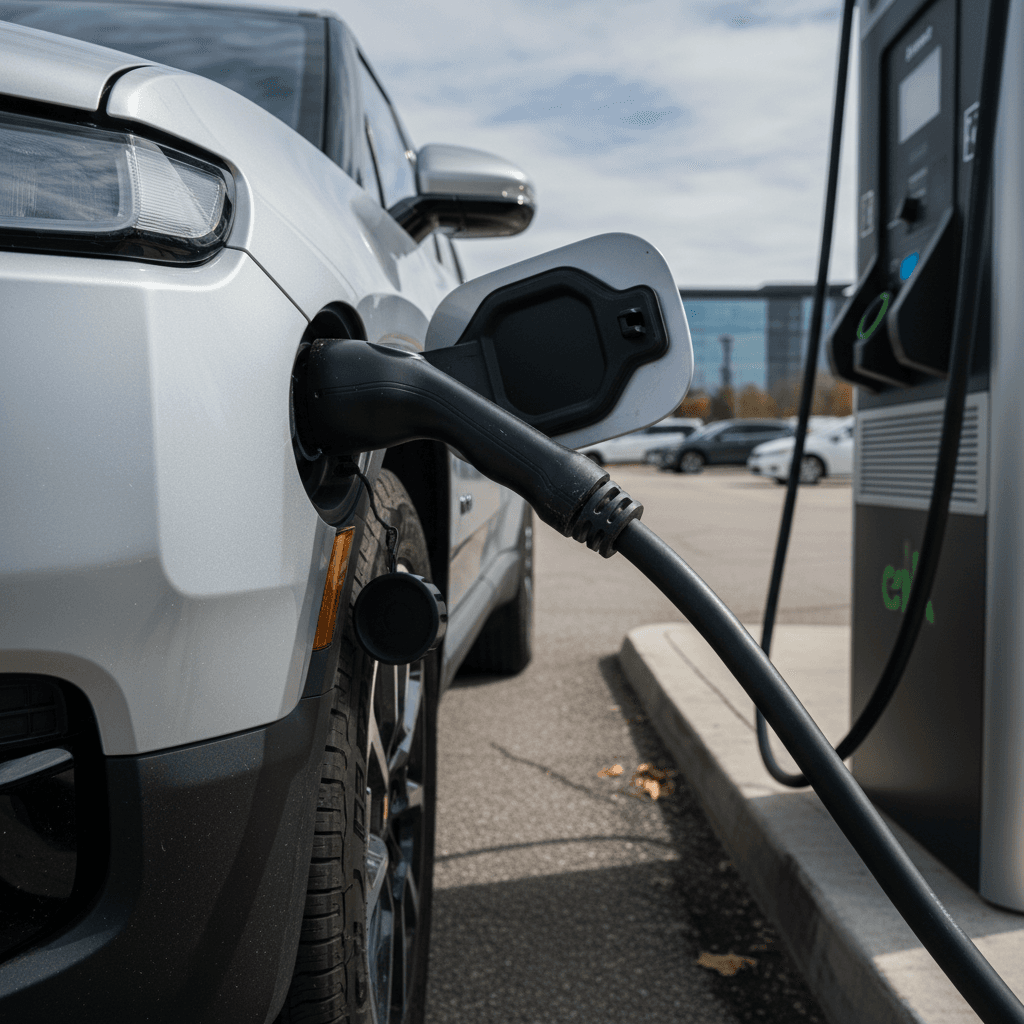
Whenever possible, charge with Level 2 (240V) at home or work instead of relying on DC fast charging. Slower, steady charging is easier on the pack.
If you don’t have home charging, consider installing it or using a reliable Level 2 nearby.
3. Schedule charging to finish before departure
Use scheduling so charging ends close to when you leave. That way your R1S doesn’t sit at a high charge for hours.
This is especially helpful in hot weather, when high SoC and heat compound stress.
Daily Rivian R1S charging checklist
Set a realistic daily range target
Calculate your usual round‑trip mileage and add a buffer. Then set your charge limit just high enough to cover that with room for errands, usually 60–80% for most owners.
Keep the battery between roughly 20–80% when possible
You don’t need to obsess over exact numbers, but regularly bouncing between 0% and 100% isn’t ideal. Try to stay out of single digits on the low end and avoid parking at 100%.
Skip topping off multiple times a day
It’s better to do one moderate session than several small top‑offs that keep the pack near full all day at work or home.
Use the car’s recommended settings
Rivian periodically refines charging behavior through software updates. When the vehicle suggests an optimal limit or rate, use it unless you have a specific reason not to.
Avoid this common habit
Driving Habits That Protect Your R1S Battery and Range
- Use the smoothest drive mode that fits your needs instead of the most aggressive performance mode all the time.
- Avoid repeated full‑throttle launches and high‑speed sprints when the pack is cold or nearly empty.
- Let the vehicle precondition (warm or cool the battery) before heavy use in extreme temperatures, when available.
- Anticipate traffic and use regenerative braking instead of hard mechanical braking whenever possible.
- Keep tires properly inflated and aligned, rolling resistance matters a lot in a 3‑row electric SUV.
Think in terms of energy, not speed
Dealing With Cold Weather and Extreme Heat
Cold weather: protect range and pack health
- Precondition while plugged in. Use cabin and battery preconditioning before you leave so the vehicle pulls energy from the grid, not just the pack.
- Use seat and steering‑wheel heaters. They use far less energy than blasting cabin heat.
- Plan for extra consumption. Expect lower winter range and avoid arriving at chargers near 0% in very cold conditions.
Heat: the silent battery killer
- Park in shade or indoors when possible, especially if the vehicle is at a higher state of charge.
- Avoid leaving the SUV full in extreme heat. High SoC plus high temperature is the worst combination for longevity.
- Let the vehicle cool before rapid DC charging if you’ve just driven hard in hot conditions.
Don’t ignore temperature warnings
Smart DC Fast-Charging Strategy for Your Rivian R1S
DC fast charging is a huge advantage of EV ownership, and Rivian owners are among the most likely to use it for adventure travel. The key to maximizing battery life is treating fast charging as a tool, not the default way you feed energy into your R1S.
DC fast‑charging: better vs. worse habits
How your Rivian R1S fast‑charging behavior impacts the battery over time
| Scenario | Better for battery | Harder on battery |
|---|---|---|
| Daily energy needs | Home or workplace Level 2 most days | DC fast charging multiple times per week |
| State of charge window | Charging roughly 10–60% or 15–70% on road trips | Regularly charging from single digits to 100% at high power |
| Temperature | Fast charging when the pack is properly preconditioned | Repeated fast charging in very hot conditions immediately after spirited driving |
| Trip planning | Arriving around 10–20%, unplugging near 60–80% | Arriving nearly empty, sitting at 100% afterward for long breaks |
It’s not about avoiding DC fast charging entirely, but about how often, how high, and in what conditions you use it.
Rivian’s preconditioning helps
Storing Your R1S and Long Periods of Non‑Use
If you regularly park your Rivian R1S at an airport, keep a second vehicle for daily duty, or plan to store it for months, long‑term battery health comes down to two variables: state of charge and temperature.
Long‑term Rivian R1S storage checklist
Aim for 40–60% state of charge before storing
Lithium‑ion batteries are most comfortable around the middle of their charge range. Don’t park for weeks at 90–100% or leave the pack near empty.
Disable non‑essential always‑on features if practical
Minimize background drain from connected services, but balance this with the security and convenience features you value.
If possible, keep the vehicle in a temperature‑moderated location
A garage or covered parking spot that avoids both extreme cold and heat will be kinder to the pack over time.
Check in periodically
If the R1S will sit for more than a month or two, check SoC remotely and top up gently with Level 2 if it drops toward 20%.
How to Monitor Battery Health in a Rivian R1S
Ways to keep tabs on Rivian R1S battery health
Use both in‑car tools and third‑party insight over the life of the vehicle
Watch real‑world range trends
Reset a trip meter, drive your usual routes, and compare how many miles you get from a given percentage over time. Small changes are normal; large, sudden drops may warrant a closer look.
Log major charging events and patterns
If you rely heavily on DC fast charging or tow frequently, keep notes. That context will matter if you later evaluate pack health or talk with a service center.
Get independent battery health reporting
When you shop used, or want a baseline on your own SUV, look for a third‑party battery assessment that measures actual usable capacity rather than just estimated range.
How Recharged approaches Rivian battery health
Ready to find your next EV?
Browse VehiclesMaximizing Range on Road Trips
On long drives, your priorities shift slightly: you still want to protect the battery, but you’re also trying to cover ground efficiently. Fortunately, what’s good for range is usually good for the pack, too.
- Plan legs so you arrive at fast chargers between about 10–25% SoC.
- Use preconditioning if available so the pack is in the sweet spot when you plug in.
- Charge only as high as you need to comfortably reach the next stop, often 60–80% is enough.
- Drive at a steady, moderate highway pace; big jumps in speed mean big jumps in consumption.
- Limit roof boxes and heavy external accessories when you need maximum range, since they add drag and weight.
Use EV‑aware trip planning
Used Rivian R1S: What Battery Health Buyers Should Check
If you’re shopping for a used Rivian R1S, maximizing battery life starts before you buy. You’re not just inheriting the SUV, you’re inheriting the previous owner’s charging and driving habits. The more you can verify up front, the less you’re gambling on long‑term pack health.
Used Rivian R1S battery checklist for shoppers
Questions and data points that tell you how well the pack has likely been treated
| What to check | Why it matters | What to look for |
|---|---|---|
| Service and charging history | Reveals fast‑charging frequency and major battery events | Documentation of software updates, limited fast‑charging use, no repeated deep discharge issues |
| Real‑world range vs. original estimates | Gives a practical sense of usable capacity today | Consistent highway range that roughly matches expectations for the configuration and mileage |
| Independent battery health report | Provides a measured view of capacity and pack balance | 3rd‑party report (such as a Recharged Score) showing remaining capacity and no major anomalies |
| Warranty status | Covers you if there’s an early‑life defect | Remaining battery warranty mileage and years that align with your planned ownership window |
You can’t see the cells directly, but you can read the usage pattern and objective health data around them.
Where Recharged fits in
FAQ: Rivian R1S Battery Life and Longevity
Common questions about Rivian R1S battery life
Key Takeaways for Rivian R1S Owners and Shoppers
Maximizing battery life in a Rivian R1S is less about babying the SUV and more about a handful of consistent habits. Keep daily charging in the mid‑range, avoid letting the pack sit full or empty for long stretches, treat DC fast charging as a road‑trip tool rather than your default fuel source, and respect temperature extremes. Do that, and the R1S battery is built to go the distance.
If you’re shopping used, bring the same discipline to the buying process. Ask how the previous owner charged, confirm real‑world range, and lean on independent health data like the Recharged Score Report available on every EV sold through Recharged. In a market where the battery is the ballgame, those steps can make the difference between a confident purchase and an expensive question mark.