If you’re shopping for a Porsche Macan Electric, or you already own one, you’re not just buying a sporty electric SUV. You’re buying a rolling software platform built on Android Automotive, with frequent over-the-air (OTA) updates that can change how the car feels to live with. Understanding the Porsche Macan Electric software update history helps you spot the best builds, avoid known glitches, and protect your resale value.
Quick take
Macan Electric digital architecture in plain English
Before we walk through software update history, it helps to understand the basic tech stack Porsche built into the Macan Electric. This model is one of the first Porsches to lean hard into a smartphone-style operating system and app ecosystem instead of a closed, proprietary setup.
Three pillars of Macan Electric software
These systems are what your updates are actually changing
Android Automotive OS
Porsche runs the Macan’s infotainment on Android Automotive, a car-grade version of Android that powers the main touchscreen and the optional passenger display. It boots in the background as you approach so everything feels instant.
Porsche Communication Management
PCM is Porsche’s software skin on top of Android. It controls navigation, media, vehicle settings, and integrates with My Porsche and Porsche Connect services.
Porsche App Center & Connect
The Porsche App Center is an in-car app store where you get streaming apps, video services, and now gaming. Porsche Connect keeps those apps and services updated over the vehicle’s life.
Because Porsche chose Android Automotive and a dedicated app center for the Macan Electric, it can push more frequent software updates than older Macans with traditional infotainment. That’s great for features, but it also means the specific software version on a used Macan Electric matters in a way that simply didn’t exist for earlier gasoline models.
Macan Electric software at a glance
Timeline: Porsche Macan Electric software update history
The Macan Electric is still a relatively young model, but there’s already a clear arc to its software story: launch, early corrections, and then a run of quality-of-life upgrades. Exact software version numbers can vary by market, but here’s how the history breaks down for U.S. shoppers.
High-level Macan Electric software timeline
How the Macan EV’s software has evolved from launch through the 2026 model year
| Period | Model years affected | What changed | Owner impact |
|---|---|---|---|
| Early–mid 2024: Launch OS | 2024 Macan 4 / Turbo | Android Automotive–based PCM debuts with Porsche App Center, new voice assistant, AR head‑up display and multi‑screen cockpit. | Very fresh software with some rough edges; groundbreaking tech for Porsche but early bugs appear. |
| Late 2024: Infotainment & app refinements | Late‑build 2024, early 2025 | App Center expands with more third‑party apps (YouTube, DAZN, conferencing tools, early gaming titles). Stability improvements to navigation, voice and Bluetooth. | Fewer random glitches, smoother boot‑up and app performance, better streaming support on road trips. |
| Early–mid 2025: Safety‑related fixes | 2024–2025 | Rear‑view camera software recall and rear camera housing fixes on some units; reliability updates for body-control and locking systems. | Addresses intermittent or missing camera image and rare "dead car" events; these are critical updates to confirm on any used Macan EV. |
| Late 2025: Tesla Supercharger prep | 2025–2026 | Porsche begins enabling Tesla NACS access and support for DC adapters across its EV lineup, including Macan Electric. | Adds access to thousands of NACS fast chargers and sets the stage for cleaner plug‑and‑charge experiences at more networks. |
| 2026 model year update | 2026+ | Expanded driver-assist features (trained parking, reversing assist), smarter Voice Pilot, more robust in‑car gaming through the Porsche App Center. | More convenience in tight parking, better natural‑language voice control, and more entertainment when you’re charging. |
Timeline is approximate and based on public releases, Porsche news and owner reports.
How to interpret the timeline when shopping used
Feature updates: infotainment, apps and in-car gaming
The most visible part of the Macan Electric’s software evolution lives right under your fingertips: the infotainment screens and the apps that run on them. Because Porsche based the system on Android Automotive, the Macan feels much closer to a tablet than an old-school car radio.
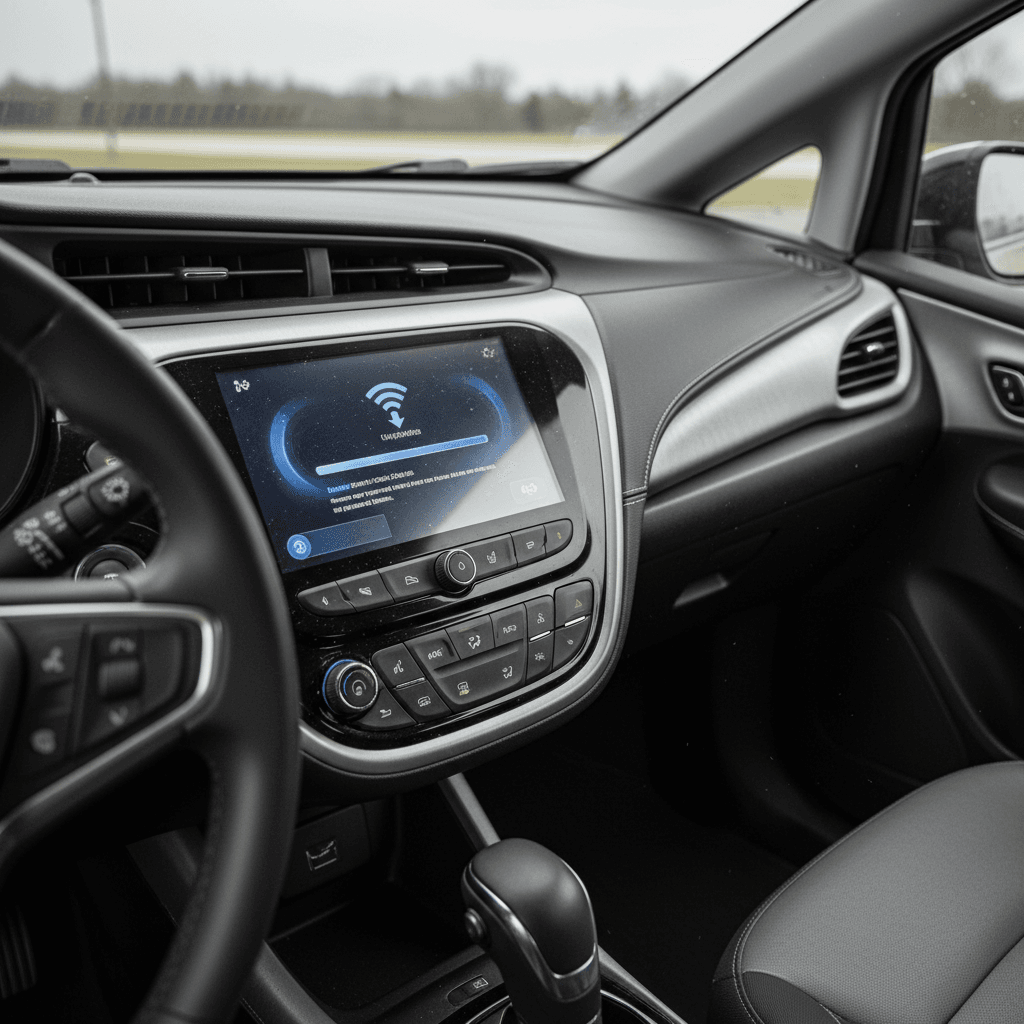
Launch experience (2024)
- Three-screen cockpit: 12.6‑inch digital cluster, 10.9‑inch center touchscreen, and optional 10.9‑inch passenger display.
- Android Automotive OS with PCM: fast boot‑up, voice assistant, built‑in navigation with EV‑aware “Charging Planner.”
- Deep Apple CarPlay integration: including the ability to adjust climate through the My Porsche app inside CarPlay.
- Porsche App Center: in‑car store for music, video, and a first wave of third‑party apps.
Post‑launch upgrades
- More apps, more content: expanded support for Spotify, streaming video services, conference platforms like Cisco WebEx, and smarthome tools.
- In‑car gaming: Porsche brought game platforms like AirConsole and other titles to the Macan Electric, playable when parked and, in some cases, by passengers on the move.
- Performance tuning: behind‑the‑scenes software updates to make the interface feel snappier, reduce crashes, and improve Bluetooth stability.
Reality check on apps
Driver-assistance and safety software updates
Software doesn’t just control your playlists, it’s deeply tied to how the Macan Electric sees the world around it. Driver-assistance and safety features like adaptive cruise, lane keeping, and parking aids rely on precise software. Porsche has been gradually expanding and refining these systems on the Macan EV.
Key driver-assistance software milestones
From basic helpers to more automated parking support
Launch ADAS suite
From day one, the Macan Electric offered a robust mix of assistance features: adaptive cruise, lane keeping, blind‑spot monitoring, and available AR head‑up display that layers navigation arrows into the real world.
Parking & surround view
The 3D Surround View system creates a virtual view around the car. Later updates improve camera processing and add smarter guidance as Porsche fine‑tunes parking assist algorithms.
2026: Trained Parking & Reversing Assist
For the 2026 model year, software adds new Trained Parking routines (it can memorize up to about five custom maneuvers) and Reversing Assist, which lets the Macan back itself along a previously driven path, useful in tight garages or long, twisty driveways.
Rear‑view camera recall: what happened
Charging and battery-management updates
Under the surface, some of the Macan Electric’s most important code lives in its charging and battery-management systems. Porsche hasn’t publicly itemized every tweak, but we can see three main areas where updates matter to owners: charging planning, network compatibility, and long‑term battery health.
- Charging Planner logic: Early software already included an EV‑aware navigation system that plans charging stops and accounts for charger power. Later updates improve station data, route planning speed, and how the car predicts arrival state of charge.
- Fast‑charging compatibility: As infrastructure evolves, so does the communication between the Macan and public DC fast‑chargers. Software updates can iron out handshake quirks that cause failed sessions or limited power.
- NACS adapter integration: When Porsche began rolling out support for Tesla’s North American Charging Standard (NACS) via adapters, Macan Electric software had to learn how to talk to a whole new family of chargers. Some of that logic ships with the adapter program and related updates.
- Battery longevity: Manufacturers regularly refine thermal management and state‑of‑charge calculations. These invisible updates can make displayed range more accurate and improve how gently the pack is treated under repeated fast‑charging.
What you can’t see in a test drive
How over-the-air updates work on the Macan Electric
The Macan Electric supports over‑the‑air software updates for many systems, much like Porsche’s Taycan. You’ll still see some dealer-performed campaigns, but a growing share of improvements arrive wirelessly, triggered through the car’s Porsche Communication Management system and your My Porsche account.
Step-by-step: updating your Macan Electric’s software
1. Confirm My Porsche & Porsche Connect setup
Make sure you’ve created a My Porsche account and linked it to your Macan Electric. In the My Porsche app, confirm that Porsche Connect and Online Software Update services are activated.
2. Watch for update notifications
When a new OTA package is ready for your vehicle, a notification appears in the PCM interface. You can typically view release notes that summarize what’s changing, bug fixes, new features, or both.
3. Choose a good time and place
Most updates require the Macan to be parked with the gear selector in Park, doors and windows closed, and the parking brake set. Have enough time set aside; think of it like running a major phone update.
4. Start the update
Follow the on‑screen prompts. In many cases, the car will turn systems off and back on during the process. Don’t open doors, press the start button, or disconnect 12‑volt power until it’s finished.
5. Verify after installation
Once the update completes, double‑check key functions: infotainment, rear‑view camera, driver-assist features, and your preferred drive modes. If something feels off, your Porsche dealer can pull logs and, if needed, re‑flash the software.
OTA vs. dealer-only updates
Common issues owners report, and how updates fixed them
Every clean‑sheet infotainment platform has growing pains, and the Macan EV is no exception. The good news is that many early complaints were software related and have already seen fixes. When you understand those patterns, you know what to ask about before you sign anything on a used example.
Real-world owner complaints that traced back to software
Most of these should be non‑issues on a well‑maintained, updated Macan Electric
Car wouldn’t wake up
Some early owners reported rare instances where the Macan EV wouldn’t unlock or power on, despite a healthy high‑voltage battery. Dealers traced many of these to low‑level control-module software that was later updated under warranty or service campaigns.
Rear‑view camera glitches
The headline recall for the Macan Electric: intermittent or missing rear‑view camera images when shifting into Reverse. The repair combines updated software logic and, where needed, a new camera module.
Infotainment crashes or lag
Early Android Automotive builds occasionally froze, rebooted, or stuttered when juggling navigation, streaming, and phone mirroring. Subsequent OTA updates tightened things up, and most late‑build cars feel quicker and more stable.
What a “good” Macan Electric feels like today
What Macan Electric software history means when you’re buying used
For used shoppers, software history is no longer a footnote, it’s part of the car’s condition. Two Macan Electrics that look identical on a listing can feel very different to live with depending on which updates they’ve received and how carefully they’ve been maintained.
Why software matters for you
- Reliability: Cars that missed key campaigns are more likely to have dead‑screen moments, camera failures, or odd lock/unlock behavior.
- Feature set: Later software often brings new apps, better voice control, and more refined charging and navigation behavior.
- Resale value: A Macan EV with a documented update history and clean recall record will be easier to sell later, and should command a stronger price.
Where Recharged fits in
When you buy a used EV through Recharged, every vehicle includes a Recharged Score Report that doesn’t stop at cosmetic condition. Our battery diagnostics, charging‑behavior review, and history checks help you understand whether the car has been updated on time and how its software and hardware are working together in the real world.
If you’re trading in a Macan Electric, that transparency can also help justify its value, especially if your car has had all the right software work done.
Checklist: reviewing software on a used Macan Electric
You don’t need to be a programmer to vet a Macan Electric’s software history. You just need to know what to ask and where to look. Use this checklist when you’re evaluating a candidate, whether it’s at a Porsche store, an independent dealer, or online through a marketplace like Recharged.
Macan Electric software and tech checklist
1. Ask for a dealer service printout
Request a full service history from a Porsche dealer, including completed campaigns and recalls. Look specifically for the rear‑view camera fix and any control‑module or body‑control software updates.
2. Check PCM and App Center behavior
On your test drive, pay attention to boot‑up time, responsiveness, and app stability. Open navigation, streaming, and CarPlay or Android Auto. If the system lags, reboots, or behaves unpredictably, ask whether the latest software has been applied.
3. Test all cameras and parking aids
Shift into Reverse multiple times in different settings. The rear‑view camera should appear quickly and stay on consistently. Try any surround‑view or parking features and confirm the image looks clear, not foggy or glitchy.
4. Verify driver-assistance functions
Activate adaptive cruise, lane centering, and blind‑spot monitoring on a safe stretch of road. Look for smooth engagement and clear alerts. Any odd behavior could indicate a software issue or a calibration that needs attention.
5. Examine charging behavior
If possible, plug into both Level 2 and DC fast‑charging. The car should recognize the charger quickly, ramp up to reasonable power, and maintain a stable session. Unexpected charging errors or stubborn low power can be a red flag.
6. Confirm OTA settings and update status
In the settings menu, check that online software updates are enabled and see when the last update was installed. A long gap doesn’t automatically mean trouble, but it’s a good reason to ask questions.
FAQ: Porsche Macan Electric software updates
Frequently asked questions about Macan EV software
Bottom line on Macan Electric software history
The Porsche Macan Electric is one of the most digitally ambitious vehicles the brand has ever built. Its software update history so far is a story of rapid evolution: a bold Android Automotive launch, some predictable early‑adopter bugs, important safety fixes, and a steady flow of convenience and entertainment upgrades.
If you’re shopping used, treating software history with the same respect you’d give battery health and cosmetic condition will pay off. Confirm the critical recalls, pay attention to how the infotainment and driver-assistance systems behave on a test drive, and lean on expert diagnostics, like the Recharged Score Report, to see past the glossy screens. Do that, and a well‑sorted Macan Electric can deliver the kind of daily polish and long‑haul confidence that made you curious about it in the first place.