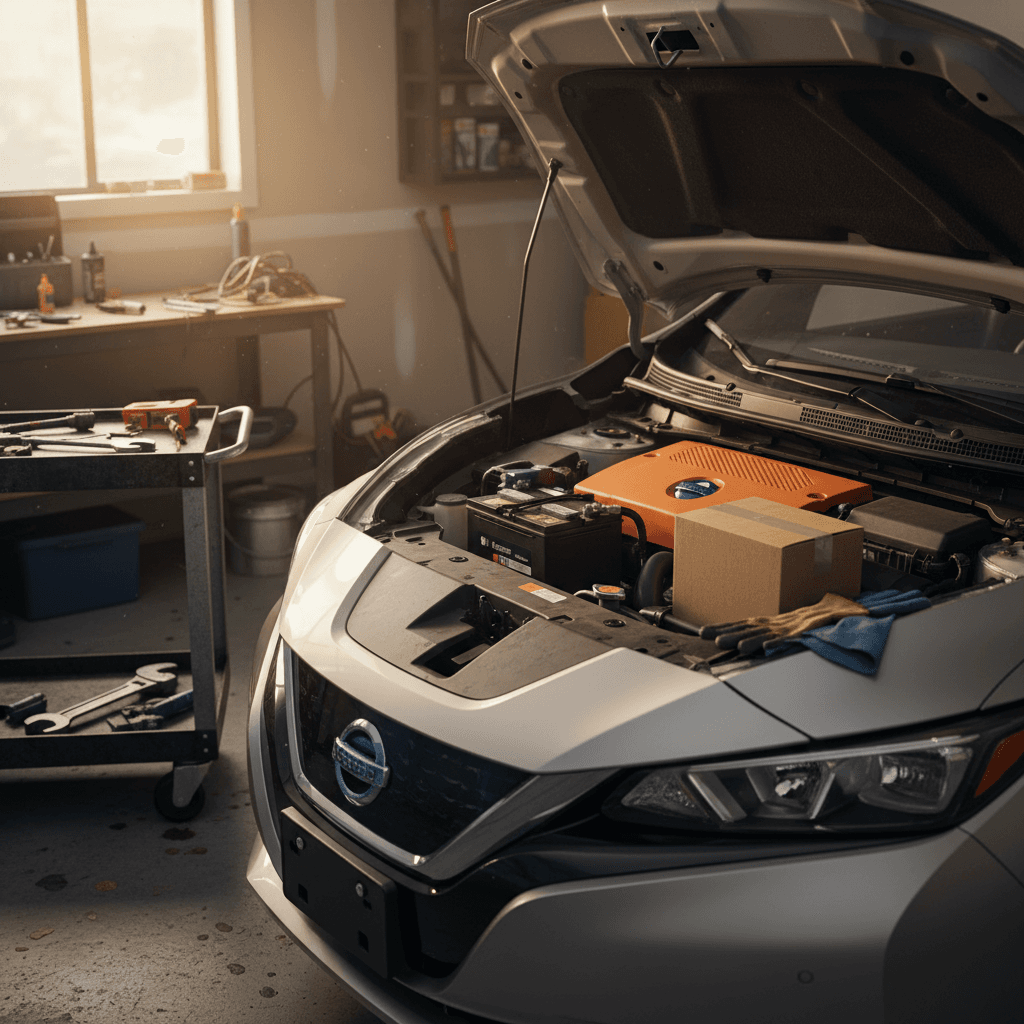
If your Nissan Leaf 12V battery is on its way out, the car will let you know in the rudest way possible: random warnings, dead screens, or a Leaf that simply refuses to “start” even though the big traction battery is full. The good news is that replacing the Leaf’s small 12V battery is a straightforward job if you’re prepared, and you don’t always have to pay dealer prices.
Quick overview
Why the Nissan Leaf’s 12V battery matters
Every Nissan Leaf, from early 2011 models to newer generations, relies on a conventional 12-volt lead-acid battery to wake up the car’s computers, run safety systems, and close the main contactors that connect the high-voltage pack. If that small battery can’t deliver enough voltage, the Leaf won’t go into READY mode, no matter how much charge you have in the main pack.
12V auxiliary battery
- Powers computers, locks, lights, and infotainment.
- Enables the high-voltage contactors to close.
- Similar in size to a small gas-car battery.
Main traction battery
- High-voltage pack that actually moves the car.
- Measured in kWh (e.g., 24, 30, 40, or 62 kWh).
- Managed separately from the 12V battery.
Don’t confuse the two batteries
Common signs your Leaf’s 12V battery is failing
Leaf owners often describe 12V issues as “ghost in the machine” problems. Here are the most common symptoms that point to a weak or dying 12V battery:
- Car won’t go into READY, even though the main battery has charge.
- Instrument cluster lights up, then goes dark or resets unexpectedly.
- Multiple warning lights appear at once (EV system, brake, airbag, etc.).
- Door locks, keyless entry, or interior lights behave erratically.
- The infotainment screen reboots or freezes when you start the car.
- Slow or clicking sounds from relays when you power on the vehicle.
Easy voltage check
Which 12V battery does a Nissan Leaf use?
Most Nissan Leafs in North America use a standard small automotive 12V battery, often in the Group 51R or similar size, depending on model year and market. Many owners choose an AGM (Absorbent Glass Mat) battery upgrade for better performance and resistance to deep discharges, but a quality flooded lead-acid battery that meets the original specifications is also acceptable.
Typical Nissan Leaf 12V battery specs (check your label to confirm)
Always compare these general guidelines with the actual sticker on your battery or in your owner’s manual.
| Item | Typical spec | Notes |
|---|---|---|
| Battery type | 12V lead-acid (flooded or AGM) | AGM is a popular upgrade but not mandatory. |
| Physical size | Group 51R (or similar compact size) | Check that terminals and hold-downs line up. |
| Cold cranking amps (CCA) | ~400–500 CCA | You don’t need high CCA for starting an engine, but quality still matters. |
| Reserve capacity | 70+ minutes (typical) | Higher reserve helps during long accessory use. |
Use this as a starting point, your exact Leaf may vary by year and region.
Where to confirm your exact size
Tools and safety gear you’ll need
Replacing a Nissan Leaf 12V battery is similar to swapping a battery in a gas car, but you’re still working around live electrical systems. Set yourself up with the right tools and safety basics before you loosen a single bolt.
Basic tools and safety gear
Correct replacement 12V battery
Choose a battery that matches your Leaf’s size, terminal orientation, and capacity. Stick with a reputable brand that meets or exceeds OEM specifications.
10mm and 12mm sockets or wrenches
Most Leaf battery terminals and hold-down brackets use 10mm fasteners, with 12mm sometimes used on brackets.
Gloves and eye protection
Even sealed batteries can vent gas or small amounts of acid. Protect your hands and eyes while lifting and handling the old unit.
Memory saver (optional)
A 12V memory saver plugged into the OBD-II port or accessory power can help preserve radio presets and some settings, though the Leaf will relearn much of this on its own.
Clean rags and terminal brush
Useful for cleaning corrosion off terminals and making sure the new battery has a solid electrical connection.
Safety first around batteries
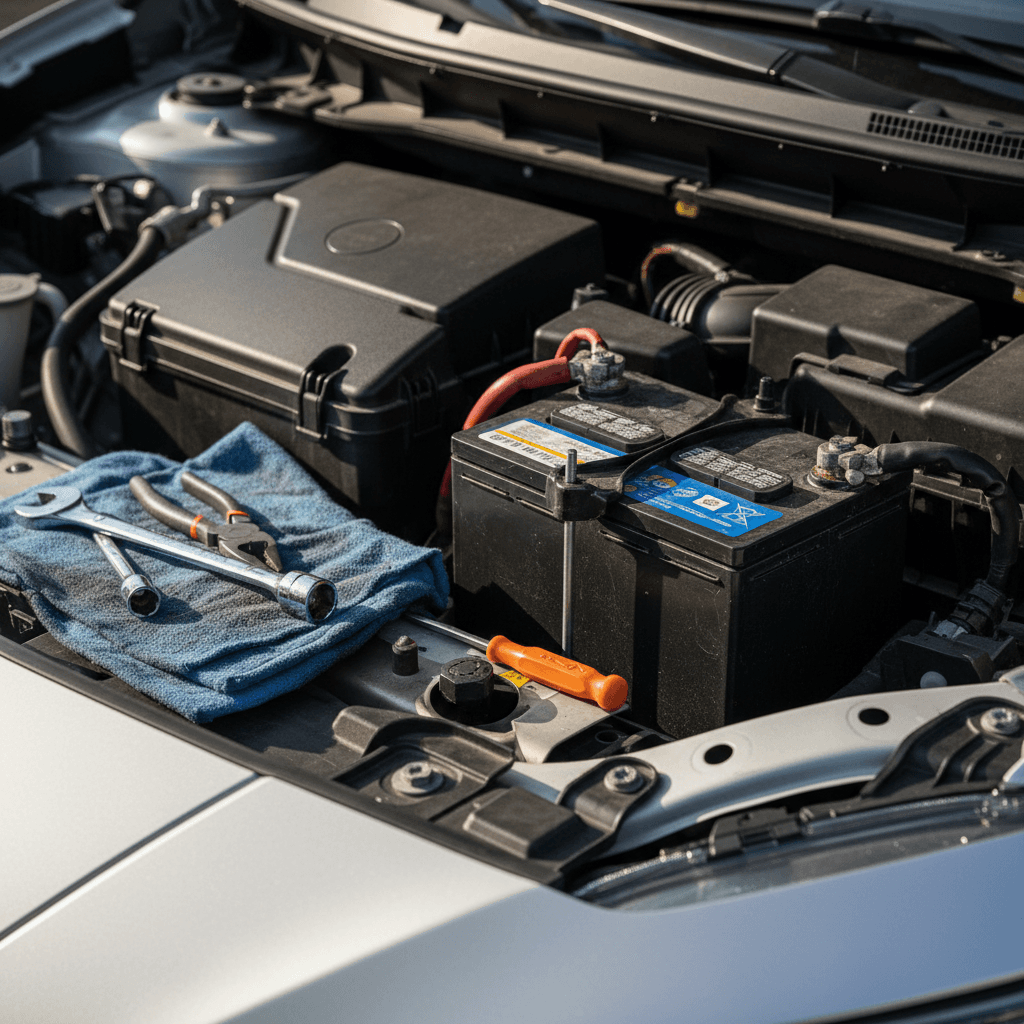
Step-by-step Nissan Leaf 12V battery replacement
Once you’ve got the right replacement battery and tools, the swap itself is refreshingly simple. Set aside about 30–45 minutes, especially if it’s your first time.
- Park safely and power the car down. Park on a level surface, set the parking brake, and make sure the Leaf is completely OFF, not just in ACC mode. Unplug any charging cables.
- Open the hood and locate the 12V battery. On most Leafs, it’s on the right (passenger) side near the front, secured with a metal or plastic hold-down bracket.
- Disconnect the negative (-) terminal first. Using a 10mm wrench, loosen the negative clamp and carefully lift it off the battery post. Tuck it away so it can’t spring back into contact.
- Disconnect the positive (+) terminal. Remove the protective cover if present, then loosen the clamp and lift it free. Avoid letting tools bridge between the positive post and any metal parts.
- Remove the hold-down bracket. Use your socket or wrench to loosen the bolts holding the bracket in place. Lift the bracket away and set it aside with the hardware where you won’t lose it.
- Lift out the old battery. Batteries are heavy; use both hands and lift straight up. Keep it upright to avoid spilling any acid if it’s a non-sealed design.
- Place the new battery in the tray. Orient it exactly like the old one, with positive and negative posts on the correct sides so the cables will reach without stretching.
- Reinstall the hold-down bracket. Secure the new battery firmly, but don’t over-tighten. It should not be able to slide or rock when you push on it.
- Reconnect the positive (+) terminal. Place the clamp on the positive post first, then tighten until snug. Replace the red terminal cover if equipped.
- Reconnect the negative (-) terminal. Install the negative clamp and tighten it. Reversing the removal order like this reduces the chance of accidental short circuits.
- Double-check your work. Wiggle both clamps to confirm they’re firmly seated and verify that no tools or loose parts are left in the engine bay before you close the hood.
When the swap went well
After the swap: resets and checks
Once your new 12V battery is installed, the Leaf’s computers may need a moment to wake up and reestablish communication. You might notice a few small quirks the first time you power back on.
- Clock and radio presets may reset to defaults.
- Trip meters and average efficiency numbers can reset.
- Windows may need to be initialized (hold the switch to run them fully up and down).
- Some warning lights may appear briefly, then clear after a short drive.
- Telematics or connected services might take a minute to reconnect.
Let the Leaf “relearn”
How much does a Leaf 12V battery replacement cost?
Compared with anything involving the main traction battery, a Nissan Leaf 12V battery replacement is blessedly affordable. Your total cost depends on the battery you choose and whether you do the work yourself.
Typical Nissan Leaf 12V battery replacement costs
Big-box parts stores and tire shops may install the battery for free or a small fee if you buy from them. Dealers tend to charge more but will also check for outstanding software updates or recalls while the car’s in their bay.
Warranty considerations
How often should you replace a Leaf 12V battery?
In real-world use, many Leaf owners see the original 12V battery last roughly 3–5 years, depending on climate, driving patterns, and how the car is stored. Short trips, long periods of sitting, and extreme heat or cold all shorten 12V battery life.
What affects your Leaf’s 12V battery lifespan?
Not all 12V batteries live the same life, even in identical cars.
Climate
Very hot or very cold climates are hard on lead-acid batteries. In desert heat, three years can be a good run; in milder areas, five or more isn’t unusual.
Driving habits
Frequent, longer drives give the DC-DC converter plenty of time to recharge the 12V. Short, infrequent trips or lots of accessory use while parked can drain it.
Storage patterns
Letting the Leaf sit unplugged for long stretches can slowly flatten the 12V. Keeping the car on a regular charging routine helps the system maintain it.
Don’t wait for total failure
Preventive maintenance tips for longer 12V life
The 12V system in an EV can feel invisible, until it isn’t. A few simple habits can significantly extend the life of your Leaf’s auxiliary battery.
Habits that help your Leaf’s 12V battery last
Drive long enough to recharge
Very short hops don’t give the DC-DC converter much time to top off the 12V. Work in a slightly longer drive now and then to keep it happy.
Avoid heavy accessory use while parked
Running HVAC, audio, and lights with the car not in READY mode pulls from the 12V battery. When in doubt, put the car fully in READY so the DC-DC can support the load.
Keep terminals clean and tight
Corrosion or loose clamps can cause low-voltage symptoms even when the battery itself is fine. Clean and snug terminals make every amp count.
Use a maintainer for long storage
If you’ll park your Leaf for weeks, a quality 12V battery maintainer (used correctly and safely) can help prevent deep discharge.
Check voltage annually
A quick multimeter check as part of yearly maintenance can catch a weak battery before it strands you.
12V battery issues when shopping for a used Leaf
When you’re buying a used Nissan Leaf, everyone talks about the big battery, and they should. But a weak 12V battery can create a terrible first impression on a perfectly good car, or hide real issues behind a wall of random warning lights.
What to look for on a test drive
- Does the Leaf go into READY mode quickly and consistently?
- Any odd warning lights or error messages at startup?
- Does the infotainment system boot cleanly, without random resets?
- Are door locks and keyless entry responsive?
Simple questions to ask the seller
- When was the 12V battery last replaced?
- Has the car ever failed to start due to a dead battery?
- Has the dealer or shop tested the 12V recently?
If the 12V battery is older or its history is unknown, factor the cost of a replacement into your offer.
How Recharged helps
Nissan Leaf 12V battery replacement: FAQ
Frequently asked questions about Leaf 12V batteries
Bottom line on Nissan Leaf 12V battery replacement
The humble 12V battery in your Nissan Leaf is small, cheap, and absolutely essential. When it starts to fail, your Leaf can act like it’s having a full-blown electrical meltdown, even though the main battery is perfectly healthy. With a basic set of tools, a bit of caution, and the right replacement battery, you can often handle this job at home in less than an hour.
If DIY isn’t your style, an independent shop or dealer can knock out a 12V replacement quickly, and it’s one of the least expensive repairs you’ll ever face on an EV. And if you’re shopping for a used Leaf, don’t let a tired 12V battery scare you away from an otherwise solid car, just treat it as a small, negotiable maintenance item. When you buy through Recharged, our specialists and Recharged Score Report help you see the full battery picture, from the little 12V under the hood to the big pack under the floor.