If you’re new to electric vehicles, planning your first long drive can feel intimidating. The right EV trip planner turns that anxiety into a simple checklist: it maps your route, inserts charging stops, and estimates your arrival time and battery level so you’re never guessing where to plug in.
What is an EV trip planner?
Why EV trip planners matter
On a gas road trip you can wing it because there’s a station at almost every exit. With an EV, public fast chargers are still clustered along major routes, and charging is slower than a five‑minute gas stop. A good trip planner solves three problems at once: where you’ll charge, how long you’ll be there, and what buffer you’ll keep in the battery so you’re not running on fumes, or electrons.
What a good EV trip planner does for you
Think of it as a co‑pilot that knows your car and every charger on the way.
Protects your battery and time
Trip planners keep you in the fast‑charging zone of the battery (roughly 10–80%) so you spend less time parked and more time driving.
Picks compatible chargers
The best planners filter by connector type and charging speed so you don’t show up to a slow or incompatible station.
Prevents range anxiety
By showing arrival SoC and distance to the next charger, planners give you a clear safety buffer instead of guesswork.
Quick rule of thumb
Types of EV trip planners you can use
Before you learn how to use an EV trip planner, it helps to know the different kinds available. Most drivers use a mix of these rather than relying on just one tool.
Common EV trip planner options
You’ll often combine an in‑car planner with a phone app for the best experience.
| Planner type | Examples | Best for | Pros | Cons |
|---|---|---|---|---|
| Built‑in vehicle planner | Tesla, Hyundai/Kia, Ford, GM (Google built‑in), Mercedes | Daily and road‑trip routing | Knows your car’s battery, live SoC, and efficiency; can precondition battery for fast charging | Tied to one network in some brands, fewer customization options |
| Dedicated EV planner apps | A Better Routeplanner (ABRP), ChargeHub, Zapmap, EV trip‑specific tools | Pre‑planning complex trips | Highly configurable, supports many car models, can simulate different weather and speeds | Takes time to learn, may require paid tier for live car data |
| Charger map apps | PlugShare, Chargeway, ChargePoint, Electrify America, EVgo | Finding specific stations or backups | Crowd‑sourced reviews, photos, real‑time status on some networks | Don’t always build end‑to‑end routes automatically |
| General navigation with EV mode | Google Maps (on some EVs), Apple Maps (limited), Roadtrippers | Simple routes with light EV features | Familiar interface, combines POIs and charging | EV‑specific features still basic on many models |
You don’t have to pick a single “best” EV trip planner, treat them as a toolkit.
A simple combo that works
Key settings to enter before you plan a route
No matter which tool you use, the setup is very similar. Spending two minutes here makes the entire plan more accurate.
Dial in these settings before you hit “Plan”
1. Select the exact EV model and year
Choose your car from the list, not just a “similar” model. Range, battery size, and fast‑charging speed can change from year to year, even within the same nameplate.
2. Enter current battery state of charge (SoC)
Tell the planner your real starting charge, ideally once you’ve finished your last home or hotel charge. Some apps can pull this automatically from your car; others need manual input.
3. Set minimum arrival and desired departure SoC
Most planners let you set a lower limit (for example, never arrive below 10–15%) and a target to leave each charger (such as 70–80%). This is a big part of staying in the fast‑charging zone.
4. Choose your charging networks and connector type
Filter to your connector (CCS, NACS/Tesla, CHAdeMO on older cars) and preferred networks or speeds. This avoids apps suggesting 7 kW Level 2 when you really want a 150 kW DC fast charger.
5. Add speed, weather, and load assumptions
Many planners let you reduce expected efficiency if you plan to drive fast, expect cold or windy weather, or you’re loaded with passengers and cargo. Be conservative, under‑promise, over‑deliver.
Don’t skip efficiency assumptions
Step‑by‑step: How to use an EV trip planner
Let’s walk through a generic flow that applies to most planners, whether that’s a dedicated app like ABRP, a web tool such as ChargeHub’s trip planner, or your car’s built‑in navigation.
- Open the planner and select your EV model and connector type.
- Enter your starting point and final destination. For longer trips, add intermediate waypoints if there are places you must visit.
- Set your current SoC and desired arrival/departure percentages for each stop (for example, arrive no lower than 10–15%, leave around 70–80%).
- Choose preferred networks, minimum charger power (for example, only show 50 kW+ chargers), and any route preferences like avoiding toll roads or ferries.
- Tap “Plan route” or similar. The app will draw your route and suggest specific charging stops with estimated arrival SoC and charging time.
- Review each suggested stop. Zoom in on the map and check amenities like restrooms, food, and lighting, this is where charger‑map apps shine.
- Adjust the plan: drag a stop to a different station, add backups in thin coverage areas, or shorten/lengthen charging sessions to match your schedule.
- Save the trip if your planner allows it. This makes it easy to reload on the day of travel and tweak if weather or starting charge change.
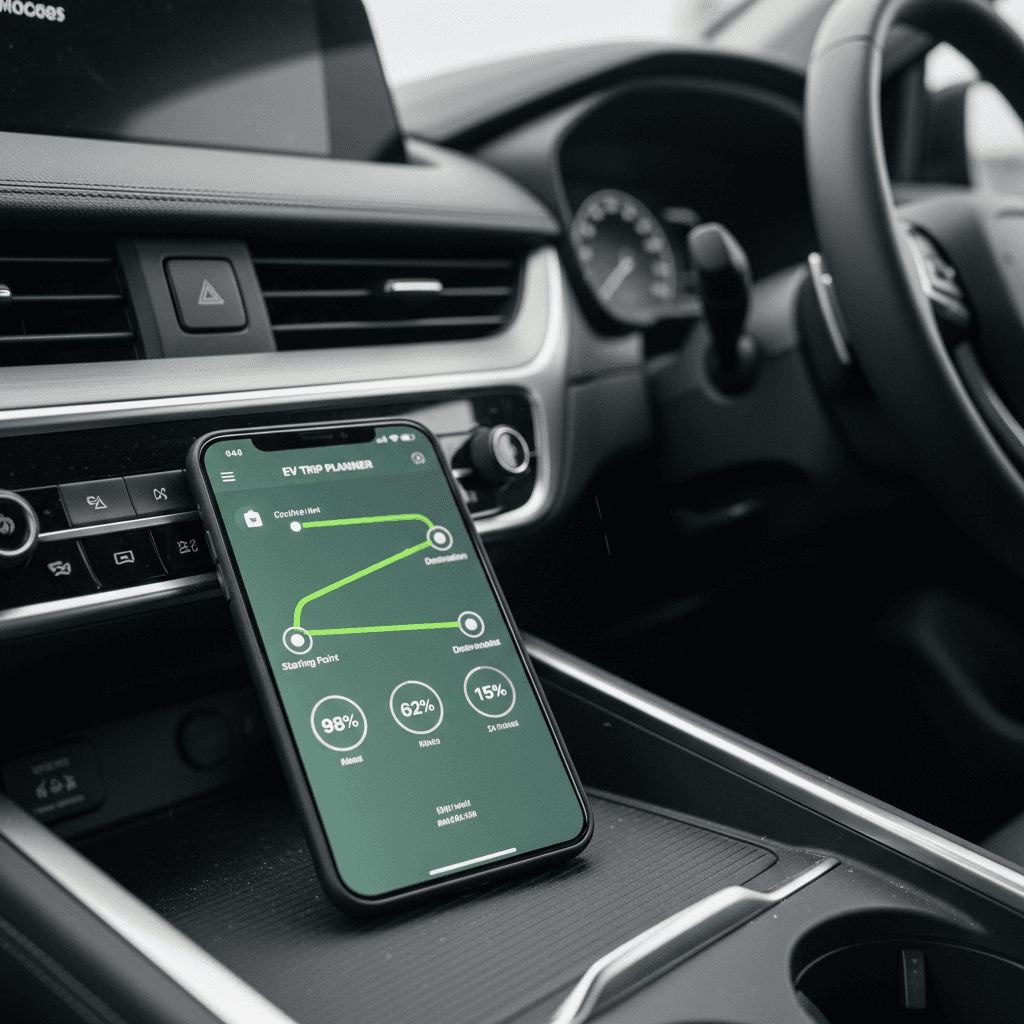
Use both desktop and phone
Choosing the right chargers along your route
Trip planners are only as good as the stops you approve. A 150 kW fast charger in a well‑lit plaza is a very different experience from a lone 50 kW unit behind a warehouse at midnight.
What to look for in charging stops
Speed is important, but it isn’t the only factor.
Charging speed
Prioritize DC fast chargers (often labeled 50–350 kW) for highway travel. Use Level 2 mainly at hotels, attractions, or meal stops longer than an hour.
Safety & lighting
Favor stations in busy, well‑lit areas with cameras or security. Nighttime stops at empty lots may be uncomfortable, especially when traveling alone.
Amenities & comfort
Look for restrooms, food, indoor seating, and maybe a playground. A 25‑minute stop feels shorter when everyone has something to do.
Reliability history
In crowd‑sourced apps, read recent check‑ins and reviews. If multiple drivers report issues or broken connectors, pick another stop or plan a backup nearby.
Number of stalls
Sites with more stalls reduce your odds of waiting. A 12‑stall site at a travel plaza is more forgiving than a two‑stall unit at a dealership.
Pricing & idle fees
Check per‑kWh or per‑minute rates and any idle fees after charging completes. Knowing costs in advance avoids surprises on your statement.
Know your connector
Fine‑tuning your plan for real‑world conditions
A plan built on perfect weather and empty roads will fall apart quickly. The best way to use an EV trip planner is to treat it as a living document and update as you go.
Adjust for weather and terrain
- Cold, wind, and heavy rain all reduce range. Add an extra buffer (10–20% more arrival SoC) on exposed or mountainous stretches.
- If your real‑world consumption is higher than the planner assumed, shorten the distance between stops or add an extra stop.
Watch real SoC vs. plan
- Compare your actual SoC at waypoints to what the planner predicted. If you’re arriving 5–10% lower than expected, re‑run the route with more conservative settings.
- Many EVs show a predicted SoC at your destination in the instrument cluster, use that in tandem with your app.
Re‑plan at every major stop
Common mistakes to avoid with EV planners
Avoid these EV trip‑planning pitfalls
Relying on one charger with no backup
If a key stop has only one or two fast chargers, star a backup site within 10–20 miles. Filters and map layers make it easy to spot nearby options.
Letting the planner push you to 0–5%
Yes, many tools will let you arrive nearly empty to minimize stops. For comfort and flexibility, most drivers prefer a 10–20% arrival buffer, more in cold weather.
Ignoring Level 2 when it’s convenient
If you’re stopping for a long meal, museum, or overnight stay, a Level 2 charger can quietly add 20–40+ kWh and reduce fast‑charging needs later.
Not checking recent station reviews
A station that looks perfect on paper might have been down for weeks. Always scan the latest reviews and check‑ins before committing to a stop.
Planning around ideal weather only
If your trip crosses mountains, deserts, or winter weather, assume lower efficiency. That might mean one extra stop, but it also means less white‑knuckle driving.
Safety first, then schedule
Sample road trip walkthrough
To make this concrete, here’s how you might use an EV trip planner on a typical interstate run, say, a 650‑mile journey where your car’s highway range is around 260 miles in ideal conditions.
- The night before, charge at home to 90–100% and pre‑load your route in a planner like ABRP, ChargeHub, or your car’s navigation.
- Tell the app your expected highway speed (for example, 70–75 mph) and, if it allows, reduce efficiency by 10–15% to simulate real‑world conditions.
- Set a minimum arrival SoC of 15% and a target departure SoC of 70–80%. Let the planner suggest the first two or three DC fast‑charging stops.
- Review each suggested stop in a charger‑map app. Swap out any that have poor recent reviews, limited amenities, or very few stalls.
- On the road, start navigation to the first charger with 20–30 minutes to go so the car can precondition the battery if it supports that feature.
- Arrive around 15–20% SoC, plug in, and watch the charging curve. Once you’re near your planned departure SoC (maybe 65–75%) and everyone is ready, unplug, even if the car could keep charging.
- Update your current SoC in the planner, re‑run the next leg, and repeat. If you’re consistently arriving with more charge than predicted, you can stretch stops slightly; if you’re arriving with less, add a conservative buffer.
On longer EV trips, the sweet spot is often shorter, more frequent fast‑charge stops that fit naturally around meals and rest breaks, rather than one or two massive charging sessions.
EV trip planning with a used EV
If you’re driving a used EV, trip planning matters even more. An older battery may have slightly less usable capacity than when it was new, and some legacy models use slower charging standards or smaller packs.
Why battery health matters
1. Base settings on your real range
Take a day or two of mixed driving and note your actual consumption (mi/kWh or kWh/100 mi). Many trip planners let you override the default efficiency, set it to match your numbers.
If your car is rated for 250 miles but you typically see 200, tell the planner that. You’ll get more realistic spacing between chargers.
2. Use tools that measure battery health
If you bought your car from a platform that provides verified battery diagnostics, like a Recharged Score Report, use that insight when configuring your planner.
Knowing your actual usable capacity helps you decide how conservative to be with arrival SoC and how far to stretch between fast‑charging stops.
If you’re still shopping for a used EV, this is where Recharged can simplify life. Every vehicle listed includes a battery health report and expert guidance, so you know whether that car is a good candidate for the kind of road trips you have in mind. And when you’re ready, Recharged can help with financing, trade‑ins, and nationwide delivery so your next road‑trip EV shows up at your door ready to plan its first adventure.
EV trip planner FAQ
Frequently asked questions about EV trip planners
Once you understand how to use an EV trip planner, long‑distance travel in an electric car stops being an experiment and becomes just another drive, with better quiet and instant torque. Start with your car’s built‑in tools, layer in one or two trusted apps for extra confidence, and be honest about your real‑world range. If you’re still shopping for a road‑trip‑ready EV, Recharged can help you find a used model with verified battery health, fair pricing, and expert support so your first big electric adventure feels planned, not risky.