If you own, or are shopping for, a BMW i4, understanding the car’s software update history is almost as important as knowing its mileage or service records. BMW has steadily refined the i4’s iDrive 8 system, driver-assistance features, and charging behavior through a mix of over‑the‑air (OTA) and dealer-installed updates. This guide walks through what actually changes, how the update timeline has evolved from launch through 2025, and what you should look for if you’re considering a used i4.
Software is now part of the car’s value
BMW i4 software basics: what actually gets updated?
Before you dive into the BMW i4 software update history, it helps to know what BMW can actually change with code. On modern EVs like the i4, the main software domains are:
- iDrive operating system (iDrive 8 on most i4s, with later updates improving menus, graphics, and responsiveness).
- Head unit & connectivity (navigation, voice assistant, app integration, OTA infrastructure, phone key behavior).
- Battery & charging management (thermal management logic, DC fast charging curves, charge‑limit behavior).
- Driver-assistance and safety (lane-keeping, adaptive cruise, traffic jam assist, blind-spot monitoring tweaks).
- Instrument cluster & HUD (what’s shown in front of you, new EV‑specific range and efficiency views).
- Bug fixes & stability (Bluetooth glitches, random reboots, error messages, false fault codes).
Think in “packages,” not just versions
BMW i4 software update history by model year
The BMW i4 launched for the 2022 model year in most markets, riding on BMW’s iDrive 8 platform. Since then, BMW has layered on annual model‑year changes plus mid‑cycle OTA updates. Exact version numbers vary by region and production date, but the high‑level evolution looks like this:
BMW i4 software evolution: 2021–2025 overview
High-level view of how BMW i4 software has progressed across early production and model years. Details can vary by build month and region, but this table captures the main themes.
| Model year / phase | Typical build years | Key software themes | Owner-visible highlights |
|---|---|---|---|
| Pre-launch & early production | Late 2021–early 2022 | iDrive 8 launch, early EV tuning | New dual widescreen layout, first i4‑specific EV menus, early DC fast‑charging behavior. |
| 2022 i4 | 2022 calendar year | Stability & bug fixes | Fewer random reboots, smoother Bluetooth pairing, improved charging session reliability. |
| 2023 i4 | Late 2022–2023 | UI refinements, charging logic tweaks | Cleaner menus, more consistent SOC and range displays, tweaks to preconditioning and fast‑charge start behavior. |
| 2024 i4 | Late 2023–2024 | Driver-assistance polishing, connected services | Better lane‑keeping consistency in some conditions, improved traffic data, minor efficiency display changes. |
| 2025 i4 | Late 2024–2025 | Maturity updates, prep for future features | Incremental interface smoothing, integration with newer BMW apps and digital key ecosystems, further stability fixes. |
Use this as a directional guide, your individual car’s software may differ slightly based on build month, options, and dealer campaigns.
Version numbers differ by market
Over-the-air vs dealer updates on the BMW i4
One common question around BMW i4 software update history is whether everything arrives over the air, like a smartphone, or if you still need dealer visits. The reality is a hybrid model:
How BMW i4 updates actually arrive
Understanding which updates you can get from your driveway and which require a lift and a tech.
Over‑the‑air (OTA) updates
These are downloaded via the car’s cellular connection and installed when parked.
- Typical content: iDrive interface tweaks, app changes, navigation data, minor bug fixes.
- Owner effort: Approve download and schedule install; car must stay parked and locked.
- Good for: Keeping a used i4 feeling modern with minimal hassle.
Dealer-installed updates
These require a service appointment and a wired connection to BMW’s diagnostic tools.
- Typical content: Safety‑related campaigns, complex control‑unit flashes, recall work.
- Owner effort: Service visit; car may be unavailable for several hours.
- Good for: Addressing deeper issues or mandatory recall software.
BMW sometimes bundles software into recalls
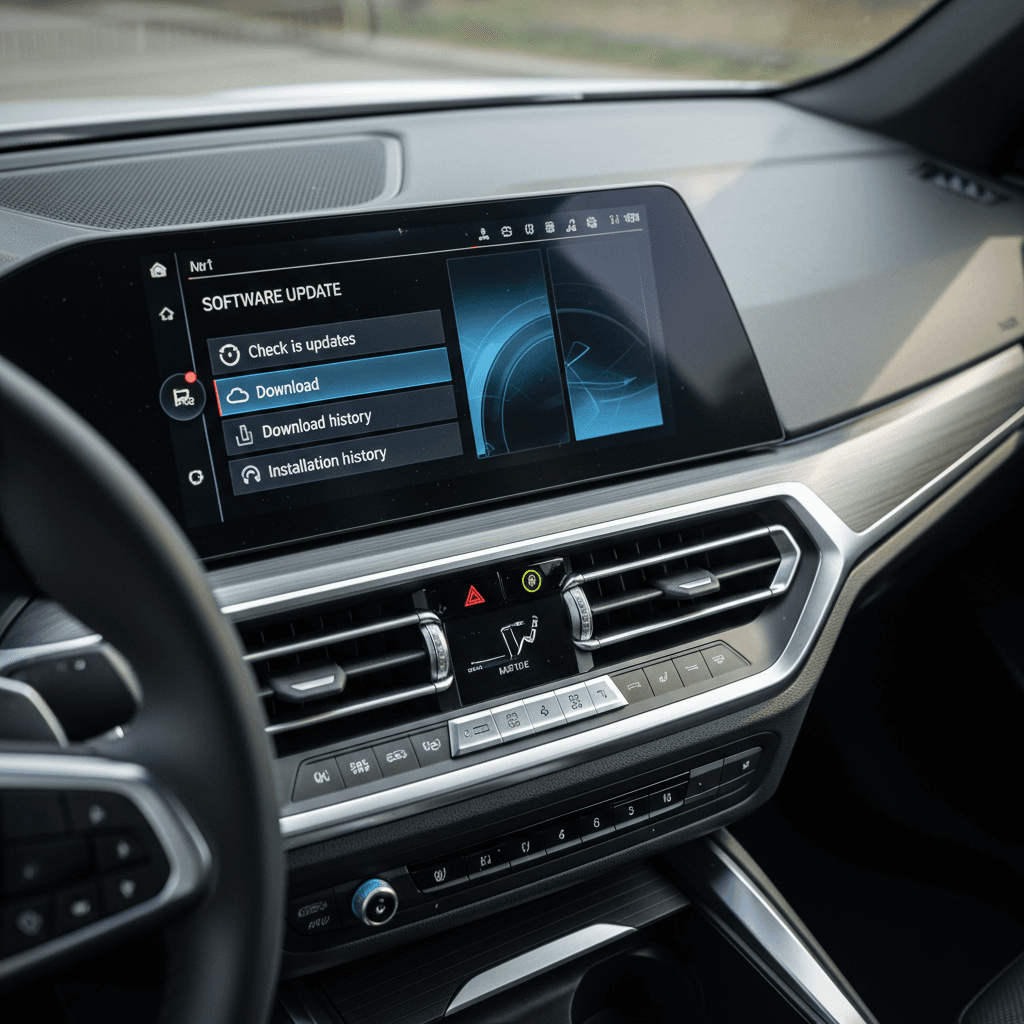
Key BMW i4 software feature highlights
While BMW doesn’t always trumpet every tweak, several themes show up repeatedly in i4 software updates. Understanding these will help you make sense of changelogs and owner forum posts.
What BMW i4 software updates tend to improve
From usability to charging confidence, most updates fall into a few buckets.
Interface & usability
- Menu structure refinements in iDrive 8.
- Clearer energy and range screens.
- Faster response to touch and voice.
Charging experience
- More reliable DC fast‑charge start on third‑party networks.
- Better state‑of‑charge reporting.
- Occasional tweaks to preconditioning logic.
Driver-assistance behavior
- Smoother lane‑keeping corrections.
- Improved traffic jam assist in some builds.
- Fewer spurious warnings or disengagements.
Good news for used‑i4 shoppers
Common BMW i4 software issues owners report
BMW i4 owners generally describe the software as modern but not always trouble‑free. Reading through owner forums and service bulletins, a few patterns repeat across the software history:
- Infotainment hiccups: iDrive 8 can occasionally lag, freeze, or trigger a blank display for a few seconds, often resolved after a software update or a hard reboot.
- Bluetooth & phone-key quirks: Some owners note flaky phone key recognition or dropped Bluetooth connections, especially after switching phones or updating the BMW app.
- Driver-assistance false alarms: Lane‑keeping or collision warnings can be overly conservative in certain conditions, which BMW sometimes refines via updated calibration data.
- Charging-session errors: Intermittent issues with third‑party DC fast‑chargers not starting on the first try; later software tends to improve compatibility.
- Random error messages: Occasional “drive system” or sensor errors that clear after a restart, often followed by a later software patch or service campaign.
When a glitch isn’t “just software”
Do BMW i4 software updates change range or battery health?
Because the BMW i4 is a battery‑electric vehicle, many owners wonder if software updates will noticeably change range or impact battery longevity. The short answer: updates rarely overhaul range figures, but they can influence how the car manages and reports energy.
Range estimates & display
Software updates can change how the i4 calculates and displays remaining range. For example, BMW might:
- Base the estimate more heavily on your recent driving style.
- Update how temperature or elevation are factored in.
- Refine the graphics in the instrument cluster or navigation.
The underlying battery capacity doesn’t change, but the number you see on screen may feel more realistic after certain updates.
Battery longevity & charging curves
On the backend, BMW can tweak the charging curve, how quickly the i4 accepts power at different states of charge, to balance speed and long‑term health. Over time you might see:
- Slightly different taper behavior at high SOC (above ~80%).
- More conservative fast‑charging in extreme heat or cold.
- Improved preconditioning before DC fast‑charging.
These changes are usually subtle and aimed at preserving battery health while keeping real‑world fast‑charge times competitive.
Look for consistent range trends, not one‑off drops
How to check software version on a BMW i4
If you’re trying to understand an individual BMW i4’s software history, whether it’s your own car or one you’re considering buying, the first step is seeing what’s currently installed. Exact menu labels can change, but the general process in iDrive 8 looks like this:
Steps to view your BMW i4 software version
1. Park safely and power on
Make sure the i4 is in Park with the parking brake set. It’s best to check software details when you’re stationary and not charging at DC fast‑charge speeds.
2. Open the iDrive main menu
From the home screen, tap the <strong>“Menu”</strong> or swipe up to reveal the main tiles on the central display.
3. Go to Settings
Select <strong>“Settings”</strong>, then look for a submenu labeled <strong>“General settings,” “System,”</strong> or similar.
4. Find “Remote Software Upgrade” or “Software version”
Within the system or general settings, look for <strong>“Remote Software Upgrade,” “Software update,”</strong> or a dedicated <strong>“Version”</strong> screen. This page typically shows the current package month/year (for example, 07/2023.x).
5. Check for available updates
From the same menu, you can usually trigger a search for new OTA updates. If one is available, the system will prompt you to download it or use the My BMW app.
6. For deeper history, ask a BMW service advisor
Dealers can pull a more detailed campaign and software history from BMW’s systems, useful when you’re evaluating a used i4 or confirming that recall work was done.
Why software history matters when buying a used BMW i4
On a used BMW i4, software history is one more signal of how carefully the car has been maintained. Unlike an oil change, it’s easy for previous owners to ignore update prompts or skip recall visits. That’s why Recharged folds software and battery data into the bigger picture when we evaluate an i4 for resale.
Used BMW i4: software checks that actually matter
You don’t need to memorize version codes, focus on these practical questions instead.
Are recall campaigns complete?
Ask for a printout or screenshot showing all BMW recall and service campaigns marked as completed. This often includes critical software related to battery management and safety.
Can it download OTA updates today?
With the car powered up, verify that the i4 can connect to BMW’s servers and check for new updates. A car stuck on an old package with repeated connection errors is a yellow flag.
Does the software match battery health?
On Recharged vehicles, the Recharged Score includes a battery health assessment that sits alongside any known software or campaign history, giving you a fuller picture of the pack’s condition.
How Recharged uses software data
BMW i4 software update FAQ
Frequently asked questions about BMW i4 software updates
Bottom line: how to think about BMW i4 software history
The BMW i4’s software update history is less about chasing the “latest version” label and more about making sure the car has received key stability, safety, and charging refinements since launch. For current owners, that means keeping Remote Software Upgrade enabled, approving updates when convenient, and staying on top of recall notices. For used‑i4 shoppers, it means asking smart questions about campaigns, OTA behavior, and battery health instead of getting lost in version strings.
If you’re considering a used BMW i4, a transparent report goes a long way. Every EV sold through Recharged includes a Recharged Score Report with verified battery health, fair market pricing, and expert EV guidance from start to finish. That way, the car’s digital story, its software, charging behavior, and battery condition, comes into focus before you ever tap “buy.”