The modern Acura ZDX (the 2024–2025 all‑electric SUV, not the older gas model) arrived with bold styling, strong Ultium‑based range, and serious performance. It also arrived into a brutal market. By late 2025 Honda had already pulled the plug on ZDX production, leaving a small but growing group of owners trading stories about quirks, recalls, and software headaches, and a lot of shoppers wondering whether a used ZDX is a smart play or a future headache.
Two very different ZDX generations
Overview: Acura ZDX and why it was discontinued
The 2024 Acura ZDX launched in North America as Acura’s first modern EV, built on General Motors’ Ultium platform alongside vehicles like the Cadillac Lyriq. On paper it looked right: up to roughly 300+ miles of range, rapid DC fast charging, and Acura’s typically sharp chassis tuning. But adoption was slower than expected, EV demand softened in 2025, and Honda ultimately ended ZDX production after only a short run.
- There aren’t many ZDXs out there, so data is thinner than on something like a Tesla Model Y.
- Parts, software support, and recall campaigns matter even more because you can’t assume long, high‑volume production will smooth out early problems.
Acura ZDX reliability at a glance
Acura ZDX reliability snapshot
Why owner anecdotes matter here
Brake recall and braking quirks
One of the first high‑profile problems for the EV ZDX was a **brake‑system recall** affecting thousands of 2024 all‑wheel‑drive models. An overly sensitive electronic brake control module could trigger ABS at low speeds, below neighborhood speeds, essentially, making it feel like the car was sliding on ice when you were just easing up to a stop sign. Acura’s fix was an over‑the‑air software update that recalibrates the braking logic.
- Symptoms: Pulsating pedal, longer-than-expected stopping distances at low speeds, or ABS‑like chatter in gentle stops.
- Fix: Confirm that the electronic brake control module software has been updated; dealers can verify by VIN and apply the patch if it hasn’t installed over the air.
- Risk if ignored: Increased stopping distance and higher crash risk in low‑speed maneuvers.
Don’t ignore brake warnings
Separate from the recall, some owners complain about aggressive **automatic emergency braking and reverse braking**, especially in tight parking spots. The system can slam on the binders hard enough to startle you or your passengers, particularly when backing near walls or other cars.
Quick brake and safety system checks
1. Confirm recall completion
Run the VIN through Acura’s recall lookup or ask the seller for service records showing the brake software update was completed.
2. Test reverse braking
In a safe, empty lot, back toward a painted line or gently toward a curb to feel how the reverse auto‑brake behaves. You’re checking for overly harsh, random interventions.
3. Dial in sensitivity
Explore driver‑assist settings. If auto braking feels too grabby, some sensitivity or distance settings can be softened, just balance comfort with safety.
4. Listen for noises
Lightly apply the brakes from 5–10 mph. Occasional ABS chatter in the wet is normal; consistent grinding, scraping, or pulling to one side is not.
High-voltage battery and charging issues
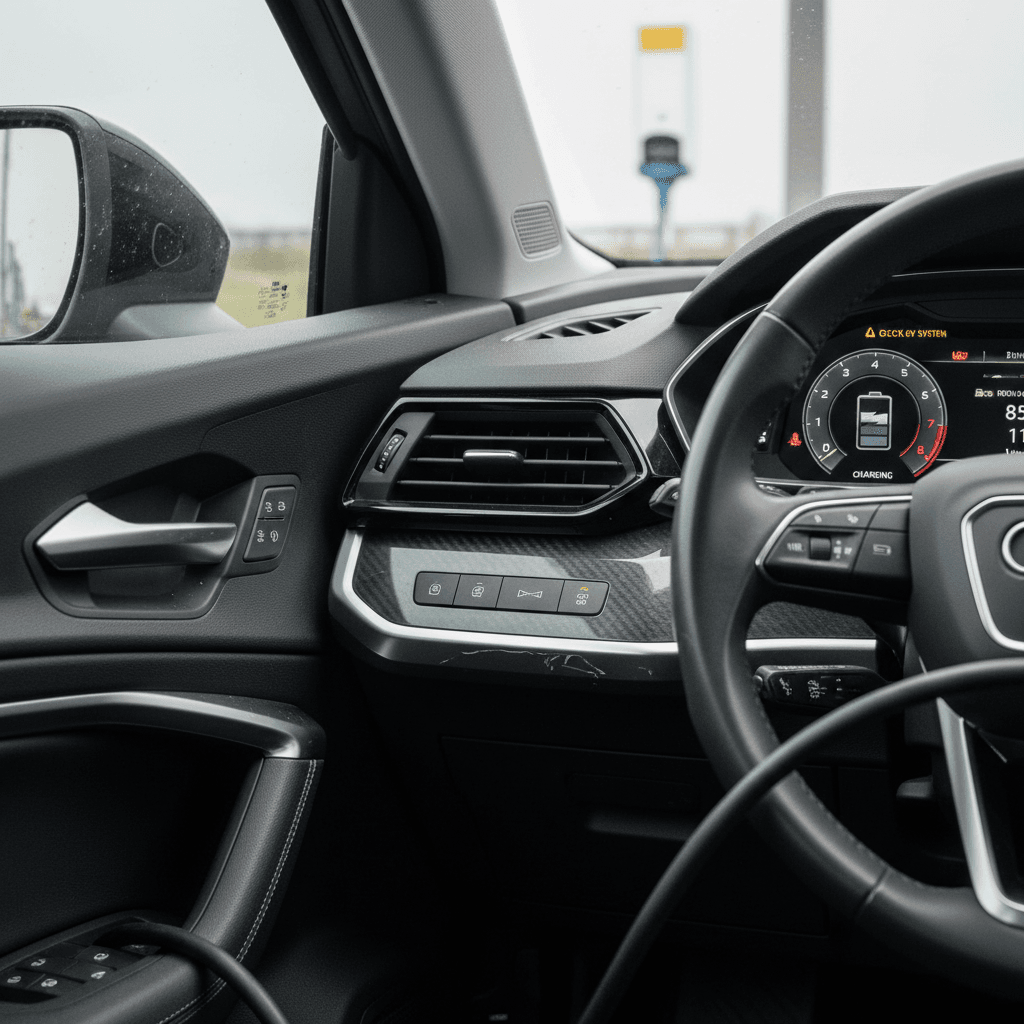
Under the floor, the ZDX uses GM’s Ultium battery system. In theory, that’s good news: it’s the same core tech used in Cadillac and Chevy EVs. In practice, a few early ZDXs made headlines and forum posts for **severe charging failures and even complete battery replacements** very early in life, sometimes under 1,000 miles.
Battery failures are rare but serious
- Car won’t DC fast charge, or sessions stop almost immediately.
- Repeated “service high‑voltage system” or “service battery” warnings on the dash.
- Vehicle charges on Level 2 but not on DC, or only to a low state of charge before throwing errors.
- Public charger works fine for other EVs but consistently fails with the same ZDX.
Home charging quirks also pop up in owner stories, especially when pairing the ZDX with third‑party Level 2 chargers. Some report fault codes at specific charge limits (like faults appearing when the car hits 80%, but not at 90%) or relay errors that disappear when switching to the factory‑supplied charger or a different EVSE.
Best practice: Let the car manage the charge limit
Battery and charging red flags on a used ZDX
Things you should always test in person
1. DC fast‑charge test
If possible, plug into a DC fast charger and watch how quickly the car ramps up, whether it holds power, and whether the session ends cleanly.
2. Level 2 overnight charge
Ask the seller when they last charged at home and if they’ve seen any errors around 70–90% state of charge.
3. Warranty & recall history
Look for paperwork about battery‑pack repairs or replacements. A properly documented replacement under warranty isn’t a deal‑breaker, but multiple attempts could be.
Software, infotainment, and Acura EV app problems
If there’s a single theme that runs through most modern Acura ZDX owner threads, it’s frustration with software, especially the **Acura EV smartphone app and OnStar connectivity** that link the car to public charging credits and remote functions.
- Difficulty enrolling the car in the Acura EV app or linking Acura and OnStar accounts.
- App losing the vehicle after an update and refusing to re‑pair, even when the car shows it as registered.
- Remote commands (lock/unlock, pre‑conditioning) failing or timing out for days at a time.
- Public charging sessions through the app not starting correctly, forcing owners to swipe a credit card and miss out on included charging credits.
- Intermittent Apple CarPlay disconnects that require forget‑and‑repair routines.
Your EV is only as friendly as its software
Practical owner‑level fixes
- Set up accounts on the web first. Many owners have more luck creating or verifying Acura and OnStar profiles in a browser, then logging into the Acura EV app.
- Do a clean Bluetooth reset. For CarPlay dropouts, delete the phone from the car and the car from your phone, then pair again with the latest OS updates installed.
- Check for OTA updates. In the infotainment settings, look for pending software updates, several early‑run bugs have been quietly addressed over the air.
When to escalate to the dealer
- If the Acura EV app can’t find your car for more than a few days despite multiple attempts.
- If the car repeatedly reports no connectivity for Google Maps, streaming, or telematics when your phone signal is fine.
- If an OTA update fails or gets stuck, ask for the update to be performed or verified in the service bay.
Comfort and build-quality complaints
Mechanically, many ZDX owners praise the way the SUV drives; the loudest grumbles are often about **comfort features and cabin execution** versus the original $60,000–$70,000 price tags. On the used market, these issues won’t strand you, but they will affect how happy you are to live with the car every day.
- Driver’s seat lumbar support or bolsters stuck or inoperative, sometimes with long waits for replacement parts on back‑order.
- Occasional reports of rear liftgate not fully latching without a firm push, even after hitting the power close button.
- Annoying behavior from auto parking brake and collision‑mitigation braking that feels too aggressive, particularly while reversing in tight spaces.
- Some owners wishing for more camera views (only a single rear view for parking) and additional rear‑seat comfort features that feel missing at this price point.
Spend extra time in the driver’s seat
What to check before buying a used Acura ZDX
Because the electric ZDX had a short life and some highly publicized problem cars, you want to be picky on the used market. Go in with a checklist, and don’t apologize for being thorough, this is a premium EV with premium repair costs.
Pre‑purchase checks for a used Acura ZDX
Use this as a quick reference while you’re inspecting and test‑driving.
| Area | What to Inspect | Good Sign | Red Flag |
|---|---|---|---|
| Brakes | VIN shows recall done; smooth low‑speed stops, no flashing warnings. | Update documented, no odd pedal feel. | Recall open, warning lights, or grabby unpredictable braking. |
| Battery & charging | Level 2 and, ideally, DC fast charge without warnings or interruptions. | Charges to your set limit cleanly, no errors. | Repeated charging faults, “service battery” messages, or history of unresolved battery work. |
| Software & app | Infotainment snappy, CarPlay stable, Acura EV app sees the car. | Owner can demo app control and charging credits. | Car won’t pair to app, constant dropouts, or dealer still “working on it.” |
| Comfort & seats | All seat adjustments work; no stuck bolsters or lumbar. | Seat feels supportive and adjustable. | Any seat function dead, stuck, or waiting on parts. |
| Body & liftgate | Doors and liftgate close cleanly; no water leaks or rattles. | Power tailgate latches softly and consistently. | Tailgate requires slamming, won’t latch, or shows warnings. |
| Paper trail | Service history shows recall work, updates, and any big repairs documented. | Regular service and software updates noted. | Gaps in records, especially on cars with very low miles and long shop stays. |
If more than one or two boxes in the right column are checked, proceed cautiously, or be prepared to walk away.
On‑road ZDX test‑drive checklist
1. Cold start and boot‑up
Start the car after it has sat. Watch for warning lights, error messages, or an unusually long infotainment boot sequence.
2. Mixed‑speed braking
Drive at neighborhood and highway speeds. Check for smooth, predictable braking and no pull to either side.
3. One‑pedal behavior
Try the strongest regen setting and confirm the brake lights come on appropriately when slowing hard.
4. Connectivity & audio
Pair your phone, start navigation, and stream music. Look for CarPlay/Android Auto dropouts or frozen screens.
5. Highway tracking
At 60–70 mph, the car should track straight with minimal corrections and no unusual wind or tire noise.
6. DC fast‑charge stop (if possible)
Even 10–15 minutes on a fast charger can reveal issues with session starts, charging speed, or error codes.
DIY fixes vs dealer visits
With a high‑voltage EV like the Acura ZDX, it’s important to know where **DIY ends and professional service begins**. Some annoyances are worth troubleshooting at home; others belong squarely with the dealer, especially while the car is still under warranty.
Reasonable DIY or owner‑level fixes
- App and account issues: Reset passwords, confirm email addresses, and log in via a web browser first before pairing in the Acura EV app.
- Infotainment glitches: Perform a soft reset of the head unit, delete and re‑pair phones, and update your phone’s OS.
- Home charging quirks: Try a different outlet or EVSE, ensure the circuit is properly sized, and simplify settings so the car manages charge limits.
- Minor trim noises: Squeaks and rattles from interior trim can sometimes be tamed with felt tape or lubrication, but document them in case they worsen.
Head straight to the dealer for these
- Brake warnings or erratic brake feel at any speed.
- High‑voltage or battery fault messages, even if they clear themselves.
- Repeated failed DC fast‑charge sessions across multiple stations.
- Seat motors, lumbar, or bolsters that don’t respond or are stuck fully inflated.
- Persistent app connectivity failures after your own troubleshooting, these often need back‑end account and telematics fixes.
Leverage the EV warranties
How Recharged helps with used Acura ZDX shopping
Because the Acura ZDX was discontinued quickly and relies on a shared Ultium platform, transparency matters. At Recharged, every EV we list, including models like the ZDX, comes with a Recharged Score Report that details battery health, charging behavior, and vehicle history so you’re not buying blind.
Why use Recharged if you’re eyeing a ZDX?
Especially helpful for short‑run, first‑generation EVs
Verified battery & charging data
Our Recharged Score digs into battery health and charging performance, not just odometer miles, so you can spot cars that have been problem‑free, or problem‑prone.
Transparent pricing and history
We price ZDXs against the wider EV market and surface accident history, open recalls, and major repairs so you can compare them to more common alternatives.
EV‑savvy support & delivery
Our EV specialists can walk you through ZDX pros and cons versus rivals, help with financing or trade‑ins, and arrange nationwide delivery from your screen to your driveway.
Ready to find your next EV?
Browse VehiclesIf you already own a ZDX and you’re thinking about moving on, Recharged can also help you **sell or trade‑in**. We provide instant offers or consignment options, so you can capture the value of your EV, even as the market shifts, without spending weekends fielding tire‑kickers.
FAQ: Acura ZDX common questions
Frequently asked questions about Acura ZDX problems
Bottom line: Is a used Acura ZDX worth it?
A used Acura ZDX can be a compelling left‑field luxury EV: sharp to drive, legitimately quick in Type S form, and distinctive in a sea of generic crossovers. But the short production run, brake‑software recall, scattered high‑voltage battery stories, and ongoing software and app frustrations mean it is not a set‑and‑forget appliance. This is an EV you buy only after doing your homework.
If you fall for the way the ZDX drives and looks, protect yourself: verify recall and warranty work, test every tech feature you care about, and insist on a clean charging record. Shopping through a platform like Recharged, with battery health diagnostics, transparent pricing, and EV‑savvy guidance built in, can turn what feels like a gamble into a measured, informed choice.