If you’re eyeing a 2024 Nissan Ariya, especially on the used market, you’ve probably heard whispers about charging problems, “Service EV System” warnings, and glitchy software. The 2024 model is better behaved than the earliest Ariyas, but it’s not trouble‑free. This guide walks you through the most common 2024 Nissan Ariya problems and fixes so you can shop, or own, confidently.
Good news before the bad
Is the 2024 Nissan Ariya a problem car?
The short answer: no, the 2024 Ariya is not a disaster of a car, but it does have a few recurring weak spots. Owner reports and reliability data point to three main themes:
- 12V battery quirks that can trigger “Service EV System” warnings or no‑start conditions
- Intermittent AC or DC charging issues that require hardware replacement on a small number of cars
- Software and infotainment glitches, slow or frozen screens, Bluetooth trouble, app weirdness, more annoying than dangerous
If you understand these trouble spots and how to deal with them, a 2024 Ariya can be a very comfortable, quiet, and reasonably reliable EV, especially as a value buy on the used market.
2024 Ariya reliability snapshot (big picture)
Quick list: 2024 Ariya problems and quick fixes
Most common 2024 Nissan Ariya problems & simple fixes
Use this as your cheat sheet, then dive into sections below for detail.
1. 12V battery & “Service EV System”
Symptoms: Dash lit up, random errors, car won’t “Ready,” remote features flaky.
First steps: Check 12V voltage, inspect terminals, avoid leaving car in accessory mode for long periods. Replace weak 12V under warranty or with a higher‑quality AGM battery.
2. AC/DC charging won’t start or keeps stopping
Symptoms: Won’t charge at home L2, shuts off after 1–2 minutes, or fast chargers show error.
First steps: Try a different charger/network, disable schedules and timers, reboot car. If issues persist across stations, have the onboard charger and charge port checked at a Nissan EV dealer.
3. Infotainment/app glitches
Symptoms: Frozen or blank screen, Bluetooth drops, MyNissan app slow or inaccurate.
First steps: Soft‑reset the head unit, delete and re‑pair your phone, verify you’re on the latest software. If the app only works when the car is on or charging, push your dealer to log it as a vehicle‑side issue.
4. Brakes, tires & ride
Symptoms: Fast‑wearing OEM tires, some uneven brake wear, choppy ride on rough pavement.
First steps: Rotate tires aggressively (5–6k miles), check pressures, ask your shop to inspect pads/rotors for uneven wear. Many owners improve comfort with higher‑quality replacement tires.
Problem 1: 12V battery and “Service EV System” warnings
The Ariya, like most EVs, still uses a conventional 12V battery to wake up the computers, run accessories, and close the high‑voltage contactors. When that little battery gets weak, or the car’s charging logic gets confused, you can see “Service EV System” warnings, random error messages, or a car that just refuses to go into Ready mode.
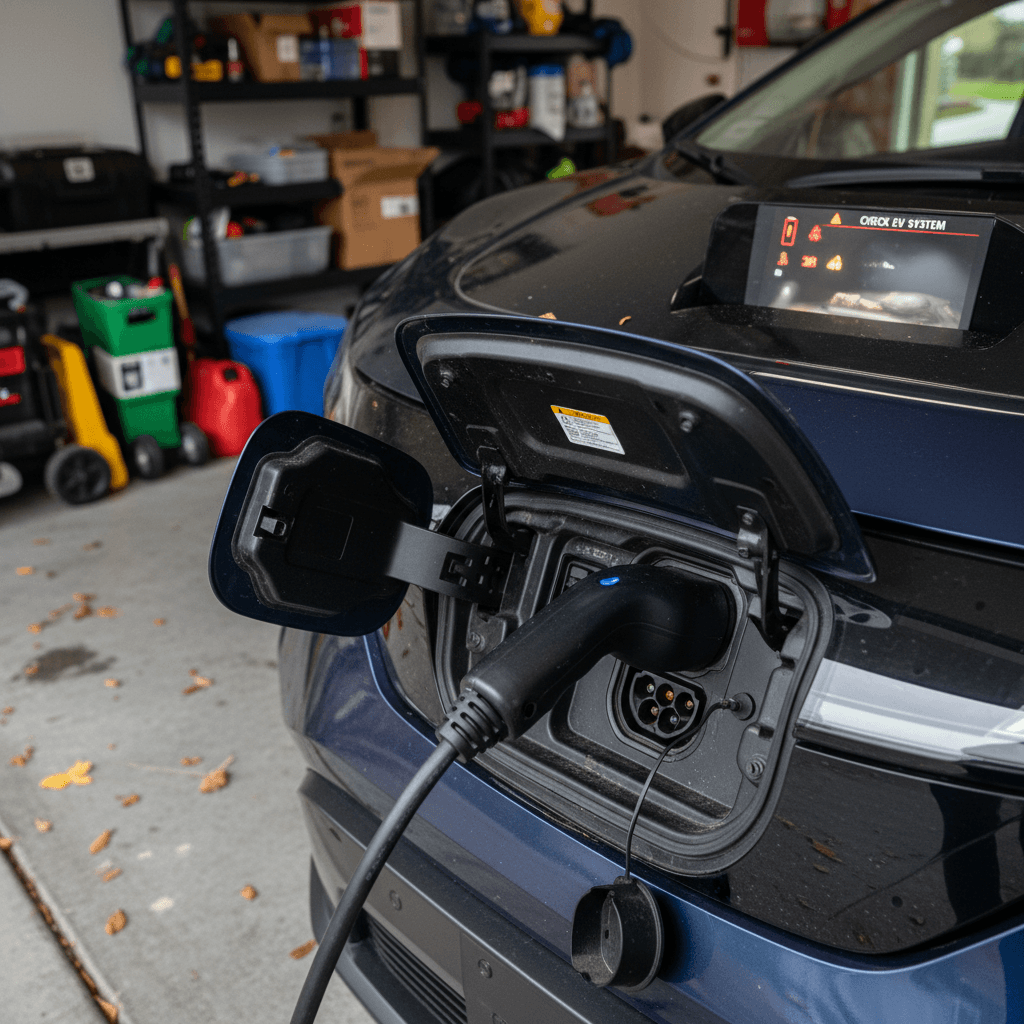
- “Service EV System” or “12V power system error” on the dash
- Multiple warning lights appearing at once after parking overnight
- Car will power on accessories but won’t shift into Drive
- Remote services, lock/unlock, or pre‑conditioning fail intermittently
Why this matters
Likely causes on 2024 Ariya models
- Aging or low‑quality OEM 12V battery that drops voltage when parked
- Quirks in the Ariya’s 12V charging strategy that don’t always top the battery up with short trips
- Parasitic draw from connected services or accessories
- Occasional software bugs that mismanage when the 12V is charged from the high‑voltage pack
DIY checks and fixes
DIY checklist: 12V & “Service EV System”
1. Check 12V voltage
With the car off and after it’s sat for a bit, measure the 12V battery at the terminals. Anything down near 11.8V or lower at rest suggests replacement, especially if you’re seeing warnings.
2. Inspect the terminals
Make sure battery terminals are clean and tight. Corrosion or a loose clamp can mimic a failing 12V battery by starving the car of voltage under load.
3. Avoid long accessory-mode sessions
Extended time with the car “on” but not in Ready (for example, listening to audio while parked) can drain the 12V without the high‑voltage system supporting it.
4. Note patterns with charging
If warnings appear right after charging stops or when unplugging, mention that to your dealer. In many Ariya cases, 12V trouble and charging quirks show up together.
5. Ask for a higher‑quality replacement
If your 12V fails early, push for a warranty replacement. Many owners upgrade to an AGM battery for better durability, especially in hot or very cold climates.
When the dealer should pay
Problem 2: AC/DC charging issues on the 2024 Ariya
The next big bucket of Ariya complaints is charging that won’t start, won’t stay running, or only works at certain stations. For 2024 models, the pattern looks like this: the car often charges fine on some networks, or on DC fast charging, but refuses to cooperate with specific Level 2 setups or home EVSEs.
- Home Level 2 charges for 1–2 minutes then shuts off with a “Service EV System” or charger error
- Public Level 2 at hotels or workplaces won’t start at all, while DC fast charging works
- Multiple DC fast chargers time out or display “In Use” even though no power is flowing
- Portable Nissan‑branded EVSE throws errors while other third‑party units work fine
Start simple with charging problems
Common root causes
- Faulty or marginal onboard AC charger module that needs replacement
- Charge port or locking mechanism fault, sometimes accompanied by “Service EV System” codes
- Compatibility issues or miscommunication with certain third‑party EVSEs or set charge schedules
- Damaged J1772/CCS connectors or worn pins at heavily used public stations
Step‑by‑step troubleshooting for charging issues
What to try before you panic
1. Try another charger and network
If you have trouble at a particular brand of charger, move to a different brand or location. Document which ones fail and which ones work, your dealer will need those details.
2. Turn off charging schedules and timers
In the MyNissan app and in the car’s settings, temporarily disable departure timers, off‑peak schedules, and battery care modes. These can block charging if misconfigured.
3. Hard‑reset the car and charger
Unplug, lock the car, and let it go fully to sleep for a few minutes. On home units, flip the EVSE breaker off for 30–60 seconds before re‑energizing and trying again.
4. Inspect the charge port and cable
Look for bent or discolored pins, damaged seals, or excessive dirt. A can of electrical‑grade contact cleaner and a gentle wipe can help with minor contamination.
5. Log the exact error messages
Take photos of any warnings on the Ariya’s dash and the charger’s screen. Errors like “Service EV System” tied to AC charging are valuable clues that the onboard charger may be failing.
Signs you need the dealer involved
Problem 3: Software, infotainment, and app glitches
The Ariya’s big dual screens and connected services are a highlight on the showroom floor. In real life, software rough edges are one of the most common 2024 Ariya complaints. Most are nuisances, not safety issues, but they can sour the experience if you rely heavily on the tech.
- Slow or frozen central touchscreen when starting the car
- Audio that cuts out after a phone call until the system is rebooted
- Bluetooth pairing or CarPlay/Android Auto connections that drop at random
- Navigation lag, map freezes, or cameras that briefly go blank
- MyNissan app showing wrong charge status or only connecting when the car is on or charging
- Scheduled charging or climate control not following the set schedule
Easy software and app fixes to try first
Quick fixes for 2024 Ariya software glitches
Soft‑reset the head unit
Hold the power/volume button until the screen goes dark and restarts. This can clear many audio and display hiccups without affecting vehicle settings.
Re‑pair your phone
Delete the Ariya from your phone’s Bluetooth list and remove your device from the car. Re‑pair from scratch and avoid having multiple phones fighting for control.
Check for updates
In the settings menu, verify that your software is up to date. If an over‑the‑air update fails repeatedly, have a dealer apply the update using their service tools.
App issues aren’t always “just the app”
If you buy a used 2024 Ariya from Recharged, your EV specialist can walk you through making sure your accounts, profiles, and OTA updates are set up correctly as part of delivery so you’re not learning all the hard lessons on your own.
Problem 4: Brakes, tires, and ride complaints
Compared with charging and software, the Ariya’s brakes and suspension don’t generate headline drama, but owners do report a few recurring annoyances on 2023–2024 cars:
- OEM tires that wear quickly, sometimes needing replacement around 12,000–20,000 miles depending on driving style
- Some uneven brake pad or rotor wear, especially with mixed regenerative and friction braking
- A slightly choppy ride on broken pavement with larger wheel options
- Tire noise more noticeable as the tires age, which stands out on a quiet EV
Tire and brake tips for a smoother Ariya
Problem 5: Cold‑weather range and cabin heating
Like every EV, the 2024 Ariya sees noticeable range loss in cold weather. Heat pump‑equipped trims do better, but winter owners still report more energy used for cabin heat than they expected, plus slower fast‑charge speeds with a cold battery.
- Reduced range on highway trips below freezing, even at moderate speeds
- Slower fast‑charging until the pack warms up, especially at the first stop
- Cabin taking longer to heat if the car wasn’t preconditioned while plugged in
- Slightly foggy windows if you run the climate system on minimal fan/AC to save power
Smart habits to improve winter range
- Precondition while plugged in: Warm the cabin and battery before you unplug so the energy comes from the grid, not your battery.
- Use seat and wheel heaters first: They sip power compared with blasting the cabin heater.
- Plan shorter fast‑charge hops: The battery will stay warm and accept higher power more consistently.
Shopping tip for cold climates
If you live somewhere with real winters, prioritize a 2024 Ariya trim with the heat pump package and budget for a set of proper winter or all‑weather tires. It makes a bigger difference than most spec sheets admit.
How to check a used 2024 Ariya before you buy
If you’re shopping used, you don’t just want to know what can go wrong, you want to know how to spot a good 2024 Ariya before you sign. Here’s how we’d inspect one in a driveway or at a dealer lot.
Used 2024 Ariya pre‑purchase checklist
Bring this table on your phone or print it and walk through each item with the seller.
| System | What to check | Good sign | Red flag |
|---|---|---|---|
| High‑voltage battery | State of charge, range estimate at ~80–90%, trip history | Consistent range for mileage and climate, no high‑voltage warnings | Big range swings, repeated “Service EV System” or battery warnings in history |
| 12V system | Cold start after sitting, warning lights | Starts cleanly, no Christmas‑tree dash | Intermittent “Service EV System,” no‑start events in service history |
| Charging (AC) | Home‑style Level 2 or public L2 test charge | Starts quickly and stays charging without errors | Stops after 1–2 minutes, repeated station errors on different networks |
| Charging (DC) | Short DC fast‑charge test if possible | Normal ramp to expected power, no charger/car errors | Charger times out, car refuses multiple DCFC units |
| Software & screens | Boot time, responsiveness, cameras, audio | Screen wakes reasonably fast, audio/cameras behave | Frozen screens, no audio after calls, cameras flicker or crash |
| Brakes & tires | Tread depth, even wear, brake feel | Even tread, no pulsing or grinding | Uneven wear, vibration under braking, cupped or noisy tires |
You can DIY most of these checks, but a specialist inspection gives extra confidence.
How Recharged checks a 2024 Ariya
When to call the dealer vs. what you can DIY
Modern EVs don’t reward heroics. The trick is knowing when a Saturday‑morning driveway check is enough and when you should put the 2024 Ariya on a flatbed to someone with factory tools.
Usually DIY‑friendly
- 12V battery checks and replacements (if you’re comfortable under the hood).
- Soft‑resets and software hygiene: rebooting the head unit, re‑pairing phones, cleaning up profiles.
- Basic charging troubleshooting: trying other stations, turning off schedules, checking for obvious connector damage.
- Tire rotation and visual brake inspections, done at any competent shop.
Dealer or EV specialist territory
- Persistent “Service EV System” warnings that return after a fresh 12V and simple checks.
- Onboard charger or charge‑port failures (AC or DC) that show up on multiple networks.
- High‑voltage battery fault codes or obvious range loss unrelated to weather or driving style.
- Failed OTA updates that brick features or repeatedly refuse to install.
Lean on specialists when you can
Ready to find your next EV?
Browse VehiclesFAQ: 2024 Nissan Ariya problems and fixes
Frequently asked questions about 2024 Ariya problems
Bottom line: Should you buy a 2024 Ariya?
The 2024 Nissan Ariya isn’t perfect, but it’s not the horror story some forum threads might make it seem. Its main problems, 12V battery quirks, occasional charging hardware issues, and software rough edges, are real, but most have straightforward fixes and are well within the safety net of Nissan’s warranty period.
If you like the Ariya’s quiet ride, comfortable cabin, and distinctive styling, the key is to buy a good example: one with clean service records, completed software updates, and proven, hassle‑free charging behavior. That’s exactly what Recharged’s Recharged Score Report is built to verify, along with transparent pricing, financing, and nationwide delivery.
Do that homework up front, and a 2024 Ariya can be a smart, enjoyable entry into EV ownership, not a science project in your driveway.