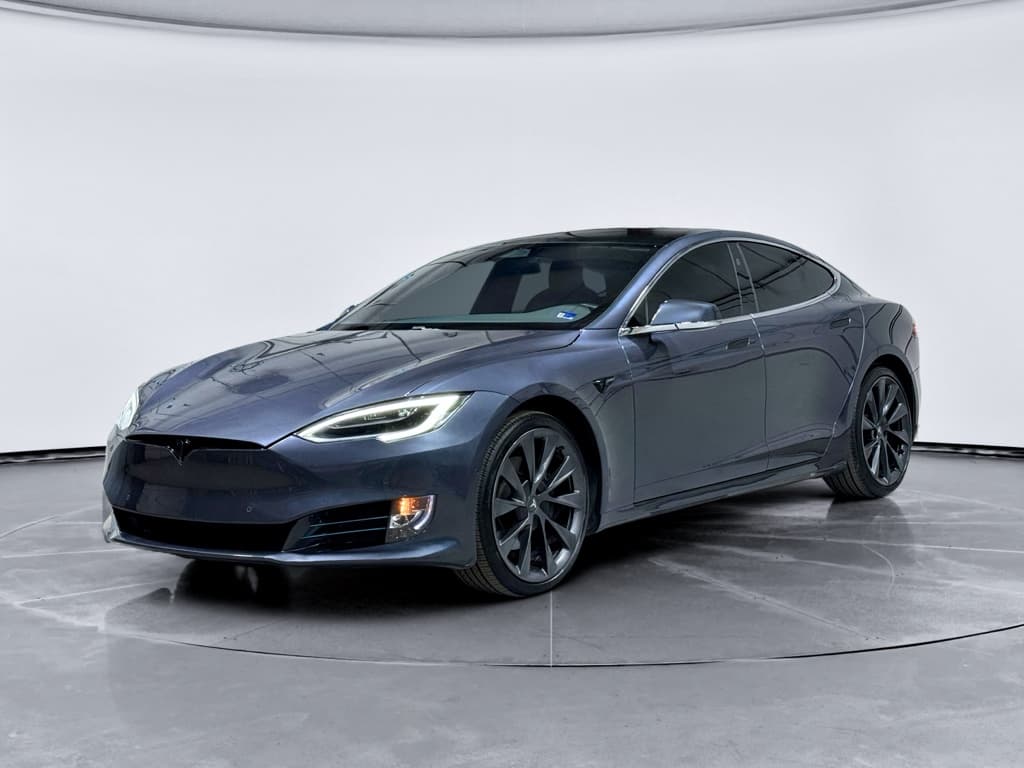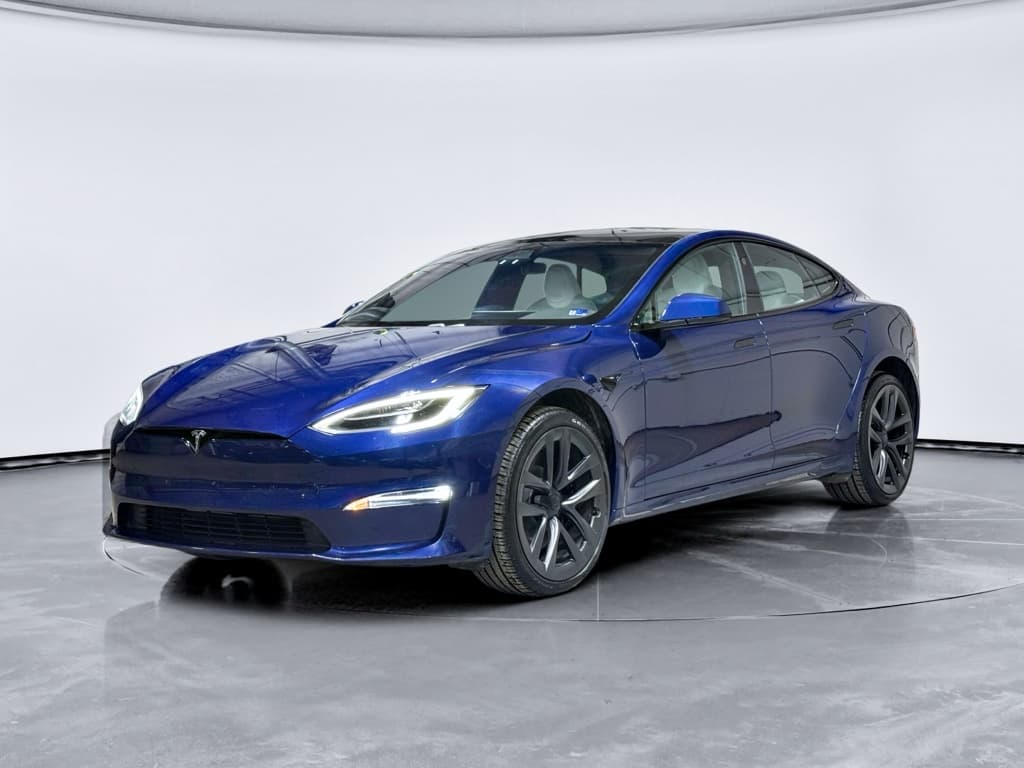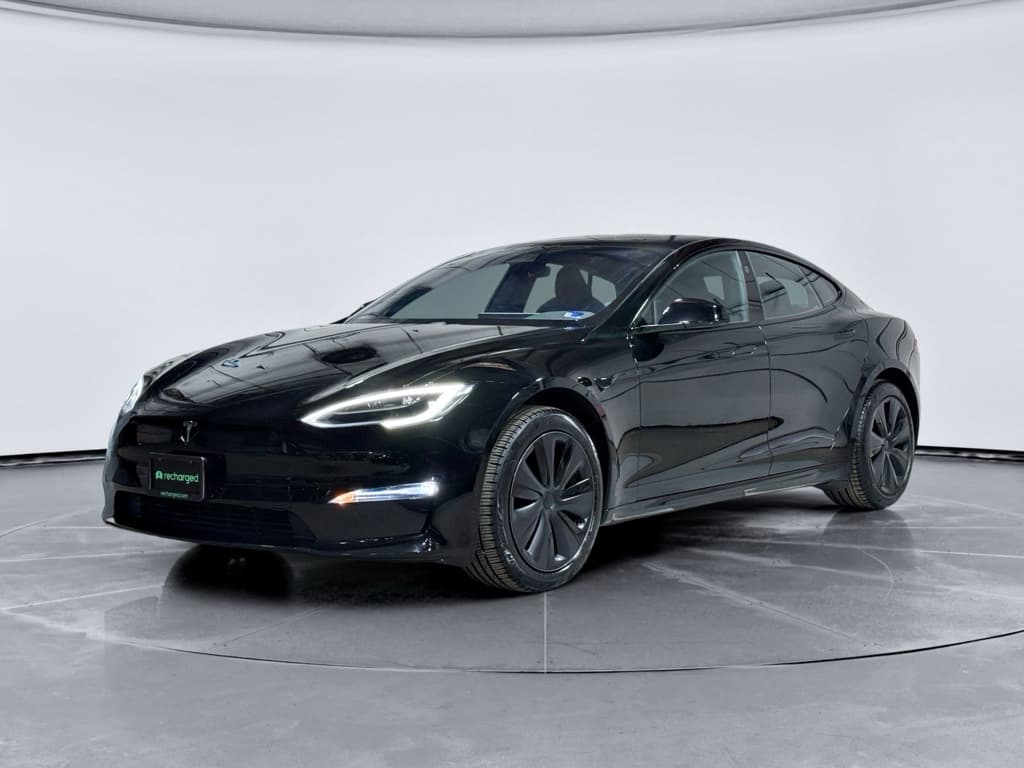
If you’re eyeing a 2023 Tesla Model S, or already living with one, you’re probably trying to separate internet horror stories from real‑world, fixable problems. The 2023 car sits in the “refreshed” generation (2021–present), which is generally more sorted than early Model S years, but it’s not trouble‑free. This guide walks through the most common 2023 Tesla Model S problems and fixes so you know what’s normal, what’s a red flag and what to look for when you’re shopping used.
Big picture first
2023 Model S reliability in the real world
2023 Tesla Model S reliability snapshot
By 2023, Tesla had a decade of Model S production under its belt. Build quality improved versus early cars, and the refreshed interior and heat‑pump hardware solved some old headaches. You’ll still see panel‑gap nitpicks, squeaks, and software oddities, but far fewer stories of chronic drive‑unit failures or rapid battery degradation. That makes the 2023 Model S a strong candidate on the used market, as long as you understand its most common trouble spots.
Quick glance: the most common 2023 Model S problems
Most common 2023 Model S issues (and how serious they are)
Start here, then dive deeper into the sections that match what you’re feeling or hearing from the car.
Software bugs & FSD‑related recalls
What it feels like: Phantom warnings, inconsistent driver‑assist behavior, infotainment glitches, random reboots.
How it’s fixed: Over‑the‑air software updates, occasional service‑center reflash or hardware swap for cameras/sensors.
Severity: Ranges from annoying to safety‑critical if you rely heavily on Autopilot/FSD. Most issues are update‑driven, not permanent defects.
Suspension, ride & vibration complaints
What it feels like: Harsh or jittery ride on broken pavement, knocking or clunking at low speeds, vibration under acceleration (more often on Plaid).
How it’s fixed: Suspension component replacement (control arms, links, sometimes air‑strut), alignment, updated half‑shafts in severe cases.
Severity: Comfort and confidence issue more than a safety crisis, but can get expensive once out of warranty.
Squeaks, rattles & wind noise
What it feels like: Creaks over driveways, buzzing from the dash or doors, extra wind rush around mirrors or glass.
How it’s fixed: Adjusting trim and seals, adding felt or foam, glass and door alignment tweaks.
Severity: Mostly a refinement gripe; fixable but sometimes requires persistence with the service center.
Door handles and latches
What it feels like: Exterior handles failing to present, interior handles that don’t unlatch as expected, or difficulty opening doors during power loss.
How it’s fixed: Handle or latch replacement, firmware updates, and educating occupants about manual releases.
Severity: Inconvenient at best, a potential safety concern in a crash, worth checking carefully on a used car.
How to use this guide
Software bugs, Autopilot & FSD recalls
On a 2023 Model S, software is both the magic and the migraine. Tesla leans heavily on over‑the‑air updates, so the car you buy today may not behave exactly like it did when it rolled off the line in 2023. That’s good for getting new features and safety fixes, but it also means you can wake up to a car that suddenly behaves differently on the same commute.
- Autopilot or Full Self‑Driving (FSD) features that feel more hesitant or more aggressive after an update.
- Phantom braking, unwanted slowing with no obvious reason, on certain highways or in poor visibility.
- Lane‑keeping that struggles with faded lines, construction zones or heavy rain.
- Infotainment glitches: laggy screen, frozen apps, Bluetooth drops, or a black screen that then reboots.
About those big FSD recalls
How owners typically fix software & FSD‑related issues
1. Confirm you’re on current software
From the central screen, check the software tab and confirm the car is on the latest stable release. Many quirks disappear with the next OTA push.
2. Hard reboot the system
If you’re seeing persistent glitches, a steering‑wheel button reboot or full power‑cycle can clear temporary bugs, just like restarting a laptop.
3. Calibrate cameras and sensors
After windshield replacement, suspension work or some updates, the car may need a camera recalibration drive to restore confident Autopilot performance.
4. Adjust FSD expectations
Treat Autopilot and FSD as <strong>driver‑assist, not self‑driving</strong>. Keep hands on the wheel and eyes up, and be ready to override bad behavior.
5. Document weird behavior
If the car does something unsafe, note the time, location and conditions. That makes it easier for the service center, and Tesla’s logs, to pinpoint what happened.
When to get the car looked at immediately
Suspension, ride quality and vibration complaints
The 2023 Model S, especially the Plaid, balances huge performance with an air‑suspension ride. Many owners praise its highway comfort, but a noticeable minority report knocking, clunks or vibration, often at low speeds or under hard acceleration. High torque, heavy curb weight and big wheels are not a gentle combo for suspension bits.
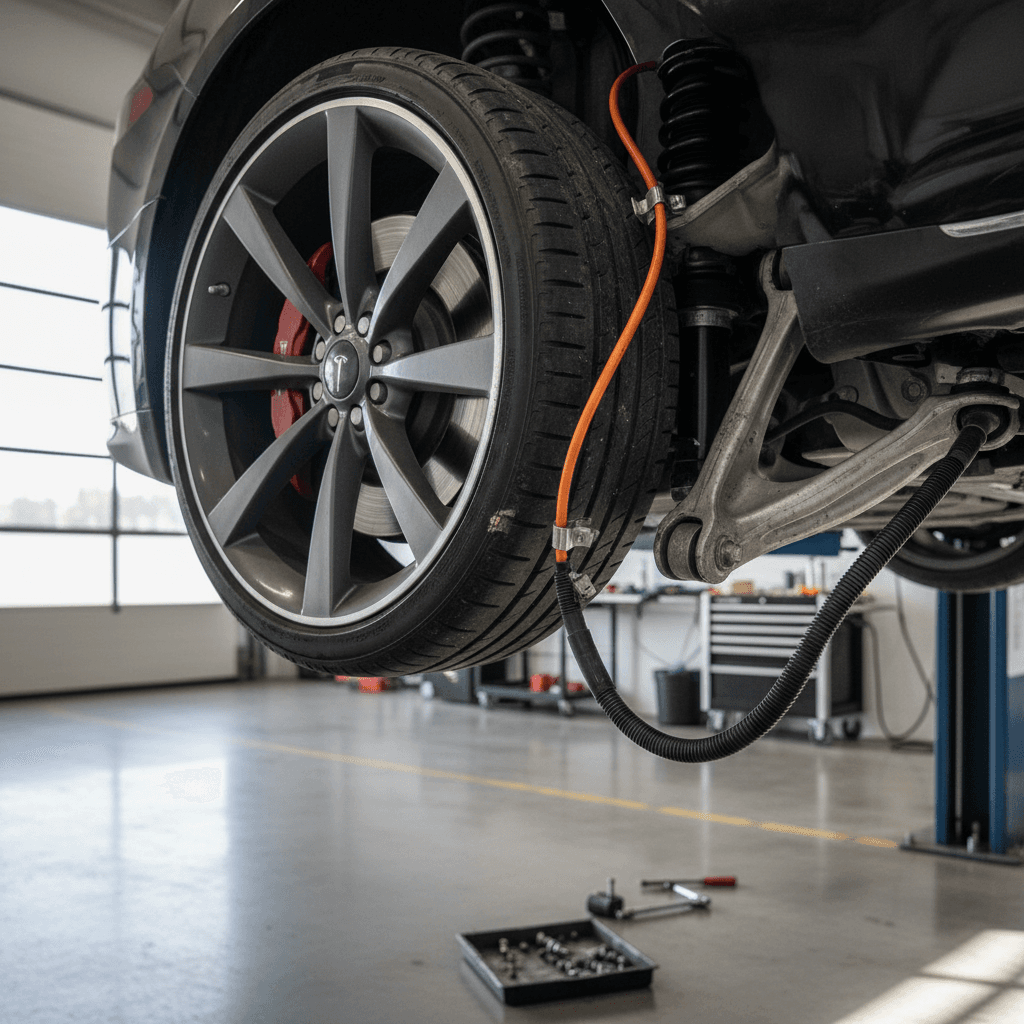
- Front‑end clunks or pops when turning into driveways or backing out of parking spaces.
- Jittery, busy ride on broken pavement even in Comfort mode.
- Shudder or vibration under strong acceleration, more often reported on Plaid models.
- Uneven tire wear from aggressive alignment settings or bent components after pothole impacts.
Common causes of 2023 Model S suspension concerns
What technicians often find when they go looking for those clunks and shakes.
Worn or loose control‑arm bushings
On cars with spirited use or rough roads, front suspension bushings can wear or loosen early, leading to play you hear as knocks over bumps.
Air‑suspension hardware
Leaks or valve‑block issues are less common on 2023 cars than older models, but noisy or uneven ride height can still trace back to air components.
Half‑shaft & drivetrain shudder
Plaids in particular can exhibit vibration under hard launches. Updated half‑shafts and alignment tweaks are the usual cure when it’s severe.
How to test a 2023 Model S suspension on a test drive
1. Slow‑speed driveway test
Find a speed bump or inclined driveway. Roll over at parking‑lot speed with the wheel turned and listen for clunks from the front end.
2. Broken‑pavement loop
On a rougher side street, drive in Comfort mode at 25–40 mph. The car should feel firm but controlled, not crashy or randomly noisy.
3. Straight‑line acceleration
From 20–50 mph, accelerate firmly in a straight line. Feel for shudder through the seat or steering wheel, especially on a Plaid.
4. Tire and wheel inspection
After the drive, check for uneven tire wear, curb rash and mismatched tires, signs of hard use or alignment issues.
Who pays for what on suspension fixes?
Squeaks, rattles and wind noise
No modern EV is completely squeak‑free, and the 2023 Model S is no exception. The cabin is so quiet at speed that little noises feel bigger than they would in a gas car with a rumbling engine. Owners most often complain about creaks from the dash, B‑pillars or liftback and extra wind noise around the mirrors or glass.
Typical sources
- Interior trim panels that rub when the body flexes over driveways or angled parking ramps.
- Door seals that need lubrication or minor adjustment.
- Seat frames and seatbelt anchors that buzz over sharp bumps.
- Liftback and parcel‑shelf areas that rattle on rough pavement.
Typical fixes
- Adding felt or foam tape behind loose trim pieces.
- Adjusting doors and glass for better alignment and seal contact.
- Lubricating seat tracks and latches, tightening interior fasteners.
- Updating weatherstrips if wind noise is excessive for the mileage.
Good news on squeaks and rattles
Ready to find your next EV?
Browse VehiclesDoor handles, latches and entry issues
Flush door handles are part of the Model S look, but they haven’t always been trouble‑free. Earlier Model S years were notorious for failed pop‑out handles. By 2023 the hardware had improved, but you still see complaints about handles that don’t present, intermittent latching and worries about opening doors in a power loss.
- Handle fails to present on approach; you have to tap or try multiple times.
- Interior handle pull doesn’t consistently unlatch the door, or feels vague.
- Lingering concern that a child or passenger might not know how to use manual releases in a dead‑battery or crash scenario.
- Occasional warning messages about door or trunk latches not fully closed.
Safety and lawsuits around handles
Door‑handle & latch checks before you buy
1. Walk‑up and key tests
Approach the car with the key or phone and confirm each handle presents smoothly, every time. Try both driver and passenger sides.
2. Interior handle feel
From inside, open each door using the interior handle. You’re looking for a clean, positive unlatch with no sticking or double pulls.
3. Manual releases
With the car "off," test the manual releases as described in the owner’s manual, especially for rear doors. Make sure you could explain it quickly to a new passenger.
4. Trunk and frunk latches
Open and close the liftback and frunk several times. Listen for any grinding or sticking; the latches should catch securely without slamming.
Battery, range and charging quirks
The 2023 Model S remains one of the longest‑range EVs on the road. True battery failures on this generation are rare so far, but you still need to understand normal degradation and a few behaviors that make owners nervous the first time they see them.
- Range estimates that seem optimistic at high state‑of‑charge and more conservative as you get closer to empty.
- Gradual loss of rated range over the first 20–40k miles, typically a single‑digit percentage, which is normal for lithium‑ion packs.
- Charging‑speed tapering sooner than new on DC fast chargers, especially after many high‑power sessions.
- Occasional charging errors from a single Supercharger stall that go away when you move to another one.
What’s normal vs not on battery health
Battery & charging warning signs on a 2023 Model S
Use this to separate normal EV behavior from issues worth investigating before you buy.
| What you see | Probably normal | Needs a closer look |
|---|---|---|
| 3–8% loss of rated range by ~40k miles | Typical early‑life degradation | Battery has dropped 15%+ with average mileage and no clear abuse |
| Charging slows after 50–60% on DC fast charge | Normal taper behavior | Charging is slow from the start on multiple fast‑chargers |
| Rated range swings up and down a bit after updates | Algorithm tweaks and learning | Sudden permanent loss of 30+ miles of range after one update |
| One Supercharger stall gives errors, next one works fine | Bad stall or local issue | Multiple stations and cables give repeated faults with the same car |
If you’re seeing more than one of the problems in the right‑hand column, you want data, not guesses, before you commit to a used car.
How Recharged checks battery health on a 2023 Model S
Interior electronics & infotainment problems
Strip away the software drama, and the rest of the 2023 Model S electronics story is relatively tame. The big 17‑inch touchscreen and instrument cluster hold up well in most cars, but you will see isolated failures and nuisance issues, the sort of thing that doesn’t strand you but does send you to the service center.
- Phone key that’s finicky about unlocking until you reposition your phone or re‑pair it.
- Glitchy Bluetooth or CarPlay alternatives via apps losing connection mid‑trip.
- Seat heaters or steering‑wheel heater that stops working on one side.
- HVAC behavior that’s noisy or inconsistent, including the occasional A/C compressor failure reported by owners.
HVAC and comfort hardware
What fixes actually look like: cost, warranty and downtime
One challenge with Tesla is that you can’t just drive to any corner shop and expect them to be fluent in the platform. Tesla’s own service network has improved, but depending on where you live, you may face wait times, parts delays or a tug‑of‑war over what’s “within spec.” Here’s how the common 2023 Model S fixes usually play out.
Typical 2023 Model S problems and how they’re resolved
Rough ballparks based on owner reports and EV‑specialist experience. Exact costs vary by location and warranty coverage.
Software & FSD quirks
Fix: OTA updates, reboots, occasional service‑center reflash.
Cost: Usually $0; covered as part of Tesla updates.
Downtime: Minutes to hours during update; service visits can add a day.
Suspension noises & vibration
Fix: Replace control arms/links, adjust air‑suspension, align, sometimes revise half‑shafts.
Cost: Often covered under warranty on lower‑miles cars; out of warranty can run from a few hundred to several thousand dollars depending on scope.
Downtime: 1–3 days in the shop, longer if parts are back‑ordered.
Door handles & latches
Fix: Handle or latch module replacement, firmware update.
Cost: Frequently covered when under basic warranty; out‑of‑pocket repairs can climb into the high hundreds if multiple handles are involved.
Downtime: A day or two, depending on parts stock.
Squeaks, rattles & wind noise
Fix: Adjusting trim, adding felt/foam, aligning glass and doors.
Cost: Sometimes treated as warranty goodwill on newer cars; otherwise billed as diagnostic plus labor time.
Downtime: Often same‑day, but sometimes requires return visits.
HVAC or comfort features
Fix: Replacing A/C compressor, blower motors, or seat‑heater elements.
Cost: Warranty repairs can be $0 to you; out of warranty, HVAC work can quickly pass $1,000 with parts and labor.
Downtime: 1–3 days depending on parts.
Battery & charging concerns
Fix: Usually software recalibration, connector replacement or DC‑fast‑charge component work; full pack replacements are rare on 2023 cars.
Cost: High‑voltage components are typically covered under Tesla’s long battery/drive‑unit warranty for years; beyond that, costs get serious enough that you want a thorough pre‑purchase health check.
Downtime: Ranges from an hour for a connector swap to several days for major high‑voltage work.
How a marketplace like Recharged changes the math
Shopping used 2023 Model S: how to avoid a problem child
A 2023 Model S can be a brilliant used‑EV buy: long range, blistering Plaid performance if you want it, and a cabin that finally feels sorted vs early cars. But it’s still a complex luxury EV. Here’s a simple game plan for sorting the heroes from the headaches.
Pre‑purchase checklist for a used 2023 Model S
1. Scan for open recalls and software campaigns
Use the VIN in an official recall lookup and confirm the car has received the major Autopilot/FSD safety updates and any latch or steering‑related campaigns.
2. Get objective battery and charging data
Don’t rely on what the previous owner “usually gets” on road trips. Ask for a <strong>battery‑health report</strong> (Recharged includes this as part of the Recharged Score) plus charging‑session history if available.
3. Do a serious suspension and noise drive
Budget at least 20–30 minutes. Include city streets, rough pavement and highway speeds. You’re listening for clunks, creaks and wind rush, and feeling for vibration under load.
4. Inspect doors, glass and paint up close
Subtle misalignment is common on Teslas. You’re not chasing perfection, but larger gaps, uneven doors or poorly repaired paint can hint at crash damage or sloppy repairs.
5. Live with the tech for a few minutes
Pair your phone, use navigation, try streaming, park‑assist and driver‑assist features you care about. Make sure the behavior matches your comfort level, not just the brochure.
6. Read the service history, not just the listing
Multiple repeats of the same repair (especially on suspension, electronics or leaks) can signal a chronic problem. A clean, boring history is the best kind.
Buying privately or at a generic dealer
- You may get minimal EV‑specific screening, just a standard safety inspection.
- Battery health is often a mystery; range claims are anecdotal.
- Some dealers are still learning how to evaluate Tesla software and recall status.
Buying through Recharged
- Every 2023 Model S gets a Recharged Score with battery diagnostics and condition notes by system.
- Pricing reflects real‑world issues we see on this generation, not just book values.
- EV‑specialist support helps you interpret service history, recall status and update behavior before you click "buy."
FAQ: 2023 Tesla Model S problems
Frequently asked questions about 2023 Model S issues
Bottom line: is the 2023 Model S a good bet used?
The 2023 Tesla Model S isn’t perfect, but it’s a long way from the wild‑west early years of Tesla ownership. Most of the pain points you’ll encounter, software mood swings, the odd suspension clunk, a stubborn door handle, are fixable, understandable and visible on a careful test drive. The core package of range, performance and charging access remains outstanding.
If you want a used luxury EV that feels genuinely modern for years to come, a well‑chosen 2023 Model S deserves a spot on your short list. Take the time to vet the battery, suspension and software history, lean on EV‑savvy inspections and transparent reports like the Recharged Score, and you can enjoy the best parts of this car while keeping its common problems in the rearview mirror.