If you’re eyeing a **2023 Chevrolet Bolt EUV**, you’ve probably heard two competing stories: it’s either a quiet, low‑drama commuter hero or a rolling software experiment. The truth, as usual, lives in the middle. The 2023 Bolt EUV avoids the big battery‑fire recall that haunted earlier years, but it still has a handful of recurring problems, most of them fixable, many of them minor, and a few you definitely want to understand before you buy used.
Context: 2023 is the "clean slate" Bolt EUV
2023 Bolt EUV reliability in one glance
2023 Chevy Bolt EUV reliability snapshot
Pull together owner reviews, complaint databases, and forum posts, and a picture emerges: **the average 2023 Bolt EUV owner has a largely drama‑free experience**, especially compared with first‑generation EVs from a decade ago. When problems do pop up, they tend to cluster around software, infotainment, and charging behavior, not engines or gearboxes, because of course, there aren’t any.
Used‑buyer shortcut
Most common 2023 Chevrolet Bolt EUV problems
When you read through hundreds of posts and owner surveys, the **2023 Bolt EUV problems** tend to fall into buckets rather than one fatal flaw:
- Software and infotainment glitches (Android Auto/Apple CarPlay, frozen screens, odd warnings).
- Driver‑assistance complaints, especially forward collision alert, lane‑keep assist, and occasionally Super Cruise.
- Charging behavior issues: slow or inconsistent DC fast‑charging, sessions stopping unexpectedly, or confusing charge‑limit settings.
- Noises and build‑quality annoyances: squeaks, rattles, steering noises, and easily scratched interior plastics.
- Rare but serious cases: propulsion power reduced, “critical battery” messages, or the car refusing to shift into gear.
Let’s walk through each problem area, what it feels like from the driver’s seat, **what usually fixes it**, and which red flags should make you walk away from a used example.
Problem 1: Software and infotainment glitches
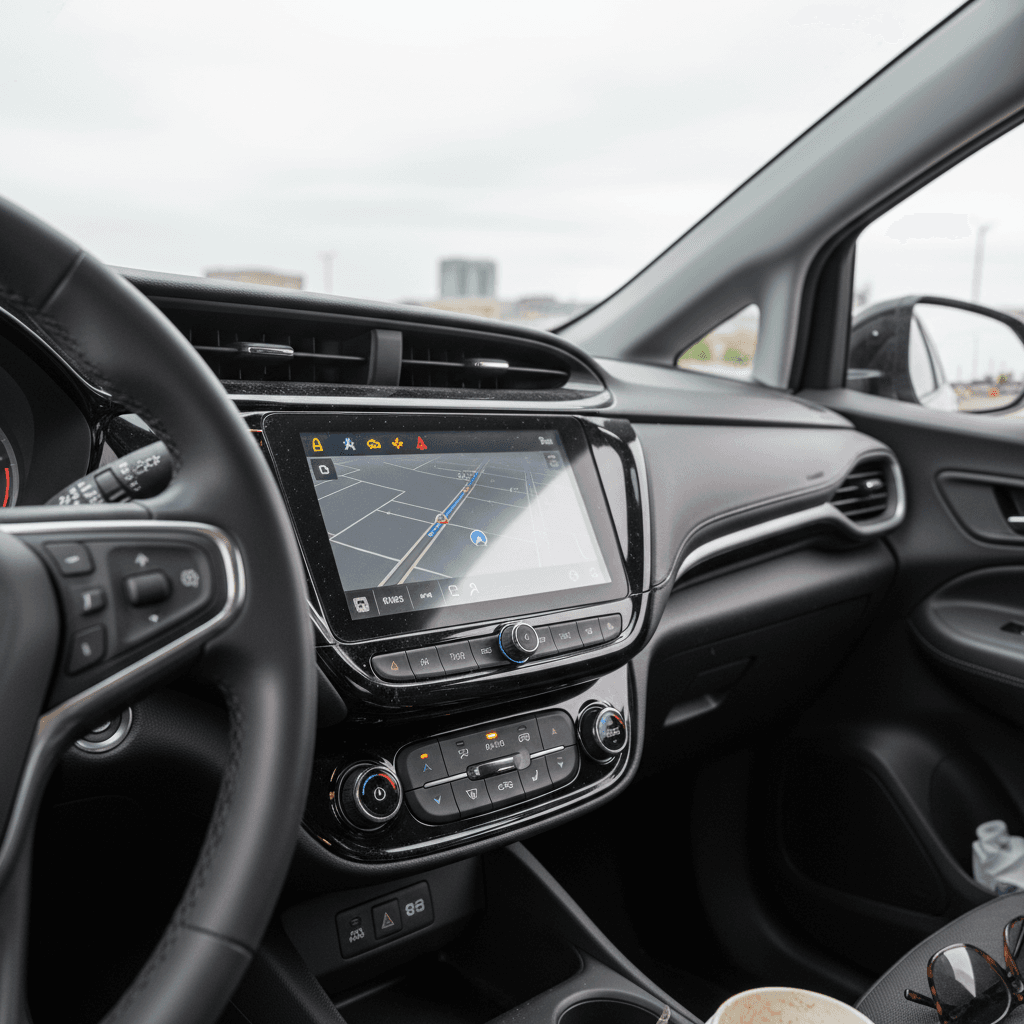
In an EV, software is the new personality. On the 2023 Bolt EUV, that personality can be a little moody. Owners report issues like:
- Apple CarPlay or Android Auto dropping the connection mid‑drive or refusing to connect at all.
- The center screen freezing, going black, or rebooting while driving.
- Random warning messages, stability control, check engine, or “service soon” lights that clear themselves after a restart.
- Bluetooth audio cutting out or the audio system muting until the car is power‑cycled.
When a warning light matters
Likely causes
- Out‑of‑date vehicle software or uncompleted campaigns.
- Phone compatibility quirks with specific OS versions.
- Faulty or loose USB cable for phone projection.
- Occasional control‑module hiccups that need a software reflash.
DIY checks and fixes
Quick steps to tame Bolt EUV software quirks
1. Power cycle the right way
Shut the car down fully, open the driver door, wait a minute, then restart. Many minor Bolt EUV glitches clear with a true full reboot.
2. Swap cables and ports
Use a high‑quality USB cable, plug directly into the primary USB‑A port, and test whether wireless vs. wired Apple CarPlay/Android Auto behaves differently.
3. Remove and re‑pair your phone
Delete the phone from the car and the car from your phone, then pair again. This alone clears a surprising number of connection issues.
4. Check for GM software updates
Ask a Chevy dealer to check for **Technical Service Bulletins (TSBs)** and software updates for infotainment or instrument‑cluster modules. Many are free under warranty.
5. Document repeat behavior
If the screen freezes, take photos or short videos and note mileage, temperature, and what you were doing. This helps the dealer reproduce and justify a warranty repair.
Good news on electronics issues
Problem 2: Driver-assistance and Super Cruise quirks
The Bolt EUV leans heavily on driver‑assistance tech to feel modern: automatic emergency braking, lane‑keep assist, adaptive cruise, and on some trims, **Super Cruise** hands‑free driving. Owners’ common complaints include:
- Forward collision alert that’s overly sensitive in traffic, chiming or braking harder than you expect.
- Lane‑keep assist “ping‑ponging” between lane lines or hugging one side.
- Super Cruise refusing to activate on mapped roads or dropping out unexpectedly.
- Inconsistent behavior after a windshield replacement or camera calibration.
Why it happens
These systems rely on cameras and radar plus **very conservative calibration**. A slightly dirty windshield, faded lane paint, direct sun, or a misalignment after a windshield replacement can all knock them off their game.
Practical fixes
Tuning your Bolt EUV’s driver-assistance to your liking
Most of the "problems" here are settings, not defects
Adjust sensitivity
In the settings menu, you can often dial collision‑alert sensitivity and lane‑keep intensity up or down. Many owners calm the car down by choosing a less aggressive setting.
Clean the camera areas
Bug guts and winter grime over the upper windshield camera area can confuse the system. A careful cleaning is the cheapest “repair” you’ll ever do.
Ask for a calibration
If alerts seem random or Super Cruise misbehaves after glass or body work, ask the dealer to verify camera and radar calibration under warranty.
Don’t fight the car
Problem 3: Home and DC fast-charging complaints
Charging complaints on the 2023 Bolt EUV break into two categories: **home charging hiccups** and **DC fast‑charging frustration**, especially compared with newer EVs that add hundreds of miles in 20 minutes.
Home charging: OEM cord and wall outlets
Several owners report problems with the included dual‑level charge cord: amber fault lights on the control brick, charge sessions stopping overnight, or the car reporting “charging interrupted.” Very often, the culprit is **the outlet or circuit**, not the car.
- Shared circuits that also power appliances or lights, causing voltage drops.
- Weak or worn household outlets getting hot and tripping internal protection.
- Improperly installed 240V outlets that aren’t up to continuous EV charging.
Easy way to separate car vs. outlet issues
DC fast-charging: expectations vs. reality
The 2023 Bolt EUV’s DC fast‑charging tops out around **55 kW**, far slower than big‑battery SUVs that gulp 150–350 kW. Owners also report:
- Fast‑charge sessions that start strong and then quickly taper to ~30–40 kW.
- Certain stations that drop the session entirely or won’t initiate.
- Charge times that feel long when starting above 40–50% state of charge.
How to get the best out of DC fast-charging
- Arrive low, leave around 80%. The Bolt EUV charges quickest from roughly 10–60% and tapers hard above 80%. For road trips, plan more frequent, shorter stops instead of one huge session.
- Favor reputable networks. Big national networks and major brand stations tend to maintain hardware better, which means fewer dropped sessions.
- Pre‑condition when possible. If you’ve been driving for a while before you plug in, the battery is already warmer and will accept charge more readily than a pack that’s been sitting in the cold all day.
When charging issues need a dealer
- Multiple fast‑charge failures across different stations and weather conditions.
- Very slow rates (well under 30 kW) even at low state of charge.
- Persistent warnings such as “battery cold – limited charging” in moderate weather.
- DC fast‑charging disabled entirely with error messages.
These can point to battery management issues or faulty charging components that **should be addressed under the electric propulsion warranty**.
Problem 4: Noises, squeaks, and build-quality gripes
EVs are quiet; that’s the good news and the curse. Without an engine masking everything, you’ll hear **every rattle, squeak, and trim buzz**. On the 2023 Bolt EUV, owners most often mention:
- Steering‑wheel or column squeaks, especially in cold weather or at low speeds.
- Interior rattles from the dash, door panels, or cargo area on rough pavement.
- Wind noise around the mirrors or A‑pillars at highway speed.
- Piano‑black interior plastics scratching easily and picking up swirl marks.
Annoying vs. alarming noises
Simple fixes and what to ask for
Quick ways to chase down Bolt EUV noises
Check the easy stuff first
Remove everything from door pockets, bottle holders, and the cargo area. Loose seat‑belt buckles or cargo covers cause a shocking number of mysterious rattles.
Test on different roads
Drive the same loop over smooth and rough pavement with the radio off. Note when you hear the noise and from which area. This helps a dealer find the culprit.
Ask about TSBs
GM periodically releases small fixes, extra foam inserts, revised clips, lubrication procedures, for common squeak sources. A dealer can check by VIN.
Inspect seals and trim
Look closely at the door and hatch weatherstripping and exterior trim for misalignment or gaps that could explain wind noise or water intrusion.
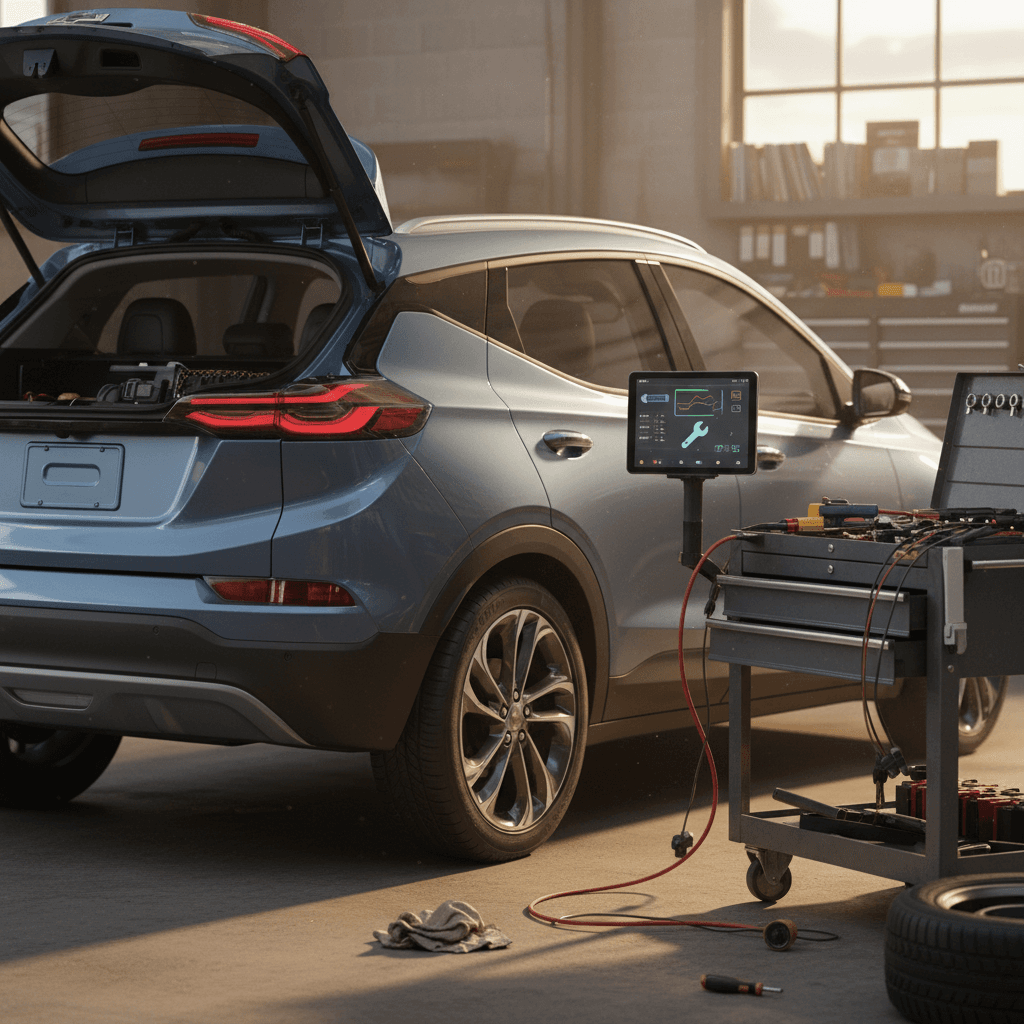
Problem 5: Serious but rare mechanical or battery issues
For most 2023 Bolt EUV owners, the car just…works. But if you spend enough time in forums, you’ll encounter the more dramatic stories:
- “Propulsion Power Reduced” warnings that limit speed or acceleration.
- Messages such as “Critical issue with the lithium‑ion battery – service immediately.”
- Car refuses to shift into Drive, often with “conditions not correct for shift” messages.
- High‑voltage battery modules flagged during a dealer software check and replaced under warranty.
These are not normal quirks
What usually happens next
In many of these rare cases, dealers follow a step‑by‑step diagnostic tree: software checks, module tests, and, only if necessary, **replacement of the affected battery module or high‑voltage component**. The upside for a used‑EV shopper: if that work is done, **you’re effectively getting newer hardware and a refreshed warranty clock on that component**, provided it was recorded properly.
Warranty coverage and recalls on the 2023 Bolt EUV
One of the strongest arguments in favor of a 2023 Bolt EUV, new or used, is how much factory coverage is still sitting on the table.
2023 Chevrolet Bolt EUV factory warranty overview
Approximate U.S. factory coverage for a new 2023 Bolt EUV (check any used example’s in‑service date).
| Coverage type | Term (time / miles) | What it covers | Why it matters for problems |
|---|---|---|---|
| Bumper‑to‑bumper limited warranty | 3 years / 36,000 miles | Most electronics, infotainment, interior, and many driver‑assist components. | Covers many of the software, infotainment, and interior issues if they require parts or labor. |
| Electric propulsion battery & components | 8 years / 100,000 miles | High‑voltage battery pack and key EV drive components. | Protects you against defects causing range loss, charging failures, or critical battery faults. |
| Corrosion protection | 6 years / 100,000 miles (varies by region) | Rust‑through on body panels. | Less relevant day‑to‑day, but important if you’re in the Rust Belt. |
| Emissions & related | Varies by state | Not a big factor on an EV like the Bolt EUV. | Still worth knowing in CARB states but secondary to EV‑specific coverage. |
Many 2023 Bolt EUVs sold in late 2022 or 2023 are still well inside these limits today.
How to check a car’s warranty and recall status
Unlike 2017–2022 models, the **2023 Bolt EUV isn’t subject to the big NHTSA battery‑fire recall**. However, GM has released various software updates and bulletins to monitor and protect the battery pack. On a used car, you want proof those were applied.
How to spot problems on a used 2023 Bolt EUV
Shopping used is where these **2023 Chevrolet Bolt EUV problems and fixes** really matter. You’re not just asking “is this a good model?”, you’re asking, “is this particular car a good example of a good model?”
Used 2023 Bolt EUV inspection checklist
1. Start with the cluster
On startup, watch for any lingering warning lights: check‑engine, battery, stability control, airbag, or “propulsion power reduced.” Any light that stays on is a negotiation‑stopping item until you know why.
2. Test infotainment and phone pairing
Pair your phone via Bluetooth and plug in for Apple CarPlay/Android Auto. Switch audio sources, run navigation, and see if the system stutters, lags, or reboots.
3. Run all driver-assistance features
On a safe test loop, gently test lane‑keep assist, adaptive cruise (if equipped), and automatic emergency braking behavior. It should be predictable and repeatable, not random.
4. Listen in silence
Drive with the radio off over smooth and rough pavement, at city and highway speeds. Note any rattles, steering noises, or wind roar that would drive you crazy at mile 30,000.
5. Check charging behavior
If possible, plug into a Level 2 charger during the visit. Confirm the car wakes up, charges, and doesn’t throw errors. Ask for screenshots or records of DC fast‑charging if the seller road‑trips often.
6. Review service records
Look for completed software updates, any high‑voltage battery or module replacements, and whether issues like “critical battery” or no‑start conditions have already been addressed under warranty.
How Recharged helps here
Ready to find your next EV?
Browse VehiclesWhen to walk away vs. when a fix is no big deal
Common issues that are usually easy fixes
- CarPlay/Android Auto glitches that improve with software updates or better cables.
- Minor interior rattles identified to a trim piece, cargo cover, or simple clip.
- Home charging interruptions clearly tied to a specific outlet or weak household circuit.
- Overly sensitive driver‑assist behavior that calms down once you tweak settings.
These can be part of living with a modern EV and software‑defined car. They’re also great leverage to nudge the price down a bit on a used purchase.
Red flags that justify walking away
- Unresolved “propulsion power reduced” or “critical battery” messages in the recent past.
- Repeated no‑start or no‑shift events, even after dealer visits.
- No documentation of warranty repairs for serious past issues.
- Multiple owners in a short period with vague reasons for selling.
On a 2023 model that still has generous warranty coverage, there’s no reason to inherit somebody else’s science experiment. There are cleaner examples out there.
FAQ: 2023 Chevy Bolt EUV problems and fixes
Frequently asked questions about 2023 Bolt EUV problems
The 2023 Chevrolet Bolt EUV is a study in contrasts: a simple, efficient electric commuter sitting on top of a surprisingly complex software stack. That stack occasionally misbehaves, through glitchy infotainment, quirky driver‑assist behavior, or fussy charging, but in the vast majority of cars, those issues are fixable, not fatal. The real trick is choosing **the right individual car**, with clean history and the right problems already solved. With good inspection habits, or with a verified battery‑health report and expert backup from a platform like Recharged, you can enjoy the Bolt EUV for what it does best: quiet, low‑cost electric miles without the drama that made early EV headlines.