If you own, or are shopping for, a Tesla Model X, the question hanging over every beautifully dramatic Falcon Wing door is simple: how healthy is the battery? Because the pack is the single most expensive component in the car, knowing how to check Tesla Model X battery health, and how to keep it strong, is the difference between quiet confidence and late‑night forum doomscrolling.
Good news on Tesla batteries
Why Model X battery health matters (especially used)
The Model X was Tesla’s first big‑battery family hauler: heavy, powerful, often road‑tripped, and frequently Supercharged. All of that is a workout for the pack. If you’re buying a used Model X, battery health determines three things you care about immediately: real‑world range, charging speed, and long‑term repair risk.
- Range: A healthy long‑range Model X that showed ~295–330 miles new might show ~260–290 miles at 100% after a few years, which is normal settling, not a crisis.
- Charging: Healthy packs hit and hold higher DC fast‑charge power; tired packs taper earlier and spend longer at the plug.
- Resale: Battery condition is a major factor in used value, especially once you’re out of the 8‑year battery warranty window.
Remember the warranty line in the sand
What “battery health” really means on a Tesla
Tesla doesn’t expose a simple “battery health: 92%” gauge on your Model X dashboard. Instead, the car quietly tracks a huge amount of data internally and reports battery condition indirectly through rated range, alerts, and, on many cars, a Battery Health Test in the service menus or the Tesla app.
Three ways your Model X “talks” about battery health
None is perfect on its own, but together they paint a clear picture.
Rated range
The projected miles at 100% (or 90%) state of charge. Big, sudden changes usually point to recalibration or environment, not instant degradation.
Alerts & warnings
High‑voltage battery or thermal system alerts usually start with codes like BMS or VCFRONT on the touchscreen. These mean “call Tesla,” not “ignore and hope.”
Battery Health Test
On many newer Teslas you can run an official, guided test via the Tesla app or Service Mode that estimates usable capacity. Results may show in the app as a percentage or a “battery is healthy” message.
Model X vs Model 3/Y tools
Quick Model X battery health checks from the driver’s seat
Before you go spelunking in service menus, start with the no‑tools, no‑stress checks any Model X owner can do in a parking lot. These won’t give you an exact health percentage, but they’ll tell you if anything looks badly out of line.
Basic Model X battery health check (5 minutes)
1. Look at rated range at a high state of charge
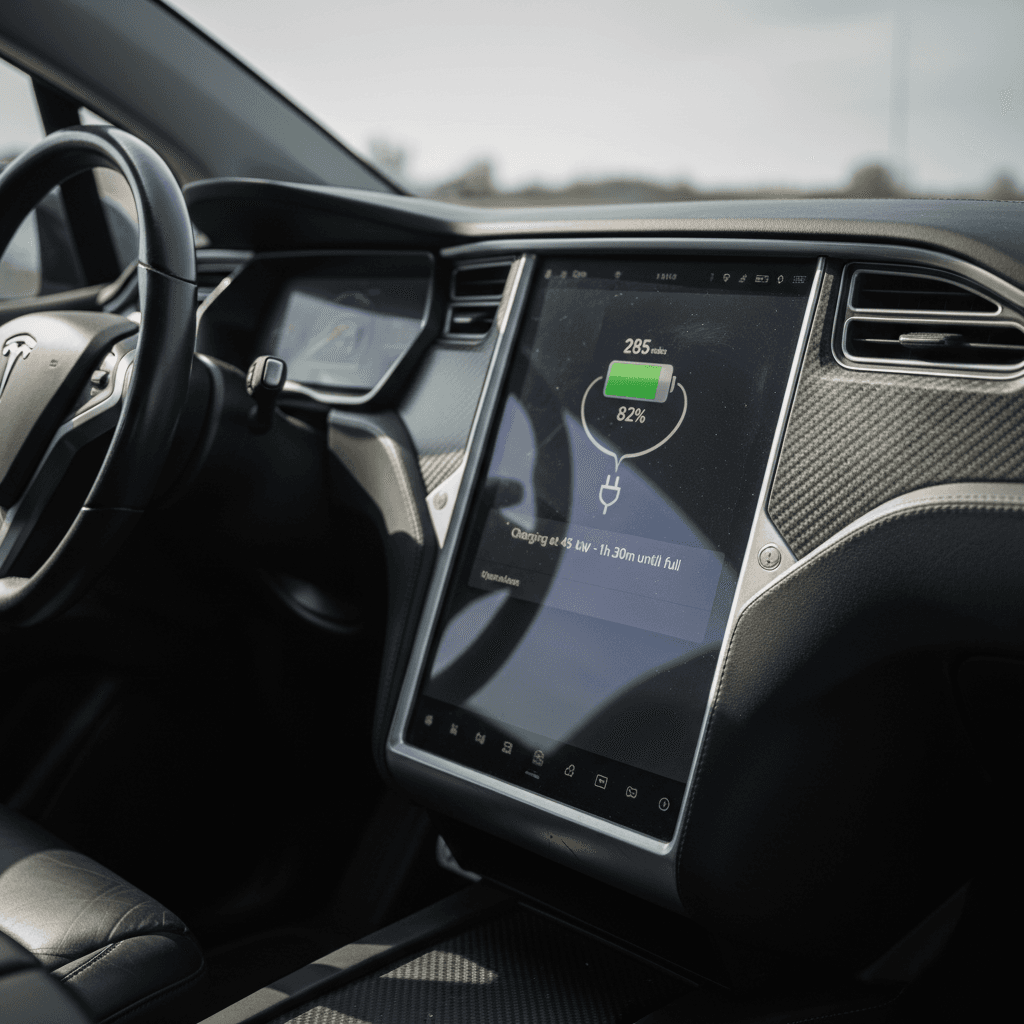
Charge to your usual daily limit (often 80–90%). Note the projected miles. Then, in settings, temporarily slide the limit to 100% and note what the car predicts. Compare that to the original EPA rating for your trim.
2. Check for battery‑related alerts
On the touchscreen, look for any yellow or red warning icons. Tap them and read the text. Codes starting with BMS (battery management system) or VCFRONT (front controller/thermal issues) can hint at deeper battery concerns.
3. Scan your charging behavior history
Think honestly about how the car has lived: lots of daily Supercharging, long periods at 100% or near 0%, or being stored in extreme heat? Those patterns are harder on the pack than gentle home Level 2 charging in a mild climate.
4. Note real‑world vs rated range
If your car shows 260 miles at 100% but you reliably get 200 miles driving at 75 mph on the highway, that’s normal aerodynamic reality, not necessarily battery damage. What matters is whether performance has changed over time.
5. Look for sudden, unexplained drops
A one‑time 10–20‑mile change in displayed range after a software update or a season change is usually calibration or temperature, not the pack “losing 10 miles overnight.” Multiple sudden drops deserve a closer look.
How to run a formal Tesla battery health test
On many newer Teslas, including later Model X builds, Tesla has rolled out an official Battery Health Test that you can trigger through the mobile app or via Service Mode in the car. The catch: availability depends on software version, model year, and how recently a test was run, and Tesla has already tweaked and partly hidden this feature in some 2025–2026 updates.
Your menus may look different
Common ways to access Tesla’s Battery Health Test
Depending on software version and model year, you may see one or more of these paths.
| Method | Where you start | What you’ll likely see | Notes |
|---|---|---|---|
| Tesla mobile app | Service → Request service → Battery | Guided flow that may include a battery health check | Sometimes labeled under “loss of range” or similar complaint text. |
| In‑car Service Mode | Controls → Software → press and hold model badge → type “service” | Service Mode menu with High Voltage Battery section and a Battery Health Test option | This mode is powerful; avoid changing unrelated settings. |
| Standard Service menu | Controls → Service | Occasional “Battery Health Test” tile or link | Tesla has added and removed this surface over time. |
If none of these options appear, you can still estimate health from rated range or ask Tesla Service to run diagnostics.
General steps if your Model X supports the Battery Health Test
1. Plan for up to 24 hours
Tesla’s own manuals note that a full Battery Health Test can take many hours and may require the car to sit connected to an AC charger. Don’t schedule this before a road trip.
2. Start from a moderate state of charge
Many owners have better experiences starting the test somewhere below a full charge, so the car doesn’t have to waste time burning off excess energy. Follow whatever prompts Tesla provides exactly.
3. Plug into Level 2 AC
Use a home wall connector or 240V outlet, not a Supercharger. The car will handle charging and discharging as needed; your job is simply to supply stable power.
4. Don’t wake the car during the test
Avoid opening doors, using climate, or obsessively checking the app. Interacting with the car can interrupt the test and force you to start again later.
5. Read the result in the app or service menu
Some software versions show a clear percentage; others simply confirm that the battery is “within expected range.” Save screenshots or photos for your records, especially if you’re still under the 70% warranty threshold.
6. Don’t over‑use the test
A full battery health test is essentially a controlled, deep cycle. Running it once a year, or before a purchase/sale, is reasonable. Running it monthly in search of a perfect number is both pointless and slightly harder on the pack.
Be cautious in Service Mode
DIY method: Estimating degradation from rated range
If you can’t access the official test, or you just want a sanity check, you can get a surprisingly good estimate of battery health on any Model X with high‑level math and a little honesty about trim level and options.
Step 1: Find your original rated range
Look up the EPA range for your exact Model X variant and year, battery size, performance vs Long Range, wheel size all matter. A 2018 75D and a 2022 Long Range are very different animals.
For example, say your car was rated at 295 miles new.
Step 2: Compare to your current 100% range
Charge to 100% (occasionally is fine) and let the car sit a few minutes to stabilize. Note the rated miles on the display. Let’s say it shows 265 miles.
Your rough capacity is 265 ÷ 295 ≈ 0.90, or about 90% of original, meaning ~10% degradation, very normal on a several‑year‑old Model X.
Don’t obsess over single‑digit swings
When to worry, when to relax about range loss
Model X battery health: rules of thumb
If your estimated battery health is in the mid‑80s to low‑90s percent after years of service, congratulations, that’s exactly how lithium‑ion batteries age. The time to get curious (or involve Tesla) is when the numbers or behavior don’t match the car’s age and use.
- You see very rapid loss over a short mileage window (for example, dropping from 260 miles at 100% to 220 miles within a few thousand miles, without a clear software or climate explanation).
- The car throws repeated BMS or high‑voltage battery alerts, even after power‑cycling and normal charging.
- DC fast‑charge sessions are suddenly painfully slow compared with similar conditions a few months ago, with no obvious external cause.
- Your estimate or Tesla’s own test suggests usable capacity below 70% while the car is still inside its 8‑year battery warranty and mileage cap.
Document everything under warranty
Habits that keep your Model X battery healthy
Once you’ve checked battery health, the next question is: how do you keep it that way? Tesla’s own guidance plus fleet data all point to the same theme, avoid extremes. The daily boring middle is where lithium‑ion chemistry lives its best life.
Six everyday habits that protect your Tesla battery
Simple changes, big long‑term payoff.
Use Level 2 at home
Most charging should happen slowly on AC at home or work. Save Supercharging for road trips and genuine necessity, not daily routine.
Stay mostly in the middle
Set your daily charge limit around 70–80%. Avoid parking for days at 100% or near 0%, especially in hot weather.
Respect temperature
Whenever possible, park in a garage or shade and keep the car plugged in during temperature extremes so it can manage pack heating and cooling.
Treat Ludicrous as a treat
Hard launches are fun (that’s why they exist), but making launch mode your default commute will generate more heat and stress over time.
Drive smoothly
Gentler acceleration and using regenerative braking effectively reduce heat and current spikes, which is kinder to long‑term battery health.
Think in decades, not days
Your pack doesn’t care about a single deep discharge; it cares about patterns. Build good habits and then stop worrying about every percent.
“Keep it plugged in” isn’t a myth
Checking battery health when buying a used Model X
If you’re shopping used, battery health moves from “interesting” to “non‑negotiable.” A gorgeous used Model X with an abused battery is like a luxury condo with a cracked foundation. You need more than seller vibes and a quick test drive.
Used Model X battery health checklist for buyers
1. Verify model year, trim, and original range
Know exactly which pack and rating you’re dealing with, 75D, 90D, 100D, Long Range, Performance, wheel size. That’s the baseline for any range math.
2. Ask for a recent 100% range screenshot
A seller who can show a recent photo of the screen at 100% with clear mileage is doing you a favor. Compare it against the original rating to get a rough degradation estimate.
3. Review charging history and habits
Ask how often the car was Supercharged vs charged at home, whether it lived in a hot climate, and if it spent long stretches at 100% or near empty. You’re listening for chronic extremes.
4. Check for open alerts or recent battery service
On the test drive, look for any battery‑related warnings and ask whether Tesla has ever replaced or opened the pack. A clean service history is ideal; a major repair with paperwork is next best.
5. Confirm battery warranty status
Look up the in‑service date and mileage to see if the car is still under Tesla’s 8‑year battery and drive unit warranty and where it sits relative to the 70% capacity guarantee.
6. Get an independent health assessment
If you’re not buying from a specialist, consider a pre‑purchase inspection from an EV‑savvy shop or a marketplace like <strong>Recharged</strong> that publishes a battery health report up front.
Paper beats promises
How Recharged checks Tesla battery health on used EVs
If you don’t live in Tesla spreadsheets, all this talk of degradation curves and state of charge can feel like homework. That’s exactly why Recharged built the Recharged Score and our battery diagnostics into every used EV we list, including Tesla Model X.
What you get with a Recharged Model X
Battery clarity first, not last.
Verified battery health
We pull pack data, run targeted tests, and translate that into an easy‑to‑read Recharged Score so you know how the battery compares to similar cars.
Fair pricing for real condition
Our pricing models factor in battery health and remaining warranty, not just mileage and paint shine, so you’re not overpaying for a tired pack.
EV‑specialist support
Our team lives in this stuff. If you’re cross‑shopping two used Model X builds and trying to decode range numbers, we’ll walk you through it in plain English.
Ready to find your next EV?
Browse VehiclesBecause Recharged handles financing, trade‑ins, nationwide delivery, and more through a fully digital experience (plus our Experience Center in Richmond, VA), you can shop for a used Model X with battery health baked into the process, not left as a mystery for later.
Tesla Model X battery health FAQ
Frequently asked questions about Model X battery health
Bottom line: A sane approach to Model X battery health
Battery health doesn’t have to be a mystical Tesla dark art. For a Model X, you’re looking at the same fundamentals as any other EV: how much range remains compared with new, whether the car throws meaningful battery alerts, and how it’s been charged and driven over its life. Between a simple rated‑range check, Tesla’s evolving Battery Health Test, and a few commonsense charging habits, you can keep a very expensive component out of your worry column.
If you’re hunting for a used Model X, demand that clarity up front. That might mean doing your own range math, paying for an independent EV inspection, or leaning on a marketplace like Recharged that bakes a verified battery health report into every car and backs it with expert guidance, financing, and delivery. However you get there, a transparent view of battery health is the difference between buying with confidence and buying with crossed fingers, and the Model X is far too special a machine to leave to chance.