Recharged
EV Stories Feed
Tesla Model 3 Battery Health Check: 2026 Owner’s Guide
Photo by Manny Becerra on Unsplash
Battery & Range

Tesla Model 3 Battery Health Check: 2026 Owner’s Guide

By Editorial Team10 min read
tesla-model-3battery-healthused-ev-buyingev-chargingtesla-superchargerrange-and-degradationrecharged-scoreev-warranty

If you own, or are thinking about buying, a Tesla Model 3, the **battery’s health** is the single most important factor in how the car will drive, how far it will go, and what it will be worth years from now. A proper Tesla Model 3 battery health check isn’t just looking at the dash range number; it’s combining what the car tells you with a few simple tests and a little context.

Good news on Tesla batteries

Real‑world owner data shows most Tesla packs retain roughly **85–90% capacity after about 200,000 miles** when used and charged reasonably. That’s far better than many people assume and one reason used Teslas hold value so well.

Why Tesla Model 3 battery health matters

Your Model 3’s high‑voltage battery is effectively the **engine and gas tank combined**. Its health directly affects:

For used‑vehicle shoppers, **battery health is the main risk you’re trying to understand**. Two Model 3s with the same mileage can have very different remaining capacity depending on charging habits, climate, and how often they were run low or kept at 100%.

Tesla Model 3 interior showing center touchscreen with charging information
Your Model 3’s touchscreen and the Tesla app now expose more battery health information than early cars ever did.Photo by Crosby Hinze on Unsplash

All the ways to check Model 3 battery health

Four practical ways to check Model 3 battery health

You don’t always need a deep diagnostic to spot a healthy pack.

Tesla app

View high‑level **battery health status** and results of any official Battery Health Test, if your vehicle and software support it.

In‑car screen

Use the **Battery Health** screen and range display to see estimated capacity vs. new and run an official health test where available.

Real‑world range

Compare **actual highway range** at a known state of charge to what the car showed when new, adjusted for conditions.

Third‑party data

Apps and OBD tools can read **battery management system (BMS) data** to estimate state of health over time.

Important 2025–2026 software changes

Tesla has **tweaked and in some cases removed or limited** the full Battery Health Test on some vehicles and in Service Mode with recent software (2025.26 and later). That means not every Model 3 will show or allow the same test options, even if guides or videos say otherwise. Always check what’s actually available on your car today.

How to check Tesla Model 3 battery health in the app

Over the last couple of years, Tesla has quietly pushed more **battery diagnostics into the mobile app**. Depending on your Model 3’s year and software version, you may see either a simple “battery is healthy” message or a stored result from an in‑depth Battery Health Test.

Quick Tesla app battery health check

1. Update the Tesla app

Make sure you’re on the latest Tesla app version (for example, 4.4x or newer on iOS or Android). Some battery‑health features only appear after app updates.

2. Wake the car up

Open the Tesla app and tap your Model 3 so it wakes up. The car needs to be online for the app to pull recent diagnostics.

3. Go to Service in the app

Tap **Service** in the bottom menu (or from the main vehicle screen), then look for items related to **Battery & Charging** or **Range**.

4. Look for health status

Many owners now see a message like **“Battery is healthy”** or a percentage based on a previous Battery Health Test. If you see a “start test” option, your car may support launching the full test from the app or will redirect you to the in‑car Service menu.

5. Don’t panic if you don’t see it

If your app only shows range information but not a formal health result, that doesn’t mean your battery is bad, only that your particular vehicle/firmware combination doesn’t expose the detailed test to the app.

Use the app as a triage tool

Think of the app‑based check as a **first pass**. If the app flags a concern, like range lower than expected, it’s time to confirm with an in‑car Battery Health Test or a professional diagnostic before you draw conclusions.

Using the in‑car Battery Health screen & test

Newer Model 3s include a **Battery Health** item in the Service menu that evaluates your pack versus Tesla’s expectations for its age, chemistry, and usage. On some cars you can trigger a full **Battery Health Test** that runs for many hours while the car is plugged in.

How to run a Model 3 Battery Health Test (where available)

1. Check prerequisites

Park the car, ensure **no high‑voltage or thermal alerts** are active, and make sure there are **no pending software updates**. If you see BMS or VCFRONT alerts, schedule service first.

2. Plug into Level 2 AC

Connect to a home or public AC charger that can deliver at least **5 kW** (many owners report smoother tests on 7 kW or higher). Superchargers and DC fast chargers won’t work for this test.

3. Lower your state of charge

Tesla recommends starting the test with **less than ~20% battery** remaining. On some cars, the test will refuse to run if you’re much higher than that.

4. Open the Service menu

On the touchscreen, go to **Controls → Service → Battery Health**. If your car supports it, you’ll see an option to **Start Battery Health Test** along with a description.

5. Start the test and leave the car alone

Tap **Start Test** and exit the vehicle. The screen may go dark, the battery can be discharged below 10% (sometimes briefly to 0%), and features like Sentry Mode and climate control will be disabled while the test runs, often **up to 12–24 hours**.

6. Review the result

When complete, the screen will display a percentage representing **battery energy retention compared to new**. This is Tesla’s official view of your pack’s health, used as a reference for warranty decisions.

Safety while the test runs

During a Battery Health Test, climate control is disabled and the car may drain to a very low state of charge. **Never leave people or pets in the car** while the test is running, and don’t plan on driving until it’s finished and the car has recharged.

Why your Model 3 may not offer the test

Tesla has been tightening control of **on‑demand Service Mode tests**, including the HV Battery Self Test. On some Model 3s, you’ll only see the last recorded health result, or nothing at all. That’s normal under current software and doesn’t automatically indicate a problem with your pack.

Quick real‑world range check (no tools needed)

If you can’t run an official Battery Health Test, or you’re evaluating a used Tesla on a tight schedule, a **controlled real‑world range check** can still tell you a lot. It’s less scientific but highly practical.

Simple on‑road test for Model 3 battery health

1. Pick a familiar route

Use a highway route you know well, ideally where you can drive **at a steady 65–70 mph** for at least 30–60 minutes.

2. Start at a known state of charge

Charge to a clear number, say **80%**, and note the **estimated remaining miles** on the dash when you set off.

3. Drive consistently

Drive at your target speed with climate set to a normal comfort level. Avoid big elevation changes if possible, and note outside temperature (cold weather always hurts range).

4. Compare energy used vs. miles driven

After 30–50 miles, check the **energy screen** for Wh/mi and remaining state of charge. A healthy Model 3 driven moderately at highway speeds will usually land within **10–15% of its rated efficiency** in mild weather.

5. Look for major outliers

If you’re consistently seeing **dramatically less range than rated**, after adjusting for speed, temperature, and wind, that can be a sign to dig deeper with a formal test or professional diagnostic.

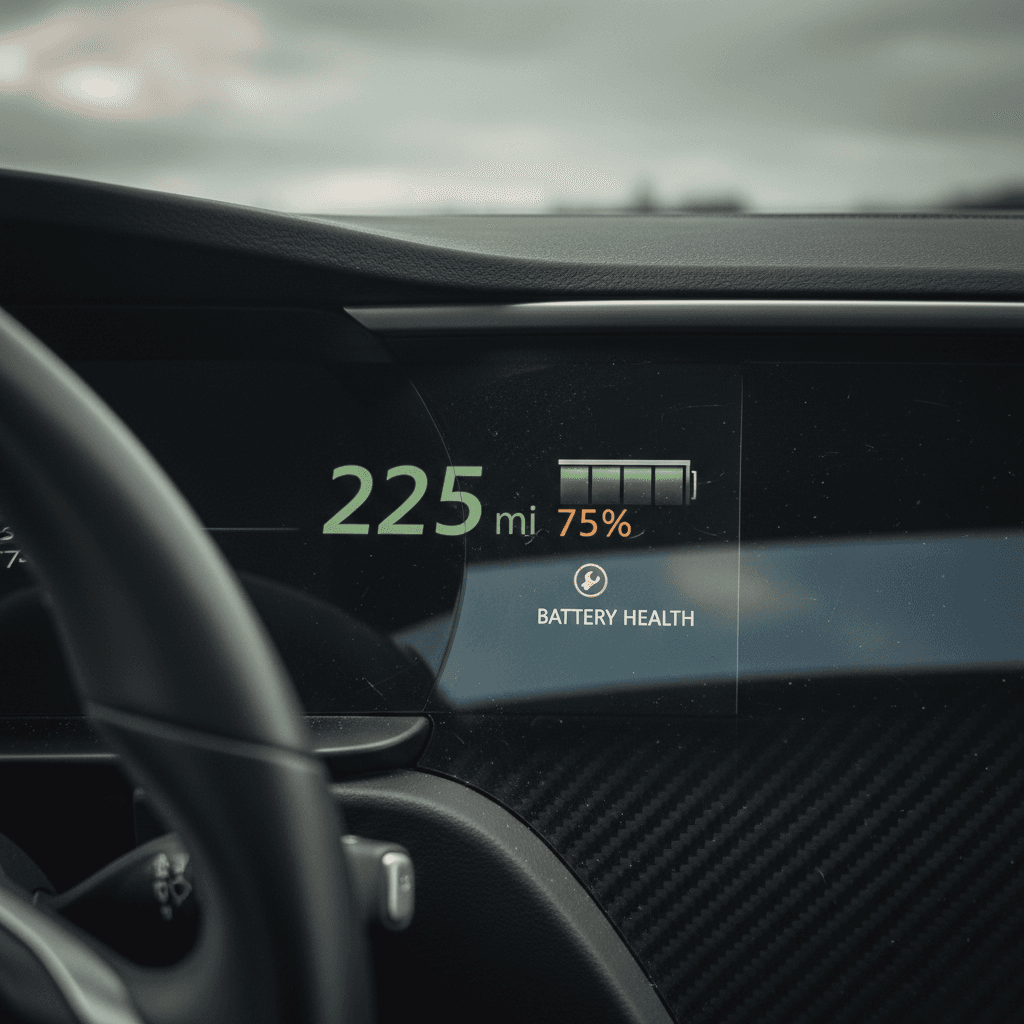
Close‑up of an electric car dashboard showing remaining range and battery indicator
Real‑world energy use and remaining range can validate what Tesla’s software is telling you about battery health.Photo by Thierry Biland on Unsplash

What “normal” Model 3 battery degradation looks like

All lithium‑ion batteries lose capacity over time. The trick is understanding **what’s normal for a Tesla Model 3** versus what might indicate abuse or a defect.

Visitors also read...

Typical Tesla battery degradation over time

3–5%
First year
Most Teslas lose roughly 3–5% of capacity in the first ~10,000 miles, then degradation slows.
5–8%
Around 50k mi
By about 50,000 miles, many Model 3 packs sit near 92–95% of original capacity.
8–12%
100k+ miles
Around 100,000 miles, many cars still hold roughly 88–92% capacity with normal use.
10–15%
200k miles
Even at 200,000 miles, real‑world data often shows 85–90% capacity remaining. That’s within or better than many warranty promises.

Your individual car can sit slightly above or below these ranges, and that’s okay. What you want to avoid are **big jumps, rapid declines, or behavior that doesn’t match usage**, for example, a 30% apparent loss in a single year without any obvious cause.

Watch the trend, not a single snapshot

Tesla’s range estimate is based on the **battery management system’s best guess**, which can shift as the car collects more data. A one‑time drop after a software recalibration is less concerning than a **steady decline you can graph over months**.

Using third‑party tools and charging data

If you want to go deeper, or your car doesn’t expose a formal Battery Health Test, third‑party tools can help you **read and track the battery management system (BMS) data** behind Tesla’s own estimates.

Common ways owners track Model 3 battery health

Best for data‑driven drivers and used‑vehicle due diligence.

App‑based trackers

Apps like **Tessie**, **TeslaFi**, and others log each charge session and estimate **state of health (SoH)** by looking at how many kWh the car accepts and what range it reports over time.

OBD & CAN tools

Some owners install an **OBD adapter** or CAN‑bus reader paired with apps such as **Scan My Tesla** to see pack voltages, temperature spread, and other detailed metrics a simple buyer’s inspection might miss.

Professional diagnostics

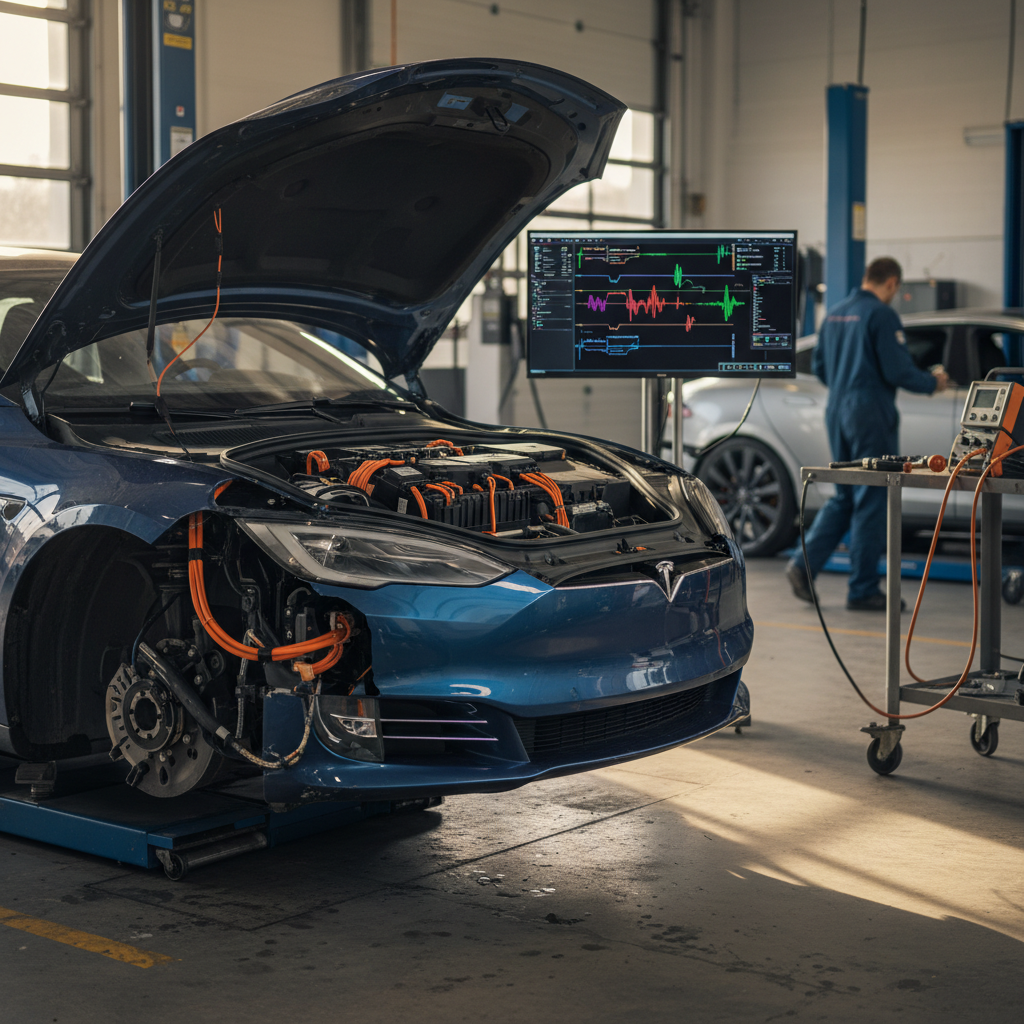
Independent specialists and retailers like Recharged can run **full battery diagnostic suites**, check for alerts, and interpret the results for non‑engineers.

Be cautious with logins and hardware

Only use **reputable third‑party apps** and never share your main Tesla account password. Use app‑specific keys or limited‑access accounts where possible, and be careful with any hardware that requires modifying factory wiring.

Battery health checklist when buying a used Model 3

If you’re evaluating a used Tesla Model 3, battery health should sit at the **top of your checklist**. The goal isn’t perfection; it’s confirming that the pack is behaving normally for its age and mileage and that there are no obvious red flags.

Used Model 3 battery health checklist

1. Confirm year, trim, and battery variant

Different Model 3 trims (Standard Range/Rear‑Wheel Drive vs. Long Range/Performance) have **different battery sizes and warranty limits**. Knowing exactly which you’re looking at matters when you compare range and coverage.

2. Ask for recent range screenshots

Request a photo of the touchscreen or app showing **rated range at 100% or 90%**. Compare that to the original EPA‑rated range for that trim to estimate remaining capacity.

3. Review charging history

Ask how the car was typically charged: mostly at home on **Level 2 to 70–80%**, or fast‑charged to 100% several times a week? Frequent DC fast charging and living at 100% for long periods can accelerate degradation.

4. Check for battery or thermal alerts

Make sure there are **no active BMS or thermal system alerts** on the car’s screen. If you see warnings tied to the pack or cooling system, treat them as serious until a pro has evaluated them.

5. Look for a recent Battery Health Test

If the seller has a screenshot of a recent **Battery Health Test result**, that’s a plus. Ask when it was run, at what mileage, and whether the software has been updated since.

6. Do a short road test

On your test drive, pay attention to **how quickly the state of charge drops** and whether the car limits power unexpectedly. Sudden loss of power or drastic gauge swings need professional investigation.

7. Compare against similar cars

When you browse **multiple Model 3 listings**, look at range vs. mileage across them. If one car’s range is dramatically worse than peers with similar odometer readings, consider it a yellow flag.

8. Get an independent report

If you’re not comfortable judging battery data yourself, work with an expert. Every EV sold by <strong>Recharged</strong> includes a **Recharged Score battery report** that summarizes pack health in plain English.

Warranty coverage, recalls, and red flags

Tesla’s **Battery and Drive Unit Limited Warranty** is your safety net against abnormal degradation or manufacturing defects. For the Model 3, coverage depends on variant:

Tesla Model 3 battery warranty summary (U.S.)

Check the exact booklet for your VIN, but these are the common headline terms.

Model 3 variantYearsMileage limitCapacity guarantee
Rear‑Wheel Drive / Standard Range8 years100,000 milesAt least 70% battery capacity retained
Long Range & Performance8 years120,000 milesAt least 70% battery capacity retained

All variants include a minimum 70% capacity retention promise over the warranty period.

If a verified Battery Health Test or Tesla‑documented diagnostic shows your pack below those thresholds **within the warranty window**, you may qualify for repair or replacement. That’s part of why an official test result, where available, is so valuable.

Watch for odometer and history discrepancies

Because battery warranty is tied to **years and miles**, be wary of any car whose odometer reading, service history, or usage claims don’t quite line up. Always cross‑check title history, service records, and mileage against what the seller tells you.

Check for open recalls

Before you buy, run the VIN through the **NHTSA recall lookup** and Tesla’s own site to make sure there are no unresolved battery‑related recalls or safety campaigns. Recalls are fixed free of charge, but you’ll still want to know what’s been done and when.

How Recharged checks Tesla battery health for you

Battery health is complex, even for experienced EV owners. At Recharged, we treat it as the **core of our used‑EV process**, especially for Tesla Model 3s, which are among the most popular cars on the platform.

What’s inside a Recharged battery health evaluation

Included with every Tesla we sell, summarized in the Recharged Score.

Deep battery diagnostics

We pull **battery‑management‑system data**, look for alerts, and, where supported, review or run the **Battery Health Test** so you’re not guessing about pack condition.

Recharged Score report

Every vehicle comes with a **Recharged Score Report** that translates technical data, battery health, charging history signals, and range behavior, into a simple, transparent score with context.

Nationwide, digital experience

Recharged offers **financing, trade‑in, instant offers or consignment, and nationwide delivery**, so you can confidently buy a Model 3 with verified battery health from your couch.

If you’re trading in or selling a Model 3, that same process works in your favor. A **strong battery health report** can support better pricing and faster sale times because buyers no longer have to worry about what they can’t see.

Tesla Model 3 battery health FAQ

Frequently asked questions about Model 3 battery health

Bottom line: focus on behavior, not a single number

Between Tesla’s app, the in‑car Battery Health screen, and a simple highway range test, you can build a **clear, real‑world picture** of your Tesla Model 3’s battery health without becoming a battery engineer. The key is to treat every data point, percentage, range estimate, third‑party state‑of‑health reading, as **one piece of a bigger story** about how the car has been used and how it behaves today.

If you’d rather not decode that story alone, buying through Recharged shifts the heavy lifting to specialists who read this data every day. Whether you’re trading in, selling, or shopping for a used Model 3, a transparent **battery health report tied to expert support** turns what used to be a guessing game into a confident decision.


Discover EV Stories & Insights

Dive into our magazine-style feed with expert reviews, industry news, charging guides, and the latest electric vehicle trends, all in one place.

Explore Articles Feed

Related Articles

BMW i4 Battery Health Check: Real-World Guide for 2026
Battery & Range9 min

BMW i4 Battery Health Check: Real-World Guide for 2026

Learn how to check BMW i4 battery health, signs of degradation, warranty info, and what to ask before buying a used i4, with and without dealer tools.

bmw-i4battery-healthused-ev-buying
BMW iX Battery Degradation: Real-World Data, Warranty & How to Slow It
Battery & Range9 min

BMW iX Battery Degradation: Real-World Data, Warranty & How to Slow It

Learn how BMW iX battery degradation really works, real-world loss figures, warranty rules, and practical tips to protect range, especially when buying a used iX.

bmw-ixbattery-degradationbattery-health
BMW iX State of Health: How to Check, Understand, and Protect Battery SOH
Battery & Range10 min

BMW iX State of Health: How to Check, Understand, and Protect Battery SOH

Learn how BMW iX state of health (SOH) works, how to check your battery’s condition, typical degradation, warranty rules, and what to know when buying used.

bmw-ixbattery-healthbattery-degradation
Cadillac Lyriq Battery Degradation: Real‑World Data, Warranty & Tips
Battery & Range10 min

Cadillac Lyriq Battery Degradation: Real‑World Data, Warranty & Tips

Worried about Cadillac Lyriq battery degradation? See early real‑world data, GM’s 8‑year warranty, and practical tips to protect range, especially if you’re buying used.

cadillac-lyriqbattery-degradationbattery-health
Chevrolet Bolt EUV Battery Degradation: Real‑World Guide for 2026
Battery & Range11 min

Chevrolet Bolt EUV Battery Degradation: Real‑World Guide for 2026

Worried about Chevrolet Bolt EUV battery degradation? Learn real-world data, what’s normal, how to slow it down, warranty limits, and tips for buying used.

chevrolet-bolt-euvbattery-degradationbattery-health
Chevrolet Bolt EUV State of Health: Battery Life, Testing & What’s Normal
Battery & Range10 min

Chevrolet Bolt EUV State of Health: Battery Life, Testing & What’s Normal

Learn how to check Chevrolet Bolt EUV battery state of health, what degradation is normal, recall impacts, and tips to protect range, especially when buying used.

chevrolet-bolt-euvbattery-healthev-battery-degradation

Big Story


Pre-qualify with no impact to your credit

Fast and easy

Answer a few simple questions, get prequalified.

No hit to your credit

All credit types are welcome. You'll see your approval status shortly after finishing.

Time to browse

Shop with comfort, then get financing through Recharged.

Recharged

Discover EV articles