The Tesla Cybertruck doesn’t follow a traditional oil-change style maintenance schedule, but that doesn’t mean it’s maintenance‑free. Understanding the Tesla Cybertruck maintenance schedule helps you plan service visits, avoid expensive surprises, and protect resale value, especially if you’re eyeing a used Cybertruck on a marketplace like Recharged.
No Official “30k/60k/90k” Schedule
Why the Tesla Cybertruck Maintenance Schedule Matters
The Cybertruck combines a heavy stainless-steel body, powerful dual- or tri-motor powertrains, and a large battery pack. That makes it a workhorse, but also puts extra stress on tires, suspension components, and brakes compared with smaller EVs. Sticking to a thoughtful Tesla Cybertruck maintenance schedule helps you maintain safety, off-road capability, and long-term battery health.
Key Reasons to Follow a Cybertruck Maintenance Plan
Big electric pickup, big incentives to stay proactive
Safety Under Heavy Loads
Lower Lifetime Costs
Stronger Resale Value
How Tesla Cybertruck Maintenance Differs From Gas Trucks
What You Don’t Service Anymore
- No engine oil or oil filter changes
- No spark plugs, fuel filters, or timing belts
- No transmission fluid or exhaust system
- Far fewer moving parts overall
Most traditional maintenance line items simply don’t exist on the Cybertruck. That’s why headline maintenance costs are often lower than comparable gas or diesel pickups.
What Still Needs Attention
- Tires (often oversized and load‑rated)
- Brake components (calipers, fluid, rotors)
- Suspension (especially air suspension on rough roads)
- Cabin air filters and HVAC service
- Battery and thermal system health
The Tesla app and onboard diagnostics replace a paper booklet, but you still need a mental maintenance calendar.
Tesla Cybertruck Maintenance Schedule: At-a-Glance
Tesla Cybertruck Maintenance Schedule Overview
Typical maintenance intervals based on Tesla guidance for its vehicles and common EV wear patterns. Always verify current recommendations in your Tesla app or owner’s manual.
| Item | Recommended Interval* | Trigger | Notes |
|---|---|---|---|
| Tire rotation / inspection | Every 6,250–7,500 miles | Mileage | More often if towing, off‑roading, or uneven wear |
| Wheel alignment check | Every 12,500–15,000 miles | Mileage / steering feel | Crucial after curb hits or off‑road trips |
| Cabin air filter | Every 2 years | Time | Sooner in dusty or polluted environments |
| Brake fluid test | Every 2–4 years | Time | Replace as needed based on test results |
| Brake inspection | Annually or 12,500 miles | Time / mileage | Look for corrosion, uneven wear, sticking calipers |
| Battery coolant / thermal system check | Every 4–6 years | Time | Tesla‑controlled; follow in‑app or service center guidance |
| Wiper blades & washer fluid | Annually or as needed | Condition | Visual check and top‑offs |
| High‑voltage system inspection | As prompted by Tesla or at 6–8 years | Diagnostics | Only Tesla‑qualified technicians |
| Body & underbody corrosion check | Annually in road‑salt regions | Climate | Important for stainless steel cladding and frame |
Use this as a planning guide; Tesla may adjust recommendations via over‑the‑air updates.
Always Defer to Tesla’s Live Guidance
Short-Term Cybertruck Maintenance: 0–2 Years
In the first 24 months, most Tesla Cybertruck maintenance is about tires, filters, and basic inspections rather than big repairs. Still, the truck’s weight and torque can chew through those early‑life wear items faster than you might expect, especially if you tow or off‑road regularly.
0–2 Years Cybertruck Maintenance Checklist
Rotate Tires Every 6,250–7,500 Miles
The Cybertruck’s weight and torque can create uneven tire wear, especially on the rear axle. Regular rotations can add thousands of miles of life to a $1,200+ tire set.
Inspect Tires for Cuts and Sidewall Damage
Off‑road driving and jobsite use increase the risk of punctures. Look for bulges, exposed cords, or nails during each rotation or at least every few months.
Check Wheel Alignment Annually
If the truck pulls to one side, the steering wheel sits off‑center, or you see feathered tire wear, schedule an alignment. It’s cheaper than a premature tire replacement.
Replace Cabin Air Filter Around Year 2
A clogged filter reduces HVAC performance and can create odors. Tesla typically recommends every 2 years, or sooner in dusty areas.
Monitor Software Alerts in the Tesla App
The Cybertruck will flag many early issues itself, sensor faults, low coolant, or system errors. Don’t ignore repeated warnings or deferred software updates.
Document All Service Visits
Keep digital or printed copies of invoices and service recommendations. When you go to sell or trade, that paperwork helps prove the truck was cared for.
Pro Tip: Use Scheduled Service Windows
Mid-Term Cybertruck Maintenance: 2–6 Years
Between year 2 and year 6, the Tesla Cybertruck maintenance schedule shifts toward brake fluid tests, more thorough underbody checks, and potentially your first major set of tires or suspension components. For many owners, this window overlaps with heavy use, towing boats, campers, or work trailers, which amplifies wear.
What Typically Wears First on Heavy EV Trucks
- Plan for at least one full set of replacement tires between 30,000–50,000 miles, depending on driving style and load.
- Have Tesla or a qualified shop test brake fluid and inspect rotors and pads at least once in this 2–6 year window.
- Ask for an underbody and suspension inspection if you frequently tow, drive on gravel, or use off‑road modes.
- In salty or coastal climates, request a corrosion check around wheel wells, fasteners, and underbody attachment points.
- Continue replacing cabin air filters roughly every 2 years, or more often if you notice airflow or odor issues.
Good News: Regenerative Braking Helps
Long-Term Maintenance: 6 Years and Beyond
Once your Cybertruck crosses the 6‑year mark, it becomes more important to verify the health of long‑life systems: the high‑voltage battery, drive units, and thermal management. Many owners will consider selling or trading in this window, which makes documentation, and a clear, realistic view of remaining life, critical.
Systems to Prioritize
- High‑voltage battery condition (range vs. original EPA rating)
- Drive units (unusual noises, vibration, power loss)
- Suspension bushings and ball joints
- Air suspension components (if equipped)
- Corrosion on frame and underbody hardware
Why This Matters for Used Buyers
If you’re shopping for a 6‑ to 10‑year‑old Cybertruck, you want more than odometer readings. A third‑party battery health report, like the Recharged Score, plus service records for suspension, brakes, and alignment provide a much clearer picture of remaining life and total cost of ownership.
Battery and High-Voltage System Care
The Cybertruck’s battery pack is its single most valuable component, and it’s engineered to last hundreds of thousands of miles. There’s no published “battery replacement” mileage on the Tesla Cybertruck maintenance schedule, but how you charge and drive will influence long‑term capacity and range.
Everyday Habits That Support Cybertruck Battery Health
Small changes in routine add up over years of ownership
Avoid Constant 100% Charges
Favor Level 2 at Home
Be Kind in Extreme Temperatures
High-Voltage Systems Are Not DIY
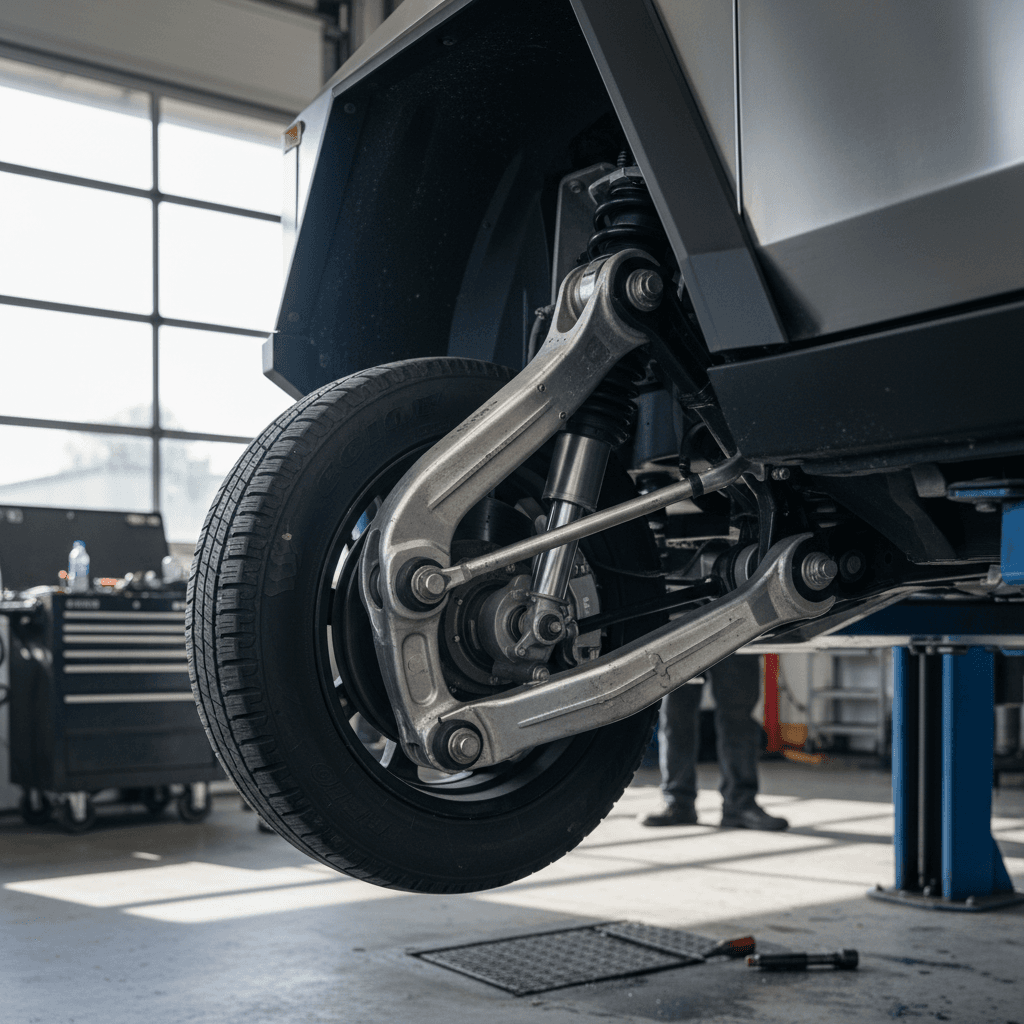
Cybertruck Tires, Brakes, and Suspension
This is where Cybertruck owners will spend most of their real‑world maintenance dollars. The combination of curb weight, performance, and aggressive tires means this truck can wear rubber and suspension parts faster than a compact EV, especially when used as a true work truck.
Wear Items to Watch on the Tesla Cybertruck
Approximate expectations based on heavy EV truck behavior and typical usage patterns.
| Component | Typical Attention Window | Warning Signs | Owner Action |
|---|---|---|---|
| Tires | 20,000–50,000 miles | Cupping, shoulder wear, vibration, low tread | Rotate, align, and replace with correct load rating |
| Brake pads & rotors | 40,000+ miles (variable) | Grinding, pulsation, uneven wear, reduced regen | Have Tesla or a qualified shop inspect and service |
| Brake calipers | 4–8 years | Dragging, hot wheels, pulling to one side | Seek service promptly to avoid rotor damage |
| Suspension bushings & ball joints | 60,000+ miles | Clunks, looseness, uneven tire wear | Request suspension inspection and torque check |
| Air suspension parts (if equipped) | 6–10 years or by mileage | Sagging overnight, compressor noise, ride height errors | Diagnose leaks or compressor issues early to avoid failures |
Your actual intervals will vary based on driving style, trailer weight, terrain, and climate.
Choose the Right Replacement Tires
Software Updates and Diagnostic Checks
Unlike traditional trucks, Cybertruck “maintenance” often arrives over the air. Tesla pushes software updates that tweak range estimates, refine Autopilot behavior, and occasionally adjust how components like the suspension or thermal system operate. That digital layer is part of your maintenance strategy.
- Install critical software updates promptly, Tesla sometimes bundles safety or reliability improvements with new features.
- Review release notes in the Tesla app so you know what behaviors changed after an update.
- Use built‑in diagnostics (warnings, alerts, and error codes) as your first signal that something needs attention.
- If you’re buying used, check that the previous owner installed major updates; long gaps can hint at deferred care.
- Consider a periodic professional diagnostic scan, especially after warranty expiration, to catch intermittent faults early.
What Does Cybertruck Maintenance Really Cost?
Putting hard numbers on a brand‑new model is tricky, but we can frame Cybertruck costs in context. Compared with gas and diesel pickups, you’ll likely spend less on fluids and engine parts, but more on high‑performance EV‑rated tires and, potentially, out‑of‑warranty suspension work.
Typical Recurring Costs
- Tire rotations: Often bundled or $50–$120 per visit
- Alignment: Roughly $150–$250 depending on region
- Cabin filter: $60–$200 installed
- Brake fluid test/flush: Commonly $100–$250
- Wiper blades & misc: Modest, but recurring annually
Spread over several years, these add up, but they’re still typically lower than a heavy‑duty gas truck’s engine and transmission needs.
Big-Ticket Possibilities
- Full tire sets: Four‑figure bills aren’t uncommon for large EV truck tires.
- Suspension repairs: Air suspension or advanced dampers can be expensive out of warranty.
- Collision repairs: Stainless steel bodywork may require specialized work and longer lead times.
When you evaluate a used Cybertruck, ask for detailed invoices for any of these bigger jobs and weigh them against the purchase price.
Total Cost of Ownership Still Favors EVs
Used Cybertruck Maintenance Checklist
If you’re shopping the used market, whether on Recharged or elsewhere, the Tesla Cybertruck maintenance schedule becomes a due‑diligence tool. You want to see what the previous owner did, what they skipped, and how that lines up with current wear and tear.
Pre-Purchase Used Cybertruck Maintenance Checklist
Confirm Software and Service History
Review the Service tab in the Tesla app (if accessible) or ask for PDF invoices. Look for regular tire service, brake inspections, and completed recalls.
Evaluate Tire Condition and Size
Check tread depth on all four corners and note tire brand, load rating, and age. Uneven wear can signal alignment or suspension issues.
Test Brakes at Different Speeds
During a test drive, listen for grinding or squealing and feel for vibration under braking. Strong regen should slow the truck smoothly; friction brakes should engage without drama when you press harder.
Inspect Suspension and Ride Quality
Drive over bumps and at highway speeds. Clunks or looseness in the steering wheel suggest suspension wear. Ask if any air suspension or control arm work has been done.
Check Range Against Original EPA Figures
Compare real‑world highway range at a steady speed with what new Cybertrucks typically see. Moderate variance is normal; large gaps deserve a deeper battery‑health check.
Look for Corrosion or Body Repairs
Examine the underbody, frame components, and stainless steel panels for signs of repair or rust, especially in snow‑belt states that use heavy road salt.
Request a Battery Health Report
On Recharged, every EV comes with a <strong>Recharged Score Report</strong> that includes verified battery health. If you’re buying elsewhere, push for similar documentation or a third‑party inspection.
How Recharged Helps With Used Cybertrucks
Ready to find your next EV?
Browse VehiclesTesla Cybertruck Maintenance FAQ
Frequently Asked Questions About Tesla Cybertruck Maintenance
The Bottom Line on Tesla Cybertruck Maintenance
The Tesla Cybertruck maintenance schedule is simpler than that of a traditional pickup, but it still demands discipline, especially around tires, alignment, brakes, and battery‑friendly driving habits. If you follow Tesla’s in‑app recommendations and build a habit of regular inspections, you can keep your electric truck working hard for years while keeping costs predictable.
Whether you’re running a new Cybertruck or considering a used one, the smart move is to combine Tesla’s guidance with independent verification. That’s where tools like the Recharged Score Report, expert EV‑specialist support, and transparent pricing on Recharged can help you buy, and maintain, with confidence.