The Tesla Cybertruck was supposed to be the moonshot: stainless‑steel body, wild performance, off‑road chops, and a design you can see from orbit. In 2025, though, most of the conversation has shifted to something far less glamorous, problems. Recalls, rust in winter states, quality gremlins, and bruising depreciation have all piled up, and they matter whether you already own one or are eyeing a used Cybertruck.
Snapshot of Cybertruck Trouble
Overview: What’s Actually Going Wrong with the Cybertruck in 2025?
Cybertruck in 2025: Problem Stats at a Glance
To be fair, almost every new vehicle, especially one this radical, has teething issues. The difference with the Cybertruck is the combination of problems and the speed at which they’ve arrived: safety‑related recalls, cosmetic failures that can literally fly off on the highway, and the unsettling sight of rust spots on a stainless‑steel body after a single winter.
If you’re looking at 2025 Tesla Cybertruck problems from a shopper’s perspective, you’re really asking three questions: 1. Is it safe? 2. How annoying/expensive are the recurring issues? 3. What does all this do to resale value and ownership costs? Let’s walk through each of the major problem areas with a buyer’s eye, not a fan’s or a hater’s.
Recalls and Safety Issues: From Pedals to Body Panels
Tesla’s recall history with the Cybertruck is…busy. In roughly the first two years on sale, the truck has seen around ten recalls, an unusually high count for a low‑volume, high‑profile model. Not every recall is catastrophic, some are quick software updates, but several touch core safety systems.
- Stuck accelerator pedal recall: Early trucks had a design where the pedal pad could slip and wedge against the interior, potentially holding the accelerator down. Tesla issued an urgent recall, halted deliveries, and replaced pedals with a redesigned part.
- Loose stainless trim and body panel recall: More than 46,000 Cybertrucks built from late 2023 through early 2025 were recalled because cant‑rail trim pieces attached with weak adhesive could loosen or detach while driving.
- Steer‑by‑wire and brake‑system related campaigns: Several over‑the‑air and hardware campaigns have targeted steering feel and braking consistency, critical in a 6,000‑plus‑pound truck.
- Lighting and software compliance recalls: As with other Teslas, there have been multiple software‑driven recalls tied to displays, warnings, or lighting behavior that needed to be tweaked to meet regulations.
Why These Recalls Matter for Used Buyers
Before you sign anything on a used Cybertruck, you should: - Run the VIN through NHTSA’s recall lookup and Tesla’s account portal. - Confirm, in writing, that all recall work has been completed. - Ask for service history showing pedal replacements, trim repairs and any steering/brake hardware campaigns.
Build Quality Complaints: The Day‑to‑Day Annoyances
Even setting recalls aside, owner forums and early long‑term tests paint a familiar Tesla picture: a hugely entertaining vehicle wrapped in sometimes‑sloppy execution. On the Cybertruck, that shows up as a collection of everyday irritations.
Common Cybertruck Build‑Quality Complaints
What owners report living with after the first few thousand miles
Panel gaps & alignment
Door & window seals
Interior fit & finish
Pro Tip: Don’t Test‑Drive Only on Perfect Roads
One bright spot: where Tesla does identify a pattern, like misaligned panels or loose trim, service centers have been more proactive about making adjustments under warranty. The downside is time: Cybertruck parts aren’t as common as Model 3 bits, and some owners have waited weeks for body‑related repairs.
Rust and Winter Driving: Stainless Steel Meets Road Salt
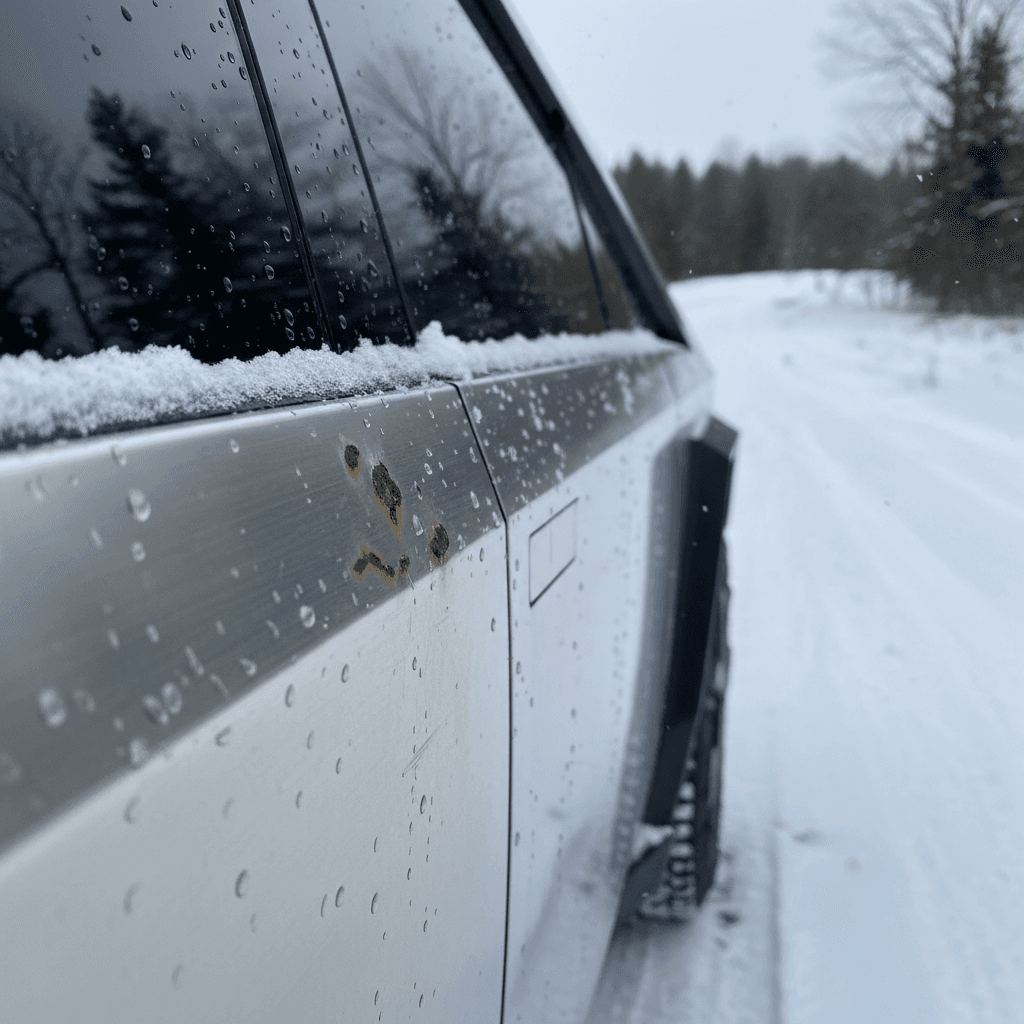
You don’t put “stainless steel” and “rust problems” in the same sentence unless something’s gone sideways. Yet here we are. Cybertruck owners in harsh‑winter states like Colorado have documented rust spots and tea‑staining on body panels after a single salty season.
What Owners Are Seeing
- Small orange spots on lower doors, rocker areas and wheel arches after driving on salted roads.
- “Shadow” staining or discoloration in areas that see spray from the tires.
- Some owners report that even after polishing, marks tend to return the next winter.
What’s Likely Happening
- The Cybertruck uses a hard stainless alloy that can still show surface corrosion when exposed to road salt and iron contamination.
- That doesn’t mean panels are rotting through, but it does mean cosmetic maintenance is higher than buyers expected.
- Wraps and coatings help some owners, but several report staining under wraps if prep wasn’t meticulous.
If You Live in the Rust Belt…
From a resale standpoint, visible rust spotting or staining on something marketed as nearly indestructible is brutal. Two otherwise‑similar trucks can diverge thousands of dollars in value based purely on how clean the exterior looks up close. If you’re shopping used, assume you’ll either spend time correcting the finish or accept that a truck with a past winter in Colorado or the Midwest may carry cosmetic scars.
Range, Towing and Real Utility: Does It Work as a Truck?
On paper the Cybertruck is a monster, huge battery, blistering acceleration, serious towing and payload numbers. In the real world, 2025 Tesla Cybertruck problems often show up as range surprises when you use it like an actual truck.
Cybertruck Range: Specs vs. Real‑World Expectations
How the Cybertruck’s estimated range changes once you add real truck duties.
| Scenario | What Tesla Claims | What Owners Report | Why It Matters |
|---|---|---|---|
| Empty highway cruising | 300+ miles for many trims | 250–280 miles at 70–75 mph in mild weather | Still solid, but not the moonshot many expected. |
| Mixed city/highway commuting | High 200s to low 300s | 220–260 miles depending on climate & wheels | Fine for most owners; charging habits matter more than range here. |
| Towing a midsize camper (~5,000 lb) | Varies by trim; no simple published number | Often < 150 miles between charges, sometimes under 120 in cold or hilly terrain | Plan for dramatic range loss when towing, borderline for long‑haul trips without careful route planning. |
| Cold‑weather highway driving (no trailer) | No special adjustment in brochure | 15–30% range loss below freezing is common | Battery chemistry, heater use and denser air all stack the deck against you. |
Always size your range needs for worst‑case scenarios, not brochure numbers.
Use the “Rule of Half” for Truck EVs
Where the Cybertruck does shine is in traction and low‑speed control. The four‑wheel steering and torque‑rich dual‑ and tri‑motor setups make it nimble in parking lots and surprisingly capable off‑road. The frustration for many owners is that the hardware is brilliant, but the combination of software limits, charging infrastructure gaps in rural areas, and that steep towing penalty keeps it from feeling like the do‑everything truck Musk hyped.
Depreciation and Market Value: Cybertruck as a Used EV
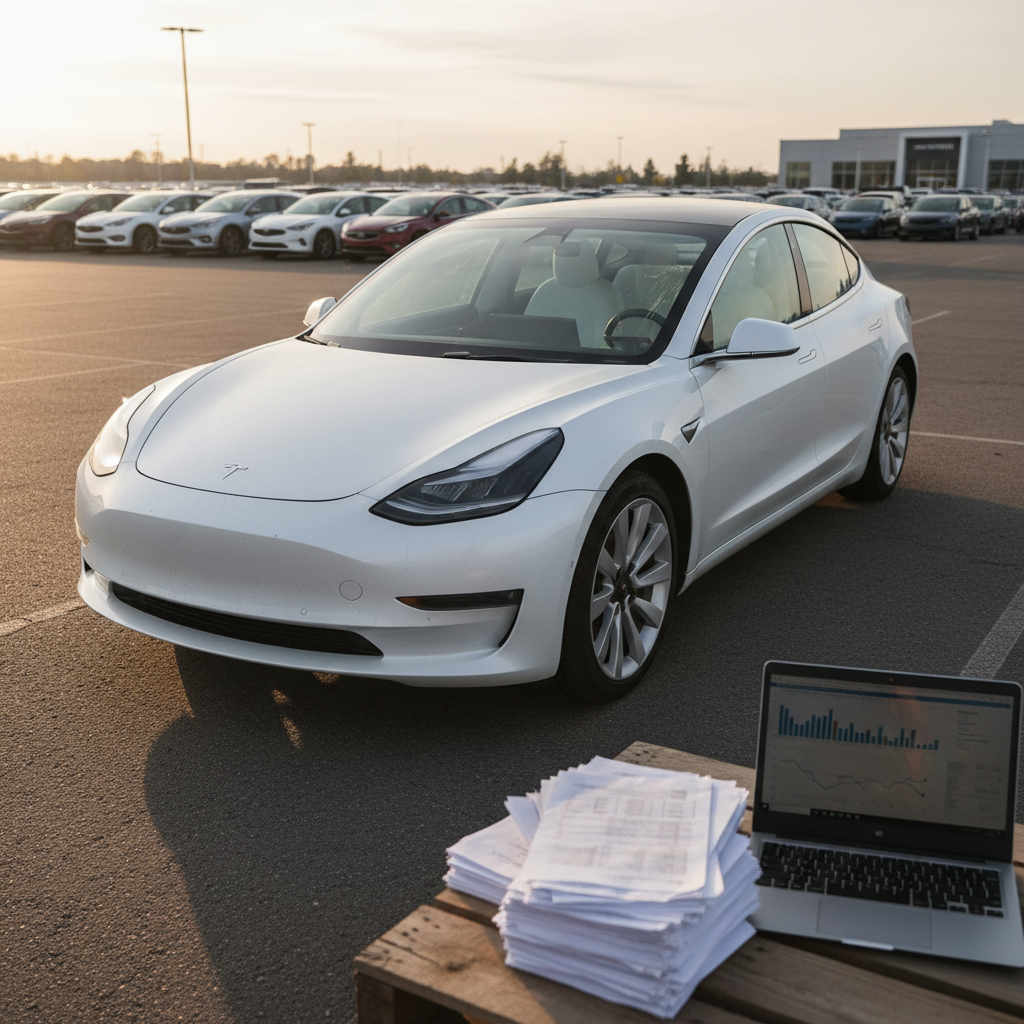
Let’s talk money, because 2025 Tesla Cybertruck problems show up on the balance sheet too. Early data from resale sites and analyst reports suggests the Cybertruck is losing around 34–35% of its value in the first year, far steeper than the ~15–20% you’d expect from a typical premium EV or half‑ton truck.
Why Cybertruck Values Are Dropping Faster Than Expected
It’s not one thing, it’s the pile‑up.
High starting price
Multiple recalls & headlines
Narrow real audience
For used‑EV shoppers, depreciation cuts both ways. If you overpaid new, it hurts. If you’re shopping now, you may find surprisingly affordable Cybertrucks relative to their original stickers, especially 2024 models with cosmetic blemishes or early trim issues that have already been repaired.
Silver Lining: A Buyer’s Market for the Right Truck
Should You Buy a Used Cybertruck in 2026?
The honest answer: it depends what you value. The Cybertruck is not a quiet, invisible appliance. It’s a conversation starter with supercar acceleration, a polarizing design, and a checklist of 2025 problems you can’t pretend away. For some drivers, that’s a deal‑breaker. For others, it’s an opportunity.
Who the Cybertruck Still Makes Sense For
- You want a statement vehicle that stands out more than it blends in.
- You drive mostly short to medium distances, with occasional towing or hauling.
- You live in a mild or dry climate, or you’re willing to baby the stainless exterior in winter.
- You’re comfortable chasing down service appointments and don’t mind being an early adopter.
Who Should Probably Skip It
- You need a no‑drama work truck that can live in salt, mud and job sites without cosmetic fuss.
- You tow long distances regularly and can’t afford big range swings.
- You want set‑and‑forget reliability and dealer coverage in small towns.
- You’re uncomfortable with rapid tech changes and value stability over novelty.
Compare Before You Commit
How to Inspect a Used Cybertruck for Problems
Used Cybertruck Buyer’s Checklist
1. Run a full recall and service history check
Use the VIN to confirm that all Cybertruck recalls have been completed, especially accelerator‑pedal and trim‑panel campaigns. Ask for Tesla service records, not just a CARFAX.
2. Inspect stainless panels up close in good light
Circle the truck slowly and look for rust spots, tea‑staining, or discoloration, especially on lower doors, around wheel arches, and near the tailgate. Run your hand lightly along the surface to spot rough areas.
3. Check panel alignment and trim attachment
Look down the sides for ripples or misalignment where doors meet fenders and bed walls. Gently press along trim pieces and wheel‑arch covers; nothing should flex, creak or feel loose.
4. Listen for rattles on a rough‑road drive
On your test drive, find a stretch of rough pavement and a 65–75 mph highway run. Note wind noise around the windshield and doors, and any buzzes from the dash or rear bed area.
5. Test the tonneau cover and outlets
Cycle the powered tonneau several times and watch for binding or squeaks. Plug a simple device into the bed outlets to be sure they’re live and stable.
6. Check tires, underbody and suspension
Because the Cybertruck invites off‑road play, look underneath for scrapes, bent panels or leaks. Uneven tire wear can signal alignment issues or repeated curb strikes.
7. Evaluate charging behavior and range estimate
Start with a reasonably charged battery and watch the predicted range vs. actual distance covered. A short, mixed‑driving loop can reveal if the estimate is wildly optimistic for your patterns.
Don’t Skip a Professional EV Inspection
How Recharged Can Help If You’re Considering a Cybertruck
If you’re drawn to the Cybertruck but wary of its 2025 problem list, the key is transparency. That’s where a used‑EV specialist can make the difference between a thrilling deal and an expensive science experiment.
What Recharged Brings to a High‑Risk EV Like Cybertruck
More data, less guesswork.
Recharged Score battery diagnostics
Verified history & recall status
Trade‑in, financing & delivery
Ready to find your next EV?
Browse VehiclesWhether you end up in a Cybertruck or a more conventional used EV, the goal is the same: clear data, fair pricing, and a support team that speaks EV fluently from first click to keys‑in‑hand.
Recharged data
Used EV battery health
94%
avg remaining capacity
From Recharged battery inspections, not manufacturer estimates.
- Lowest
- 70%
- Median
- 95%
- Highest
- 100%
- Est. range
- 266 mi avg
- Cell balance pass
- 100%
- Quick charges
- 18 avg
- Slow charges
- 61 avg
Average cell imbalance: 7.8 mV
Based on vehicles Recharged tested as of Jul 23, 2026
Recharged data
Used EV prices at Recharged
$29,998
median list price
Current list prices for matching inventory at Recharged.
- Lowest
- $11,998
- Average
- $34,432
- Highest
- $106,998
Average Recharged Score on these listings
4.8 / 5
Range
4.1 – 5.0
Based on available listings as of Jul 23, 2026
2025 Tesla Cybertruck Problems: FAQ
Frequently Asked Questions About 2025 Tesla Cybertruck Problems
Bottom Line: Who the Cybertruck Still Makes Sense For
By 2025, the Tesla Cybertruck has gone from futuristic promise to complicated reality. The truck is fast, capable and unlike anything else on the road, but it’s also living with recalls, rust complaints, build‑quality quirks and faster‑than‑average value loss. If you understand those 2025 Tesla Cybertruck problems going in, shop carefully, and let someone else take the first‑year depreciation hit, it can still be a genuinely thrilling EV to own.
If, on the other hand, you want your first electric truck experience to be boring in the best possible way, predictable, low‑drama, low‑maintenance, it may be smarter to let the Cybertruck’s story play out a little longer and focus your search on more proven used EVs. Either way, a transparent marketplace like Recharged can help you see past the hype and match you with the truck, or SUV, that actually fits your life.